

 13 min read

TL;DR
- Zoho CRM is the lowest-cost paid option here when a team needs configurable CRM rules: its Standard plan starts at $14 per user per month, and assignment rules appear at Professional.
- Pipedrive keeps the product centered on sales pipeline work. Its $14 Lite plan doesn't include email sequences or lead routing; those sit on higher plans.
- Freshsales offers a free plan for up to three users, but sales sequences start at Pro, currently $39 per user per month on annual billing.
- Salesforce Starter Suite includes lead routing at $25 per user per month. It's a broad suite, so setup depends on the workflow you bring to it.
- Attio fits teams that want a flexible relationship database. Pro adds custom objects and sequences, and a five-seat workspace costs $4,992 per year at list price.
A sales CRM can replace lead, contact, account, opportunity, and follow-up work without replacing HubSpot Marketing Hub, Service Hub, or its connected customer platform. Before you move data, check which HubSpot products and seats your team uses. A sales-only switch can leave marketing automation, support history, and cross-hub reporting in another system.
At a glance
Zoho CRM is the low-cost configurable pick, Pipedrive centers on pipeline work, Freshsales adds sequences at Pro, Salesforce Starter bundles lead routing, and Attio supports custom sales data models. Prices are US list rates before tax; similar labels don't guarantee the same workflow.
HubSpot CRM alternatives: quick picks by sales job
Zoho CRM fits teams building sales rules on a modest per-seat budget; Professional adds assignment and process automation.
| Sales job | Tool | Why it fits | Main limitation |
|---|---|---|---|
| Build sales rules on a modest per-seat budget | Zoho CRM | Professional adds assignment and process automation | Standard is cheaper, but does not include the same assignment-rule tier |
| Keep reps focused on a visual deal pipeline | Pipedrive | Pipeline and deal management are central to the product | Email sequences and lead routing require higher tiers than Lite |
| Add sales sequences to a small CRM team | Freshsales | Pro includes sales sequences with published per-user limits | Free and Growth include no sequences |
| Route incoming leads inside a broader business suite | Salesforce Starter Suite | Starter lists lead assignment and routing plus built-in sales flows | Starter is an entry plan; deeper workflows may need another edition or setup |
| Model a nonstandard sales process | Attio | Pro adds custom objects, sequences, and advanced reporting | Pro is a higher-cost option for five seats |
What makes the best HubSpot sales CRM alternative
A suitable HubSpot sales CRM alternative has the records your team needs, plus routing, follow-up, permissions, and cost terms that fit the sales process:
- Record model: Make sure the plan has your leads, contacts, accounts, and deals, along with their links and history.
- Lead handoff: Check whether routing assigns an owner, applies territory rules, rotates leads, or adds lead-generation tools. A shared label doesn't explain the assignment logic.
- Sales follow-up: Workflow automation and email sequences are different features. Check sequence limits, sending caps, mailbox requirements, and whether marketing campaigns come with the CRM.
- Team reporting and permissions: Look at what teammates can see or edit, which reports they get, and whether custom objects or fields need a higher plan.
- First-year cost: Multiply the annual-billing rate by paid seats and 12, then add required onboarding or extras. The monthly equivalent may still be charged upfront, so compare the actual checkout terms.
1. Zoho CRM: Best for configurable sales rules at a low price
Zoho CRM gives you leads, contacts, accounts, and deals across paid editions, with assignment rules starting at Professional. Standard costs less, so the jump only makes sense if you need those rules.
My take: I like the price ladder, but I'd pick Zoho only if someone on the team can own setup and permissions.
Pros — Zoho CRM
- The Free edition covers up to three users and the listed CRM basics, which may be enough for a small team.
- Standard costs $14 per user per month with annual billing and includes sales forecasting. Professional costs $23 and adds assignment rules and process controls.
- Zoho's wider product family connects sales with finance or support tools, though each product may need its own paid license.
Cons — Zoho CRM
- Standard doesn't include assignment rules. If you need rule-based ownership, budget for Professional.
- Local taxes are added to displayed prices, and scoring rules have plan-specific limits.
- The range of features makes a wider system possible, but a simple sales setup can turn into an admin project.
Things I noted
When I opened the Zoho CRM signup page, it offered a 15-day trial and required a phone number.
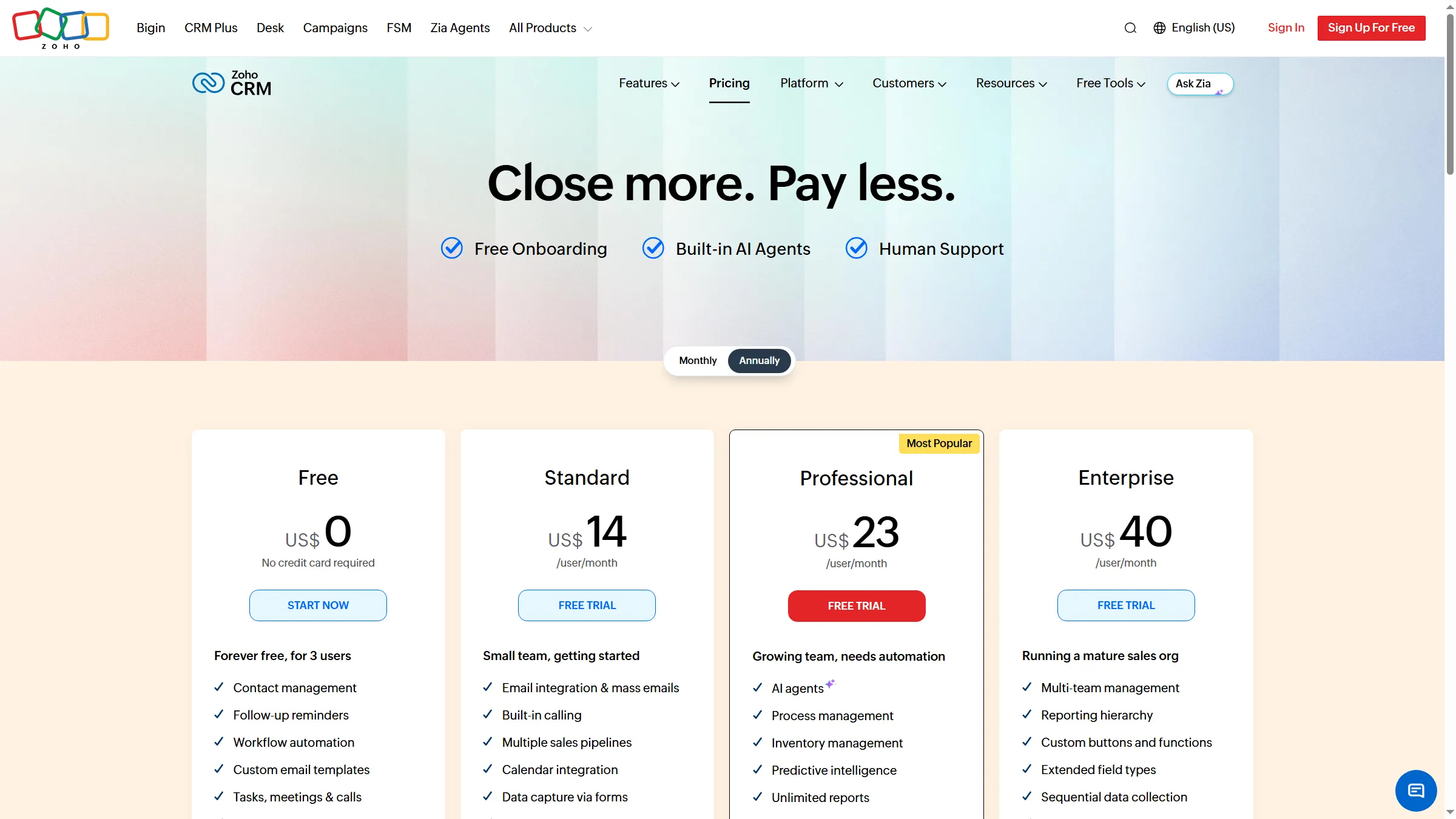
Zoho’s pricing page separates its free tier from the paid editions.
Product pricing — Zoho CRM
Free for up to 3 users; Standard $14/user/month ($168/year for one seat) and Professional $23/user/month ($276/year for one seat), billed annually. Taxes may apply.
2. Pipedrive: Best for a pipeline-first sales team
Pipedrive keeps sales work centered on deals and the next action. You'll need a higher plan for sequences or lead routing.
My take: I like the clear plan ladder. Premium makes lead routing a deliberate budget choice.
Pros — Pipedrive
- Lite covers leads, contacts, calendars, and pipelines. You can import a spreadsheet or another CRM, use a LinkedIn Pipedrive integration for LinkedIn leads, and Pipedrive lists more than 500 integrations.
- Growth costs $39 per seat per month with annual billing. It adds email sync, sequences, workflow automation, a meeting scheduler, and forecast reports.
- Premium costs $59 per seat per month with annual billing. LeadBooster adds lead generation and routing, with scoring and more team permissions.
Cons — Pipedrive
- Lite won't cover a team that needs email sequences in the same tool.
- Lead routing comes through LeadBooster on Premium; the $14 Lite rate leaves it out.
- Annual billing is paid upfront, and add-ons can raise the total.
Things I noted
I had to verify my email before Pipedrive asked for profile details, including a phone number.
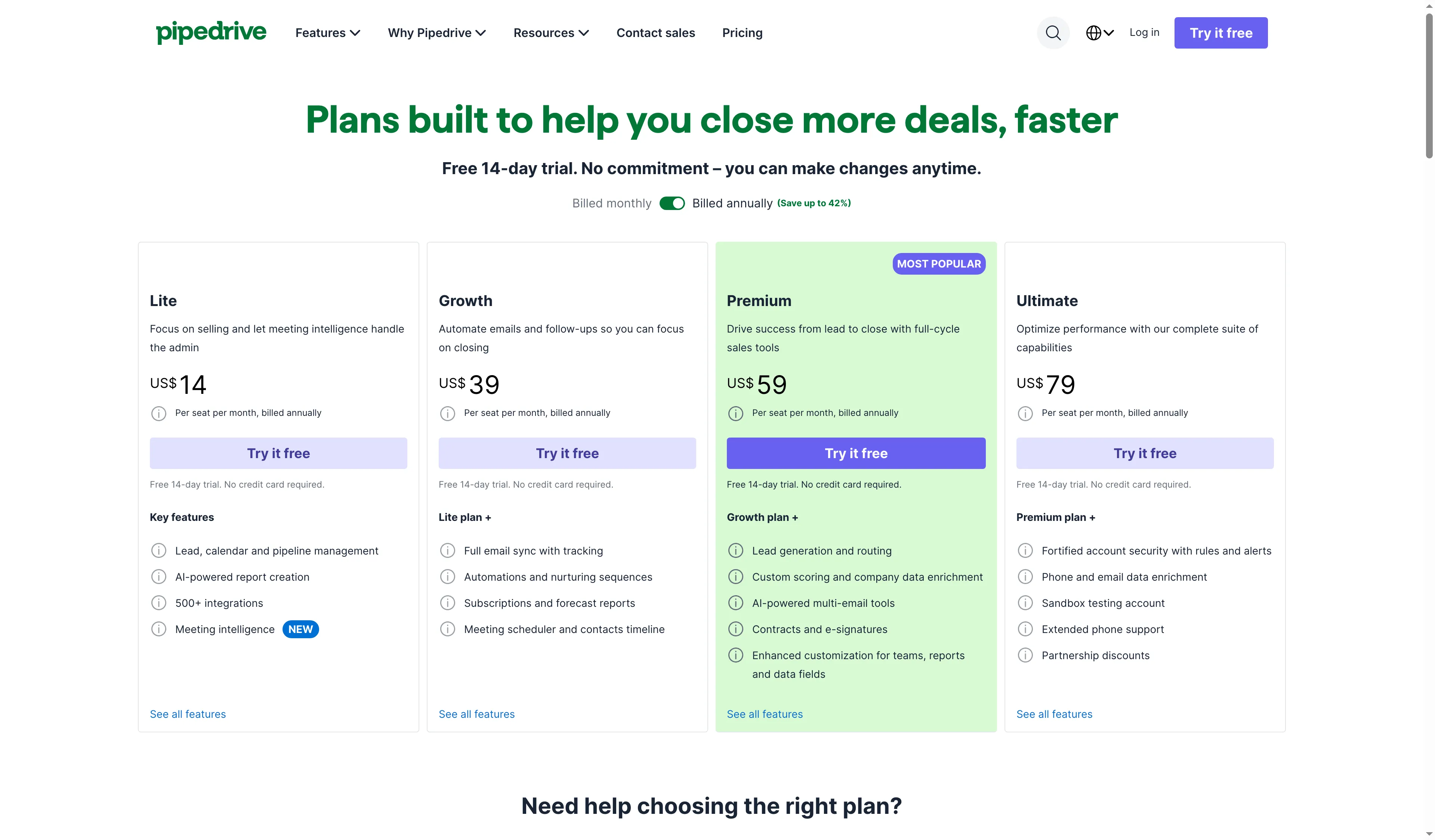
Pipedrive lists Premium at $59 per seat per month with annual billing.
Product pricing — Pipedrive
Lite $14/seat/month ($168/year for one seat), Growth $39/seat/month ($468/year for one seat), and Premium $59/seat/month ($708/year for one seat) with annual billing. Annual plans are paid upfront.
3. Freshsales: Best for a small team that needs sales sequences
Freshsales gives you a free CRM to start, but sales sequences begin on Pro. Growth won't work for teams that need automated follow-up.
My take: I like that Freshsales sets sequence limits in plain numbers. Growth's low price can mislead you if automated follow-up is the point.
Pros — Freshsales
- The free tier supports three users. Growth costs $9 per user per month with annual billing.
- Pro allows up to 10 sales sequences per user and 1,000 sequence emails per user per day.
- Freshsales lists automatic-assignment rules and territory routing. Check how those fit your lead handoff before you pay for automation.
Cons — Freshsales
- Free and Growth include no sales sequences, so you'll need Pro for that follow-up.
- Pro caps sequence emails at 1,000 per user a day; Enterprise raises the cap to 2,000. Delivery still depends on the sending mailbox and its reputation.
- The signup page offers a 21-day trial without a card. That trial won't show whether every CRM workflow is available on the free plan.
Things I noted
When I opened the trial form, phone was optional and marketing consent appeared separately from the required terms. Both boxes were already selected.
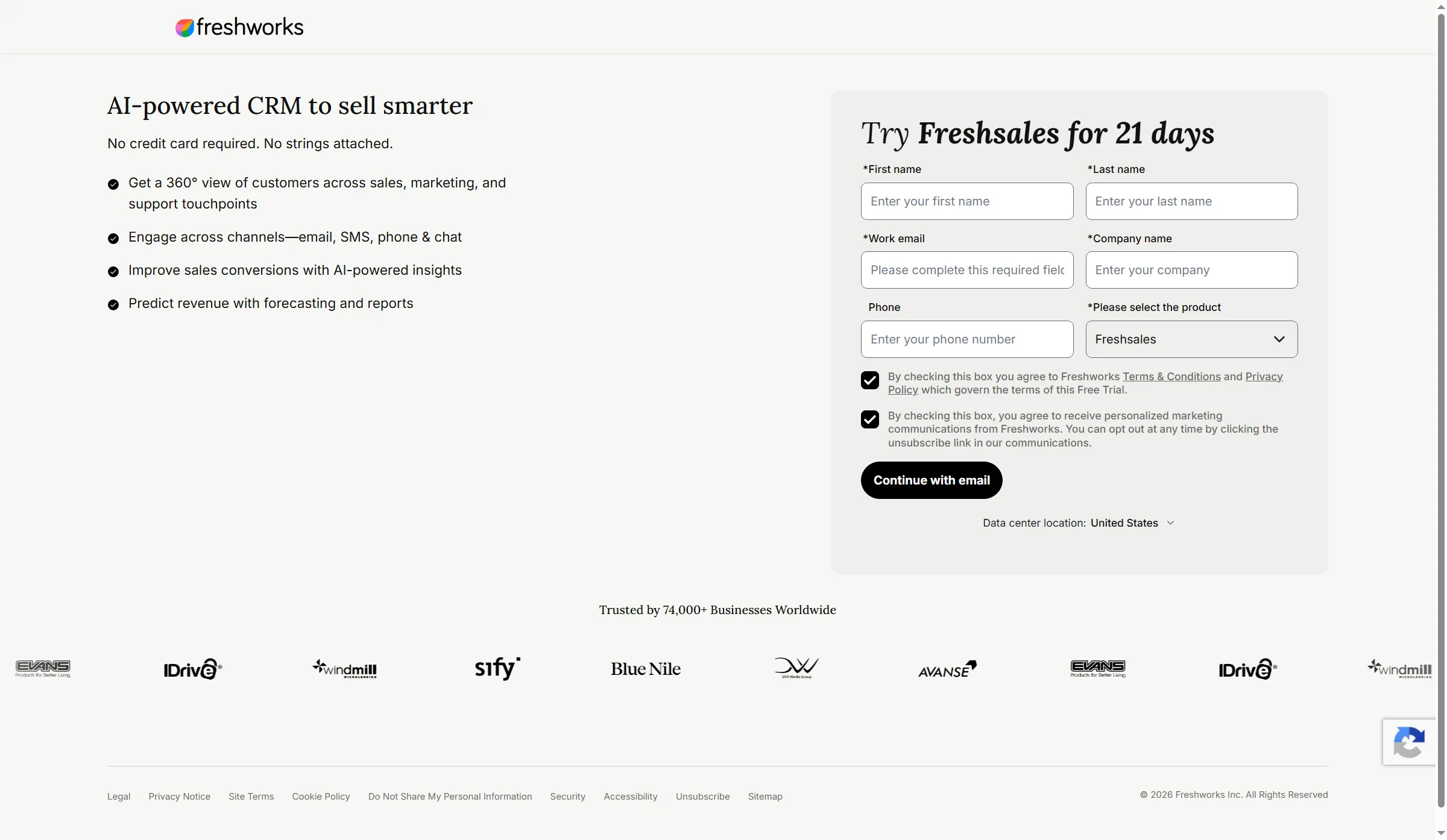
The Freshsales signup form shows the trial terms before the CRM workspace.
Product pricing — Freshsales
Free for up to 3 users; Growth $9/user/month and Pro $39/user/month with annual billing. Pro includes up to 10 sales sequences/user and 1,000 sequence emails/user/day.
4. Salesforce Starter Suite: Best for a broad CRM with built-in lead routing
Salesforce Starter Suite pairs lead routing with lead, account, contact, and opportunity management. It also bundles built-in sales flows with a broader service and marketing suite.
My take: I'd pick Starter for its bundled handoff features. I wouldn't count on a low-effort setup.
Pros — Salesforce Starter Suite
- Starter includes lead routing for $25 per user per month, with monthly or annual billing.
- The 30-day Starter Suite trial covers up to 10 users, so you can inspect the setup before paying.
- Sales, service, marketing, commerce, and Slack sit in the same wider suite, which may suit a team already looking to bring those functions together.
Cons — Salesforce Starter Suite
- Starter leaves advanced customization, forecasting, API, and automation needs to Pro Suite, a separate tier.
- Broad customization can create more setup than a simple pipeline needs. I'd buy Salesforce for a specific process requirement; the name alone doesn't justify setup.
- Starter's suite won't match every HubSpot Hub or Marketing Hub workflow out of the box.
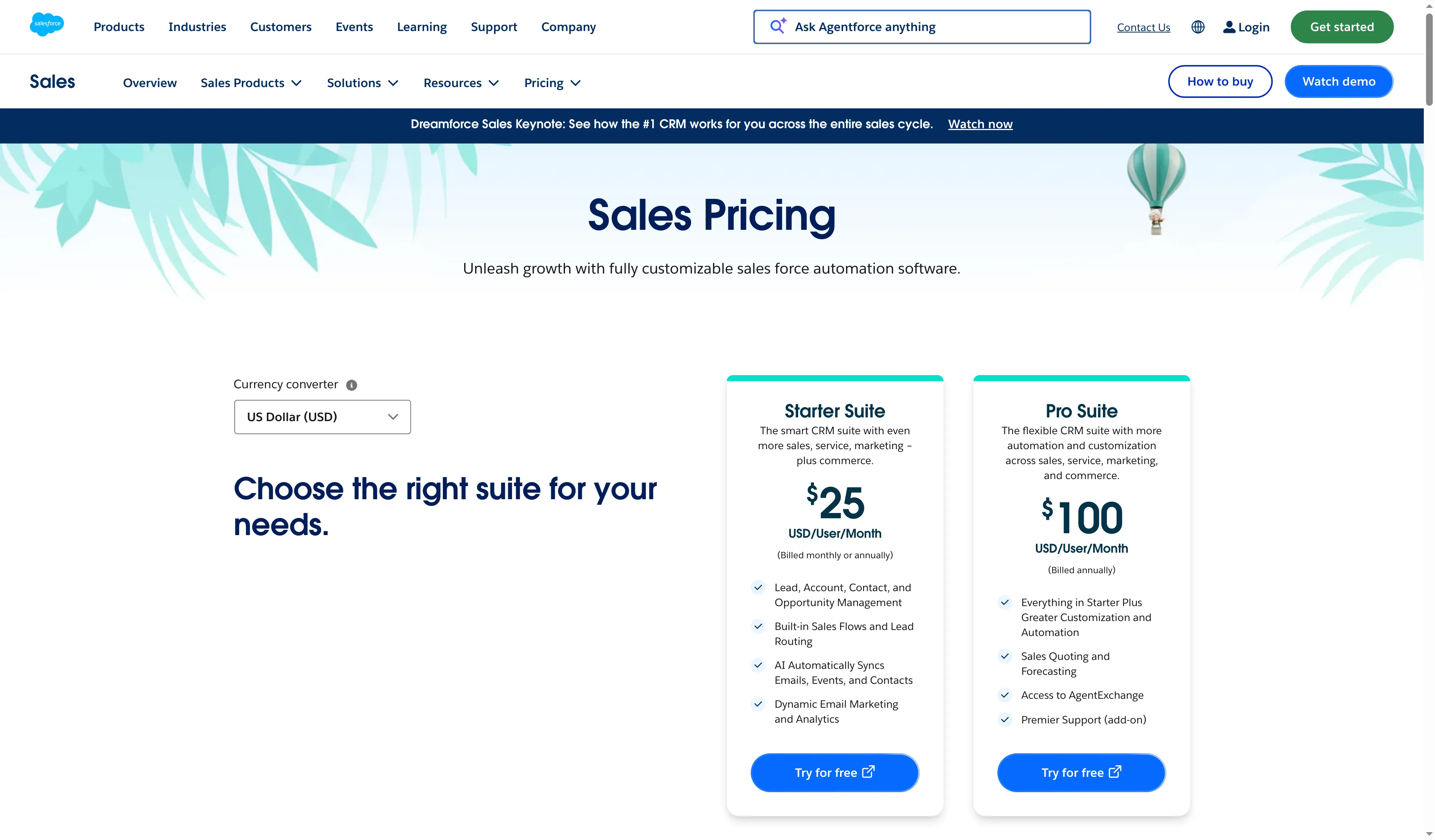
Salesforce lists Starter Suite at $25 per user per month and shows its broader suite scope.
Product pricing — Salesforce Starter Suite
Starter Suite $25/user/month, billed monthly or annually; Pro Suite $100/user/month billed annually. Trial: 30 days for up to 10 users.
5. Attio: Best for teams that want a flexible relationship database
Attio lets you shape a CRM around your relationships and sales objects. Free supports up to three users; Pro adds custom objects, sequences, advanced reporting, and finer permissions.
My take: I like the flexibility for an unusual object map. Pro is hard to justify for a basic pipeline.
Pros — Attio
- Free includes up to three users, 50,000 records, and three objects, plus workflows and automatic enrichment.
- Plus supports up to 10 seats with private lists and basic permissions. Annual billing comes to $40 a month for one user, then $35 for each added seat.
- Pro adds custom objects, call intelligence, sequences, and advanced reports. Attio's workflow example routes a scored lead to an account executive.
Cons — Attio
- Free users share view and edit access across the workspace, so a team that needs access controls may need Plus or Pro.
- Five Pro seats cost much more than Attio Free, before tax or extra credits.
- You'll need to design routing around your records and rules. That differs from a dedicated territory or round-robin assignment tool.
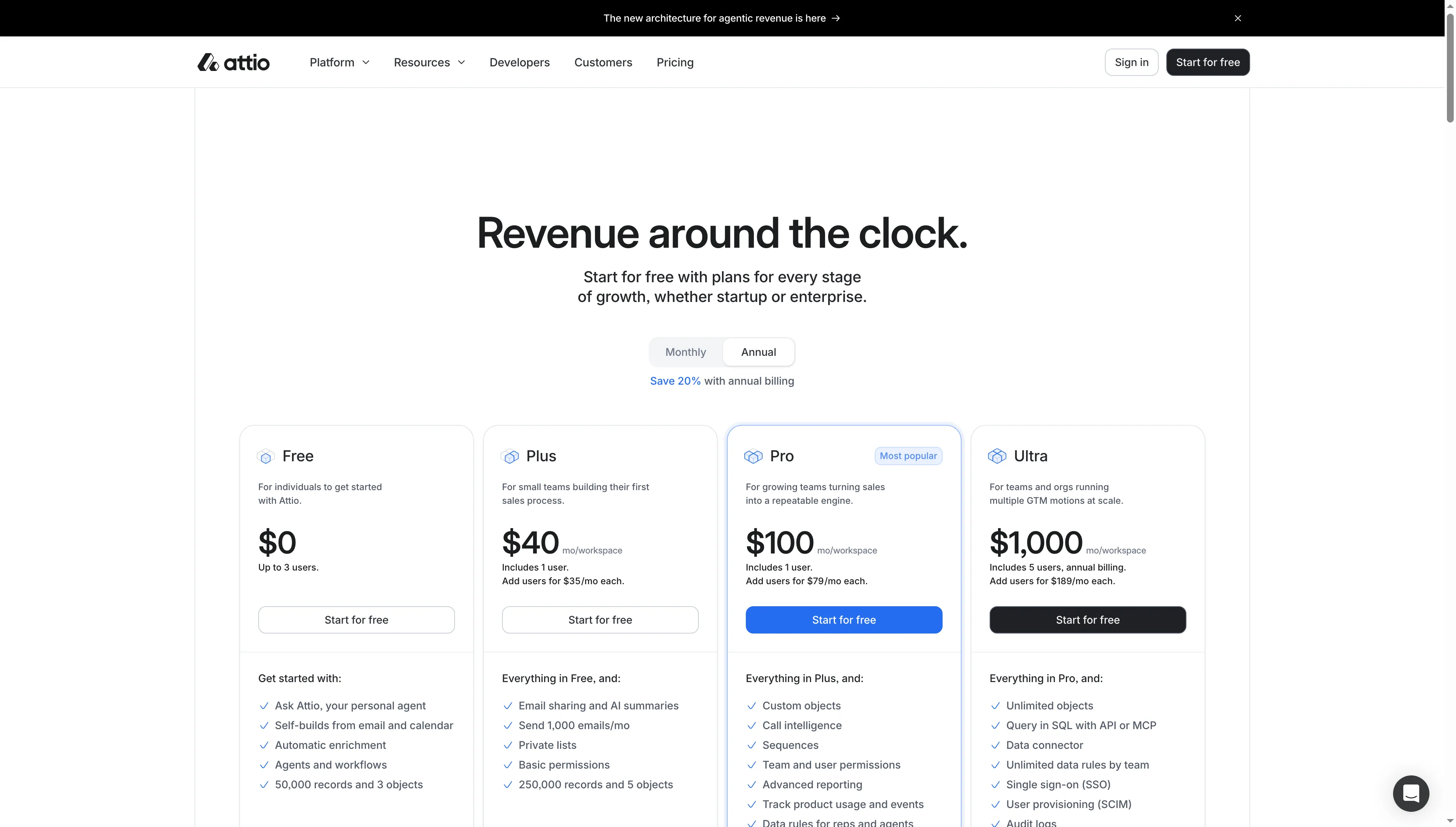
Attio lists monthly workspace prices with annual billing selected.
Product pricing — Attio
Free up to 3 users; Plus $40/month for one user, then $35/month per added user; Pro $100/month for one user, then $79/month per added user ($1,200/year for one seat). New workspaces get a 14-day Pro trial.
Five-seat annual costs across HubSpot CRM alternatives
For five seats, Freshsales Growth is the lowest-cost entry setup at $540 a year, while Attio Pro is the highest-cost assignment-and-follow-up configuration at $4,992 a year, before taxes. The table compares annual totals before taxes.
| CRM | 1 seat: entry plan | 5 seats: entry plan | 5 seats: assignment + follow-up plan | What changes in the last column |
|---|---|---|---|---|
| Zoho CRM | $168 | $840 | $1,380 | Professional adds assignment rules and process automation |
| Pipedrive | $168 | $840 | $3,540 | Premium includes LeadBooster routing and Growth sequences |
| Freshsales | $108 | $540 | $2,340 | Pro includes assignment rules and sequences with published limits |
| Salesforce Starter Suite | $300 | $1,500 | $1,500 | Starter lists lead routing and sales flows |
| Attio | $480 | $2,160 | $4,992 | Pro adds sequences, custom objects, and advanced reporting |
For per-seat plans, I multiplied the annual-billing monthly price by five seats and 12. Attio's total uses the one-user workspace price plus four added seats, multiplied by 12. Taxes are excluded. Zoho CRM, Freshsales, and Attio offer free plans for up to three users; Pipedrive has a 14-day trial.
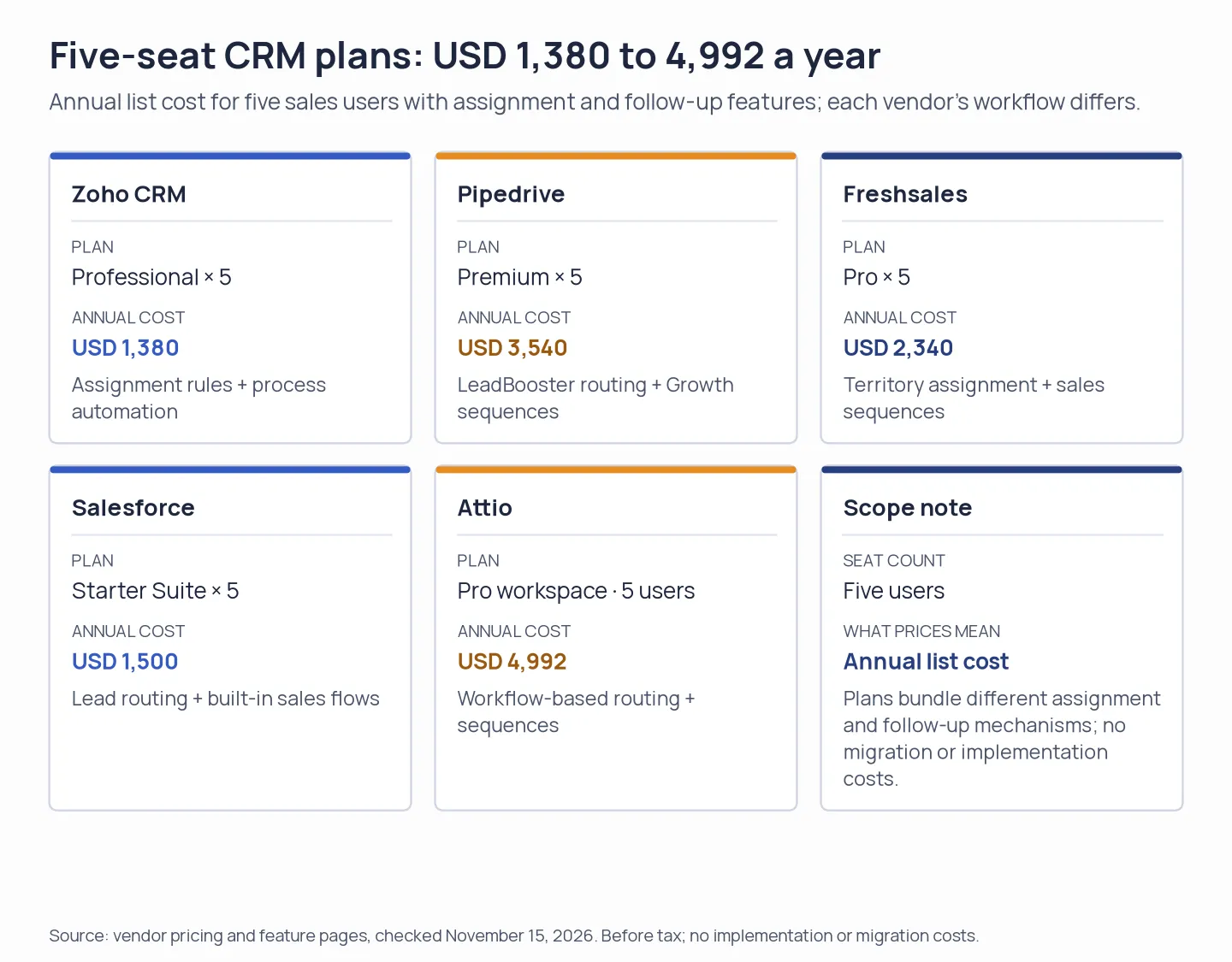
Five-seat plan examples with assignment and follow-up features. The workflows differ by product.
HubSpot Sales Hub Professional lists at $90 per seat per month with annual payment and required $1,500 onboarding. Five seats cost $6,900 in year one ($5,400 in annual seat fees plus onboarding), before tax or discounts. That configuration covers Sales Hub Professional; other Hubs are separate.
Which HubSpot alternative should you choose?
Zoho CRM suits a team that wants assignment rules and process automation at a lower seat cost and can own its setup. Pipedrive fits reps who live in deal stages and can pay for sequences or lead routing on a higher tier. Freshsales works as a free three-user start when Pro's sequence quotas cover your follow-up. Salesforce Starter Suite makes sense when you need lead routing in a wider sales, service, and marketing suite and the entry configuration covers your process. Attio is for teams whose need for custom objects and a flexible data model justifies Pro's higher five-seat cost. If you already use HubSpot for marketing, service, or cross-hub reporting, keep those workflows in the cost calculation. A CRM-only switch can split customer history, and a free or lower HubSpot tier may cost less than rebuilding those functions elsewhere.
Other tools we considered
For HubSpot alternatives centered on campaigns or an all-in-one marketing stack, I considered ActiveCampaign, Brevo, and EngageBay. Their primary scope differs from the five sales CRMs above, so I left them outside the sales CRM comparison.