

 17 min read

TL;DR: Mailchimp alternatives in November 2026
- For a newsletter: MailerLite Comfort supports 5,000 subscribers and 50,000 monthly emails for $529.20 billed yearly; a fourth seat moves the plan to Power.
- For creator publishing: Kit Free reaches 10,000 subscribers and unlimited broadcasts, but visual automations and sequences require Creator.
- For send-led costs: Brevo pairs monthly email volume with stored-contact limits, so a low send tier may not fit a large inactive list.
- For ecommerce: Omnisend and Klaviyo price audiences differently; Omnisend also separates SMS billing from its current email plans.
- For complex journeys: ActiveCampaign Starter has five actions per automation; GetResponse Starter allows one workflow with up to six elements.
- Before you leave: Mailchimp's Free tier is 250 contacts and 500 monthly sends, while paid contact counts include unsubscribed and non-subscribed records unless archived, cleaned, or deleted.
An email-marketing alternative replaces some part of Mailchimp's audience, campaign, or automation workflow. Newsletter platforms prioritize broadcasts and signup forms, creator tools add paid subscriptions and audience growth, CRM suites connect email to sales records, and ecommerce platforms build messages around store activity; those jobs overlap, but their billing units and automation triggers still differ.
I checked free and trial signup paths, current US pricing and help pages, public customer reviews, and Reddit discussions, then compared what each plan counts and gates.
Mailchimp alternatives at a glance: Match the tool to the workload
MailerLite fits newsletters with predictable sends, Brevo fits large lists with lighter send cadence, and Kit fits creator newsletters and digital products. The last column names each tool's main constraint.
| Workload | Tool | Why it fits | Material limitation |
|---|---|---|---|
| Newsletter with predictable sends | MailerLite | Comfort has a clear 10× send allowance and up to three seats | Comfort can auto-upgrade after a tier/send-limit overage; fourth seat requires Power |
| Large list, lighter send cadence | Brevo | Paid tiers combine email volume with contact storage | Free/Starter automation stops at 2,000 contacts; Standard lifts that cap |
| Creator newsletter and digital products | Kit | Free includes up to 10,000 subscribers and unlimited broadcasts | Sequences and visual automations require paid Creator or Pro |
| CRM-linked, branching journeys | ActiveCampaign | Current plans include multi-step automation | Starter is limited to five actions per automation and one included seat |
| Store-triggered email and SMS | Omnisend | Store pricing view separates contacts, email usage, SMS, and add-ons | Billable contacts include non-subscribers; SMS is separate on current paid plans |
| Ecommerce profiles and segmentation | Klaviyo | Email plans bill on active profiles and include profile-based send allowances | Suppression changes can take up to 72 hours to affect usage; downgrade is not automatic by default |
| Newsletters plus funnels or courses | GetResponse | Marketer includes unlimited workflows and advanced segmentation | Starter is one workflow; repeated contacts across lists can count more than once |
What makes the best Mailchimp alternative: Check five billing and migration rules
Before choosing a Mailchimp alternative, check billable audience, send allowance, automation depth, seats and channels, and migration objects. The right replacement is the one that bills the audience you store and supports the automation you run.
- Billable audience: Mailchimp counts subscribed, non-subscribed, and unsubscribed contacts across audiences. Klaviyo counts active email-eligible profiles; Omnisend includes subscribers and non-subscribers; GetResponse can count the same address once per list.
- Send allowance: MailerLite Comfort allows 10 sends per subscriber at the tier ceiling, while Kit advertises unlimited broadcasts. Brevo sells send-volume tiers, and its selected volume also sets a contact-storage ceiling.
- Automation depth: “Automation” can mean one short workflow, a tag-triggered sequence, or ecommerce event paths. Check the actions/elements and trigger types, not just whether a plan has an automation label.
- Seats and channels: A four-person team changes MailerLite's plan; Brevo Standard includes three marketing seats. Omnisend SMS and Klaviyo product modules add separate cost conditions.
- Migration objects: Count fields, tags, suppression status, templates, list membership, store events, and workflow branches separately. Kit's template guide says a copied automation creates new forms, tags, and sequences instead of attaching the template to existing ones.
The billing unit is only the first check; sends, seats, and channels can move the total.
Price and test an existing scheduler or basic email workflow first if HubSpot, Pipedrive, Google, or Microsoft already includes it in a subscription you pay for. It may cover a basic newsletter, but do not assume it replaces consent management, ecommerce events, or branching journeys.
Mailchimp alternative pricing: MailerLite and Klaviyo meet three newsletter workloads
For a one-person newsletter using broadcasts and basic segmentation, MailerLite Comfort and Klaviyo Email both cover the same monthly send volume at each audience size below. MailerLite bills active subscribers and takes the annual payment upfront; Klaviyo bills active email-eligible profiles monthly, so its 12-month figure is an annualized total rather than an annual-upfront offer.
| Newsletter workload | MailerLite Comfort: annual upfront | Included sends/month | Klaviyo Email: monthly × 12 | Included sends/month |
|---|---|---|---|---|
| 5,000 active recipients; 20,000 sends/month; 1 user | $529.20 | 50,000 | $1,200 ($100 × 12) | 50,000 |
| 25,000 active recipients; 100,000 sends/month; 1 user | $1,933.20 | 250,000 | $4,800 ($400 × 12) | 250,000 |
| 50,000 active recipients; 200,000 sends/month; 1 user | $3,445.20 | 500,000 | $8,640 ($720 × 12) | 500,000 |
These totals use USD prices before optional SMS or other add-ons; MailerLite's displayed yearly discount is included, while Klaviyo is twelve normal monthly bills. MailerLite's Comfort sends equal 10× its subscriber-tier ceiling, and Klaviyo's Email selector includes 10× active profiles. This table prices newsletter sends and basic segmentation. Store workflows add event and channel requirements, while four other plans have different metering and size-tier rules.
1. MailerLite: Best for newsletters with a predictable send cadence
MailerLite is a good fit for a newsletter team that can keep its subscriber count and monthly volume below a known tier. Its Comfort plan covers 5,000 subscribers and 50,000 sends a month, and the automation editor separates a group-join trigger from each email's subject, sender, and design settings.
Pros — MailerLite
- Comfort's send cap is explicit: 10 times the subscriber-tier ceiling, so the 5,000 tier allows 50,000 monthly emails.
- Comfort includes three seats and up to 50 active automations; Power removes the seat and send caps, subject to fair use.
- The Free plan provides 250 active subscribers and 2,500 emails per 30 days.
Cons — MailerLite
- Comfort can automatically upgrade after a subscriber or send-limit overage, so a list import deserves a billing check.
- A fourth seat requires Power even if your sends fit Comfort.
- A 5,000-subscriber newsletter needs a paid tier; the Free plan is limited to 250 active subscribers.
Things I Noted
When I switched the live US selector to annual billing, Comfort showed 10% off and a separate total from Power. MailerLite's selector made the four-seat jump visible before I had to think about the send cap.
I like the arithmetic on Comfort, but the auto-upgrade condition makes list hygiene part of budget control. If your team has four users or routinely sends above 10× its tier ceiling, price Power before moving. Solo newsletter publishers are the cleaner fit.
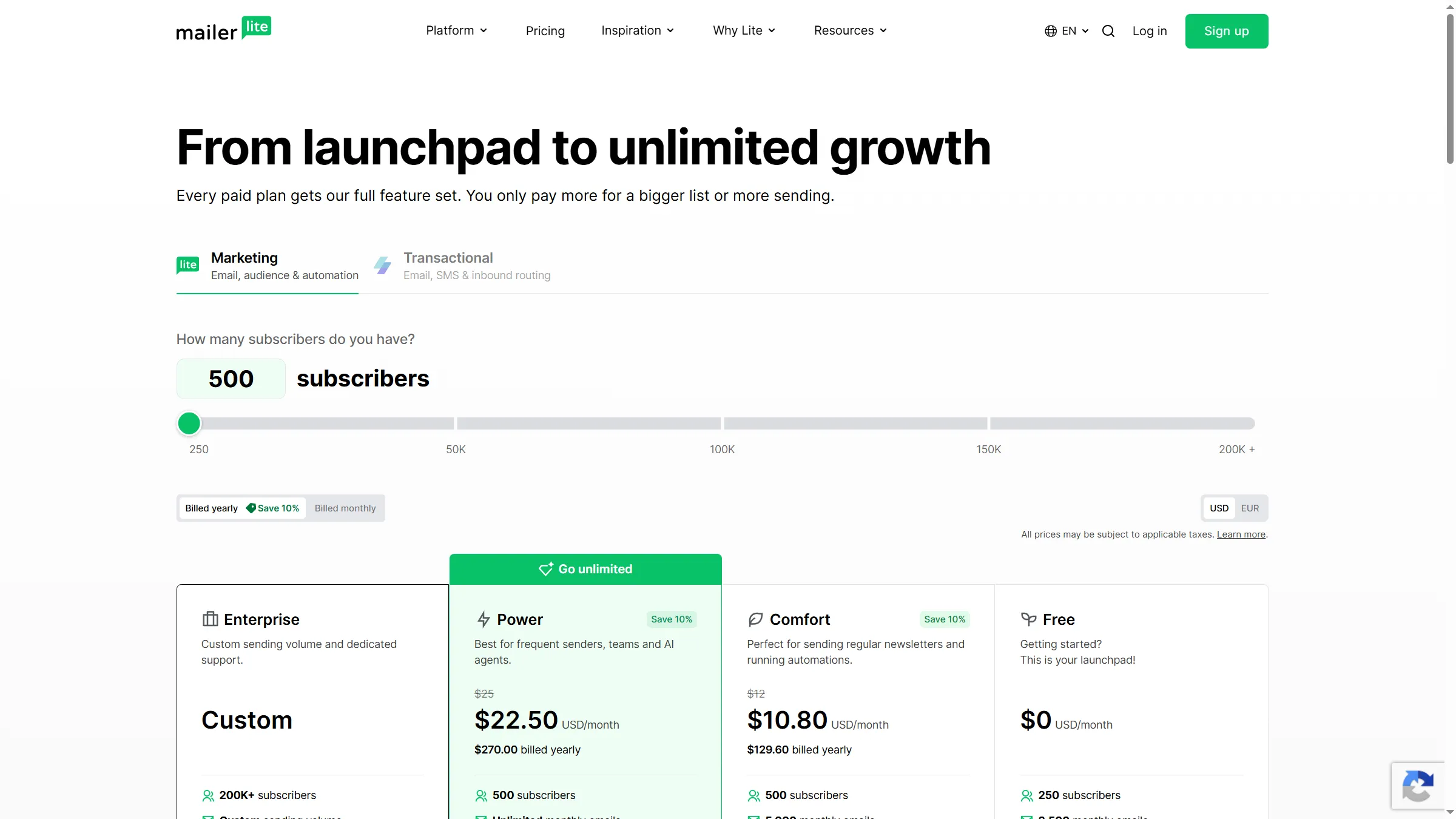
MailerLite’s public pricing page shows the annual billing selector and subscriber-based plan tiers.
Product pricing — MailerLite
Free: up to 250 active subscribers and 2,500 emails/30 days; paid totals vary by subscriber tier and billing period. The comparison table gives current annual Comfort totals for three newsletter loads.
2. Brevo: Best for send-led budgets with a defined stored-contact tier
Brevo fits teams that prefer to select an email-send allowance, provided they also check how that tier caps stored contacts. The official plan guide sets 20,000–100,000 monthly sends alongside storage of up to 500,000 contacts, while Standard adds unlimited-contact marketing automation and three included marketing seats.
Pros — Brevo
- Free includes up to 100,000 stored contacts and 300 sends per day, but automation is limited to 2,000 contacts.
- Standard removes the automation-contact cap and includes up to three marketing seats.
- A segment, list membership, or custom filter can trigger an automation, so segmentation can drive a workflow.
Cons — Brevo
- The send tier also determines contact storage; a low-volume plan may not hold a large audience.
- Standard has a three-seat limit, making a fourth marketer an additional pricing question.
- The no-card signup form was available, but my run did not reach a workspace, so I can’t make an interface-ease claim.
The tier pairing is Brevo's useful distinction and its budgeting trap: storage and sends move together. I like the fit for a large, lightly mailed list when the send tier still covers the audience. A team needing more than three seats should price the seat add-on first.
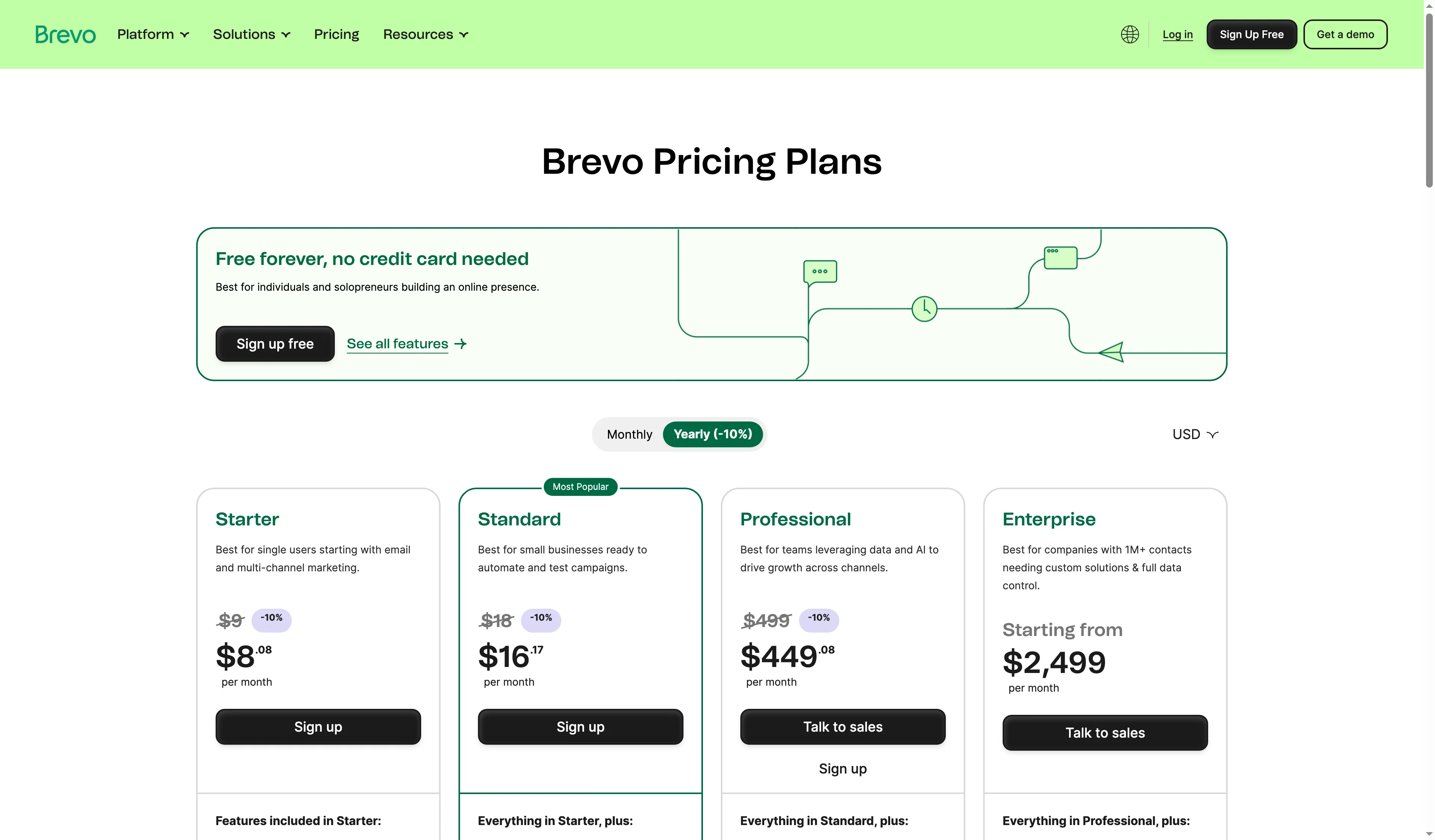
Brevo’s public pricing page shows its plan tiers and annual billing option.
Product pricing — Brevo
Free: $0 with 300 sends/day; Starter: from $9/month; Standard: from $18/month. Exact 20,000-, 100,000-, and 200,000-send workload totals and seat extras were not available in the public help table.
3. Kit: Best for creators selling newsletters and digital products
Kit is built around a creator audience, with landing pages, forms, broadcasts, paid subscriptions, and digital products in the same account. Its Free plan reaches 10,000 subscribers and includes unlimited broadcasts, but a welcome sequence needs paid Creator because visual automations, sequences, and Rules are paid features.
Pros — Kit
- Free offers unlimited broadcasts and up to 10,000 subscribers, a much larger newsletter-only ceiling than many free tiers.
- Creator and Pro include unlimited sequences and visual automations; Creator allows two team members and Pro has unlimited users.
- Tags can start automation rules, while the Help Center recommends Advanced filters when a saved segment condition needs to branch a workflow.
Cons — Kit
- Free is not a free autoresponder: visual automations, sequences, and template creation require an upgrade.
- Copying an automation template creates new forms, tags, and sequences rather than reusing existing ones.
- Kit's current pricing page shows a Pro first-year promotion that renews at the standard price, so compare the renewal figure too.
Kit's free broadcast allowance is generous for a creator building an audience, but it isn't a free email-automation replacement. I'd choose it for creator monetization and use a paid plan when a sequence is part of the product. Teams with more than two people need Pro.
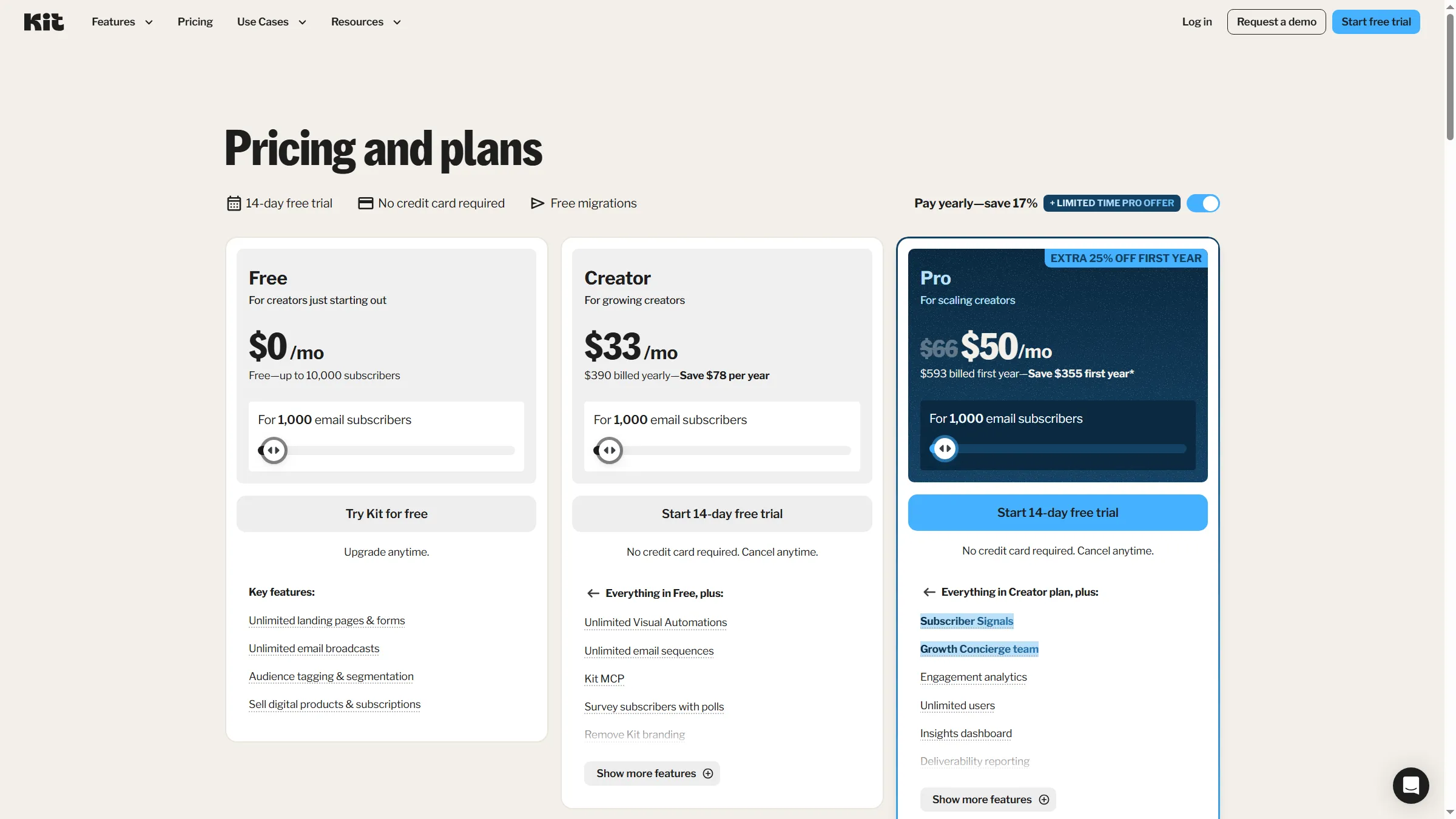
Kit’s public pricing page separates free broadcasts from paid sequences and visual automations.
Product pricing — Kit
Free: up to 10,000 subscribers; Creator: from $33/month or $390 billed yearly at 1,000 subscribers; Pro: current first-year offer $593, then renews at the standard rate. Larger-list totals vary by subscriber count.
4. ActiveCampaign: Best for teams that need CRM-linked branching journeys
ActiveCampaign suits a team that wants email automation tied to sales records, but its tier limits matter before the workflow gets complicated. Starter includes one user and allows five actions per automation. It also sends up to 10 times the contact limit; Professional includes three seats and a 12× send allowance.
Pros — ActiveCampaign
- The current plan matrix includes multi-step automation across plans, with plan-specific action and trigger depth.
- My no-card 14-day trial opened an automation list containing one inactive generated workflow and zero contacts.
- The onboarding preview showed three email touchpoints scheduled for days 1, 4, and 7, making the setup output concrete before adding an audience.
Cons — ActiveCampaign
- Starter's five-action cap can make a nominally multi-step journey too short for a larger nurture path.
- Starter includes one seat and permits one extra paid seat; the team plan needs a seat-cost check.
- The generated automation copy used a different language from the UI in my new workspace, so I would review it before activation.
Things I Noted
My trial workspace already contained one inactive generated automation and zero contacts. The onboarding preview named email touchpoints for days 1, 4, and 7, but the generated copy needed a language review before activation.
I found the inactive starter workflow more useful as a prompt than as ready-to-send work: it had no contacts, so I would check each step before using it. Pick ActiveCampaign when CRM-linked branching is worth setup and seat planning; a simple broadcast sender may be paying for more system than it uses.
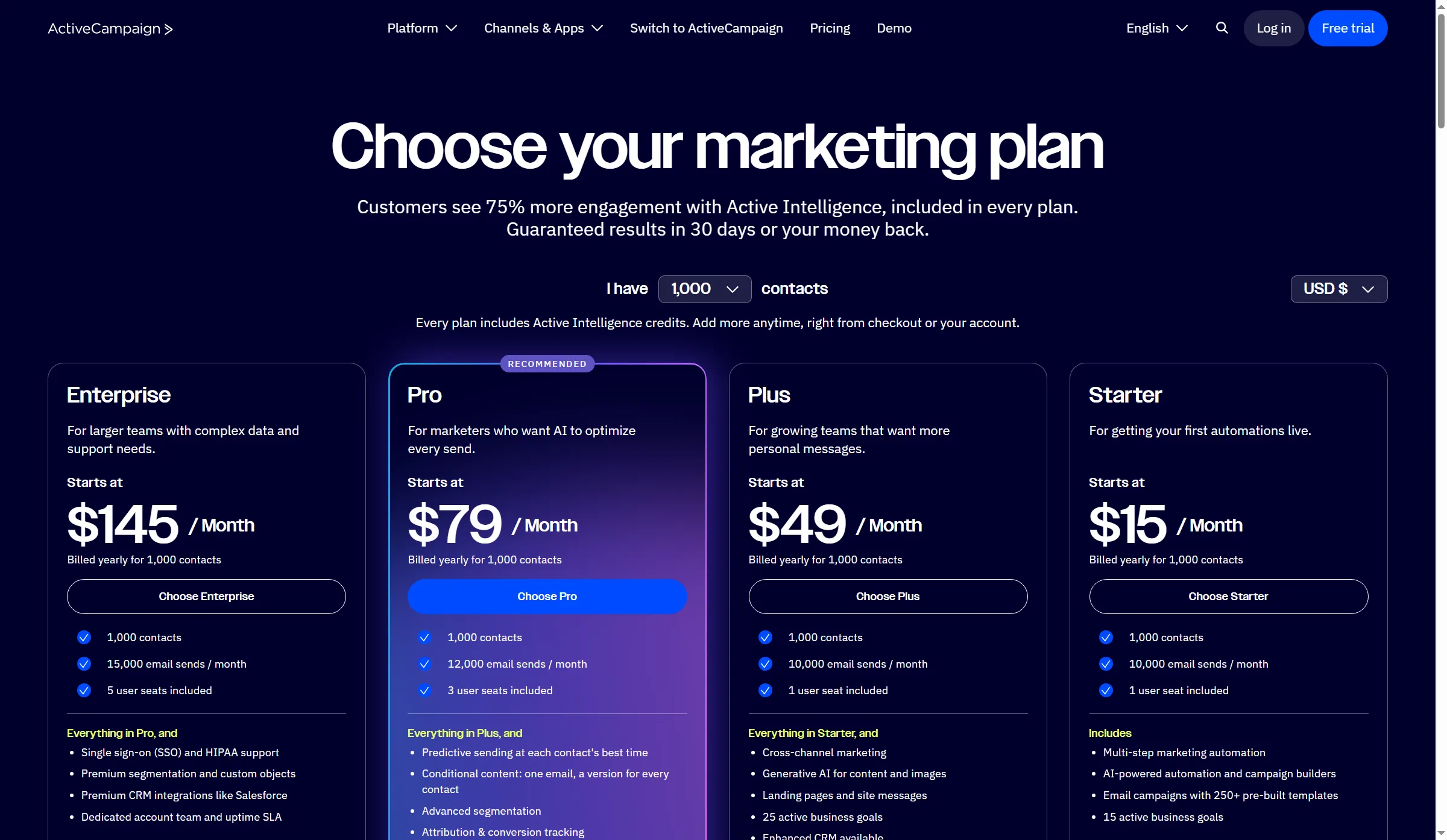
ActiveCampaign’s public pricing page ties plan prices to a selected contact count.
Product pricing — ActiveCampaign
14-day free trial, no card required; paid plan prices vary by contact count and were not exposed in the current pricing matrix. Starter includes one seat, five actions per automation, and 10× monthly sends.
5. Omnisend: Best for ecommerce teams separating email and SMS budgets
Omnisend is an ecommerce-focused option when a store team wants to see email usage, billable contacts, SMS, and add-ons as separate costs. Its billing view shows a monthly estimate and distinct tabs for plan usage and SMS; current paid customers need a separate SMS subscription, and billable contacts include subscribers and non-subscribers.
Pros — Omnisend
- Standard includes 12 email credits per billable contact; Pro removes the email-credit ceiling.
- Current pricing explains the billable-contact tier and provides separate SMS pricing and credit views.
- The official SMS guide gives a current US entry rate of $0.009 at $10–$49.99 in monthly SMS spend. Lower rates require more spend.
Cons — Omnisend
- Standard does not include SMS for new paid customers; Pro and an SMS Credits Subscription are separate requirements.
- Unused SMS credits expire after 60 days, and SMS has its own spend and potential upgrade settings.
- The Free-plan help pages conflict on whether advanced automation and segmentation remain available after downgrading; confirm the current account matrix before relying on it.
The catch with Omnisend is its split bill. It can fit a store workflow, but a reader comparing only the email base price will miss SMS and non-subscriber contacts. Choose it when ecommerce events matter and budget channels separately.
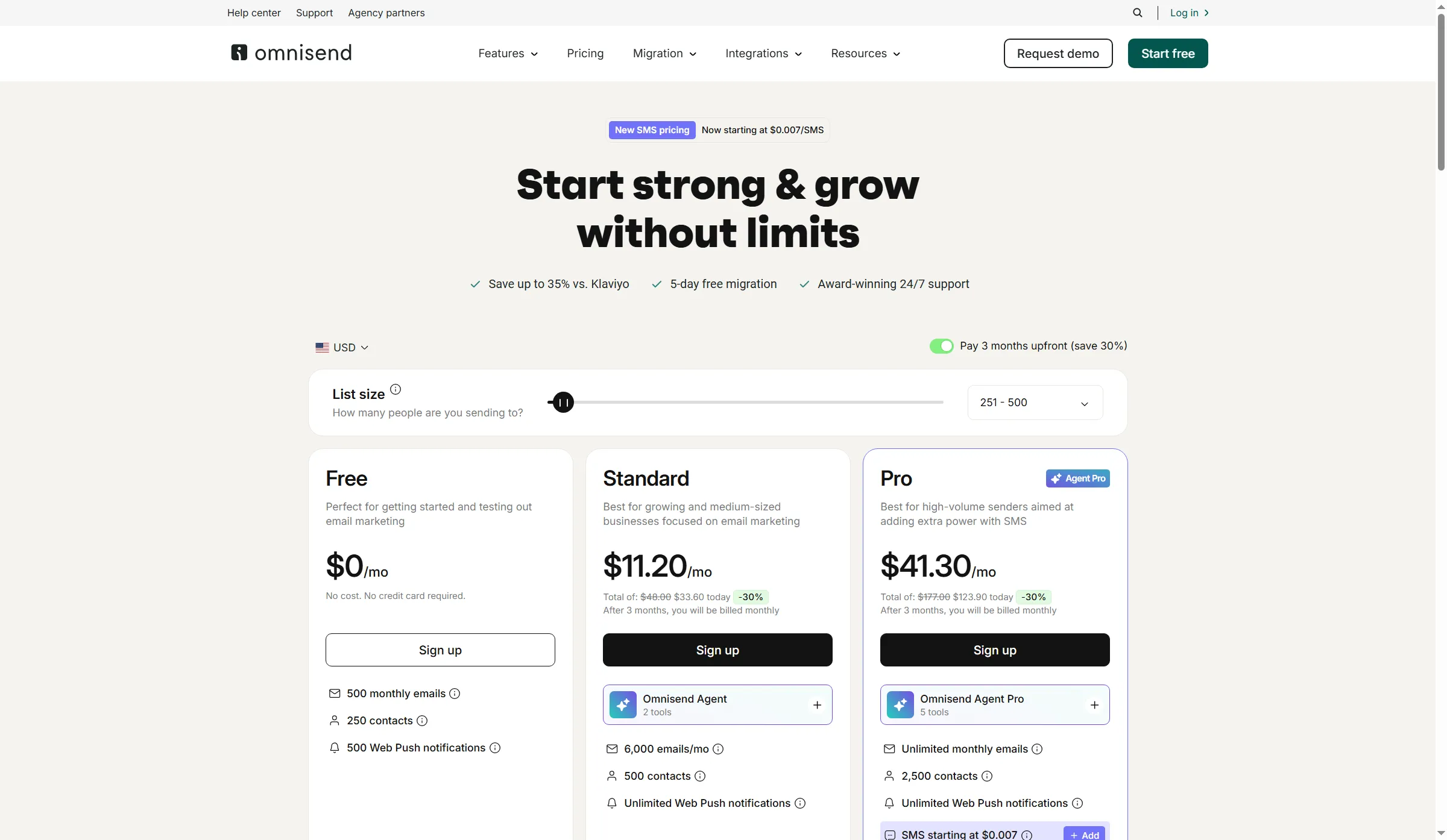
Omnisend’s public pricing page presents email plans and its SMS pricing entry point.
Product pricing — Omnisend
Standard starts at $16/month with 12× billable-contact email credits; Pro starts at $59/month with unlimited email. SMS is a separate subscription for current paid customers; exact list-size totals depend on billable contacts and channel volume.
6. Klaviyo: Best for ecommerce teams willing to manage active-profile billing
Klaviyo's email plan makes sense for ecommerce teams that use customer profiles and purchase behavior, if they keep an eye on active-profile billing. The live US selector separates recurring Email pricing from the Marketing bundle, whose first-month promotion does not reflect the standard rate.
Pros — Klaviyo
- The Email plan uses active, email-eligible profiles as its billing unit and ties sends to that profile tier.
- Suppressed profiles remain available for historical reporting without counting as active email profiles.
- The inactivity workflow can combine email engagement, store activity, and profile age when building a suppression segment.
Cons — Klaviyo
- Usage can take up to 72 hours to reflect a large suppression cleanup; downgrade is not automatic unless configured.
- Marketing adds broader product scope and a temporary intro offer, so don't confuse its first-month price with the recurring Email price.
- A four-star Capterra review published August 6, 2026 says a small team wanted more strategy support; a separate five-star review published August 4 reports billing rising with list growth. These are two individual accounts, so they say little about typical support or billing outcomes.
Things I Noted
I moved Klaviyo's public US selector through three active-profile tiers; Email pricing rose with the count, while the first-month offer applied to Marketing instead. Use the recurring plan line when estimating a full year's spend.
Klaviyo's selector is clear, but its price follows eligible profiles rather than just newsletter subscribers. For a store using customer data and segmentation, the extra profile management can pay off. A newsletter-only team may spend more time managing profiles than it needs to.
I would not choose Klaviyo for a newsletter alone: its profile-based billing and store-data model need a real ecommerce use case to justify the extra management.
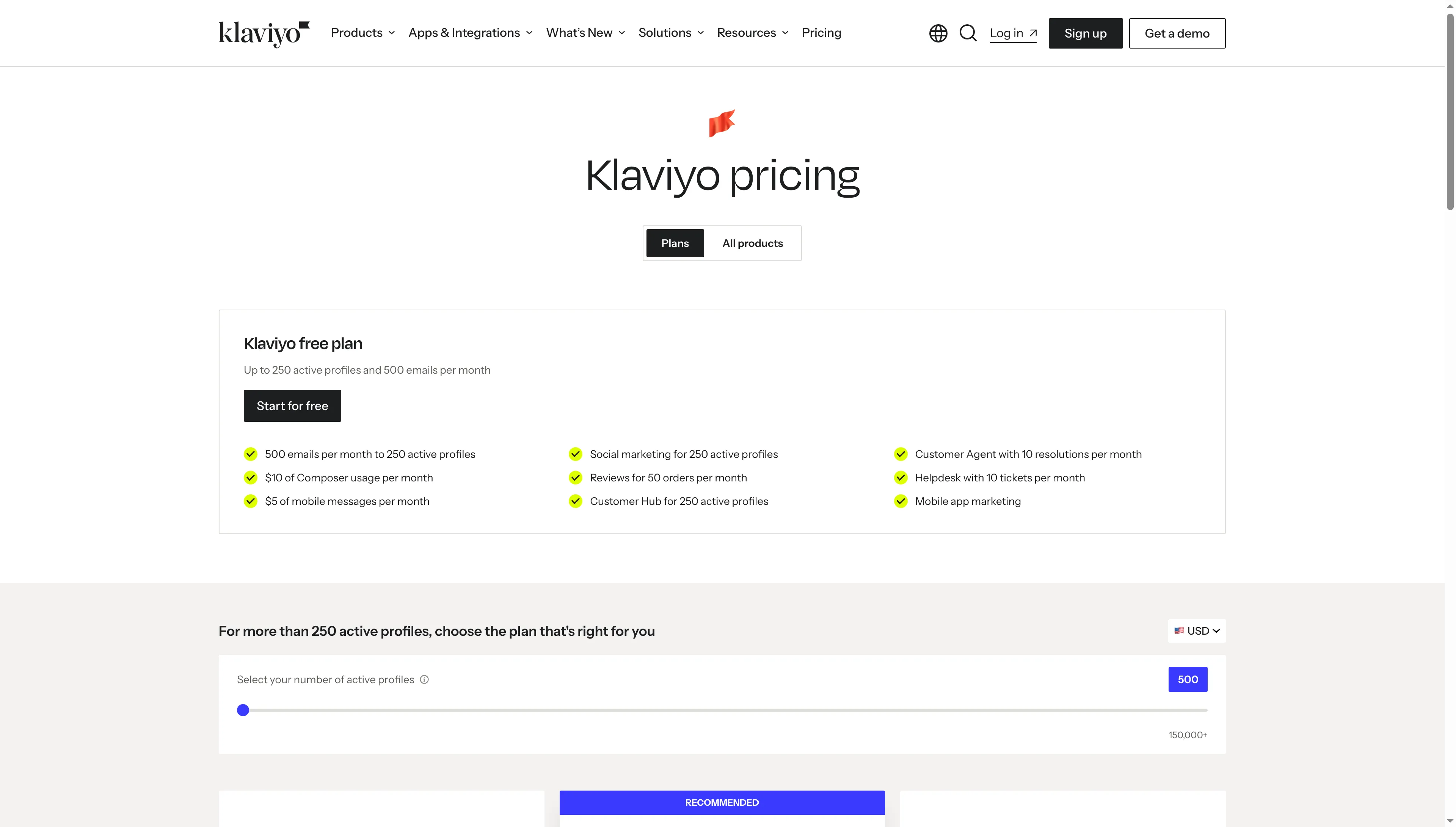
Klaviyo’s public pricing page identifies the free profile allowance and email plan selector.
Product pricing — Klaviyo
Free: 250 active profiles and 500 emails/month; Email is priced monthly by active-profile tier. The comparison table annualizes three normal monthly rates.
7. GetResponse: Best for newsletters that may grow into funnels or courses
GetResponse combines newsletters with landing pages, conversion funnels, and creator-course tools, but Starter's workflow cap separates it from a full automation suite. Starter allows one custom workflow with up to six elements, while Marketer adds unlimited workflows, advanced segmentation, and abandoned-cart recovery.
Pros — GetResponse
- A no-card Free account includes up to 500 contacts and 2,500 monthly newsletter sends; premium features are available for 14 days.
- Marketer includes up to five user accounts and unlimited workflows.
- The same contact appearing on multiple lists can receive one newsletter copy, while the workflow's Unique contacts filter can prevent duplicate automation paths.
Cons — GetResponse
- Starter's one-workflow limit and six-element cap may rule out a multi-branch or store-triggered journey.
- Contacts repeated on multiple lists can count once per list for billing, even when a broadcast is deduplicated.
- The public price page showed base prices only; exact 5,000/25,000/50,000-contact totals weren't exposed.
I'd skip GetResponse Starter if your launch needs more than one custom workflow. It is a plausible fit for a newsletter operator who also wants funnels, but a team moving multiple lists should calculate duplicate contacts before importing.
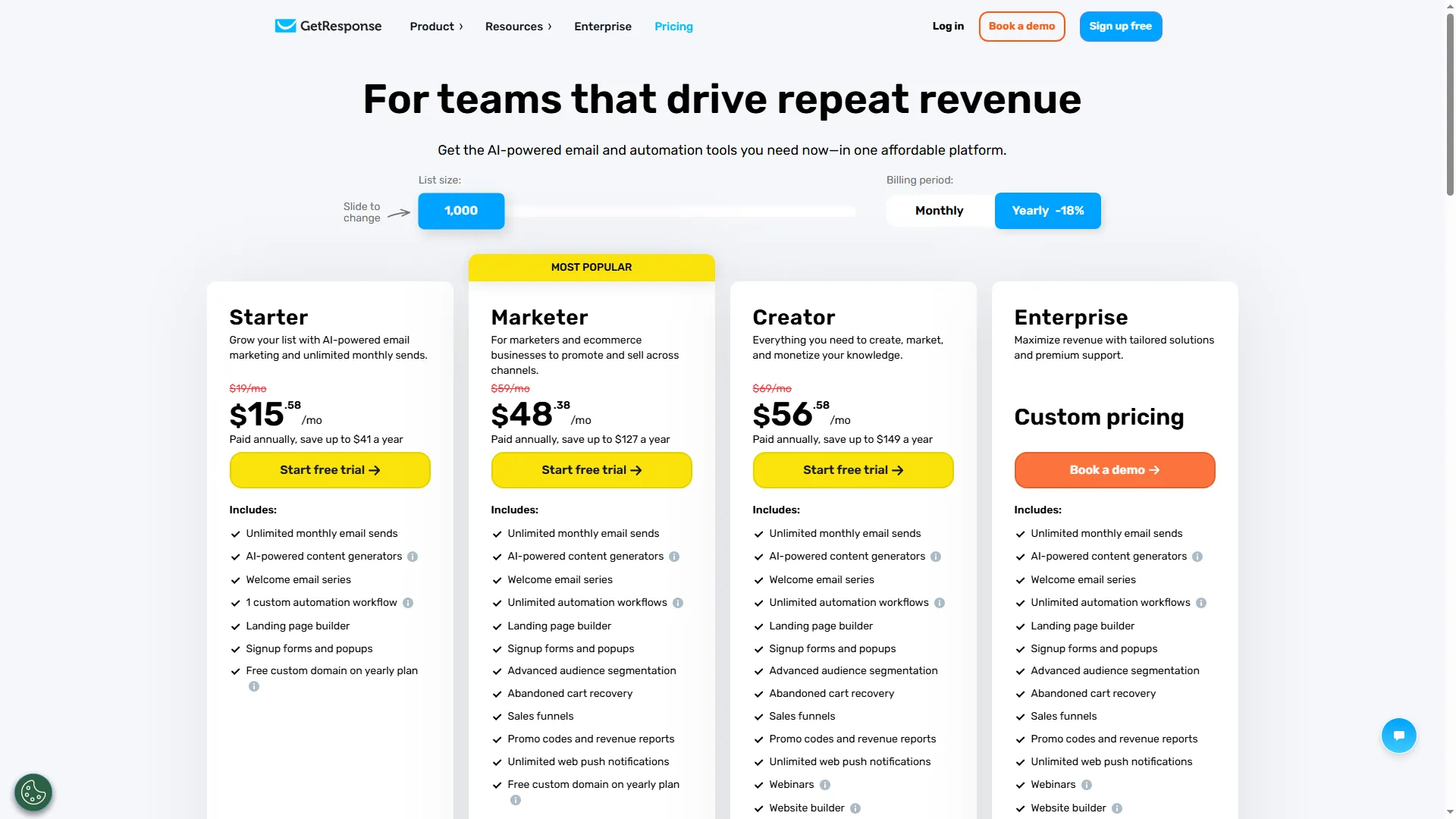
GetResponse’s public pricing page distinguishes Starter’s single workflow from higher plan tiers.
Product pricing — GetResponse
Starter from $19/month or $15.58/month billed annually; Marketer from $59/month or $48.38/month annually; Creator from $69/month or $56.58/month annually at the base tier. Contact-count tiers change the price.
When Mailchimp is still the better fit: Keep the workflow you already use
Mailchimp can still be the simplest choice when your audience, templates, consent history, and automations already live there and its current contact/send limits fit the job. Its Free plan now covers 250 contacts and 500 monthly sends, while Standard includes five seats and a send allowance of 12 times the contact limit. Moving costs time even when a rival's monthly price looks lower.
Before leaving, export a small sample and map fields, tags, unsubscribes, duplicate audiences, templates, and every workflow trigger. Then rebuild one welcome path and one suppression rule in a trial account. This catches broken consent or missing event logic before the full audience moves.