

 17 min read

TL;DR
- Otter is the transcript-first choice for live text, search, and file imports. Its Basic plan caps transcription at 300 minutes a month.
- Fireflies suits teams that want a searchable meeting archive connected to work apps, but storage and advanced AI credits have separate limits.
- Fathom gives solo users free recordings, transcripts, and instant summaries. Its bot-free mode is currently a Mac beta.
- Granola captures device audio without a meeting bot. Free history lasts 30 days, and model-training opt-out is a setting.
- Fellow fits agenda-led teams that track recurring action items. Free allows five AI notes and five recordings per user for life.
- tl;dv keeps video and transcripts searchable and supports bot-free desktop capture. Free includes 10 full AI-note meetings for life, then shorter notes.
An AI meeting note taker records or listens to a call, turns speech into a transcript or summary, and helps you retrieve decisions later. Some tools send a visible bot into the call. Others capture device audio. That choice affects who joins, what participants see, and how long the notes stay available.
At a glance
Otter handles transcript imports, Fireflies shared archives, Fathom free recaps, Granola bot-free capture, Fellow agenda-led follow-up, and tl;dv searchable clips. Free-plan limits vary by product, so the table names the one to check.
| Scenario | Tool | Why it fits | Main limitation |
|---|---|---|---|
| Search a transcript or upload a recording | Otter.ai | Live transcription, transcript search, and imports | Basic includes 300 minutes/month and three lifetime imports |
| Share a cross-platform meeting archive | Fireflies | Search, summaries, and integrations for a team | Free storage is 400 minutes per workspace; advanced AI uses credits |
| Get unlimited solo recaps without paying | Fathom | Free recordings, transcripts, and instant summaries | Bot-free capture is a Mac beta; team tools are paid |
| Keep a personal meeting notebook without a bot | Granola | Captures device audio and turns it into editable notes | Basic history is 30 days; training opt-out is user-controlled |
| Tie recurring meetings to agendas and follow-up | Fellow | Notes, action items, templates, and team workflows | Free allowance is five AI notes and five recordings for life |
| Review clips and search across calls | tl;dv | Video, transcripts, clips, and paid cross-meeting insights | Free full AI notes cover 10 meetings for life; recordings retain for up to three months |
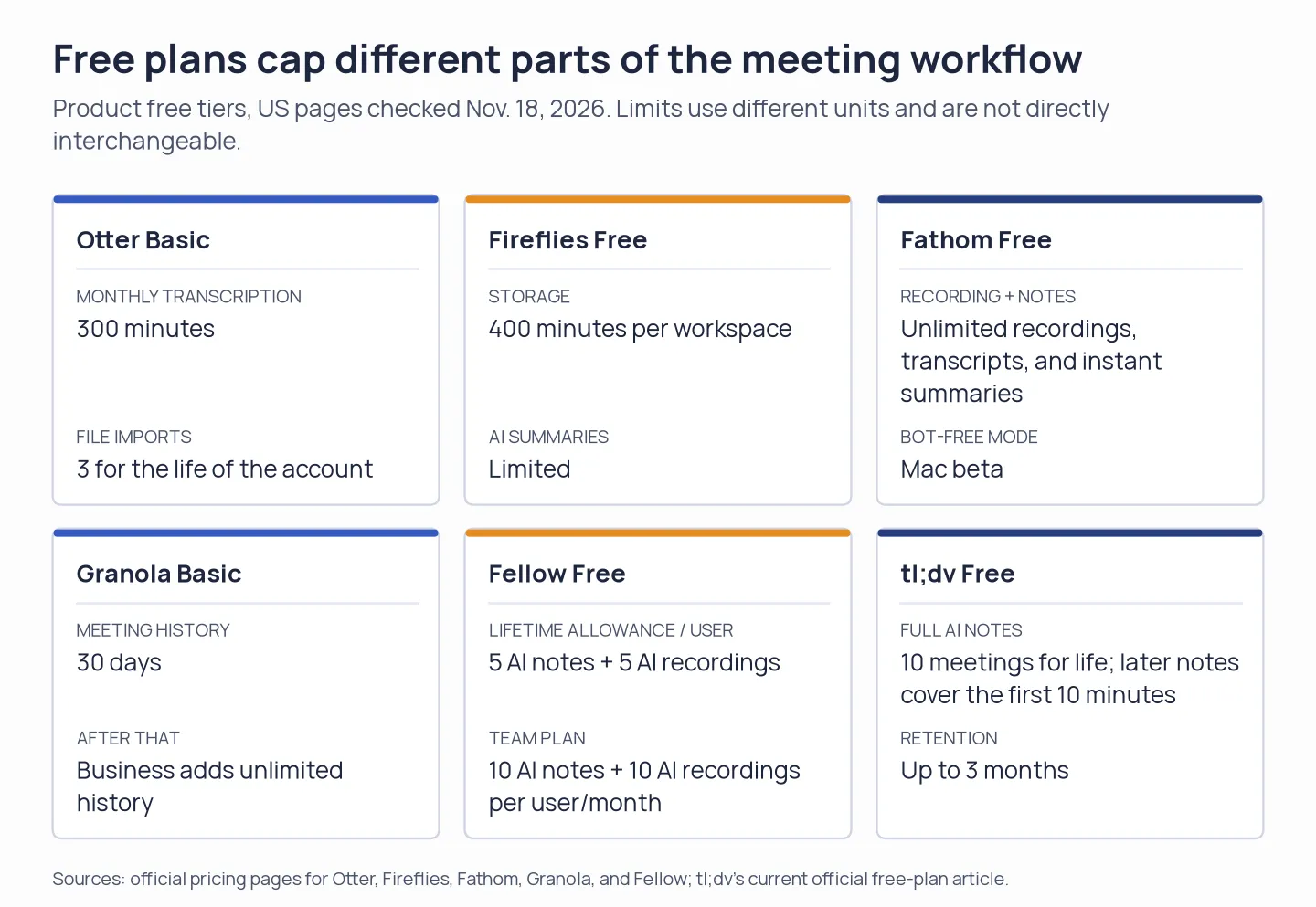
Free plans cap different resources. Compare each limit with the number of meetings you need to capture.
What makes the best AI meeting assistant?
The best AI note takers and meeting assistants match your capture mode, note format, history needs, team workflow, privacy controls, and meeting volume. I’d compare these six practical criteria before choosing a plan:
- Capture mode and visibility: A meeting bot joins visibly and works across conference platforms; desktop or mobile capture may avoid a bot but depend on the device and operating system. Check what participants see and whether the mode fits the meetings you actually record.
- Transcript versus summary: Decide whether you need a searchable transcript, a short recap, action items, or all three. “AI notes” limits may cap full notes by meetings or minutes, even when recordings continue.
- Search and retention: If your team revisits old decisions, check transcript search, exports, and how long audio, video, and notes remain available. “Searchable archive” can still mean different things across products.
- Team workflow: Compare shared folders, admin controls, and the exact CRM fields or project tasks a plan can update. A listed integration doesn’t guarantee field-level sync or the same automation on every tier.
- Privacy controls: Check who can access recordings, change retention, and control model-training settings. Default sharing and workspace-wide controls can matter as much as the meeting summary itself.
- Cost at your workload: Compare the same meeting length and monthly count for one person or a team, then include required seats, AI credits, or storage add-ons. A low per-seat price can still leave you short on full notes or history.
These criteria explain why the free-plan table below compares unlike limits instead of treating all “unlimited” labels as equivalent.
1. Otter.ai: Best for searchable transcripts and imported recordings
Otter is the transcript-first option for interviews, lectures, and research calls where text is the working record. Otter turns live meetings and uploads into searchable text, so you can revisit speakers, decisions, and passages without replaying the whole call. I like Otter best when the transcript itself is the work product; its archive and imports matter more than an instant recap.
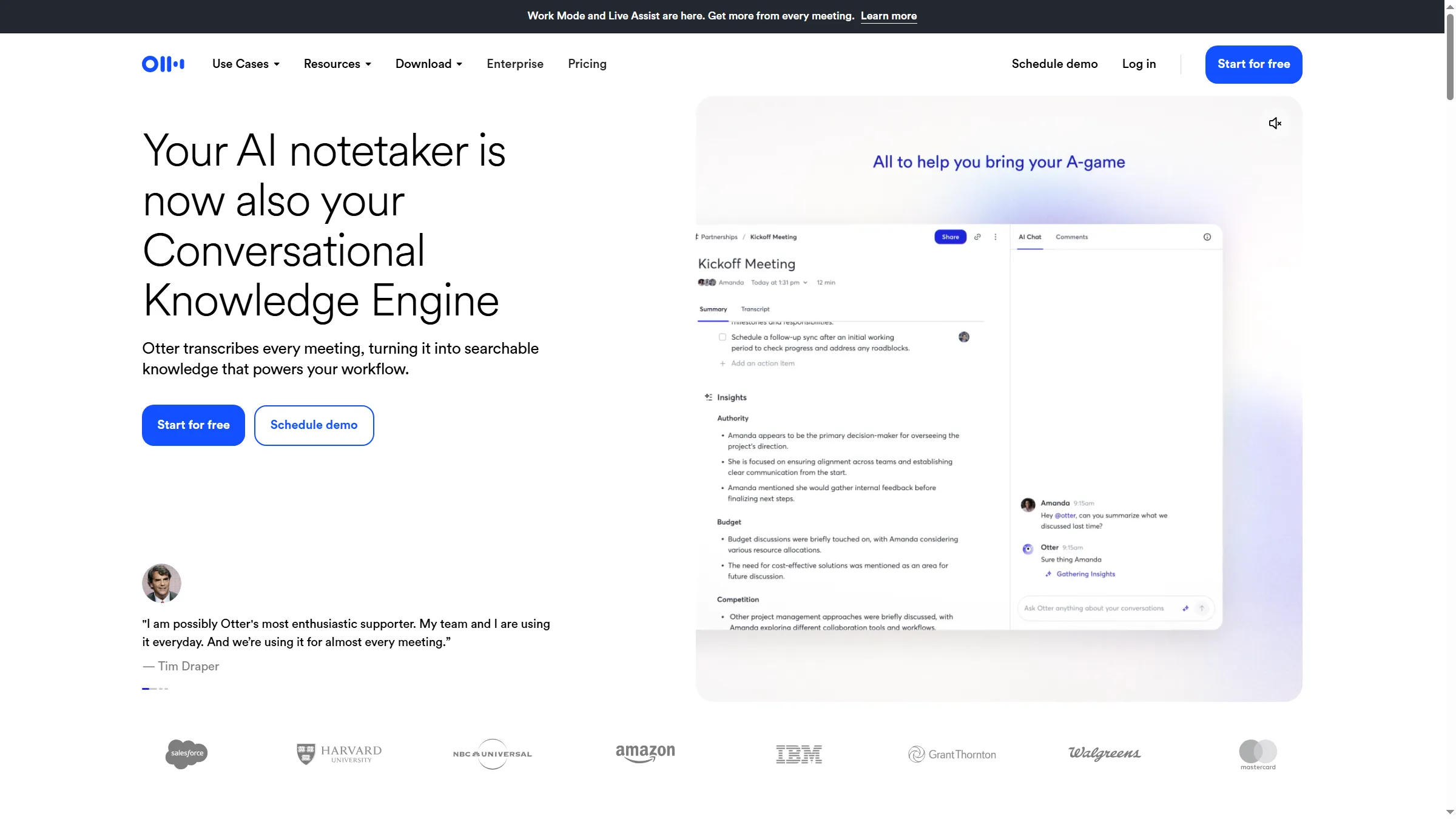
Otter presents its notetaker as a searchable meeting archive.
Otter Basic won’t carry a heavy meeting load: it includes 300 transcription minutes a month and three lifetime file imports. Pro raises that to 1,200 minutes per user, allows 10 imports a month, and caps meetings at 90 minutes. Twenty one-hour calls use the full monthly allowance, leaving no room if one call runs over.
G2 reviews praise the searchable archive and summaries, while recent high-rated reviews also mention jargon, overlapping speech, and speaker corrections. Otter makes transcripts easy to revisit, but you may still need to repair names and technical terms. A Trustpilot reviewer said they upgraded after hitting a per-conversation limit on Oct. 15. That is one person’s account.
Pros — Otter.ai
- Revisit an exact excerpt that underpins a summary, and look through transcripts live.
- When a meeting hasn't been captured live, upload the recordings later.
- Pro gives every user 1,200 minutes per month, plus 10 file imports.
Cons — Otter.ai
- Basic limits transcription to 300 minutes each month and file imports to three for life.
- Meetings held under Pro are limited to 90 minutes, and you may need to fix transcripts or speakers when jargon or simultaneous talking occurs.
Product pricing — Otter.ai
Basic is free; Pro is $8.33 per user/month with annual billing ($16.99 monthly); Business is $19.99 per user/month billed annually ($30 monthly).
2. Fireflies: Best for a shared meeting archive and app integrations
Fireflies turns meeting notes into searchable team material, alongside its email and Slack assistants. Its pricing page lists capture paths for Zoom, Google Meet, Microsoft Teams, desktop and mobile, and a browser extension.
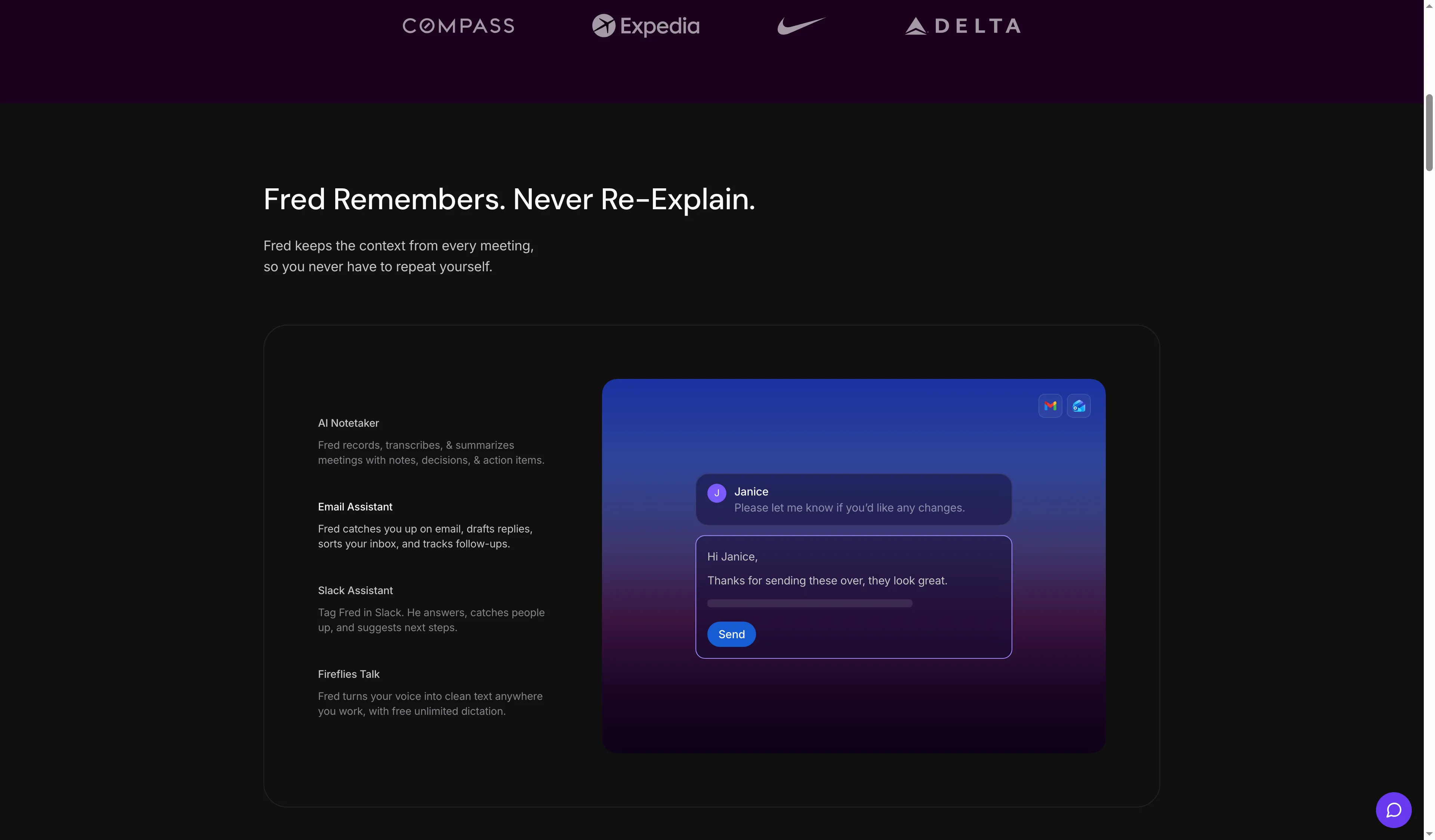
Fireflies pairs its AI Notetaker with a promise to retain meeting context.
Fireflies Free labels transcription unlimited, but storage stops at 400 minutes per workspace and AI summaries are limited. Pro raises storage to 8,000 minutes per seat and includes unlimited summaries. Advanced AI assistants use a separate credit pool, so don’t size seats by transcription minutes alone if your team plans to query or automate its archive.
A recent G2 reviewer praised the CRM flow but wanted more control over editable fields. Another asked for more precise selection of Jira action items. More generally, an integration can send data without giving you the field-level control your workflow needs. I prefer Fireflies when shared search earns back the complexity of separate AI credits; I’d check those field controls before trusting an automation with the handoff.
Pros — Fireflies
- Collect recordings plus searchable transcripts in one shared workspace.
- Capture meetings across major platforms, desktop and mobile, and a Chrome extension.
- Choose Pro for 8,000 retained minutes per seat and unlimited summaries.
Cons — Fireflies
- Transcription is promoted as unlimited, yet every workspace receives 400 minutes of free storage.
- Advanced AI features use credits, and extra credit packs cost more.
- Recent reviews raise questions about CRM field editing and action-item control.
Product pricing — Fireflies
Free plan; Pro costs $10 per seat/month with annual billing or $18 each month; Business costs $19 per seat/month with annual billing or $29 each month; advanced AI-credit packs are extra.
3. Fathom: Best for free solo meeting recaps
Fathom is an easy free choice for solo users who want recordings, transcripts, and instant summaries without a note-taking subscription. Free also includes clips, playlists, and search. Team adds a shared workspace and cross-team search, while Business adds field-level CRM sync and coaching tools.
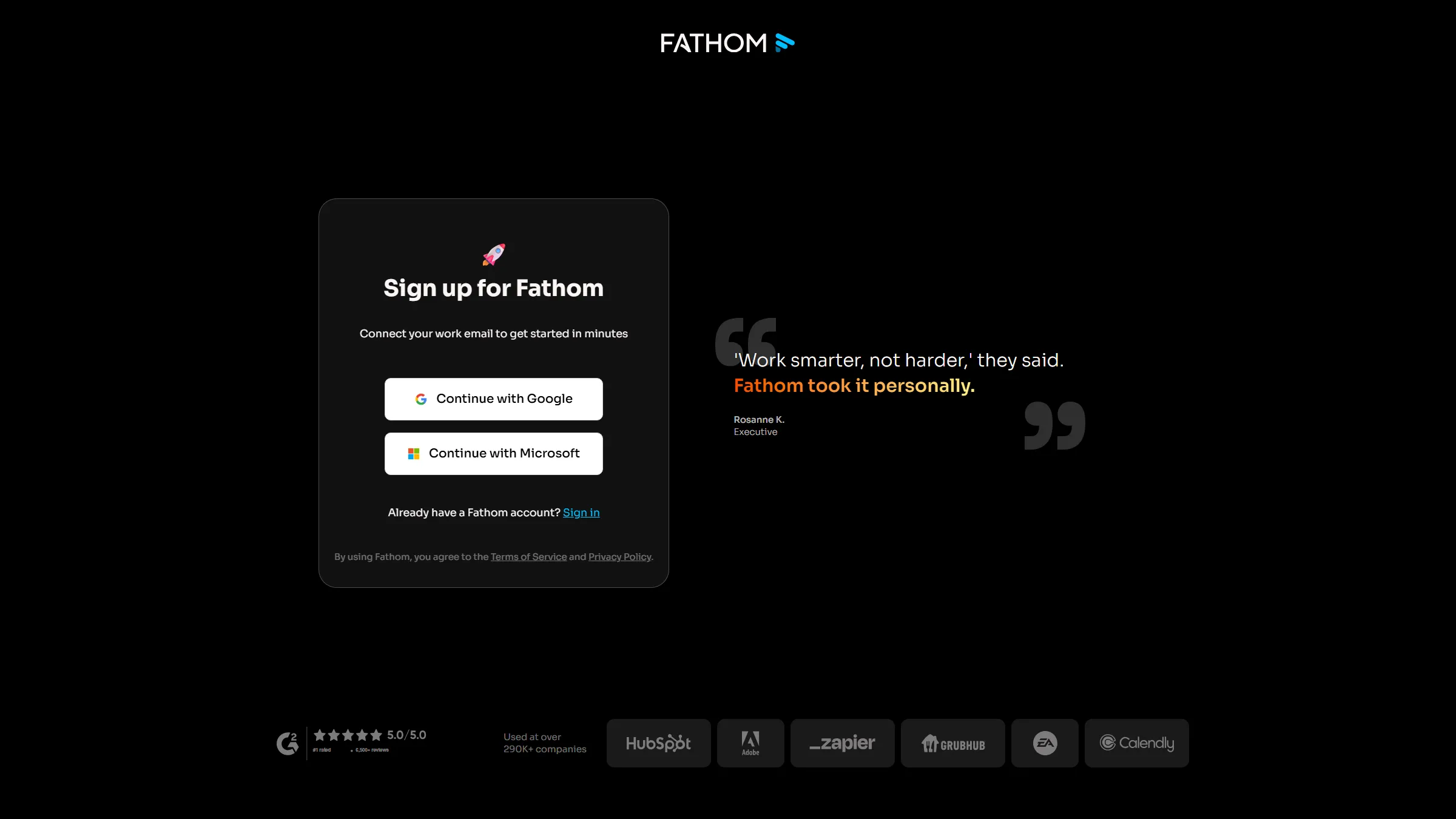
Fathom starts with Google or Microsoft account sign-in.
Fathom supports a meeting bot, and its bot-free option is currently a Mac beta. Free is a strong value for solo users when that capture mode fits their setup; Windows teams can’t use the beta. Fifty-one Trustpilot reviews posted from May through October averaged 4.86/5. Two low-rated August posts mention joining problems or slow support. That sample is mostly positive, but it can’t guarantee every meeting will be captured reliably. My pick is Fathom for solo recaps when the Mac beta fits; Windows teams seeking bot-free capture should look elsewhere.
Google and Microsoft sign-in and calendar access
Fathom’s signup page offered Google and Microsoft sign-in. The Microsoft path showed a request to read the calendar before authentication, a useful detail if you check account access before inviting a meeting assistant.
Pros — Fathom
- Free includes unlimited recordings, transcriptions, and instant summaries.
- Team adds a shared workspace and cross-team search.
- The Mac bot-free beta gives some users an alternative to a visible participant.
Cons — Fathom
- Bot-free capture is in a Mac beta; Windows users need another mode.
- Business is required for CRM field sync; standard summary sync is a different feature.
- The signup path I saw offered only Google or Microsoft sign-in.
Product pricing — Fathom
Free; Premium is $16 per user/month billed annually or $20 monthly; Team is $15 annually billed or $19 monthly per user, with a two-seat minimum; Business is $25 annually billed or $34 monthly, also with a two-seat minimum.
4. Granola: Best for bot-free personal notes and editable recaps
Granola captures device audio without joining the meeting as a participant, then turns the conversation into editable notes. I like that setup if you want to stay in the call without a second participant in the roster. Bot-free capture doesn’t mean all AI processing happens on your device, so don’t treat it as an on-device privacy guarantee.
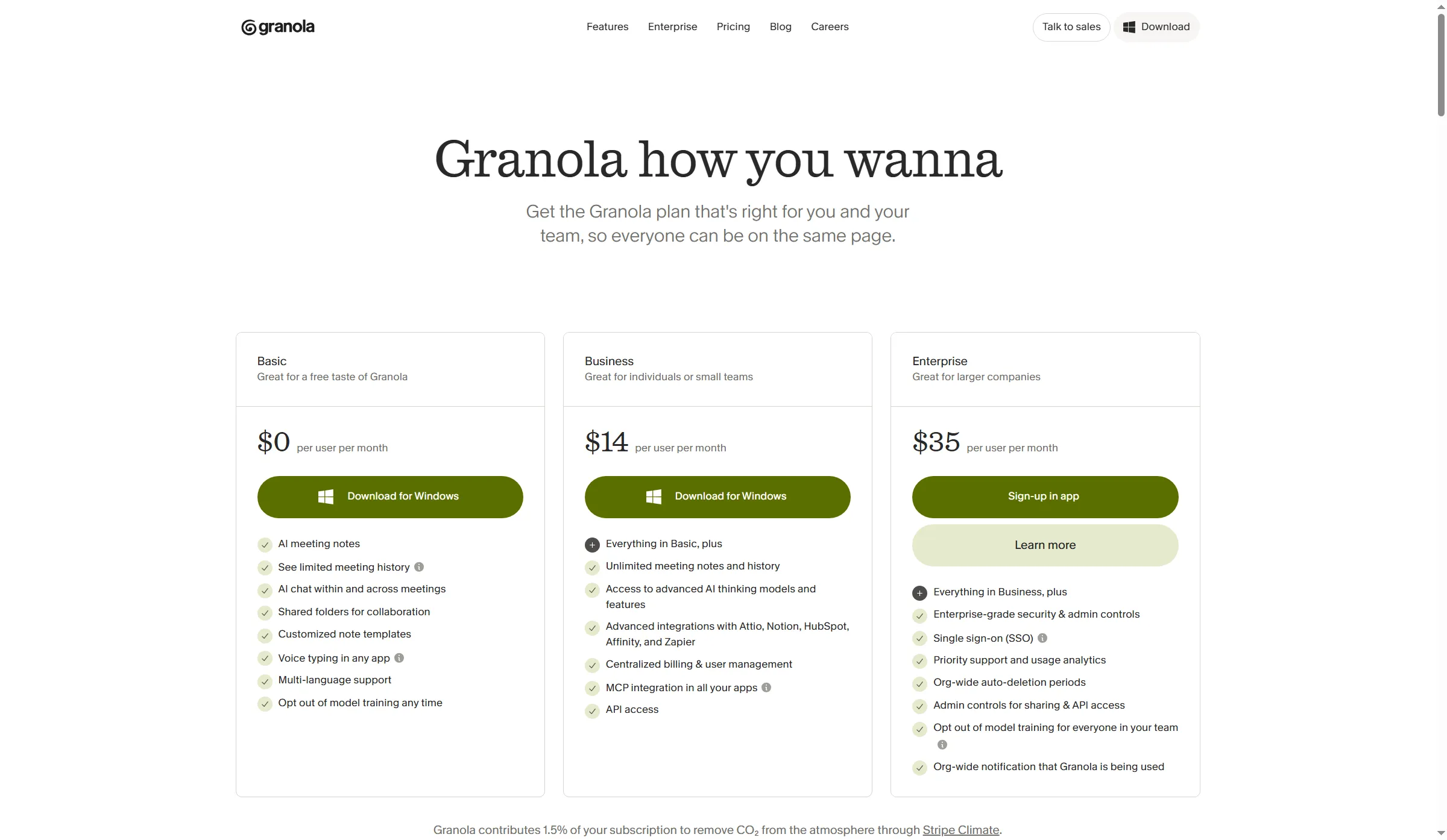
Granola’s plans separate limited Basic history from unlimited Business history.
Granola Basic is free and includes AI notes, templates, AI chat, and shared folders, but history stops at 30 days. Business costs $14 per user/month and adds unlimited history and notes, centralized billing, API access, MCP, and advanced integrations. The page has no visible annual-billing selector, so I haven’t applied an annual discount.
Granola’s pricing FAQ says it trains on anonymized user data. Individual users can opt out in settings, while Enterprise can turn training off across the workspace. A recent G2 reviewer liked editable recipes but wanted a full transcript export and free Notion delivery. Granola focuses on notes, but its workflow may feel restrictive if you need a durable raw-transcript archive or free-tier integrations.
Pros — Granola
- Capturing device audio doesn’t add a meeting bot to the call.
- Basic includes editable notes and AI chat at no subscription cost.
- Business extends history and adds centralized billing and integrations.
Cons — Granola
- Basic history lasts 30 days; Business is required for unlimited history.
- Individual users can opt out of model training in settings; Enterprise can disable it across a workspace.
- Basic integrations and exports are more limited than those on paid plans.
Product pricing — Granola
Basic is free, Business is displayed at $14 per user/month, Enterprise is $35 per user/month.
5. Fellow: Best for agenda-led teams and recurring follow-up
Fellow links notes and action items to recurring agendas, a setup that suits teams with named owners and follow-ups. Its desktop app supports botless capture, but live transcription isn’t available in every mode, including mobile and Zoom Native Capture.
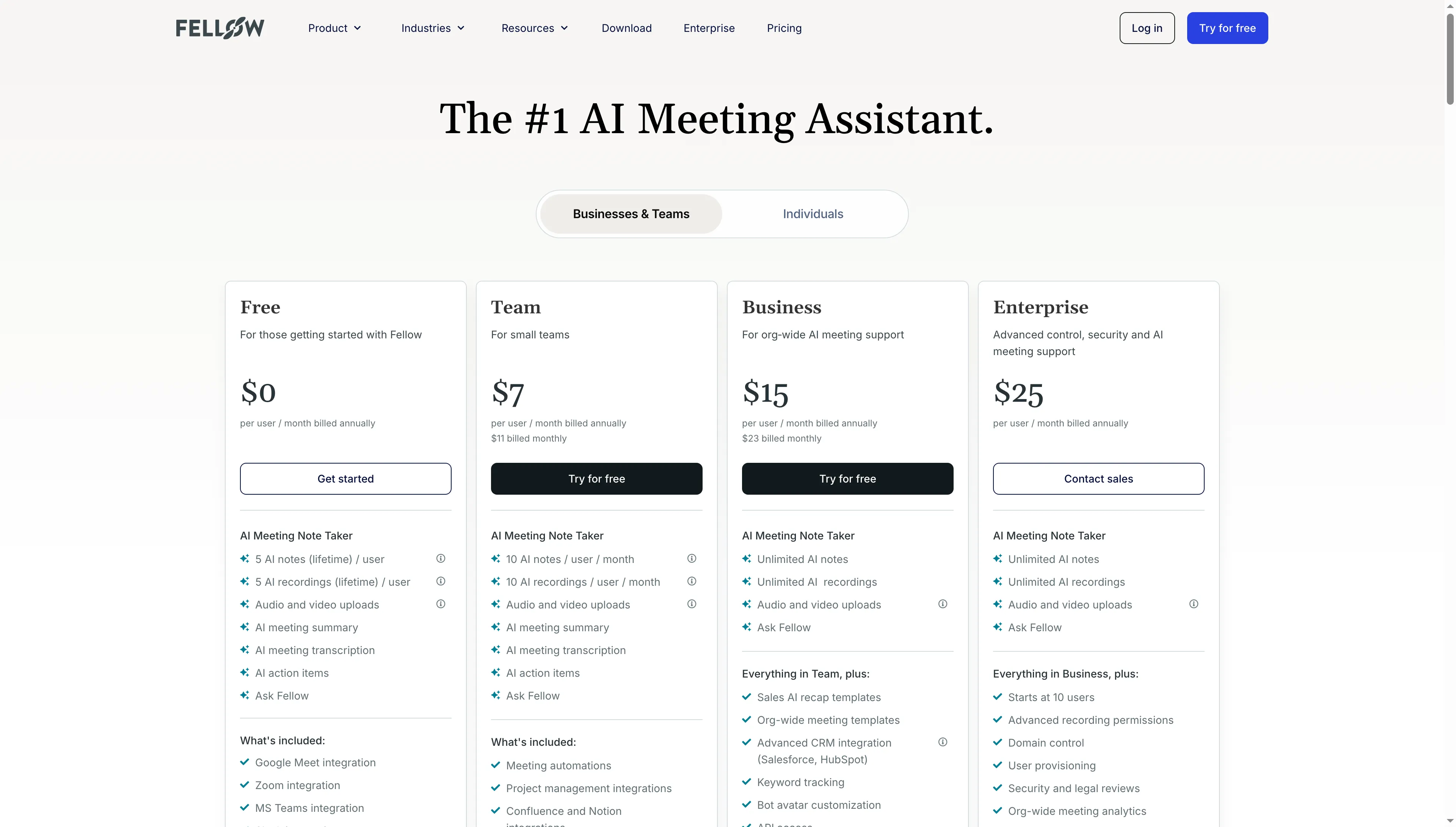
Fellow’s plan allowances rise from a lifetime free sample to monthly team caps.
Fellow Free is a sample, not an ongoing personal plan: each user gets five AI notes and five recordings for life. Team raises the allowance to 10 of each per user/month. Business removes those caps and adds organization-wide templates and advanced CRM integration. When I switched the pricing page from Individuals to Businesses & Teams, the allowances and billing options changed. Team won’t cover users who need more than 10 full notes a month.
G2 and Capterra reviewers praise shared meeting memory and templates, while recent feedback asks for better tagging, channel sharing, and organization-wide search. I’d choose Fellow for structured meeting routines, not for someone who only needs an occasional transcript.
Pros — Fellow
- Integrates recurring agendas, notes, and action items into team workflows.
- The desktop app supports botless capture across meeting apps.
- Business provides unlimited AI notes and recordings.
Cons — Fellow
- The free plan stops after five AI notes and five lifetime recordings.
- Team allows 10 notes and recordings per user/month; heavier users need Business.
- Botless live transcription varies by capture mode, and the recap email is off by default.
Product pricing — Fellow
Free; Team is $7 per user/month billed annually or $11 monthly; Business is $15 annually billed or $23 monthly; Enterprise starts at $25 annually billed and 10 users.
6. tl;dv: Best for searchable video clips and cross-meeting insights
tl;dv keeps recordings, transcripts, and clips searchable, with AI notes and paid cross-meeting insights. Its desktop app offers bot-free capture; its meeting bot joins Zoom, Meet, and Teams calls.
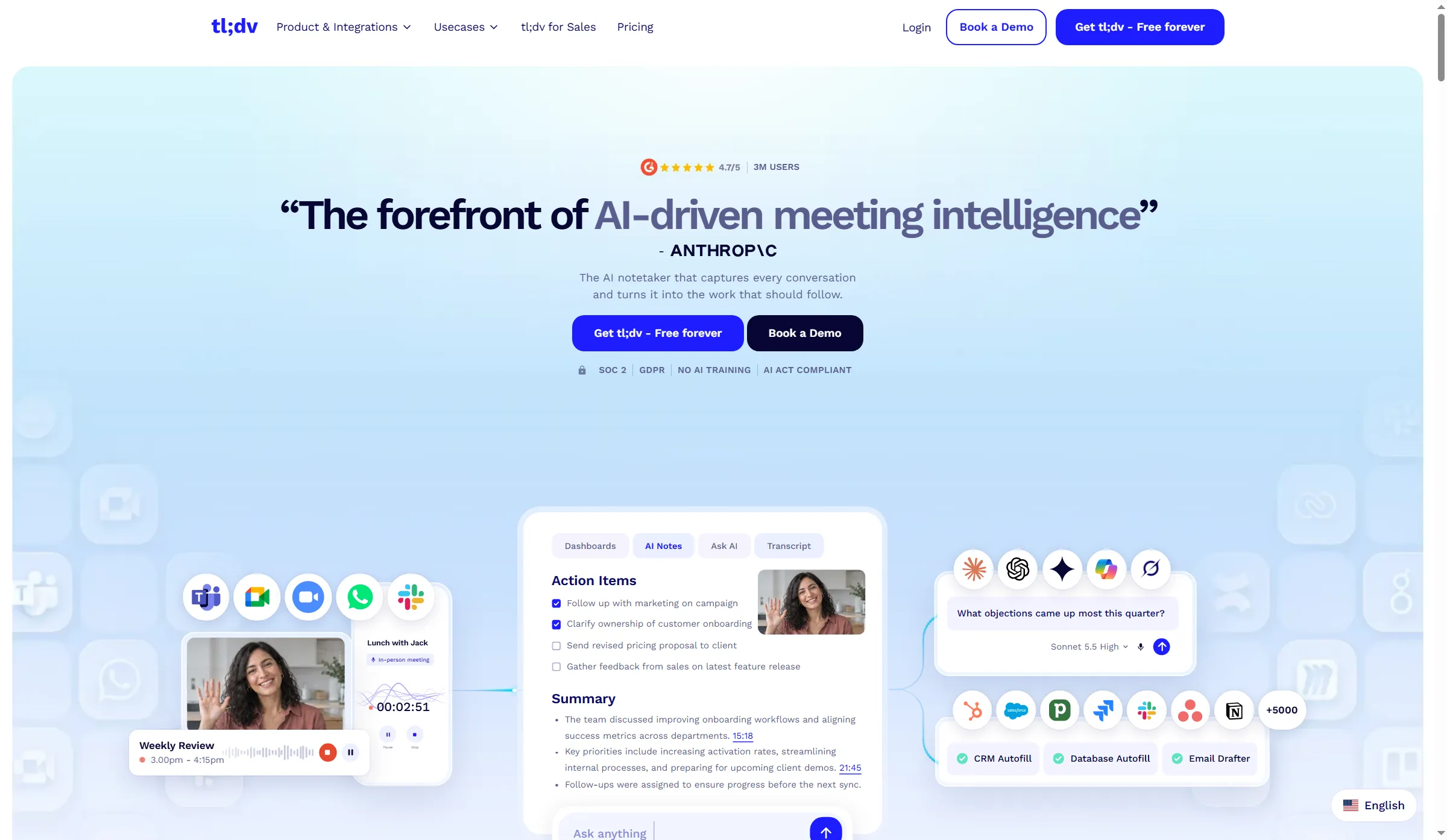
tl;dv pairs AI notes with searchable transcripts and follow-up.
Free includes unlimited recordings and transcription, but full AI notes stop at 10 lifetime meetings; later notes cover only the first 10 minutes. Recordings stay up to three months. Pro adds unlimited notes, global search, templates, and integrations. Business adds cross-meeting insights, reports, and playbooks.
Trustpilot showed 2.1/5 from 11 reviews, while G2 showed 4.7/5 from 546. I prefer tl;dv for searchable clips and bot-free capture, but you can skip it if occasional recaps are all you need.
Pros — tl;dv
- Keeps shareable clips, transcripts, and video together.
- Free includes unlimited recordings and transcripts, with 100+ listed languages.
- Pro includes unlimited AI notes and global transcript search.
Cons — tl;dv
- Free full AI notes stop after 10 meetings for life; recording retention is up to three months.
- A September G2 reviewer found the mobile import workflow thinner than the desktop version.
Product pricing — tl;dv
Free; Pro is $18 per seat/month billed annually or $29 monthly; Business is $29 annually billed or $39 monthly; Enterprise is custom.
What 20 monthly meetings cost
For an individual, 20 one-hour meetings a month can cost $0 on a suitable free plan or $99.96–$216/year on a paid plan. Five-seat totals change with shared features and retention; taxes, optional add-ons, and meeting-platform licenses are excluded.
| Tool | One person: annual cost for 20 meetings/month | Five people: annual cost for 100 meetings/month | Limits that affect the comparison |
|---|---|---|---|
| Otter | Pro: $99.96/year | Pro: $41.65/mo; $499.80/year | 1,200 minutes per seat/month equals 20 hours exactly; each meeting maxes at 90 minutes |
| Fireflies | Pro: $120/year | Pro: $50/mo; $600/year | 8,000 stored minutes per seat; advanced AI credits are separate |
| Fathom | Free: $0/year | Five Free accounts: $0/year (no shared workspace); Team: $75/mo; $900/year | Free covers solo summaries; paid Team has a two-seat minimum |
| Granola | Basic: $0/year | Basic: $0/year; Business: $70/mo; $840/year annualized | Basic history lasts 30 days; Business adds unlimited history and centralized user management. Annual totals use the displayed monthly rate because no annual selector appeared |
| Fellow | Business: $180/year | Business: $75/mo; $900/year | Team allows 10 notes per user/month, below this workload |
| tl;dv | Pro: $216/year | Pro: $90/mo; $1,080/year. Business: $145/mo if team-wide reports or playbooks are required | Pro removes AI-note limits; Business adds team-wide reports and playbooks |
Annual totals multiply the annual-billing rate by 12; Granola assumes its displayed monthly rate stays unchanged. Taxes and optional add-ons are excluded. Fathom Free and Granola Basic cover this workload when their capture modes and history fit; paid team functions require paid plans.
Other tools considered
Other AI note takers and meeting assistants include Avoma and MeetGeek for sales and team transcription, plus Krisp, Read AI, and Notta for audio cleanup, analytics, and multilingual work. A feature in your current subscription may already cover basic recaps.
- Avoma is more sales-specific: Startup is $19 per recorder seat/month billed annually, with Conversation Intelligence and Revenue Intelligence sold as separate $29-per-seat add-ons.
- MeetGeek is a middle ground for teams that hit minute caps. Basic includes three transcription hours/month; Pro gives 20 hours for $9.99 per user/month billed annually, and extra hours cost $0.50. Retention limits for transcripts, audio, and video differ.
- Krisp combines bot-free notes with noise cancellation, a combination that suits people who need cleaner audio as well as meeting notes. Core is $8 per user/month billed annually.
- Read AI adds meeting analytics and engagement reports. Free allows five meetings/month, and Pro starts at $15 per user/month billed annually. Recent Trustpilot complaints focus on bot presence, sharing permissions, and archive access, so check defaults before connecting a work calendar.
- Notta supports multilingual transcription, but Free’s 120 minutes/month come with a three-minute conversation cap. Translation is a separate paid add-on, so the free minutes don’t cover a full meeting workflow.
- Google Meet, Microsoft Teams, and Zoom may already cover basic recaps. Google’s note-taking feature requires an eligible Workspace or Google AI plan. Teams Premium is $10 per user/month billed yearly and still requires a Teams license. Zoom’s My Notes packaging varies by account, so check the plan selector before adding it to a new budget.
Which AI meeting note taker should you choose?
The best AI note taker depends on how you capture, search, and share meetings. Choose Otter for searchable transcripts and imports. Fathom suits solo users who want free summaries and can use its supported capture mode. Granola fits personal bot-free notes, while Fellow suits recurring, agenda-led meetings. Fireflies and tl;dv suit teams that need a searchable archive, integrations, or cross-meeting follow-through.
If LinkedIn is one of your channels, Linked Helper’s AI Messages can draft profile-based connection notes and follow-ups for you to review.
If your organization is already paying for Google Workspace, Microsoft Teams, or Zoom, verify the note-taking feature bundled with it before you buy a second recorder. When meeting data have to flow into a CRM, compare the exact field-sync tier. “CRM integration” can mean different fields from plan to plan.