

 17 min read

TL;DR
- Already use Microsoft 365? Start with SharePoint team sites and libraries. Confirm that your plan, storage pool, permissions, and retention settings match the job.
- Already use Google Workspace? Google Drive Shared drives are the simplest team-owned option, but advanced governance and approval needs can move you to a specialist.
- Need external collaboration and business content controls? Box has clear public tiers, though its business plans have a three-seat minimum and feature limits vary by tier.
- Need capture and approvals? DocuWare is built around indexing and workflow, but you will need a quote and should budget for setup.
- Want files organized by what they are? M-Files uses metadata and context rather than asking everyone to browse the same folder tree. Its public Essentials rate is $65 per seat per month.
- Manage complex project files? Egnyte combines governed file sharing with Microsoft 365 and Google co-editing, but user types, storage, and add-ons affect the quote.
What is cloud document management software?
Cloud-based document management software keeps company files online, adding capabilities for locating, sharing, monitoring, or taking action on them, so you don't need every DMS function when your team only has to collaborate on shared files. Capture, metadata, approval workflows, retention, and audit controls distinguish a specialist system from personal cloud storage. Which of these jobs your current suite leaves unfinished determines the best fit.
At a glance
For a team already using a Microsoft or Google suite, its drive is usually the easiest starting point. Box adds external-collaboration controls, while DocuWare and M-Files suit workflow-heavy filing.
The table compares each tool's clearest advantage, strongest use case, and main limitation.
| Best for | Tool | Why it stands out | Watch for |
|---|---|---|---|
| Microsoft 365 teams | SharePoint | Team sites, libraries, metadata, and Microsoft 365 integration | Administration and navigation take planning. OneDrive is a different storage space. |
| Google Workspace teams | Google Drive | Shared drives keep files owned by the organization | Retention and advanced controls depend on Workspace edition and configuration. |
| External collaboration | Box | Business content controls and broad file collaboration | Three-seat minimum on the listed business tiers. Plan limits differ. |
| Capture and approval workflows | DocuWare | Indexing, forms, and workflow tools for document-heavy operations | Pricing is quote-led. Implementation and training matter. |
| Metadata-led filing | M-Files | Find files by metadata and context across repositories | Users and administrators need to learn a different filing model. Public Essentials rate is high. |
| Governed project files | Egnyte | File sharing, versioning, locking, and co-editing options | Storage and user rights depend on contract and user type. |
What makes the best cloud document management software?
Choose cloud document management software by five criteria: access and ownership, retrieval, versioning and records controls, workflow, and total operating cost. Not every team needs every control, but you should know which ones your current plan lacks.
- Access and ownership: Can an admin control team membership, external sharing, and the files an employee leaves behind?
- Retrieval: Can your team find a file by full text, metadata, or a predictable library structure?
- Versioning and records controls: Can people track changes, restore an earlier file, and apply the retention or audit rules you need?
- Workflow: Can the system capture incoming files, route reviews, and show who still needs to approve them?
- Total operating cost: Do seat minimums, storage caps, guest rules, setup, and add-ons change what you'll pay?
1. Microsoft SharePoint: Best for Microsoft 365 teams
SharePoint is the practical first stop for a Microsoft 365 team that needs managed team sites and document libraries. You can organize files around projects or departments, add library metadata, and use Microsoft 365 identity and collaboration controls, so if your company already pays for a qualifying plan, that's an easier starting point than another storage vendor.
Business Basic's $7 annual-billing rate bundles Exchange, Teams, and OneDrive with SharePoint. Per organization, SharePoint storage is pooled at 1 TB, plus 10 GB for each eligible paid license. Thus a five-license tenant begins with 1.05 TB for SharePoint, whereas OneDrive's separate 1 TB per person doesn't enlarge that team-site pool. Before moving files, check the license and current tenant storage, since each person's OneDrive allowance and the SharePoint pool address different storage needs.
Pros — Microsoft SharePoint
- Team sites provide a shared home for a department or project, and a library is made easier to search by metadata columns than by a deep folder maze.
- Microsoft's help pages cover version history and recycle-bin recovery. An existing tenant may also be easier to administer than a separate vendor account.
Cons — Microsoft SharePoint
- Absent an information architecture, SharePoint may become a labyrinth when administrators set up sites and folders. Your team won't locate much if each department constructs its own map.
- A five-star Capterra reviewer praised SharePoint's collaboration but found navigation confusing across a large tenant. Another reviewer said modern and classic settings felt disconnected.
SharePoint is my pick when a Microsoft administrator can own site structure, permissions, and lifecycle settings. SharePoint isn't a plug-and-play filing cabinet if no one will maintain the tenant. Do you already pay for Microsoft 365? Before you compare new subscriptions, price the extra SharePoint cost at $0. Don't buy a second storage service just because its list price looks simpler.
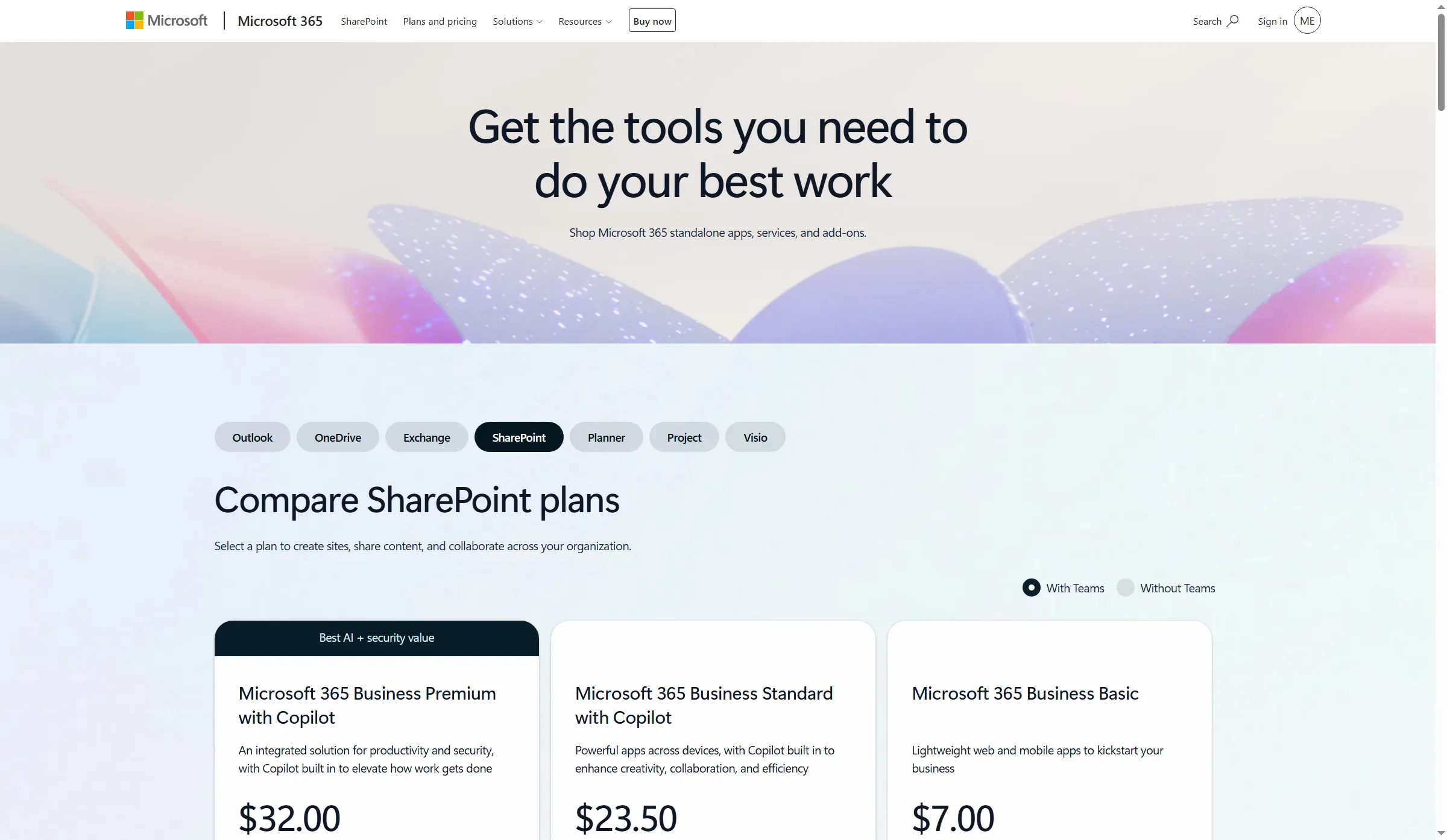
Microsoft 365 plans include SharePoint team sites and document libraries.
Product pricing — Microsoft SharePoint
Microsoft 365 Business Basic totals $420/year for five seats, at an annual rate of $7 per user per month. Existing eligible subscriptions may already cover the incremental cost.
When I priced five licenses, I needed to keep the 1.05 TB tenant pool for SharePoint apart from users' OneDrive storage. More SharePoint capacity won't come from combining those two allowances.
2. Google Drive: Best for Google Workspace teams
Google Drive Shared drives are a straightforward choice when a Google Workspace team needs files owned by the organization instead of an employee. Members can collaborate in the same shared space, and files stay with the organization when someone leaves. That's more useful than just giving the team another place to upload files.
Google Workspace Business Starter is $7 per user per month with annual billing in the US. Business Standard is $14, and Business Plus is $22. Starter includes 30 GB pooled storage per person and basic Shared drives, while Standard raises that to 2 TB pooled per person and adds advanced shared-drive and admin features. Plus raises it to 5 TB. Your Workspace bill also covers Gmail and other apps, so don't compare it with a stand-alone DMS seat as if the bundles were identical.
Pros — Google Drive
- Shared-drive ownership ensures that a team's working files aren't stored in one employee's personal account.
- Workspace admins can manage membership centrally, and for teams already using Google, collaboration across Docs, Sheets, and Drive feels familiar.
Cons — Google Drive
- Google Drive doesn't include document capture or formal records workflows. Shared drives solve a narrower job: team-owned files and everyday collaboration.
- Governance controls available to you are determined by admin and edition settings. Before depending on Starter, a small team should check shared-drive permissions and retention.
Google Drive is a straightforward choice when your organization already relies on Workspace and its collaboration approach handles the job. It isn't for teams that need configurable intake, multi-step approvals, or formal records governance. For shared files, your current Workspace plan may already suffice.
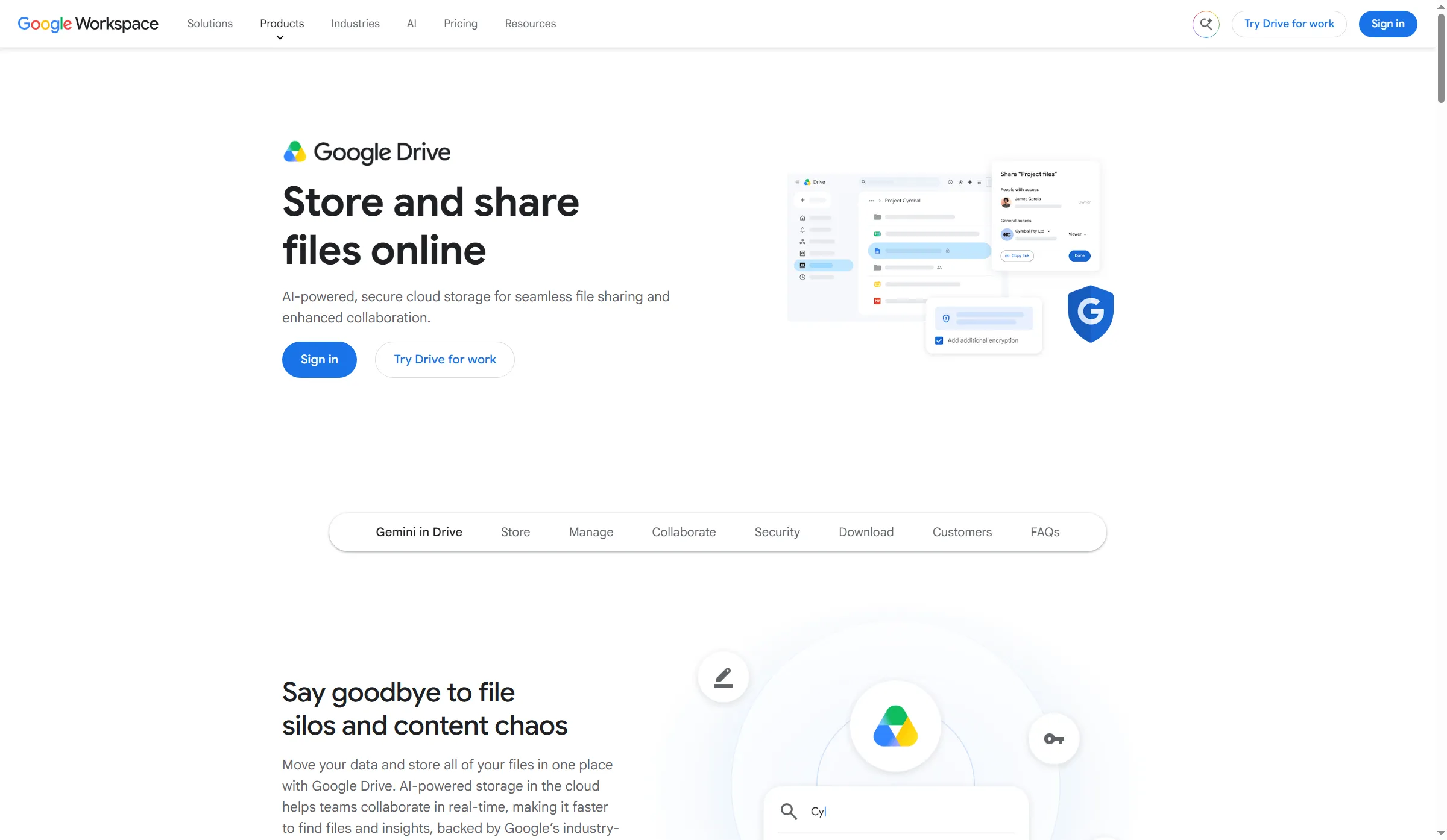
Google Drive brings online file sharing and collaboration into Google Workspace.
Product pricing — Google Drive
Business Starter is $7/user/month with annual billing. Five seats cost $420/year and include 150 GB pooled storage. Standard is $14/user/month, or $840/year for five seats, with 10 TB pooled storage across the team.
I needed to read the Workspace storage labels closely: Standard's 2 TB gets pooled per user, hence five seats sum to a 10 TB organization pool.
3. Box: Best for external collaboration with business controls
Box suits teams that share client content and need business controls beyond basic file sharing. Its tiers add admin, workflow, and security features, but storage limits don't tell the whole story.
Business Starter covers 3–10 seats and includes 100 GB storage, 2 GB uploads, and 25 versions. Higher tiers list unlimited storage, but upload and guest limits vary: Business caps uploads at 5 GB and charges for external collaborators; Business Plus includes unlimited guests and 15 GB uploads. Monthly billing costs more, and Enterprise Plus is annual-only.
Pros — Box
- Business Starter may suit a small team with modest storage needs.
- Business Plus includes unlimited external collaborators, which helps when partners need access to shared content.
Cons — Box
- “Unlimited” storage doesn't mean unlimited uploads or guests. Business limits uploads to 5 GB and charges for external collaborators.
- The three-seat minimum raises the solo cost. I saw the public price selector change its rate between monthly and annual billing, while the minimum-seat note was easy to miss.
I'd choose Box for client collaboration when its guest and upload limits fit. I'd skip it if your existing office suite covers the job or the three-seat minimum costs too much. Check upload caps, guest rules, and workflow access before moving client files.
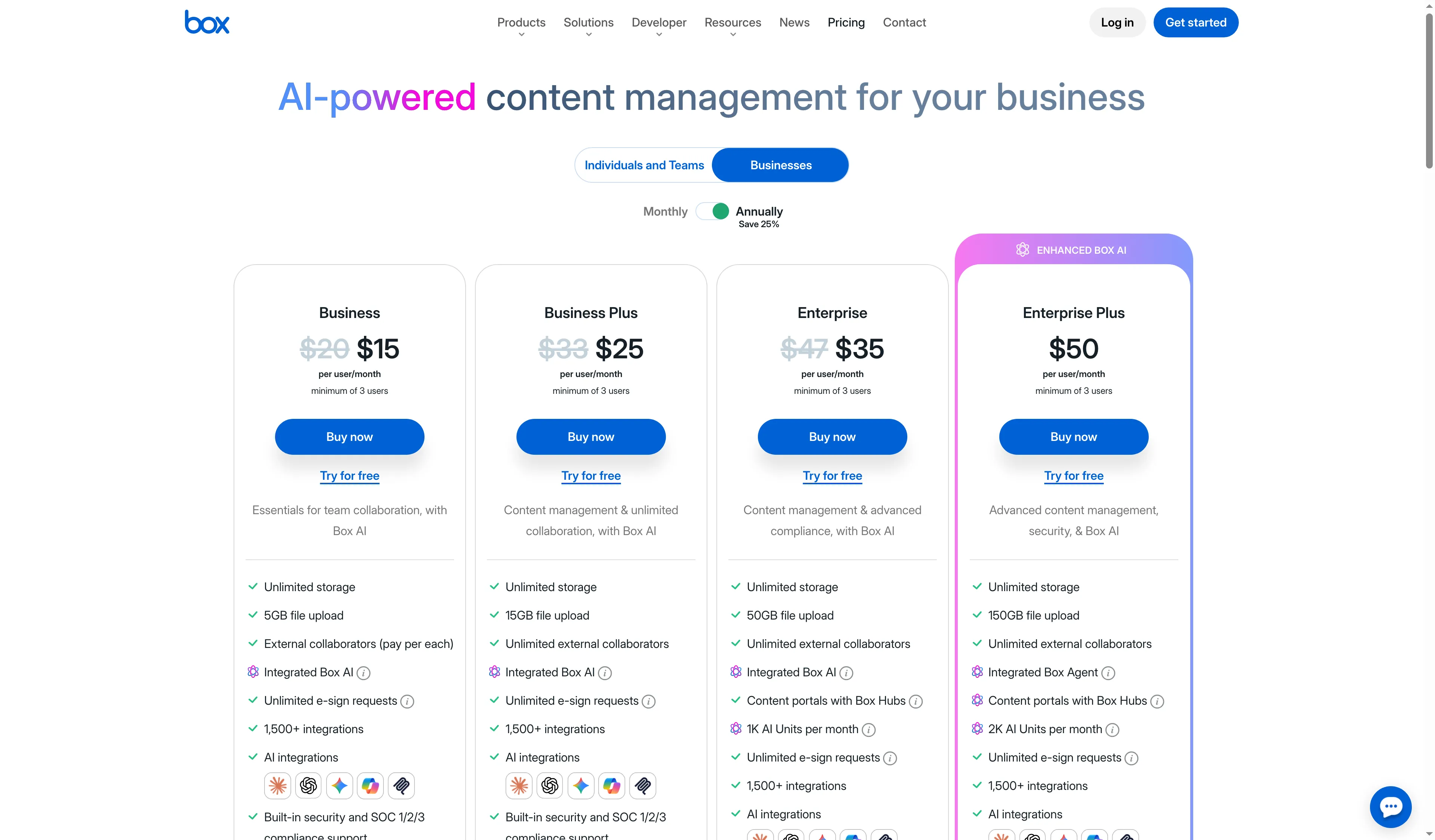
Box's business tiers differ in seat minimums, upload limits, and collaboration controls.
Product pricing — Box
Business Starter is $5/user/month annually for 3–10 seats; five seats cost $300/year. Business, Business Plus, Enterprise, and Enterprise Plus are $15, $25, $35, and $50/user/month, respectively. Five seats cost $900/year on Business and $1,500/year on Business Plus. Taxes and optional services are extra.
4. DocuWare: Best for capture and approval workflows
DocuWare is the most natural fit in this list for teams turning incoming files into indexed, routed work. Its cloud product combines storage with capture, indexing, forms, full-text search, versioning, and workflow tools, which can reduce manual handoffs when configured around a real process.
DocuWare doesn't publish a simple per-seat checkout price. A typical range of $30–$125+ per user per month appears in its Cloud FAQ, and the quote hinges on user roles, user count, storage, and add-on modules. The subscription runs annually. For initial budgeting, use that range, then get a quote for your actual mix of full and occasional users. Specialist integrations and intelligent document processing may add cost, especially when you need more than the standard capture and workflow setup.
Pros — DocuWare
- Capture and indexing can route invoices, forms, and other repeatable records into defined work queues.
- To Cloud users, version 7.15 delivers a revamped client, and teams get a designated approval route through workflow tools.
Cons — DocuWare
- Mapping the process, configuring it, and training users—those tasks still fall to an administrator.
- Reviewers on Capterra applauded reduced paper clutter and access rules but noted that complex workflows and admin settings require time to learn.
DocuWare suits teams that can define an intake and approval process before purchase. If all you need is a shared folder, skip it. I'd ask for a demo built around one invoice route and your actual mix of full and occasional users.
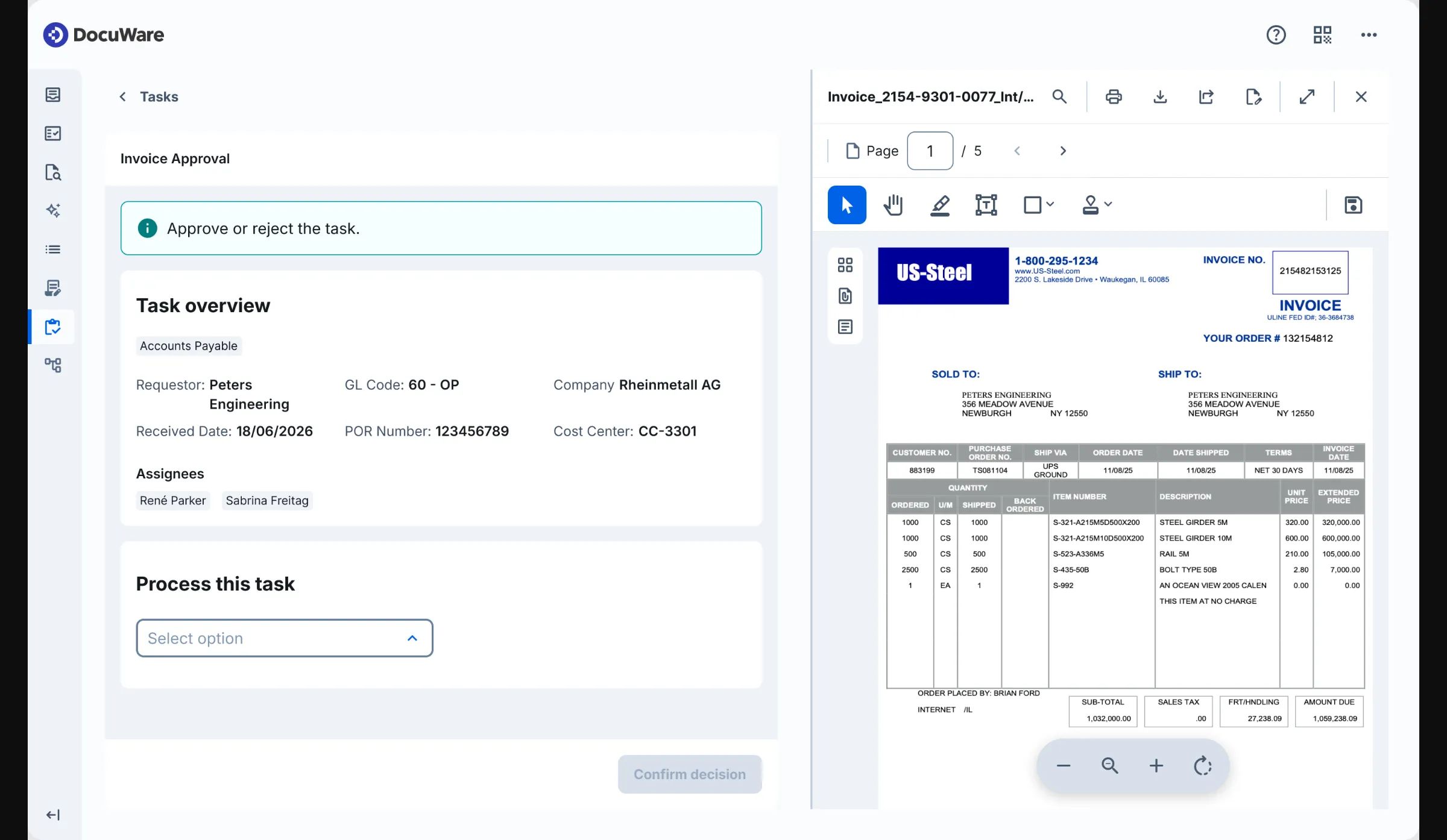
DocuWare's new cloud client shows an invoice approval task beside a document viewer.
Product pricing — DocuWare
Cloud subscriptions are typically quoted in the range of $30–$125+ per user/month, billed annually. The final price depends on roles, storage, user count, and modules. A five-user estimate is $1,800–$7,500+ per year, before add-ons.
5. M-Files: Best for metadata-led document management
M-Files suits organizations that want to find files by what they are and how they relate to work, rather than remembering where someone filed them. Its metadata-first approach can connect content across repositories and systems, making it a different proposition from a folder-based shared drive.
M-Files prices Essentials at $65 per seat per month, while Enterprise is quote-only. Document management, workflow, lifecycle controls, versioning, audit capabilities, and Microsoft 365 integration all come with Essentials. Enterprise adds more governance, audit, security, and external-collaboration controls — so which deployment and contract terms your organization needs determine the right comparison.
Pros — M-Files
- Users can locate a file through metadata—by customer, by project, or by type—rather than having to guess the correct folder.
- The context-first model can link information across repositories and also offers teams a uniform method for classifying records.
Cons — M-Files
- Only if fields and classification rules align with how people actually work do the metadata pay off. Your team must put effort into onboarding when it switches away from folders.
- Capterra reviewers liked the filing model but found setup tedious. Feedback on Google integration is mixed, so don't rely on a general integration label; test the named connector and actions.
M-Files suits a company prepared to put effort into metadata design along with onboarding. If your team prefers simply dropping files into a folder while leaving that structure as is, then it's not for you. At five seats, Essentials costs far more than a bundled suite plan.
I'm a fan of the context-first approach, yet your team must genuinely cut search or classification effort for that steep seat cost to be justified.
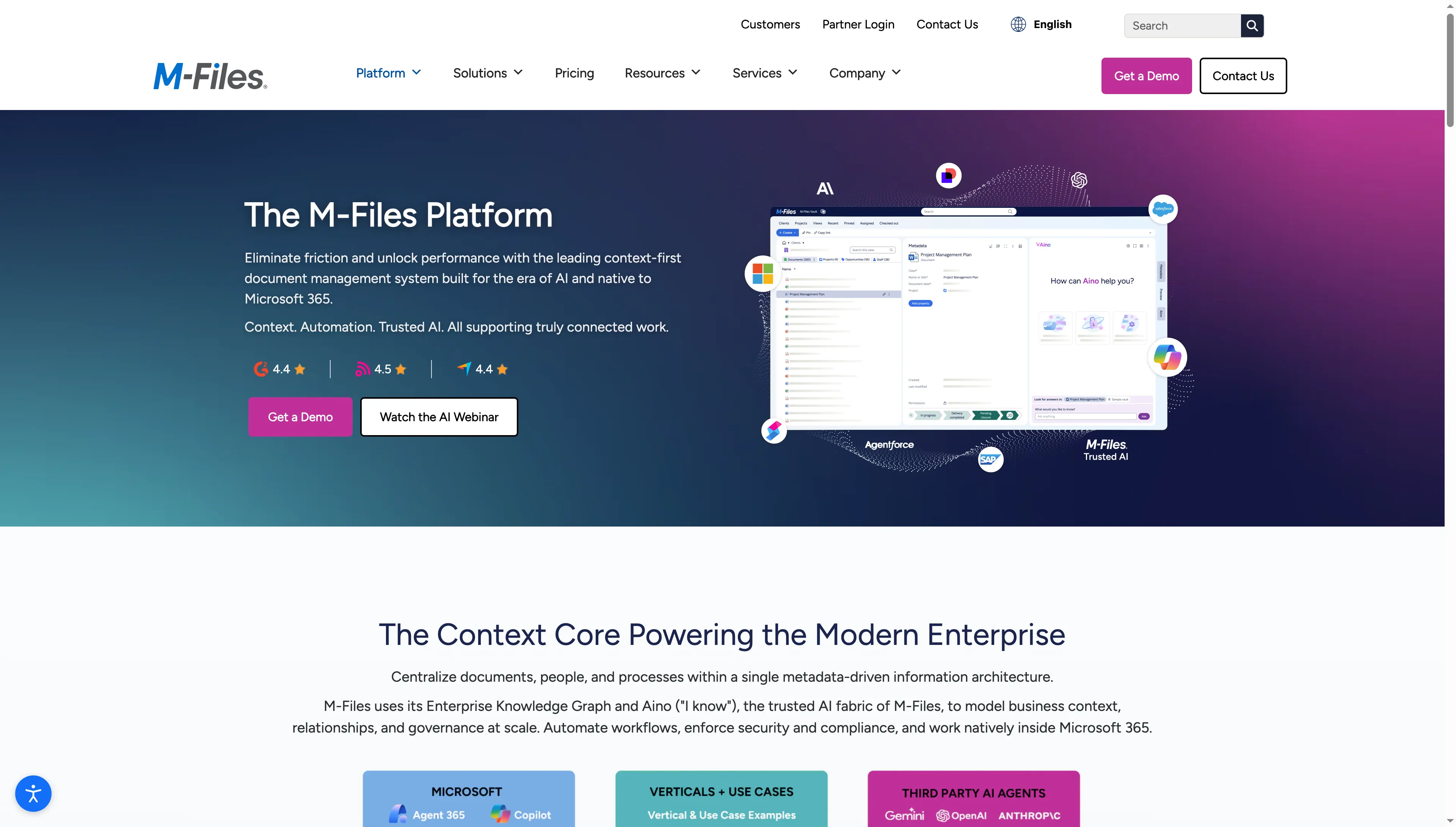
M-Files presents a metadata-led workspace organized around business context.
Product pricing — M-Files
Essentials is $65/seat/month. Five seats cost $3,900/year. Enterprise requires a quote. The public pricing page lists no minimum seat count.
6. Egnyte: Best for governed project files
Egnyte fits teams that need to share large or complex project files while keeping access, versioning, and governance in view. You get Microsoft 365 and Google co-editing options, file locking, and more governance controls on higher tiers.
Egnyte separates employee Power Users from external Standard Users, so the count of paid employees may differ from the total number of people who need access. Confirm storage and role entitlements in the quote before sizing a project team.
Pros — Egnyte
- Egnyte brings file governance to a sync-and-share workspace, including co-editing and locking options for distributed project teams.
- For organizations needing more than collaboration, higher tiers introduce lifecycle and governance capabilities.
Cons — Egnyte
- Users have to understand when they should lock a file, co-edit it, or move between the desktop and web apps.
- An Egnyte Capterra reviewer liked the cloud access but found repeated Word and Excel lock-or-coedit prompts annoying. A second reviewer reported sync and file-lock friction, plus context switching between desktop and web.
Egnyte suits project teams that require governed external access and have an administrator capable of configuring user roles. If what you need is merely a collaboration space that's already part of your office suite, though, then skip it. Add up the pricing for the user mix and the add-ons, and afterward test the file locking and co-editing that your team will really use.
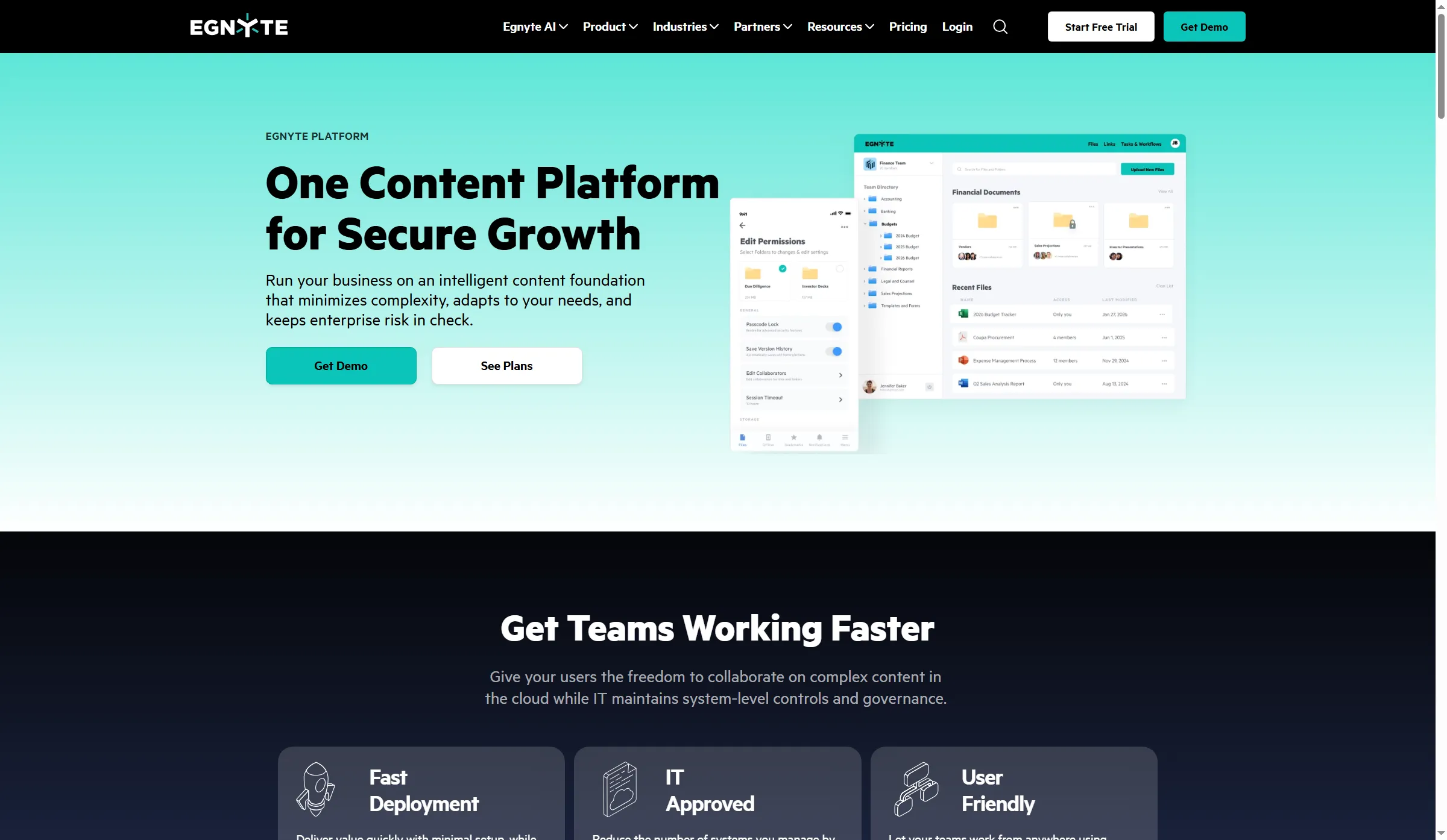
Egnyte brings governed file collaboration to desktop and mobile.
Product pricing — Egnyte
Business is $22/user/month, or $1,320/year for five Power Users; Enterprise Lite is $39/user/month ($2,340/year), and Enterprise is $48/user/month ($2,880/year). Ultimate is quote-based; Project Hub, Specialized File Handler, and Snapshot each add $6–$10/user/month.
What a five-person team might pay in a year
For a five-person team, annual entry costs vary widely. If you already pay for Microsoft 365 or Workspace, the extra cost may be $0. The table compares five paid employee seats at US list prices with annual billing and no taxes. Suites include other apps, while specialist plans differ in workflow depth and storage. Add-ons, migration, implementation, and external-user charges aren't included unless shown.
The table compares annual cost, included storage or limits, and what's covered for five paid employee seats.
| Product and plan | Annual cost for five | Storage or relevant limit | What the price covers |
|---|---|---|---|
| SharePoint via Microsoft 365 Business Basic | $420 | 1.05 TB SharePoint pool at five eligible paid licenses. OneDrive storage is separate | SharePoint plus Exchange, Teams, OneDrive, and other suite apps |
| Google Drive via Workspace Business Starter | $420 | 150 GB pooled. Basic Shared drives | Drive plus Gmail and Workspace apps. Standard is $840/year and has advanced shared-drive controls and 10 TB pooled storage |
| Box Business Starter | $300 | 100 GB total. 2 GB upload limit. Up to 10 users | Entry-level team plan. 3-seat minimum. Limited compared with Box Business |
| Box Business | $900 | Unlimited storage listed. 5 GB upload limit. 3-seat minimum | Standalone business content platform. External collaborators are not included on Business |
| Egnyte Business | $1,320 | Confirm contract storage. Role-based access | Annual Business subscription. Add-ons extra |
| DocuWare Cloud | $1,800–$7,500+ | Quote-dependent | Indicative five-user range from vendor's typical per-user range. Roles/modules change quote |
| M-Files Essentials | $3,900 | Confirm contracted storage and deployment | Public Essentials seat rate. Enterprise is quote-based |
A workflow-heavy team needs a different quote
For ten users, public estimates are $4,200/year for Box Enterprise, $4,680 for Egnyte Enterprise Lite, and $7,800 for M-Files Essentials. Use them to prepare a vendor comparison, not to crown a cheapest option. DocuWare's typical range implies $3,600–$15,000+ each year before modules. These aren't like-for-like feature estimates: workflow design, compliance scope, user roles, storage, implementation, and quote inclusions vary. SharePoint and Workspace might need higher editions and configuration to meet the same governance requirements.
Other tools I considered
Zoho WorkDrive offers a public free Individual plan, along with cheaper team tiers — which means it could fit a team seeking inexpensive shared storage. That said, it's absent from this six-tool comparison. If your business already relies on Dropbox's sync-and-share workflow, it makes sense; still, I found no DMS-specific rationale that's stronger for adding it next to Box, Egnyte, and the suite drives.
How to choose a cloud DMS
Who's going to own the filing model? Should nobody have time for such work, begin with the shared library that your team already understands.
- Check the subscription you already own. Microsoft 365 and Google Workspace can cover ordinary team collaboration on files. Price the extra controls you need before buying another repository.
- Write down one real document workflow. Include intake, naming or metadata, reviewers, external users, retention, and how someone finds the file six months later.
- Match each plan to its controls. Check which edition includes retention, audit, approval, external-user access, storage, and version history.
- Count administrators and occasional users. Seat minimums, external-user rules, and configuration effort can outweigh the per-seat headline price.
- Test the exit path. Ask how to export files, metadata, and audit history, and what happens when the subscription ends.
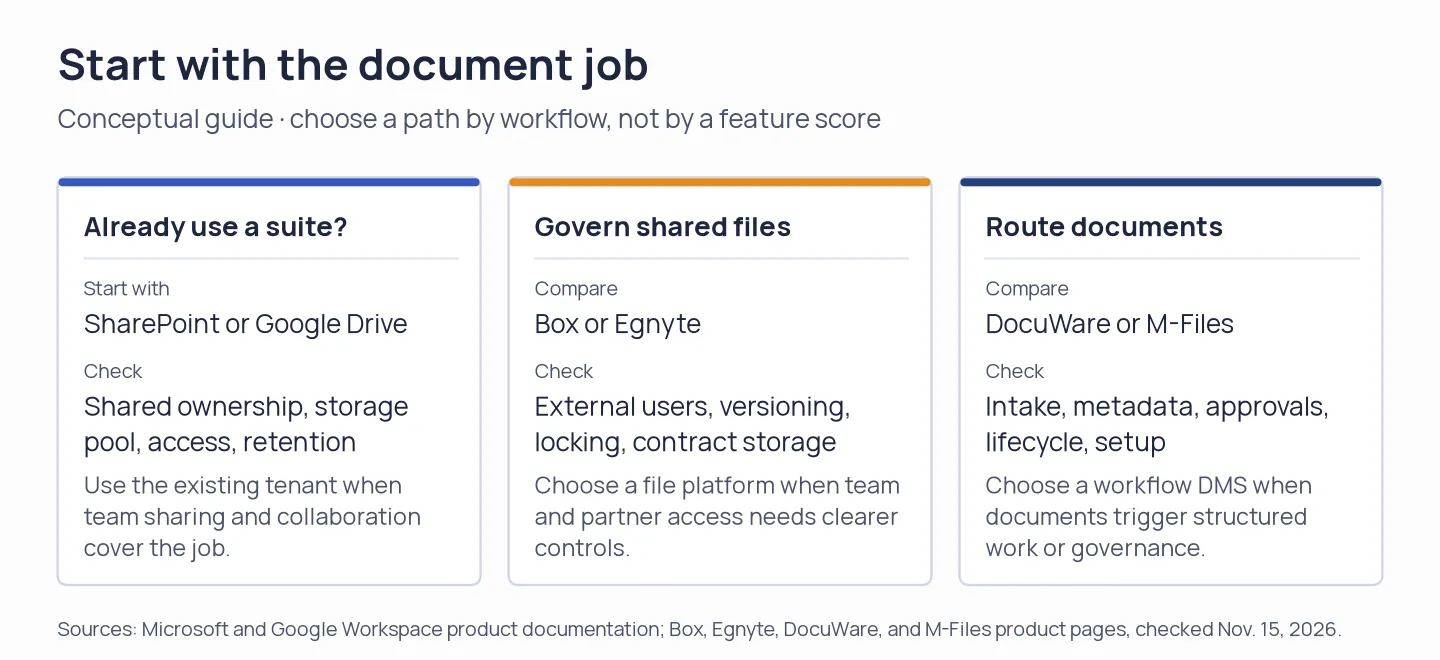
Choose a product path by the document job: existing-suite collaboration, governed file sharing, or routed workflows.