

 23 min read

TL;DR: Contract management software in 2026
- Best for a small team on a budget: Zoho Contracts starts at $25 per full user per month on annual billing, with cheaper Lite users for approvers and collaborators.
- Best for sales agreements: PandaDoc Free includes five docs per month. Its paid plans add sales-workflow controls, but its free editing entitlement needs confirmation before you rely on it.
- Best for a searchable contract archive: ContractSafe starts at $450 per month, billed annually, for its smallest contract-volume band.
- Best for a 1,000-item repository at a public price: ContractWorks Repository starts at $425 per month, billed annually. Drafting and redlining are in its $1,195 Premium plan.
- Best for an integrated team workflow: Concord Essentials starts at $499 per month for five users, paid annually. Approval workflows begin on Business at $899 per month.
- Best for procurement or legal operations at scale: Gatekeeper, Juro, Ironclad, and Docusign CLM offer broader workflow controls, with pricing based on a quote or tailored scope.
Contract management software helps a business create, negotiate, approve, sign, store, and track agreements. Some tools handle only one part of that process: e-signature apps send files for signature, while contract lifecycle management (CLM) systems can add intake, approval rules, clause controls, obligations, renewals, and reporting. Pick a system based on the handoffs or deadlines your team needs to control.
I compared recent customer reviews and product guides with the current US plan pages, then traced the various price meters across two defined workloads. Choose the software that fits the handoffs and deadlines your team needs to manage.
At a glance: nine contract management picks
Zoho Contracts and PandaDoc handle sales agreements, ContractSafe and ContractWorks focus on repositories, and the other picks cover procurement or broader CLM. This table maps nine contract management software picks to buyer fit and tradeoffs.
| If you need… | Pick | Why it fits | Main tradeoff |
|---|---|---|---|
| An affordable end-to-end workflow for a small team | Zoho Contracts | Per-user pricing, Lite approvers, and full lifecycle tools | 25 new contracts per full user/month, obligations cost more |
| Proposals and sales agreements | PandaDoc | Free entry and sales workflow | Free editing scope is unclear, sales agreements are its focus |
| Search and renewal control for an existing archive | ContractSafe | OCR, full-text search, alerts, and volume bands | Annual cost rises with active-contract volume |
| Repository storage with transparent 1,000-item pricing | ContractWorks | Public $425/month entry price, unlimited users, and ten senders | Repository covers storage, while Premium adds drafting |
| Shared drafting and signing for five people | Concord | Five users and unlimited agreements/signatures on Essentials | Approvals require $899/month Business |
| Supplier contract workflows | Gatekeeper | Supplier records and workflow define its quote | Quote depends on supplier count and integrations |
| Browser-based legal and business contracting | Juro | Negotiation, reminders, approvals, and repository | Custom pricing, integrations and rollout change cost |
| Highly configurable legal operations | Ironclad | Intake, configurable workflows, and repository fit legal teams | Quote-based and setup-heavy |
| Lifecycle workflows around Docusign | Docusign CLM | Adds lifecycle controls around Docusign agreements | Quote-based, eSignature pricing is separate |
What makes the best contract management software?
Start with five checks: drafting and signing, approvals, repository search, renewal controls, and pricing. The best contract management software matches those features to your team's handoffs and billing units, then makes the next action easier to see and repeat.
Drafting, redlining, and signing
Check whether the plan handles the paper your team receives. Standard sales templates and signature tracking are a narrower job than negotiating counterparty paper or editing clauses in Word. PandaDoc leans toward sales agreements. Legal teams that need redlining should confirm the exact plan and approval route.
Approvals and routing
For contract approval software, count who can submit, approve, reject, or edit an agreement, and whether the workflow needs parallel or sequential steps. Zoho's Lite users can approve or collaborate, while Concord places formal approval workflows on Business. Workflow access doesn't guarantee every reminder or role control.
Search and agreement data
Contract management software used as a repository needs OCR that works on your scanned PDFs, useful clause search, editable metadata, and a clear way to link amendments and attachments. A polished search demo on a clean sample reveals little about a portfolio of scans with unusual layouts.
Renewals and obligations
Zoho Contracts lists renewal letters and reminders, which teams should separate from unsigned signature requests, termination notice periods, and post-signing obligations. Ask who receives each alert and whether contract owners can reassign an obligation when an approver leaves.
Pricing meter, integrations, and rollout
Contract management software pricing may use full seats, Lite approvers, active contracts, stored items, signature senders, supplier counts, or setup charges. If your current CRM or productivity subscription already handles standard quotes and signatures, check its exact edition and limits before adding another tool. It won't automatically replace a searchable CLM archive.
Contract management software pricing for the same workloads
For one owner and four approval-only collaborators, Zoho offers the lowest listed annual cost while Concord costs more for formal approvals. In a repository setup, ContractWorks has the lower annual total than ContractSafe, though those plans count storage differently. Annual totals multiply the listed monthly equivalent by 12.
| Example workload | Tool and plan | Annual platform cost | Included capacity and limits | Billing and extra costs |
|---|---|---|---|---|
| One owner, four approval-only collaborators, up to 25 new agreements/month, and no more than 100 active contracts | Zoho Contracts Standard: one full user + four Lite users | $540 | Standard allows 25 contracts per full user/month. Lite users can approve, collaborate, e-sign, or fulfill obligations | Annual billing; taxes extra. Requires one full user. |
| Same workload | ContractSafe Finalize, up to 100 active contracts | $7,920 | Unlimited users, redlining, approvals, and e-signature are included at this plan level | Annual prepayment, no mandatory platform add-on is listed. |
| Same workload | Concord Business, five included seats | $10,788 | Five users, approval workflows, intake, and custom roles | Paid annually, five included seats cover this setup. |
| Five-person team storing 1,000 signed agreements, search/OCR and alerts only, one file per agreement | ContractWorks Repository, 1,000-item tier | $5,100 | 1,000 stored items, unlimited users, and 10 eSignature sender licenses | Billed annually, Repository setup is listed without an added fee. |
| Same repository workload | ContractSafe Organize, 501–1,000 active contracts | $8,640 | Unlimited users, repository, search, alerts, and extraction features | Annual prepayment, optional extraction service costs extra. |
The Zoho Contracts example uses a per-seat plan, while the repository comparison pairs stored-item capacity with active-contract capacity. Confirm how amendments and attachments count before signing an annual order.
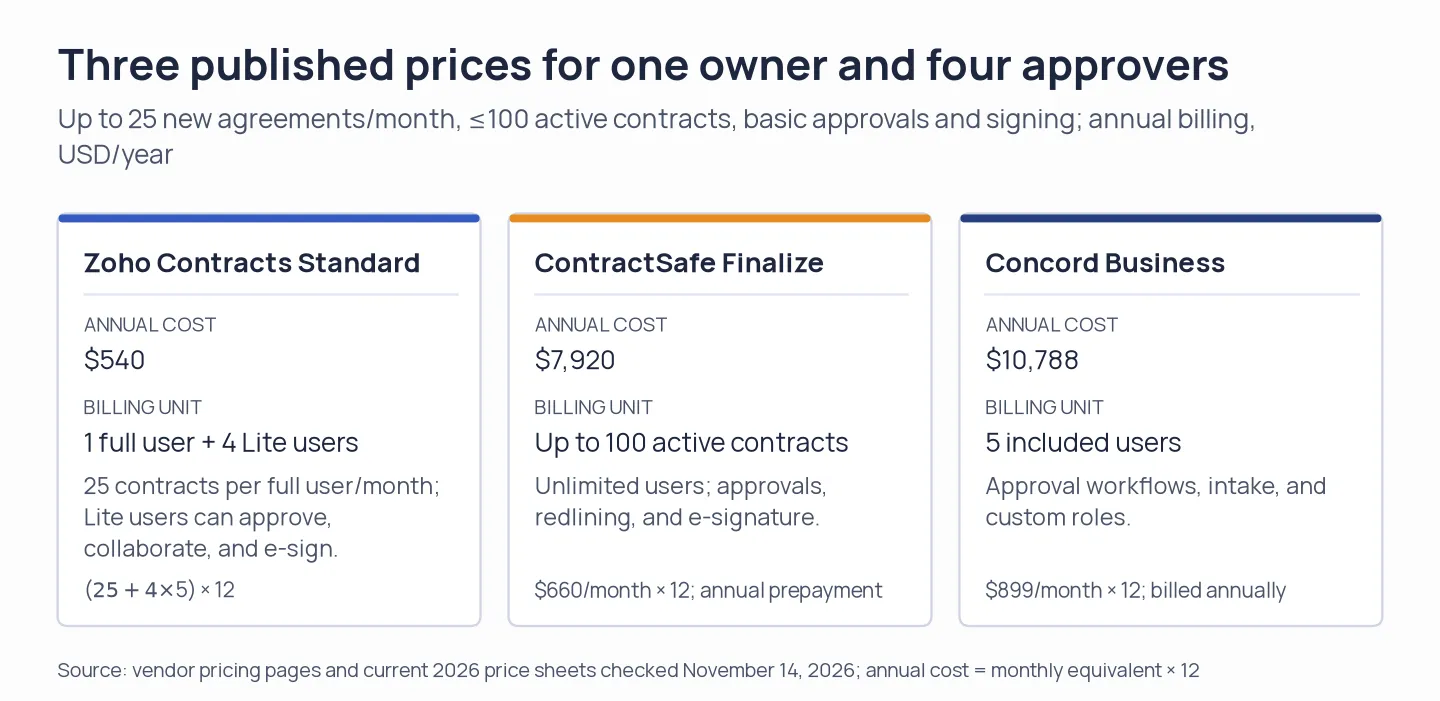
The annual totals use the listed plans for this approval-and-signature workload.
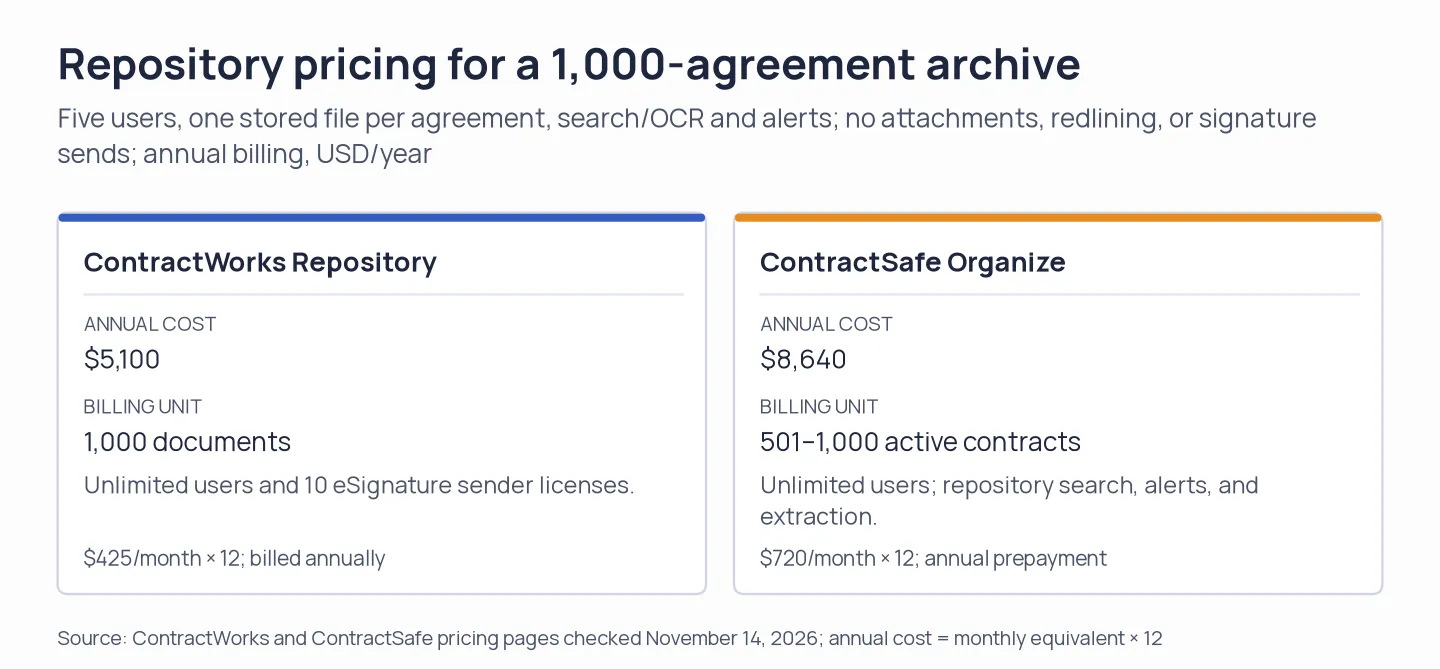
The two repository plans use different meters: stored files versus active contracts.
1. Zoho Contracts: Best for budget-conscious teams
Zoho is the easiest price to plan around for a small team: Standard costs $25 per full user each month, or $5 for a Lite approver, with annual billing. That split matters when four people only approve or sign. You get templates, negotiation, and renewals without first asking sales for a quote.
The free plan covers three users, ten contracts, five counterparties, one approval workflow, and two templates. Zoho labels Free's limit as ten contracts. Its 15-day paid-plan trial requires no credit card and allows ten contracts, five counterparties, and ten users. Standard raises the allowance to 25 contracts per full user per month. Professional and Premium remove that cap and add features such as obligations management, CRM integration, and audit logs.
On Zoho's pricing page, the annual/monthly switch changes both seat rates: Standard moves from $25 to $30, while Lite moves from $5 to $6. Lite users can approve, collaborate, sign, or fulfill obligations, but a full-user license is required first. Custom approval reminders sit on a higher tier, so don't assume every workflow includes them.
Zoho's help guide says the contract owner submits an agreement for approval and approvers receive notifications. The product also includes renewal letters and reminders, while its obligations module starts on Professional. A recent Capterra reviewer praised the signature workflow but asked for contracts to open in separate tabs. Six reviews are too few to treat that comment as a broad usability pattern.
I'd choose Zoho when approval-only collaborators make per-seat CLM pricing hard to justify, then check whether its contract allowance covers monthly volume.
Pros — Zoho Contracts
- Zoho Contracts lets small teams add Lite approvers without more full seats.
- A small team is covered by the free plan.
- Renewal handling, signatures, negotiation, approvals, and annual contracts all reside within the one product.
Cons — Zoho Contracts
- Standard's 25-contract monthly allowance is per full user.
- Custom approval reminders, together with obligation management, need a more advanced tier.
- The Free plan doesn't specify that its ten-contract cap is per month.
Product pricing — Zoho Contracts
Free for three users. Standard $25/full user/month or $5/Lite user/month, billed annually. Monthly billing is $30 and $6 respectively. Taxes extra.
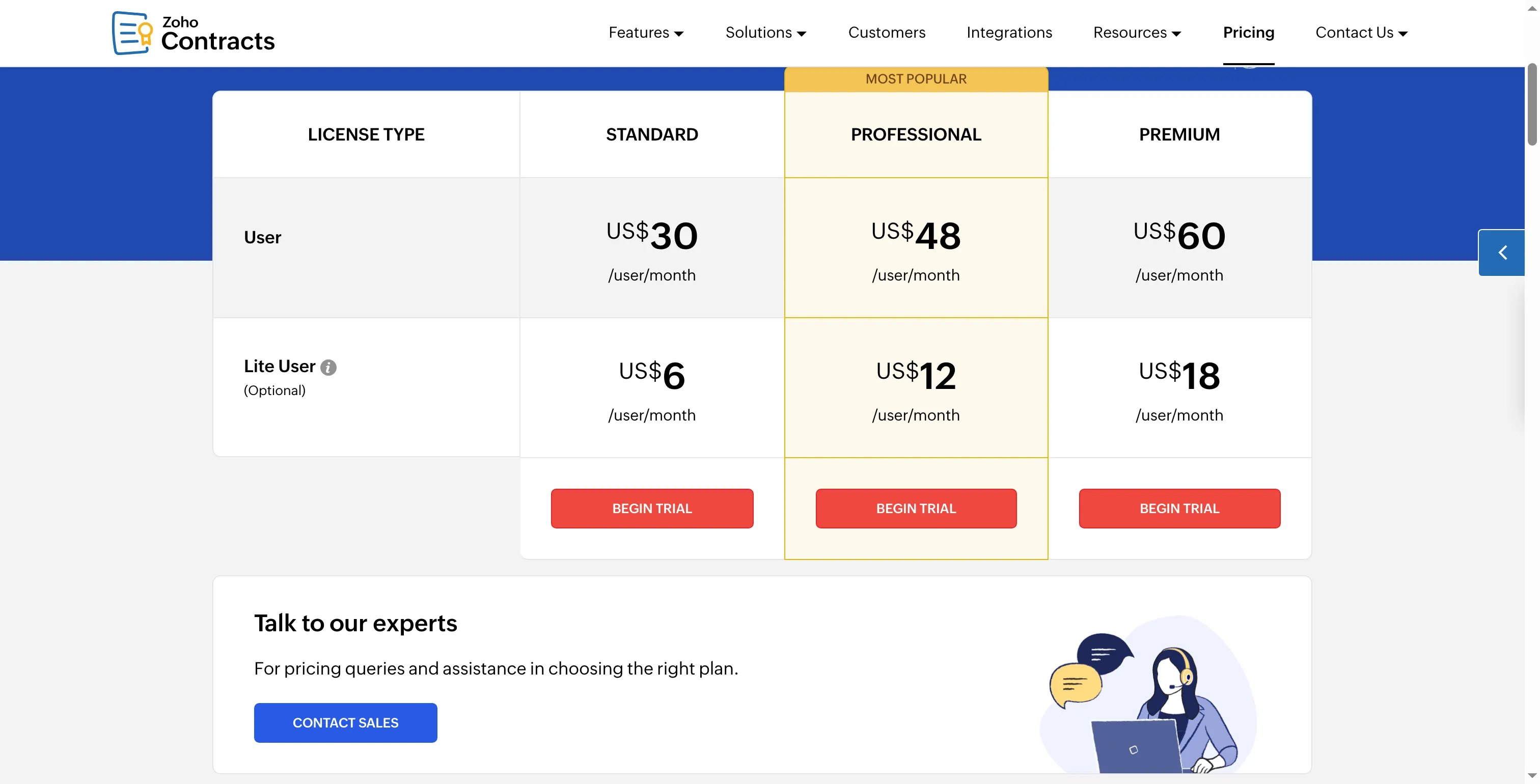
Zoho prices full and Lite users separately, so adding approvers costs less than adding more full seats.
2. PandaDoc: Best for sales files and proposals
PandaDoc suits sales teams that create proposals and standard customer agreements. Free allows five files per month, and paid tiers add sales-workflow controls. Reps who send repeatable agreements can use that flow without moving every user into a full CLM suite.
PandaDoc's strength is the sales-document workflow. PandaDoc's free and lower plans are centered on file creation and signature, while redlining, approval rules, renewal notifications, and other contract controls sit behind paid-plan or add-on gates. Enterprise requires a quote. Check the plan matrix before using PandaDoc for legal's negotiated paper, because “send a contract” and “manage a contract lifecycle” are different workflows.
I reviewed the new-document guide and current pricing for PandaDoc. Per that guide, there are three initial routes—start blank, upload a file, or use a template—and it states that uploaded PDFs stay static unless fields get added on top of them. The more recent .docx upload flow is being released in stages, and it might likewise require its “Make editable” action. Whether the Free plan includes authoring stays uncertain, since the pricing page and the plan comparison don't match up.
Recent G2 and Trustpilot reviewers praise PandaDoc's templates and the convenience of creating sales files. Individual reviewers also raise questions about billing, support, imported-PDF appearance, and template movement between workspaces. PandaDoc has thousands of G2 reviews; use those reports to shape a pilot around your own templates and PDFs.
I think PandaDoc earns a shortlist for repeatable sales paperwork, but I'd confirm Free's editing scope before treating it as a no-cost authoring tool.
Pros — PandaDoc
- PandaDoc covers the proposal-to-signature workflow for sales teams.
- Sales templates and recipient tracking.
- Familiar proposal-to-signature workflow.
Cons — PandaDoc
- Five Free files/month.
- You'll need paid tiers or add-ons to access contract redlining and renewal controls.
- Before you can select Free as your contract authoring system, you'll need confirmation regarding its editing entitlement.
Product pricing — PandaDoc
Free for five docs/month. Starter $19/seat/month annually or $35 monthly. Business $49/seat/month annually or $65 monthly. Enterprise by quote.
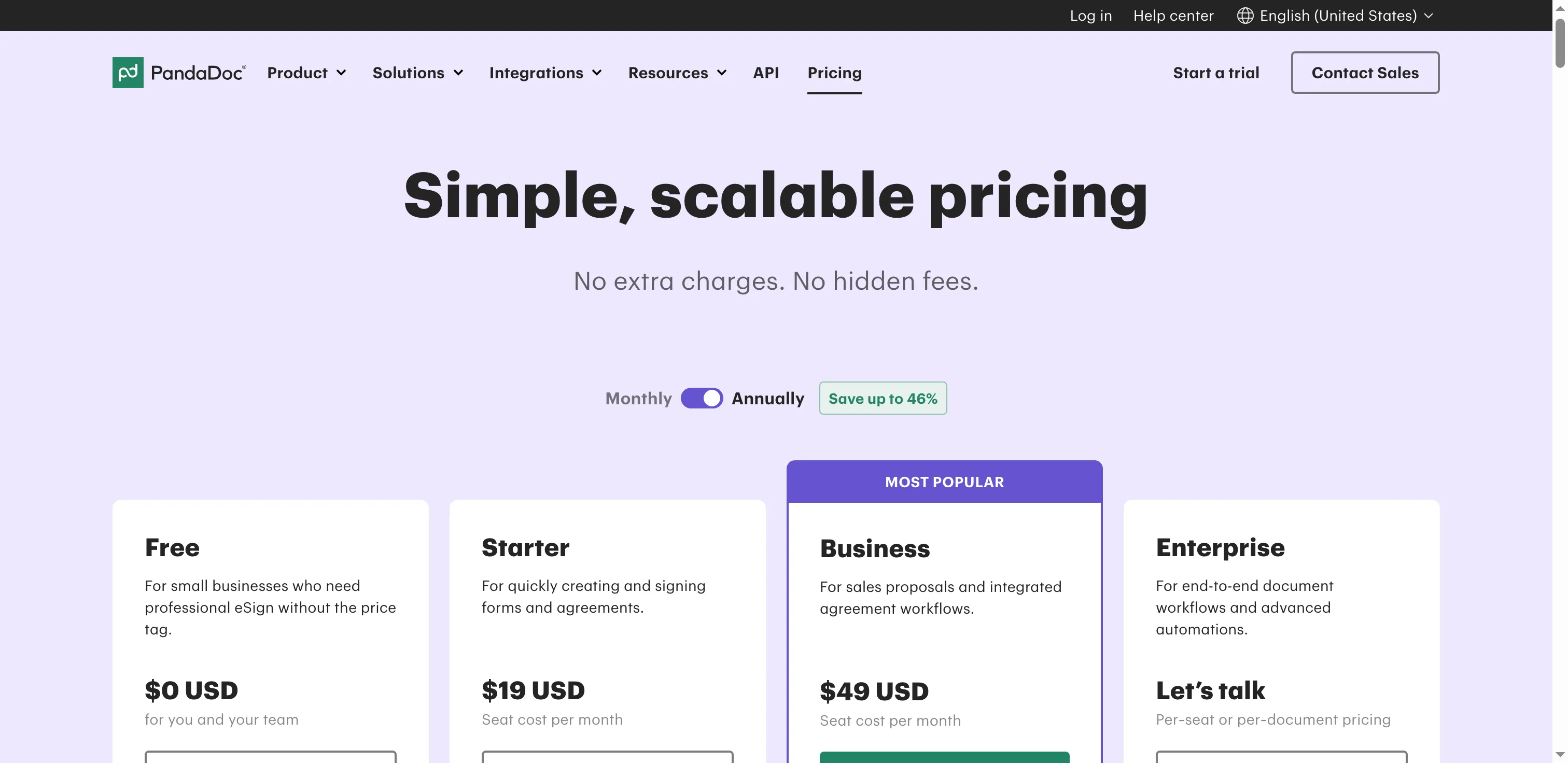
PandaDoc lists its Free, Starter, and Business tiers beside the annual-billing selector.
3. ContractSafe: Best for searching an existing contract archive
ContractSafe makes the most sense when you already have a contract archive and need to find clauses or catch dates. Its entry plan bundles centralized storage, full-text search, extraction, and alerts. The price follows active-contract volume, not headcount, so the first question is how the vendor counts your portfolio.
Billed annually, Organize begins at $450 monthly for as many as 100 active contracts. Finalize and Maximize are priced higher. Those monthly equivalents increase for bigger active-contract bands. Organize covers the repository job, whereas Finalize adds redlining, approvals, e-signature, and Word integration. Maximize adds intake, templates, and selected lifecycle/integration features. Unlimited users appear on all plans. Jump Start extraction, optional, is an extra service. Per the pricing FAQ, there's no implementation fee.
The public meter makes budgeting easier than with a quote-only CLM, but “active contract” isn't the same as “file.” Amendments and attachments may change the count. I wouldn't compare the $450 entry price with a per-user plan until you've checked how your archive maps to ContractSafe's volume bands.
Recent G2 reviewers praise custom fields, central storage, and searchable clauses. One five-star reviewer wanted select-all filtering; a 3.5-star reviewer hit a browser crash during bulk export, and another said unusual PDF layouts hurt AI date extraction. My pilot checklist would include bulk export, filtering, and a few of your own scans.
I think ContractSafe fits best when archive search and renewal alerts matter more than entry price; count active agreements before choosing a volume band.
Pros — ContractSafe
- Searching stored contracts in full text, along with OCR.
- Public pricing by active-contract band.
- No required implementation charge, plus unlimited users.
Cons — ContractSafe
- Annual prepayment.
- Costs increase as the contract portfolio grows.
- Vendor-led extraction is extra.
- Approval and signing features need Finalize or higher.
Product pricing — ContractSafe
Organize starts at $450/month, Finalize at $660/month, and Maximize at $815/month for the lowest volume band. Billed annually.
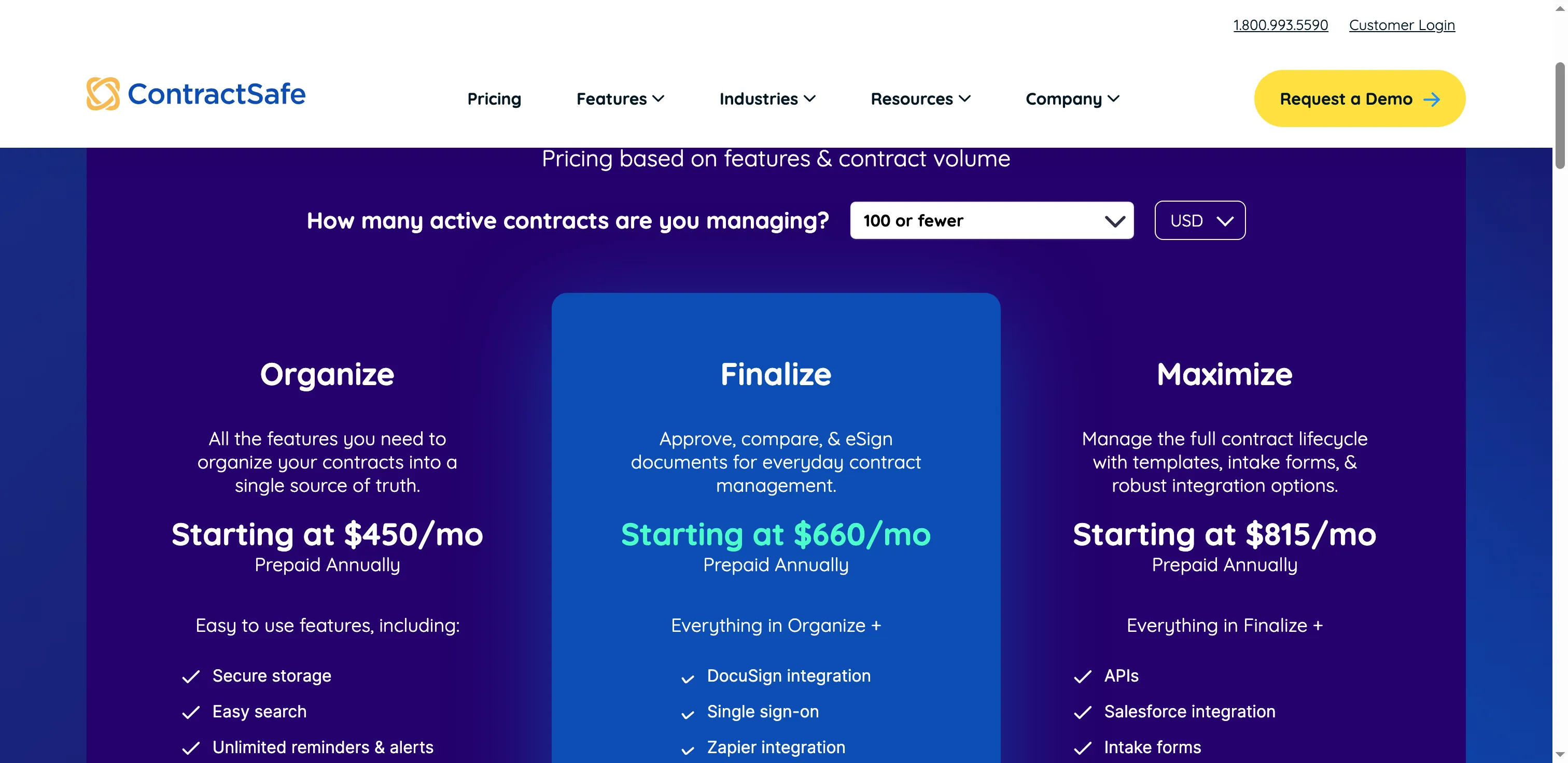
ContractSafe changes its monthly equivalent by active-contract band, not by user count.
4. ContractWorks: Best for a 1,000-item repository at a public price
For a 1,000-item repository, ContractWorks publishes a clear starting price: $425 per month with annual billing. That includes unlimited users and ten eSignature senders; the next repository tiers hold 10,000 and 50,000 files. If you mainly need to store and find signed agreements, that's an unusually concrete quote to take into budgeting.
The 14-day trial covers Repository only. Premium starts at $1,195 per month, billed annually, and adds drafting, redlining, and approval workflows. Whether Premium's negotiated-document workflow suits legal's process can't be learned from a trial of the lower product. Repository implementation is listed on the pricing page at $0. No final Premium implementation quote is published.
The public trial request didn't lead to an activated workspace, so I can't vouch for the in-app search. The plan boundary is still clear: Repository covers storage, while drafting and approvals start on Premium. If those controls are why you're shopping, evaluate Premium on its own merits rather than buying Repository on the strength of its lower price.
I like Repository's public price for a defined archive job; I wouldn't buy it to solve drafting or approvals without evaluating Premium separately.
The recent G2 window had no new reviews. Older G2 reviews praise repository search, alerts, and reporting, while raising questions about integrations and dashboard limits. Capterra's current 4.7 score comes from 100 reviews; its accessible six-month sample was limited to the Most Helpful page. Treat older product comments as prompts for a fresh Premium trial.
Pros — ContractWorks
- Published tiers for expanding repositories.
- Unlimited users.
- Ten sender licenses included in Repository.
- Keep plans for higher-tier workflows apart from those for lower-cost repositories.
Cons — ContractWorks
- Repository's 14-day trial doesn't cover Premium drafting or redlining.
- Repository pricing is annual.
- Beyond the shown base rate, configuring Premium requires a quotation.
Product pricing — ContractWorks
Repository starts at $425/month billed annually for 1,000 stored items. Premium starts at $1,195/month billed annually with custom capacity.
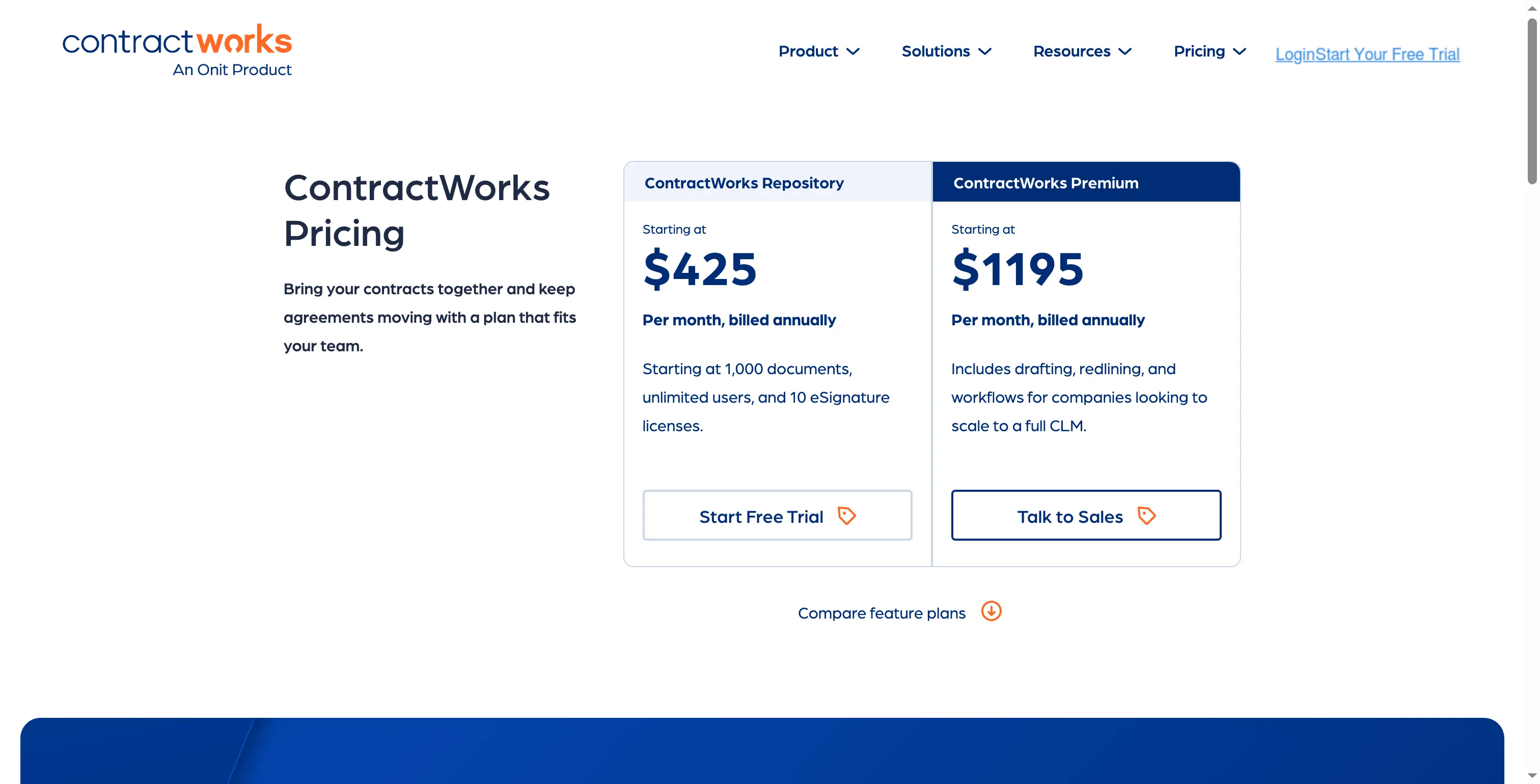
ContractWorks separates repository storage from its higher-priced drafting and approval plan.
5. Concord: Best for a five-person team that wants one shared workflow
Concord bundles drafting, collaboration, e-signature, deadline reminders, and contract storage in one workspace. Essentials costs $499 per month with annual billing and covers five users, unlimited agreements, and e-signatures. A five-person department can draft and sign in the same workspace instead of using separate tools.
Not all legal-team controls come with Essentials. Listed integrations, teams, custom roles, approval workflows, and intake forms begin at the Business tier. On Essentials, extra users run $49/month, and on Business they're $69/month. Those monthly amounts are equivalents under annual billing.
I reviewed Concord's current plan table. It lists five included seats beside each price and places formal approval workflows on Business. If internal approvals drive the purchase, budget for the jump from Essentials to Business before using the lower entry price in a request.
Concord's G2 profile shows 133 reviews, but its latest accessible G2 record dates to 2024. Its eight Trustpilot entries are from 2020. Capterra currently shows 4.6 from 235 reviews, though the captured cohort covered only the first Most Helpful page. Older reviewers describe a broad draft-to-sign workflow and mention daily-use bugs. Use the current plan features to define product scope, and treat those older comments as prompts for a fresh trial.
I'd budget against Business if approvals matter; the Essentials price is attractive only when its simpler handoffs are enough.
Pros — Concord
- Five included users.
- Unlimited agreements and e-signatures on Essentials.
- The plan matrix clearly shows the move to approval workflows.
Cons — Concord
- Approval workflows require the Business tier.
- Prices assume annual payment.
- Evidence from recent platform reviews is sparse.
Product pricing — Concord
Essentials $499/month and Business $899/month for five users, billed annually. Extra seats cost $49 or $69 per month respectively.
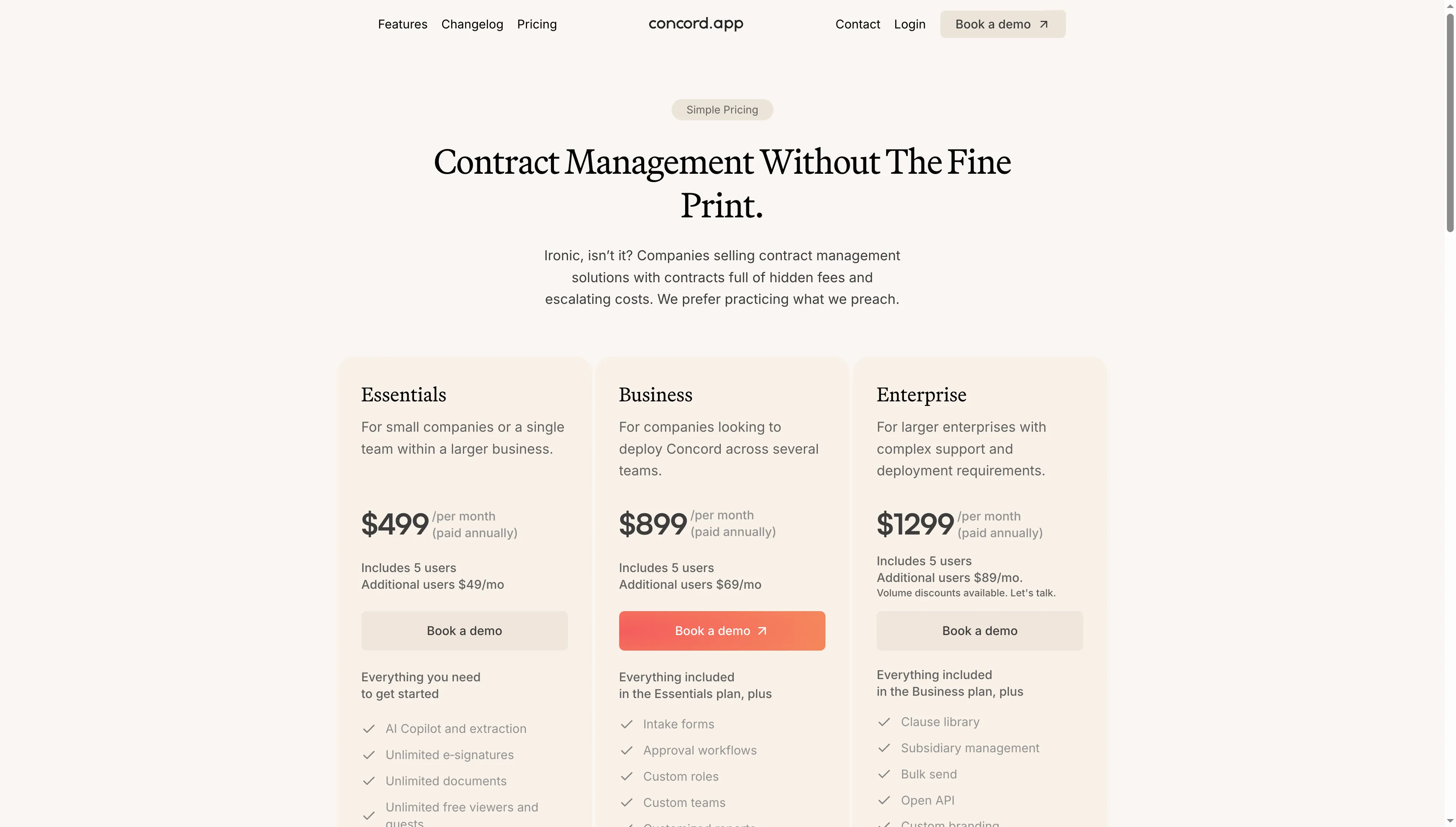
Concord lists five included users and prices for its Essentials, Business, and Enterprise plans.
6. Gatekeeper: Best for procurement teams managing supplier contracts
Gatekeeper fits procurement teams managing supplier agreements. As contract automation software, it ties supplier records to workflows for intake, review, approval, and renewal. Its pricing depends on third-party volume, workflow automation, integrations, and selected features. The pricing page lists up to 250 third parties on Pro and 750 on Enterprise, with unlimited users and contract records.
That's a different meter from Zoho's full-user seats or ContractWorks' document capacity. Before requesting a quote, count active suppliers and counterparties, list the workflows that need automation, and identify the integrations you use. An “unlimited contracts” line alone won't show what a large vendor network costs.
Recent G2 reviews suggest questions for a demo. One reviewer praised a shared view of vendor-workflow status but reported trouble with NetSuite linkage and bank-detail transmission. Another praised contract filters and wanted more onboarding guidance. I wouldn't treat the two October reviews in the captured cohort as proof of hands-on Gatekeeper use. Ask for a supplier workflow covering intake, review, approval, and renewal, then check the connector and role permissions against your own systems.
I'd keep Gatekeeper on the shortlist when procurement needs supplier-level routing, then test the actual integration paths before comparing quotes.
Pros — Gatekeeper
- Procurement-focused workflows hold supplier information along with contract documentation.
- For scoping a quote, buyers get a starting point from public quota guidance.
- The list includes contract records and unlimited users.
Cons — Gatekeeper
- No public numeric subscription price.
- Third-party quotas and integration choices affect the quote.
- Demo NetSuite linkage and role permissions with your setup.
Product pricing — Gatekeeper
Quote-based. Gatekeeper says price depends on third-party volume, workflow automation, integrations, and selected features.
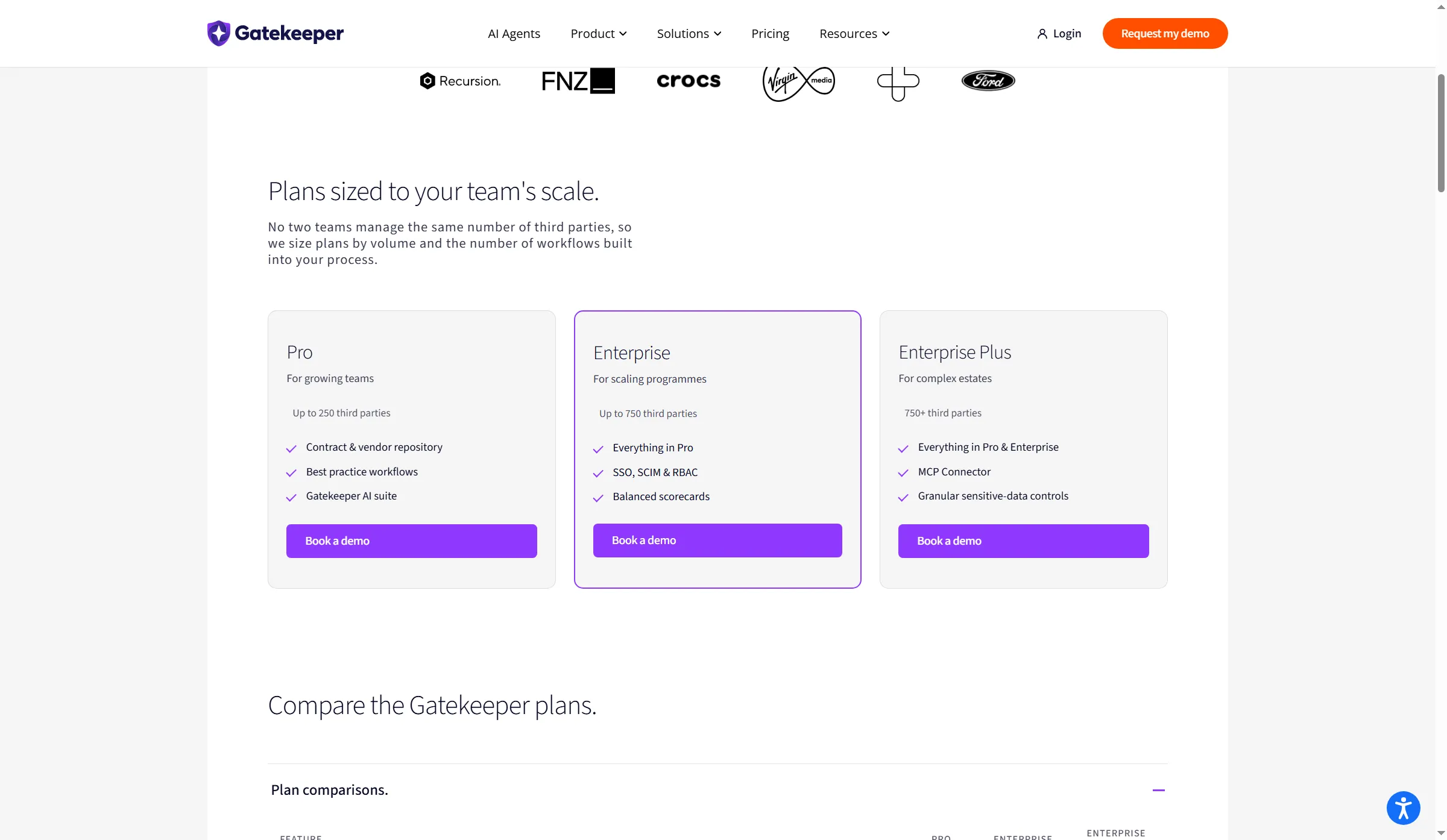
Gatekeeper sizes its plans by third-party volume and workflows, with 250, 750, and 750-plus third-party tiers.
7. Juro: Best for browser-based negotiation and business self-service
Juro is a browser-based CLM option for teams that want business users to create and negotiate agreements while legal controls templates, approvals, and the repository. Its plan page lists unlimited users, workflows, and templates, with price varying by contract volume and integration complexity. Some deeper integrations sit outside the standard plan scope, so the user count alone won't predict your annual bill.
Juro's plan matrix lists native e-signature, redlining, renewal reminders, version control, audit trail, approval workflows, and analytics. Some advanced signature and implementation features appear in higher tiers. Request that the vendor map your particular workflow—counterparty paper, Word review, approval routing, and integration endpoints—onto the plan quote. That's more useful than comparing a single “starting at” figure that Juro doesn't publish.
In the complete May–October G2 window, reviewers often praise browser-based review and support. A five-star July reviewer still found mobile review/editing clunky. An August reviewer reported integration trouble and wanted ZIP access to stored contracts. Because 56 of the 66 records arrived in July, that cluster may reflect a review-invitation push. Treat the reports as workflow questions for a pilot.
Pros — Juro
- Browser-based negotiation and redlining.
- The list includes unlimited templates, workflows, and users.
- Handles templates managed by legal for contracting on the business side.
Cons — Juro
- Custom pricing.
- Implementation and integrations can add cost.
- A genuine demonstration is warranted for export rights, along with mobile editing.
Product pricing — Juro
Quote-based by contract volume and integration complexity.
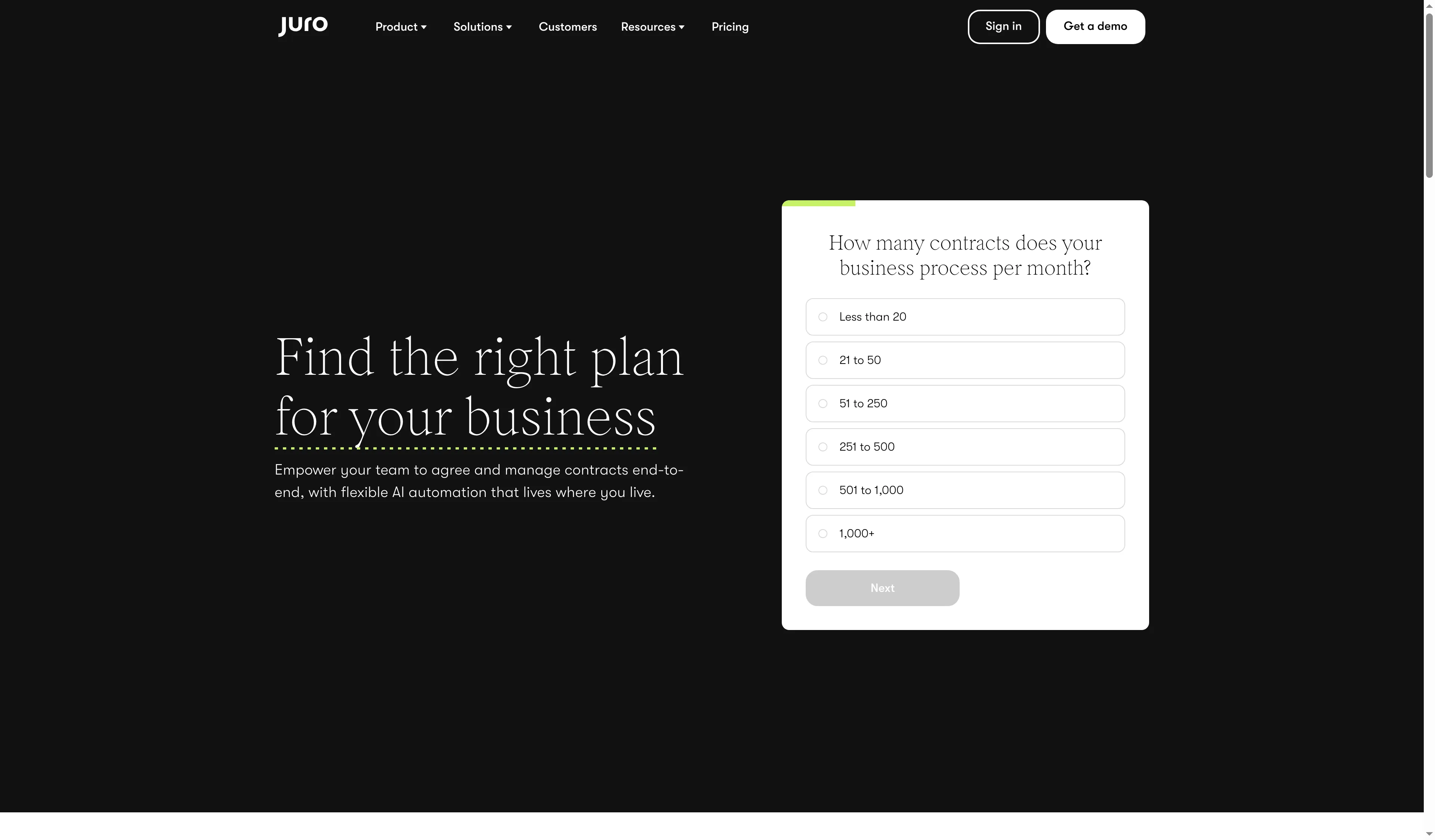
Juro's pricing questionnaire starts by asking for monthly contract volume.
8. Ironclad: Best for legal teams building configurable workflows
Ironclad gives legal teams intake, approval workflows, document negotiation, signatures, and a searchable archive, with a separate AI Assistant product. Its pricing page lists CLM, AI Assistant, and eSignature separately, and deployment support can come from the customer's team or implementation partners. Ask for a quote that names each product and service you need. Teams comparing AI contract management software should also confirm what the AI Assistant covers and whether it's included in the CLM quote.
Ironclad's current G2 rating is 4.4 from 332 reviews, and the accessible May–October window contains 24 full records. Recent users praise repository search and signature navigation. Five-star reviewers still mention difficulty reusing custom fields across workflows and resolving workflow errors. One September review appeared to concern employment rather than software use, so I left it out of product conclusions.
I think Ironclad fits legal teams that need configurable intake and routing, but its separate AI Assistant and implementation scope make a line-item quote essential.
Though configurable workflows can cut manual routing once set up, your team still needs someone to own the templates, fields, permissions, and change process. During a demo, have the vendor reuse one clause or field across two workflows, demonstrate who can edit it, and explain how business-request intake reaches legal. Only after you've specified the intake and workflow configuration should you compare Ironclad's price against a repository-only plan.
Pros — Ironclad
- Intake and workflow setup for legal operations.
- Product scope can be tailored.
- Substantial current G2 review base.
Cons — Ironclad
- Quote-based pricing.
- Administrators may face a learning curve.
- You need hands-on evidence of suitability for field reuse and workflow setup.
Product pricing — Ironclad
Custom quote. The public pricing page doesn't show a numeric subscription rate.
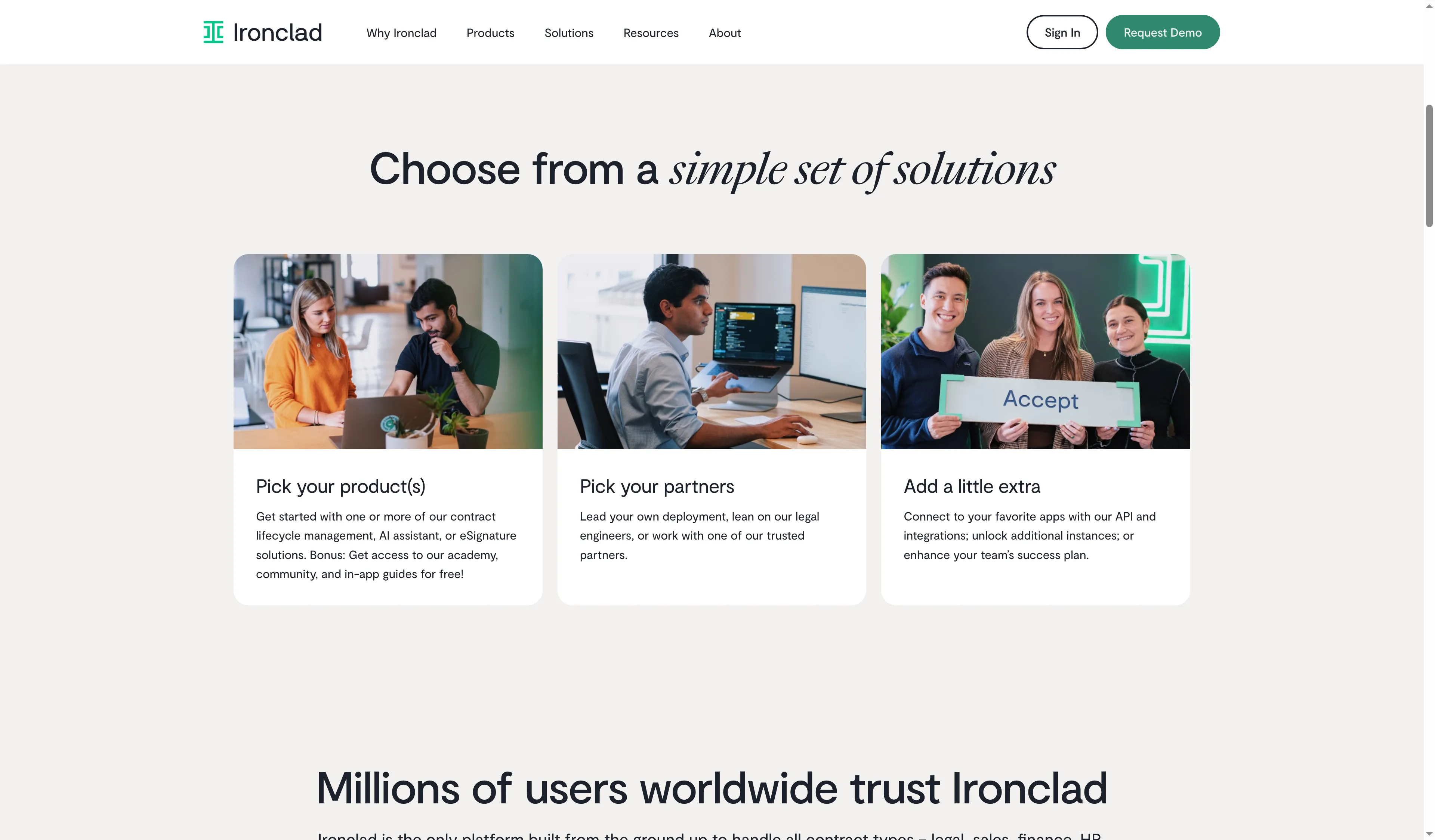
Ironclad separates the product choice, deployment support, and optional integrations when scoping a quote.
9. Docusign CLM: Best for organizations standardizing lifecycle work around Docusign
Docusign CLM is a lifecycle product for teams evaluating Docusign agreement workflows, with pricing separate from its eSignature plans. Its present product materials describe dynamic templates, clause libraries, conditional rules, collaboration, AI-assisted review, version control, and routing both internally and externally. This can fit a bigger enterprise seeking a configured contract process built around an existing Docusign environment.
The separate CLM product keeps its contract-workflow quote distinct from the lower plan prices of eSignature.
Docusign CLM pricing is quote-based. The product page has no standard per-seat rate, so an eSignature plan can't serve as its price. Ask for a quote that itemizes CLM modules, integrations, implementation, migration, and signer volume; the public information doesn't support a like-for-like total against a $425 repository plan.
G2 lists Docusign at 4.3/5 from 504 reviews, and the accessible May–October cohort contains 15 full records. Reviewers praise lifecycle visibility and the familiar signing route. Five-star reviewers still mention complex initial setup, difficult search, and a learning curve for new users. Docusign's Trustpilot profile covers the company and e-signature experiences; it doesn't rate CLM specifically.
I think Docusign CLM makes the most sense when the organization already standardizes on Docusign; otherwise the separate quote and implementation scope make comparison harder.
Pros — Docusign CLM
- Dedicated CLM with templates, clause controls, routing, and repository features.
- Current G2 feedback includes lifecycle and signing observations.
Cons — Docusign CLM
- No public CLM price.
- Configuration can take time.
- eSignature pricing doesn't disclose the CLM total.
Product pricing — Docusign CLM
Custom quote. Price the CLM product and implementation separately from any eSignature subscription.
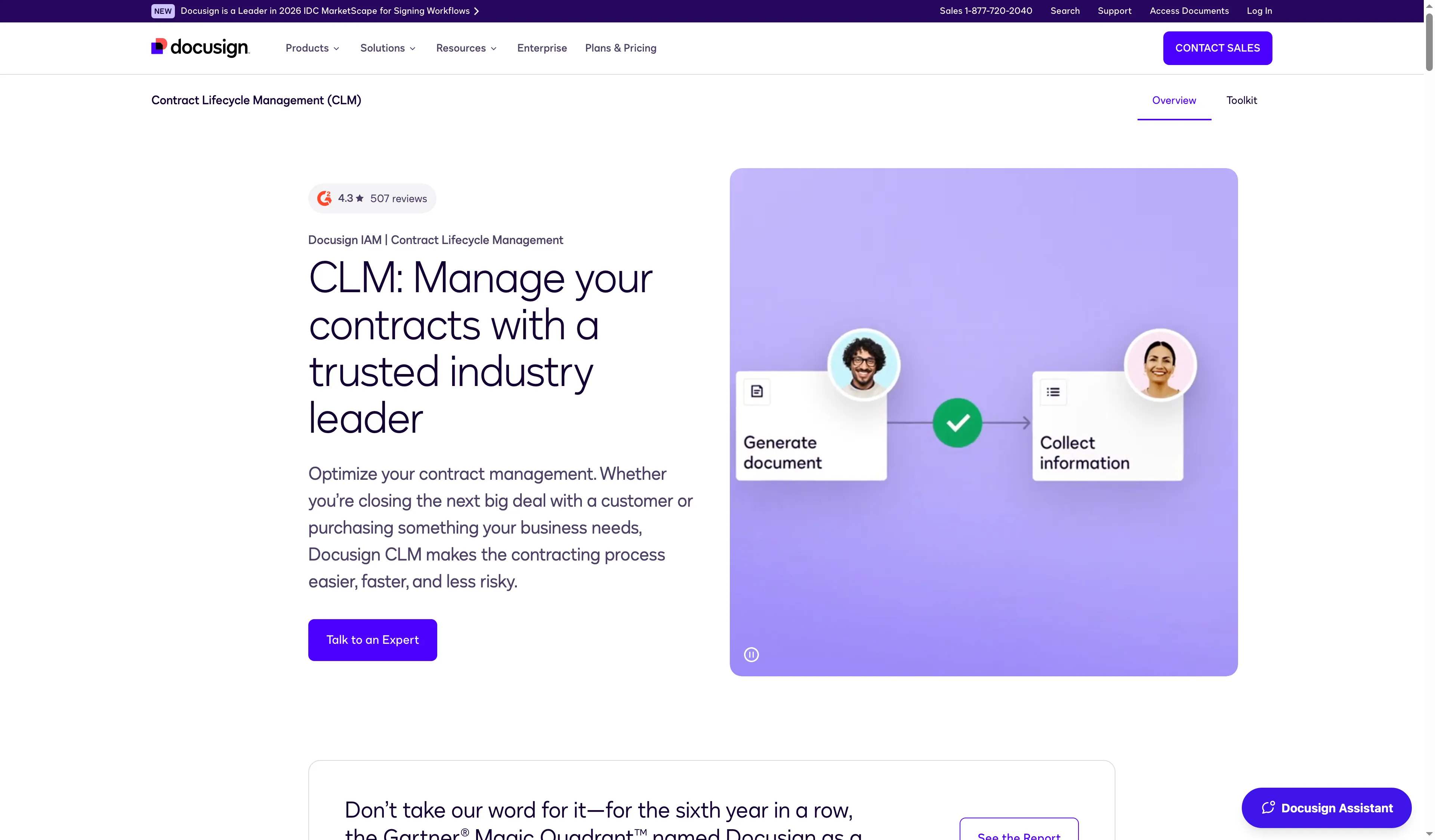
Docusign pairs CLM messaging with a visual of document generation and information collection.
Which contract management software should you choose?
Pick PandaDoc when sales reps send proposals and standard agreements. Choose Zoho Contracts or Concord when you need internal approvals as well as signatures. For an existing archive, compare ContractSafe and ContractWorks by how each counts stored material. Gatekeeper fits supplier workflows. Juro, Ironclad, and Docusign CLM serve legal teams that need configurable lifecycle controls.
Other tools considered
For this comparison of contract management software, I retained SpotDraft, LinkSquares, Agiloft, Icertis, Salesforce Revenue Cloud, Conga, and HyperStart in the reserve. Although those vendors span legal operations, enterprise CLM, and contract analytics, separating the core workflow and price comparisons becomes simpler with the nine picks.