

 17 min read

TL;DR: Best customer feedback survey software in 2026
- Best for broad survey programs: SurveyMonkey gives teams familiar survey controls, but collaborative plans start at three seats.
- Best for polished customer questionnaires: Typeform makes one-question-at-a-time forms. Its Basic plan allows 100 responses a month, so higher volumes need a larger tier.
- Best for in-product feedback: Survicate ties surveys to website, app, and email touchpoints. Growth starts at $56 a month billed annually for 100 responses and 500 data points.
- Best for recurring NPS and CSAT: SurveySparrow combines conversational surveys with recurring experience workflows, but its public trial and response-limit details conflict across page sections.
- Best for support teams: Nicereply connects CSAT, CES, and NPS collection to support workflows, with paid plans metered by responses and seats.
- Best for enterprise CX: Qualtrics Customer Experience is quote-based. Its free survey account isn't the CX suite.
What customer feedback survey software does
Customer feedback survey software collects structured opinions from current customers through forms, email, websites, apps, or support interactions. A basic survey tool stores answers. a broader feedback platform can target an audience, track NPS or CSAT over time, and route a low score to someone who can follow up. If you're collecting a few answers once, those extra steps add little.
I compared official pricing controls and help pages, product documentation, public review histories, and free signup flows where vendors allowed them, then matched response limits, seats, and distribution methods to each customer-feedback job.
At a glance
SurveyMonkey supports general surveys on an annual response pool, while Qualtrics Customer Experience sells enterprise CX through a custom quote.
| Software | Core measurement or workflow | Main pricing meter | Published entry plan checked |
|---|---|---|---|
| SurveyMonkey | General surveys, logic, and export | Responses per year; individual or shared team pool | Advantage Annual: $39/month equivalent |
| Typeform | Conversational link and embedded surveys | Responses per month and editor seats | Basic: $28/month equivalent |
| Survicate | Website, app, and email feedback | Survey responses plus data points | Growth: $56/month, billed yearly |
| SurveySparrow | Recurring NPS/CSAT and survey workflows | Responses per year and editor seats | Basic: $19/month equivalent |
| Nicereply | Support CSAT, CES, and NPS | Responses per month and agent seats | Starter: $59/month, billed yearly |
| Qualtrics Customer Experience | Enterprise voice-of-customer programs | Feedback interactions and suite scope | Custom quote |
Quick picks
SurveyMonkey fits general customer surveys, while Nicereply fits post-support scores.
| Scenario | Tool | Why it fits | Main limitation |
|---|---|---|---|
| General customer surveys with teammates | SurveyMonkey | Familiar builder, branching, exports, and integrations | Team Advantage requires at least three paid users |
| Short surveys where presentation matters | Typeform | Conversational, one-question-at-a-time forms and branching | Basic includes 100 responses per month |
| Website or in-product prompts | Survicate | Website, mobile-app, and email surveys with behavioral targeting options | Growth starts at 100 responses and 500 data points per month |
| Ongoing NPS and CSAT programs | SurveySparrow | Recurring surveys, multiple channels, and response-triggered workflows | Public trial limits and plan details need careful checking |
| One-click post-support feedback | Nicereply | CSAT, CES, and NPS collection for support interactions | The plan depends on both monthly responses and agent seats |
| Large, governed CX programs | Qualtrics Customer Experience | Enterprise feedback-management and analytics scope | Public CX pricing requires a quote |
What makes the best customer feedback survey software for your team?
Start with the moment you want to hear from a customer, then compare the full-year bill for that job. I checked where each survey appears, how it targets people, response and seat limits, how teams use the answers, and the annual cost. A public link, an on-site prompt, and a one-click support rating may all collect feedback, but they won't give you the same context or next step.
- Name the event. Decide whether you need post-purchase, relationship NPS, in-product feedback, or post-support CSAT. Each requires different timing and customer context.
- Set a response and seat workload. Count completed responses and editors separately. Annual pools, monthly caps, and minimum seats can make two similar-looking prices land very differently.
- Check the next action. Decide whether a report is enough or whether a low score needs to reach a support owner, CRM record, or product team. If nobody owns the follow-up, a fancier dashboard won't fix that.
- Test the existing stack first. If Google Forms, Microsoft Forms, or a CRM subscription already handles your one-off collection, a new feedback platform may add cost without changing the decision you can make.
- Price targeting and data separately. An in-product plan may count survey responses and tracked data points as separate limits. A support survey may count both users and ticket responses.
1. SurveyMonkey: Best for repeatable customer survey programs
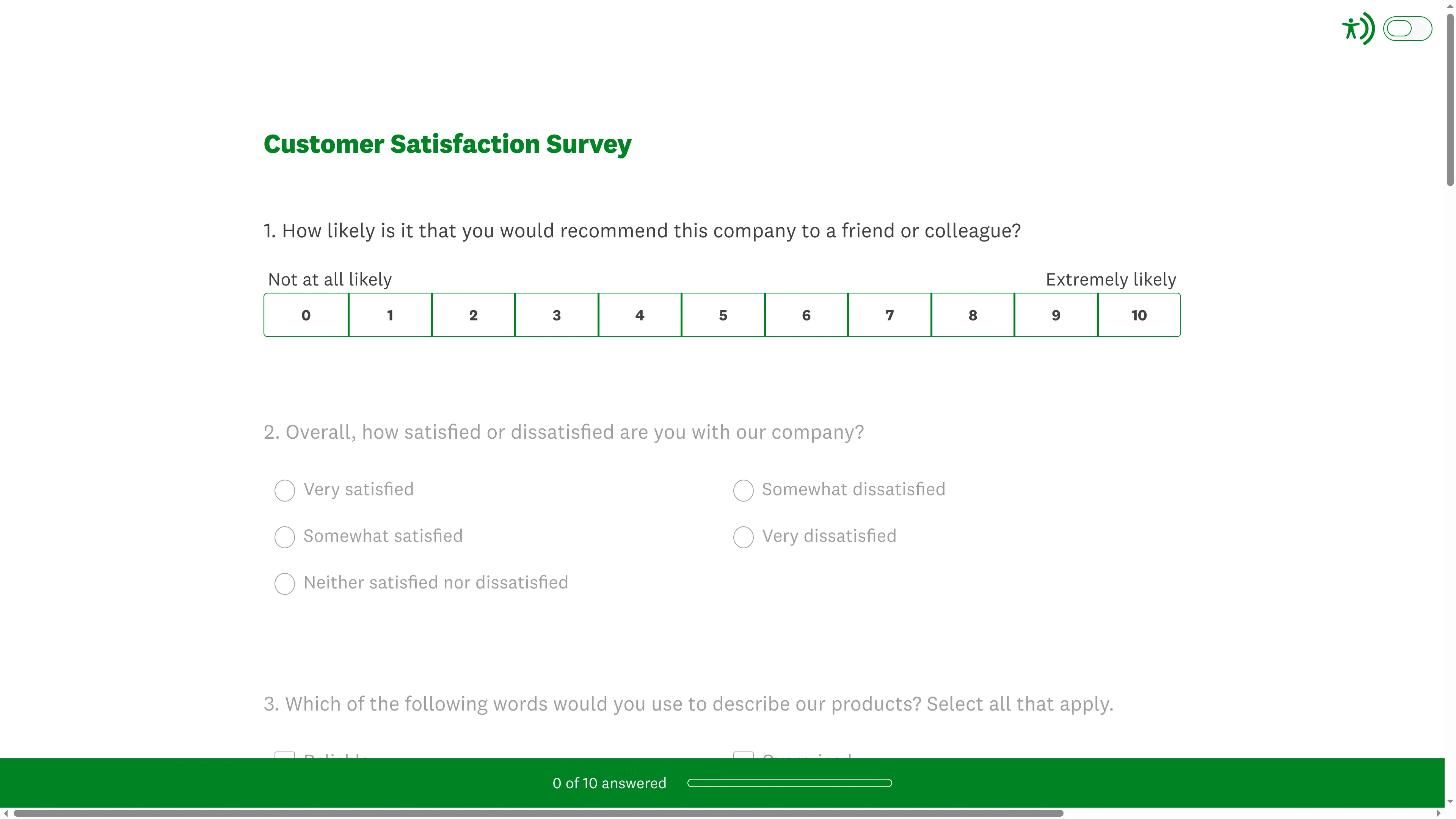
SurveyMonkey’s customer satisfaction preview starts with a recommendation scale, then asks respondents to rate overall satisfaction.
SurveyMonkey is the easiest fit here if you need a familiar builder for customer research, satisfaction checks, and follow-up forms. You won't need to stitch together separate tools for those basic jobs. Advantage Annual includes 15,000 responses. Shared Team Advantage starts with three paid seats and a larger pool. That split is easy to miss in a feature comparison, but it changes what you pay if several people need the same account.
I like that SurveyMonkey spells out the individual-versus-team split. Buying three individual plans doesn't automatically give you shared editing or team administration, and the pricing makes that easy to miss. Still, if you only send a few short surveys, the annual plan may be more tool than you need.
Pros — SurveyMonkey
- 15,000 annual responses on Advantage Annual
- Team Advantage includes shared team features and 50,000 responses a year
Cons — SurveyMonkey
- Team Advantage starts at three users and $30 per user/month billed annually
- The Basic plan has narrower export and logic access than paid plans
- A G2 reviewer said in a 4.5-star review dated September 22, 2026, that multiple-choice Excel exports still took time to clean up
For a team running customer surveys all year, SurveyMonkey is a sensible place to start. If you're only checking in occasionally, a simpler form tool will do.
Product pricing — SurveyMonkey
Advantage Annual is $39/month billed yearly for one user. Team Advantage is $30/user/month billed annually, with a three-user minimum. See the workload table for yearly totals and overage conditions.
2. Typeform: Best for polished customer questionnaires
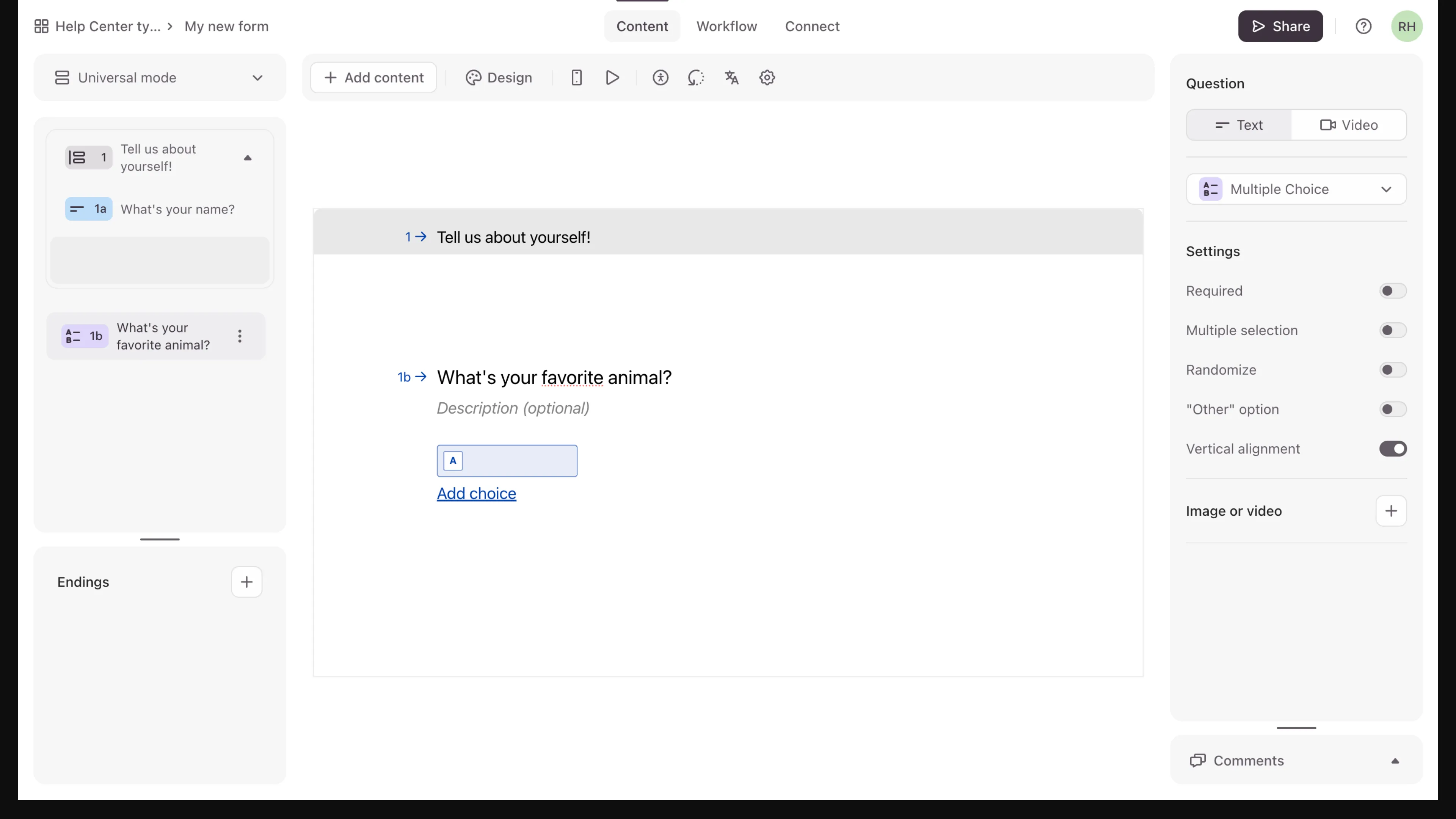
Inside Typeform, a question group keeps related prompts together in the form outline.
Typeform turns a customer survey into a guided conversation: respondents see one question at a time, and logic can change what comes next. That flow suits a short, considered questionnaire. You're paying for presentation as much as survey mechanics. The monthly response cap sets how many responses you can collect.
On the top pricing cards, the Basic plan allows 100 responses a month and one user. Plus raises that to 1,000 responses and three users. Business lists 10,000 and five users. I like seeing the response and seat caps beside each plan. But the lower comparison table showed different prices when I checked, so the page still leaves you with two conflicting sets.
Pros — Typeform
- Conversational, one-question-at-a-time presentation
- Basic supports one user and 100 responses a month
- Plus supports branching logic, three users, and 1,000 responses a month
Cons — Typeform
- Basic's 100-response monthly cap can become expensive as customer volume grows
- Business allows five users, while Plus stops at three
- One Trustpilot reviewer reported a logo-related publishing gate. Typeform's public reply points to a design setting to remove the logo
I switched the public pricing control from monthly to annual. Basic changed from $39 to $28 a month on the top cards, while the lower table kept a different set of figures. I'd confirm the checkout total before you commit. Typeform suits a short feedback form where presentation matters. For heavy analysis or a complex survey program, compare the plan gates before you commit.
Product pricing — Typeform
Basic is $39 monthly or $28/month billed annually, with one user and 100 responses/month. Plus is $79 monthly or $56/month billed annually, with three users and 1,000 responses/month. The lower table showed different amounts when checked.
3. Survicate: Best for in-product and contextual feedback
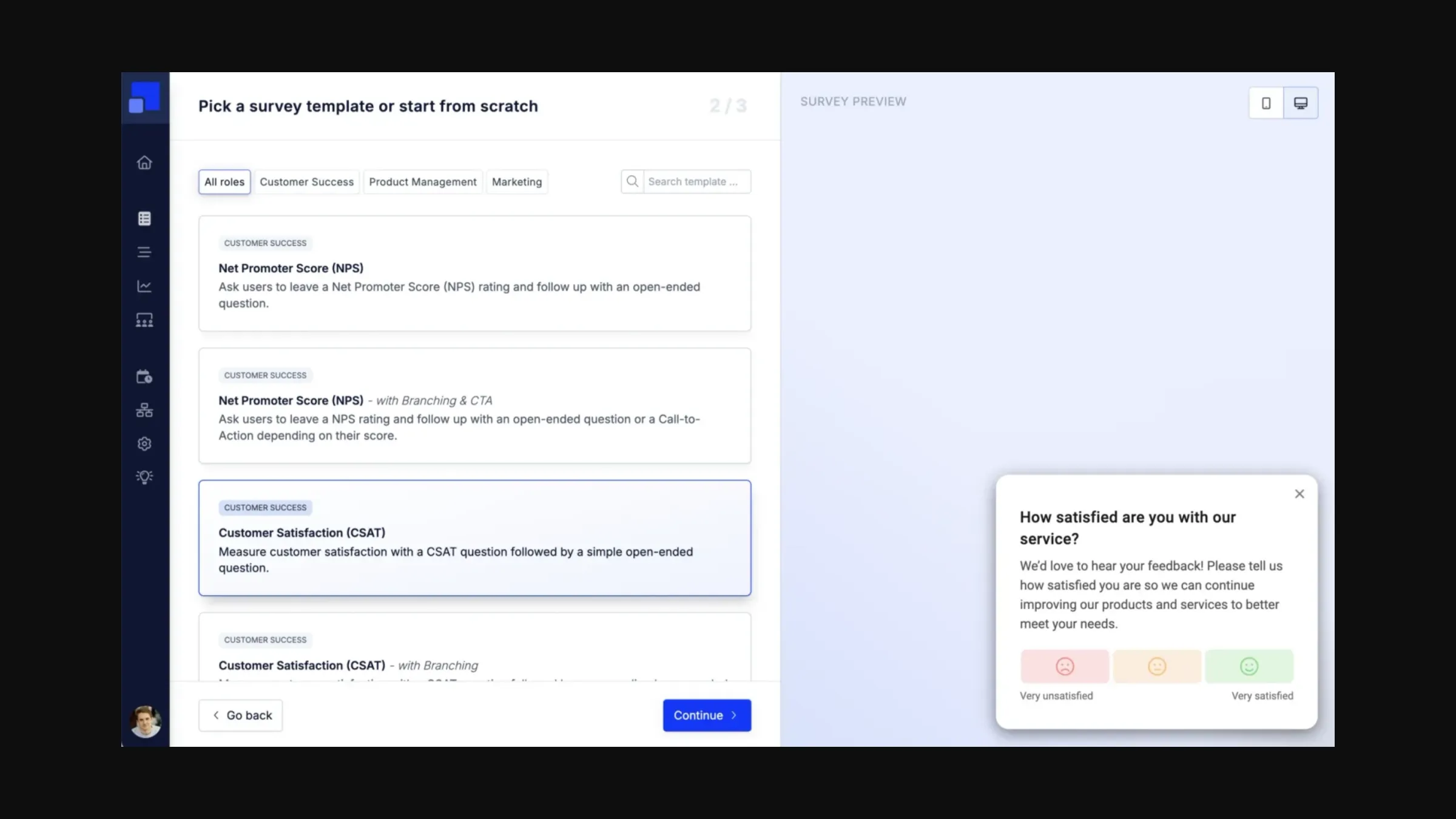
Survicate’s template selector pairs NPS and CSAT options with a live survey preview.
Survicate is for feedback that appears on your website, in an app, or in an email journey. The Growth plan counts survey responses and data points separately, so you can't estimate the bill by counting completed answers alone.
After I verified my email, Survicate took me to an onboarding form asking for my company, name, role, and referral source. I didn't reach the workspace. The pricing page lists Growth at $56 a month on annual billing, with separate response and data-point allowances. Count both before comparing it with a form that only meters answers.
Pros — Survicate
- Website, mobile-app, and email survey channels
- Behavioral targeting and advanced logic are available on paid tiers
- Growth pricing separates 100 monthly responses from 500 monthly data points
Cons — Survicate
- Growth is billed annually and has a relatively small 100-response allowance
- Growth starts with 100 responses, 500 data points, and one dashboard
- A 4.5-star G2 reviewer dated November 4, 2026, cited higher-tier feature gates and scale-related pricing concerns
Survicate makes sense when the feedback needs to appear in context and you know which users count toward the data-point meter. For a simple annual NPS email, you'd be paying for targeting you may not use.
Product pricing — Survicate
Growth starts at $56/month billed annually for 100 survey responses/month, 500 data points/month, ten seats, two teams, and one dashboard. Pro starts at $349/month, billed monthly or annually, with custom yearly response and data-point limits.
4. SurveySparrow: Best for recurring NPS and CSAT programs
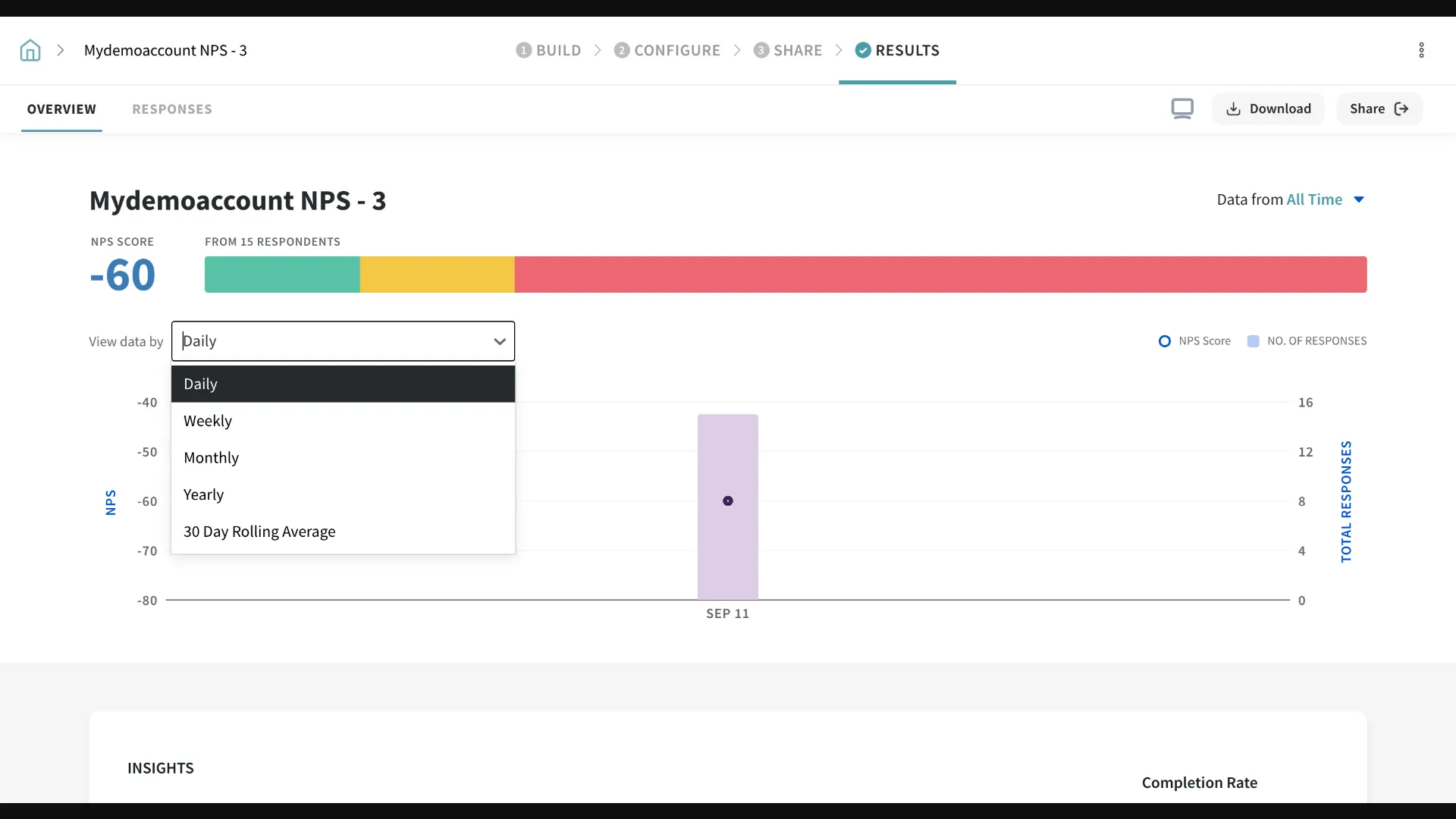
Inside SurveySparrow, the results view pairs an NPS score with response mix and a time interval selector.
SurveySparrow combines conversational surveys with recurring collection and automation. That's useful when feedback needs to travel across channels or trigger a follow-up. But it's a lot to set up for a one-time questionnaire.
The public pricing page lists Basic at $19 a month on annual billing, with 2,500 responses a year and one user. I found two different versions of its free response limit on the pricing page: one section showed a quarterly cap, while the FAQ showed a monthly cap. You'll want that clarified before you build a recurring program around the free tier. A G2 reviewer on November 3, 2026, also flagged cross-tab reporting and advanced customization as reasons to export data or move up a tier.
Pros — SurveySparrow
- Basic lists 2,500 responses per year and one user
- Supports recurring NPS and CSAT survey programs
- Response-triggered workflows can route feedback to tools such as Salesforce, HubSpot, Slack, and Jira
Cons — SurveySparrow
- Business lists three base users and an additional-user rate. budget both extra seats
- The pricing page showed conflicting free/trial response limits
- Advanced reporting, customization, and some logic integrations sit behind higher plans
SurveySparrow makes sense for a recurring feedback loop across channels, once the response pool is clear. For five editors, add two extra-user charges to Business before comparing it with other plans.
Product pricing — SurveySparrow
Basic is listed at $19/month equivalent billed yearly, with 2,500 responses/year and one user. Business is $60/month billed yearly for three users and 36,000 responses/year. two additional seats are $49 per user/month. The five-seat annual total is modeled in the workload table.
5. Nicereply: Best for support teams measuring ticket satisfaction
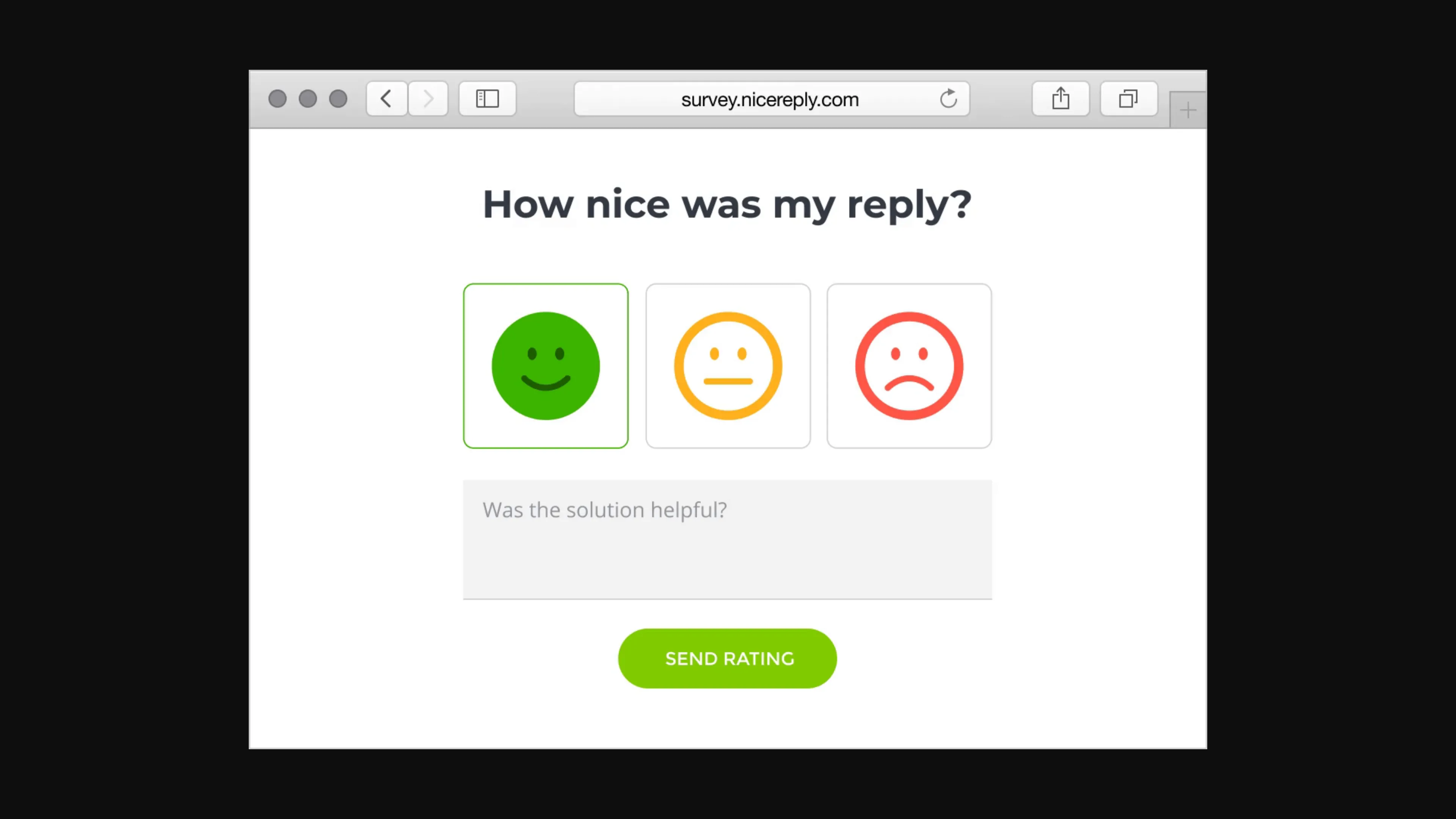
Nicereply collects a satisfaction rating before an optional written comment.
Nicereply keeps CSAT, CES, and NPS close to the support conversation. Teams can place surveys in signatures, links, pop-ups, or post-resolution flows, then look at scores by agent or team. If support is where you want the feedback, that focus is the point.
Nicereply prices by monthly responses and agent seats. Starter covers three users, while Essential covers ten. A five-agent team needs Essential even if it stays under Starter's response cap. Don't pick the tier by response volume alone.
Pros — Nicereply
- CSAT, CES, and NPS are available on the listed plans
- Starter includes 100 responses/month and three users
- Essential expands the seat limit to ten users
Cons — Nicereply
- The 1,000-response Growth plan costs $239/month on annual billing
- Pricing is tied to both responses and user seats
- A support-team survey is narrower than a general research questionnaire
When I opened Nicereply's signup page, it advertised a 14-day trial without a card. I see the trade-off as clear: Nicereply ties a rating to ticket context, but stops short of broad customer research. It is the clearest fit when a support manager wants ratings tied to agent or ticket performance. If that's your only feedback job, its narrower focus may be exactly what you need. But as your only survey tool, Nicereply may feel narrow if you also need broad customer research, product intercepts, or long multi-topic questionnaires.
Product pricing — Nicereply
Starter is $59/month and Essential is $119/month when billed annually. monthly billing costs $79 and $149, respectively. Essential includes ten users, while Starter includes three.
6. Qualtrics Customer Experience: Best for enterprise CX programs
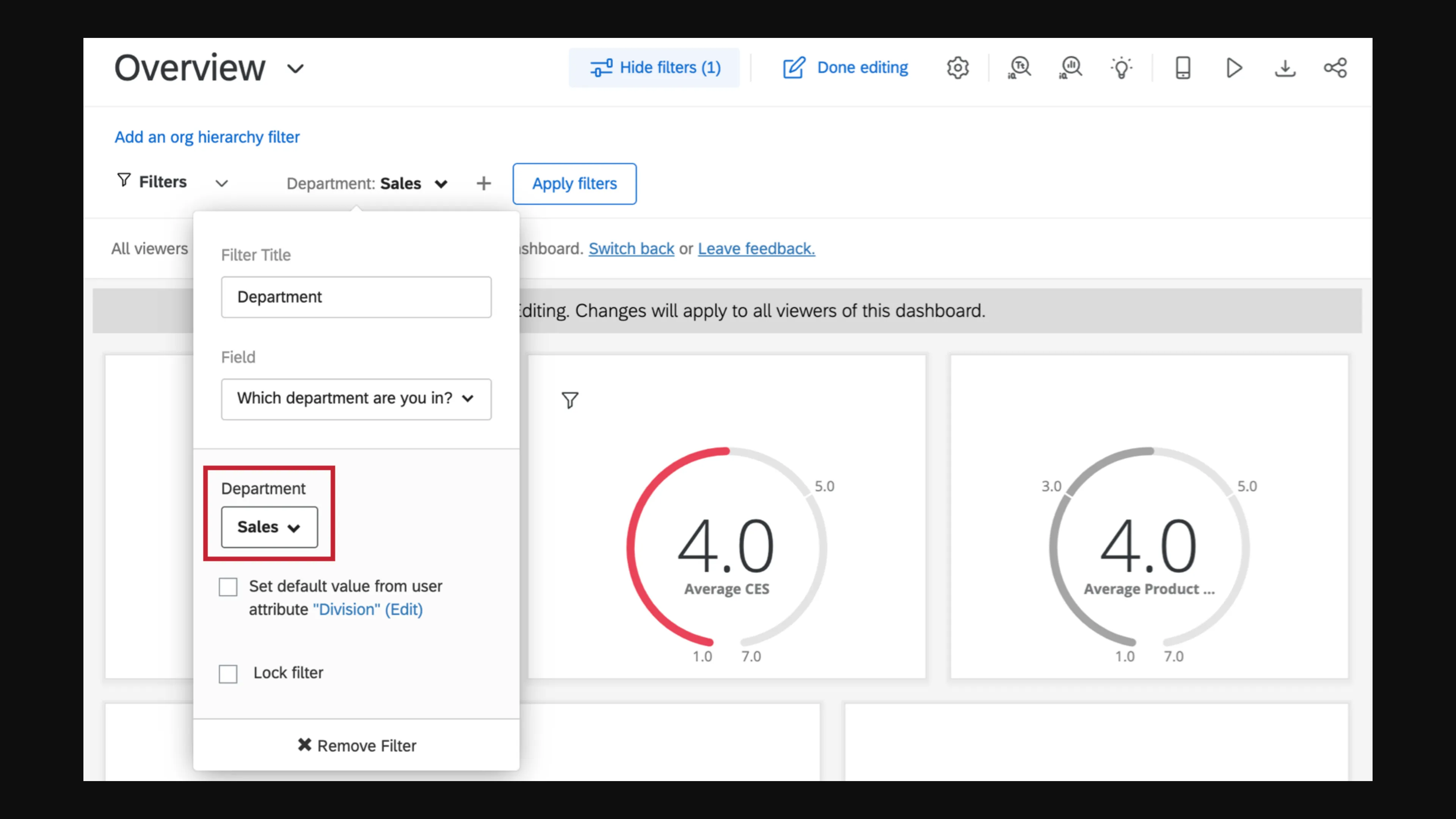
Inside Qualtrics, the Department filter can scope a dashboard to Sales before you apply it.
Qualtrics Customer Experience is aimed at organizations building a governed, cross-channel voice-of-customer program. Its pricing page sends buyers to sales, so you won't know the contract cost from the public page.
Qualtrics' free survey account can help you learn the survey builder, but it doesn't give you a CX trial. You get three active surveys, 30 questions per survey, and 500 responses per user. email and SMS distribution, workflows, APIs, and integrations aren't included. A five-star G2 Customer Experience reviewer on November 3, 2026, said new users may find the platform overwhelming and advanced workflows may require technical expertise.
Pros — Qualtrics Customer Experience
- Enterprise CX packaging is based on feedback interactions rather than simple seat math
- Free survey account allows three active surveys and 500 responses per user
- Broad CX scope suits organizations with governance and workflow requirements
Cons — Qualtrics Customer Experience
- CX pricing is quote-based
- The free survey account excludes email/SMS distribution, workflows, APIs, and integrations
- Pricing and implementation details for the CX package require a sales quote
Qualtrics feels oversized for one-off surveys, and I wouldn't start a custom quote process before naming the workflow owner. It fits an enterprise CX program when someone on your team can own implementation. If you're a smaller team collecting basic NPS or CSAT, a focused tool is easier to evaluate than a custom sales process.
Product pricing — Qualtrics Customer Experience
Qualtrics Customer Experience requires a custom quote. its separate free survey account does not show the CX suite's price.
How much does customer feedback survey software cost?
The public-link scenarios cost $228 to $1,896 a year. In-product and support workflows use different meters, so their totals aren't direct feature-equivalent comparisons. The first link-survey scenario uses one editor and up to 100 completed responses each month. The second uses five editors and up to 1,000 monthly responses.
| Workload | Tool and plan | Annual price | Included capacity and conditions |
|---|---|---|---|
| 1 editor; up to 100 link responses/month | SurveyMonkey Advantage Annual | $468 | One user; 15,000 responses/year; export and paid logic features |
| Same | Typeform Basic | $336 | One user; 100 responses/month; top pricing card on annual billing |
| Same | SurveySparrow Basic | $228 | One user; 2,500 responses/year; annual billing |
| In-product feedback; 1 editor; 100 survey responses/month | Survicate Growth | $672 | 100 responses and 500 data points/month; ten seats; attribute/event targeting and export API are listed |
| Support CSAT; 5 agents; up to 100 responses/month | Nicereply Essential | $1,428 | 10 users and 250 responses/month; Starter's three seats don't cover five agents |
| 5 editors; up to 1,000 link responses/month | SurveyMonkey Team Advantage | $1,800 | Five users; 50,000 responses/year |
| Same | Typeform Business | $1,092 | Five users; 10,000 responses/month on the top annual pricing card |
| Same | SurveySparrow Business + 2 additional users | $1,896 modeled | Five users and 36,000 responses/year; assumes the listed add-on rate applies for all 12 months |
| Enterprise CX interaction program | Qualtrics Customer Experience | Quote required | Ask for the interaction volume, modules, implementation, and support included in the proposal |
Customer feedback survey software uses different pricing meters
Customer feedback tools use different meters: annual response pools, monthly caps, response-plus-data-point counts, response-plus-seat limits, or feedback interactions. Match the meter to your workflow first. Otherwise, a side-by-side price comparison leaves the comparison mostly meaningless.
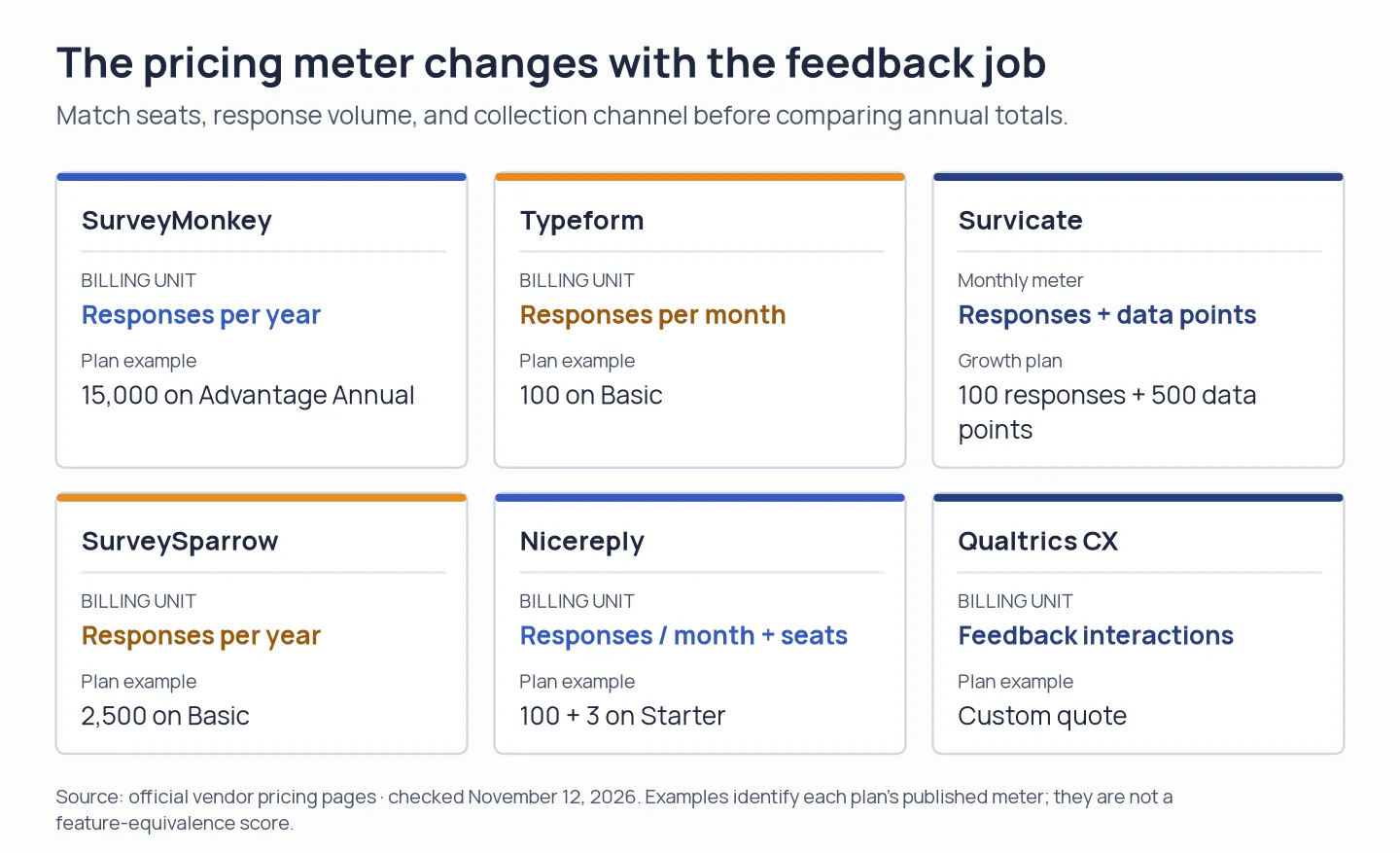
Survey software prices follow different meters, so match the workload before comparing yearly bills.
SurveyMonkey lists a $0.15 charge for each additional response on a paid team plan. Typeform’s top pricing cards and lower table disagreed when checked. SurveySparrow’s free and trial response limits also differed by page section. Survicate counts responses and data points. Nicereply prices by responses and seats.
Check your existing stack before adding a subscription
Before buying customer feedback survey software, check whether your current account already includes Google Forms, Microsoft Forms, or HubSpot Service Hub. Google Forms and Microsoft Forms can handle simple one-off surveys when the existing account includes them. They make more sense when you need to collect answers and read them, rather than schedule relationship NPS, target product behavior, or assign low support scores to an owner.
HubSpot's Customer Feedback Surveys require Service Hub Professional or Enterprise and an assigned Service Hub seat. If your team already pays for one of those tiers, check the included survey types before buying a separate tool. A free HubSpot account doesn't include that entitlement.
Other tools we considered
For customer feedback survey software, Zonka Feedback and Refiner cover useful edge cases but remain outside the numbered list. Zonka handles multichannel feedback and case-management workflows, though its public pricing is custom. Refiner focuses on SaaS in-product surveys. Its pricing page doesn't give a numeric plan price, and it bills by monthly active users rather than survey responses.