

 15 min read
TL;DR: DLP software for six different buying needs
- Best for a priced midmarket option: Safetica has public annual starting prices from $72 per user, but its Standard tier omits AI classification, shadow copy, and SIEM integration.
- Best for Microsoft 365 teams: Microsoft Purview Suite adds advanced controls for $12 per user/month annually when the organization already has an eligible base license.
- Best for endpoint device controls: Netwrix Endpoint Protector combines device control, content-aware protection, and enforced USB encryption; enterprise pricing is quote-based.
- Best for modular channel coverage: Forcepoint sells endpoint, cloud apps and web, and email DLP configurations; Risk-Adaptive Protection is an add-on.
- Best for a cloud-delivered SSE stack: Netskope One DLP can enforce policies across cloud, network, endpoint, email, and AI workflows, but OS support for Endpoint DLP is narrower than general Netskope Client support.
- Best for SaaS and AI data flows: Nightfall Foundation and Premier combine SaaS scanning with controls against data exfiltration from endpoints, with quotes based on users and scanned data.
Data loss prevention (DLP) software identifies sensitive information and applies rules to stop it from leaving through endpoints, email, cloud apps, removable media, or AI tools. Products vary in which channels they inspect and which operating systems they support. Protection can come from a local agent, a cloud service, or a productivity suite you already pay for.
At a glance: six DLP tools and their tradeoffs
Safetica stands apart with public pricing, Purview fits Microsoft 365, and the other four vendors quote their channel coverage.
| Tool | Best fit | Public price basis | Main limitation |
|---|---|---|---|
| Safetica | Teams that want visible per-user tiers | From $72/user/year | Standard lacks several advanced controls; no Linux or Windows ARM endpoint client |
| Microsoft Purview | Microsoft 365 organizations with eligible licenses | $12/user/month add-on, annual | Requires qualifying base licenses; platform features vary |
| Netwrix Endpoint Protector | Endpoint device and USB controls | Quote | No public enterprise price; confirm channel and OS entitlements |
| Forcepoint DLP | Buyers assembling endpoint, cloud/web, and email modules | Quote | Risk-Adaptive Protection costs extra; configuration changes the scope |
| Netskope One DLP | Organizations already using Netskope SSE | Quote | Endpoint DLP compatibility is narrower than the general client matrix |
| Nightfall AI | SaaS, developer, and AI data workflows | Quote | Scan volume and endpoint-device allowances can affect the quote |
How to choose DLP software for your data channels
Start with the places sensitive data can leave, then check how each product enforces a rule on those paths. A box marked “endpoint” or “AI” can hide meaningful differences in coverage.
- List the paths that matter. Include browser uploads, synced folders, email, USB, print, clipboard, SaaS APIs, and AI coding assistants where relevant.
- Check the OS and feature matrix. A supported agent does not guarantee every DLP action works on every supported OS. Netskope’s general client list, for example, is broader than its Endpoint DLP compatibility notes.
- Name the policy owner. Classification, exceptions, incident review, and tuning need an administrator. A policy engine without a workable alert and exception process can create noise.
- Count licenses and data volume. Include base suites, DLP add-ons, endpoints per user, scan-volume tiers, required support, and implementation.
- Check what you already own. Microsoft 365 and Google Workspace include DLP capabilities in eligible editions. Pilot the native controls against your actual data paths before buying a second enforcement layer.
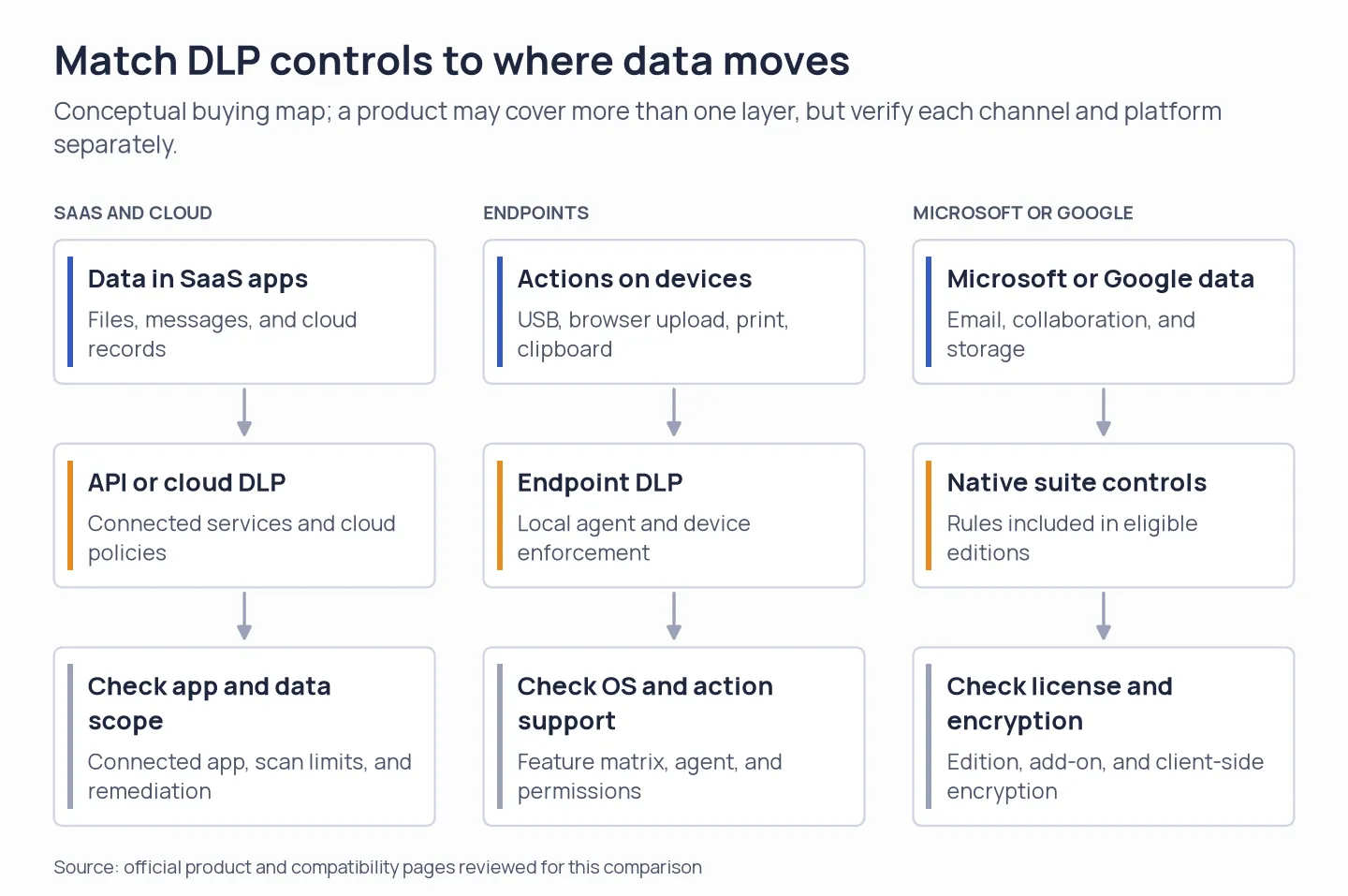
Map the data path first, then check the matching control layer and its platform or license limits.
1. Safetica: Best for buyers who want public per-user pricing
Safetica is the easiest option to budget when you want public per-user pricing for endpoint and user controls. Its annual starting rates are $72 for Standard, $96 for Premium, and $144 for Enterprise; check which features each tier includes before comparing prices.
Pros — Safetica
- Standard comprises data classification and discovery, DLP, external-device policies, and email policies.
- Premium includes AI classification, shadow copy, and SIEM integration, while Enterprise increases the limits on reports, administrators, and retention.
- The pricing page shows an annual per-user starting price rather than pushing each buyer toward a quote request.
Cons — Safetica
- AI classification, shadow copy, and SIEM integration are absent from Standard—hence $72 isn't what a security team might expect to pay for every capability.
- On macOS, configuration-profile permissions are required, whereas Windows ARM, Linux, and WSL aren't supported.
- On-Prem is a distinct quote-based choice that needs SQL infrastructure and Windows Server.
Things I Noted
Safetica’s public comparison makes a budget estimate easy, but Standard leaves out several higher-tier controls. Price the tier that matches your incident workflow; the lowest rate may not cover it.
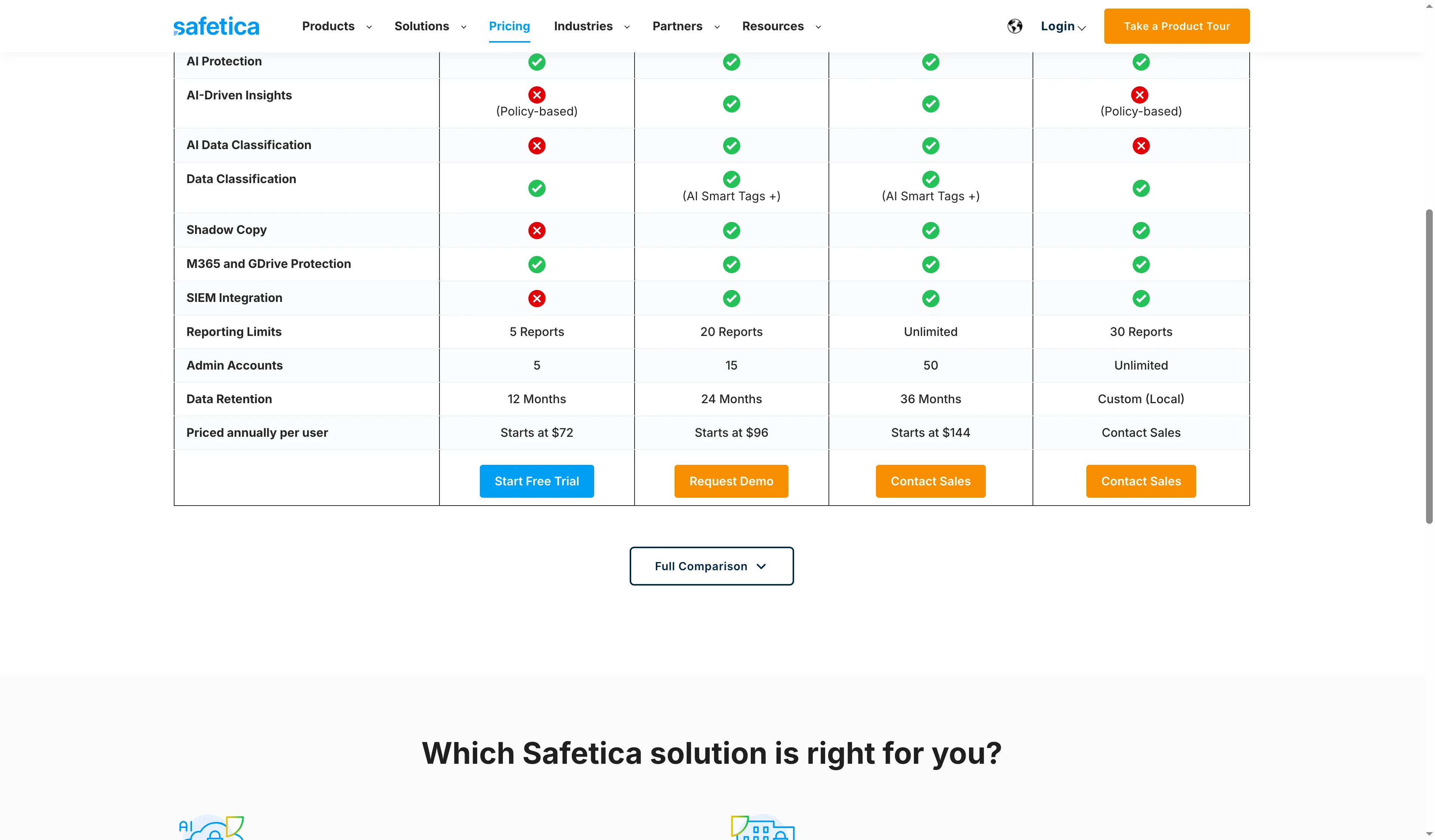
Safetica’s comparison lists feature differences and annual starting rates.
Product pricing — Safetica
Standard from $72/user/year, Premium from $96/user/year, and Enterprise from $144/user/year; On-Prem pricing is quote-based. Starting rates are before taxes and any negotiated terms.
2. Microsoft Purview: Best for Microsoft 365 organizations with eligible licenses
For companies already standardized on Microsoft 365, Microsoft Purview is the most natural first check, since the Purview Suite add-on costs $12 per user/month with annual billing and builds on an existing Microsoft license.
Pros — Microsoft Purview
- DLP for endpoints can watch actions involving sensitive files, and on supported Windows versions plus recent macOS releases, it can enforce protective policies.
- The pricing page lists Microsoft 365 E5 separately from the Purview Suite add-on.
- If your group holds a qualifying Microsoft 365 E5 bundle, weigh its bundled capabilities before adding a standalone suite.
Cons — Microsoft Purview
- The $12 rate isn't a standalone overall price: it calls for Microsoft 365 E3 or Office 365 E3 along with Enterprise Mobility + Security E3.
- Endpoint DLP requires device onboarding, and feature support isn't identical between Windows and macOS.
- Endpoint DLP can't read a sensitivity label from a document that belongs to a different tenant.
Things I Noted
Microsoft’s pricing page shows E5 as a separate purchase option beside Purview Suite. The $12 rate covers only the add-on, so check which capabilities are already in your bundle before budgeting.
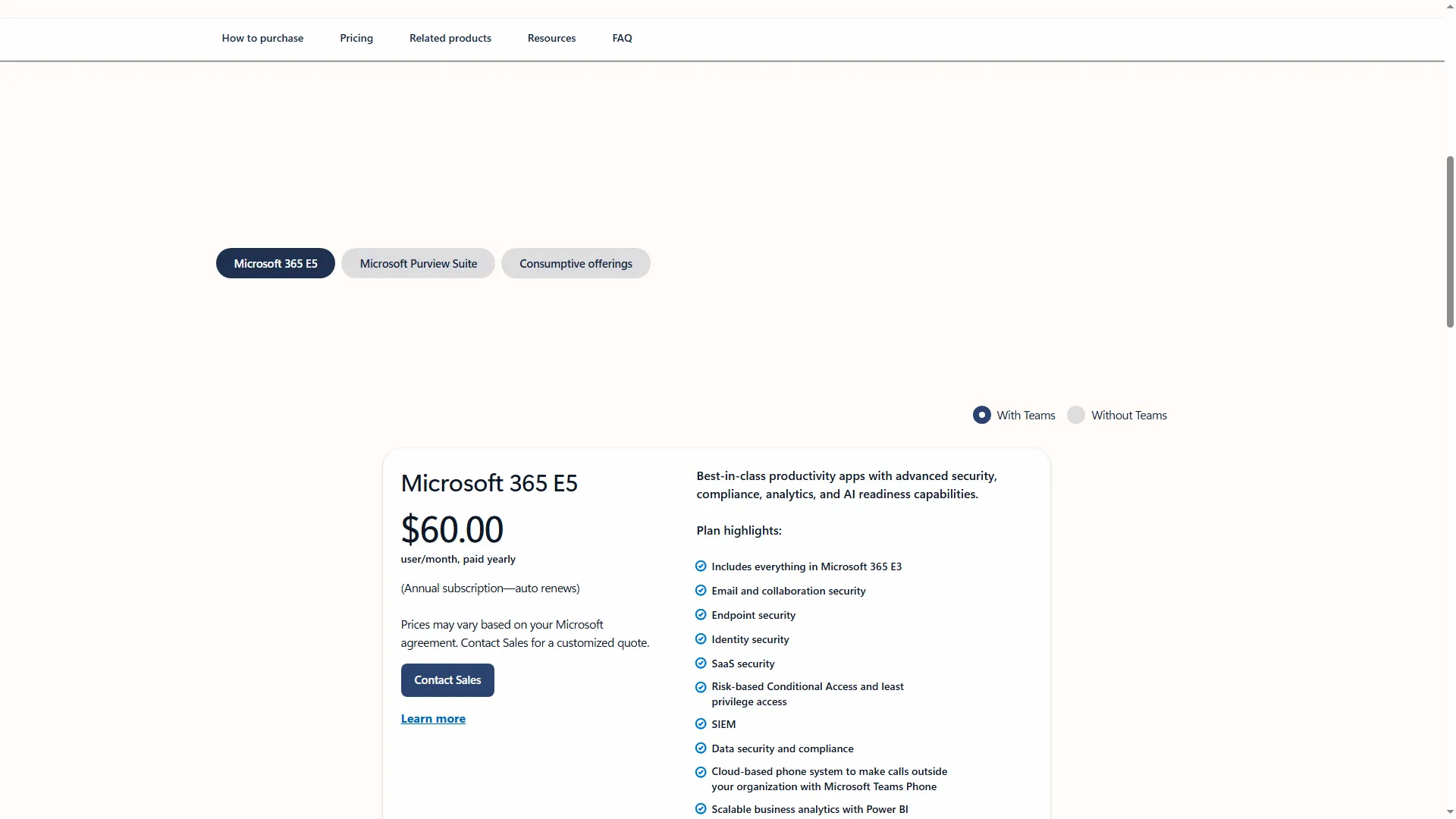
The E5 option is selected for an annual subscription with Teams.
Product pricing — Microsoft Purview
$12/user/month, paid yearly, for the Purview Suite add-on. With yearly billing, Microsoft 365 E5 is listed separately at $60/user/month with Teams or $51.45 without Teams.
3. Netwrix Endpoint Protector: Best for endpoint device and USB controls
Netwrix Endpoint Protector fits well when the primary need is data control on managed endpoints—particularly removable storage—instead of purchasing a presumed all-channel suite. Its modules include Device Control, Content Aware Protection, Enforced Encryption for USB storage, and endpoint eDiscovery.
Pros — Netwrix Endpoint Protector
- The offering splits eDiscovery, encryption, content-aware protection, and device control — something that assists purchasers in asking for a precise scope.
- Materials for enterprises today outline deployment choices including SaaS, virtual appliances, and cloud.
- Mixed-OS purchasers have reason to examine the vendor's precise feature matrix: its lineup includes Windows, macOS, and Linux.
Cons — Netwrix Endpoint Protector
- Custom enterprise rates exist, so instead of displaying a comparable per-user price, the public pricing page directs purchasers to request a quote.
- OS support alone cannot demonstrate that every module or enforcement action matches across platforms.
- Don't rely on older “My Endpoint Protector” trial and price information to budget the present enterprise product, since that material describes another offer.
One May 31, 2026 Capterra reviewer rated Endpoint Protector 4/5 and mentioned false positives; the listing disclosed an incentive. Test noisy policies with your own files, since one review can’t show how common false positives are.
Things I Noted
Netwrix’s current pricing path asks about company requirements and names three deployment options. Include endpoint count, USB encryption, eDiscovery, content inspection, and every OS in the quote request. One “DLP” line item leaves too much room for scope discrepancies.
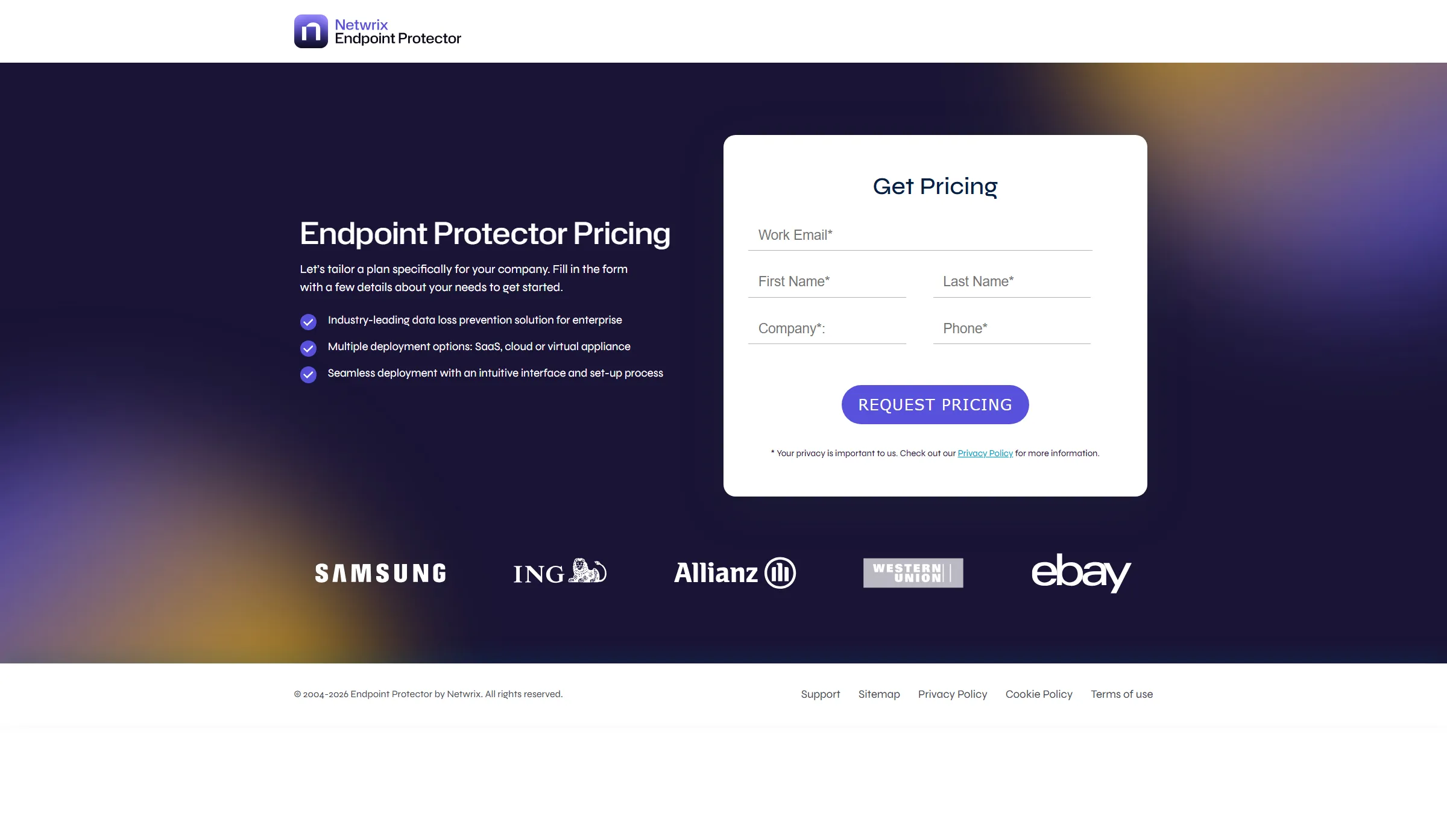
Endpoint Protector asks enterprise buyers to specify their deployment and pricing needs.
Product pricing — Netwrix Endpoint Protector
Quote required; pricing depends on the selected modules, endpoint count, and deployment.
4. Forcepoint DLP: Best for buyers who need modular channel coverage
Forcepoint DLP fits companies seeking endpoint, cloud-app and web, and email controls priced as distinct pieces of an implementation. An add-on is Risk-Adaptive Protection; put it in the request when behavior-based controls are needed.
Pros — Forcepoint DLP
- The vendor distinguishes among Email, Cloud Apps & Web, and endpoint DLP setups, rather than treating each channel as one presumed bundle.
- Coverage for cloud applications includes Microsoft 365 and Google Workspace.
- Encryption, quarantine, and approval workflows are among the controls available for email.
Cons — Forcepoint DLP
- No numeric list price gets published by Forcepoint for DLP configurations within the present pricing route.
- Since it's an optional add-on, Risk-Adaptive Protection might not appear in a quote — meaning the behavior-based policy capabilities a buyer expects could be absent.
- A June 22, 2026 G2 reviewer gave Forcepoint DLP 5/5 while noting policy setup, tuning, and reporting friction among the Cons; the review bore a seller-invite incentive label.
Things I Noted
Forcepoint’s product page directs buyers to “Request Pricing,” and the pricing content names separate channel packages. Request endpoint, cloud, and email as individual line items. Only add Risk-Adaptive Protection when your use case requires it.
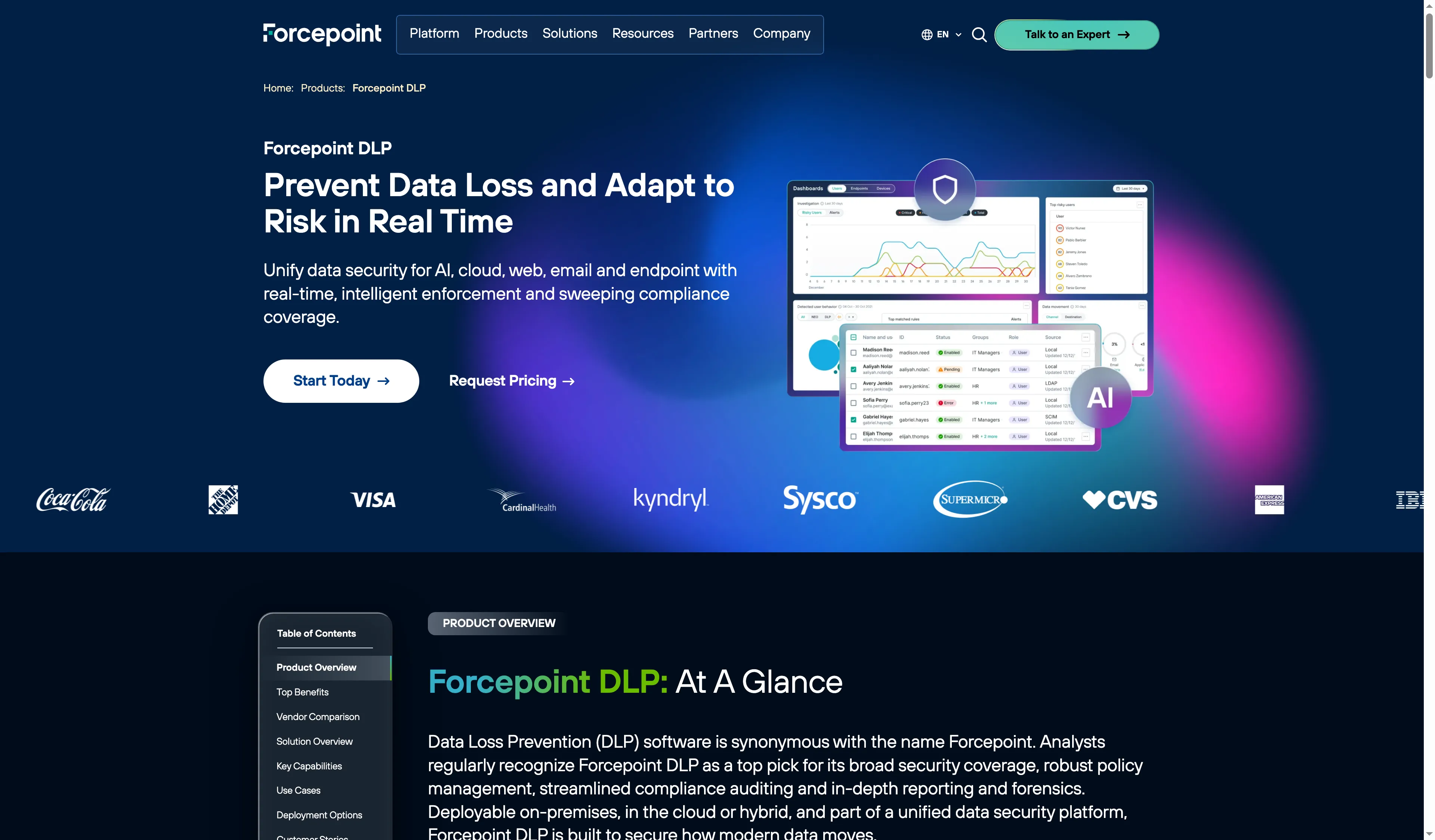
Forcepoint presents its DLP product as coverage across several data channels.
Product pricing — Forcepoint DLP
Quote required. Request separate prices for endpoint, cloud apps and web, email, and Risk-Adaptive Protection.
5. Netskope One DLP: Best for organizations already using Netskope SSE
You can assess Netskope One DLP most easily when Netskope's cloud-delivered security service already sits in your stack. Against the devices you manage, check Endpoint DLP compatibility; the wider Netskope Client list covers more than the DLP feature does.
Pros — Netskope One DLP
- This product merges policy enforcement, which is delivered via the cloud, with workflows spanning endpoint data, email data, network data, cloud data, and AI data.
- Security teams can use its remediation workflow to act on detected data movement, and not just log it.
- Currently, a support matrix specifies the DLP requirements for particular endpoints—covering Windows 11 x64 plus supported macOS releases that need Full Disk Access.
Cons — Netskope One DLP
- Those Endpoint DLP compatibility notes cover less ground than Netskope Client's overall support list, so don't presume that Linux—or any other OS the client supports—offers endpoint DLP.
- No publicly announced numeric price exists; instead, quote the planned channels, seat count, and endpoint platforms.
- A September 10 reviewer rated the platform 4.5/5 and asked for clearer troubleshooting plus report customization; meanwhile, a July 29, 2026 G2 reviewer gave it 2.5/5 and mentioned complex initial setup. Rather than DLP alone, both of them rated a broad platform profile.
Things I Noted
Include your exact OS versions and endpoint actions in a proof-of-value checklist before you buy, particularly when your fleet is a mix of Windows and Mac. General client compatibility appears in the support matrix apart from Endpoint DLP requirements.
Netskope positions DLP as a cross-channel part of its One platform.
Product pricing — Netskope One DLP
Quote required; request an itemized quote for the DLP channels and supported endpoint platforms in scope.
6. Nightfall AI: Best for SaaS and AI data workflows
Nightfall AI fits when the DLP problem includes SaaS data exposure, developer tools, or AI workflows alongside endpoint exfiltration controls. Pricing for Foundation and Premier isn't a public self-serve rate; instead, it's sales-assisted, per-user annual pricing that's based on user count and data volume.
Pros — Nightfall AI
- Foundation merges endpoint Data Exfiltration Prevention alongside SaaS Data Detection & Response, which relies on API connectivity.
- Premier introduces additional controls for agentic AI, developer workflows, and named coding tools.
- Per user, each of the present tiers specifies two endpoint devices, along with 150 GB of scanning at rest. Add-on quotes are available for bigger scan volumes.
Cons — Nightfall AI
- A quote is needed for pricing, which varies according to data volume and users.
- API’s no-cost Developer allowance, 3 GB per month, is its own product — whereas organizational DLP relies on paid Foundation or Premier plans.
- Sales-assisted and time-limited is the value proof; check the proposal's data sources, scan volume, endpoint-device allowance, and retained findings.
Things I Noted
Nightfall’s pricing depends on both user count and data volume. Request that the endpoint-device allowance and scan-volume overage appear as distinct lines on the quote. Even with few seats, you can still face a substantial scanning bill.
Nightfall highlights data movement controls for agentic AI.
Product pricing — Nightfall AI
Quote required, billed per user/year according to users and data volume. A limited-time seven-day proof of value is sales-assisted.
What DLP software costs for 25, 250, and 1,000 users
Only Safetica and Microsoft Purview have public prices here; the other four require quotes. The table assumes annual billing and one user per managed endpoint, and excludes taxes, discounts, base Microsoft licenses, and implementation.
| Scenario | Safetica Standard starting rate | Microsoft Purview Suite add-on | Endpoint Protector | Forcepoint | Netskope | Nightfall |
|---|---|---|---|---|---|---|
| 25 users and endpoints | $1,800/year | $3,600/year plus eligible base license | Quote required | Quote required | Quote required | Quote required |
| 250 users and endpoints | $18,000/year | $36,000/year plus eligible base license | Quote required | Quote required | Quote required | Quote required |
| 1,000 users and endpoints | $72,000/year | $144,000/year plus eligible base license | Quote required | Quote required | Quote required | Quote required |
Safetica’s figures use $72 × users; Microsoft’s use $12 × 12 × users. These are list-price calculations. Match channels, endpoint OS, retention, classification, and required services before comparing proposals.
Check your existing Microsoft 365 or Google Workspace DLP first
Before purchasing an additional DLP layer, check whether your productivity-suite license already covers standard email and file-sharing rules—review its edition and data paths. You need a qualifying base license for Microsoft Purview's Suite add-on; Gmail and Drive DLP come included with Google Workspace in Enterprise Standard and Plus.
Google's built-in controls may accommodate data centered on Workspace, yet they won't apply policies to local endpoints. Moreover, per Google, DLP scanning can't examine what's inside client-side encrypted files or email. Some metadata and encryption status can still be inspected by rules—so wherever your native controls leave an actual gap, add endpoint software.
Which DLP software should you choose?
- Choose Safetica if you want a public annual per-user starting price and its Standard features match your policies and OS fleet.
- Choose Microsoft Purview if you already have a qualifying Microsoft license and your cloud workflows and endpoints fit its feature matrix.
- Pick Netwrix Endpoint Protector if the main requirements are endpoint content inspection, USB encryption, and device control.
- Choose Forcepoint if you want a quote that separates endpoint, cloud/web, and email coverage.
- Choose Netskope One DLP if your stack already includes Netskope SSE and every target endpoint meets its DLP-specific compatibility requirements.
- Choose Nightfall AI if SaaS, developer, and AI data movement are central to your risk model and the quote’s scan-volume meter fits your usage.
Before signing, ask each finalist to map the same sensitive-data test cases to your channels and operating systems. Then compare quotes for the same user count, endpoint count, retention, and required services.
Other DLP tools to consider
Trellix, Symantec DLP, and Fortra Digital Guardian may fit an enterprise shortlist when their deployment model or your existing security stack makes them relevant. Their current materials describe different agent, management, and support requirements. Public prices weren’t available here, so compare itemized quotes for the same scope. Google Workspace DLP is an existing-stack option for eligible editions, though it doesn’t cover every endpoint or encrypted-content use case.