

 16 min read

TL;DR: Six dedicated DMS picks for 2026
- Best for metadata-led work: M-Files organizes content around what a record is and its business context. Essentials is listed at $65 per seat per month.
- Best for document capture and routing: DocuWare combines indexing, forms, and workflow tools, but its typical Cloud range runs from $30 to $125+ per user monthly and needs a quote.
- Best for formal records governance: Laserfiche publishes annual Professional and Business tiers, with a five-seat minimum on Professional and a 25-user starting point for Business.
- Best for mixed access roles: Revver publishes Basic, Essentials, and Full seat averages, but setup and professional services are outside the displayed license rates.
- Best for deployment choice: FileHold offers vendor cloud, private cloud, and self-hosting. Confirm storage and optional modules in the quote.
- Best for cloud or self-hosted flexibility: LogicalDOC has both paths, but its public demo is an on-premises installation and not a preview of the Cloud edition.
What is document management software?
DMS, document management software, provides an organization with a controlled location for storing business records, locating them via metadata or full-text search, managing versions and permissions, and routing records through repeatable work. Retention, audits, and approvals can also be tracked by a dedicated DMS. A shared folder alone isn't proof of records governance because those controls differ by product and plan.
At a glance: Which DMS fits your records workflow?
Start with M-Files for records organized by business context, DocuWare to capture, index, and route incoming files, or Laserfiche for governed repositories and records lifecycle.
| If you need… | Start with… | Why it stands out | Main trade-off |
|---|---|---|---|
| Records organized by business context | M-Files | Metadata-led access and lifecycle management | Essentials is $65 per seat monthly, advanced governance is Enterprise quote |
| Capture, index, and route incoming files | DocuWare | Indexing, forms, full-text search, and workflow in Cloud plans | Typical $30–$125+ user-month range is not a fixed checkout price |
| Governed repositories and records lifecycle | Laserfiche | Published tiers include audit and lifecycle controls | Professional services and implementation are extra |
| Different permission needs across a team | Revver | Three license roles can be mixed | Role fit and implementation cost need confirmation |
| Cloud, private cloud, or self-hosting | FileHold | Multiple deployment options | Cloud storage and some modules affect the quote |
| Cloud or on-premises DMS without a large suite | LogicalDOC | Flexible deployment and a public demo | Cloud pricing is quote-based, demo data is old and shared |
How to choose document management software
Choose document management software by comparing the same record workflow, access, deployment, and annual costs across plans:
- Repository structure: Can your staff find records with metadata and full-text search, or do they still have to remember which nested folder holds each file?
- Version and access controls: Check version history, permission granularity, and external access. Also ask whether occasional workflow participants need a full administrator seat.
- Workflow depth: “Workflow” can mean a one-step approval, a configurable process, or document capture with routing. Where does an approval stall today? Show the vendor that process, not a generic demo.
- Retention and audit: Ask which quoted plan includes lifecycle policies and audit trails, then compare them with your actual regulatory obligations.
- Deployment and migration: Cloud, private cloud, and self-hosted setups carry different costs. Who handles updates if you self-host? Put implementation, storage, support, and migration on the same worksheet.
- Total annual cost: Price the users, roles, storage, workflow, and retention your team will use. A low seat rate can climb once required modules or services are added.
Should your team require only co-editing, shared folders, and file sync, look first at the Google Workspace or Microsoft 365 plan you're already paying for before introducing some other system. This list covers dedicated DMS offerings. Repositories in the Drive and Dropbox mold address a separate task.
1. M-Files: Best for metadata-led document management
M-Files is the first DMS I would compare when records need to be found by business context and governed through their lifecycle.
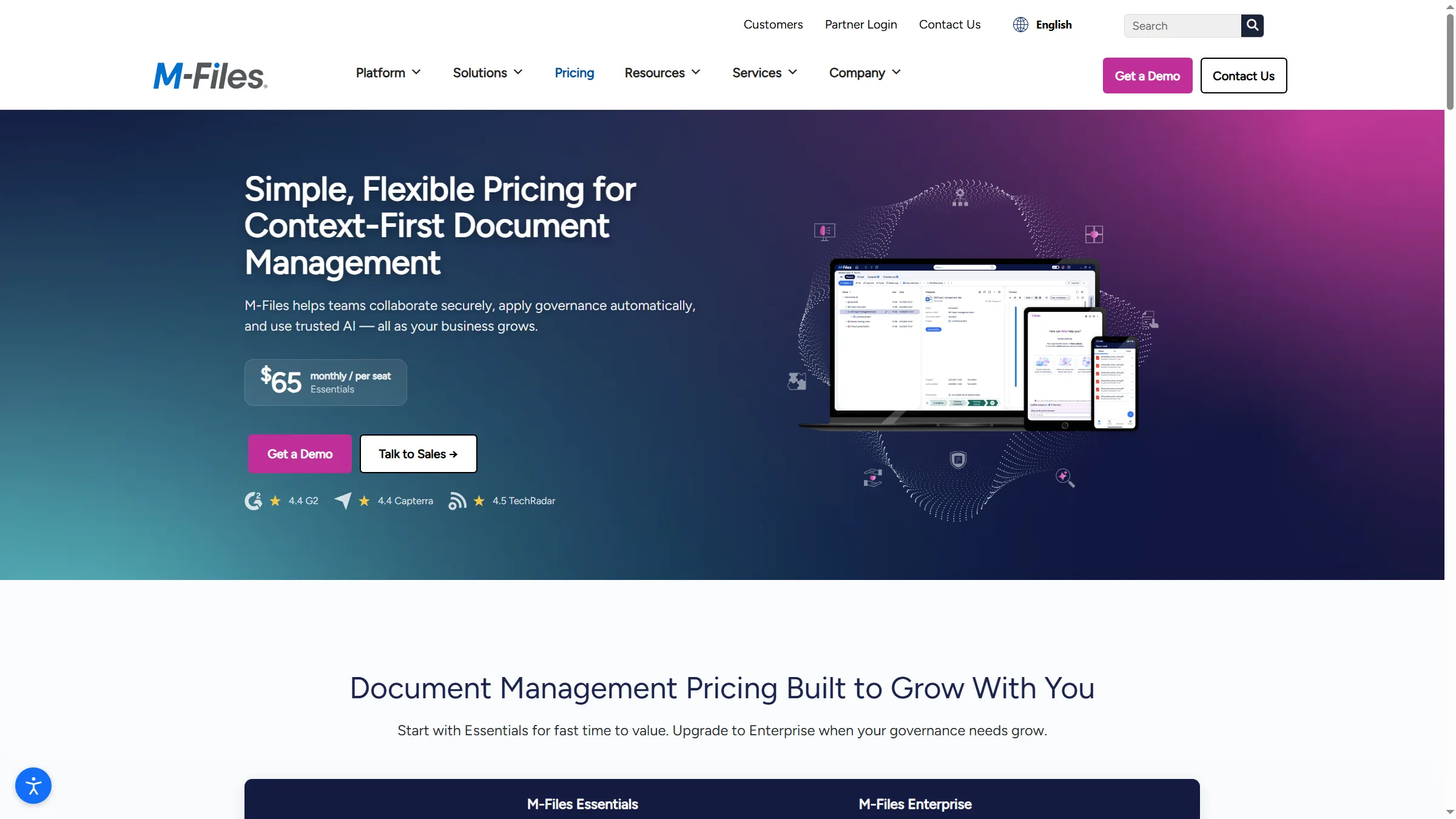
M-Files lists a public Essentials rate, while its Enterprise edition is quote-based.
M-Files pros
- Essentials is listed at $65 per seat per month.
- In the product lineup, you'll find secure collaboration along with lifecycle management.
- Enterprise incorporates security controls, automation, compliance, and governance.
M-Files cons
- Pricing for Enterprise is bespoke, and no public annual total exists.
- On the pricing page, it wasn't clear what the storage allowance was, how implementation worked, or what the minimum seats were.
- When it comes to a demo path, the request is for business and company details — not the launch of a self-serve workspace.
When business meaning has to be reflected in your records, the first product I'd benchmark is M-Files. Lifecycle management and secure collaboration come with its editions page, which lists Essentials at $65 per seat each month. Subscriptions, it states, are usually billed yearly. That monthly figure shouldn't be taken as a flexible month-to-month choice.
For a records team, the edition divide is significant: advanced governance, compliance, reporting, process automation, and security controls sit inside quote-based Enterprise from M-Files. A dedicated repository plus lifecycle features might make Essentials a fit for a team that wants them—yet before you stack its $65 rate against a different DMS, get the storage, onboarding, and seat assumptions in writing.
On the editions page, I began by following the demo route. That took me to a form requesting a business email, company, company size, and country, and I didn't reach a product workspace. The public starting rate helps with early budgeting, but you'll still need a quote to estimate deployment or confirm which tier covers your records program.
Product pricing — M-Files
Essentials is listed at $65 per seat per month, typically billed annually. Enterprise requires a custom quote.
2. DocuWare: Best for document capture and workflow routing
DocuWare fits teams that capture incoming documents and route them through workflows such as invoice review or employee onboarding.
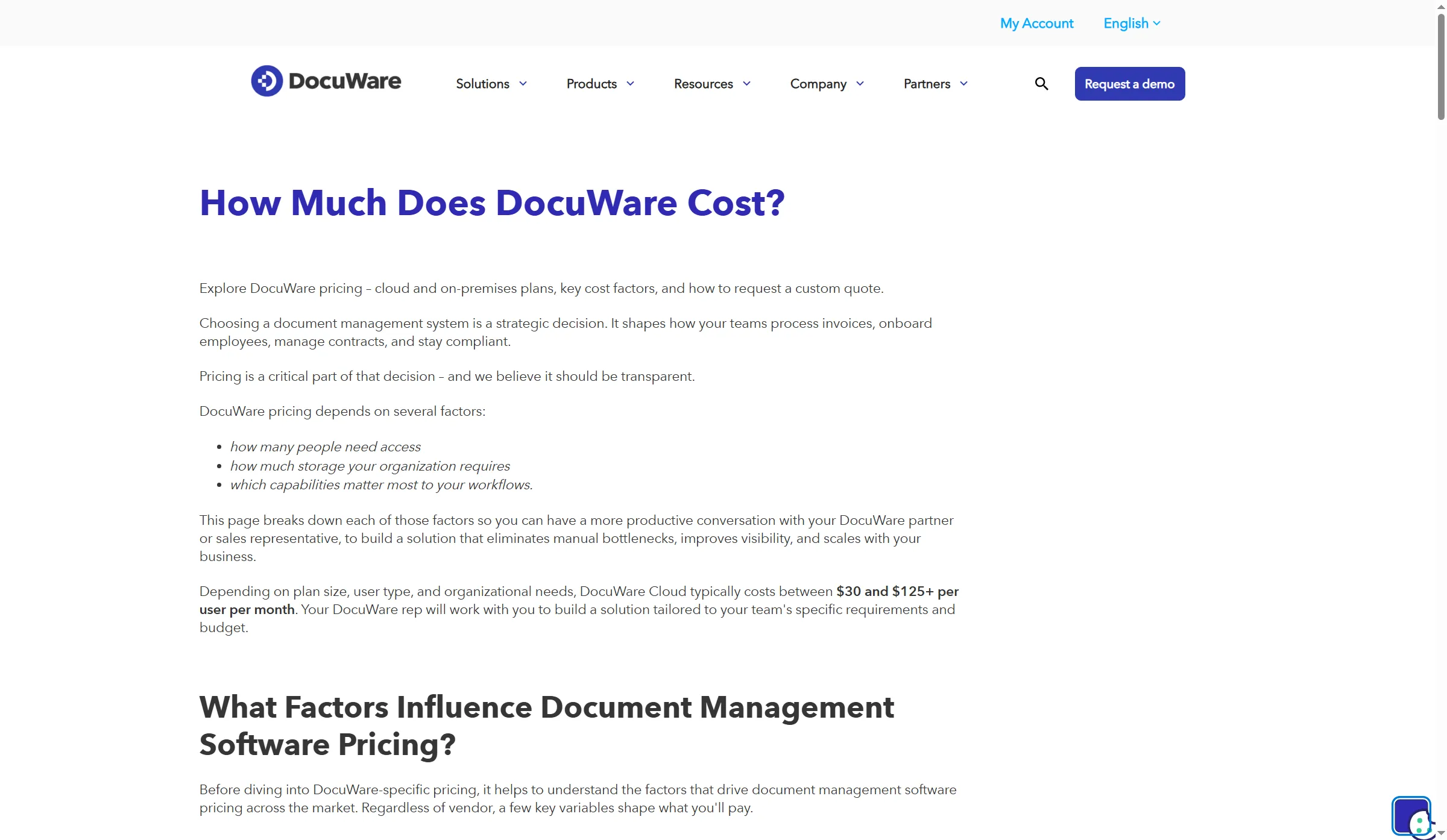
DocuWare's typical Cloud range varies with plan size, user type, storage, and organization needs.
DocuWare pros
- Cloud plans offer full-text search, forms, Workflow Manager, and indexing.
- Included within the published core feature set are versions and access controls.
- Buyers can price varying access needs via Full's Named and Workflow user roles
DocuWare cons
- For each user, cloud pricing typically falls within a monthly range of $30–$125+, and that range isn't an orderable rate
- SAP, digital signatures, and intelligent document processing can also lead to higher expenses
- You'll need a quote for storage, role mix, and setup.
For teams getting a constant flow of incoming files that must be indexed prior to routing through invoice review or employee onboarding, DocuWare fits well. Across Cloud plans, its pricing FAQ provides Intelligent Indexing, Workflow Manager, Forms, full-text search, version control, and access controls.
The makeup of your team changes the bill. A Full Named User can manage records and configure workflows. A Workflow User gets narrower access for tasks, forms, and read-only work. Price the roles your team needs instead of multiplying everyone by the full-user rate. DocuWare's typical Cloud range is $30 to $125+ per user per month, depending on plan, role, team size, storage, and modules; those endpoints don't promise a five-seat package.
Cloud, hybrid, and on-premises deployments each carry a different ownership and support model. Digital signatures, SAP integration, and Intelligent Document Processing can raise the bill, too. I like the split between Full Named and Workflow users because it gives buyers a concrete way to price routine access separately from workflow setup. The trade-off is transparency: the range is useful for budgeting, but a quote sets the actual total.
Product pricing — DocuWare
DocuWare Cloud is typically $30–$125+ per user per month. Request a quote for the role mix, storage, add-ons, and setup.
3. Laserfiche: Best for governed records and lifecycle controls
Laserfiche suits departments that need governed repositories, audit history, and records lifecycle controls alongside workflow automation.
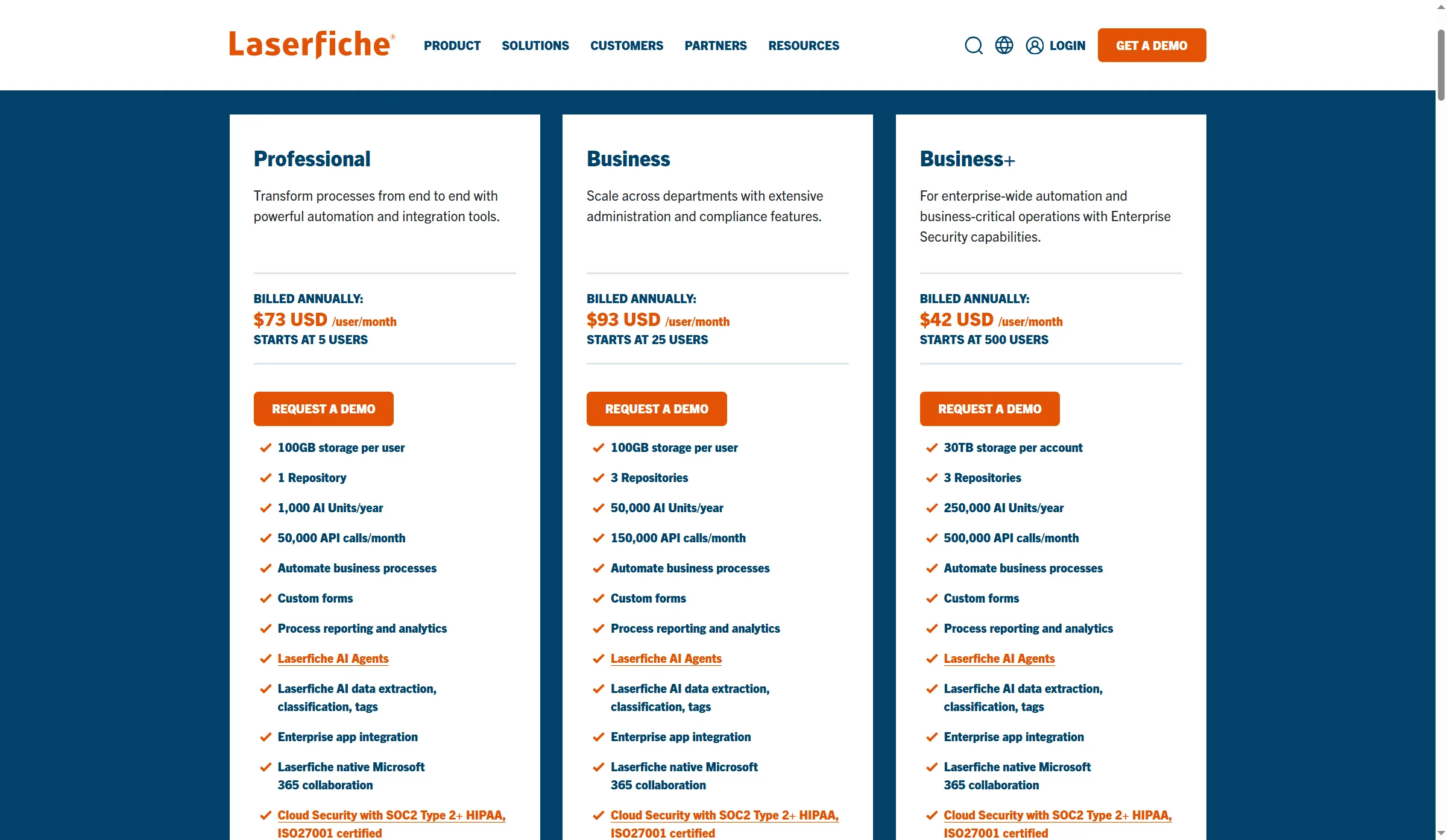
Laserfiche's public annual prices have different seat minimums and repository allowances.
Laserfiche pros
- Professional begins with five users, and it encompasses one repository.
- At 25 users, Business begins and it encompasses three repositories.
- Available service levels comprise audit logging, role-based access, and lifecycle management for records.
Laserfiche cons
- Listed rates don't cover Professional services or implementation.
- Business begins at $1,115, while Professional starts at $875 each year per user.
- A smaller team could end up paying for seats it doesn't use because Business requires a minimum number of seats.
Laserfiche makes the shortlist if you need records controls and you'd rather see seat minimums up front before speaking with sales. Professional appears in its cloud pricing page at $875 per user annually, alongside a five-user minimum, one repository, and per-user allowance of 100 GB. Business costs $1,115 per user a year and starts at 25 users. It includes three repositories and 100 GB per user.
Seat minimums drive the annual bill. Five Professional seats cost $4,375; 25 Business seats cost $27,875 before implementation. Business covers records lifecycle management, audit logging, and identity controls, but you'll still need to match those controls to your compliance obligations and retention rules.
Laserfiche puts the seat minimums near the top of its pricing page, which makes early budgeting easier. Services and implementation sit outside the license total, so the first-year bill will be higher. I'd skip Business for a small group unless its three repositories and governance features justify paying for 25 seats.
Product pricing — Laserfiche
Professional is $875 per user per year with a five-user minimum. Business is $1,115 per user per year with a 25-user starting point. Services are extra.
4. Revver: Best for teams with different document-access roles
Revver fits teams that assign different license roles to workflow managers and document-access users.
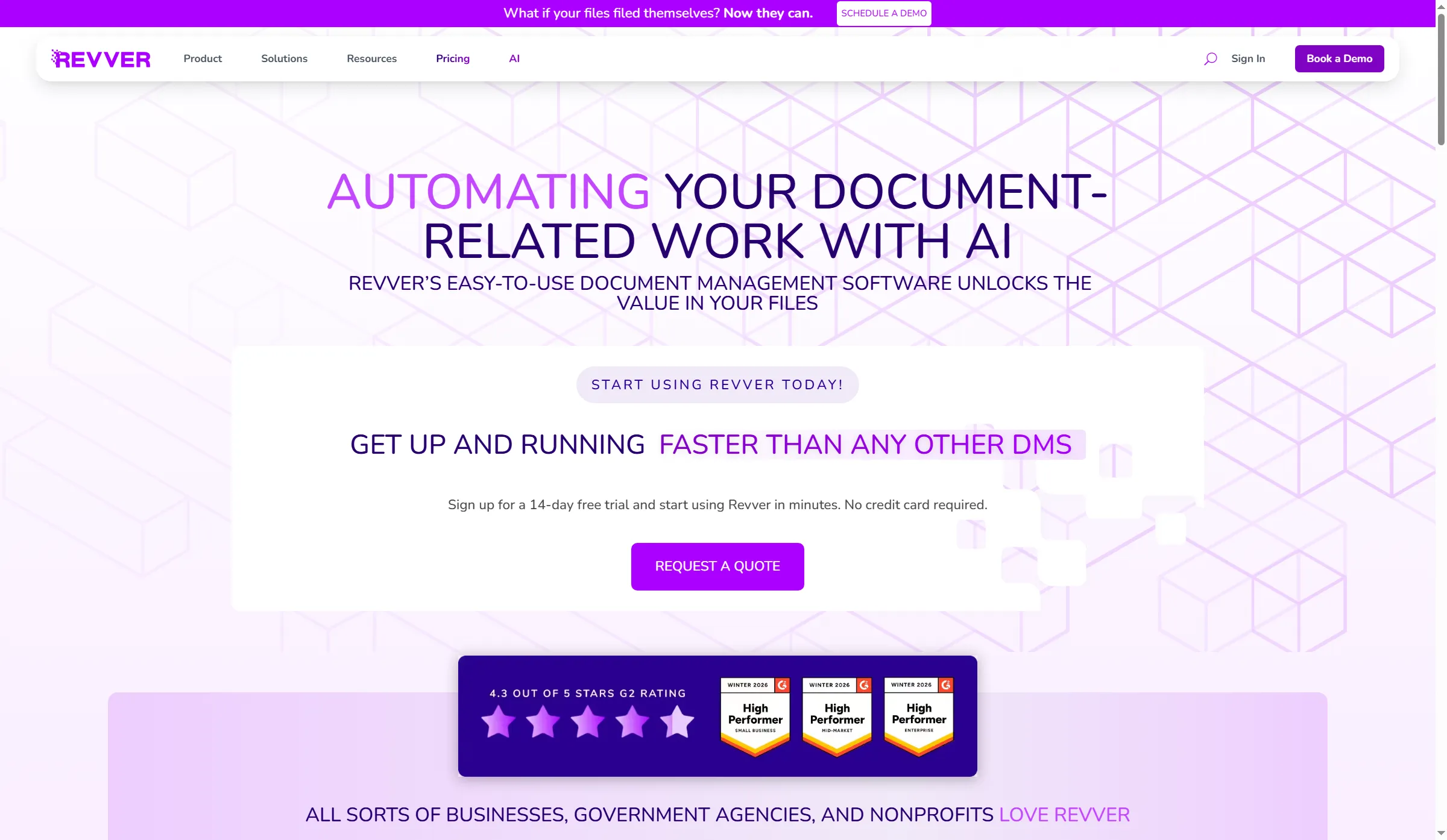
Revver advertises a free trial without a credit card.
Revver pros
- Without any account-wide minimum, Basic, Essentials, and Full roles can be mixed.
- At $87, $25, and $67 per user each month, average rates are published.
- The trial page promotes 14 days with no credit card required.
Revver cons
- Rates shown don't include implementation or professional services.
- Reduced volume pricing isn't a flat checkout rate—it's quote-dependent, and it isn't universal.
- Before you assign Basic to a broad set of users, verify its metadata, retention, and permission coverage.
With Revver's three seat types, you get the flexibility to price a team in which just a handful of people handle workflows. Average monthly rates of $25 for Basic, $67 for Essentials, and $87 for Full appear in the pricing page, and lower volume-dependent rates are shown there as well. No account-wide seat minimum exists.
For a five-person team, one Full seat plus four Essentials seats runs $4,260 annually at those averages, whereas one Full, four Essentials, and 20 Basic seats come to $10,260 per year for a 25-person department. Since I couldn't verify every permission in the role matrix, treat both as planning examples and check that Basic covers the metadata and retention your records need.
Revver advertises a 14-day trial with no card, but its pricing page gives average rates rather than a checkout total. Professional services, implementation, and onboarding packages add to the license cost. I like the role mix for teams with a few workflow managers, but I'd price Basic access carefully before assigning it to everyone; its permissions and retention need to match the records you keep.
Product pricing — Revver
Average published monthly rates are $25 Basic, $67 Essentials, and $87 Full. Implementation and professional services are extra.
5. FileHold: Best for teams choosing where the DMS runs
FileHold suits teams that need to choose between vendor cloud, private cloud, and self-hosting.

FileHold frames its pricing around user needs, features, and where the system runs.
FileHold pros
- Offered as either vendor-managed cloud, self-hosted software, or private cloud
- Customers of the cloud can rely on implementation and support that the vendor manages.
- Options for OCR/indexing, along with workflow, can be scoped to the document process.
FileHold cons
- No verified official public rate currently exists
- Optional modules, along with cloud storage, can alter the quote.
- For purchasers, it's infrastructure plus maintenance duties that self-hosting moves their way.
If a hosted setup is a necessity, then FileHold belongs on your list. Vendor-managed cloud, private cloud, and self-hosting are all covered by its purchase options and Cloud overview, and cloud customers can get implementation and support.
At a single starting price, the deployment menu is misleading: extra charges apply for cloud storage, while workflow plus OCR/indexing may come as optional modules. Request the identical storage of 100 GB or 500 GB, the same user count, workflow, and retention scope that you're using with those other vendors. I haven't brought public directory prices into the comparison because they conflict on the billing unit as well as the amount.
I like FileHold when deployment control is a real requirement. If you only need a hosted repository, quote-only pricing makes it hard to compare with a cloud-first DMS; include storage, support, implementation, and module fees before choosing it.
Product pricing — FileHold
Request a quote. Storage and optional capabilities affect the total.
6. LogicalDOC: Best for cloud or self-hosted flexibility
LogicalDOC fits teams choosing between hosted DMS and a self-managed installation.
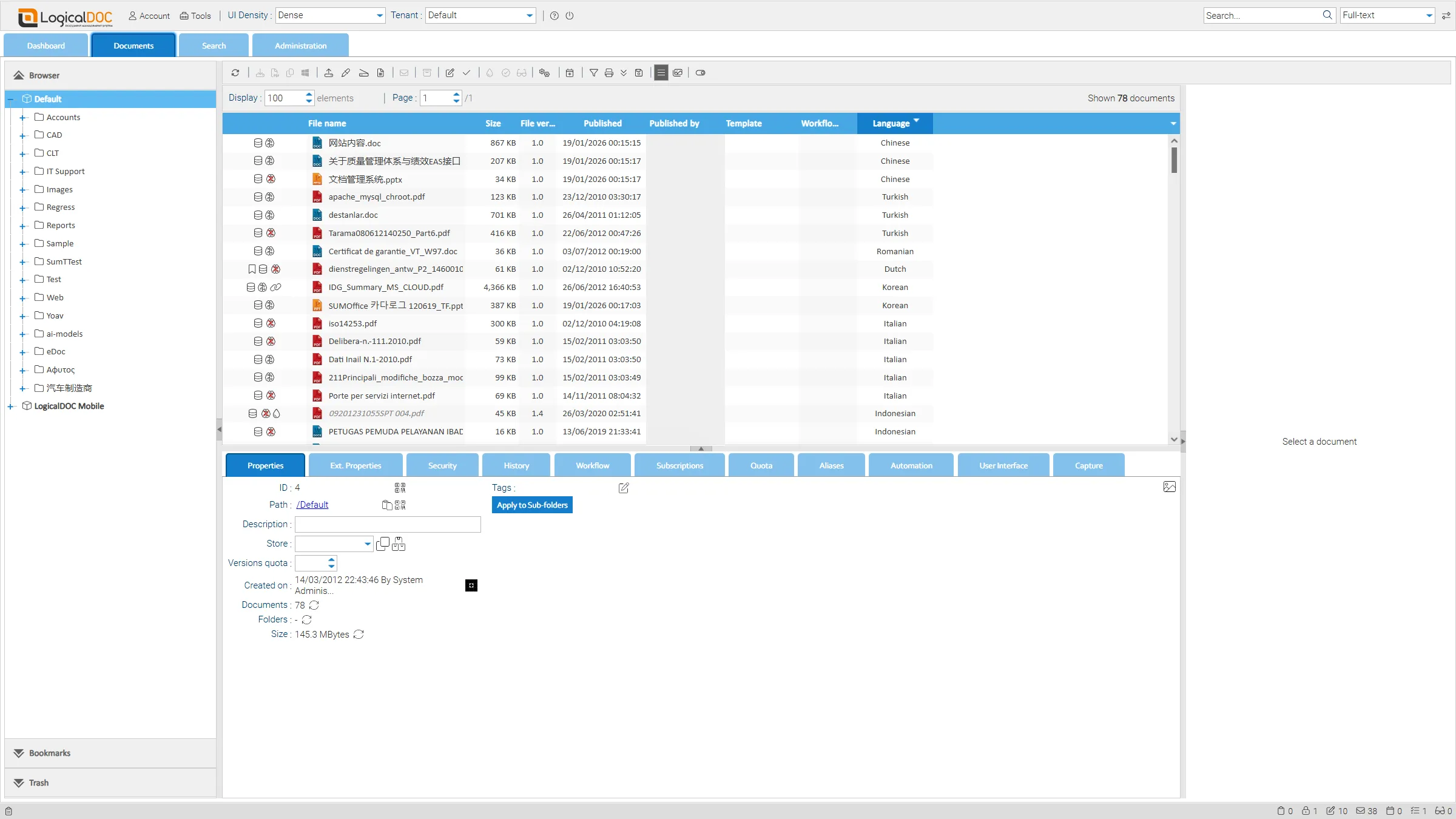
The shared demo table exposes version, workflow, template, and publication fields in one view.
LogicalDOC pros
- Cloud or self-hosted deployment lets teams match hosting to their infrastructure requirements.
- The public demo exposes the template, repository, workflow, and version fields
- Pricing for the cloud relies on user counts, plus storage, instead of an unsupported flat estimate.
LogicalDOC cons
- No official current numerical Cloud price has been verified
- This public demo isn't the Cloud edition—rather, it's an on-premises deployment.
- The sample of 78 records in the shared demo is outdated, and it contains multiple languages.
For a dedicated DMS, LogicalDOC offers either a cloud option or a self-managed one. I like LogicalDOC's deployment choice, but the stale public sample leaves me uncertain about its search experience. Because its Cloud document management page bases pricing on users and on storage, you should request the deployment terms, the support terms, and a quote for your workload together.
I opened LogicalDOC's public demo and saw the list view in Enterprise 9.3.1. Its 78 shared records show columns for name, size, version, author, publication date, language, workflow, and template. That makes the repository structure easy to inspect, but the on-premises demo and old, mixed-language sample tell me little about current customer content or search quality.
The demo note says the public environment can be reset, so don't upload sensitive files. I like LogicalDOC's deployment choice, but the Cloud rate is custom and the demo is on-premises; compare the Cloud edition and service terms separately before you choose.
Product pricing — LogicalDOC
Cloud price depends on users and storage. Request a quote for the chosen deployment.
Dedicated DMS pricing: fixed seat totals, annualized ranges, and quotes
For a five-person records team, M-Files annualizes to $3,900 at $65 × 5 × 12 for Essentials; FileHold and LogicalDOC require quotes. The comparison separates published per-seat totals from range arithmetic and role-mix estimates.
| Product and configuration | Five-person records team | 25-person governed department | What changes the total |
|---|---|---|---|
| M-Files | Essentials total is annualized above | Enterprise quote | Storage and onboarding unclear, the published Enterprise feature tier is quote-based |
| DocuWare Cloud | Typical range implies $1,800–$7,500+ | Typical range implies $9,000–$37,500+ | Arithmetic from $30–$125+ per user monthly, not fixed package prices, roles, storage, modules, and setup vary |
| Laserfiche | $4,375 for five Professional seats | $27,875 for 25 Business seats | Services and implementation excluded, the two tiers have different repository allowances |
| Revver | $4,260 at 1 Full + 4 Essentials average rates | $10,260 at 1 Full + 4 Essentials + 20 Basic average rates | Role permissions, volume rate, and onboarding need confirmation |
| FileHold | Quote required | Quote required | Storage, deployment, workflow/OCR modules, and support |
| LogicalDOC | Quote required | Quote required | Cloud or self-hosted deployment, storage, user count, and support |
I compared two fixed workloads: five named users with a 100 GB repository and basic approval, then 25 users with 500 GB, audit, and retention controls. Migration, implementation, and tax aren't included unless a vendor says otherwise. A quote-required cell is an unknown price, not $0.
Before comparing totals, make every vendor quote the identical workflow, retention, audit, and user roles. Laserfiche offers the most solid yearly figures. DocuWare's numbers involve range calculations, whereas Revver's illustrations rely on average rates with a hypothetical role mix.
Which document management software should you choose?
- Pick M-Files when lifecycle management plus business-context metadata outweigh a low entry price.
- Choose DocuWare when recurring document processes require indexing and workflow routing and you can operate from a custom quote.
- If you need a more formal records program and can justify its seat minimums, along with the cost of its services, then pick Laserfiche.
- Pick Revver when your team's able to assign varying access roles, and you can verify precisely what Basic, Essentials, and Full encompass.
- Pick FileHold whenever the deciding factor is cloud, self-hosting, or private cloud.
- Pick LogicalDOC when you'd like to weigh hosted against self-managed DMS alternatives, and you can validate the Cloud edition on its own, apart from its public demo.