

 12 min read

TL;DR
- Best for a personal unified inbox: Spark brings supported accounts together. Review its AI privacy terms before upgrading.
- Best for a desktop power user: eM Client has a free two-account tier and a $49.95 yearly Personal plan. Check the on-display AI controls if email content is sensitive.
- Best if you already pay for Microsoft 365: Outlook combines mail with Microsoft’s calendar and productivity suite, though third-party account syncing may involve Microsoft cloud storage.
- Best for a small team sharing email: Missive puts assignments and internal collaboration beside a regular inbox. Its Starter plan is capped at five users.
- Best for a small support queue: Help Scout has a free entry plan for a low-volume, single-inbox team.
- Best for multi-channel customer operations: Front supports broader channel and routing workflows. Starter is limited to one channel type.
What is email management software?
I use “email management software” for tools that organize incoming messages and help people decide what happens next. A personal email client connects to a mailbox such as Gmail or Outlook. A shared inbox gives a team ownership and collaboration tools, while a help desk adds support workflows such as ticket status, service rules, and reporting. The categories overlap, but their prices and limits aren’t interchangeable.
I compared vendor pricing and setup pages, user reviews, Reddit discussions, six general buying guides, and one focused shared-inbox list. In that sample, personal apps and team queues often sat side by side without comparable team costs, so this guide separates the workflows.
Email management tools at a glance
Choose Spark for a personal inbox across providers, Missive for a lower-cost five-person shared inbox, Help Scout for a low-volume support queue, and Front when you need multiple customer channels.
| Scenario | Pick | Why it fits | Main catch |
|---|---|---|---|
| Personal inbox across providers | Spark | Unified view and free multi-account tier | No POP3, and paid AI sends selected content to a cloud provider |
| Desktop email and calendar in one app | eM Client | Windows/macOS client with a two-account free plan | Paid AI may analyze visible message content automatically |
| Microsoft-first household or office | Outlook | Mail works with the wider Microsoft account and apps | Outlook.com hosting, new Outlook, and classic Outlook differ |
| Five people sharing a general inbox | Missive | Shared accounts, assignments, and team conversation | Starter tops out at five users, with yearly billing at $840 for five |
| Small support queue on a budget | Help Scout | Free plan includes five users and one inbox | Free plan stops at 100 contacts/month |
| Support and sales across channels | Front | Shared inbox plus broader channel and automation options | Starter limits the workspace to one channel type and ten rules |
What makes the best email management software?
I start with who owns the inbox. For a personal account, provider coverage and triage come first; for a team, clean handoffs matter more. I compare Spark, eM Client, Outlook, Missive, Help Scout, and Front on those needs, plus workflow depth and total cost. In a sales inbox, I check lead routing and qualification separately from spam filtering because the controls solve different problems.
1. Spark: Best for a personal unified inbox
For several personal addresses, I’d start with Spark. The unified view makes it an easy personal hub across supported mailboxes, and Free handles multiple accounts. The paid tier only makes sense if you’ll use the AI or collaboration tools; inbox sorting alone doesn’t justify the bill.
Spark account support and a user report
Spark connects Gmail, Outlook, iCloud, Yahoo, and IMAP accounts, but not POP3. In a September 2026 Reddit thread, u/ryes31 wrote, “I love the unified inbox,” but also reported swipe-to-delete hangs and messages returning. That is one user’s report, so I treat it as anecdotal. When I switched its public pricing page to monthly, it showed a regional currency, so I used the U.S. prices for this guide.
Pros — Spark
- Free supports multiple connected accounts.
- Apps are available for Windows, Mac, iOS, and Android.
- Plus adds AI features, and Pro adds team collaboration.
Cons — Spark
- Spark’s help center recommends staying at or below 10 connected accounts.
- +AI sends selected message content and prompts to Azure OpenAI. Spark says it doesn’t use that data for model training and retains it for up to 30 days.
Skip Spark if: You need POP3, want every AI action to remain on-device, or manage many accounts beyond the vendor’s recommendation.
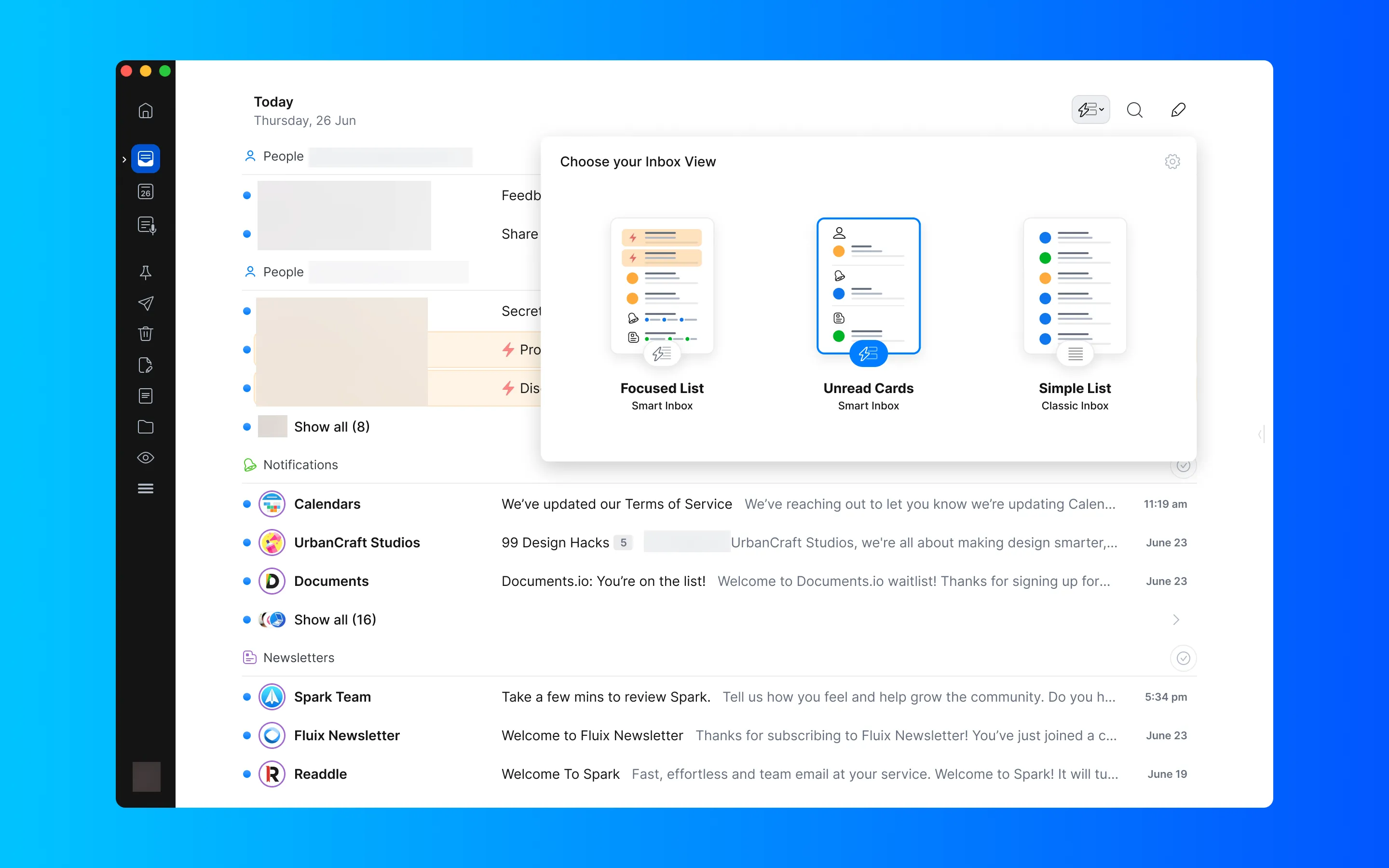
Inside Spark, options for displaying the inbox change how unread messages and the full list appear.
Product pricing — Spark
Free, Plus $99/year or $10/month, and Pro $199/year or $20/month. Prices are per user. A seven-day paid-plan trial is available in-app.
2. eM Client: Best for a desktop email-and-calendar workspace
I’d choose eM Client when I want desktop mail, calendars, contacts, and tasks in one app. The one-time license is a welcome break from another subscription, but the free tier’s two-account limit makes it a poor fit for a household with several addresses. Pay for it when the desktop bundle outweighs the free, multi-account alternative.
Pros — eM Client
- One desktop app combines mail, calendars, contacts, and tasks.
- Mobile apps are free to use without a desktop license.
- With a Personal license for one person, you can use up to three devices.
Cons — eM Client
- The free plan limits work and personal addresses to two accounts on one device.
- Some AI features can analyze message content while it is displayed, without you separately pressing an AI button. You can disable individual features or AI more broadly.
Who it’s not for: People who need many free accounts, a team-owned inbox, or a strictly local AI workflow without reviewing its controls.
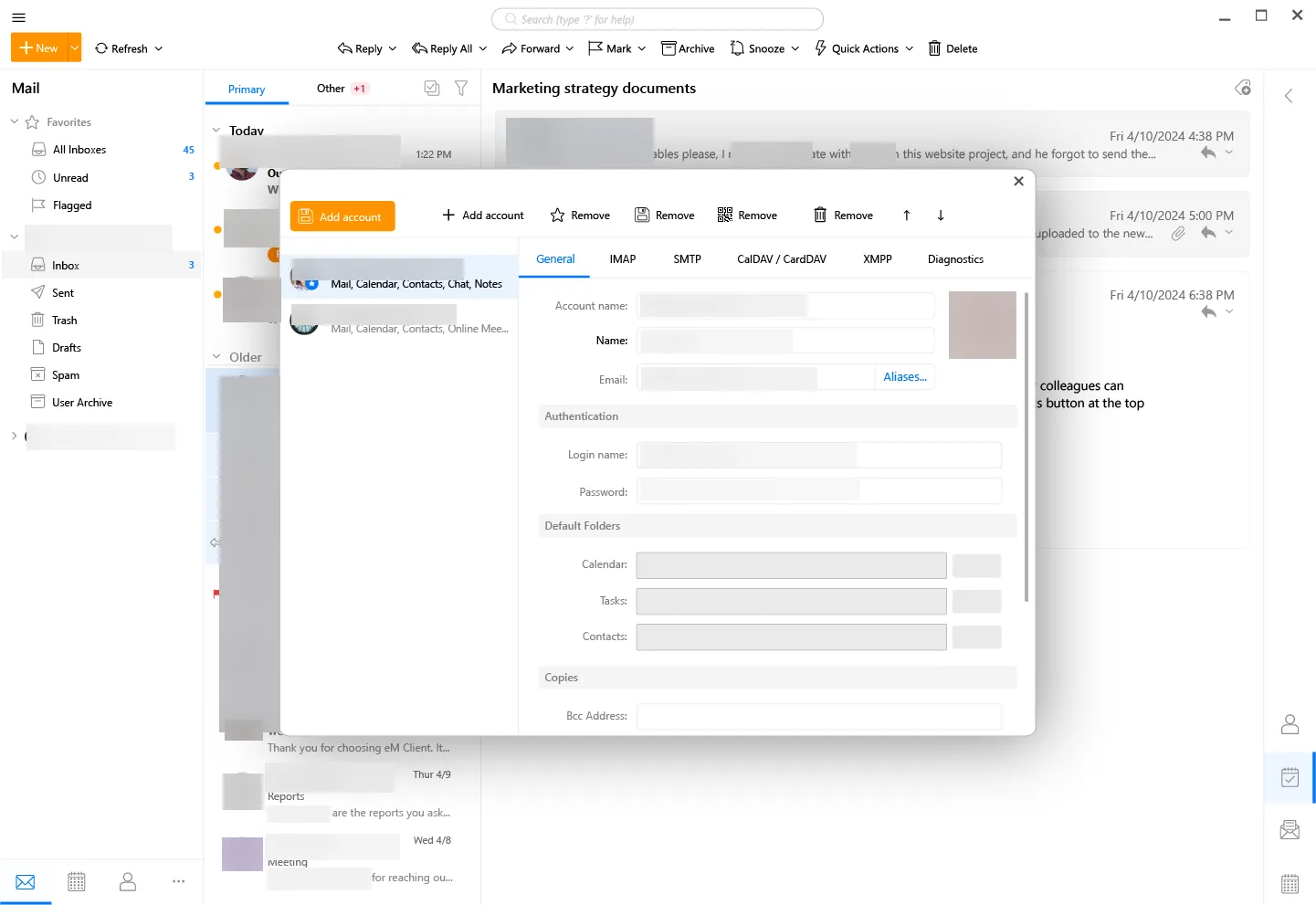
Inside eM Client, account settings bring mail, calendar, and protocol controls into one desktop window.
Product pricing — eM Client
Free for two accounts on one device. Personal is $49.95/year or $74.95 one time for the current major version.
3. Outlook: Best if your email life already runs on Microsoft
If your calendar and Office files already live with Microsoft, I’d start with Outlook. The version names make the setup harder to compare than it should be, especially when you add a non-Microsoft account. The suite is worth paying for only if you’ll use its other Microsoft apps too.
Pros — Outlook
- Free Outlook apps allow more than one account provider.
- Microsoft 365 Basic comes with a 100 GB mailbox, 100 GB of cloud storage, and ad-free Outlook.
- Microsoft 365 Personal bundles desktop productivity apps for one person.
Cons — Outlook
- Outlook.com no longer syncs third-party accounts as connected mailboxes; use an Outlook client app for those accounts.
- Microsoft cloud sync can copy data from supported non-Microsoft accounts to Microsoft data centers. Review that setting before connecting a work mailbox.
Who it’s not for: People who want a consistent feature set across every Outlook version or don’t want third-party mail synchronized through Microsoft’s cloud.
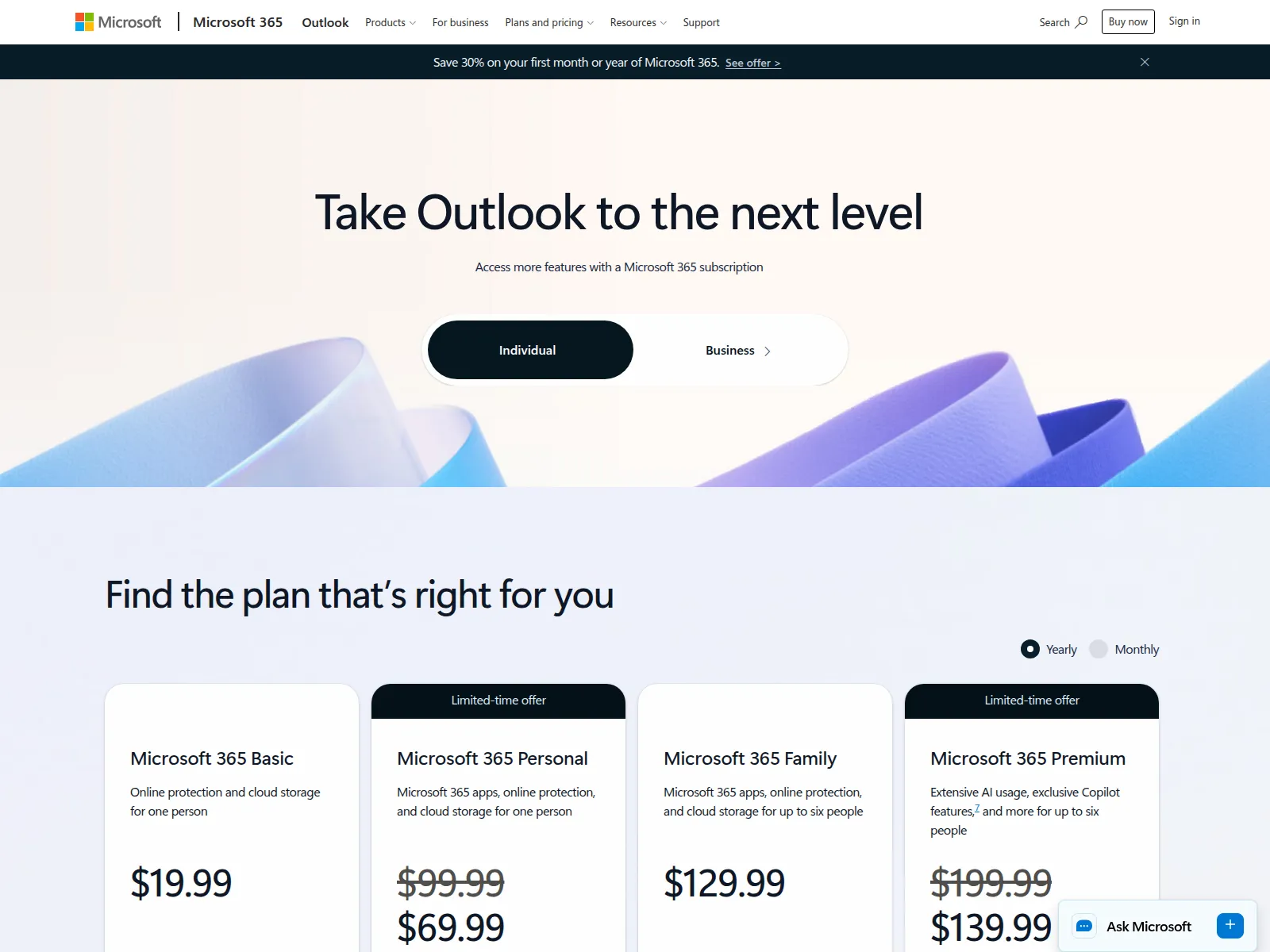
Inside Outlook’s plan comparison, individual plans bundle email benefits with Microsoft 365 subscriptions.
Product pricing — Outlook
Free Outlook apps. Microsoft 365 Basic is $19.99/year, and Microsoft 365 Personal is $99.99/year at regular price. Introductory prices may differ.
4. Missive: Best for a five-person team sharing email
When several teammates answer one address, Missive keeps assignments and internal comments beside personal mail. I like it as the lighter choice when a team needs shared ownership but can do without ticket history or reporting.
Pros — Missive
- Shared and personal accounts can sit in the same workspace.
- Productive supports up to 50 seats and adds advanced rules.
- Productive offers a 30-day trial, and no payment card is required.
Cons — Missive
- Starter is capped at five seats, so adding a sixth teammate requires a plan change.
- Every user can link up to five shared accounts, and adding more may incur charges.
- Annual rates assume a yearly commitment.
Who it’s not for: Teams that need more than five Starter seats or a dedicated ticketing and knowledge-base workflow.
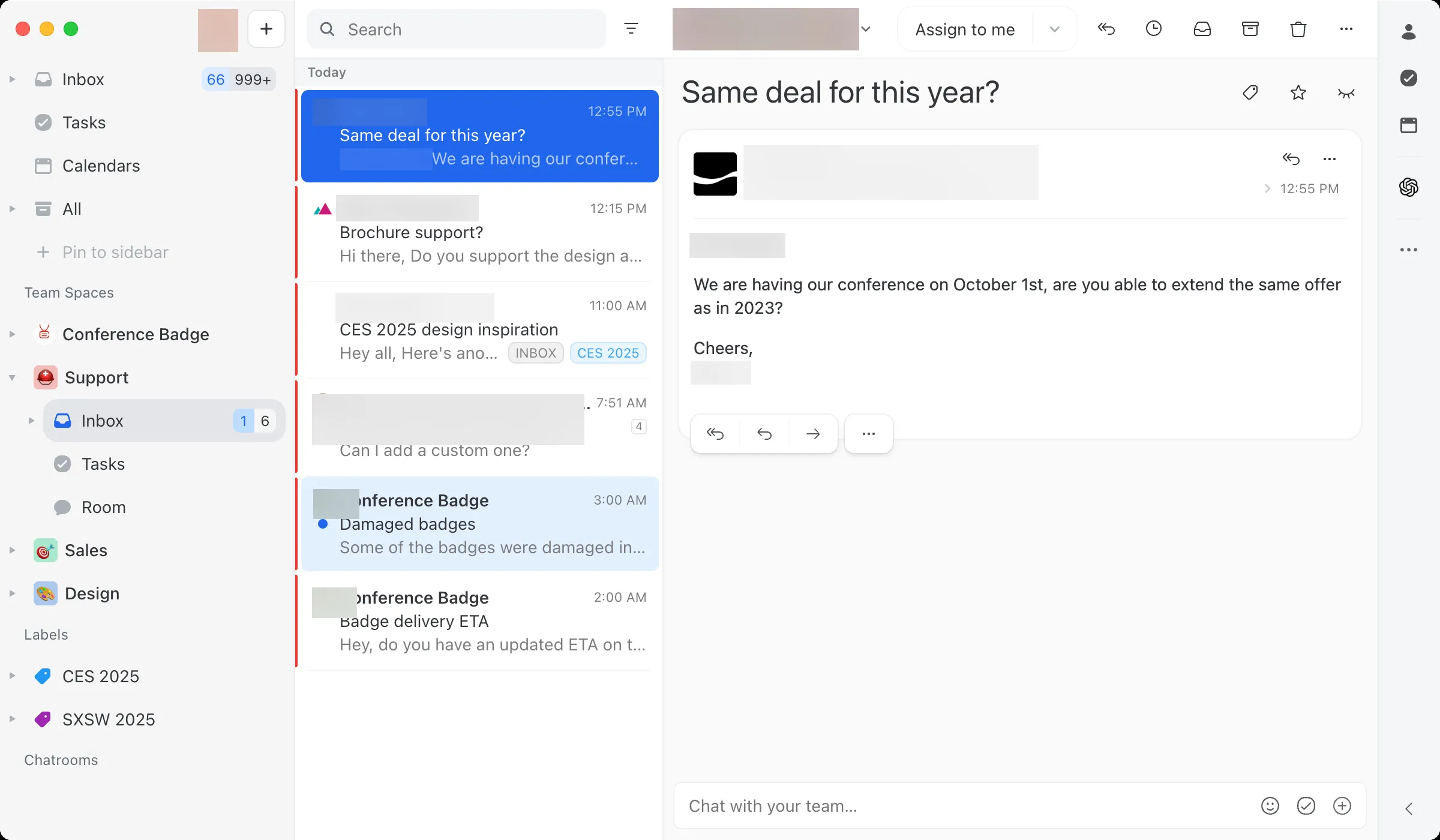
Inside Missive, the team inbox brings shared conversations into the same workspace as personal email.
Product pricing — Missive
Starter $14/user/month, Productive $24/user/month, and Business $36/user/month, billed annually.
5. Help Scout: Best for a small support queue with a free plan
Help Scout is my pick for a small team answering customer support email. I like that five people can start in a support workspace without paying, provided the contact cap fits. Teams that only need lightweight shared email can skip the extra help desk workflow.
Help Scout’s monthly and annual pricing
Month-to-month pricing at Help Scout is one-fifth higher than the per-month annual rate. I switched the public selector to confirm the difference.
Pros — Help Scout
- With the Free plan, you get up to 100 contacts each month, one inbox, and five users included.
- Standard includes two inboxes and unlimited contacts.
- Within the support workspace, customer conversations stay isolated from a personal mail client.
Cons — Help Scout
- The free contact ceiling can make Help Scout a short-lived fit for a growing support queue.
- Additional inboxes cost $10/month on Standard; AI resolution assistance is an extra $0.75 per resolution.
- Because Help Scout is a help desk, teams that only need lightweight shared email may be paying for more workflow than they need.
Who it’s not for: Teams that exceed the free contact cap but want no per-seat expense, or only need basic personal email aggregation.
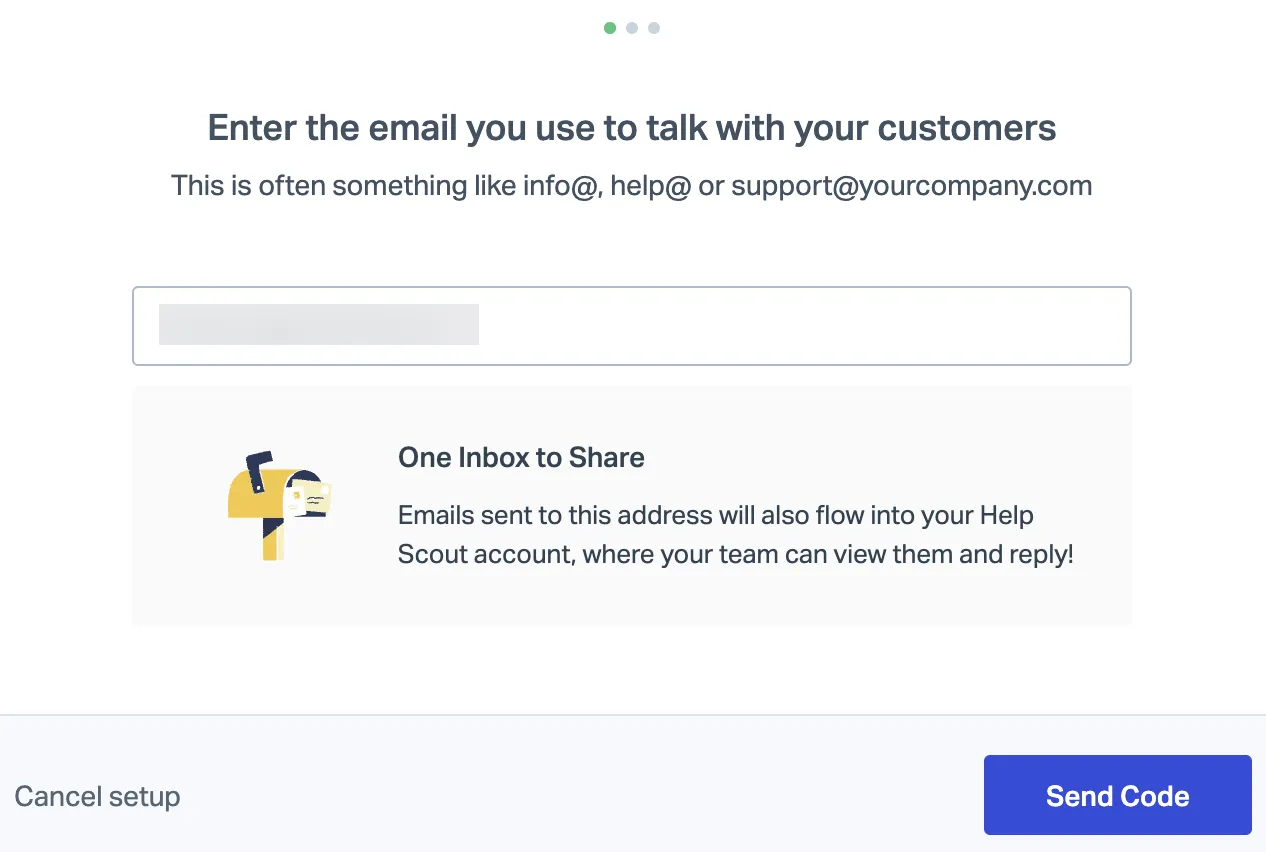
Inside Help Scout’s setup screen, sharing an inbox starts with adding the customer-facing email address.
Product pricing — Help Scout
Free for five users, one inbox, and 100 contacts/month. With annual billing, Standard is $25/user/month, Plus is $45, and Pro is $75.
6. Front: Best for teams handling email alongside other channels
Front suits teams where customer email runs alongside chat or social messages. Starter is the email-only option; Professional adds the other channels. I wouldn’t choose Front just to assign one support address. For me, Professional only earns its price when those extra channels let you retire another tool.
Pros — Front
- Starter supports a shared team inbox with ten automation rules.
- Professional adds more channel types and a higher seat ceiling.
- Optional Copilot and Autopilot add-ons cost extra, so teams can decide whether AI belongs in the budget.
Cons — Front
- The five-seat Starter configuration costs $1,500 per year before taxes and optional AI add-ons.
- Starter’s one-channel limit is a constraint if the workflow needs email plus chat or social channels.
- Before tax, the five-seat Professional base comes to $3,900 annually, with optional add-ons on top.
Who it’s not for: Teams that only need to assign one support address and can stay within a free or lower-cost shared-inbox plan.
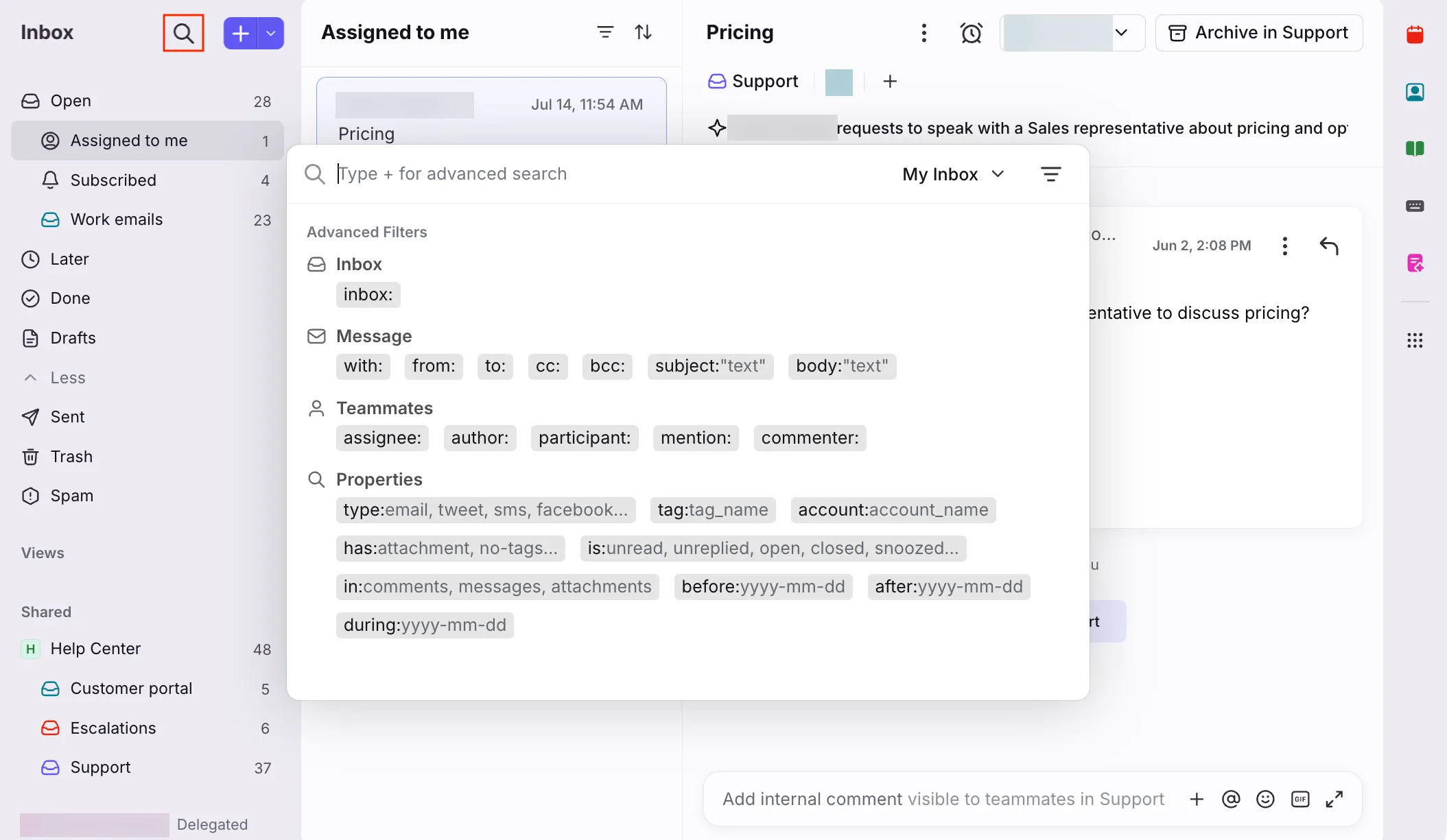
Inside Front, advanced search filters conversations by inbox, message fields, teammate, and status.
Product pricing — Front
Starter $25/seat/month and Professional $65/seat/month, billed annually. Optional Copilot is $20/seat/month, and Autopilot starts at $0.39/conversation.
Before buying, check your existing email subscriptions
Gmail or Outlook may already cover personal email, and Google Groups’ Collaborative Inbox or a Microsoft shared mailbox can cover basic team ownership if your organization already licenses the underlying accounts. Those options don’t add the ticket history, automation, reporting, or routing of a help desk; Microsoft shared-mailbox access can also depend on delegate licensing. For inbound sales, test the actual routing rule with simultaneous leads: “round robin” can mean different handoff controls in different products.
What does team email software cost for five people?
For five people, one shared address within Help Scout’s free cap costs $0–$1,500/year, while two email-only addresses cost $1,440–$1,500/year. Each total covers five seats, assumes the company already pays for Google Workspace or Microsoft mail accounts, and excludes tax and optional AI. The workflows differ in routing and ticketing, so the totals don’t imply feature parity.
| Five-person scenario | Help Scout | Missive | Front | Assumptions and limits |
|---|---|---|---|---|
| One shared address, no more than 100 contacts/month | $0/year | $840/year | $1,500/year | Help Scout Free stays within 5 users, 1 inbox, and 100 contacts/month. Missive Starter is $14 × 5 × 12. Front Starter is $25 × 5 × 12. |
| Two shared support addresses, email-only | $1,500/year | $1,440/year | $1,500/year | Help Scout Standard includes 2 inboxes at $25/user/month. Missive Productive is $24 × 5 × 12. Front Starter is $25 × 5 × 12 and 1 channel type. |
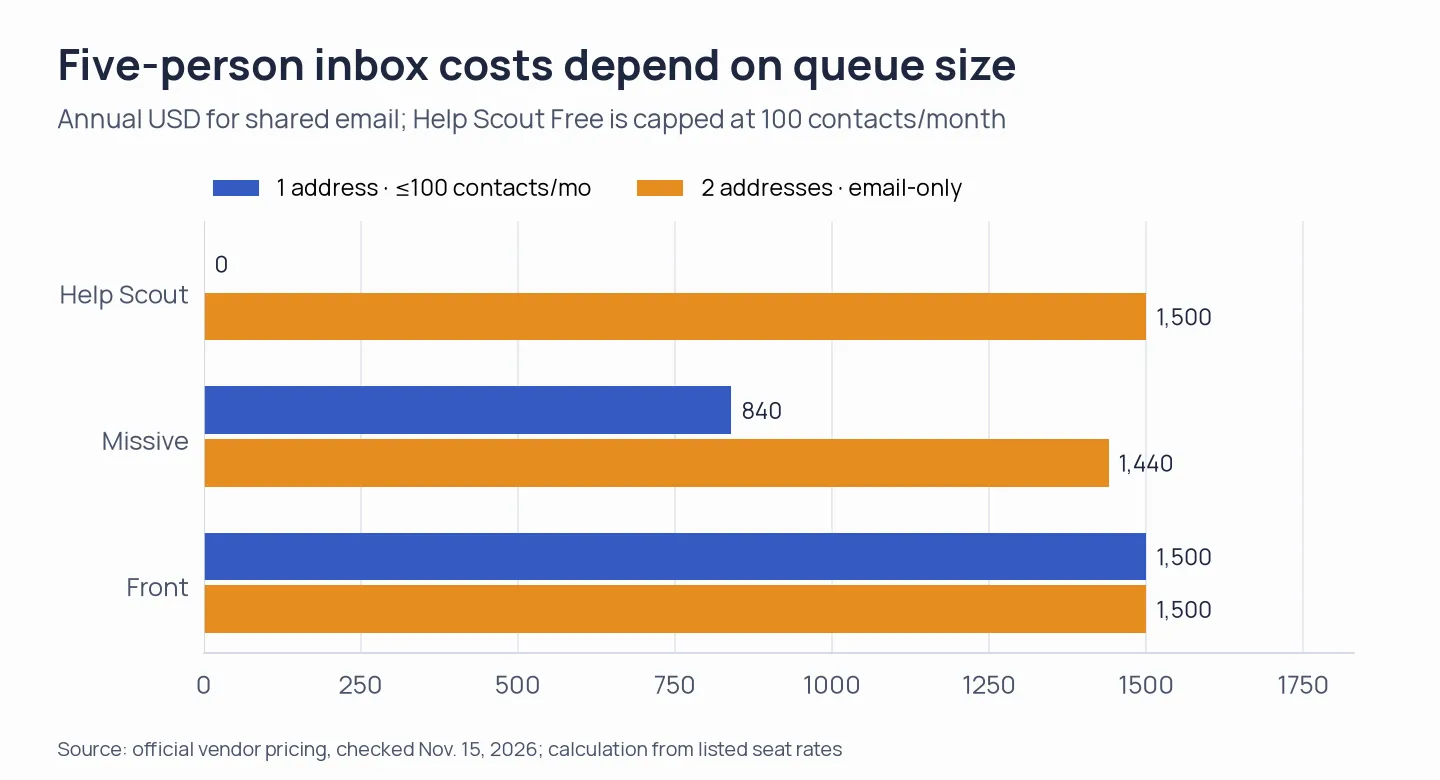
Annual software totals for five agents in two email-sharing scenarios. Underlying mail-host licenses, taxes, and optional AI are excluded.