

 17 min read

Pricing pages, billing guides, customer reviews, and live plan selectors show how contact rules, send limits, and automation tiers change the bill.
TL;DR
- MailerLite keeps the bill easy to follow for a small team. Its Comfort plan counts active subscribers cumulatively during the billing cycle, and it stops at three seats.
- Brevo charges by sending volume, which can work for a large list that gets fewer campaigns. Free is capped at 300 emails a day, and Brevo has to approve the account before it can send.
- Mailchimp has familiar campaign tools and paid automations. The bill can also include contacts across audiences, even some who can’t receive marketing.
- Klaviyo fits ecommerce teams that use purchase data in segments and flows. Active-profile billing and the included send limit both affect the plan.
- Omnisend gives stores campaigns and purchase-triggered flows in one place. Standard includes 12× the contact count in monthly sends; Pro allows unlimited email under a fair-use ceiling.
- ActiveCampaign suits teams that need multi-step automation and CRM features. Starter’s limit is 25,000 contacts.
Email marketing software helps a business collect permission-based subscribers, send campaigns, and automate follow-up messages. You’ll also find signup forms, audience segments, reports, and integrations on most platforms. The buying details are less uniform: one tool bills stored contacts, another bills active profiles or sends, and the automation you need may sit on a higher plan. Choose by what the platform bills and which plan includes the automation you need.
At a glance
If you send a regular newsletter, MailerLite is an easy place to start. Brevo can cost less when a large list gets fewer sends, while ActiveCampaign fits longer customer journeys. The table puts all six picks side by side.
| Scenario | Pick | Why it fits | Main limitation |
|---|---|---|---|
| Lean newsletter team | MailerLite | Comfort includes email, forms, and automations at an annual subscriber-tier price | Active subscribers count cumulatively in the billing cycle. Comfort has three seats. |
| Big list, fewer sends | Brevo | Contact storage and email-volume pricing let you pay around the messages sent | Free is capped at 300 a day. Account approval comes first. |
| Familiar all-rounder | Mailchimp | Campaign, segmentation, and four-step Essentials flows cover routine sends | Contacts across audiences count toward the bill. Limits can pause sending. |
| Ecommerce lifecycle marketing | Klaviyo | Profile-based segments and purchase-triggered flows fit store data | Larger profile tiers cost more. Suppressed-profile management takes attention. |
| Ecommerce email and automation | Omnisend | Standard includes store-focused automations and 12× the contact count in sends | Advanced product recommendations and send-time tools cost extra on Standard. |
| Multi-step automation | ActiveCampaign | Starter includes multi-step automation, templates, and 10×-contact sending | Starter stops at 25,000 contacts. CRM features may need upgrades or add-ons. |
What makes the best email marketing software
- Start with the billable list. Count the records that show up on your invoice, not just the people who opted in. Mailchimp, Klaviyo, Omnisend, and ActiveCampaign may count people who can’t receive a campaign. Suppression, unsubscribe, archive, and deletion rules vary, so check the definition before importing.
- Count the sends in each flow. A three-email welcome sequence adds three messages for every new subscriber who enters it. A 10,000-person list that sends four newsletters and welcomes 1,000 people needs 43,000 monthly emails. That adds 3,000 sends beyond the newsletters alone.
- Match the tool to the job. The best platforms for automating email marketing here split by use: ActiveCampaign for multi-step journeys, Klaviyo and Omnisend for store events, MailerLite for simple welcome flows. Brevo works when you store a large list but send less often. Mailchimp keeps a familiar campaign suite together.
- Check what you already pay for. HubSpot, Pipedrive, and other CRMs may include email sends, automation, segments, and user permissions. Check those limits and marketing-contact fees before adding another bill. Google and Microsoft accounts handle one-to-one mail, but they don’t replace consent, unsubscribe, and audience-management tools for campaigns.
- Set authentication before judging delivery. Google recommends SPF or DKIM for all senders. Above 5,000 messages a day to Gmail accounts, Google requires SPF, DKIM, DMARC, and one-click unsubscribe. A quick signup or editor check can’t show where a campaign will land. Watch your own complaints, bounces, and authentication status.
Email marketing software pricing for the same workload
Across these one-user workloads, ActiveCampaign is cheapest for 1,000 subscribers ($180 per year), MailerLite for 10,000 ($961.20), and Brevo for 50,000 ($604.80). Each table shows the lowest plan that covers that job. Prices are 12-month totals in USD before tax. I used annual billing where a standard annual plan is offered and 12 monthly list-price payments otherwise. I left out temporary promotions, SMS, transactional email, advertising, and premium support. Mailchimp’s first-year offer isn’t included.
- Scenario 1: 1,000 opted-in subscribers, four newsletters, and 100 people entering a three-email welcome flow each month (4,300 sends).
- Scenario 2: 10,000 opted-in subscribers, four newsletters, and 1,000 people entering the same welcome flow each month (43,000 sends).
- Scenario 3: 50,000 opted-in subscribers and one newsletter each month (50,000 sends). There’s no welcome flow.
Scenario 1: one-person newsletter operation. A solo marketer has 1,000 opted-in subscribers. Each month, they send four newsletters and a three-email welcome flow to 100 new subscribers (4,300 sends).
| Product | Plan for 1,000 contacts / 4,300 sends/mo | 12-month cost |
|---|---|---|
| MailerLite | Comfort, paid yearly | $205.20 |
| Brevo | Starter, 10,000 sends/month | $183.60 |
| Mailchimp | Essentials, monthly billing | $318.00 |
| Klaviyo | Email plan, monthly billing | $360.00 |
| Omnisend | Standard, monthly billing | $240.00 |
| ActiveCampaign | Starter, paid yearly | $180.00 |
Scenario 2: a growing list with welcome automation. One marketer has 10,000 opted-in subscribers. Four newsletters and a three-email welcome flow for 1,000 new subscribers total 43,000 sends a month. The plan has to cover that list and automation.
| Product | Plan for 10,000 contacts / 43,000 sends/mo | 12-month cost |
|---|---|---|
| MailerLite | Comfort, paid yearly | $961.20 |
| Brevo | Standard, 50,000 sends/month (Starter automation stops at 2,000 contacts) | $1,047.60 |
| Mailchimp | Essentials, monthly billing | $1,320.00 |
| Klaviyo | Email plan, monthly billing | $1,800.00 |
| Omnisend | Standard, monthly billing | $1,584.00 |
| ActiveCampaign | Starter, paid yearly | $1,788.00 |
Scenario 3: large, low-frequency newsletter. Brevo Starter is cheapest when one person sends a single campaign to 50,000 opted-in subscribers each month: $604.80 for 12 months. There’s no welcome flow. The table lists the matching plan and annual cost for each platform.
| Product | Plan for 50,000 contacts / 50,000 sends/mo | 12-month cost |
|---|---|---|
| MailerLite | Comfort, paid yearly | $3,445.20 |
| Brevo | Starter, 50,000 sends/month | $604.80 |
| Mailchimp | Essentials, monthly billing | $4,620.00 |
| Klaviyo | Email plan, monthly billing | $8,640.00 |
| Omnisend | Standard, monthly billing | $4,956.00 |
| ActiveCampaign | Plus, paid yearly (Starter stops at 25,000 contacts) | $7,308.00 |
Before choosing a tier, check how the vendor bills unsubscribed contacts and which discounts these comparison totals include. Mailchimp can count contacts who can’t receive marketing. Klaviyo bills active profiles, even when someone hasn’t opted in. Brevo charges for sends, while Omnisend may count non-subscribers who receive automations. MailerLite and Brevo totals include their standard annual discounts. Mailchimp’s eligible first-year deal isn’t included.
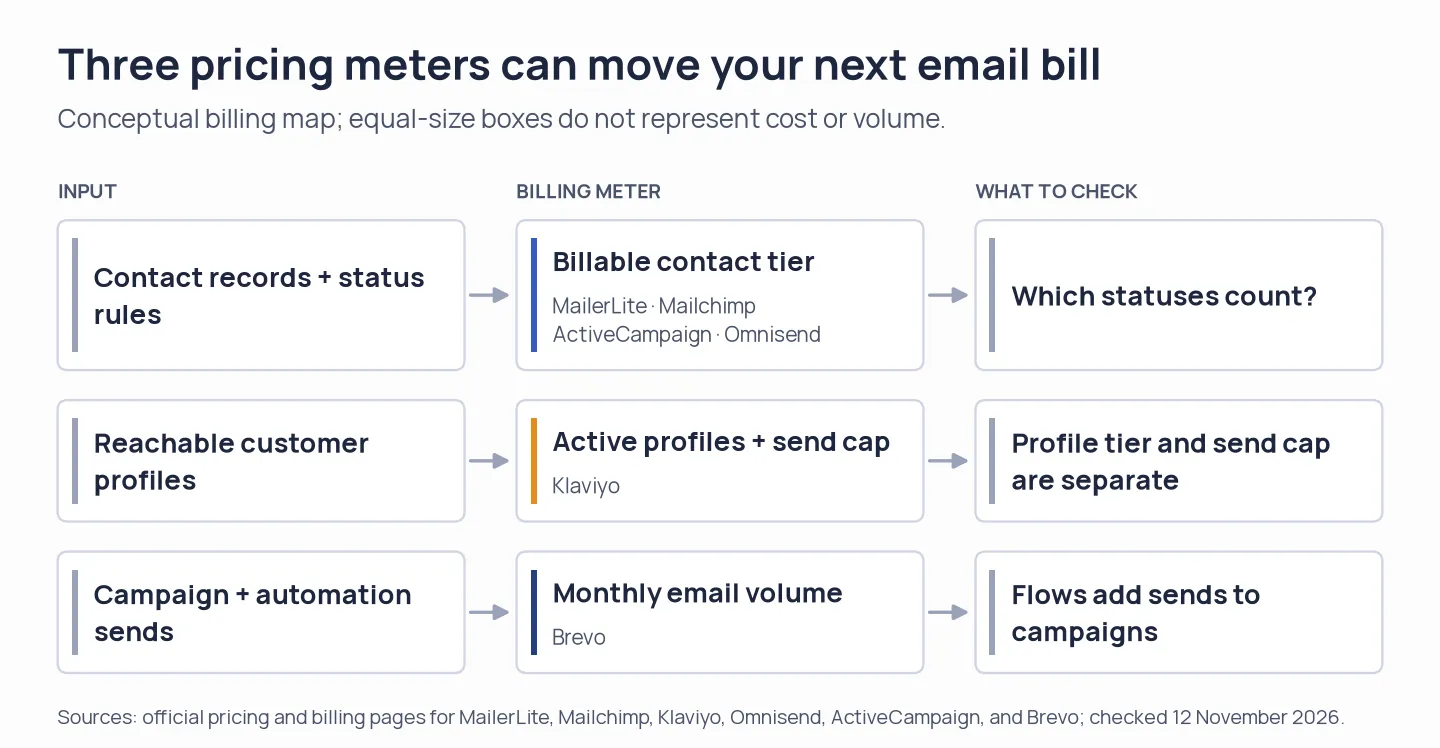
The billing meter differs by platform. Your plan can change even when the opted-in list stays the same.
1. MailerLite: Best for a small team sending regular newsletters
MailerLite is the simplest fit in this group for a small team that wants campaigns, signup forms, and welcome automations in one place. Its current paid plans are Comfort and Power. Older comparisons that recommend “Growing Business” or “Advanced” use retired plan names.
Comfort gives each subscriber tier ten times that ceiling in monthly email credits. For a single user or a three-person team, it covers all three workloads above. Comfort includes three seats; a five-person team needs Power, which has unlimited seats and unlimited monthly email sends subject to fair use. I like seeing the annual total beside the monthly equivalent in the pricing selector. Still, check the default yearly setting before checkout.
What I noticed: The yearly default is easy to mistake for a monthly charge, so I checked the annual total before comparing plans. MailerLite’s billing help says an active subscriber counts for the whole cycle even if you delete that address before renewal. In a 5-star Trustpilot review on October 21, one user praised the service but said they were “not so happy with the free options anymore.”
Pros — MailerLite
- Comfort includes 50 automations, 10 forms, 10 sites, and three user seats.
- Free is a permanent plan for up to 250 active subscribers and 2,500 monthly emails. A 14-day premium trial is also available without a card.
Cons — MailerLite
- Comfort’s three-seat limit makes Power the relevant tier for a five-person team.
- A paid account that crosses its subscriber tier moves up automatically. Deleting active subscribers won’t reduce the current cycle’s cumulative count.
Product pricing — MailerLite
Comfort starts at $12/month on yearly billing for 500 subscribers. Power starts at $25/month. The lowest matching plan changes with list size and workload.
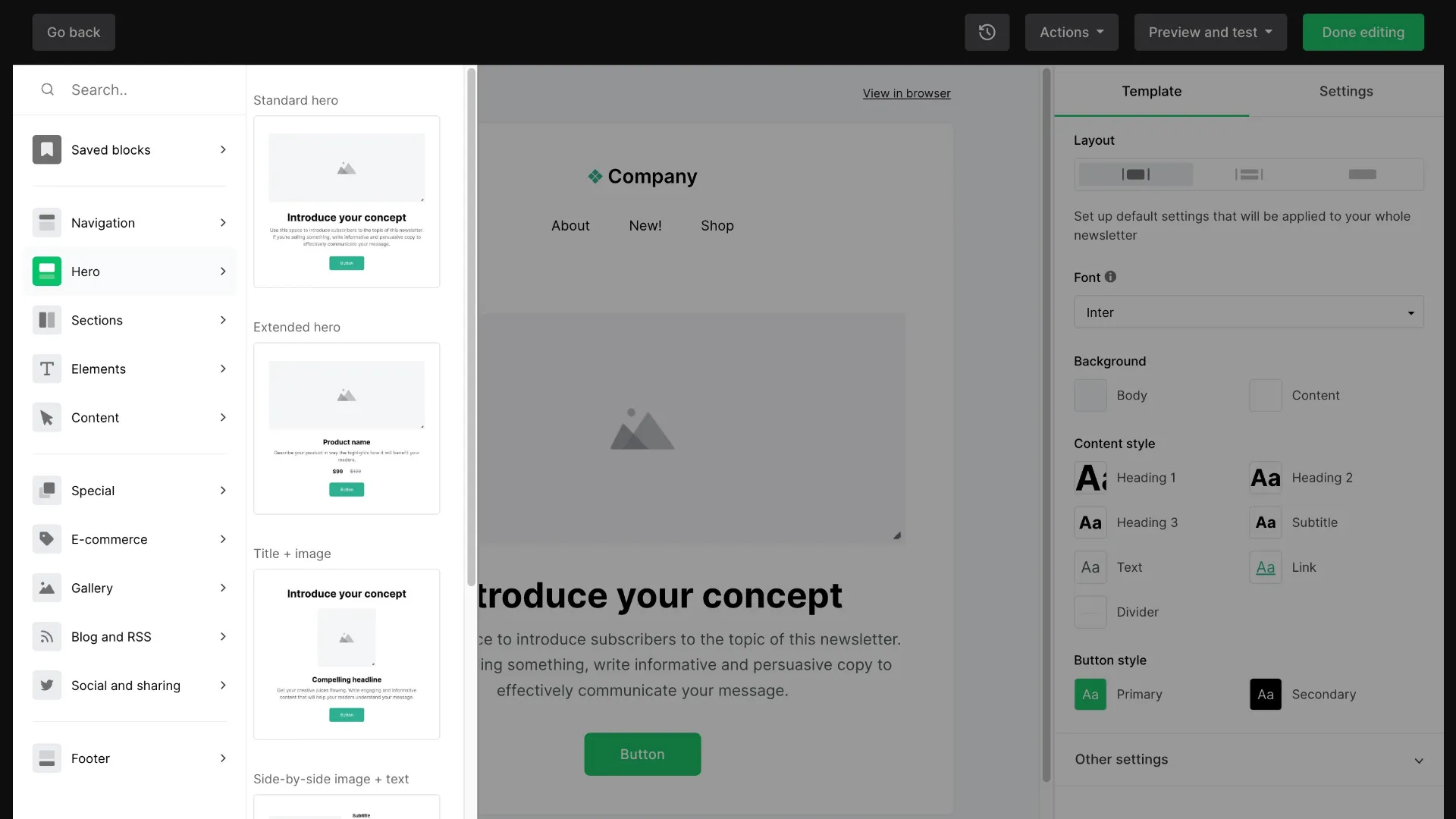
Inside MailerLite’s drag-and-drop editor, the content library sits beside the email canvas.
2. Brevo: Best for a large address book with lower sending volume
Brevo separates stored contacts from the main price meter: paid email plans are organized around monthly send volume. That can work well for a business that stores a large list but emails only a few times a month. It also means you must select a sending tier that covers the workload, not just the number of contacts in your CRM.
Starter works for the solo workload with a welcome flow, but its automation limit of 2,000 contacts rules it out for the scenario with a welcome flow and 10,000 subscribers. Standard is the paid tier that clears that gate. At 50,000 contacts and one monthly send, Starter is sufficient. Brevo separates stored contacts from email volume; that separation helps when a large list gets occasional mail. The automation ceiling can still force an upgrade when send volume looks modest.
What I noticed: The yearly selector can make the entry price look cheaper than the cash-flow commitment. I switched it to monthly before comparing. The free plan is listed as no-card, but Brevo says campaigns start only after it approves the account. A 4-star Trustpilot reviewer appreciated the free option but wished their logo appeared beside their emails.
Pros — Brevo
- Starter removes the free plan’s daily cap and starts with 5,000 monthly emails. Higher send tiers scale as volume grows.
- Standard adds unlimited-contact marketing automation, A/B testing, advanced reports, and priority email support.
Cons — Brevo
- Free sending is limited to 300 emails per day, even though the account can store many more contacts.
- Starter automation is limited to 2,000 contacts. You need Standard for larger welcome flows, and removing Brevo branding may require a paid add-on on Starter.
Product pricing — Brevo
Starter starts at $9/month for 5,000 emails. Standard starts at $18/month. Annual payment reduces the monthly equivalent.
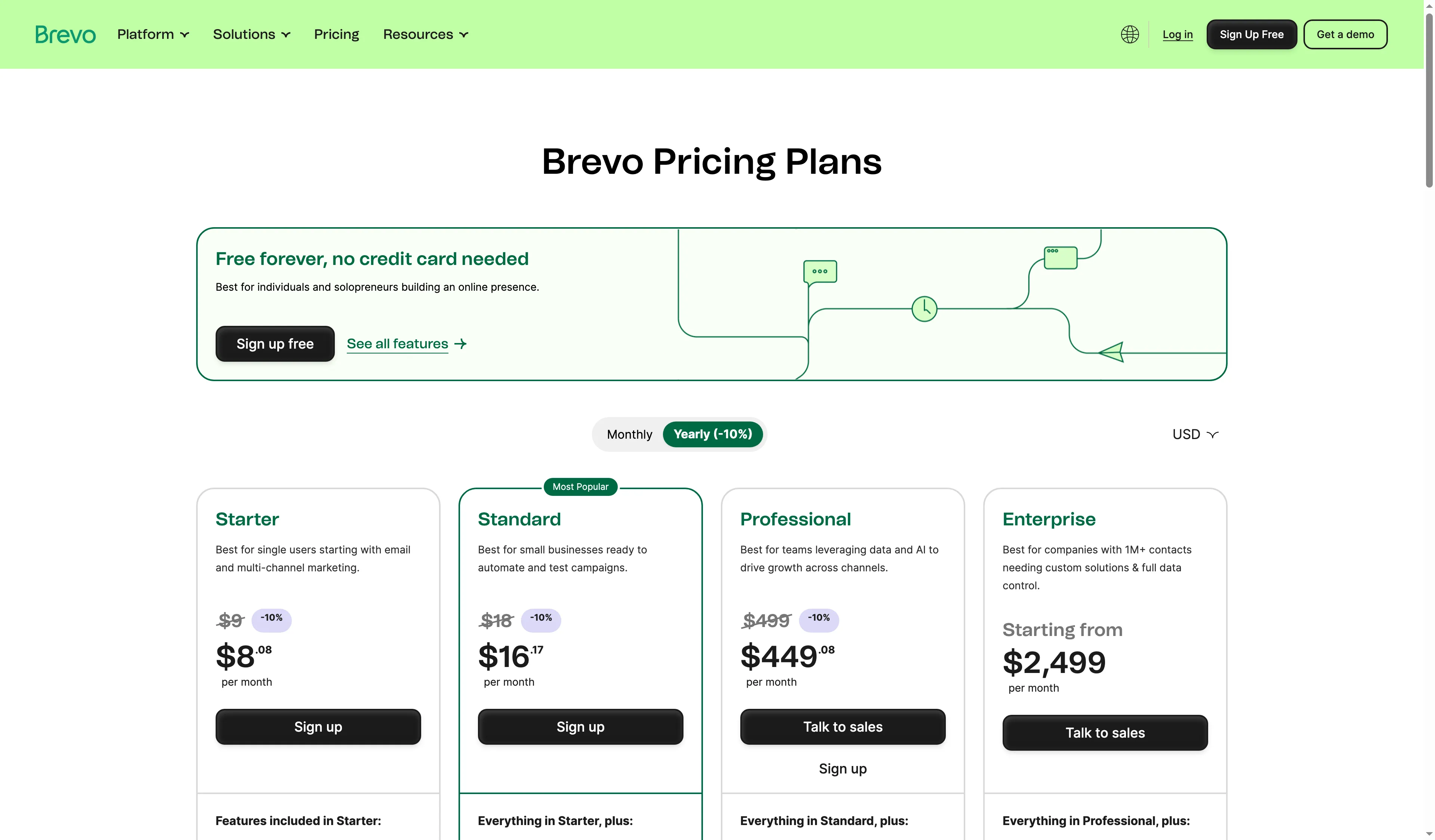
Brevo’s pricing page lets you compare monthly and annual billing before selecting a plan.
3. Mailchimp: Best for familiar campaign tools and a wide integration set
Mailchimp is an all-round campaign platform for teams that value a familiar editor, segmentation, and its integration directory. Essentials has the features needed for these scenarios, including marketing automation flows with up to four actions. A three-email welcome flow fits inside that cap.
Essentials allows ten times the contact limit in monthly emails. Mailchimp counts contacts across all audiences, and unsubscribed or non-subscribed contacts may still count toward billing. Archived and cleaned contacts don’t. I’d clean up the audience before using the advertised entry price as a budget estimate.
What I noticed: Mailchimp’s selector puts the contact band beside the send limit, making the audience-size jump visible before checkout. One 4-star Trustpilot reviewer called the product “fine for basic use but feels clunky” and said technical support was hard to reach. Before checkout, verify the contact count that sets your bill.
Pros — Mailchimp
- Essentials includes scheduling, testing, and up to four flow steps, with a sending allowance of 10× the number of contacts.
- The official site lists more than 300 integrations, including Shopify, WooCommerce, Salesforce, and LinkedIn lead forms.
Cons — Mailchimp
- If the same person appears in multiple audiences, Mailchimp can count that contact more than once. Some unsubscribed and non-subscribed contacts remain billable.
- Sending pauses when a contact or email limit is exceeded unless you upgrade the plan or resolve the issue.
Product pricing — Mailchimp
Essentials starts at $13/month for 500 contacts. Eligible businesses with 10,000 or more contacts may qualify for a temporary first-year discount. The comparison uses standard pricing.
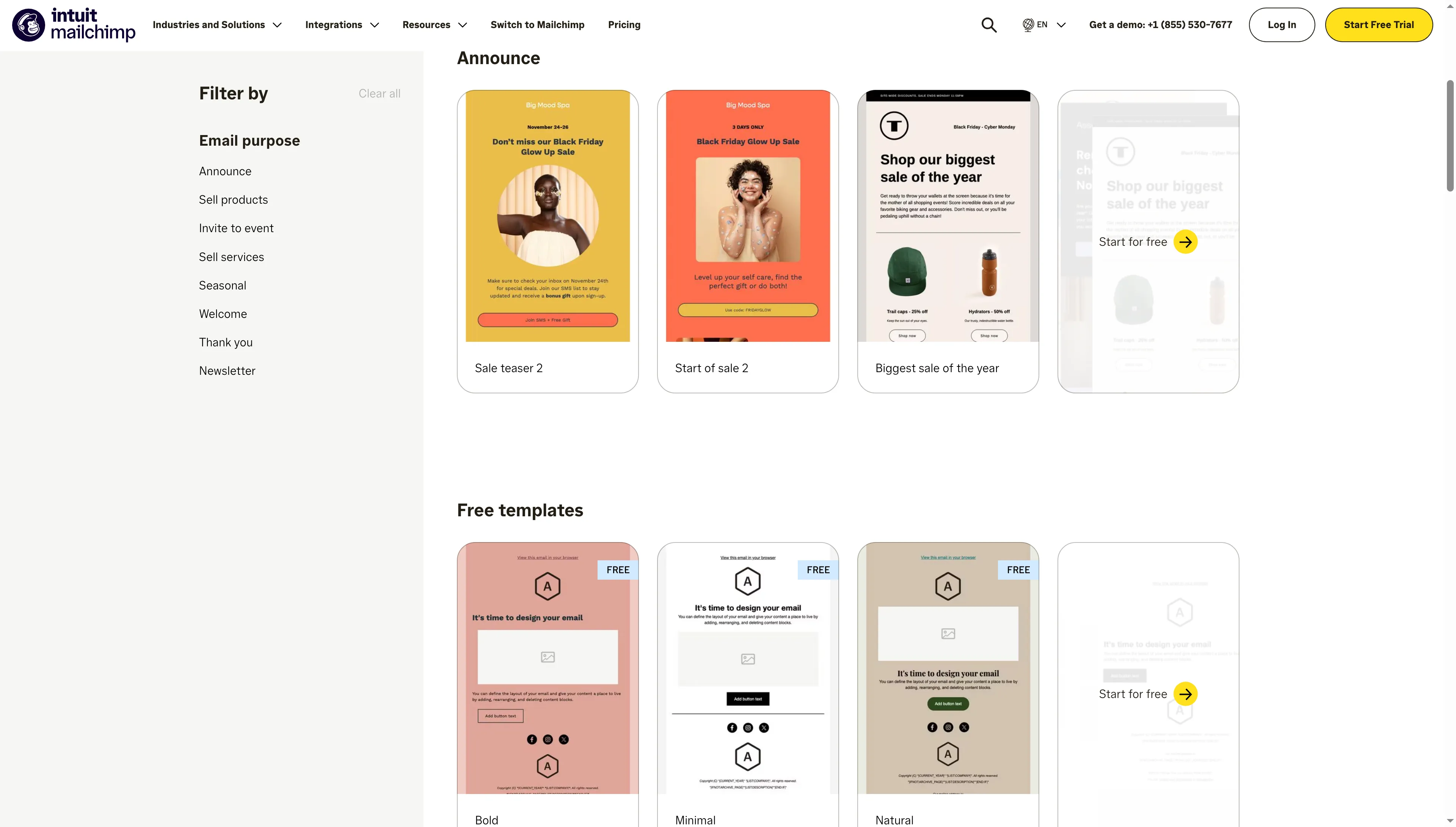
Mailchimp’s template gallery lets you filter ready-made campaign layouts before editing an email.
4. Klaviyo: Best for ecommerce teams using purchase data in flows
Klaviyo is the strongest match here for an ecommerce team that wants to use store activity to trigger campaigns, segments, and automated follow-up. Its value depends on connecting product and customer events to the account. A generic newsletter sender doesn’t need that depth.
Klaviyo charges for active profiles and ties email capacity to the profile tier. Leave room for both billable profiles and planned sends: each tier includes up to ten times its profile limit in monthly email capacity. The free plan covers up to 250 profiles and 500 emails a month, with $5 in mobile-message credit. Email support is included for the first 60 days.
A 5-star G2 reviewer praised the automation features but wrote, “The cost is a bit high. Plus, suppressing profiles proves a bit difficult sometimes.” Decide what “active” means for your account, then review suppression before importing a large store database. I found Klaviyo worth the higher bill when store events and profile-based segmentation drive regular campaigns. A basic newsletter sender is simpler for routine broadcasts.
Pros — Klaviyo
- Purchase and engagement data can drive segments and flows across ecommerce channels.
- The free plan lets a small store explore campaigns, segmentation, and automations before paying, within its 250-profile and 500-send caps.
Cons — Klaviyo
- Email-only monthly pricing rises to $150 at 10,000 profiles and $720 at 50,000 profiles. SMS is a separate usage-based cost.
- A profile can count as active if it can receive email, even when the person has not opted into marketing, so billing status and permission status are different questions.
Product pricing — Klaviyo
Free up to 250 profiles and 500 emails/month. Paid email pricing starts at $20/month for 500 profiles. The 12-month comparison uses the monthly profile-and-email plan and excludes SMS.
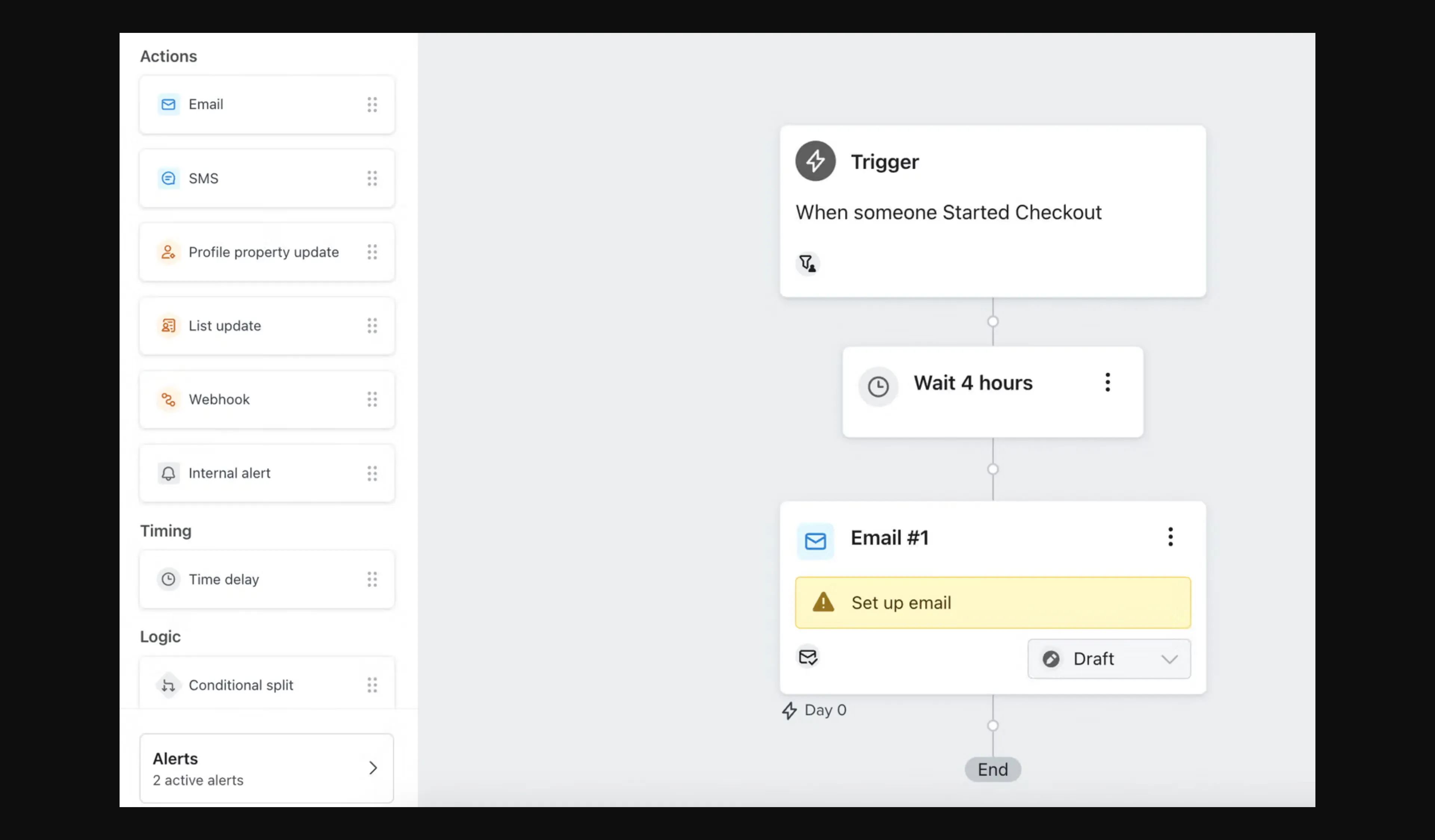
Inside Klaviyo’s flow builder, an email action sits below its trigger and delay.
5. Omnisend: Best for store owners who want ecommerce email without a complex suite
Omnisend keeps its main workflow close to an online store: connect ecommerce data, use prebuilt automations, and send campaigns or purchase-triggered follow-ups. Standard is enough for the three email volumes in the comparison because it includes twelve times the billable contact count in monthly email credits.
Its monthly Standard price is $20 at 1,000 contacts, $132 at 10,000, and $413 at 50,000. Omnisend also has Pro, which allows unlimited email under a fair-use ceiling and adds ecommerce-focused AI features. The current pricing page has no annual plan. Pay three months upfront for 30% off those months, then monthly billing resumes. I prefer Standard if its 12× send allowance covers your store’s flows. Pro only makes sense when unlimited sending or its paid features justify the higher bill.
A 4.5-star G2 reviewer said standard flows were easy to build but that “building more complex logic with multiple conditions and branches feels limited.” Test a conditional cart or post-purchase flow before treating “automation” as one comparable feature.
Pros — Omnisend
- Standard includes unlimited user seats, forms, A/B testing, web push, and campaign automation.
- The 12× sending allowance covers the three workloads here without requiring Pro’s unlimited-email tier.
Cons — Omnisend
- Subscribers and some non-subscribers who receive automated messages count toward the billable-contact tier.
- Product recommendations, dynamic content, and personalized send time are Pro features or paid add-ons on Standard; SMS also costs extra.
Product pricing — Omnisend
Free covers 250 contacts and 500 emails/month. Standard starts at $16/month. Omnisend bills monthly and offers a three-month upfront discount rather than an annual plan.
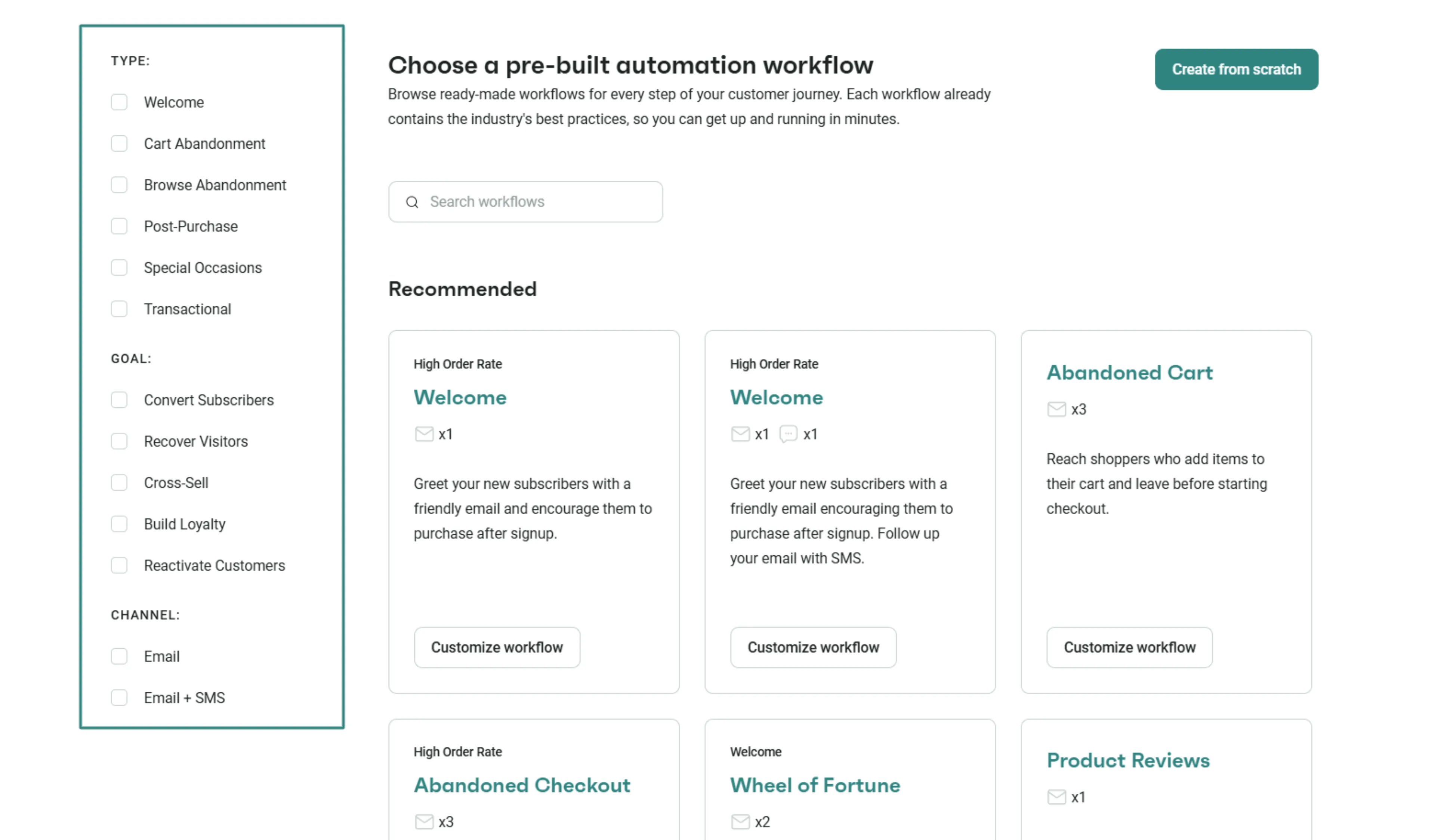
Inside Omnisend, you can filter pre-built automation recipes by trigger type, goal, and channel.
6. ActiveCampaign: Best for teams building multi-step customer journeys
ActiveCampaign fits a team that wants more control over triggers, conditions, and follow-up sequences than a basic newsletter app usually offers. Starter includes multi-step marketing automation, 250-plus campaign templates, and 10,000 sends for each 1,000 contacts. Plus adds cross-channel marketing and expanded CRM options.
Starter is available only up to 25,000 contacts, so a 50,000-contact list needs Plus. Both Starter and Plus show one included seat in the current plan comparison. A five-person team should verify the seat price before checkout. ActiveCampaign fits teams that need multi-step journeys and can manage plan gates. I found the one-seat Starter tier a poor fit when colleagues need shared access.
A 4-star Trustpilot reviewer called the platform solid but noted “occasional lapses in connectivity” and said updates could be confusing. A separate high-rated G2 review noted that a four-email series required an early upgrade. Map your workflow’s steps and plan gates before importing a full list.
Pros — ActiveCampaign
- Starter supports multi-step automation and provides 10× the contact limit in monthly email sends.
- The 14-day trial exposes paid-plan features, and the vendor says accounts are charged only if the user upgrades manually.
Cons — ActiveCampaign
- Starter stops at 25,000 contacts. Choose Plus for the comparable 50,000-contact workload.
- The cheapest plans include one seat, and CRM pipelines or sales engagement features can require additional products or add-ons.
Product pricing — ActiveCampaign
Starter begins at $15/month billed yearly for 1,000 contacts; Plus begins at $49/month. Starter is not offered above 25,000 contacts.
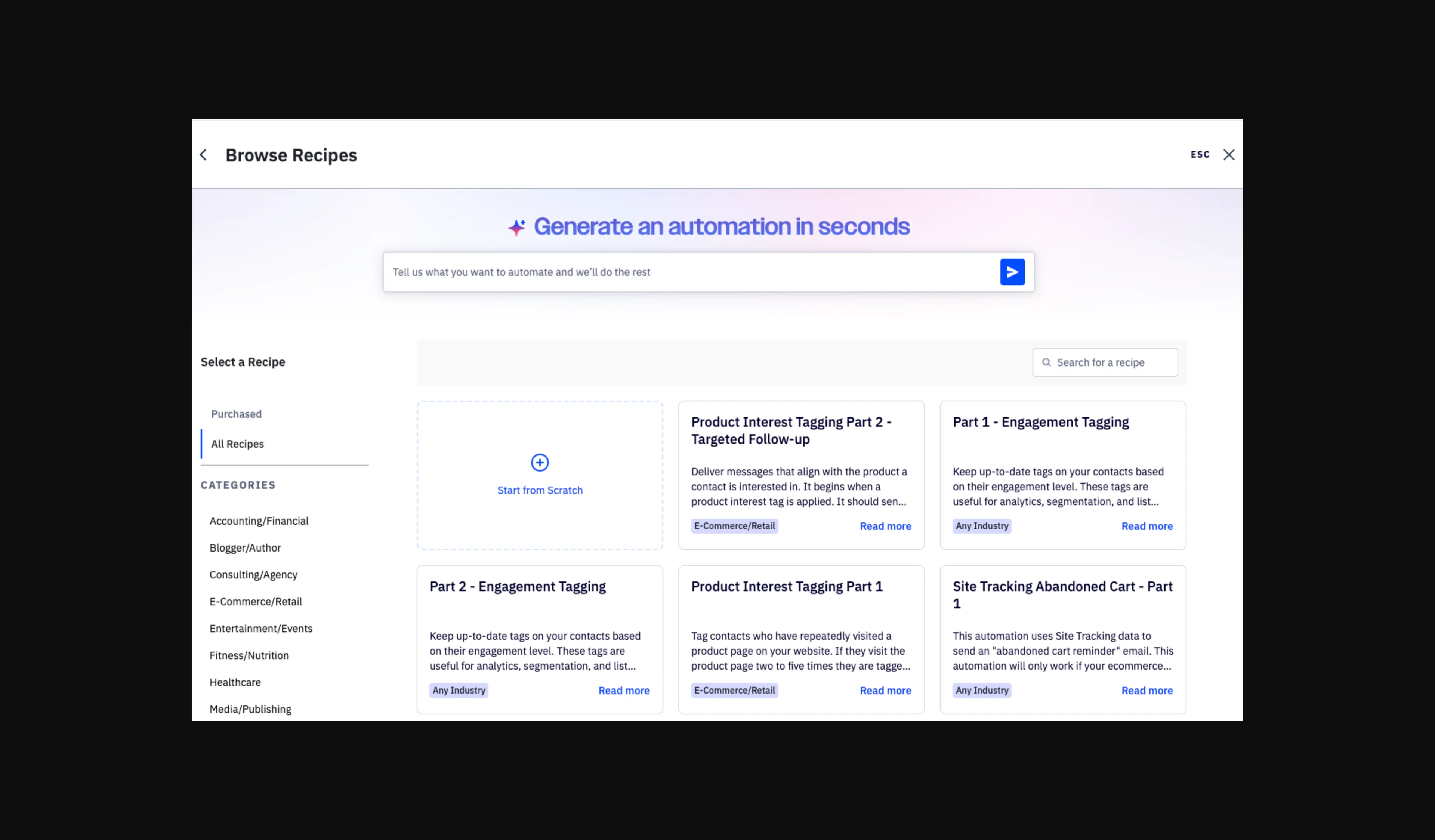
ActiveCampaign’s recipe library lets you start with a template or build an automation from scratch.
Other tools we considered
HubSpot Marketing Hub makes sense if your company already pays for HubSpot and its email allowance, lists, and workflow tier cover the job. Free tools include HubSpot branding and up to 2,000 email sends per calendar month, so they do not cover the 4,300-send first scenario. Check marketing-contact classification and required seats before adding a separate email platform. HubSpot’s Trustpilot profile represents the wider HubSpot company, not Marketing Hub alone, so I do not use its TrustScore as a product rating.
Constant Contact suits local organizations and small businesses that want email, social posting, event tools, and human support in one account. Lite, Standard, and Premium include different automation templates, segments, seats, and send allowances. Email sends are capped at 10×, 12×, and 24× contact count, respectively, and overage fees can apply. Entry annual prices are $10.20/month for Lite, $29.75 for Standard, and $68 for Premium, before the contact tier changes the bill.