

 13 min read

TL;DR
- For public ticketing, start with Eventbrite; for private guest lists, RSVPify separates the RSVP and paid-ticket routes.
- Cvent and Whova cover different conference needs, but their prices depend on modules and quotes.
- Sched is strongest when attendees need a session schedule. Its current annual-billed prices start at $50 per month, though the 500-person price remains unclear.
What is event management software?
Event management software, also called event registration software, helps organizers manage registration, ticketing or RSVPs, attendee communication, schedules, and check-in through linked tools. A small public meetup might require just a signup page and a guest list, whereas a multi-track conference may additionally need speaker workflows, session capacity, badges, an attendee app, and onsite support. You probably don't need every feature on that list.
Quick picks at a glance
Eventbrite stands out for public ticketing, Cvent for corporate programs, RSVPify for private RSVPs and paid events, Sched for session-led events, and Whova for conferences with networking.
| Best for | Tool | Why it stands out | Main limitation |
|---|---|---|---|
| Public ticketing | Eventbrite | Discovery pages, paid tickets, and organizer check-in | Per-ticket and order fees |
| Corporate event programs | Cvent | Registration, attendee hub, and onsite operations can be combined | Quote-based modules and launch charges |
| Private RSVPs and paid events | RSVPify | Guest management plus a separate ticket-fee route | Business plan check-in starts at Plus, with separate ticket fees |
| Session-led events | Sched | Agenda, registration, and attendee schedule in one system | 500-attendee price and seat allowance need confirmation |
| Conferences with networking | Whova | Attendee app, agenda, networking, and sponsor workflows | No standard public price |
What makes the best event management software?
The best event management software should match your registration type and the attendee tasks your event requires. Choose among a private RSVP, free public signup, or paid tickets, then check guest check-in, badge printing, session capacity, staff seats, and whether the agenda needs a branded app. Compare the same event size and billing unit so subscription, ticket, processing, app, and onsite charges are clear.
1. Eventbrite: Best for public ticketing
In this case, for public ticketing, event discovery, and organizer check-in, Eventbrite is the simplest choice. I signed up, verified my email, and arrived at an event-creation screen offering an AI-assisted path. Even so, the plain-form link proved easy to locate when I didn't need assistance writing a listing. The unfinished form already requested ticket details and the event location. Compared with a blank dashboard, that's a more practical place to begin.
Eventbrite charges no fee for free tickets. For paid US tickets, there's a 3.7% service fee, plus $1.79 for each ticket, and then 2.9% processing on the order total. Should you absorb those costs, one $100 ticket comes to $8.39 in fees ($4,195 across 500 separate orders). When buyers pay the fee, both their checkout total and the processing base shift. For a community fundraiser, that's a substantial line item.
Pros — Eventbrite
- Without ticket fees, free events can use the core publishing workflow.
- A single event page can support organizer check-in, public discovery, and tickets.
- I'd bypass the AI creation path and switch over to a standard event form.
Cons — Eventbrite
- For 500 separate $100 US ticket orders with the organizer absorbing fees, Eventbrite costs $4,195 in fees.
- Eventbrite reports that new subscribers can't sign up for its $15/month Pro plan anymore, but Premium, for eligible accounts, is priced at $708/year or $69/month.
- The form requests event details and ticket inventory before you can complete a useful draft.
I'd choose Eventbrite if public discovery and paid checkout matter more than a custom attendee app. Yet, should you be organizing a private dinner or a multi-track conference, the rest of your workflow won't be covered by the ticketing features.
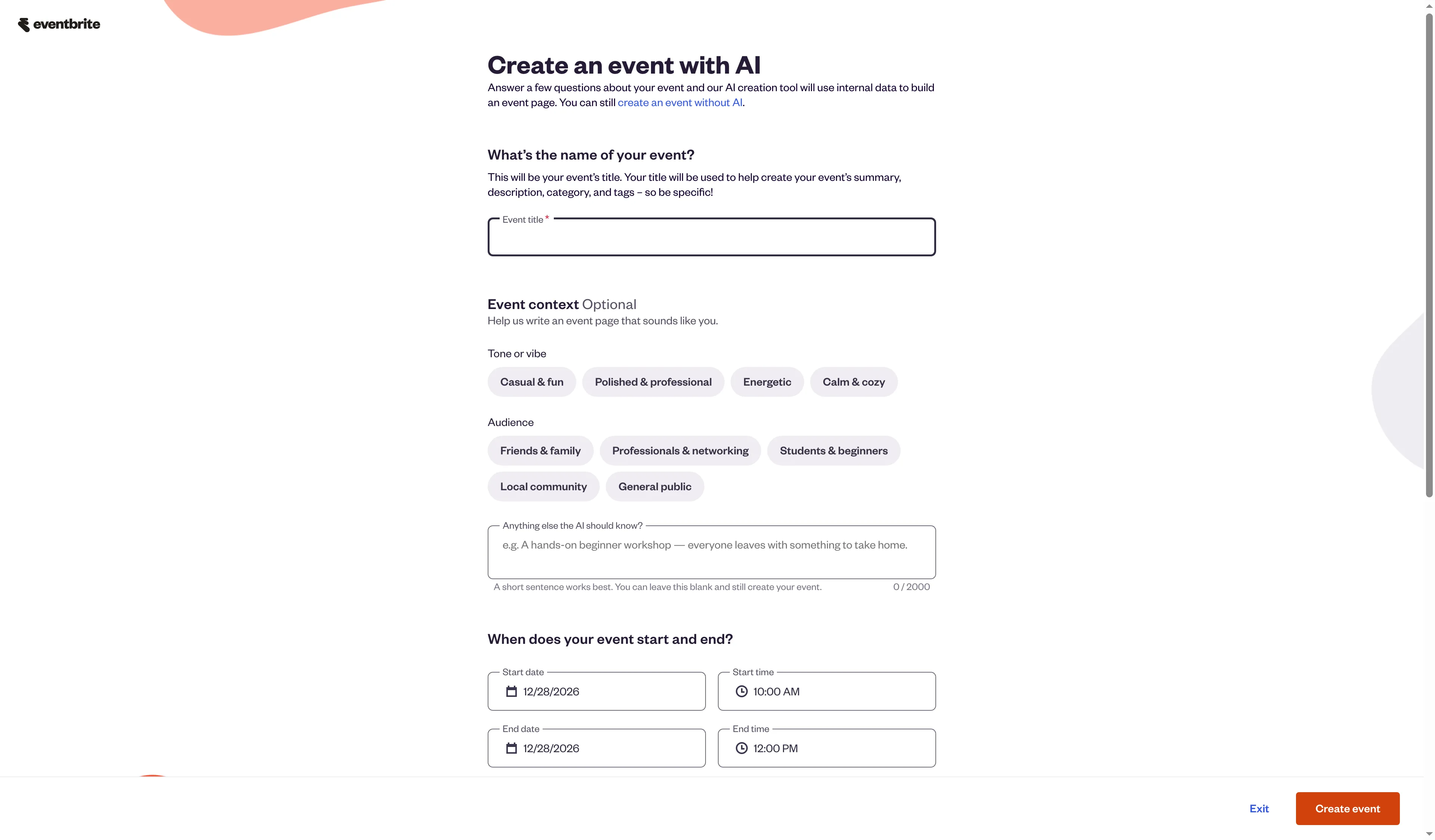
Eventbrite offers an AI-assisted description flow alongside a standard-form option.
Product pricing — Eventbrite
Free events: $0; paid US tickets: 3.7% + $1.79 per ticket, plus 2.9% of the total order; optional Premium: $708/year for eligible accounts.
2. Cvent: Best for corporate event programs
For corporate event registration, Cvent is the strongest fit here when you also need an attendee hub and onsite check-in, which are scoped as separate products: Registration, Attendee Hub, and OnArrival. Does the quote you're comparing include all three?
This setup can suit a defined corporate program, but a headline price is hard to compare across separate products. Cvent offers a free build trial; a PayGo launch may add a registration charge, revenue share, and payment-services fee, with rates shown in the account before launch. Keep the event in build mode until the quote covers the products you need.
Wilmer G., a four-star Capterra reviewer (September 7, 2026), liked Cvent's configurable workflows but wanted options beyond the typical hotel-reservation event. That is a useful edge case for a corporate program outside the venue-led conference mold.
Pros — Cvent
- You can scope Registration, the attendee hub, and on-site check-in around the event you are planning.
- Cvent’s Professional tier supports 15 user logins when that option is included in the quote—enough for a five-person planning team.
- A planner can build an event framework, add an agenda and registration questions, prepare reminder emails, and run test scenarios before opening registration. That review sequence suits corporate teams that need to check the attendee flow before launch.
Cons — Cvent
- Separate licensing applies to the products; consequently, neither the attendee app nor OnArrival is included automatically in a registration trial.
- Pricing for PayGo charges and selected solutions depends on the quote or the account.
- If you build an event for free, that doesn't mean you can launch it for free: rates and billing details appear before registration opens.
I like Cvent’s modular scope when separate teams own attendee communications and onsite check-in. The quote makes it hard to compare against self-serve plans, so I'd ask which components are included. For a small event that needs a quick public price, Cvent’s sales process adds unnecessary work.
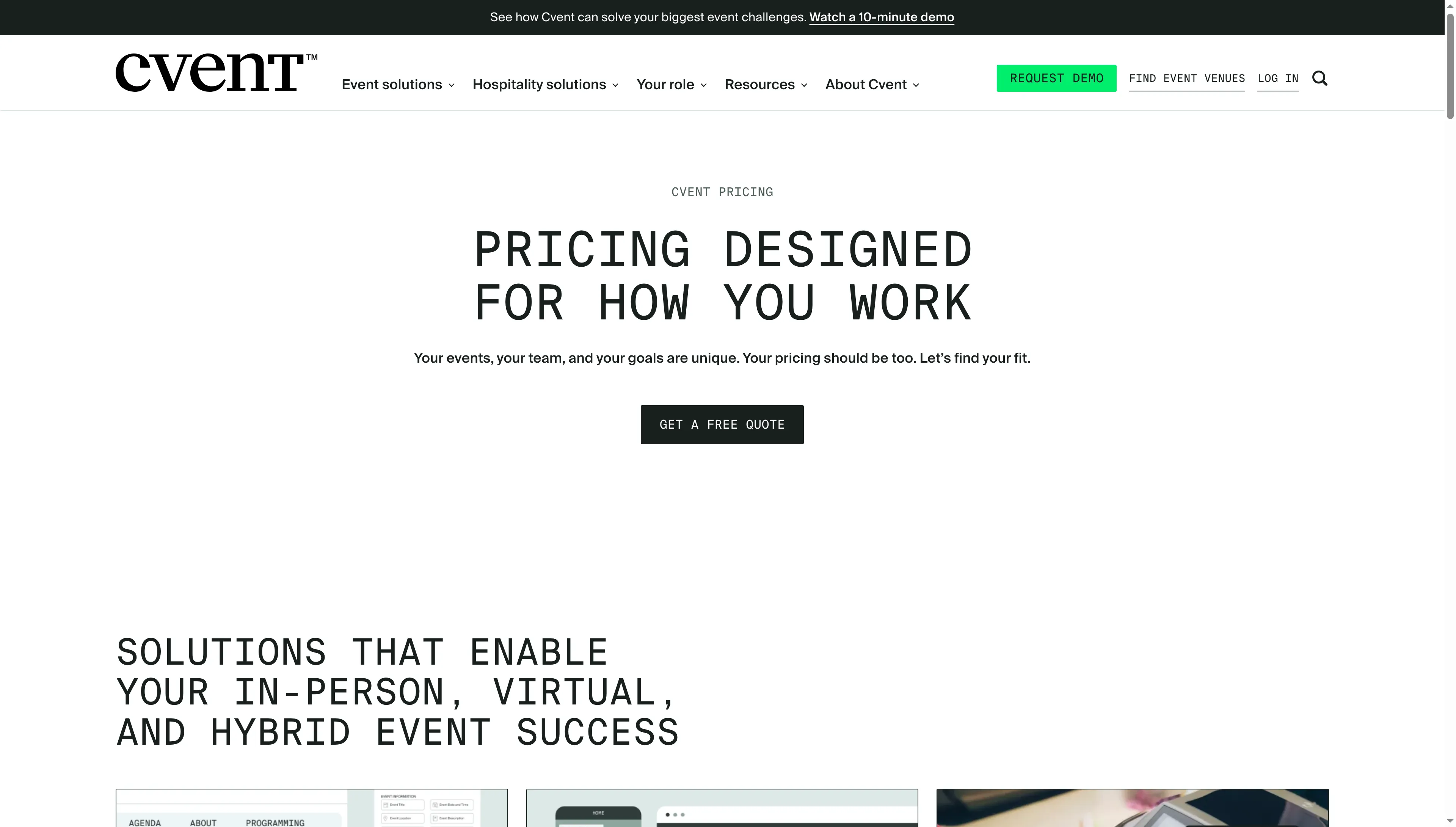
Cvent directs prospective buyers to a quote for its event-management solutions.
Product pricing — Cvent
Quote-based for selected solutions, with a free build trial and launch charges tied to registration and payment setup.
3. RSVPify: Best for private RSVPs and paid events
When you're running a private guest list or selling tickets without a complete conference suite, RSVPify fits naturally. Its pricing splits into three routes: Business & Nonprofit, Selling Tickets, and Personal Events. Which one are you purchasing? The answer determines check-in.
On the Yearly toggle, Business Starter is $288/year and Plus is $1,068/year, with check-in on Plus. A different route applies to paid tickets: RSVPify charges 1.95% + $0.90 per ticket, and then there's US Stripe processing at 2.9% + $0.30 per transaction. Those events receive a free Professional upgrade with check-in, so you'd count access twice if you added a Business subscription.
For 500 separate $100 ticket orders, the total paid by the organizer comes to $3,025, with one ticket per Stripe transaction. If you bundle multiple tickets into a single order, though, that fixed processor charge is applied just once.
Pros — RSVPify
- This plan's structure separates managing RSVPs privately from processing paid tickets.
- Business & Nonprofit plans list seating and guest-management features, with check-in included from Plus.
- Including check-in without a separate subscription, the paid-ticket route offers Professional features.
Cons — RSVPify
- The Business Starter plan omits check-in; Plus is the lowest annual Business tier listing it.
- Stripe processing adds a percentage and a flat per-order fee to paid-ticket costs.
- Trustpilot’s current sample is too small to make its score a reliable signal of overall quality.
What I like best is the distinct division between private guest management and paid tickets. If, however, you require sponsor areas, networking, and conference tracks, then RSVPify's RSVP-first workflow is a narrower fit.
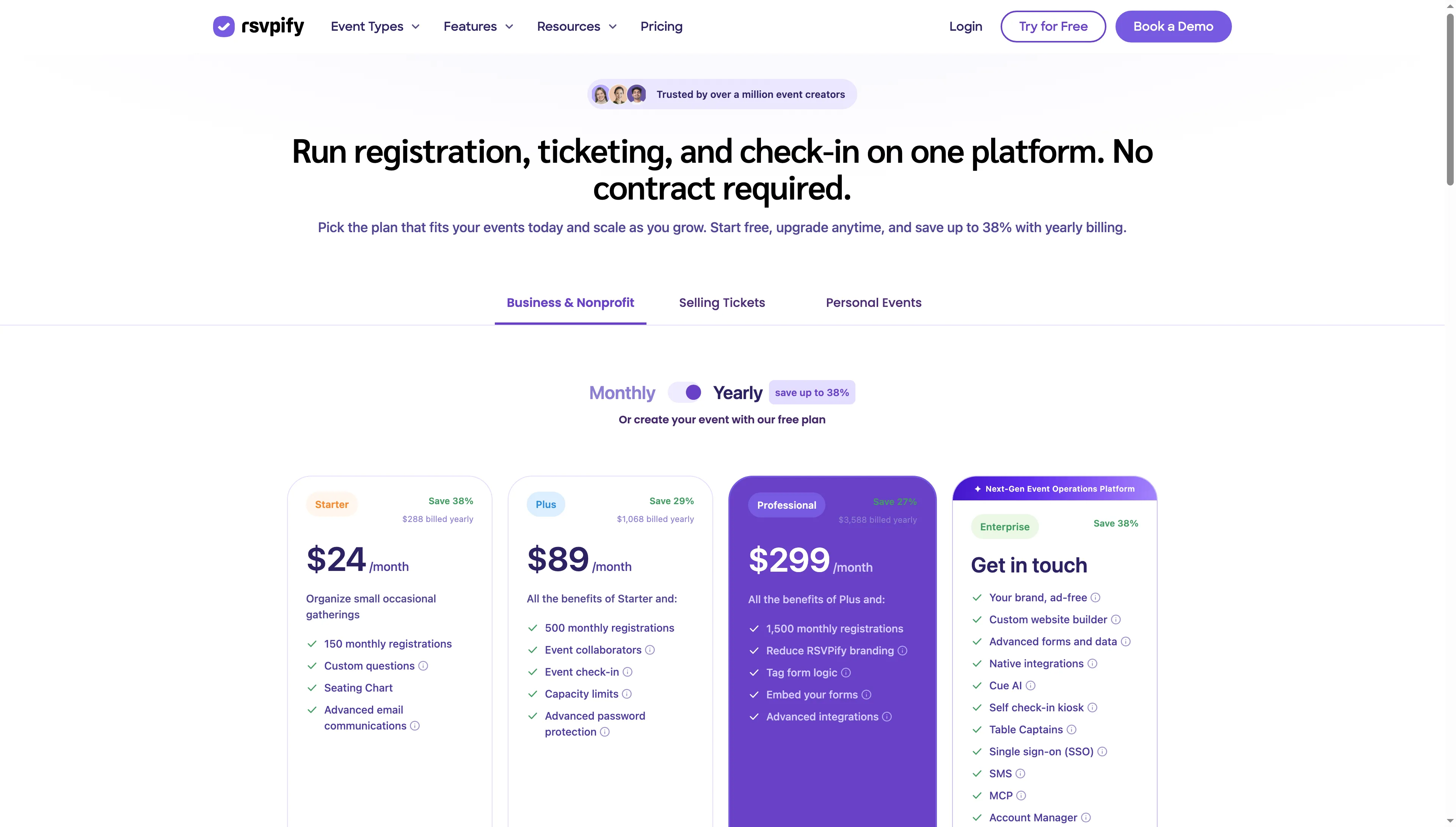
The Yearly selector changes the displayed Business plan prices and feature tiers.
Product pricing — RSVPify
Free event option; Business Starter $288/year; Plus $1,068/year; or paid tickets at 1.95% + $0.90 per ticket, plus US Stripe processing at 2.9% + $0.30 per transaction.
4. Sched: Best for session-led events
Sched fits events where attendees plan a day around sessions instead of simply buying a ticket. Annual billing puts Launch at $50/month, and Boost at $125/month, on today's pricing page, where “50% Off” sits next to the struck-through figures.
The attendee selector opened at 250. The plan to examine for check-in and badges is Boost, yet the page leaves the 500-person annual total and included staff seats unclear. A free option covers smaller programs below 50 attendees. The pricing page leaves the cost of a larger conference unclear.
Pros — Sched
- This agenda and session model suits events where attendees pick among simultaneous sessions.
- Events with fewer than 50 attendees are supported for free participants.
- Sched lets attendees select sessions and manage a personal agenda, which suits multi-track events better than a ticket-first tool.
Cons — Sched
- For badges and check-in, Boost is required, although confirmation is still needed for the 500-person setup.
- The included team-seat allowance and the price for 500 people still require confirmation.
- Since no closing date appears on the promotional page, I'd regard the reduction shown as the present price on that page, not as a guaranteed long-term rate.
I like Sched’s focus on the agenda itself; the attendee selector makes capacity part of the buying decision. Should a ticket page be all you require, then the yearly plan and the conference configuration might exceed your needs.
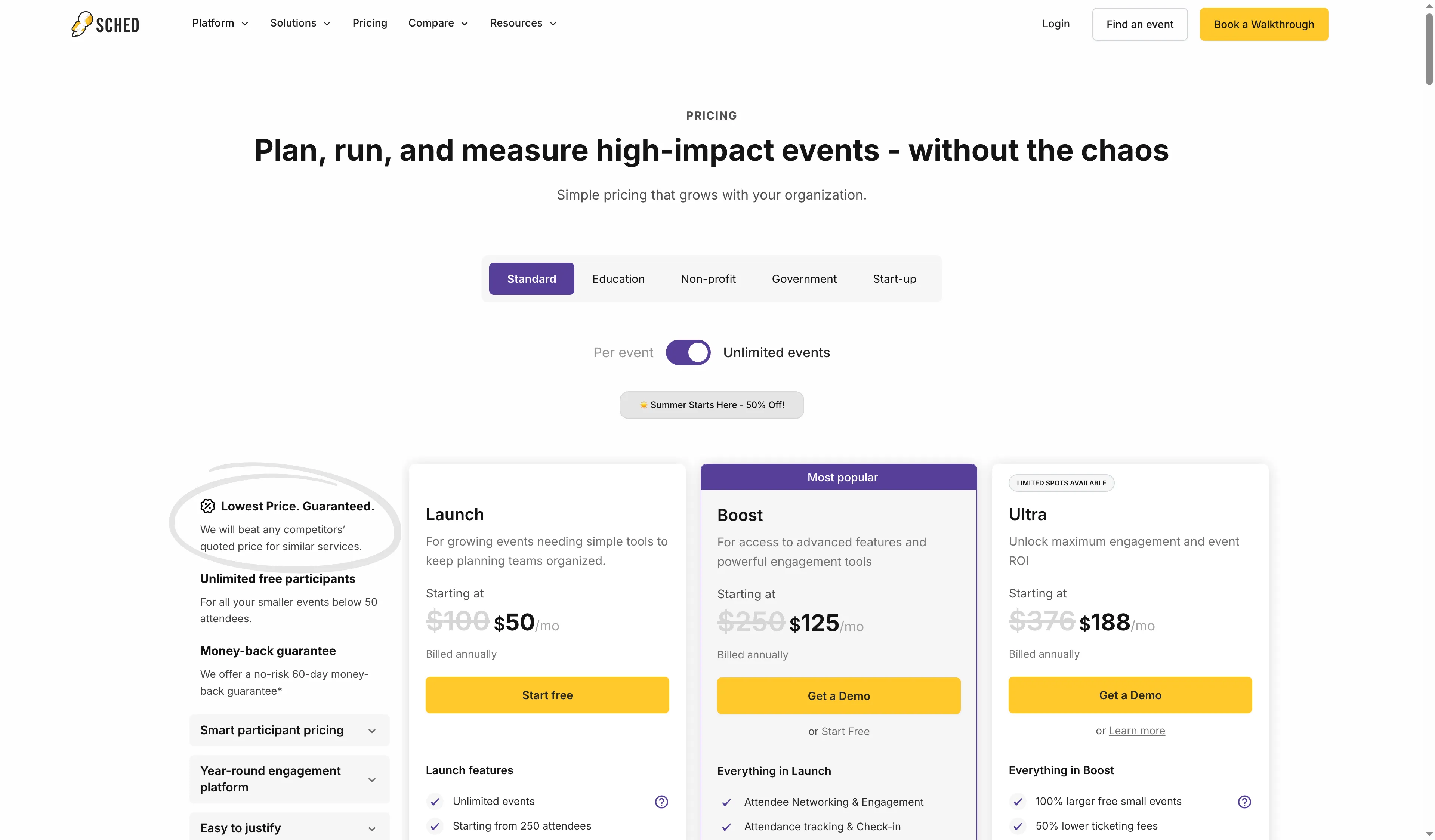
Sched lists Launch and Boost starting prices on its annual billing view.
Product pricing — Sched
Launch from $50/month and Boost from $125/month, billed annually, with Boost at $1,500/year for the displayed 250-attendee configuration.
5. Whova: Best for conferences with networking
Whova deserves consideration if the attendee experience features networking and an agenda, plus registration, onsite work, and sponsors. Its pricing page routes organizers to a quote form that asks about event format and size; prospective buyers can also request a backend tour before a trial.
The quote matters because a conference bundle can span several components. Check whether registration, the app, exhibitor tools, and onsite features are included together or priced separately.
Karen B., a five-star Capterra reviewer (November 11, 2026), said she enjoyed viewing event information in one area. However, following an update, she noted duplicate emails. Before broad rollout, test the notification settings using a sample attendee.
Pros — Whova
- This conference format can link agendas, attendee networking, and sponsor or exhibitor workflows.
- The official offer includes a 15-minute backend tour followed by a trial request.
- The materials for its app encompass agenda search, individual schedules, and attendee discovery.
Cons — Whova
- No per-ticket or yearly option has a published standard rate you could use as a benchmark.
- The trial starts with a demo, and its duration and included modules need confirmation.
- The app guide cannot answer what the organizer package includes.
My pick would be Whova when conference networking and sponsor visibility justify the quote. For a paid workshop or a small meetup, the quote-led setup is unnecessary effort.
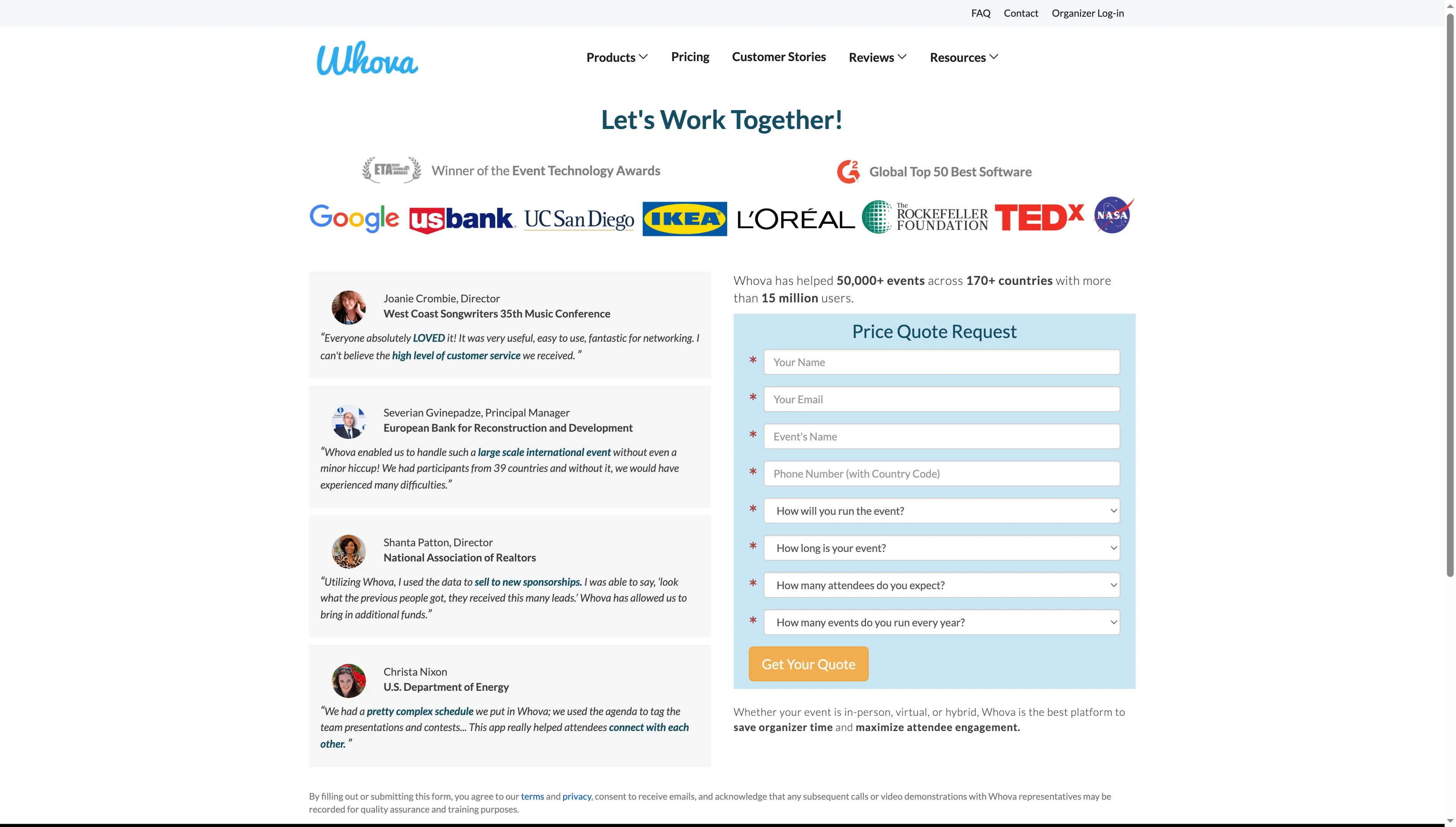
Whova asks about event format and size before preparing a quote.
Product pricing — Whova
Quote required, with a 15-minute backend tour followed by a trial request, trial terms and module pricing to confirm.
What do the same event scenarios cost?
For event ticketing software fees, Eventbrite totals $4,195 and RSVPify $3,025 across 500 distinct US $100 ticket purchases when the organizer absorbs fees. A free gathering for 40 people runs $0 on Eventbrite, and Sched shows complimentary attendees when total participants fall under 50. Conference-app bundles shouldn't be placed in that same pricing comparison because they require custom quotes.
| Defined event | Eventbrite | RSVPify | Sched | Cvent | Whova |
|---|---|---|---|---|---|
| One organizer, 40-person free public event | $0 | Free route advertised | $0 below 50 attendees | Free build, launch quote/terms | Quote required |
| 500 separate $100 tickets, organizer absorbs fees | $4,195 fees | $3,025 fees | 500-person ticket price not confirmed | PayGo amount not public | Quote required |
| Five staff, 500-person multi-track conference, attendee app, and onsite check-in | Not equivalent bundle confirmed | Not equivalent bundle confirmed | Boost starts at $1,500/year, 500-person amount unknown | Quote for selected Registration, Attendee Hub, and OnArrival | Quote and module scope required |
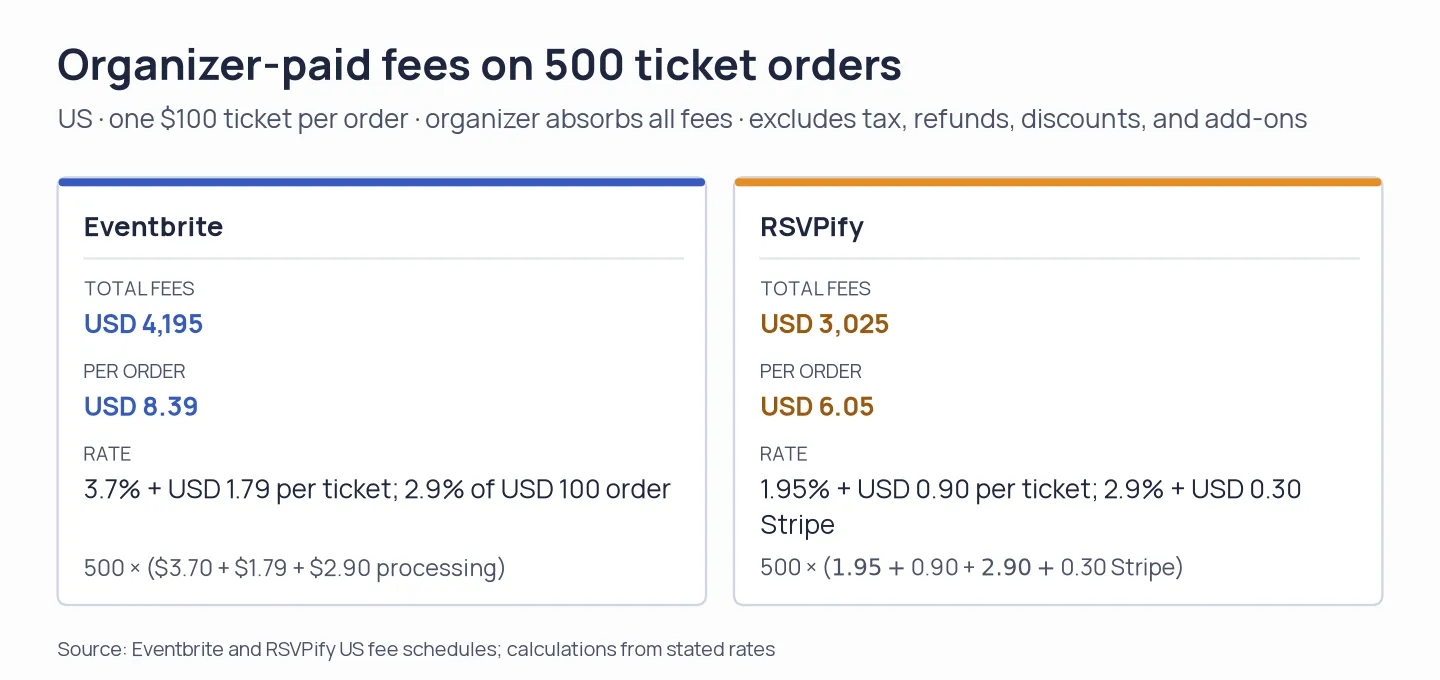
On these assumptions, RSVPify's listed fees total $1,170 less. Bundle tickets and its per-transaction cost changes.
Ticket totals presume US payments, one $100 ticket per order, and no tax, refunds, discounts, or add-ons (each fee is paid by the organizer). Eventbrite calculates processing on the order total. A flat Stripe charge from RSVPify applies per transaction. The 40-person scenario remains beneath Sched's free-event threshold. To price the package for five conference staff, you'll still need the attendee limit, modules, and app branding.
How to choose event management software
Before you buy, run one event through the plan: count registrations, staff seats, check-in devices, sessions, and any app or onsite modules. Then add platform, card-processing, and per-ticket fees to the annual or event price.
If you already pay for HubSpot or Pipedrive, check whether its contact and meeting workflows can handle registration handoffs. Google and Microsoft calendars manage invitations, but not ticket inventory, guest approval, or event check-in. Keep the lighter setup if those are the only pieces you need.
Other tools considered
Other event management software tools I considered include Luma, EventCreate, Bizzabo, Splash, Swoogo, vFairs, Accelevents, Stova, and InEvent. For community gatherings and free RSVPs, Luma is a lightweight option, but paid tickets on its free tier incur a 5% platform fee. Plus will run you $708/year. EventCreate and Splash focus on branded event pages and marketing. Wider conference, onsite, or virtual requirements are handled by Bizzabo, Swoogo, vFairs, Accelevents, Stova, and InEvent. Since pricing may hinge on users, modules, events, registrations, or a quote, you should compare the actual package rather than treating a starting price as your total.