

 19 min read

The comparison draws on current vendor pricing and guides, dated G2 and Capterra reviews, and four public signup or billing flows.
TL;DR: Help centers for customer support in 2026
- Best standalone fit for a small multilingual team: HelpDocs gives you five editors and three languages on Sprout, without making you buy ticketing seats.
- Best if you already need a support inbox: Help Scout, Freshdesk, Zendesk, and Intercom bundle customer help with a wider support product; compare what each seat includes.
- Lowest listed price: ProProfs has a free public plan for one author and 25 pages, but a custom-domain and white-label offer is listed separately at $300 per year.
- Best for governed product documentation: Document360 and Helpjuice have deeper revision, publishing, and customization controls, with larger or quote-based price floors.
- Before buying another tool: Check whether your current support suite already includes a customer-facing help center.
What customer-facing knowledge base software does
Customer-facing knowledge base software hosts articles customers can search when they need help, usually through a branded public portal, widget, or in-product help center. Its main job is self-service: publish accurate answers, organize them, and learn where readers get stuck. Some products add ticketing; others only provide the help center.
At a glance: best knowledge bases for customer support by scenario
HelpDocs fits a small multilingual team; Help Scout, Freshdesk, Zendesk, and Intercom fit teams that also need their support inboxes. The table matches each tool to a buying situation and its main limit.
| Scenario | Tool | Why it fits | Main limitation |
|---|---|---|---|
| A small team needs a standalone help center in several languages | HelpDocs | Five editors and three languages on the entry plan | Analytics history is 90 days on Sprout |
| You already run support in Help Scout | Help Scout Docs | One inbox and public Docs site share the same account | Docs isn't sold separately; Free stops at 10 articles |
| You want email ticketing with a low-cost public knowledge base | Freshdesk | The Growth tier includes the portal and knowledge base | Multilingual content starts at Pro |
| Your existing support team needs several brands or locales | Zendesk Suite | Professional includes up to five help centers and 40+ languages | The KB bundle starts at $55 per seat and multilingual work at $115 |
| You answer customers in Messenger and want articles beside conversations | Intercom Help Center | Public English help center sits inside Intercom's support workflow | Multilingual help requires Advanced; Fin is a separate usage charge |
| Product documentation needs custom design and clear publication states | Helpjuice | Reader navigation, localization, and explicit draft states | The entry package starts with 30 login users |
| You need revision history and scheduled publishing for product docs | Document360 | Versioning and review controls fit a governed documentation workflow | Current public pricing is quote-based |
| One author can work within a 25-page ceiling | ProProfs Knowledge Base | A free public-help-center plan is available | The public page separately lists custom-domain/white-label at $300/year |
What makes the best customer-facing knowledge base software effective?
The best customer-facing knowledge base software needs clear publishing controls, useful search and feedback, supported languages, public-site ownership, and pricing that matches its support workflow.
- Publishing workflow: Draft, review, and publishing controls show who can turn an answer into a customer-facing article.
- Search and feedback: Does the product show failed searches, article ratings, or other signals that help a team decide what to update? Those signals don't prove a ticket was prevented.
- Languages and governance: Compare included locales, default-language restrictions, revision controls, and editor or agent limits.
- Public-site ownership: Check custom domains, branding, article caps, and anonymous-reader limits.
- Support-suite fit: Separate products that include an inbox or ticketing from help-center-only products.
- Price and AI usage: Compare billing frequency, billing unit, and which AI writing, search, or answer features are included in the same plan.
1. HelpDocs: Best for a small team that needs three languages
I like HelpDocs for what it leaves out of the bill: you don't need to buy support-agent seats just to publish a public help center. Sprout gives a small team five editors and three languages, plus unlimited readers, custom CSS and JavaScript, and read/write API access. The tradeoff is a 90-day analytics history on the entry tier.
Sprout lists $129 per month on monthly billing or $99 per month billed annually. Choose annual billing only if you expect to keep the help center for the year. Every HelpDocs plan supports a custom domain; Sprout's 90-day analytics window is the reason to move up if you need a longer reporting history.
HelpDocs doesn't include a ticket inbox, so its starting price isn't comparable to a support suite's seat price. One Capterra profile has just eight entries, with the newest dated August 2021; that feed can't tell you how current customers feel about the present editor.
Pros — HelpDocs
- Five editors and three languages are included in Sprout.
- Public readers are unlimited, so customer traffic doesn't add seats.
- Read/write API access is listed across all three plans.
Cons — HelpDocs
- Sprout keeps 90 days of analytics; longer history requires a higher tier.
- Ticketing isn't bundled, and AI credits have a separate allowance.
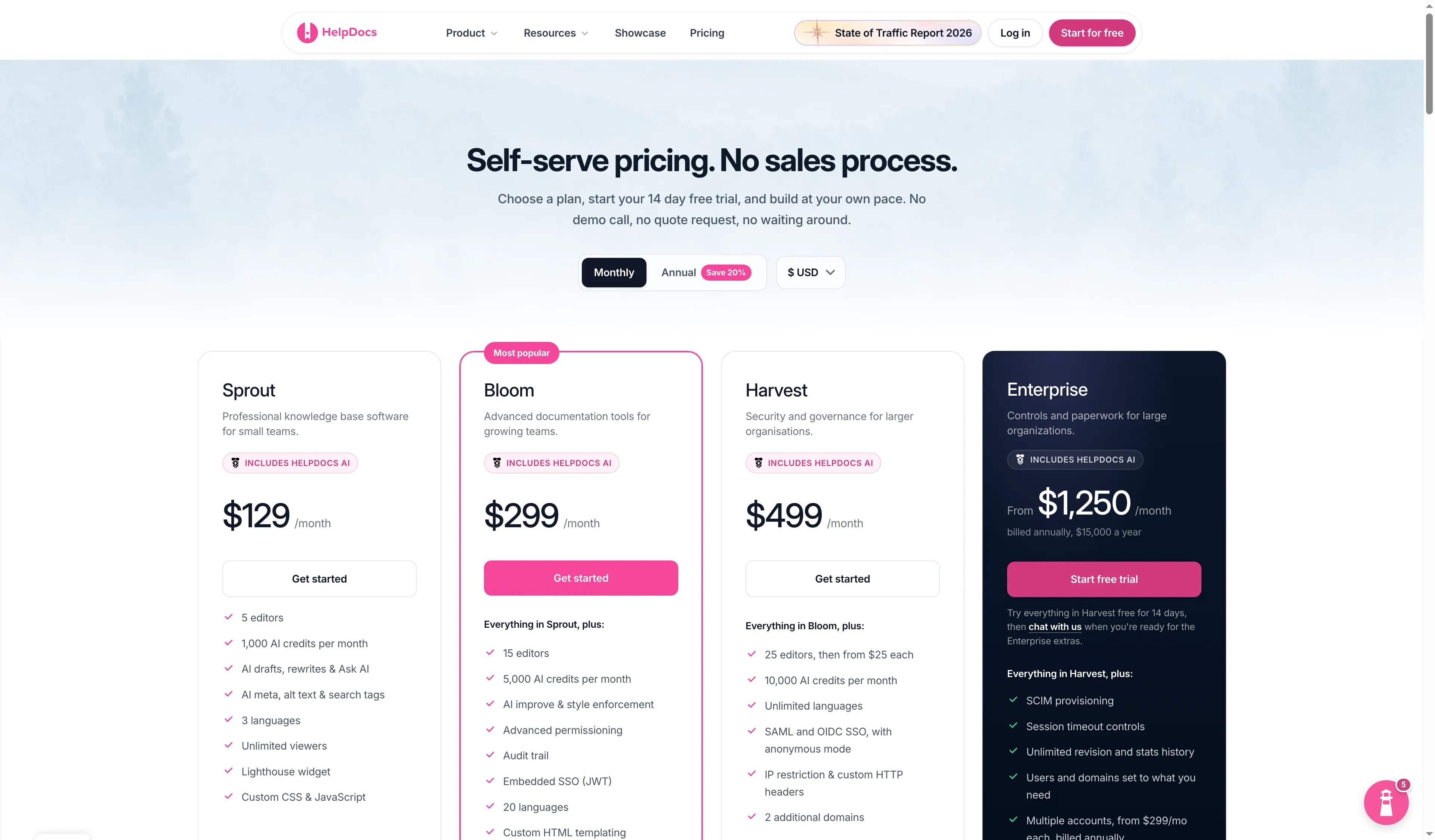
The pricing page shows Sprout, Bloom, and Harvest with a monthly selector and visible editor counts.
Product pricing — HelpDocs
Sprout is $129 month to month or $99 per month on annual billing.
2. Help Scout Docs: Best for teams already using its support inbox
Help Scout is an inbox purchase that happens to come with a useful Docs site; that bundle makes sense when your agents already use it. Its Free plan includes five users, one Docs site, and 10 articles; Standard adds two Docs sites and unlimited articles. The public pricing toggle showed Standard at $25 per user per month on annual billing and $30 month to month.
Popular and failed-search reports help a team spot missing answers; article views alone don't show whether those answers solved a support need.
I wouldn't buy Help Scout's inbox solely to get Docs; every paid user seat also needs to earn its keep in the ticket queue.
Pros — Help Scout Docs
- Free includes one public Docs site and up to 10 articles.
- Standard includes two Docs sites and unlimited articles.
- Beacon can surface Docs articles beside the support inbox.
Cons — Help Scout Docs
- Docs isn't available as a standalone product.
- Paid plans charge per user, even if some people only need to edit articles.
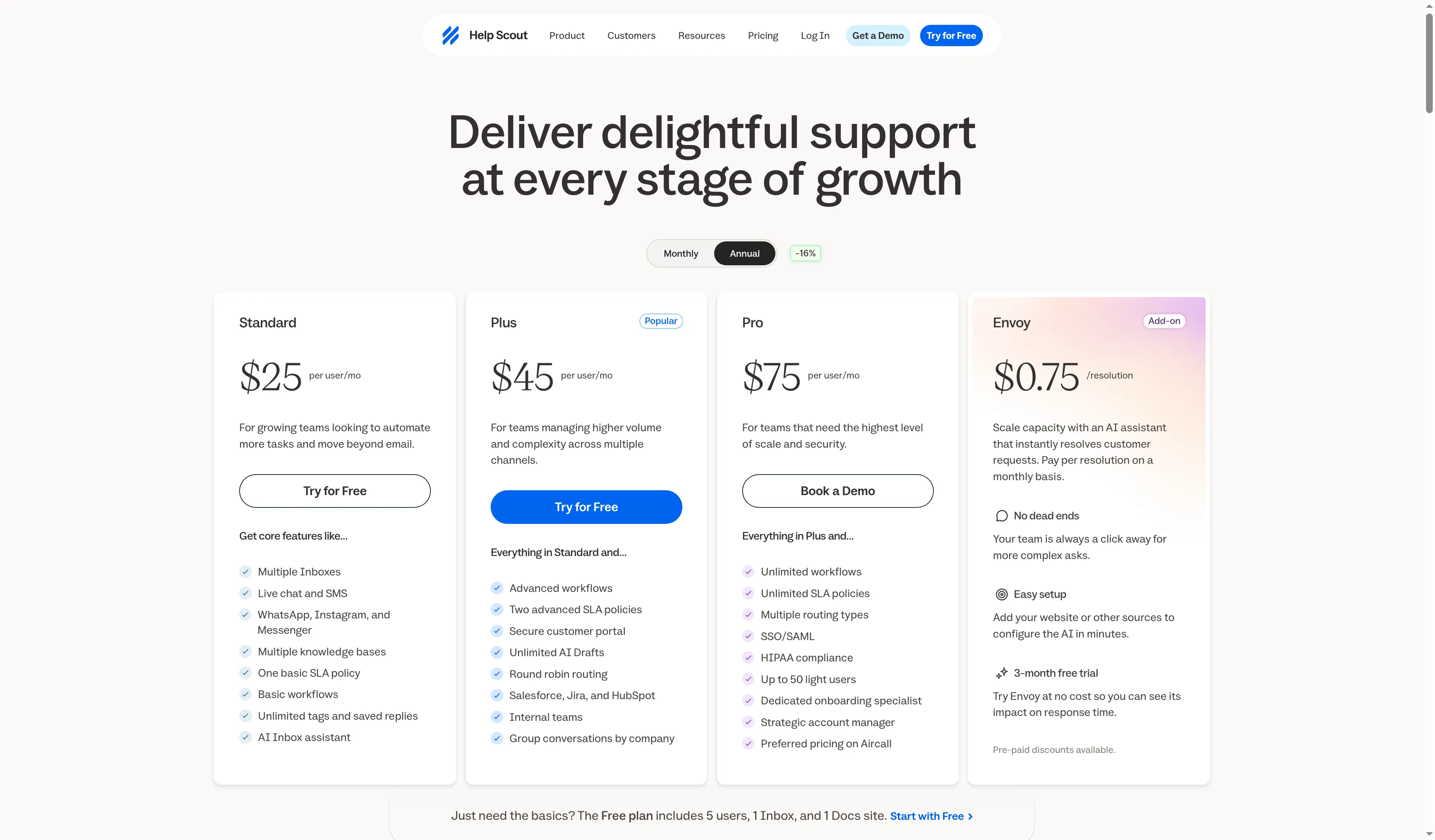
Help Scout sells Docs with its support plans, so count inbox users and article editors before comparing seats.
Product pricing — Help Scout Docs
Free includes one Docs site and 10 articles; Standard starts at $25 per user per month billed annually ($300 per user per year).
3. Freshdesk: Best for email-first support with a low entry price
For an email-first team, Freshdesk puts a public knowledge base beside the ticket queue at a low entry price. Growth costs $19 per agent per month on annual billing and includes the customer portal and knowledge base. Customers can find relevant articles before submitting a ticket, and agents can turn useful replies into articles.
Freshdesk's real price jump comes when you need language depth: Pro adds multilingual knowledge-base content and article versioning at $55 per agent per month billed annually. For five agents, that is a substantial increase over Growth. Freddy AI Agent sessions and Copilot seats cost extra, so Growth isn't an all-in quote for AI support.
Freshdesk isn't Freshdesk Omni. The latter combines more channels and has a different price structure; the $19 figure here is for the email-first Freshdesk plan with its KB. I'd skip Growth if your customers need published articles in more than one language; Pro is the relevant tier.
Pros — Freshdesk
- Growth includes the portal and public knowledge base at $19 per agent per month on annual billing.
- Article suggestions can appear before a customer submits a ticket.
- Pro adds multilingual KB content and article versioning.
Cons — Freshdesk
- Multilingual content requires a steep move from Growth to Pro.
- AI sessions and Copilot seats can add to the per-agent bill.
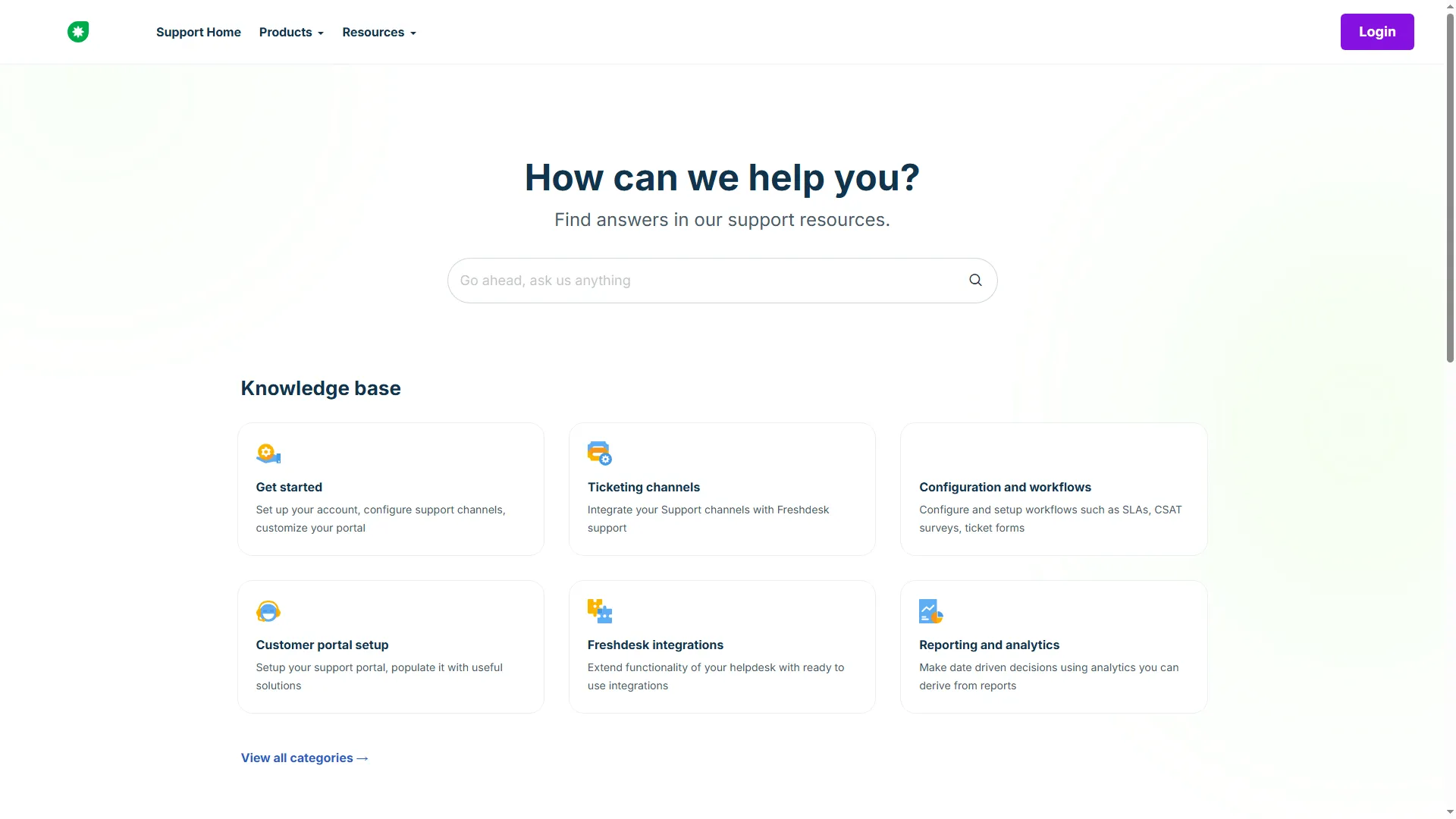
Search and support categories give readers routes into Freshdesk’s public knowledge base.
Product pricing — Freshdesk
Growth is $19 per agent per month billed annually; Pro is $55 per agent per month, before optional AI add-ons.
4. Zendesk Suite: Best for an existing team that needs multiple help centers
Zendesk is where a plan comparison needs a slower read: Support Team buys ticketing, Suite Team adds the help center, and multiple centers or 40+ languages need Professional.
That upgrade more than doubles the five-agent annual bill. The lower $19 Support Team price is a ticketing plan, not the illustrated Suite bundle with a knowledge base. I wouldn't use it as the starting figure for a comparison of customer-facing help centers.
If you only need one English help center, Suite Team may be enough; if you need multiple brands or languages, include the Professional jump in your budget before you move content. Zendesk is poor value for a standalone docs project unless you need its inbox and wider support suite.
Pros — Zendesk Suite
- Suite Team includes a customer-facing help center and one default language.
- Professional supports 40+ languages and up to five help centers.
- Article workflows can sit inside the same suite as tickets and support reporting.
Cons — Zendesk Suite
- Professional costs more than twice the annual per-agent price of Team.
- The cheaper Support Team plan lacks the KB bundle shown here.
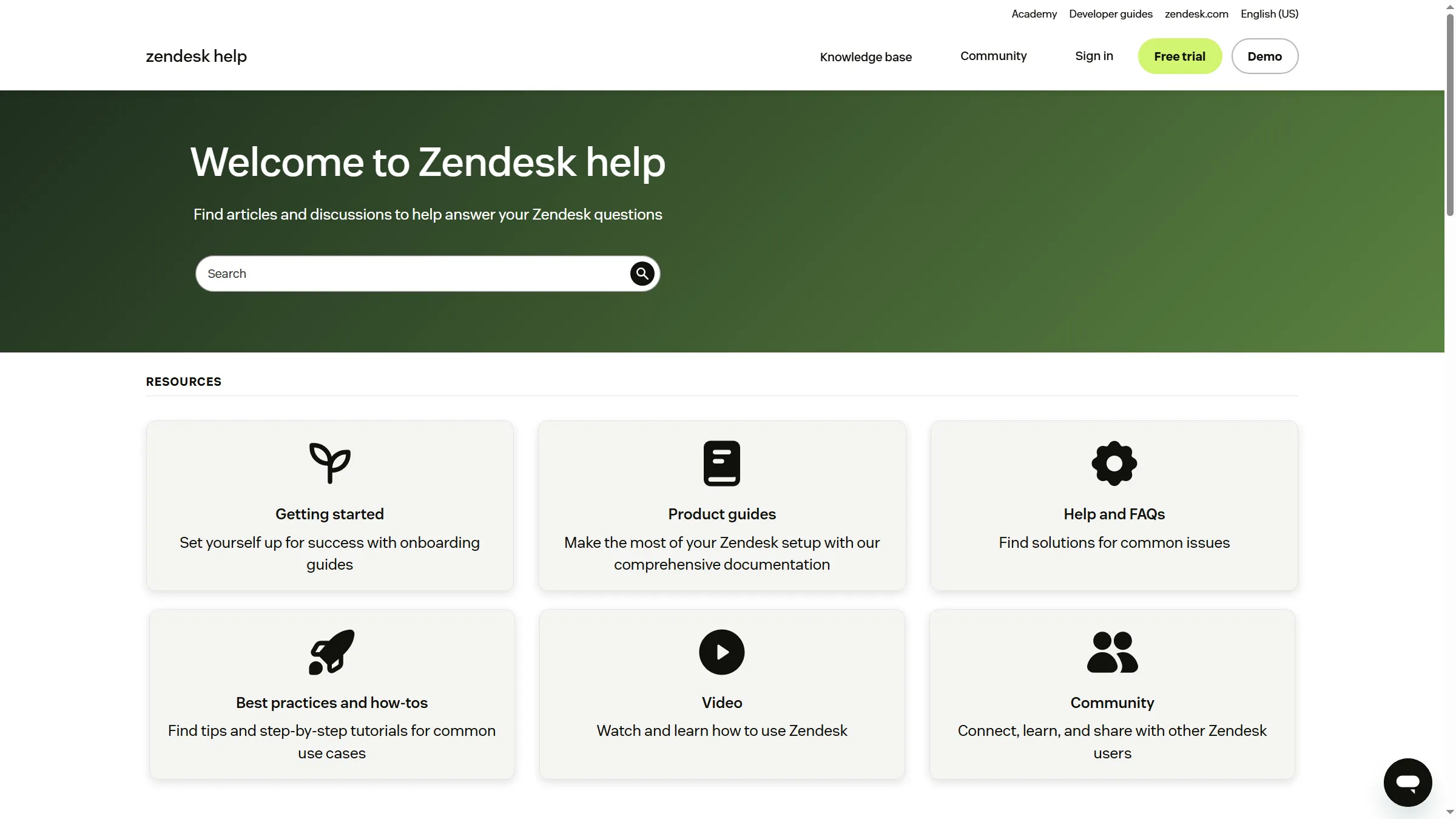
Zendesk’s public Help Center opens with search and grouped customer-support topics.
Product pricing — Zendesk Suite
Suite Team is $55 per agent per month and Professional is $115, both billed annually.
5. Intercom Help Center: Best for articles beside Messenger conversations
Intercom is my pick when customer help needs to sit next to Messenger, Inbox, and Fin. Essential includes a public English-language help center and costs $29 per seat per month on an annual commitment at the regular rate. Advanced is $85 per seat and adds private and multilingual help centers; Expert adds multibrand support at $132.
I see Intercom as a conversation product first and a knowledge base second; that distinction changes the value calculation. Essential's English-only default is an easy plan boundary to miss: a team still needs Advanced if it wants a Spanish-only help center. Fin is a separate product cost, charged from $0.99 per outcome, so an AI-handled conversation and a hosted article use different billing units. The pricing page showed a promotional rate during research but didn't make its duration or eligibility clear. I used the regular rate for the comparison. Intercom makes little sense if you only want to host articles and don't need its conversation workflow.
Pros — Intercom Help Center
- Essential includes a public help center with Messenger and Inbox.
- Advanced adds multilingual and private help-center options.
- Article targeting and failed-search reporting can help support teams spot content gaps.
Cons — Intercom Help Center
- Essential can't use a non-English default language.
- Fin outcomes add a separate usage charge to seat pricing.
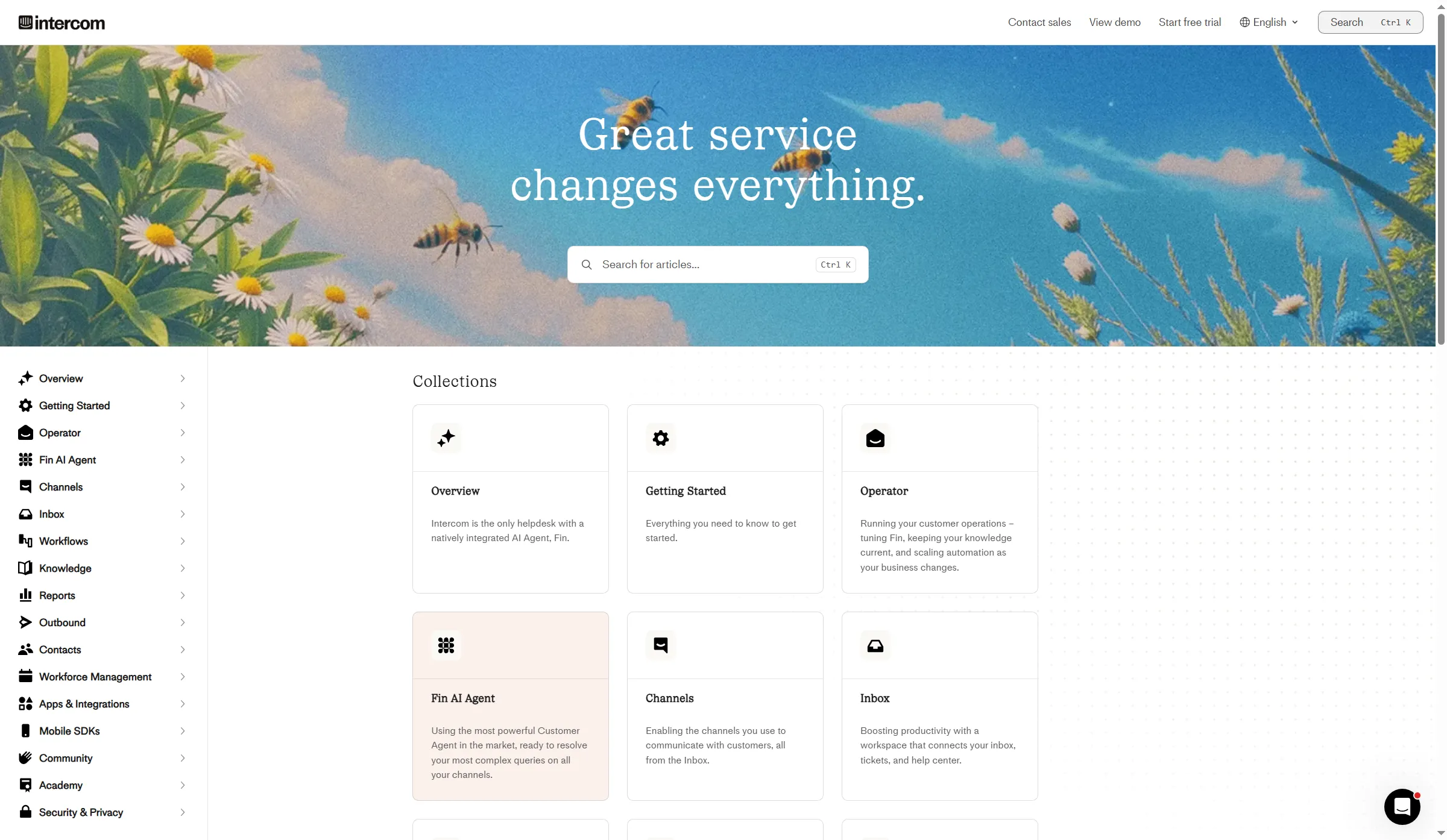
Intercom keeps help articles close to Messenger, while multilingual publishing and AI outcomes bring separate costs.
Product pricing — Intercom Help Center
Essential is $29 per seat per month, Advanced $85, and Expert $132 on annual billing; Fin starts at $0.99 per outcome.
6. Helpjuice: Best for a customizable help center with explicit publishing states
I like Helpjuice’s separation between published articles with pending edits and drafts hidden from readers; that control suits teams with a formal review process. Its public reader page groups search, popular topics, and recently updated articles. The official editor guide also separates Draft—a published article with newer edits pending—from Draft & Unpublished, which stays out of the reader view. That distinction matters when an update isn't ready for customers.
The entry package starts at $249 per month for 30 login users and 12GB. It includes AI Article Translation, but AI Writer, AI Search, the chatbot, and other AI tools start with the $449 AI-Knowledge Base plan. Anonymous readers don't count as login users. A 30-login minimum is overkill if one or two people maintain your help center; I'd compare a smaller editor-based plan first.
Pros — Helpjuice
- Custom design, localization, and live collaboration/workflows are in the entry plan.
- Draft and unpublished-draft states distinguish pending edits from content hidden from readers.
- AI Article Translation is included before the broader AI Suite.
Cons — Helpjuice
- The $249 tier starts with 30 logins, a large package for one or two editors.
- AI search and chatbot require the $449 tier.
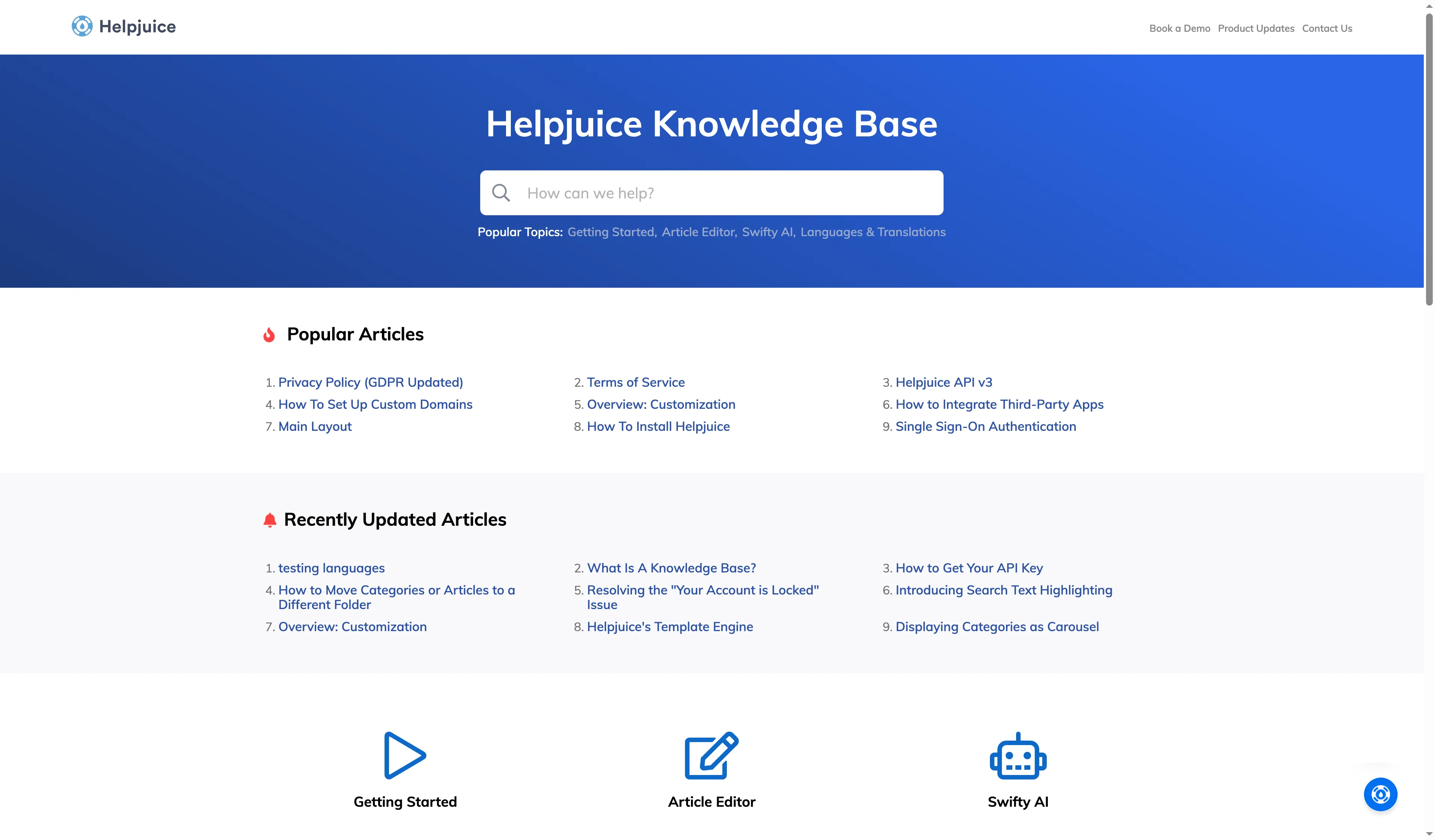
The reader-facing Helpjuice page groups search, topics, and updated articles; the editor guide separates published drafts from hidden drafts.
Product pricing — Helpjuice
Knowledge Base starts at $249 per month for 30 login users and 12GB; the AI Suite starts at $449.
7. Document360: Best for governed product documentation
Document360 earns a place on my list for a large product manual with controlled revisions, but its quote-only price makes early budget comparisons frustrating. Its current materials cover revision history and restore; scheduled publishing; review reminders; snippets; variables; and public, private, or mixed-access articles. Those controls make it a better match for a large documentation set than a lightweight FAQ page.
Document360’s price clarity is weak: the current route asks what you want to document and directs buyers toward a personalized demo rather than showing a public tariff. I wouldn't compare it with a $19 support seat until sales quotes the same article, language, editor, and domain workload. If you need a self-serve monthly quote, the demo-first route makes Document360 a frustrating first shortlist pick.
Pros — Document360
- Revision history and restore help teams trace or roll back content changes.
- Scheduled publishing and review reminders fit controlled documentation updates.
- Public, private, and mixed access options support different reader groups.
Cons — Document360
- There's no current public price to put in an annual budget.
- A personalized demo route takes more work than a self-serve trial.
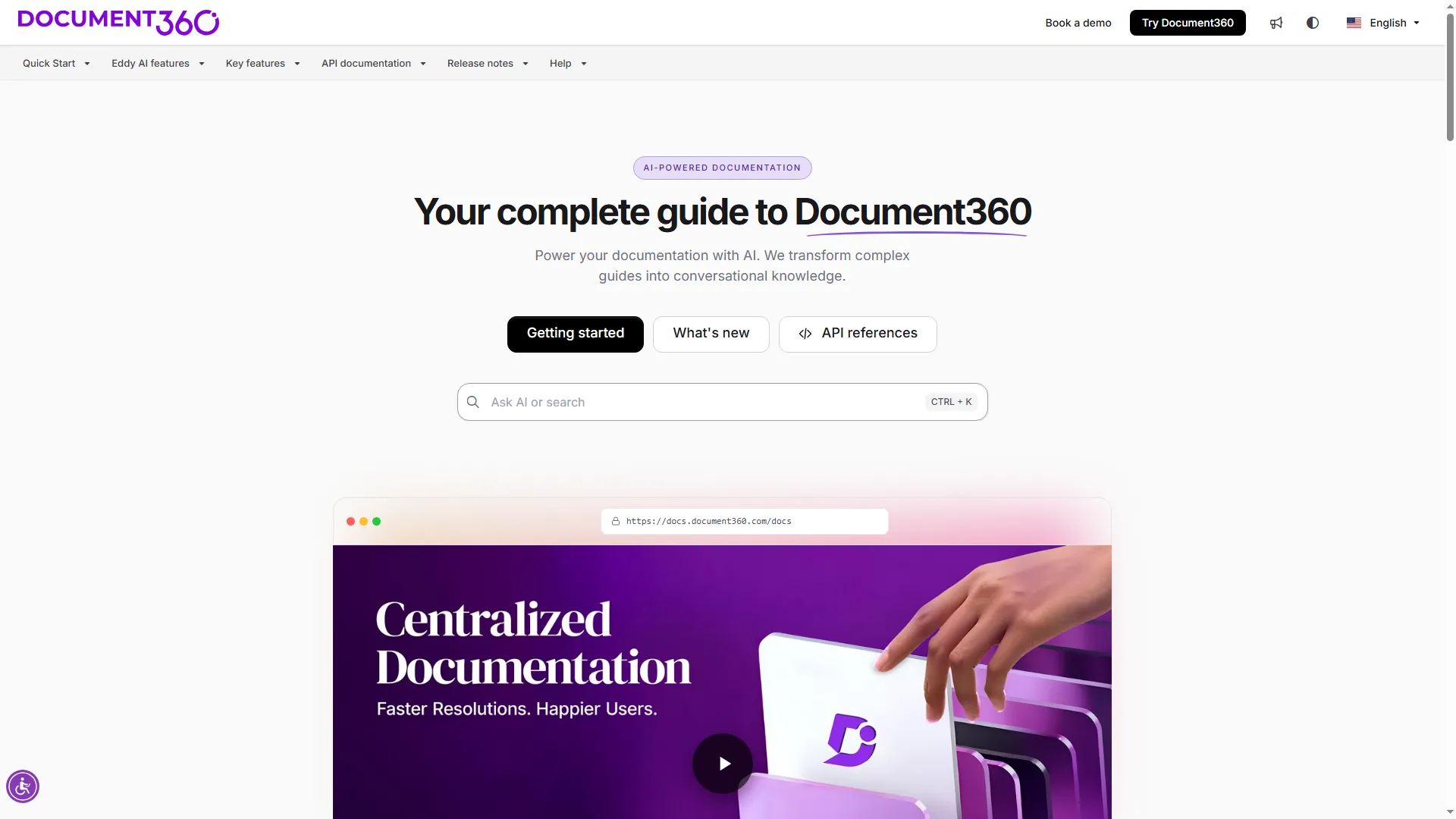
Document360's workflow is aimed at teams governing a growing documentation set, with price available by quote.
Product pricing — Document360
Contact Document360 for a current quote; no public plan price was available on the current pricing route.
8. ProProfs Knowledge Base: Best for a free start under 25 pages
ProProfs offers a free public help center: one author can publish up to 25 pages without a subscription. ProProfs’ 25-page ceiling is a sensible pilot size, but custom-domain pricing is separate and the public page doesn't explain which paid tiers qualify. The pricing page labels the plan as free forever with unlimited public views. The public signup flow offers a Public Help Center option for one author, then requires a contact phone before setup.
The public page separately lists custom domain and white label for $300 per year. Whether that offer applies to every paid plan is unclear, so check the exact tier before calling the free plan a free custom-domain help center or adding the $300 to a paid package. The phone field is an extra setup hurdle, and the free plan is a poor fit if you need more than 25 pages or a custom domain included.
Pros — ProProfs Knowledge Base
- Free includes one author and up to 25 public help pages.
- The public pricing page lists unlimited views and a no-card trial.
- Paid Essentials moves to one site and 300 pages for one author.
Cons — ProProfs Knowledge Base
- Free is capped at 25 pages and doesn't show a custom domain included.
- The separate $300/year domain and white-label offer has unclear paid-tier eligibility.
- Signup asks for a contact phone before workspace setup.
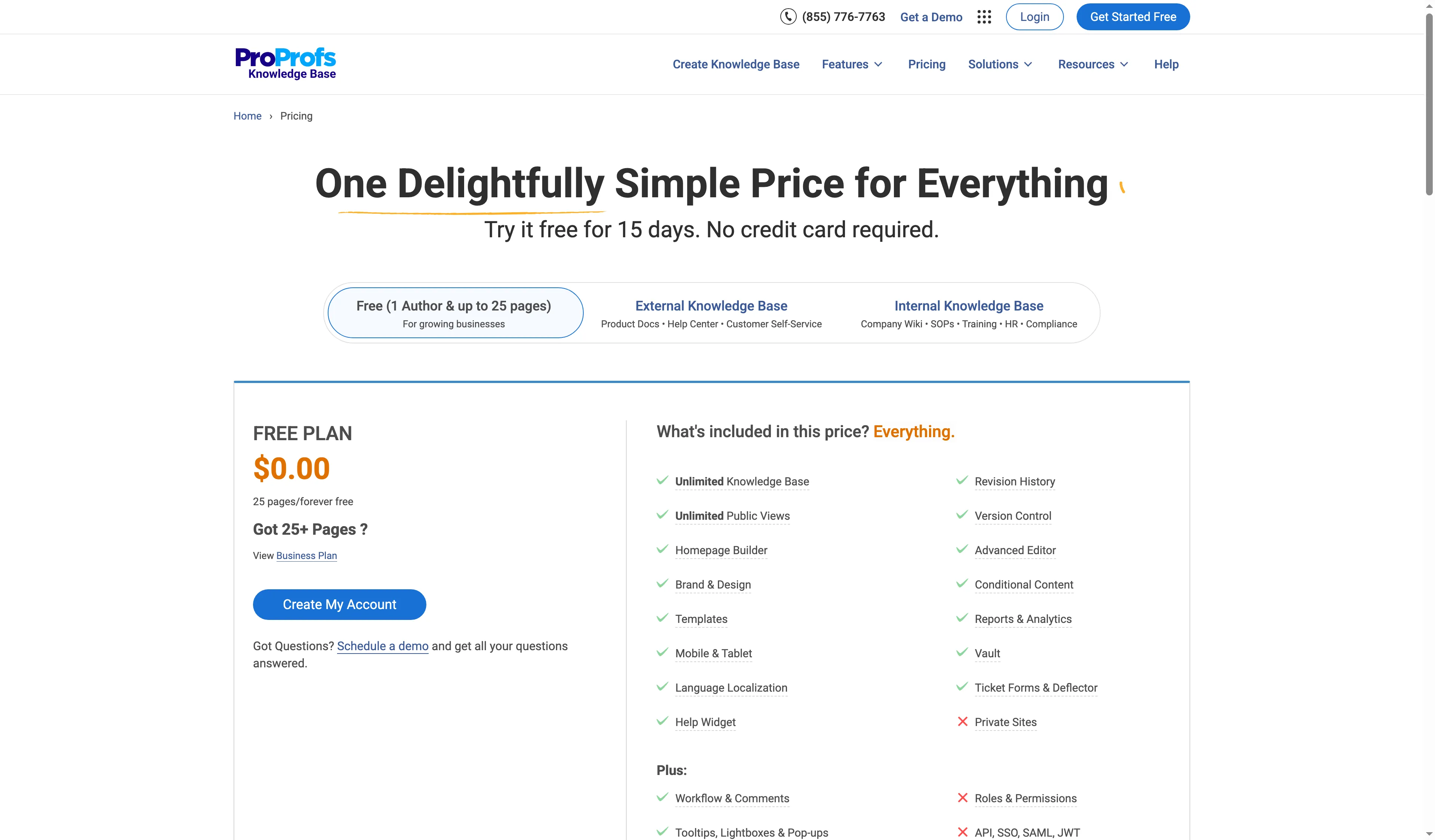
The free ProProfs plan is capped at 25 pages; the separately priced domain offer needs a tier check.
Product pricing — ProProfs Knowledge Base
Free is $0 for one author/25 pages; Essentials is $49 per author per month billed annually ($588 per author/year), with the domain offer priced separately on the page.
Costs of customer-facing knowledge base software for the same workloads
Customer-facing knowledge base costs in these matched workloads range from $348 per year for one standalone help center to $3,300 for five support agents. The table compares three configurations rather than ranking headline prices. Annual totals use the listed annual rates for one year, with five-agent suites calculated for five seats.
This table compares the annual cost and included setup for each published workload.
| Workload | Plan and annual cost | What the plan includes | Where it stops matching |
|---|---|---|---|
| One public help center, one author, one language, custom domain | HelpCenter.io Bootstrap: $348/year ($29 × 12, annual billing) | One team member, one language, unlimited articles and viewers, custom SSL domain | Reserve candidate only; current comparison uses its official plan details, not a firsthand product judgment. |
| Five editors, one public help center, three languages | HelpDocs Sprout: $1,188/year | Five editors, three languages, unlimited readers, custom domain | This is a five-editor plan even if you only need one author. |
| Same five-editor, three-language workload | HelpCenter.io Growth: $1,428/year ($119 × 12, annual billing) | Up to 10 team members and multiple languages | At this size, the plan includes five more member slots than the team needs. |
| Five support agents, English public help center, ticket inbox included | Freshdesk Growth: $1,140/year | Five agent seats and the portal/KB | Multilingual KB and versioning require Pro; optional AI is extra. |
| Same five-agent support workload | Help Scout Standard: $1,500/year | Five user seats, Inbox, two Docs sites, unlimited articles | Docs can't be bought alone; compare the inbox bundle to your current plan. |
| Same five-agent support workload | Intercom Essential: $1,740/year | Five seats and a public English help center | Fin outcomes cost separately; multilingual or private Help Center requires Advanced. |
| Same five-agent support workload | Zendesk Suite Team: $3,300/year | Five Suite seats and one help center in one default language | Professional is needed for multiple languages or up to five help centers. |
The annual totals in this comparison range from $348 to $3,300 before tax, optional AI charges, and promotions. The five-agent rows share a workload, but each suite bundles different ticketing and support features, so compare the included workflow before treating the totals as equivalent value. ProProfs's 25-page free tier doesn't meet the unlimited-article standalone scenario, and its custom-domain offer needs a tier check before it enters the arithmetic. Document360's quote-only price can't enter the arithmetic until a vendor gives you a matched configuration.
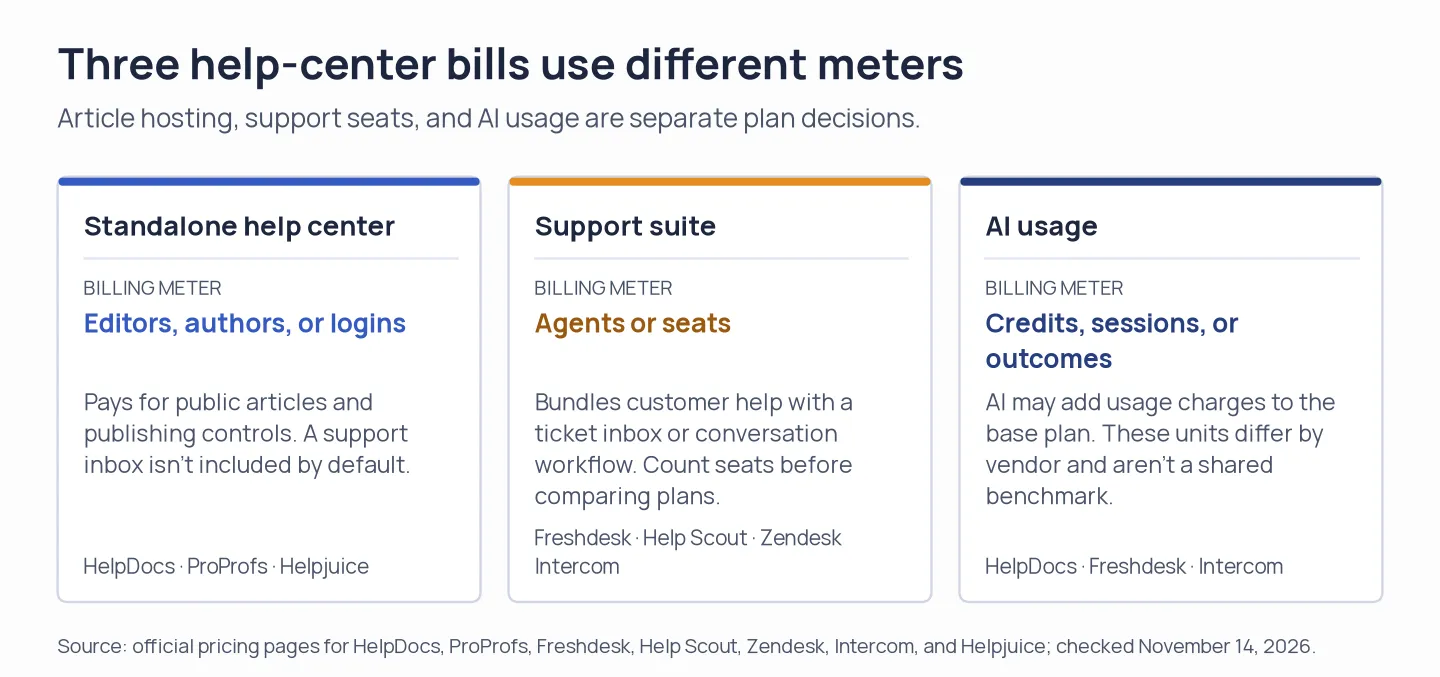
A help-center plan, a ticketing suite, and AI usage don't share one billing unit.
Other tools I considered for customer help centers
I kept two customer-facing knowledge base tools in reserve: HelpCenter.io Bootstrap, a lower-priced standalone option for one member and one language, and Zoho Desk, a support-suite alternative whose current USD seat cost I could not verify.
Which customer help center should you choose?
If you already pay for an inbox, price one standalone help center against the incremental cost of the suite plan that adds the writers and languages you need. A cheap agent seat doesn't help if content editing requires a higher tier or a separate author license.
Check the default language separately from automatic translation if you need another language. Intercom Essential is English-only, while Freshdesk, Zendesk, and HelpDocs gate language capacity by plan; you can't assume you can publish every locale based on translation credits and the languages a chatbot supports.
If you need a free start, decide whether a 25-page ceiling and vendor URL are acceptable before building your whole support library in ProProfs. Compare Helpjuice and Document360 if your documentation set is large or you need controlled revisions. Focus on author workflow and exact quote details; AI labels alone don't tell you whether either plan fits.
Before you buy, check your existing support or CRM subscription. HubSpot Service Hub puts its knowledge base at Professional and above; the current page shows $90 per seat per month with annual billing plus $1,500 onboarding. If a team already pays for eligible Service Hub access, it should check its included KB before purchasing another platform. Google Drive and Microsoft 365 can organize internal files, but they differ from customer help centers with public search, article permissions, and support reporting.