
 Updated: August 11, 2026
 22 min read
Quick Takeaway
- LinkedIn drives roughly 80% of all B2B leads generated through social media, and 89% of B2B marketers use the platform for lead generation. Choosing the right automation tool directly affects your outreach volume, account safety and cost per lead.
- Dripify is a cloud-based LinkedIn automation tool; Linked Helper is a desktop app that runs locally and mimics human behavior, which keeps actions on your own device and IP rather than an external cloud server.
- Linked Helper covers more outreach sources (group members, event attendees, post likers, followers) and more campaign actions (auto-comment, boost post, invite to events/groups) than Dripify’s connect-and-message sequences.
- On price, Linked Helper PRO is materially cheaper than Dripify’s comparable plan and includes thousands of email-finder credits in the subscription, whereas Dripify includes only 100 email credits per month and charges for more.
- Linked Helper offers deeper personalization: if/then/else logic, message variants sent in equal proportions, custom variables, SPINTAX, and an AI message generator – versus Dripify’s basic variable substitution.
- Choose Dripify if you want a hands-off cloud dashboard for simple sequences; choose Linked Helper if you want full control, native CRM sync, higher data credits, and advanced automation at a lower cost.
- Dripify. Good for: basic multichannel campaigns, beginner-friendly setup, fully cloud-based operation with minimal configuration. Not the best fit for: agencies or power users who need advanced campaign logic, native CRM integrations, or more than 100 email-finder credits per month without paying extra.
If you’re considering LinkedIn automation tools, this Dripify review breaks down the pros, cons, and hidden costs you should know before subscribing.

What is Dripify?
Dripify is a cloud-based LinkedIn automation software designed to help sales professionals and small teams generate leads and send follow-up messages via LinkedIn and email in a single automated workflow.
The tool runs entirely from the cloud — you do not need to keep your device on for campaigns to run. This makes setup fast and low-maintenance, which suits individual users and small teams who prefer a hands-off experience.
However, Dripify Advanced plan supports multiple users, it does not provide native CRM integrations or detailed advanced reporting. While it is useful for solo professionals who want to automate follow-ups and nurture leads via LinkedIn, it is not built for teams looking to execute complex LinkedIn outreach strategies.
Key Features of Dripify Explained (With Screenshots)
You can manage your LinkedIn outreach efficiently by setting up a Dripify account, which allows you to run automated campaigns and track results in one dashboard.
LinkedIn and Email Sequences
Automate outreach with LinkedIn and email steps in a single flow. Sequences allow for more consistent, hands-off prospecting.
Daily Quotas:
- Send connection requests: Basic – 20, Pro – 75, Advanced – 75
- Send messages: Basic – 30, Pro – 100+, Advanced – 100+
Drip Campaigns
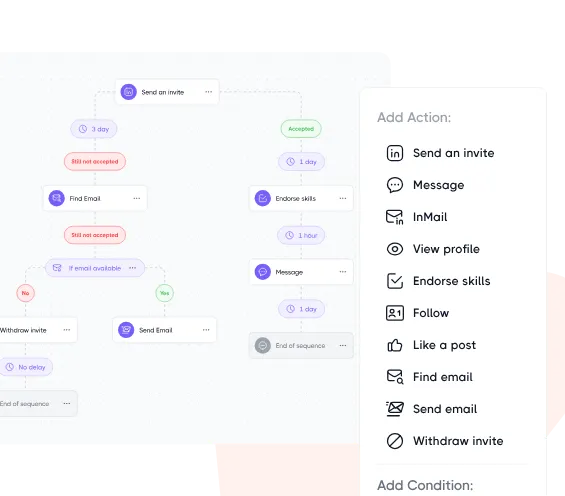
Build automated campaigns with multiple steps.
Plan Limits:
- Basic: 1 campaign
- Pro & Advanced: Unlimited campaigns
The following actions are part of campaign steps and manual flows:
| Action | Basic | Pro | Advanced |
|---|---|---|---|
| Send connection requests | 20 | 75 | 75 |
| Send messages | 30 | 100+ | 100+ |
| Send InMails to open profiles | 10 | 25 | 25 |
| View profiles | 100 | 200+ | 200+ |
| Endorse skills | 10 | 50+ | 50+ |
| Like posts | 10 | 50+ | 50+ |
| Follow profiles | 10 | 50+ | 50+ |
Sequence Templates
Dripify offers ready-made sequence templates and allows saving custom sequences.
Available in all plans.
Message Personalization
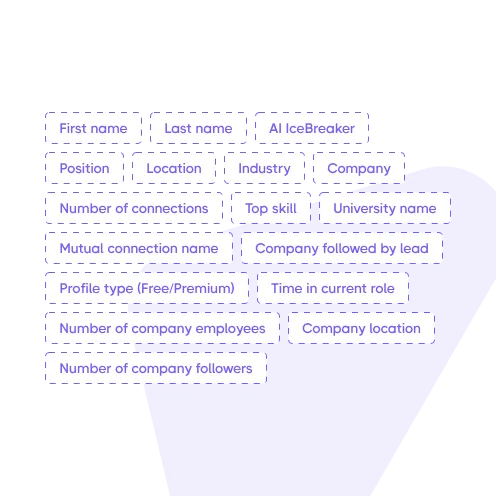
Personalize your messages with variables.
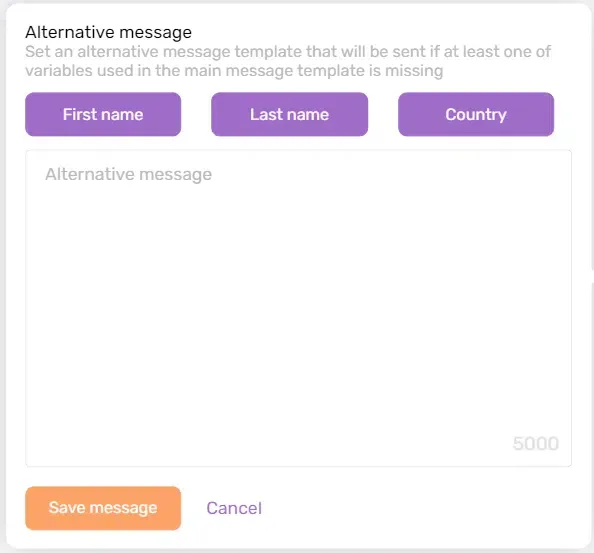
Dripify allows only 3 personalization variables per alternative message — a restriction that becomes noticeable when you need context-sensitive sequences.
This matters more than it might seem: research across more than 13 million analyzed LinkedIn requests found that personalized connection messages achieve roughly a 45% acceptance rate, compared to around 15% for generic outreach. The platform-wide average sits at 28–30%. Simple variable substitution can lift results, but conditional logic — adapting the message based on the lead’s title, industry, or behavior — moves the needle further.
Dripify stops at simple variable swaps. Linked Helper goes further with if/then/else logic, message variants sent in equal proportions, SPINTAX phrase pools, and an AI message generator that drafts up to 30 messages a day — the kind of personalization that lifts connection acceptance from roughly 15% on generic requests to about 45% on tailored ones. See the difference on your own LinkedIn account with a 14-day free trial.
Safety & Cloud-Based Performance
All plans include:
- Runs in the cloud — no need to keep your device on
- Local IP simulation
- Built-in safeguards (baseline protection)
Advanced and Enterprise plans also include:
- Advanced LinkedIn Protection — mimics human behavior and reduces automation traces
- Anti-duplication logic — prevents repeated actions that may trigger detection
- Activity control — monitors usage patterns to avoid exceeding limits
Team Management (Advanced Only)
Collaborate as a team and manage members with ease.
Features include:
- Assign roles
- Track team performance
- Prevent duplicate outreach
- One-click access to team accounts
- Manage team subscriptions
- Share templates
Dedicated Inbox (Pro & Advanced)
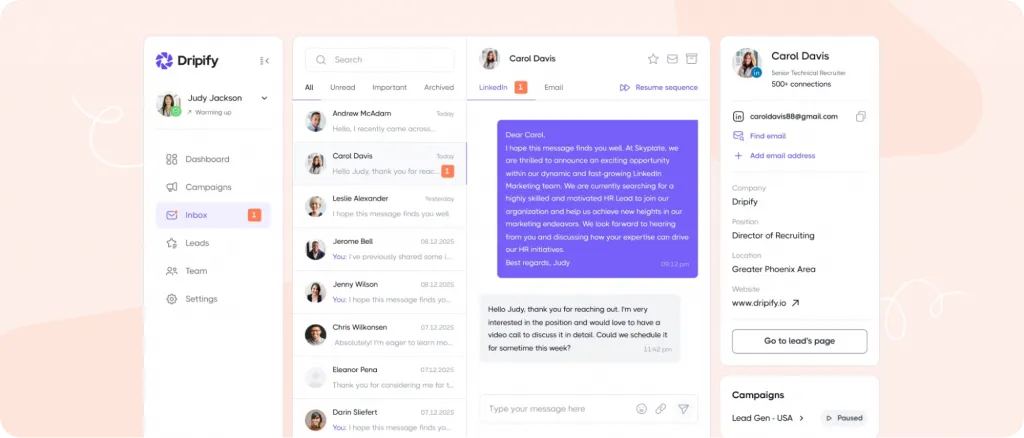
View and reply to LinkedIn messages directly from Dripify without switching platforms.
Available in:
- Pro
- Advanced
Webhook & Zapier Integration
Dripify integrations include Zapier, enabling seamless data sync between your LinkedIn campaigns and your existing CRM or workflow.
Available in:
- Pro
- Advanced
Advanced Analytics & Reporting
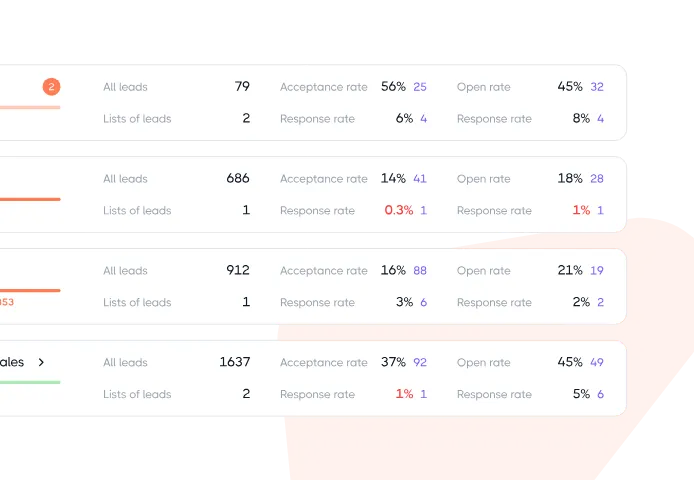
Track everything from daily usage to campaign performance.
Included reports:
- Daily usage stats
- Recent activity
- Campaign performance
- Account and lead report
- Team analytics (Advanced only)
CSV Export
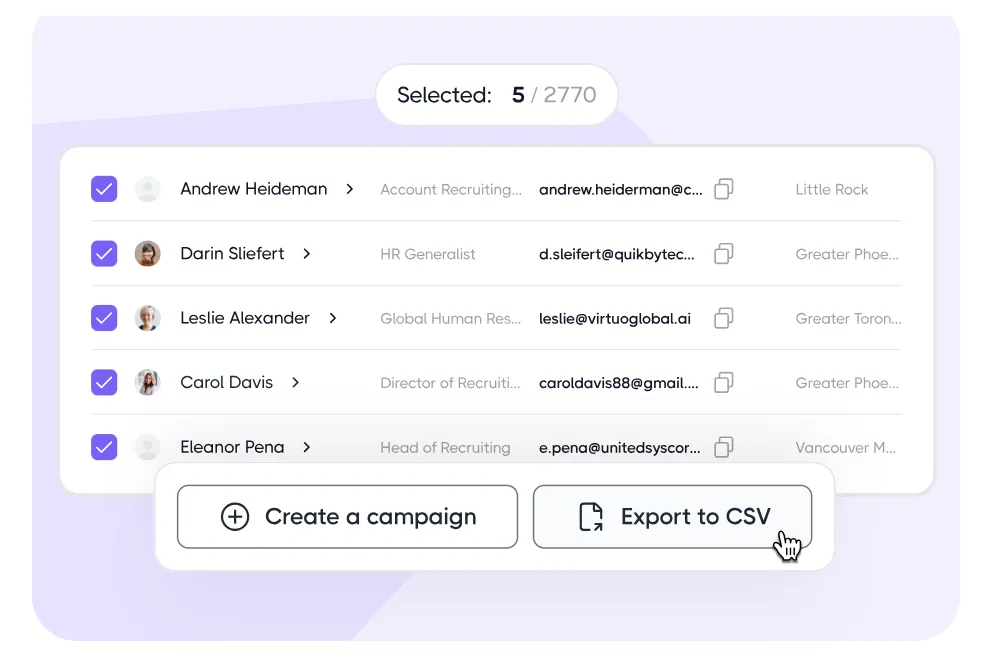
Export leads and campaign data to CSV files for reporting or uploading into a CRM.
Available in:
- Pro
- Advanced
Dripify Pricing & Plans in 2026
Dripify pricing starts with a basic plan but quickly scales up if you need more credits or team features.
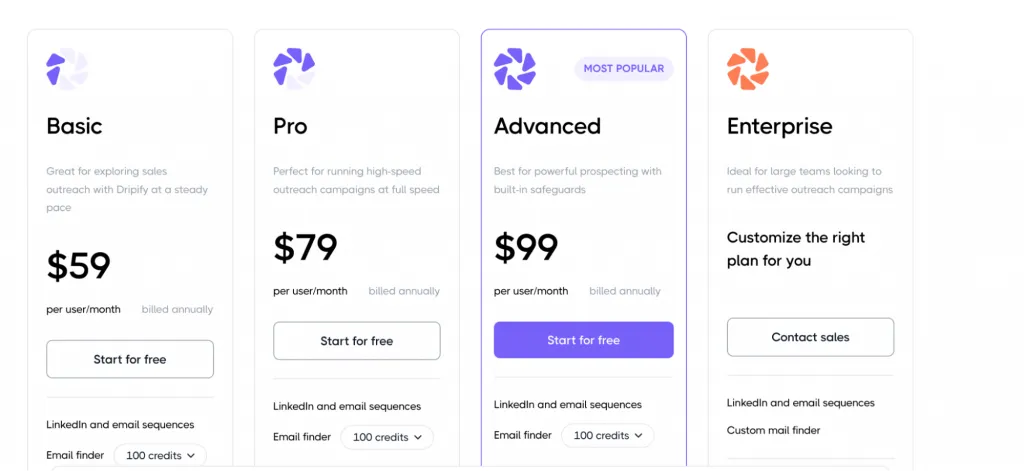
Dripify offers four pricing tiers tailored to different outreach needs — from individual users testing the waters to large sales teams scaling their campaigns.
All plans come with a free trial and are billed annually for maximum savings.
- Basic
Great for exploring sales outreach at a steady pace
- $39 per user/month (billed annually)
- Free trial available
Includes:
- 1 drip campaign
- Limited daily quotas
- LinkedIn and email sequences
- Email finder
- Advanced analytics & reports
- Compatibility with all LinkedIn account types
- Sequence templates
- Built-in LinkedIn protection
- 24/7 live support
Important Note:
Basic users are limited to just one campaign and reduced daily quotas. Multi-campaign functionality and key team features are not available in this tier.
- Pro (Most Popular)
Perfect for high-speed outreach campaigns
- $59 per user/month (billed annually)
- Free trial available
Everything in Basic, plus:
- Unlimited drip campaigns
- Full daily quotas
- Dedicated inbox
- CSV export
- Webhook integration
Ideal for users who want to scale their outreach and automate workflows with more flexibility.
- Advanced
Best for powerful prospecting with advanced safeguards
- $79 per user/month (billed annually)
- Free trial available
Everything in Pro, plus:
- Team management tools
- Team analytics and reporting
- Advanced LinkedIn protection
Great for small teams that need collaboration, safety, and performance tracking.
- Enterprise
Custom-built for large sales teams and organizations
- Custom pricing – contact sales
- Tailored onboarding and support
Everything in Advanced, plus:
- Premium onboarding
- Dedicated technical support
- Customer success manager
- Custom email finder options
Best for enterprises managing large-scale, multi-user outreach campaigns with priority support needs.
Credit Pricing (Email Finder)
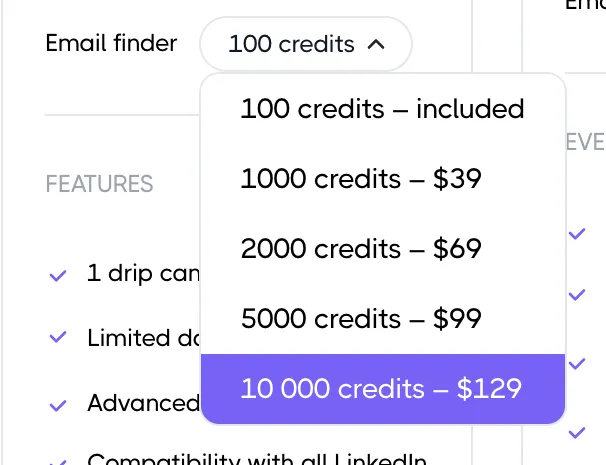
If you’re using the email finder feature, Dripify offers flexible credit packs:
| Credits | Price |
|---|---|
| 100 | Included |
| 1,000 | $39 |
| 2,000 | $69 |
| 5,000 | $99 |
| 10,000 | $129 |
Annual billing offers up to 35% off the total cost compared to monthly payments.
Pros of Dripify (G2 + Capterra User Reviews)
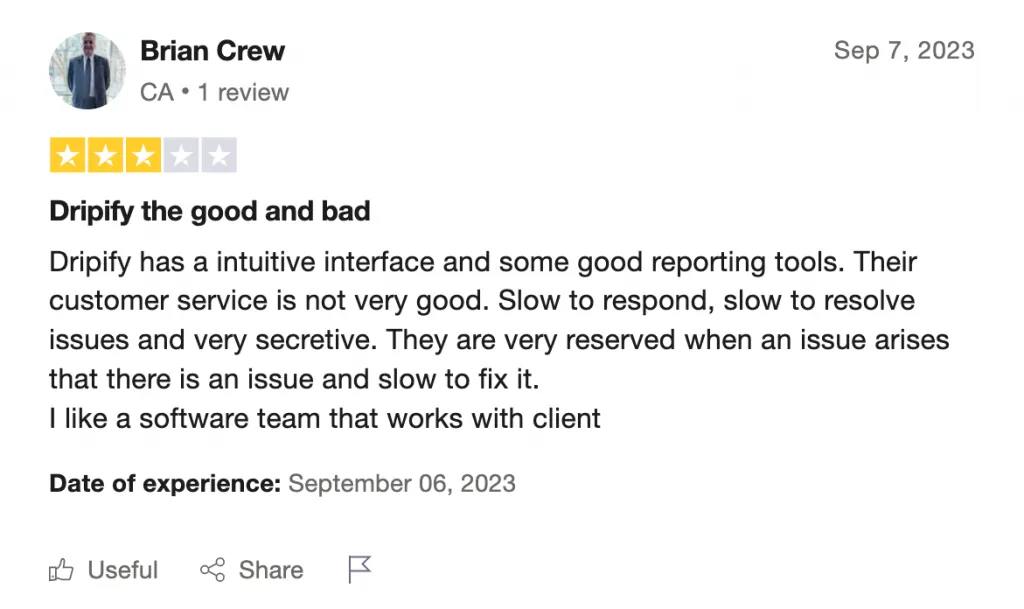
According to our Dripify review, its cloud-based setup is convenient, but the high subscription cost and limited credits can be deal-breakers for solo professionals.
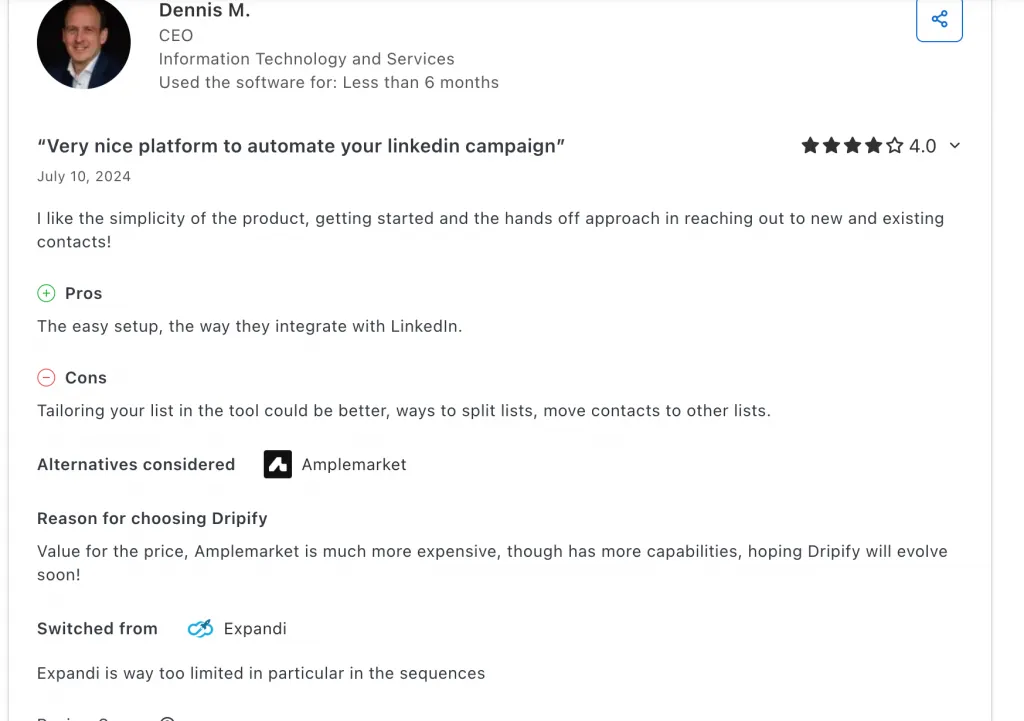
Simple Interface = Fast Start
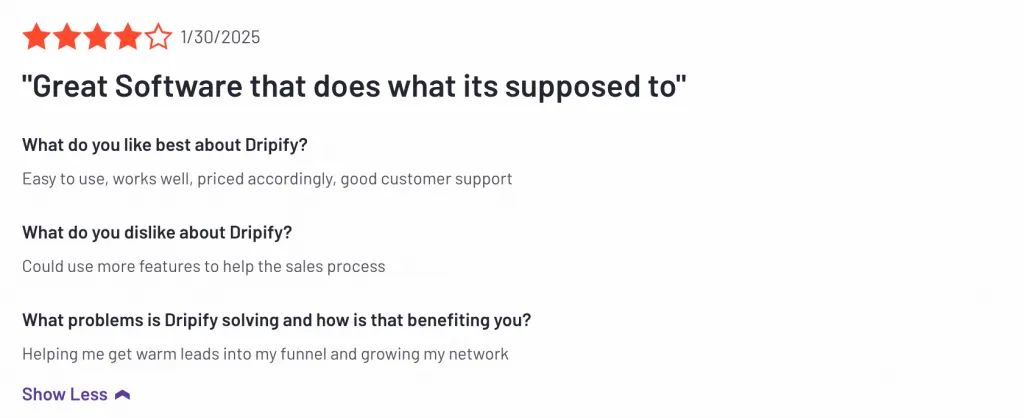
“It was easy to figure out and easy to use.”
— G2 Reviewer
Dripify’s intuitive design lets beginners and teams get started quickly. The clean, user-friendly interface requires minimal learning time, making campaign setup smooth and hassle-free.
Time-Saving Campaign Automation
“Dripify solves the hassle of sending connections manually.”
— G2 Review, March 2025
Automates repetitive LinkedIn tasks like connection requests, messaging, and follow-ups — saving hours of manual work for busy professionals and sales teams.
Built Specifically for LinkedIn
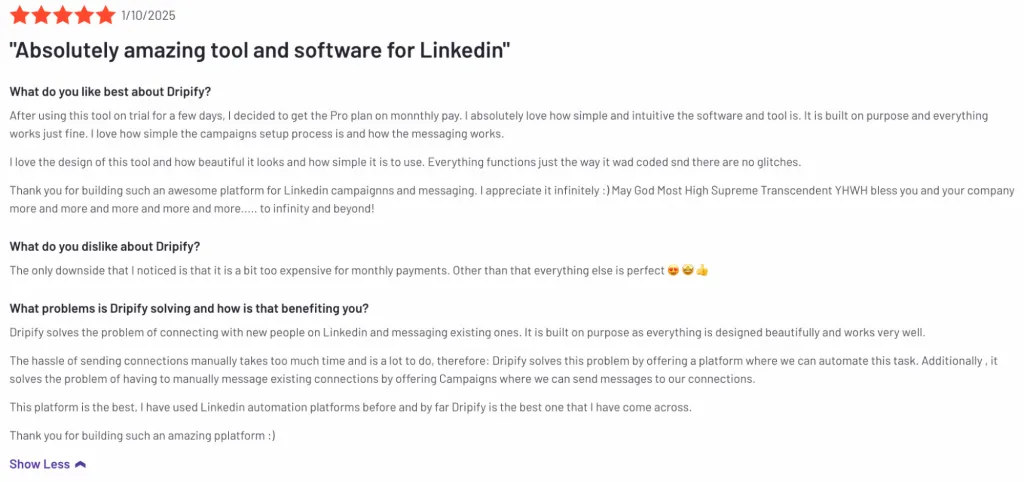
“Great metrics and operates within LinkedIn’s policies.”
— G2 User
Designed with LinkedIn’s limits and guidelines in mind, Dripify reduces the risk of account restrictions while optimizing outreach campaigns.
Smart Workflow Automation
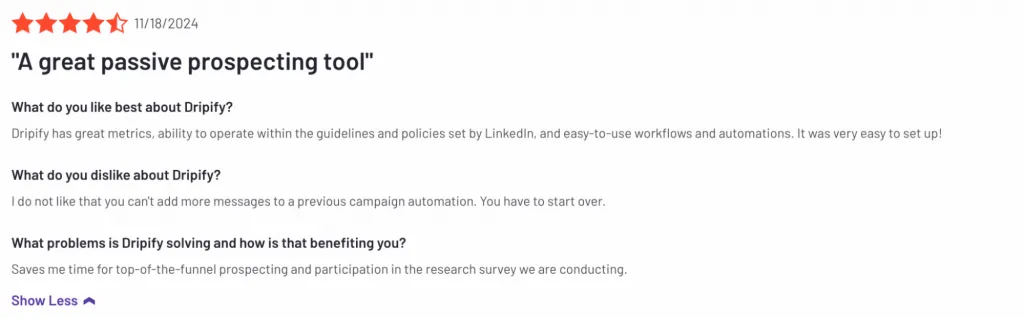
“Workflows are so easy to set up.”
— G2 Review, Feb 2025
Customizable multi-step sequences (e.g., profile view → connection request → message) allow for tailored prospecting funnels and effective drip campaigns.
Responsive Customer Support
“The team is really responsive when you have questions.”
— G2 User
Users praise Dripify’s support for timely and helpful responses, especially during onboarding and troubleshooting.
Affordable for Starters
“Dripify was cheaper than competitors but still powerful.”
— Capterra Review, 2024
Pricing suits freelancers and small teams looking for cost-effective LinkedIn automation without sacrificing key features.
Cons of Dripify (Capterra, G2, Trustpilot Sources)
Many users explore Dripify alternatives after hitting credit limits or needing more advanced automation options.
Pricing Jumps Fast If You Scale
“A bit too expensive for monthly payments as you grow.”
— G2 Review
Costs increase quickly when upgrading plans or adding users, which can be a barrier for scaling teams or agencies.
Limited Email Automation
“Email sending capabilities are basic and could be improved.”
— G2 User
Email campaigns lack advanced features like sequence automation that pauses on reply or easy unsubscribe options, limiting multi-channel outreach effectiveness.
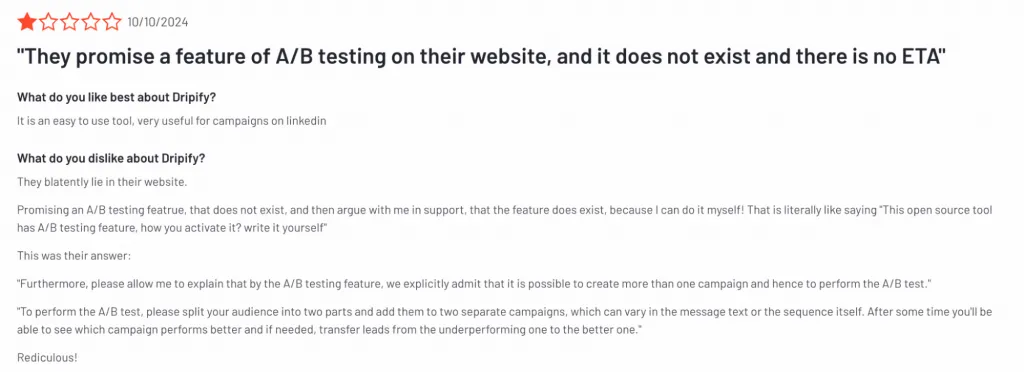
No True A/B Testing Feature
“They claim A/B testing but it requires manual split campaigns.”
— G2 Review
Dripify lacks built-in A/B testing; users must create separate campaigns and compare results manually, which is cumbersome.
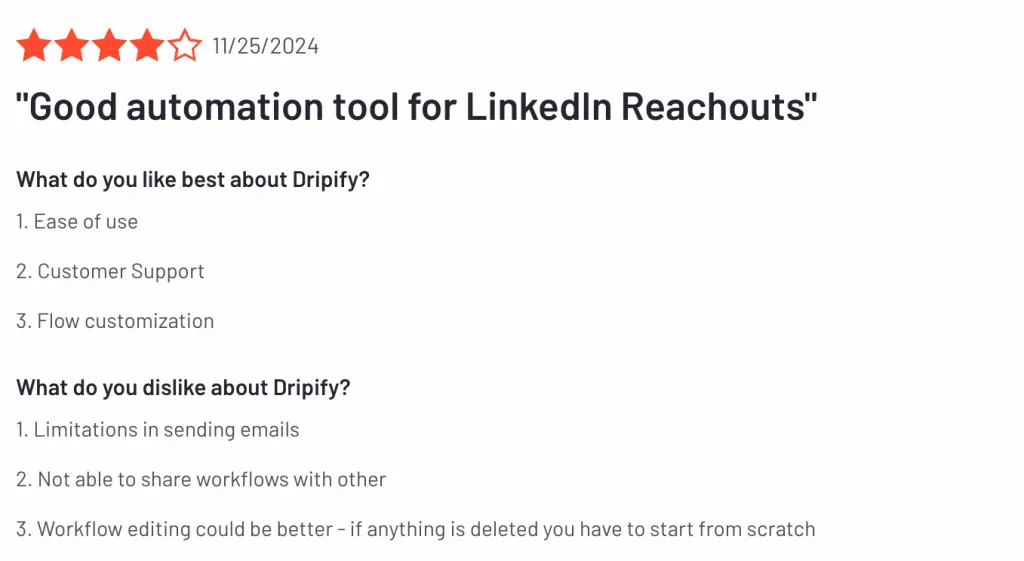
Workflow Editing Limitations
“If anything is deleted in the workflow, you have to start from scratch.”
— G2 User
Editing campaign sequences is inflexible, making adjustments time-consuming and error-prone.
Data Export Challenges for Large Teams
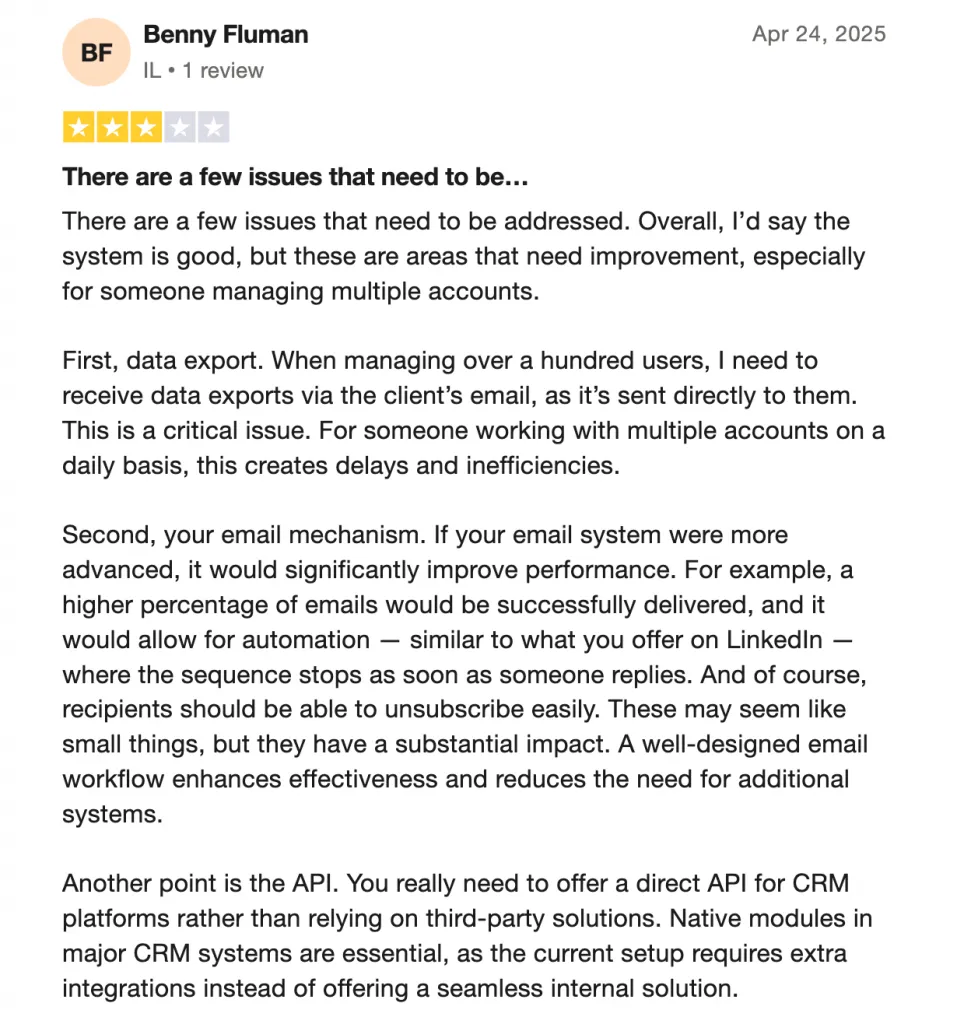
“Managing multiple accounts makes data export inefficient.”
— Capterra User
Lack of direct data export via client email slows down reporting and complicates managing dozens or hundreds of users.
No Native CRM API Integration
“Needs a direct API rather than relying on third-party Zapier.”
— Capterra Review
Current CRM sync depends on Zapier, creating extra steps and potential reliability issues; native integrations would streamline workflows.
Is Dripify Safe for LinkedIn Use in 2026?
Can Dripify Get You Banned?
This is one of the most frequently asked — and most important — questions for any LinkedIn automation tool. While Dripify offers some built-in safety features, using automation on LinkedIn always carries a level of risk.
Here’s what you need to know:
Dripify is a cloud-based tool, which means:
- You don’t need to keep your computer on to run campaigns.
- All actions (visits, messages, connections, etc.) are executed from Dripify’s cloud servers.
But here’s the caveat:
- Since Dripify operates from external servers, every LinkedIn action (message, connection request, profile view) sends a request through an external IP rather than your local device. The IP will match your account’s country but differ from your personal home IP address.
- This increases the chances that LinkedIn may detect automated activity, especially if it happens while your device is online.
Unlike downloadable desktop tools that run locally like Linked Helper, cloud tools like Dripify may generate unusual patterns in LinkedIn API calls that can be flagged by LinkedIn as automation.
Safety Features in Dripify
Dripify does offer a set of protective mechanisms, but they’re not available in all plans.
| Feature | Available In | Description |
|---|---|---|
| Advanced LinkedIn Protection | Advanced, Enterprise | Helps mimic human behavior and reduces automation traces |
| Activity Control | Advanced, Enterprise | Monitors usage patterns to avoid exceeding limits |
| Local IP Simulation | All plans | Simulates logins and actions from your local region |
| Anti-Duplication Logic | Advanced, Enterprise | Prevents repeated actions that might trigger detection |
| Built-in Safeguards | All plans | Baseline security, but limited in Basic/Pro |
| Cloud-Based Operation | All plans | Convenient but less secure than local desktop apps |
Human Behavior Simulation
Dripify attempts to simulate human-like patterns:
- Spaced-out action timing
- Randomized delays between profile views and messages
- No sudden volume spikes
However, full control over these settings is mostly reserved for Advanced and Enterprise tiers.
Final Verdict: Is Dripify Safe?
- Yes, if you’re on the Advanced or Enterprise plan and use it responsibly with conservative settings
- Caution advised on Basic and Pro — these lack key safety features and expose users to higher risk of detection.
- Not ideal for users who want full visibility and control over every LinkedIn action — Dripify acts remotely, and you don’t see each move it makes.
An effective alternative to Dripify is Linked Helper, which offers more advanced automation features and significantly more Data Enrichment credits at a lower cost.
Best Dripify Alternative Worth Switching To
If you’re looking for Dripify alternatives with better value for money, Linked Helper stands out with 5x more features at a fraction of the price.
Comparison Table: Linked Helper vs Other LinkedIn Automation Tools
| Feature | Linked Helper | Dripify |
|---|---|---|
| LinkedIn Account Safe | Human-like desktop automation, local IP | Cloud-based, external IP |
| LinkedIn Outreach Sources | 12+ sources: search, groups, events, post likers, followers | 2–3 sources only |
| CRM Sync | 12+ Native: HubSpot, Pipedrive, Close, Capsule CRM + Webhooks | Zapier only |
| Message via grpoups/ events | Yes | No |
| Auto-comments | Yes | No |
| Invite to groups/ events | Yes | No |
| AI Message Generator | Yes — up to 30 AI-drafted messages per day | No |
| SPINTAX Support | Yes | No |
| Auto-collect Action | Yes — re-collects profiles automatically every X days | No |
| Workspaces | Yes | No |
| Apollo.io / Snov.io Integration | Yes — email enrichment without profile visit | No |
| Email Credits | 620-3,100 per month depending on plan | 100 per month on all plans |
| Extra Email Finder Credits | 50,000 credits $284$0.0057 per lead | 10,000 credits $129 $0.0129 per lead |
| Message Personalization Logic | If/Then/Else, custom variables, SPINTAX, AI generator | Basic variables only (3 per message) |
| Image Personalization | Yes — dynamic images via Hyperise | No |
| Personalized Messages | Full field + image personalization | Limited fields |
| Customer Support | 24/7 including weekends | Weekdays only, delays reported |
| Free Trial | 14 days, starts on first campaign launch | 7 days, starts on sign-up |
| Detailed Analytics & Exports | Yes | Limited |
Dripify vs Linked Helper – What’s Actually Better?
When comparing Dripify pricing to competitors like Linked Helper, it becomes clear you’re paying more for fewer automation options.
- Keep your LinkedIn account safe.
- Unlike cloud tools like Dripify, Linked Helper runs locally and mimics real human behavior — scrolling, typing, and clicking — keeping your LinkedIn account protected from bans.
- Simulates actions (such as profile searches, button clicks)
- Simulates delays (random pauses, randomized number of actions, etc.)
- Uses a local IP address (from the same country as your LinkedIn account, but different from your home IP)
- Find leads beyond standard LinkedIn outreach.
- Collect profiles from group members, event attendees, post likers, followers, and more — not just standard search results.
- Linked Helper also includes an Auto-collect action that automatically re-collects profiles from any supported page every X days, without requiring a manual restart. Your lead lists stay fresh with no intervention.
- Automate more than connection requests.
Create LinkedIn outreach campaigns that include group member messages, and even drip campaigns with message delays.
Certain automatic features are exclusively available in Linked Helper:
- Boost post actions
- Auto-comments
- Invite 1st degree connections to follow your company page
- Invite 1st degree connections to events
- Invite people to groups
- Messages to group members
- Messages to event attendees
- Automatically remove 1st degree connections (when you’ve changed career and want to make room for new connections)
This is something Dripify doesn’t offer.
Campaign steps: connect → follow-up → invite to event → email outreach
- Sync with your CRM.
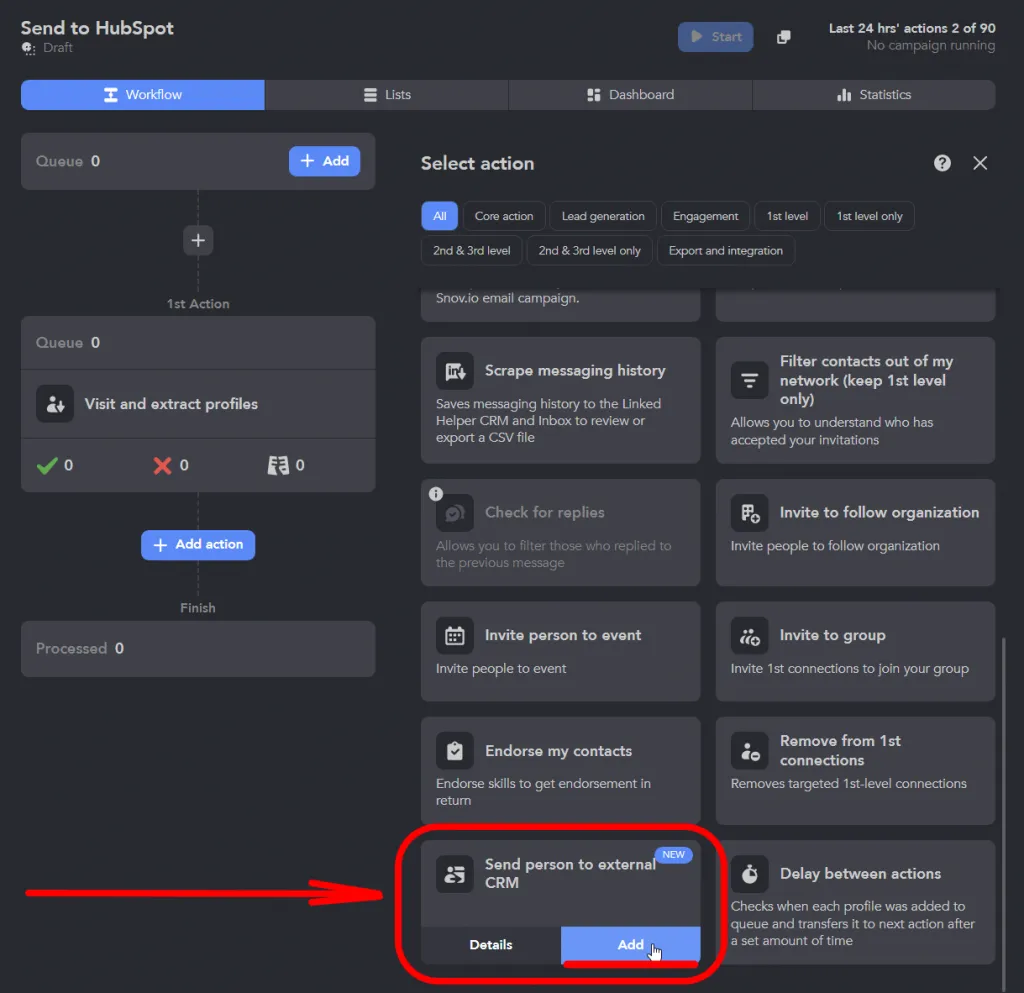
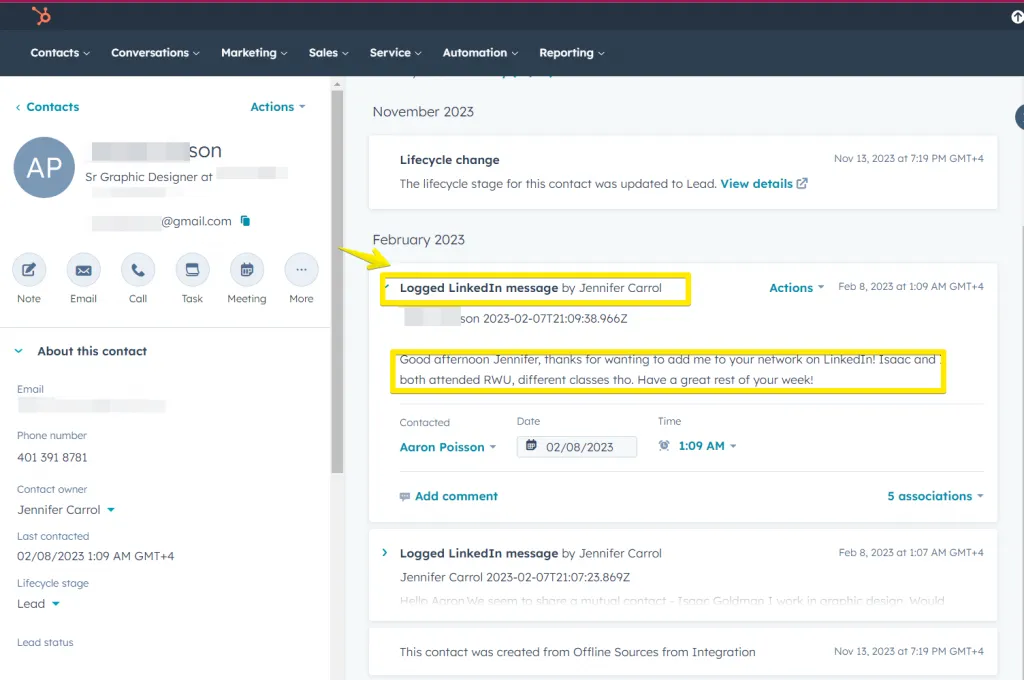
Linked Helper integrates natively with HubSpot, Pipedrive, Close, and Capsule CRM — passing messaging history, tags, campaign stage, and LinkedIn connection data directly into your sales pipeline via the “Send person to external CRM” action. Additional integrations are available with Apollo.io, Snov.io, and Instantly.ai for email enrichment and outreach sequencing, with no Zapier dependency required.
- Smarter lead segmentation.
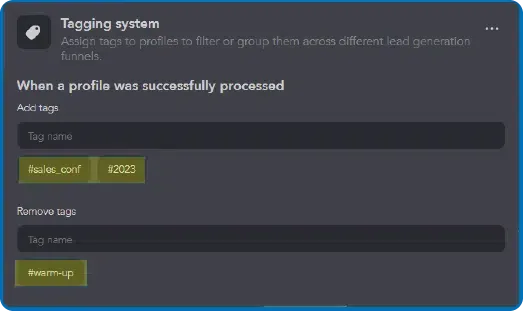
- Automatically tag leads by campaign step or behavior.
- Great for sales teams managing multiple clients or segmenting outreach efforts.
- Deep personalization for every message.
Linked Helper supports multiple message variants sent in equal proportions, custom variables for any profile field — {custom_note}, {website}, {job_title}, and more — plus SPINTAX phrase pools that randomize word and sentence choices at the message level, so each message looks unique even when sent at volume.
Linked Helper also includes an AI message generator that drafts up to 30 ready-to-use message templates per day based on your campaign context. Use the AI-generated drafts as a starting point, then layer in custom variables and SPINTAX for full control.
Research across more than 13 million analyzed LinkedIn requests found that personalized connection messages achieve roughly a 45% acceptance rate, compared to around 15% for generic outreach. Linked Helper’s if/then/else logic, SPINTAX, and AI drafting are built specifically to close that gap at scale.
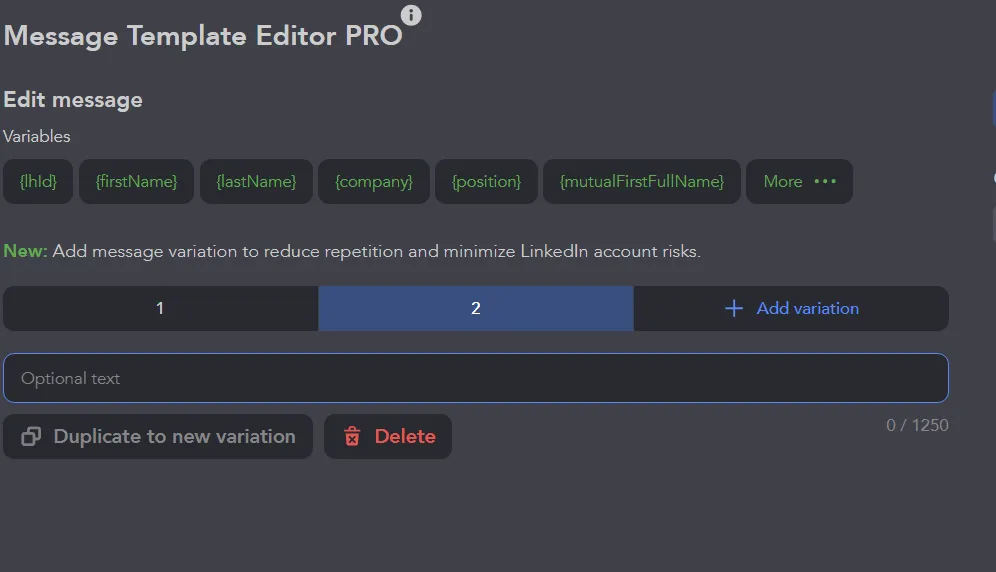

- Advanced message logic with if-then rules.
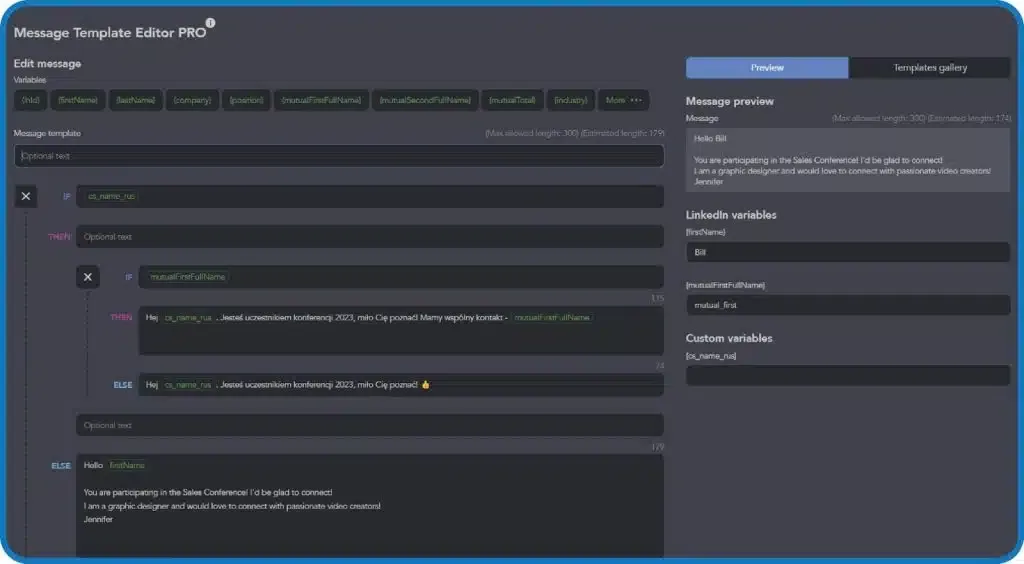
- Create automated messages that adapt depending on your lead’s title, name, or any custom field — something Dripify and other tools don’t fully support.
- Dynamic images with Hyperise.
- Stand out in the inbox with visual personalization — ideal for business development teams using LinkedIn automation tools.
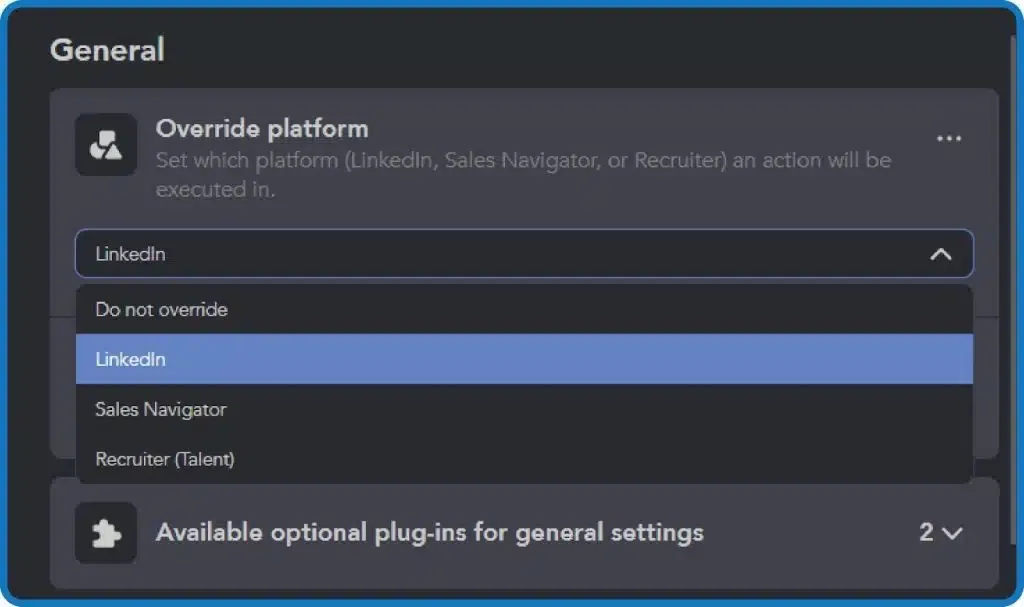
- Extract Sales Navigator links — no Sales Navigator needed.
- Linked Helper extracts full profile data from LinkedIn Sales Navigator links while using a Basic account.
- Massive boost in email finder credits.
Linked Helper includes up to 3,100 email-finder credits per month with its PRO license — 31 times more than Dripify’s 100 credits included on all plans.
Credits accumulate over the life of your subscription: a 12-month PRO plan gives you 37,200 total credits, compared to 1,200 with Dripify on the same timeline before any paid top-ups. Beyond the included credits, Linked Helper connects directly to Apollo.io for email enrichment via the LH Data Enrichment action — no profile visit required. This means you can enrich contact data for leads you have already collected, without burning additional outreach quota.
While Dripify includes only 100 email finder credits per month on all plans, Linked Helper offers up to 3,100 credits monthly with its PRO license — 31 times more without any additional cost.
Dripify requires you to buy extra credits separately, with pricing tiers like $39 for 1,000 credits. In contrast, Linked Helper includes email credits with its subscription and rewards long-term users. For example, with a 12-month PRO plan, you get 36,600 credits total, while Dripify offers no scaling benefits over time.
Dripify offers flexible credit packs:
| Credits | Price |
|---|---|
| 100 | Included |
| 1,000 | $39 |
| 2,000 | $69 |
| 5,000 | $99 |
| 10,000 | $129 |
| Linked Helper | Standard license | PRO license |
|---|---|---|
| 1 month | 620 credits | 3100 credits |
| 3 months | 1860 credits | 9300 credits |
| 6 months | 3720 credits | 18600 credits |
| 12 months | 7440 credits | 37200 credits |
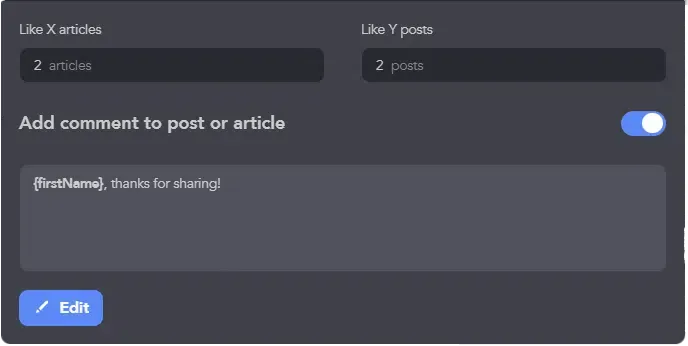
- Go beyond likes — auto-comment to boost visibility.
- Auto-comment on target posts to warm up leads before outreach.
- Export data with detailed analytics.
- Export CSVs with lead history, campaign tags, skills, company info, messages, and more — perfect for lead generation agencies needing clean reporting.
- Clean up messy names and emojis.
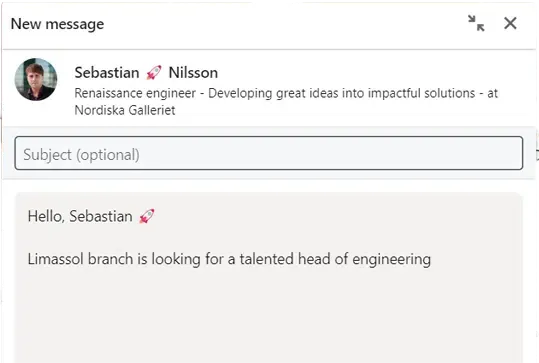
Every lead generation expert’s nightmare.
- Automatically remove symbols and emojis from first names in your outreach — no more “Hi Alex!”
- Responsive support team.
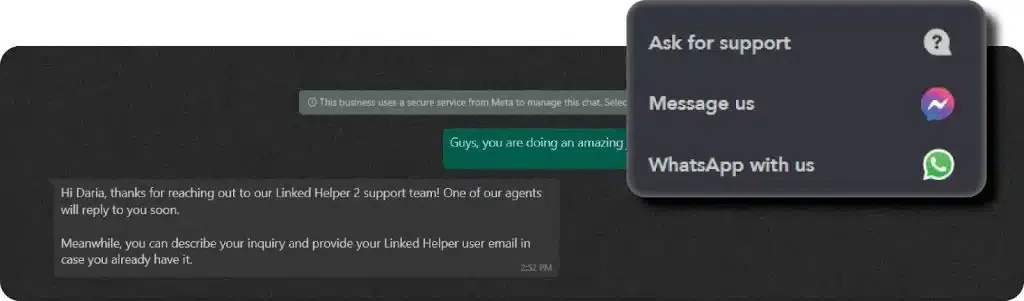
You can also reach out to Linked Helper’s support team through social media.
- Unlike Dripify, Linked Helper’s customer support team responds in minutes — even on weekends — via chat, WhatsApp, or email.
- Up to 2.3x cheaper.
- PRO Annual: $297/year vs. Dripify’s $708/year — for more power, better control, and stronger safety.
- Dripify cost varies by plan, starting at $59/month, while dripify support does not include 24/7 live chat.
- Risk-free 14-day free trial.
- The free trial only starts when you launch your first campaign — giving you time to explore fully before committing.
- Your data never leaves your machine.
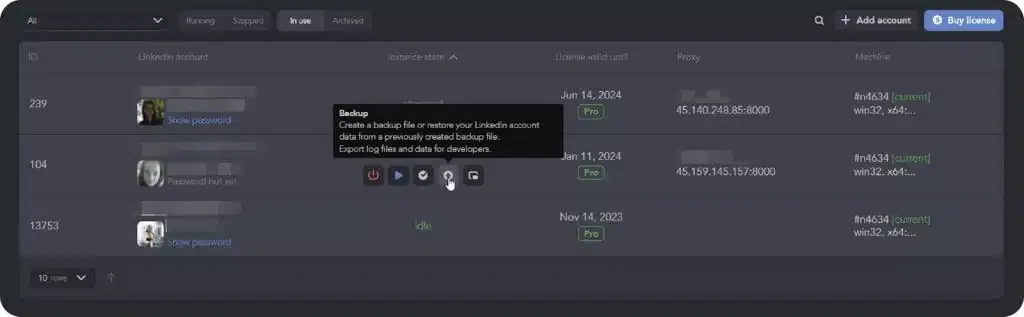
You control your own data. Download back-up files to save your data with Linked Helper
- Desktop-based means LinkedIn account safety + full control. No cloud breach risk.
- Advanced campaign scheduling.
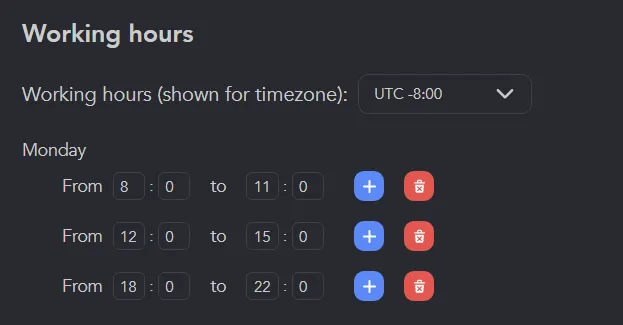
Schedule the start of an action or campaign at any convenient time.
- Customize actions by weekday, hour, delay, and more — manage outreach campaigns without stress.
- Company and team management tools.
Linked Helper’s Workspaces feature lets you manage licenses, LinkedIn accounts, and data credits at the workspace level with assignable roles for each team member. You can set up a custom organization, add members, define permissions, share licenses, and receive bulk purchase discounts — all from a single Workspaces dashboard. Data extraction from companies on LinkedIn: You can extract data directly from company profiles and pull specific employee data from those companies — useful for account-based outreach campaigns managed across a team.
- Manage multiple inboxes for LinkedIn prospecting journey.
- Switch between personal inbox and client inboxes without logging out — Linked Helper supports multiple clients seamlessly.
Is Dripify Worth the Money in 2026? Here’s the Verdict
To sum up, this Dripify review shows that while Dripify shines with its cloud-based simplicity and team-friendly dashboard, Linked Helper wins in overall value
Our tests showed that Linked Helper is a real cost-saving hero. Compared to Dripify PRO, Linked Helper Standard is 5.2x cheaper monthly and 7.1x more affordable annually — all while delivering more powerful features and higher flexibility.
Linked Helper isn’t just budget-friendly — it’s feature-rich. From automated profile URL adaptation for Sales Navigator uploads to advanced contact management using tags and list filters, it’s designed with professionals and lead gen experts in mind. Plus, it offers thousands of data credits included, which Dripify charges extra for.
While Dripify shines with its cloud-based setup, polished UI, and a more beginner-friendly experience, it falls short on flexibility and cost-effectiveness for scaling teams or power users.
Who is Dripify good for?
- Beginners who want an easy, out-of-the-box solution
- Teams who prefer a fully cloud-based tool with minimal setup
- Users who value a modern interface over custom workflows
Who should consider other tools like Linked Helper?
- Agencies, freelancers, and growth hackers focused on cost-per-lead
- Users who want advanced campaign automation and bulk profile management
- Teams that already use Sales Navigator and need better data handling
- Anyone needing more email credits without extra spending
In short, Dripify is sleek, but Linked Helper is strategic. If you’re serious about LinkedIn automation in 2025, Linked Helper gives you far more bang for your buck.