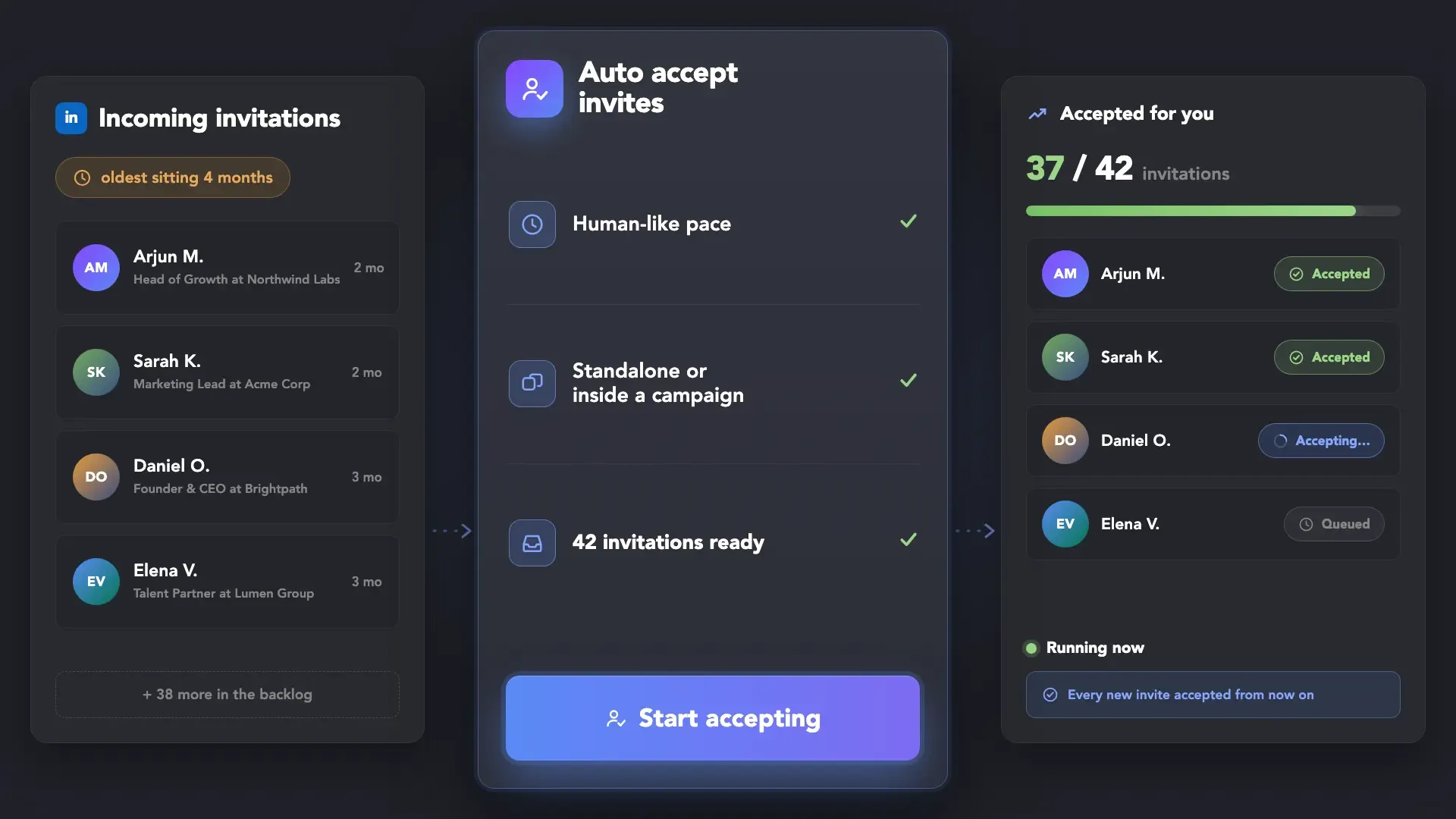
 Auto-Invite Accept
 Campaign Target
 Safe Auto-Accept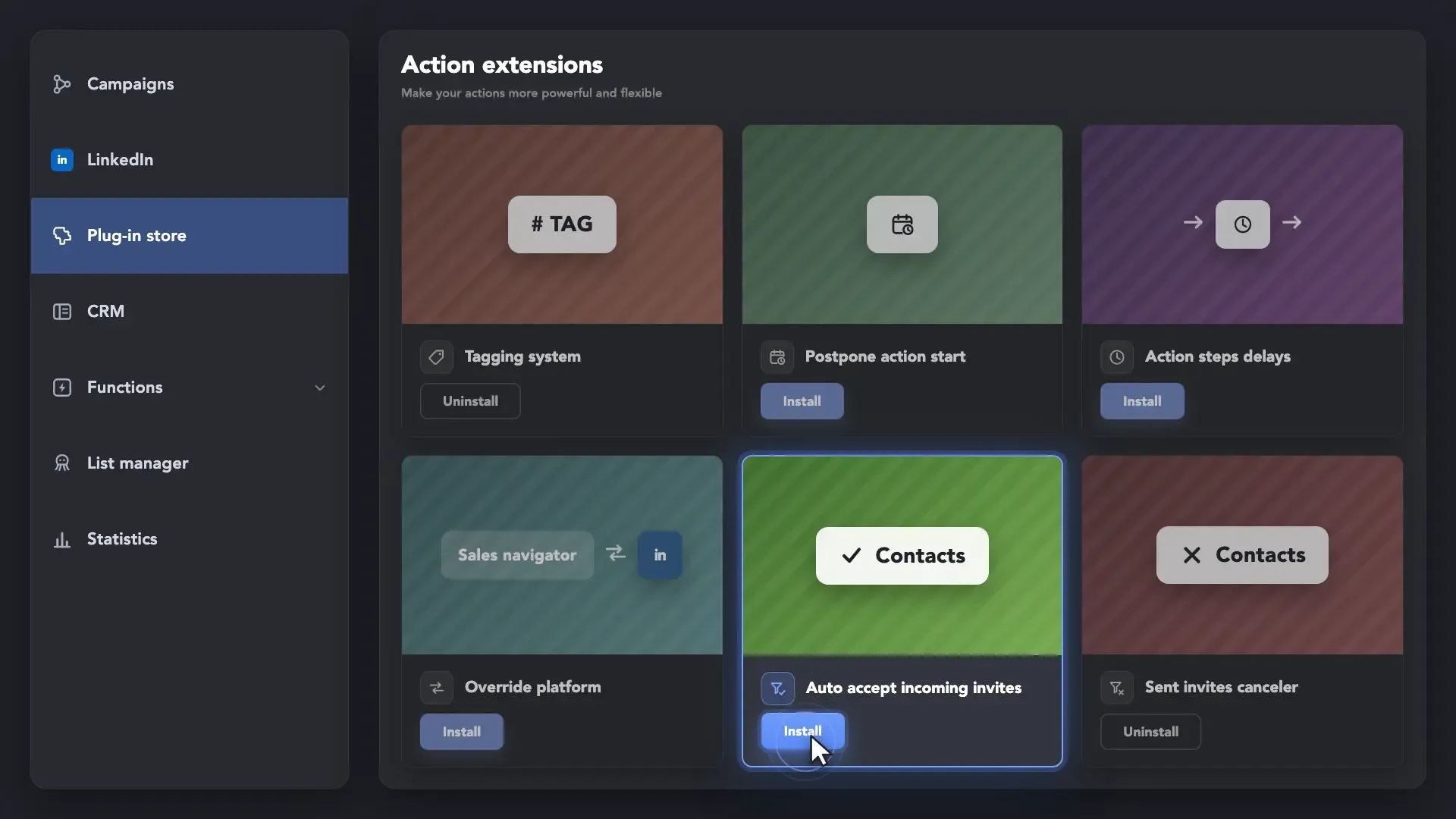
Install the "Auto accept incoming invites" Plug-in
Install the Auto Accept Incoming Invites plug-in from the Plug-in Store and let incoming invites find their way in automatically.
 Smart Connection Requests
Clear your entire backlog in one run, or accept only the people your own campaigns already targeted — and keep the conversation moving without lifting a finger.










Leads cool down fast — the longer an incoming invite waits, the less likely it turns into a reply.
 Without Auto Invite Accepter
 With Auto Invite Accepter
 With
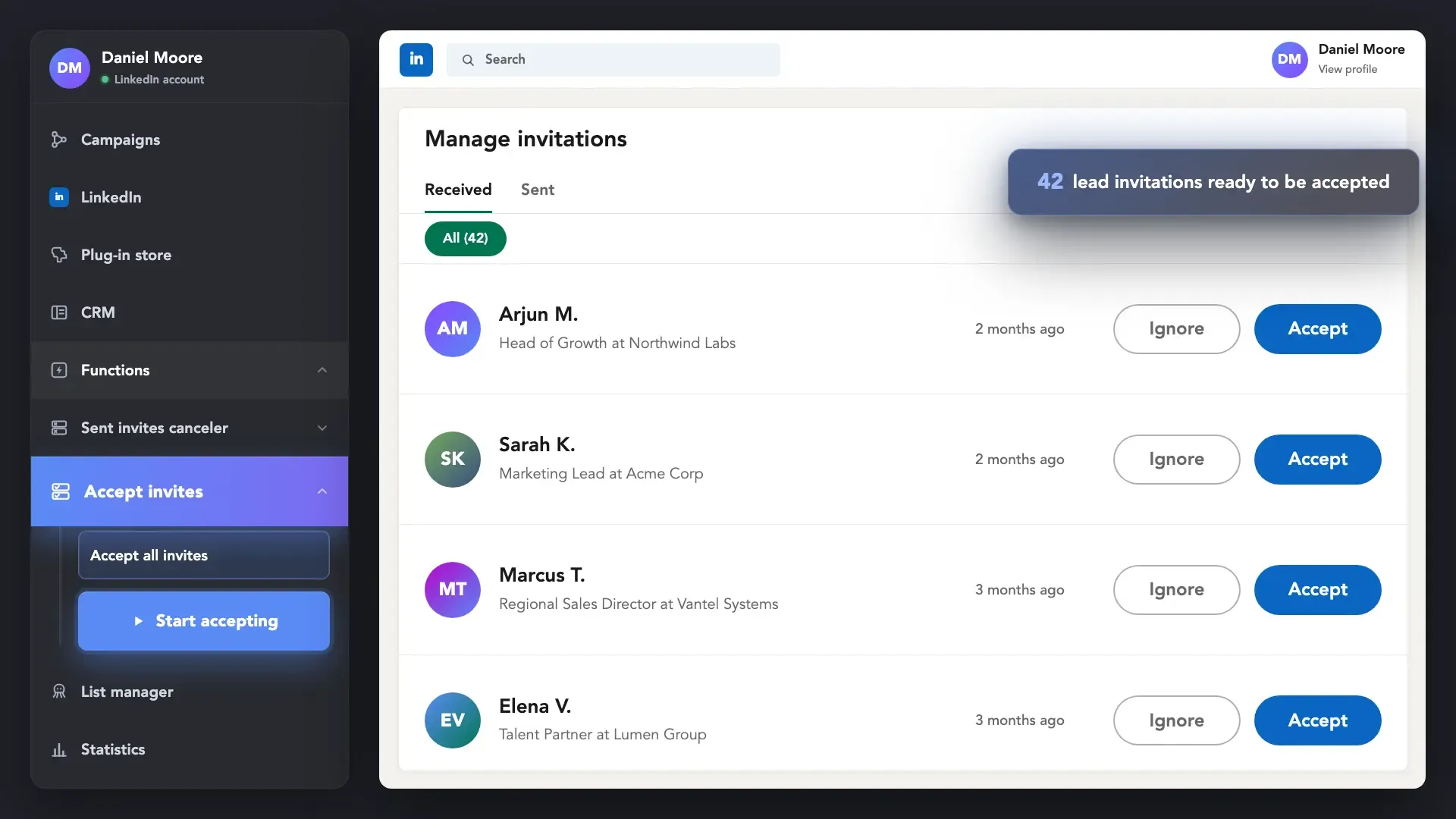
WithThe "Accept incoming invitations" plug-in works through every pending invite you have and accepts them without you touching a thing. Run it once to clear months of backlog, or run it regularly so nothing piles up again.
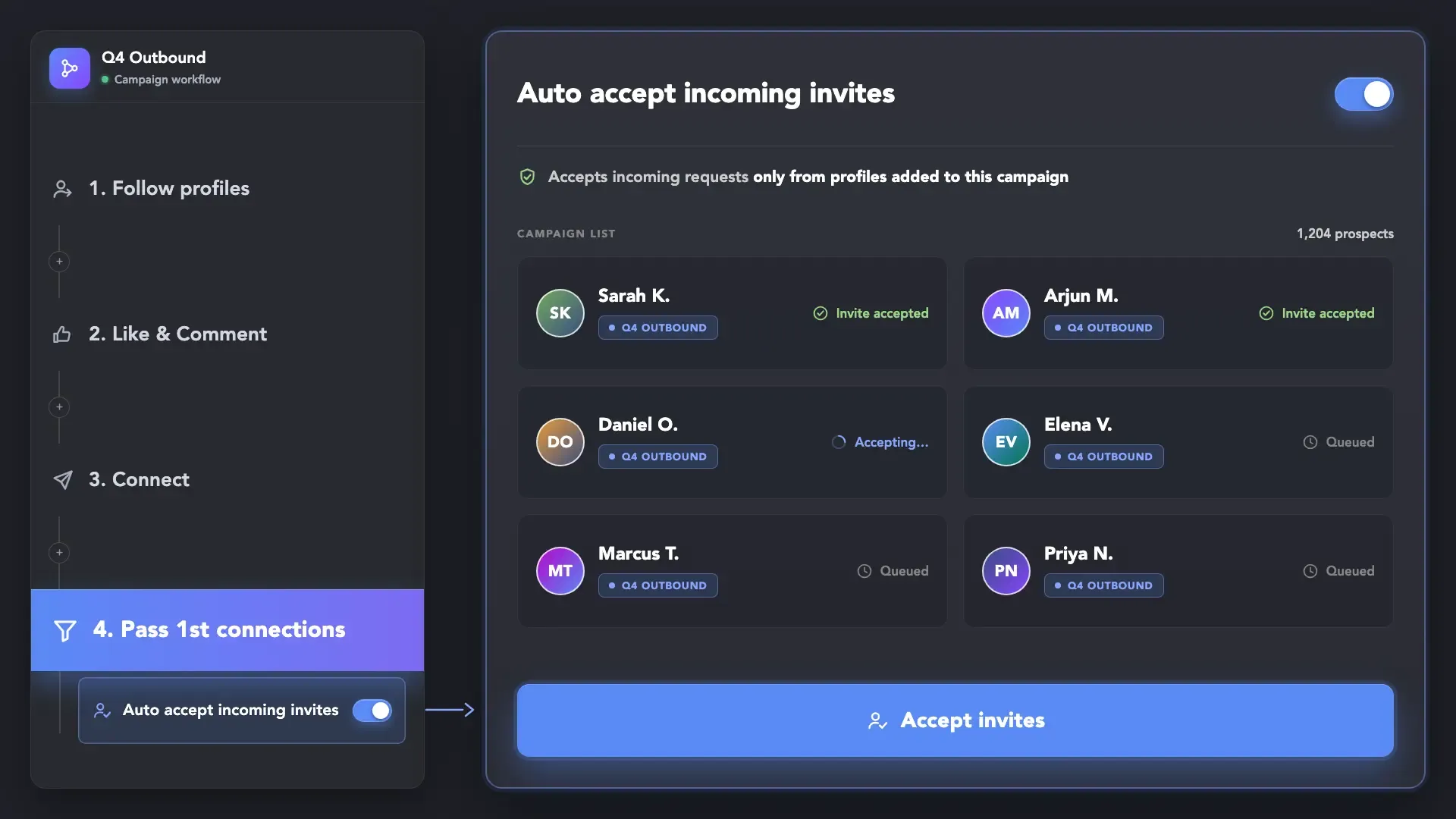
When you warm up prospects by following their profiles or liking their posts, many will send you a connection request first. Linked Helper's campaign plug-in continuously checks incoming invites and automatically accepts profiles that belong to your target list. The moment they connect, they become 1st-degree connections and seamlessly advance to the next action in your sequence on full autopilot.
Install the Auto Accept Incoming Invites plug-in from the Plug-in Store and let incoming invites find their way in automatically.
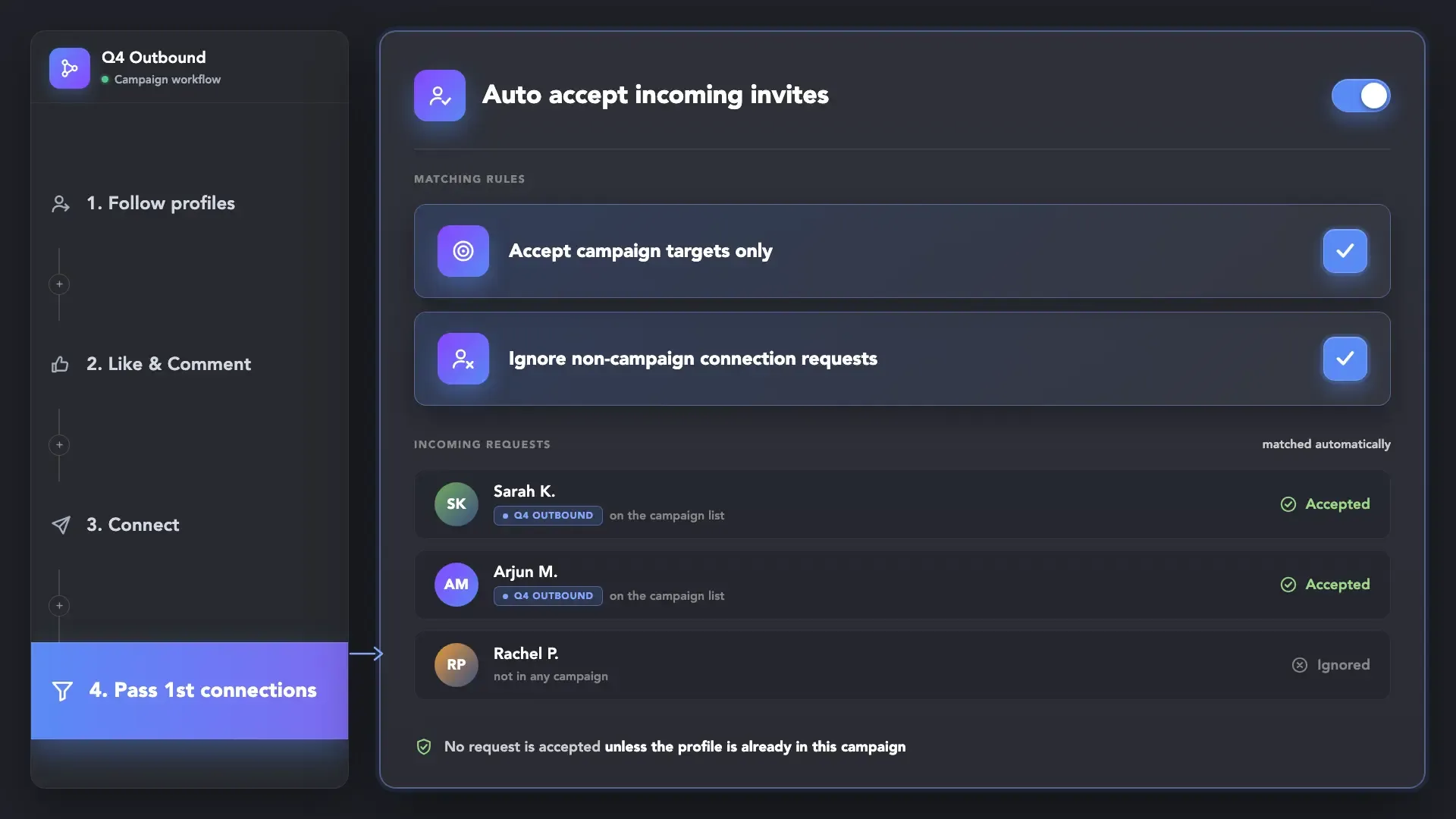
The plug-in opens your Manage Invitations page inside LinkedIn and accepts requests one by one, starting with the most recent. It keeps going until your list is empty or you stop it.
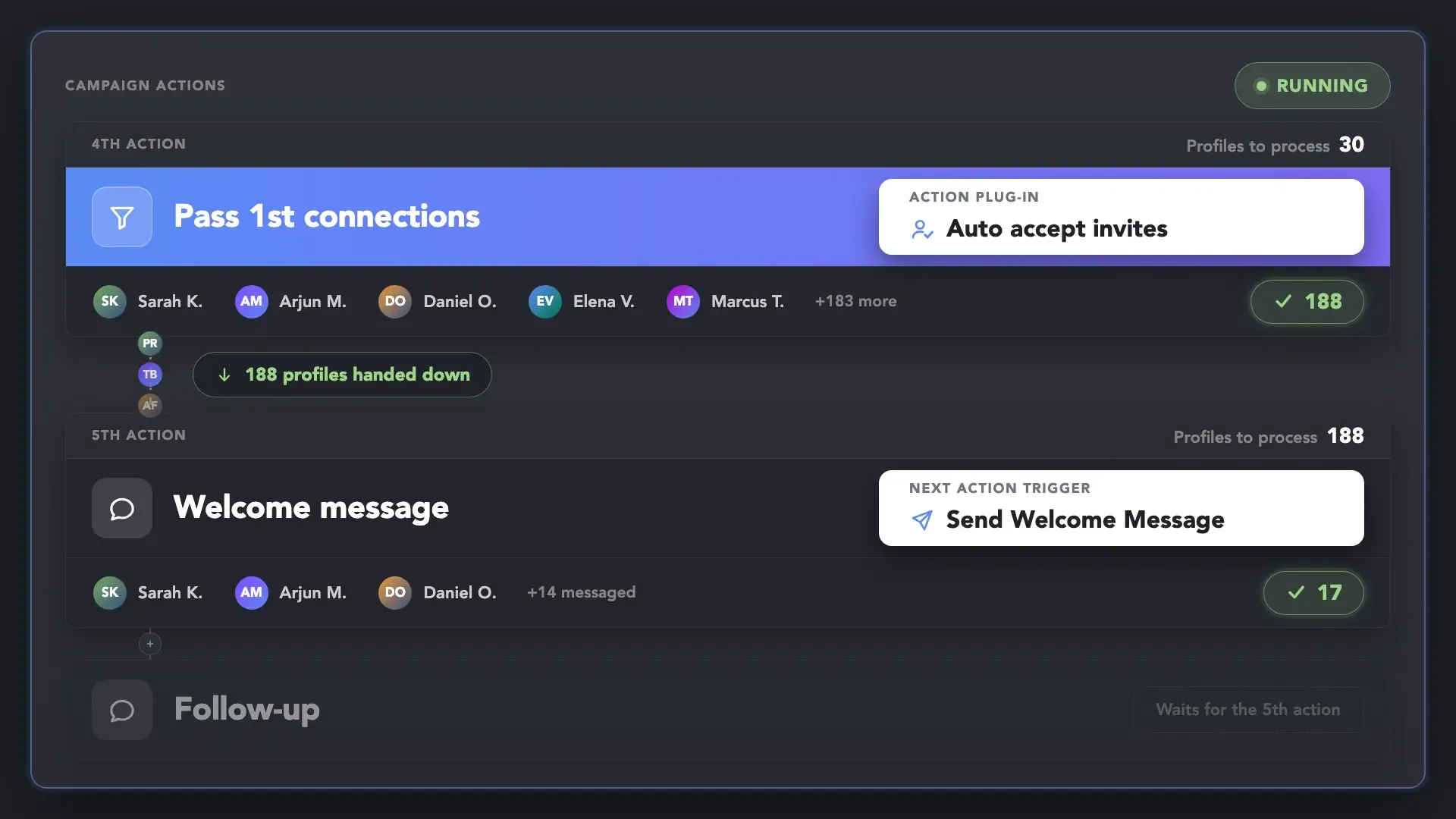
Once a target lead is accepted, they can immediately proceed to the next step of the campaign—such as receiving a welcome message or being exported to your CRM. This applies to leads in the current campaign when the Auto accept incoming invites for "Pass only 1st-degree connections" plug-in is enabled for the Pass 1st connections action.
Install the Auto Accept Incoming Invites plug-in from the Plug-in Store and let incoming invites find their way in automatically.


Linked Helper helps you automate invite management without letting pending requests pile up or waste your connection limits.
Linked Helper is verified undetectable by DataDome, Cloudflare, PerimeterX, and 10+ other leading bot detection systems — so your account stays safe, always.
 DataDomeCloudflarePerimeterXAkamaiImperva10+ more
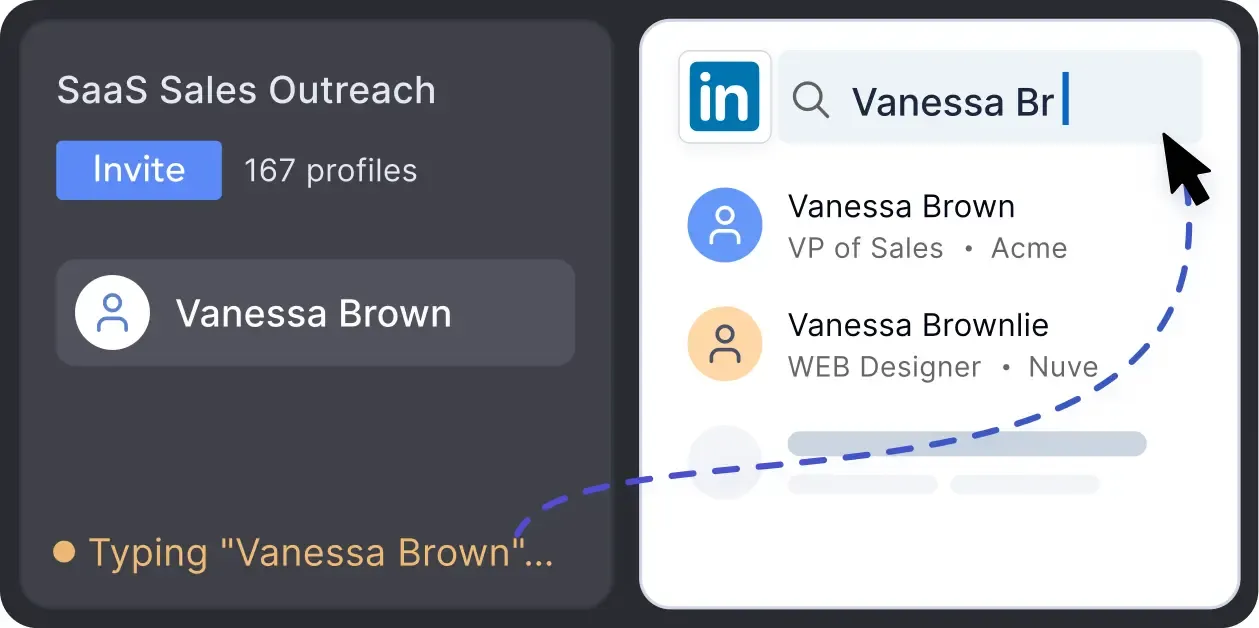
Mimics human actions with mouse movements and clicks, typing, and randomized delays. Navigates via LinkedIn search rather than direct URLs.
Accept Invites doesn't run alongside another campaign or function — and it doesn't touch your daily limits either. It's built to do one job cleanly, then get out of the way.
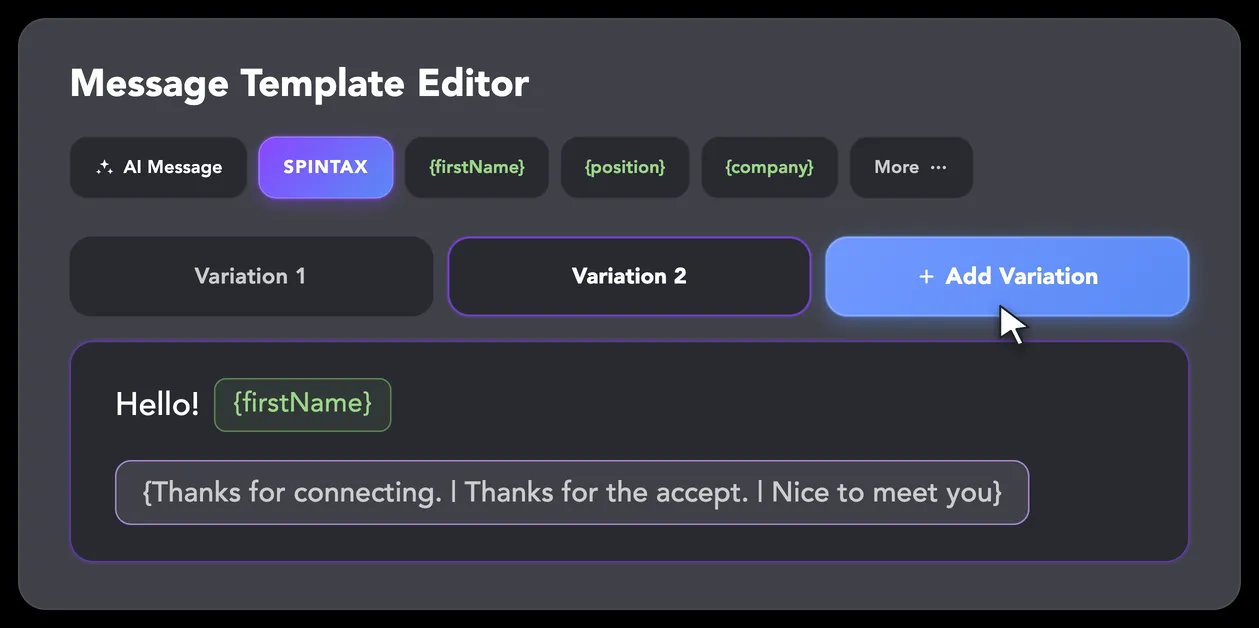
LinkedIn algorithms flag repetitive text. Combine your generated templates with unique syntactic variations for every single message, keeping your outreach off the spam radar.
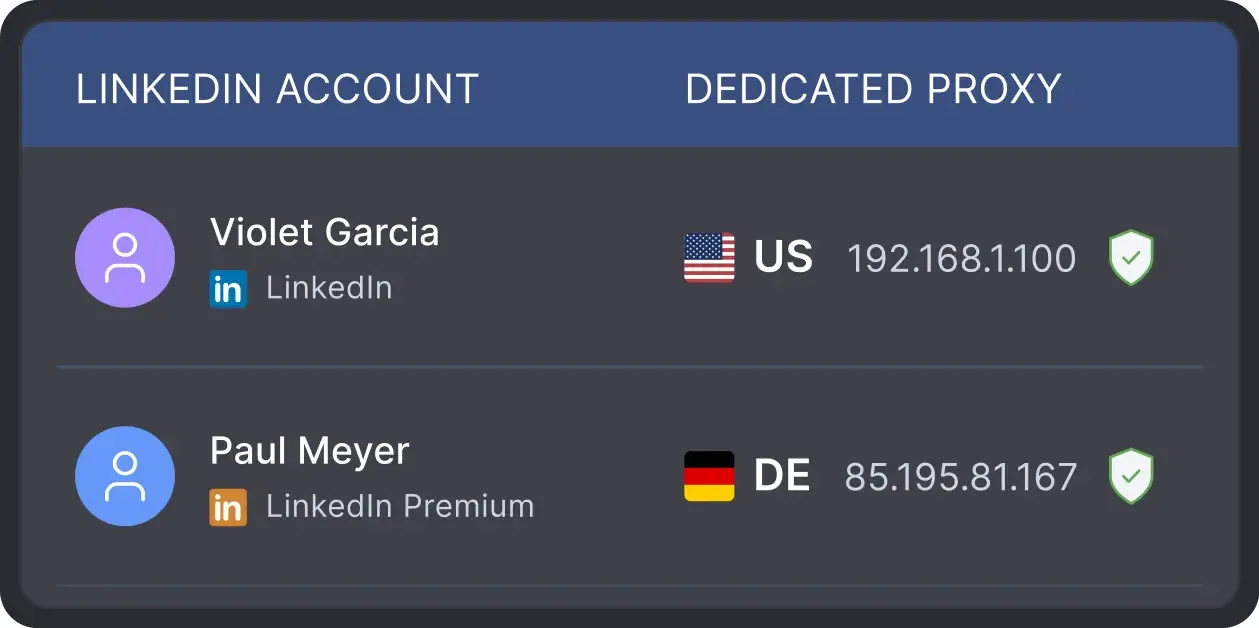
All activity comes from your local IP address or a chosen dedicated proxy, not a suspicious server, avoiding a major red flag for LinkedIn.
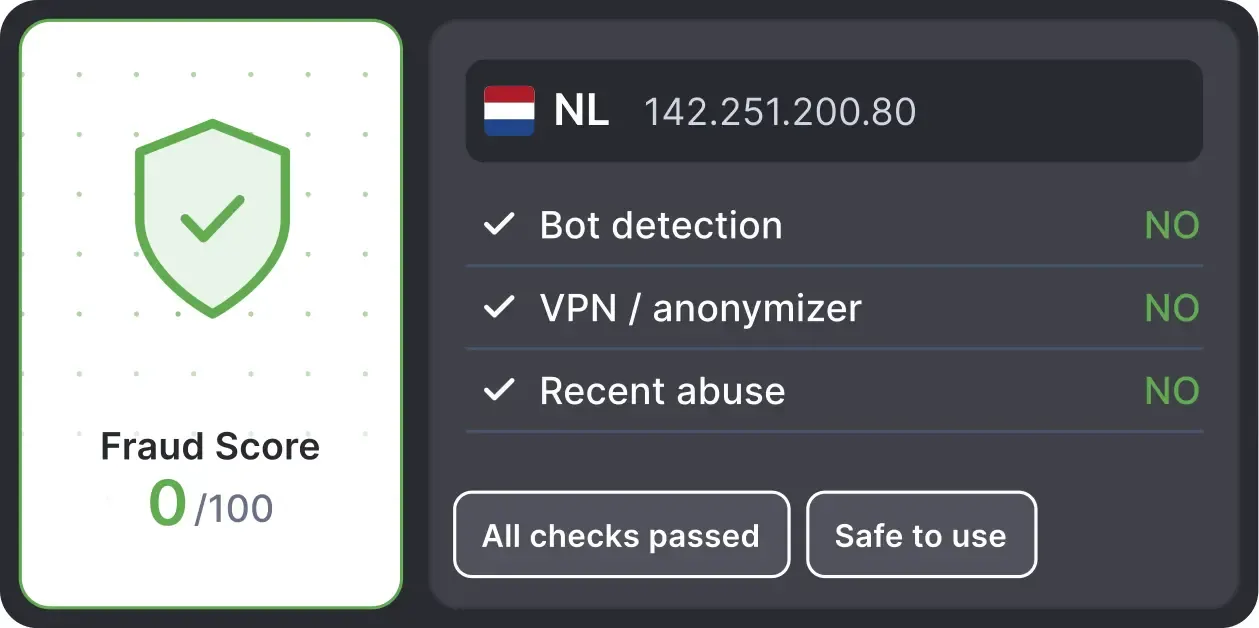
Automatically validates your proxy's "Fraud Score" to ensure you're not using a low-quality or blacklisted IP, adding an extra layer of security for multi-account management.
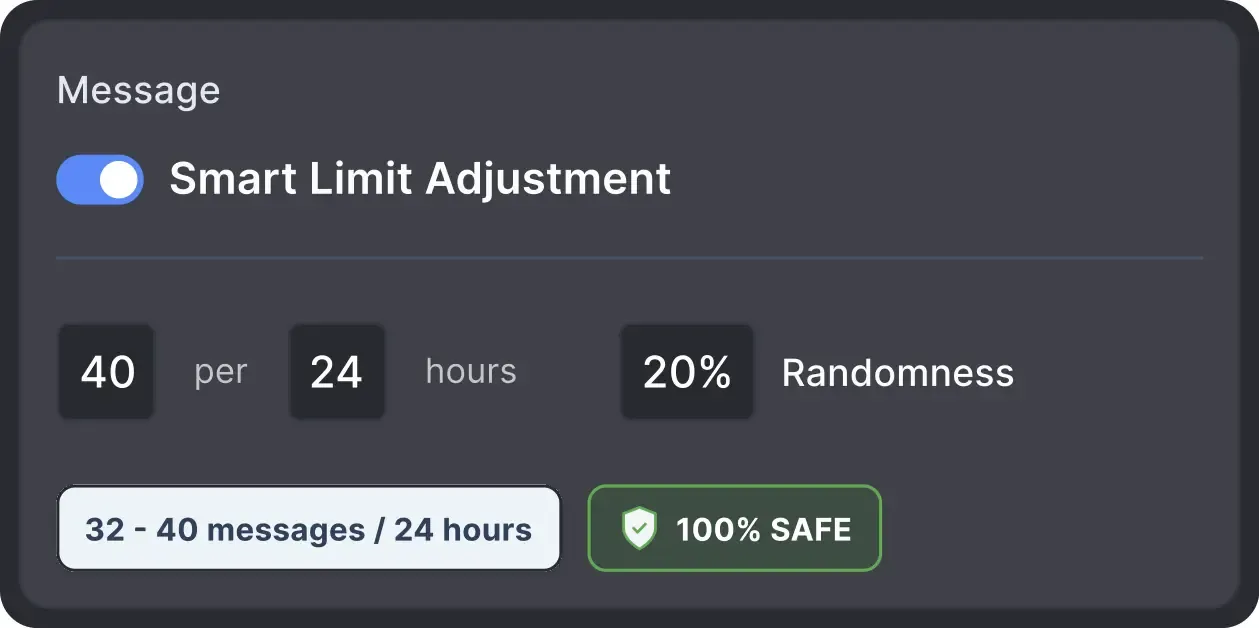
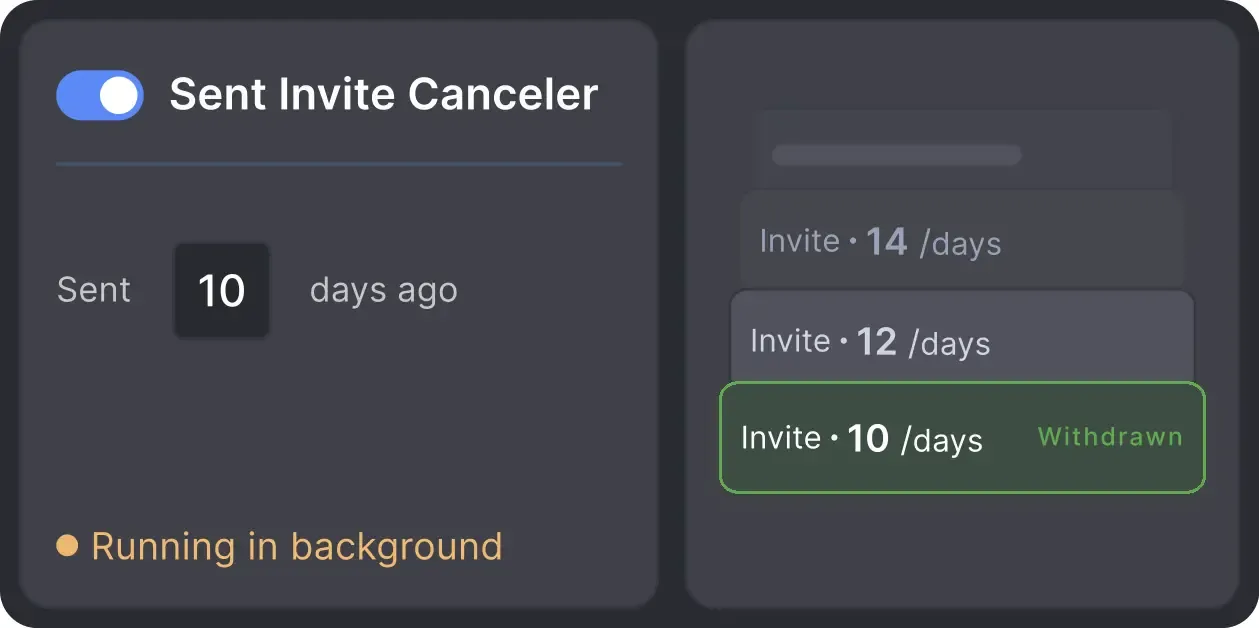
Automatically retracts old, unanswered connection requests to keep your profile in good standing with LinkedIn's algorithm.

Basic

Premium

Sales Navigator

Recruiter
Basic
Premium
Sales Navigator
Recruiter
From finding leads to closing deals, Linked Helper automates every step of your outreach funnel.


Real testimonials from users who let Linked Helper handle their incoming invites.






Using Linked Helper now over a couple of months and have to say it works flawlessly. Onboarding new contacts, sending out follow-ups messages... everything is automated once you set it. Just top to increase the network with this tool!

LinkedHelper is the essential part of our sales workflow. Helps our company getting 10-20 client demos each week. I can't recommend enough. It's a must have for any B2B sales team.

Previously, I had to do everything manually, from searching for a database of relevant contacts to conducting correspondence to the "Potential Lead" stage. Now, having a well-selected database, all I have to do is load it into the Linked Helper and set the correct steps, and then process contacts that are ready for communication. This saves me a lot of time, allowing me to grow myself and help my company.
It works just like a real human, and I haven't had any issues with my LinkedIn accounts since I started. I've had some bad experiences with other automation tools that got me blocked, but LinkedHelper has been great. Plus, their support team is awesome. Overall, I'm super satisfied!
Great tool that helps me send over 100 connections request while I am doing something else.
My overall experience is great. I like that it works, it's really easy to use, it's very natural, UX-friendly design. I like it because it helped me to connect to my clients, to my audience, and create automations instead of writing everything by hand. Plus, it's really great that it has a very good price.

It's a legal tool for routine task automation on LinkedIn. It works well without any interruptions. What we like the most, LH saved us plenty of time for lead generation, allowing us focusing on sales.
My overall experience has been great and I have also recommended it to 2 of my clients who were using very expensive tools with very less features. Their team is happy and surprised as the same time.
I liked that it can automate almost every thing in linkedin , and make multiple campaigns like sending connection requests, sending inmail messages and send followup message and extract profile email, and alot more and all if that is done in a safe way so the linkedin account avoid block, it save a lot of time and efforts in a safe way.
No chatbots. No waiting days for a reply. Get fast, expert help from real people
who are committed to your success, anytime you need it.
Isaac R.
CEO, Education Management
If you are looking to optimize your time while generating income or profitability in your objectives, Linked Helper is your app. What I liked most is the simplicity and effectiveness.
Review24/7 LIVE CHAT & EMAIL
Get a real human response in minutes, not days.
REMOTE ASSISTANCE
If you're truly stuck, we can connect to your computer and guide you.
IN-DEPTH KNOWLEDGE BASE
Step-by-step tutorials and articles for every feature.
The Standard plan covers essential automation for everyday outreach. The Pro plan unlocks enterprise-level targeting, integrations, and scale.

All your data stays on your device, in local folders you can access directly.

Each account has its own isolated storage - no data mixing.

With outgoing webhooks, Linked Helper can send data to third-party systems.

Data is stored in local folders on your device. No app, no internet required to access your files.

Install the app on a new device and pick up right where you left off.

Share LinkedIn accounts and campaign data without manual exports.
With incoming and outgoing webhooks, Linked Helper can receive data from and send data to third-party systems.

Your data is automatically backed up to the cloud - no risk of losing it if something happens to your device.

Switch devices or reinstall the app without moving files manually.
Local tax may apply
Join our weekly live training for a kick-start, or explore our library of bite-sized guides at your own pace. We provide every resource to help you scale safely.

A 60-minute live walkthrough to kick-start your LinkedIn lead generation. Register now to join live or receive the recording by email even if you can’t attend.


BLOG POST
VIDEO TUTORIAL
A Linked Helper function that accepts incoming LinkedIn connection requests automatically — either your entire backlog at once, or only invitations from people already targeted by one of your campaigns.
Clear your invite backlog today — automatically, safely, and without lifting a finger.









 Save My Spot