

 Unified Inbox Access
 AI-Powered Reply Assistant
 Replied Lists Sync
 Safety
Unified Cloud Data Hub
See all team accounts and their synchronized lead data in one place. Track activity and analyze real-time campaign results across your entire Workspace from any device.
 Powered by Cloud DB
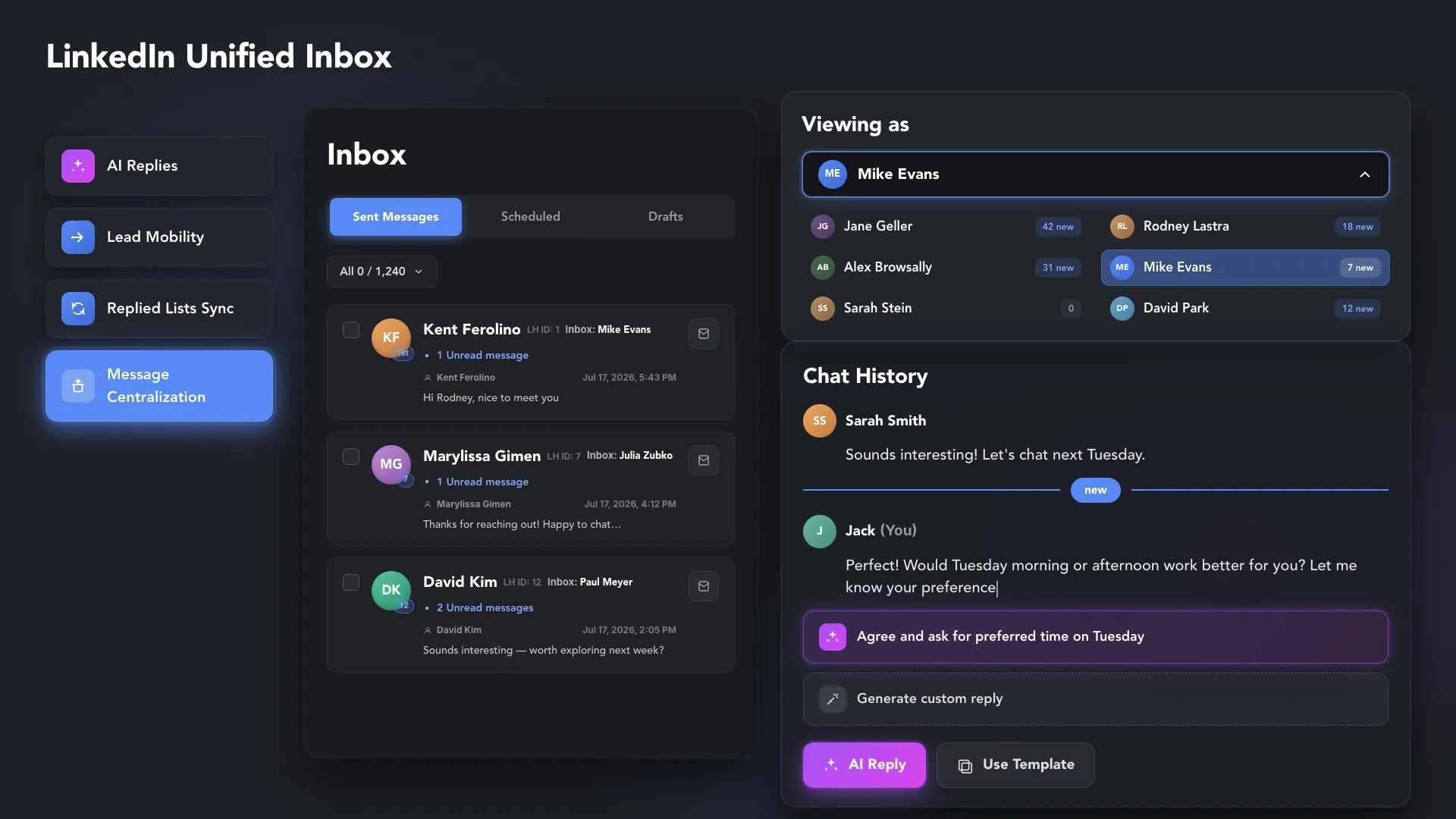
Centralize messages from 20+ LinkedIn accounts into a single dashboard. Powered by the Cloud Storage license, it eliminates the chaos of multiple browser tabs and scales your outreach with AI-powered replies and real-time synchronization.










 NATIVE LINKEDIN MESSAGING
 LINKED HELPER UNIFIED INBOX
 Orgaized
Achieve complete operational freedom with Unified Inbox Access. Linked Helper unifies messages from all your cloud-synced accounts into one inbox, providing instant shared access for your authorized team. View and reply from 10, 20, or 50+ LinkedIn accounts without ever switching profiles or logging in and out.
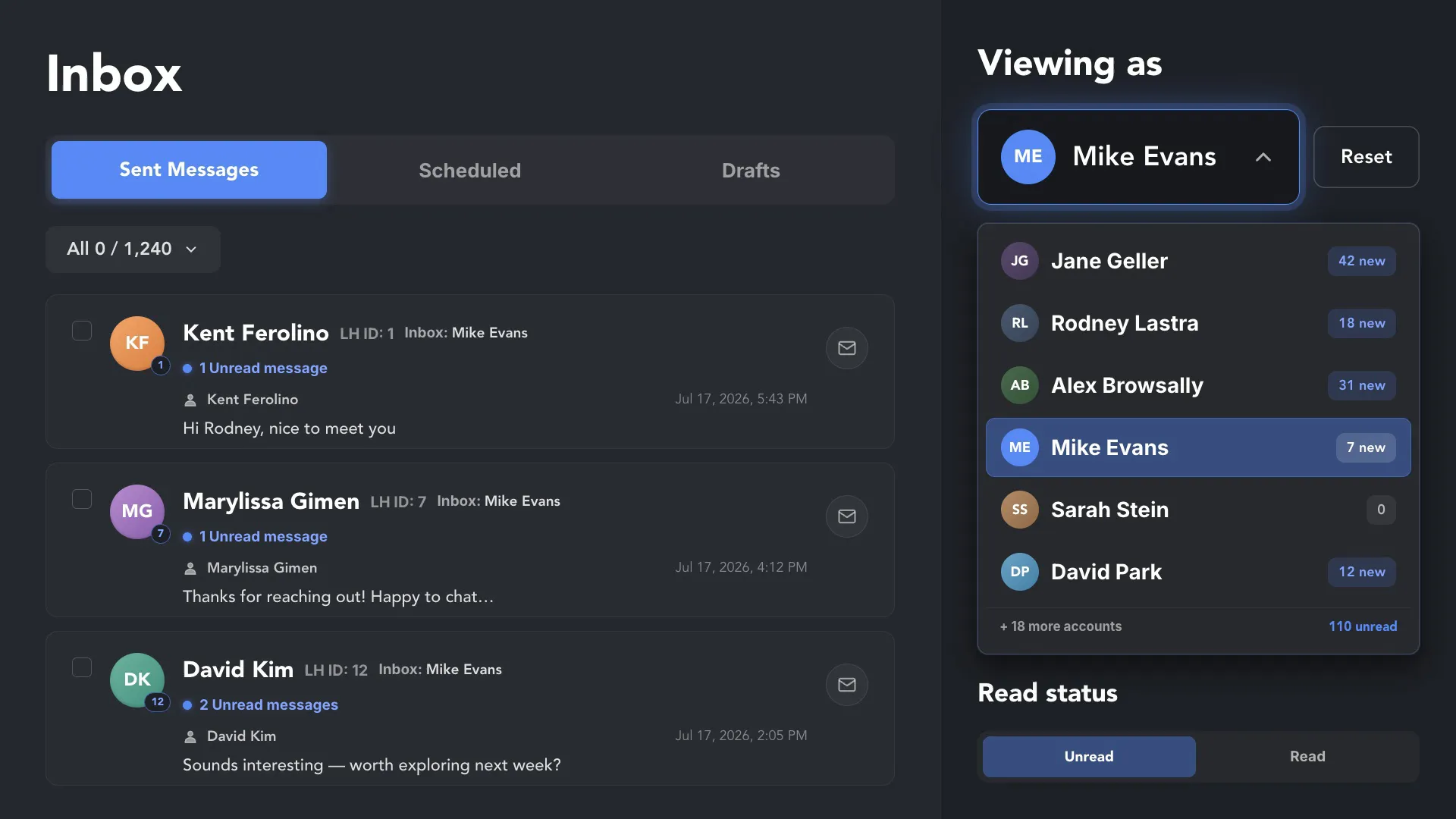
High-volume outreach demands lightning-fast responses without sacrificing quality. Our AI-Powered Reply Assistant analyzes the context of your chat history and generates relevant responses in a single click. Handle hundreds of dialogues across all team accounts without the manual drain.
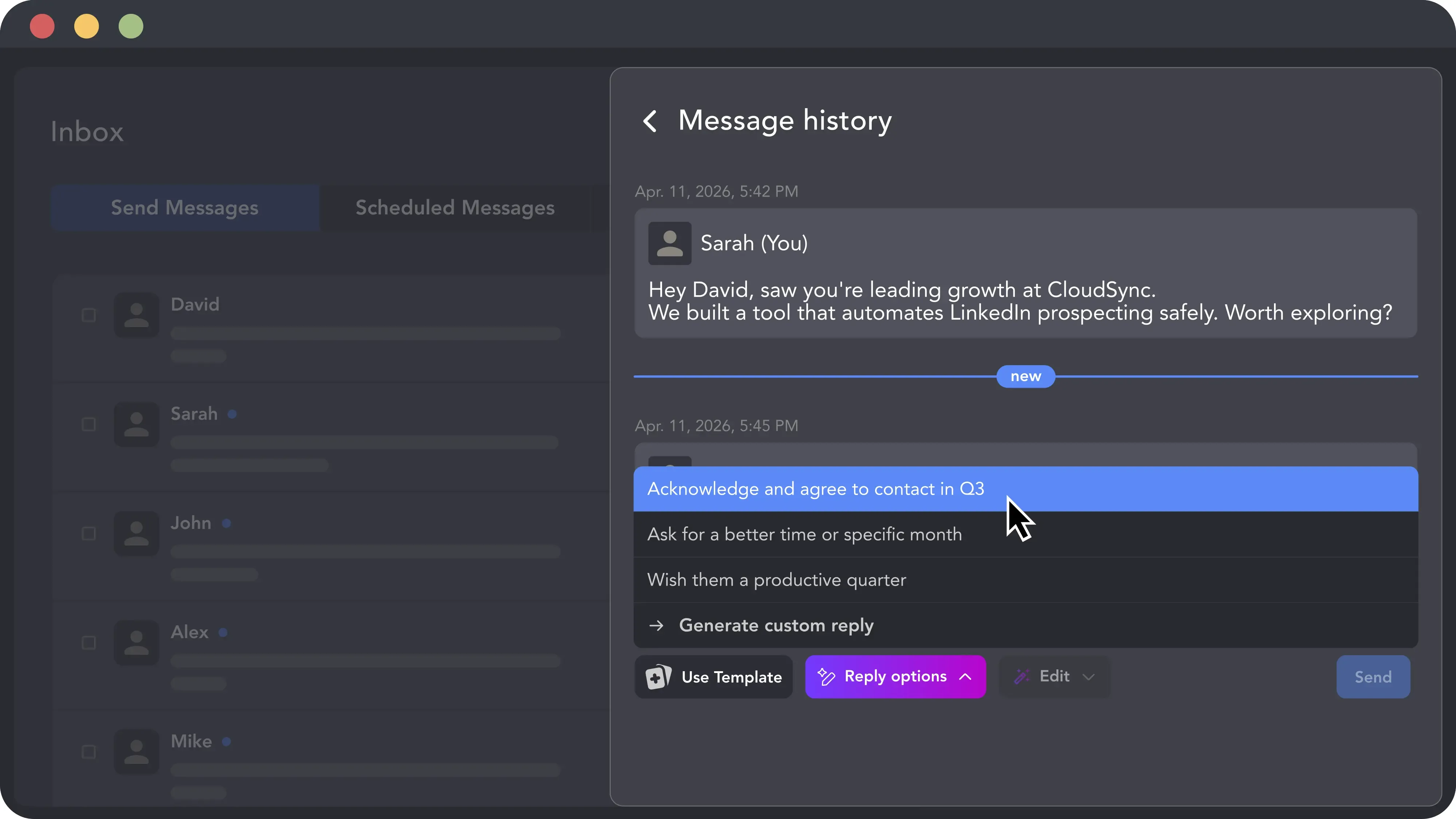
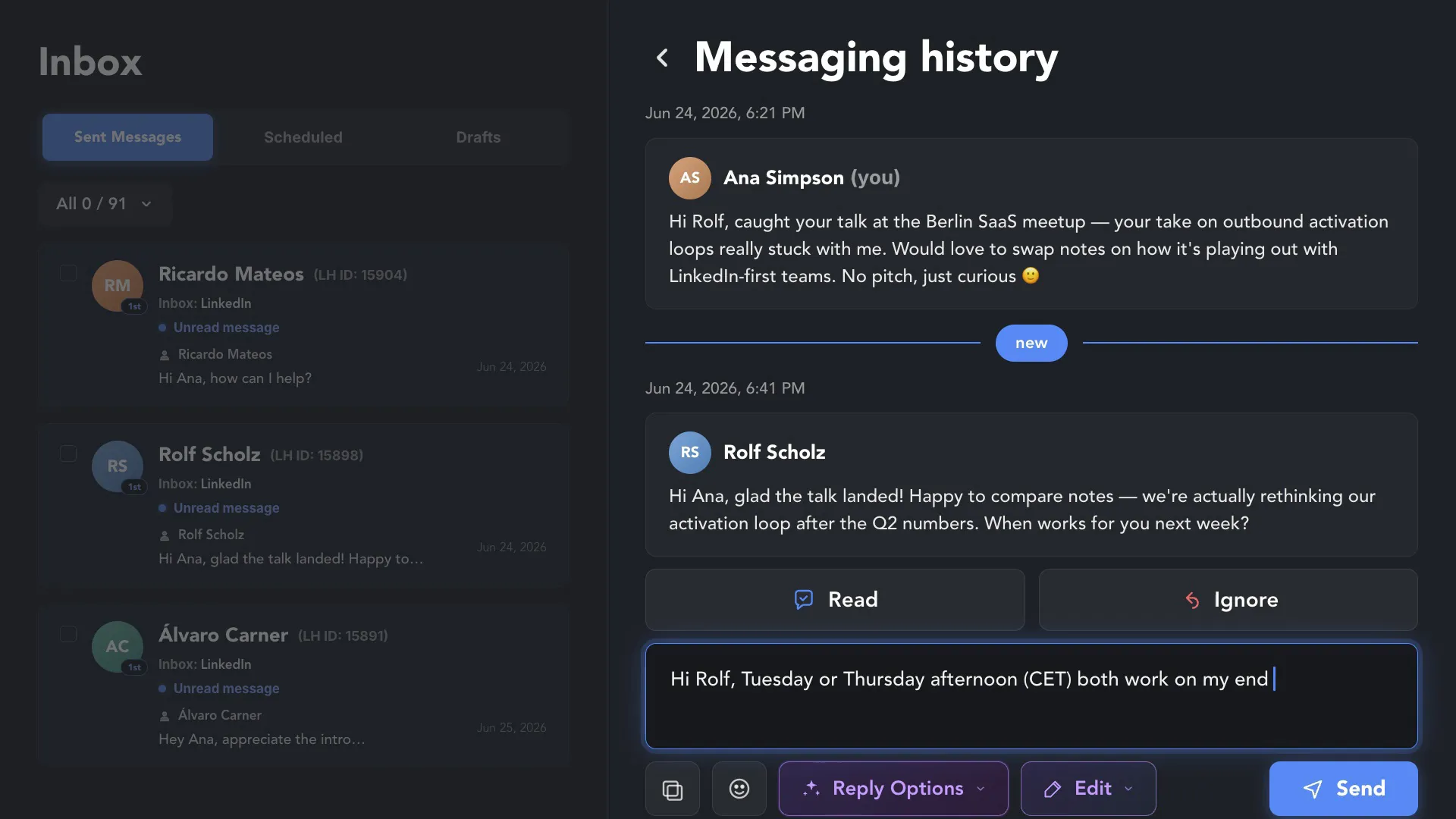
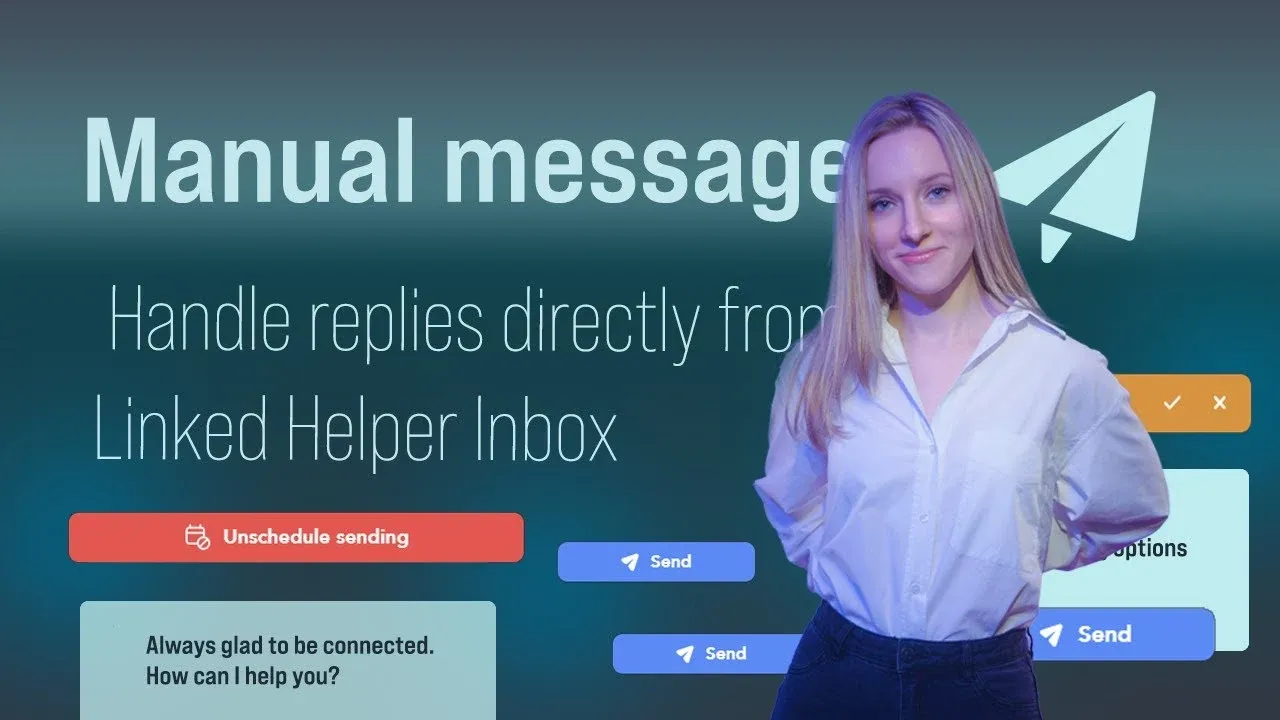
Stop losing focus by hopping between Linked Helper and the native LinkedIn interface in the tool or browser. Manage 100% of your manual conversations directly within our Inbox. When a lead responds, you can draft your follow-up right here in the Unified Inbox.
When a prospect says "yes" in the chat, don’t let the momentum die in manual data entry. Leveraging the Cloud Storage license version, the Unified Inbox allows you to hand off hot leads from a Hunter’s inbox to a Closer’s campaign list instantly. No CSV exports — just seamless lead mobility that keeps your sales pipeline moving fast.
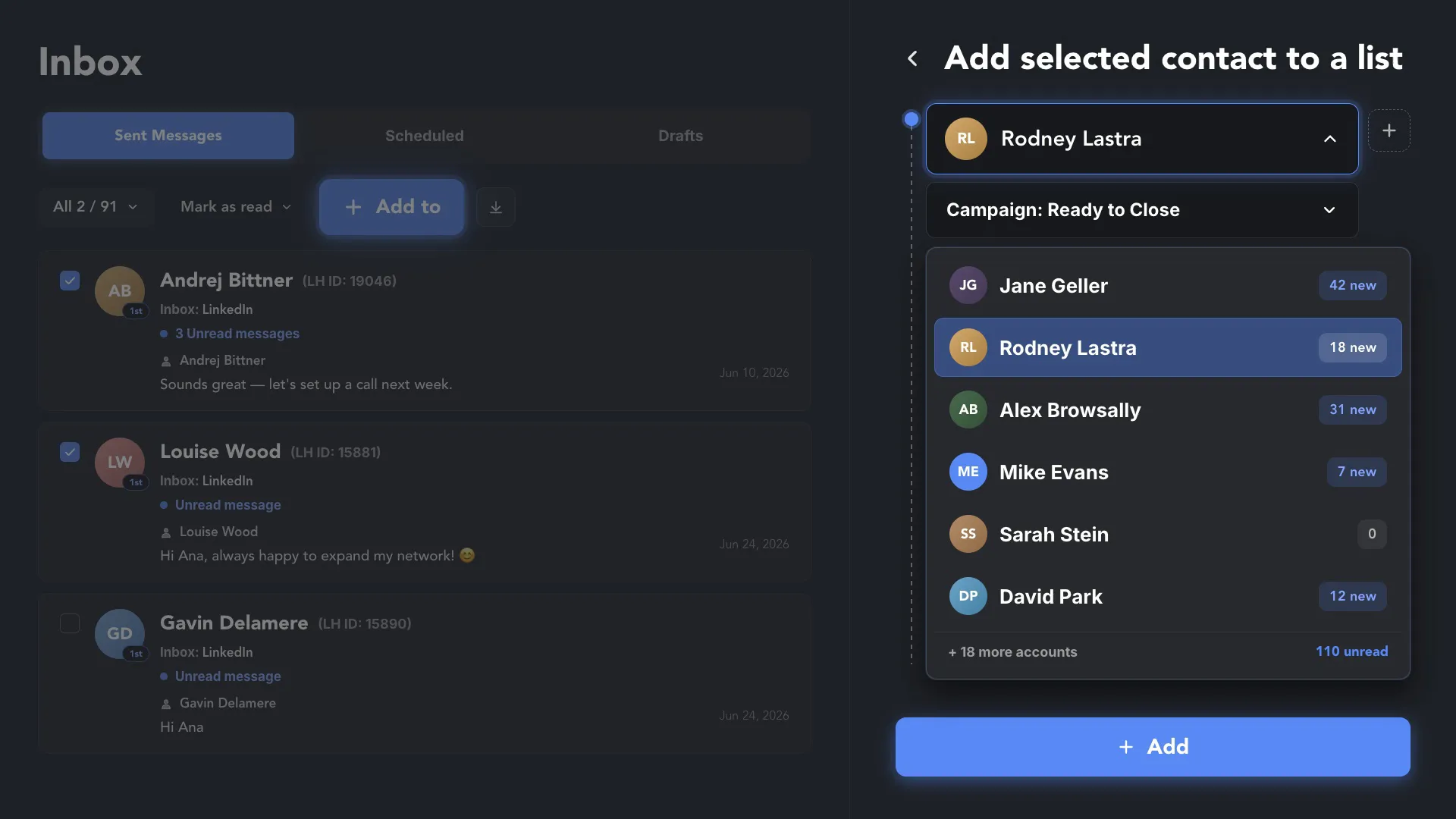
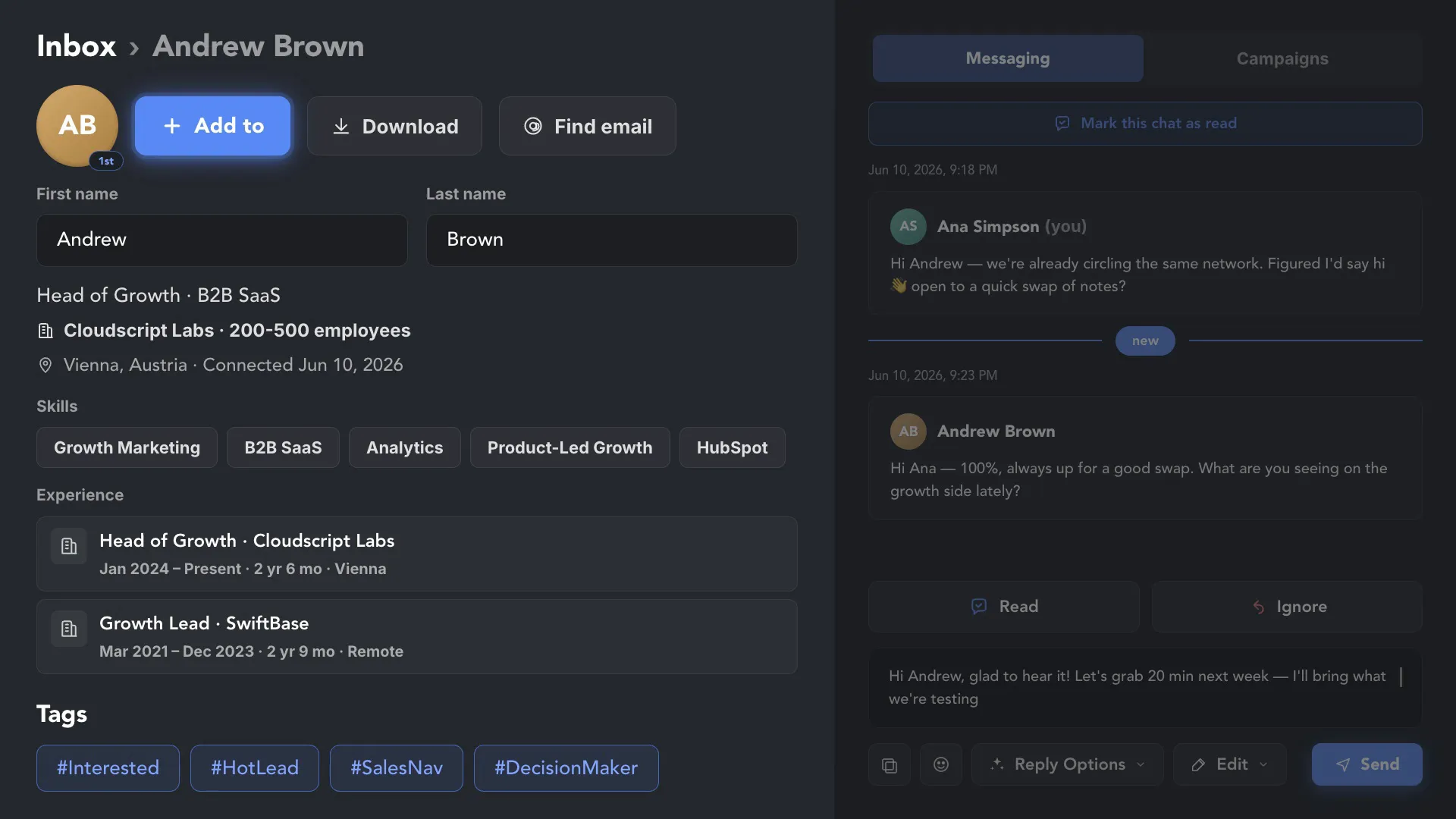
Access full prospect information right next to the chat window: see custom tags, company details, and the complete history of automated actions. This instant context allows you to personalize your follow-ups. With all lead data synced in the cloud, your team always has the "source of truth" at their fingertips.
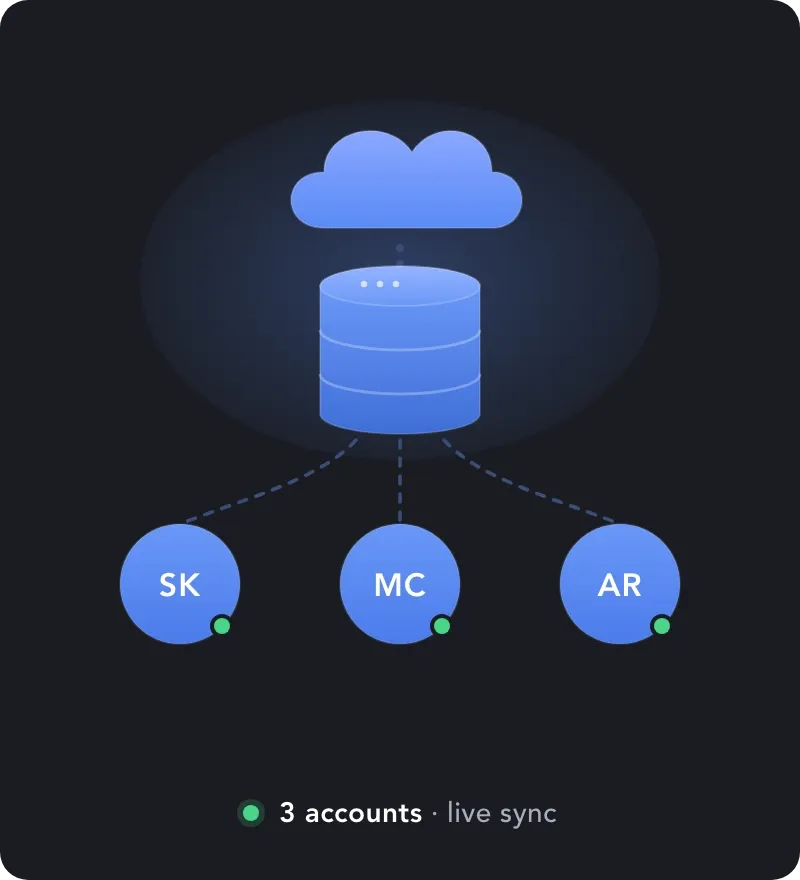
Take your team's efficiency to the next level. While our standard Inbox centralizes your messages from on LinkedIn account, the Cloud Data Storage version unlocks exclusive capabilities: real-time messages sync across different LinkedIn accounts, instant lead handoff between accounts, advanced CRM filtering, and more. Explore our Cloud features to see how you can synchronize your entire sales force, eliminate manual CSV routines, and ensure your lead data remains safe and accessible 24/7.
Supercharge your operations. Cloud-enabled Workspaces turn siloed LinkedIn accounts into a unified,
high-speed lead generation machine with 100% data transparency.


Linked Helper helps you centralizing messages without risking your account.
LinkedHelper is verified undetectable by DataDome, Cloudflare, PerimeterX, and 10+ other leading bot detection systems — so your account stays safe, always.
 DataDomeCloudflarePerimeterXAkamaiImperva10+ more
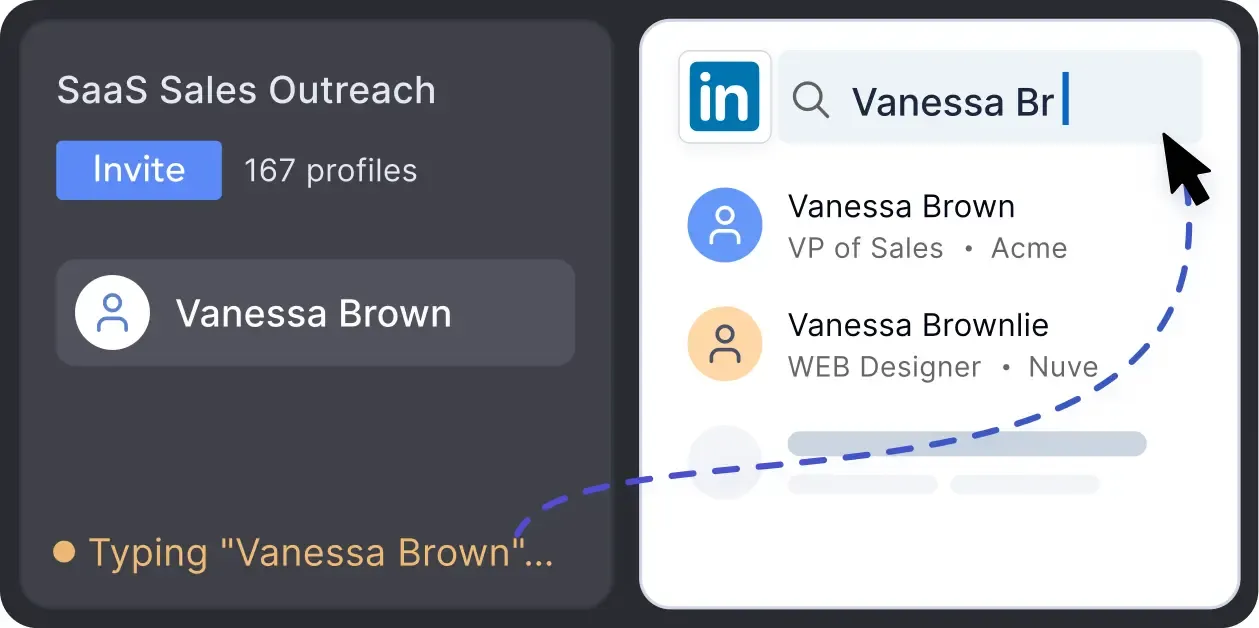
Mimics human actions with mouse movements and clicks, typing, and randomized delays. Navigates via LinkedIn search rather than direct URLs.
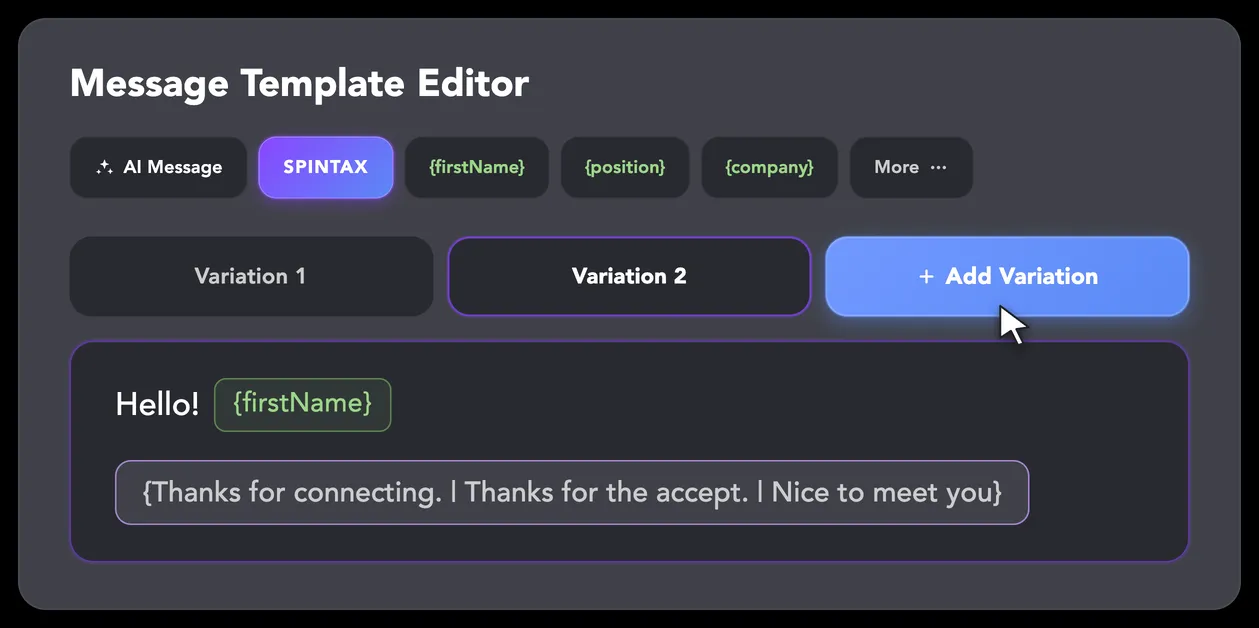
LinkedIn algorithms flag repetitive text. Combine your generated templates with unique syntactic variations for every single message, keeping your outreach off the spam radar.
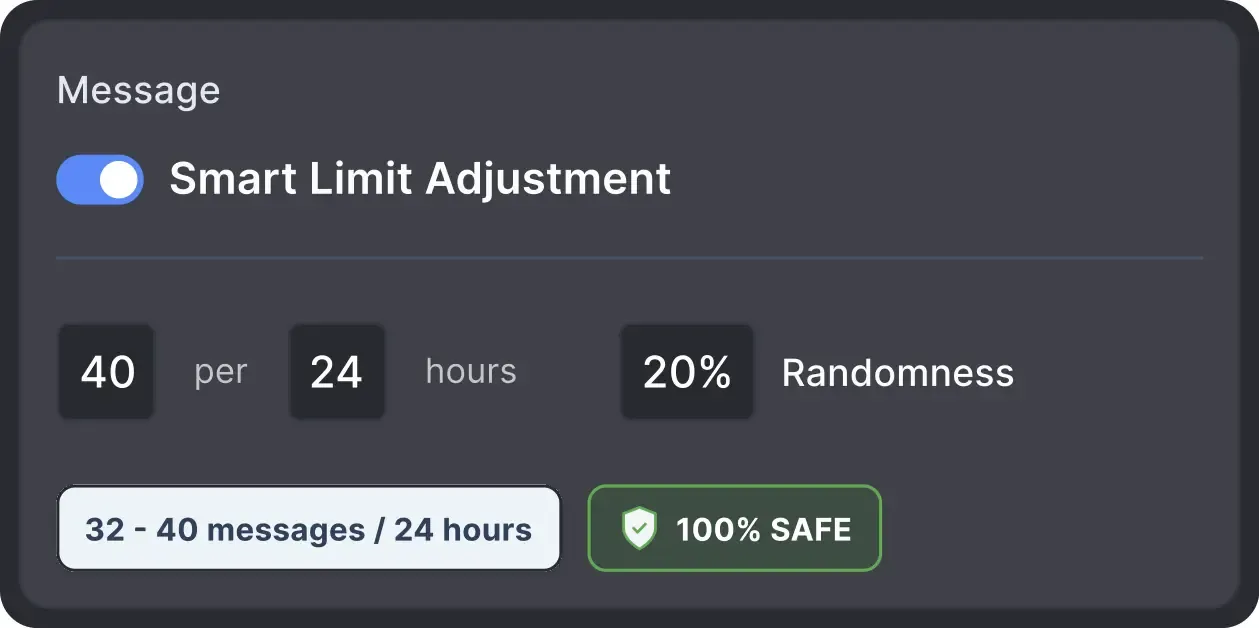
Operates within safe, recommended daily quotas and works on a "human-like" schedule (e.g., 9 AM - 5 PM) with random shifts to avoid robotic patterns.
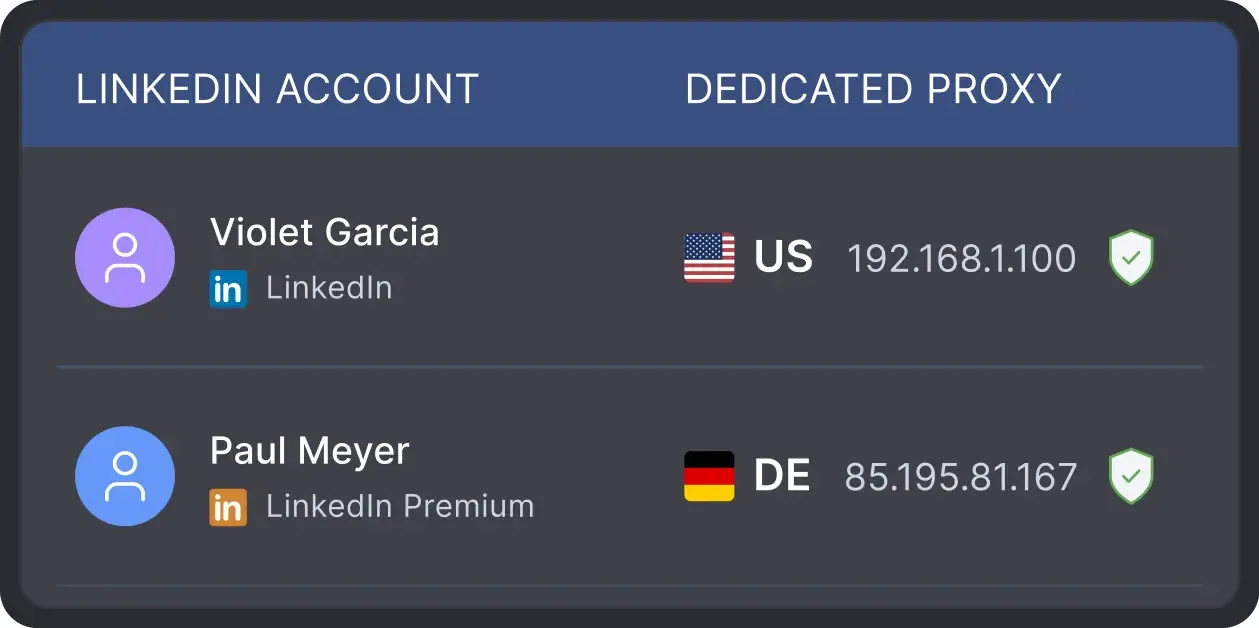
All activity comes from your local IP address or a chosen dedicated proxy, not a suspicious server, avoiding a major red flag for LinkedIn.
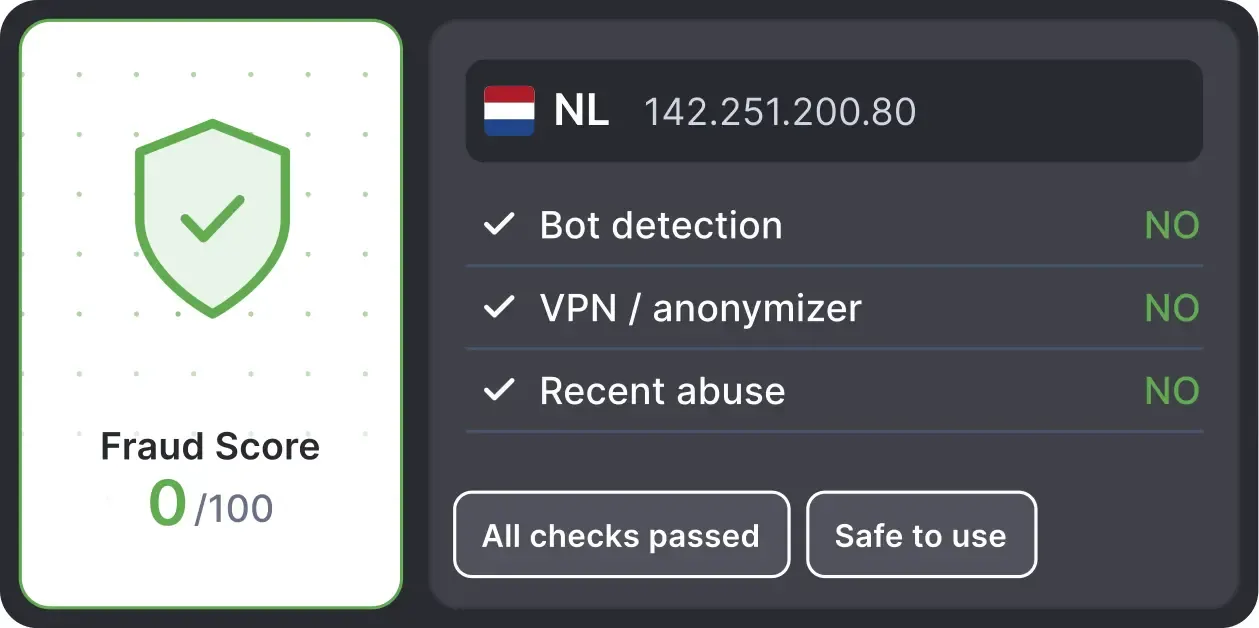
Automatically validates your proxy's "Fraud Score" to ensure you're not using a low-quality or blacklisted IP, adding an extra layer of security for multi-account management.
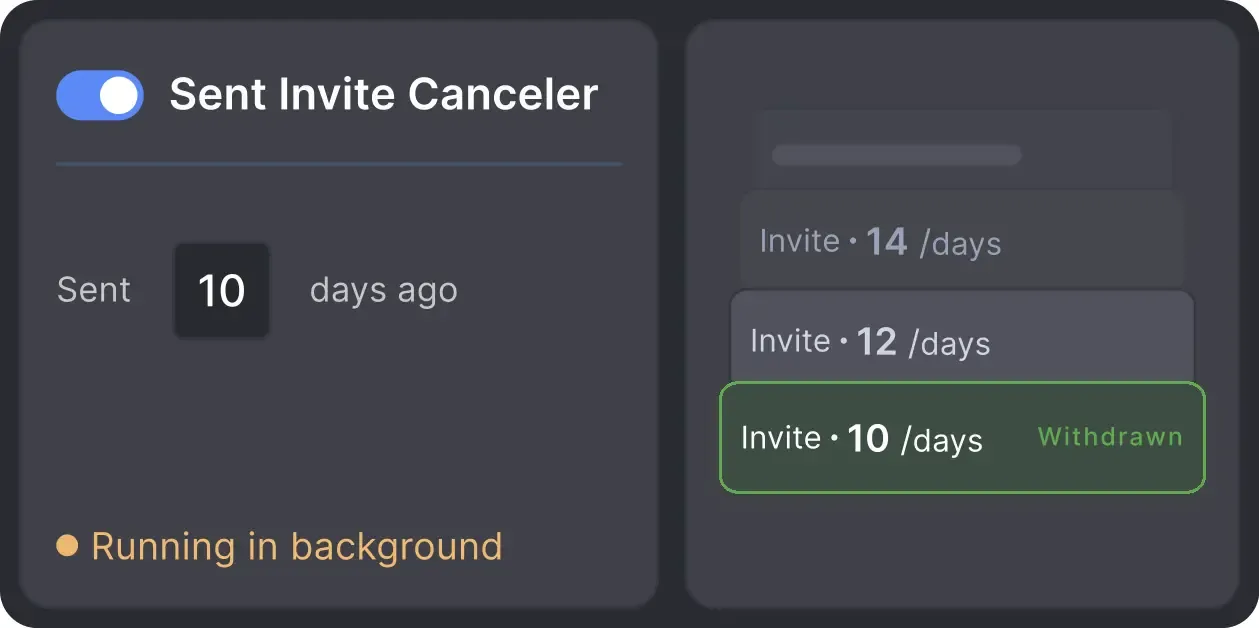
Automatically retracts old, unanswered connection requests to keep your profile in good standing with LinkedIn's algorithm.

Basic

Premium

Sales Navigator

Recruiter
Basic
Premium
Sales Navigator
Recruiter
From finding leads to closing deals, Linked Helper automates every step of your outreach funnel. Explore the features that make us the most powerful solution on the market.


100+ real testimonials prove Linked Helper as a reliable tool for LinkedIn growth.






The product replaced 9 recruiters for me... 900 letters on LinkedIn in 4-5 hours - a great result! It's great to see how the program works on LinkedIn. Seeing what's going on is a useful feature.

It helps that the tool automatically checks responses/messages and you can define follow up messages. Overall, it's a great tool and easy to use.

I absolutely love this tool because it helps me respond to all my clients on time and ensures that I never miss a communication. The efficiency and reliability it offers are unmatched.
Maintaining contact and standardizing messages with my connections, which was previously done individually. For anyone using LinkedIn as a business platform, LinkedIn Helper is indispensable. It's like fishing nets attached to your ship that provide you with food while you travel around the world.
Linked Helper allowed me to focus on important tasks while being confident that my account was safe. The built-in CRM system allows me not to lose correspondence with new leads.
A great way to connect to new people, propose partnership collaborations, invite people to follow your page, send multiple connection requests, cold outreach if you are into this.
Isaac R.
CEO, Education Management
If you are looking to optimize your time while generating income or profitability in your objectives, Linked Helper is your app. What I liked most is the simplicity and effectiveness. You only have to worry about identifying your potential clients, having a good text, and running the software, it will do everything for you.
Review24/7 LIVE CHAT EMAIL
Get a real human response in minutes, not days.
REMOTE ASSISTANCE
If you're truly stuck, we can connect to your screen and guide you.
IN DEPTH KNOWLEDGE BASE
Step‑by‑step tutorials and articles for every feature.
The Standard plan covers essential automation for everyday outreach. The Pro plan unlocks enterprise-level targeting, integrations, and scale.

All your data stays on your device, in local folders you can access directly.

Each account has its own isolated storage - no data mixing.

With outgoing webhooks, Linked Helper can send data to third-party systems.

Data is stored in local folders on your device. No app, no internet required to access your files.

Install the app on a new device and pick up right where you left off.

Share LinkedIn accounts and campaign data without manual exports.
With incoming and outgoing webhooks, Linked Helper can receive data from and send data to third-party systems.

Your data is automatically backed up to the cloud - no risk of losing it if something happens to your device.

Switch devices or reinstall the app without moving files manually.
Local tax may apply
Join our weekly live training for a kick-start, or explore our library of bite-sized guides at your own pace. We provide every resource to help you scale safely.

A 60-minute live walkthrough to kick-start your LinkedIn lead generation. Register now to join live or receive the recording by email even if you can’t attend.


BLOG POST
VIDEO TUTORIAL
You can centralize conversations from 20+, 50+, or an unlimited number of LinkedIn accounts into a single dashboard within your Workspace. This allows your team to view and reply to hundreds of dialogues across multiple profiles without logging in and out or hopping between browser tabs.





 Save My Spot