Dripify Reviews 2026: What We Found

Dripify Reviews 2026: What We Found

MS

Margatira Servar

Updated atUpdated: July 24, 2026Read time21 min read

Key takeaways

  • “Unlimited campaigns” still split one daily action pool evenly; because native A/B testing is absent, running message variants as separate campaigns can divide rather than expand sending capacity.
  • Pro can emit events through a generic Zapier or Make webhook, but Dripify cannot export full message history—so an external CRM can receive lead events without inheriting a complete conversation record.
  • Team administration is billed like sending: Owner and Manager roles require $99 Advanced seats, and removing a team member does not cancel that subscription, so agencies must budget for full-price admins and a separate offboarding step.
  • The 4.63/5 aggregate rating and the churn slice point in different directions: 9 of 14 churning or churned reviewers cited pricing or billing, showing how commercial terms can drive exits even when the broader product experience rates well.

This review is published by Linked Helper and written by Margarita Servar, who works there. I've made every effort to represent Dripify accurately using verified data — our own first-hand testing, Dripify's own documentation, and independently sourced reviews.
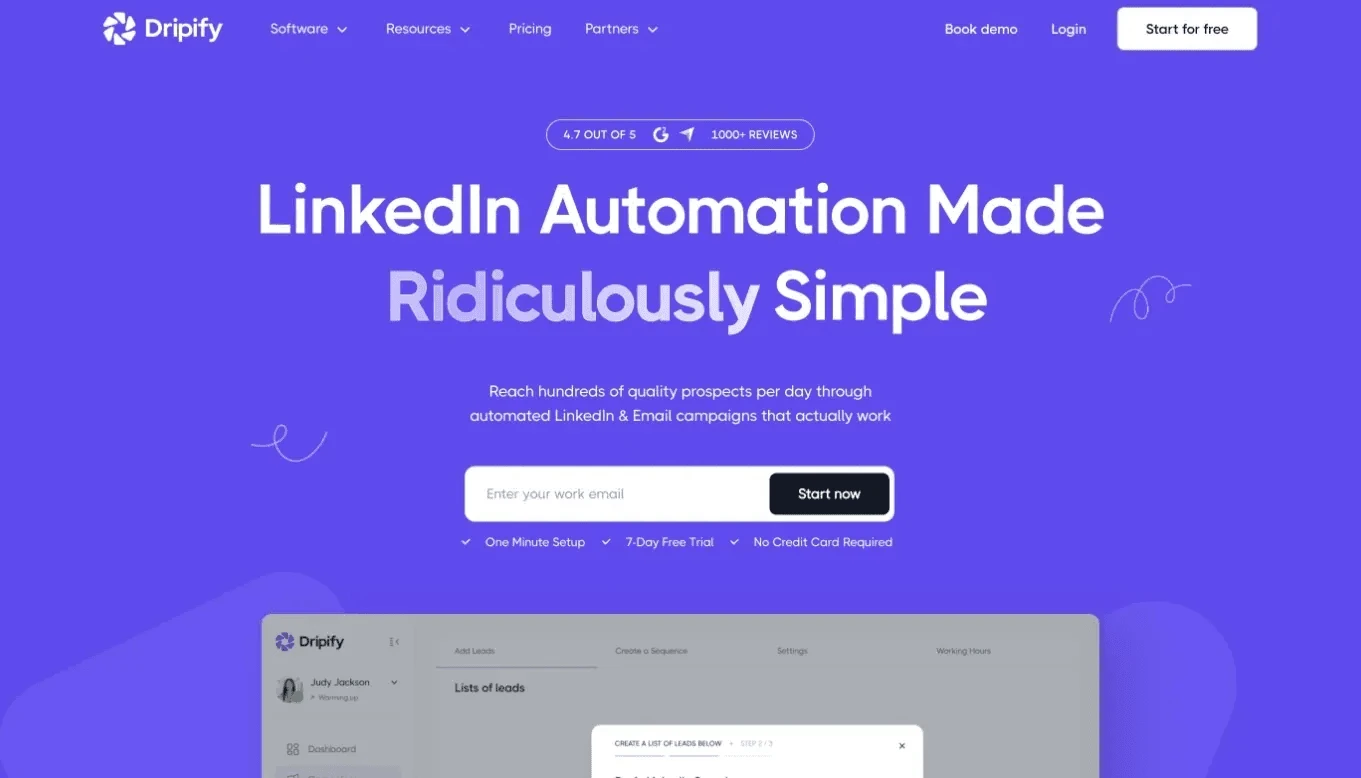
Dripify is a cloud-based LinkedIn and email outreach tool for solo operators and small sales teams that want campaigns to keep running with the browser closed.

Key takeaways

Basic costs $59/month, or $39/month with a $468 annual prepayment, but its one-campaign cap and missing export and webhook access make Pro at $79/month the practical entry point for many workflows. Our safety verdict is conditional: Dripify has no browser extension and documents pacing controls, yet our June 2026 test placed both accounts on shared-provider datacenter IPs rated 94/100 for fraud risk by an independent IP-quality service.

Verdict

Dripify gives one person an always-on cloud sequence builder, a no-card trial, and a short setup path. It covers LinkedIn invitations, messages, InMails, emails, basic branching, and reply-based stopping without requiring a desktop machine to stay on.

The caveats are price and custody. The advertised $39/month requires annual prepayment and buys a tier capped at one campaign, with no CSV export, inbox, or webhook route. Pro is the more realistic baseline at $79/month. Billing complaints concentrate around renewal, refunds, and cancellation. On safety, the absence of an extension removes one detection surface, but the observed datacenter IPs and vendor-held cloud session remain material considerations.

Pros

  • Seven-day trial: Full Advanced-tier access is available without a card or trial-specific daily-limit reduction, so buyers can inspect gated workflows before paying.
  • Short setup path: Reviewers repeatedly describe campaign creation and first value as easy to reach without a technical background.
  • Reply-aware sequences: Dripify stops a sequence when a lead responds, letting the operator take over rather than sending the next automated step.
  • LinkedIn plus email: Gmail or Outlook can be connected through OAuth, with email sending and finder credits included on every paid tier.
  • Defined safety controls: Daily caps, randomized timing, working hours, and a Cooling Down throttle give users visible pacing levers.

Cons

  • Headline-price gap: The $39/month figure is annual-only Basic; Pro at $79/month is where unlimited campaigns, export, inbox, and webhooks later charges.
  • Variable throughput: Multiple reviewers report receiving 5–37 daily invitations against an advertised ceiling of 75, so the ceiling is not a delivery promise.
  • Cloud-session exposure: Both tested accounts used shared-provider datacenter IPs in the same subnet, with no bring-your-own proxy or quality checker.
  • Linear team cost: Every connected LinkedIn account needs a full subscription, manager seats cost the same, and no volume discount is published.
  • Limited depth on several axes: There is no native A/B testing, public API, spintax, full message-history export, AI lead scoring, or client-facing white-label portal.

Dripify Pricing: Plans, Traps, and Hidden Costs

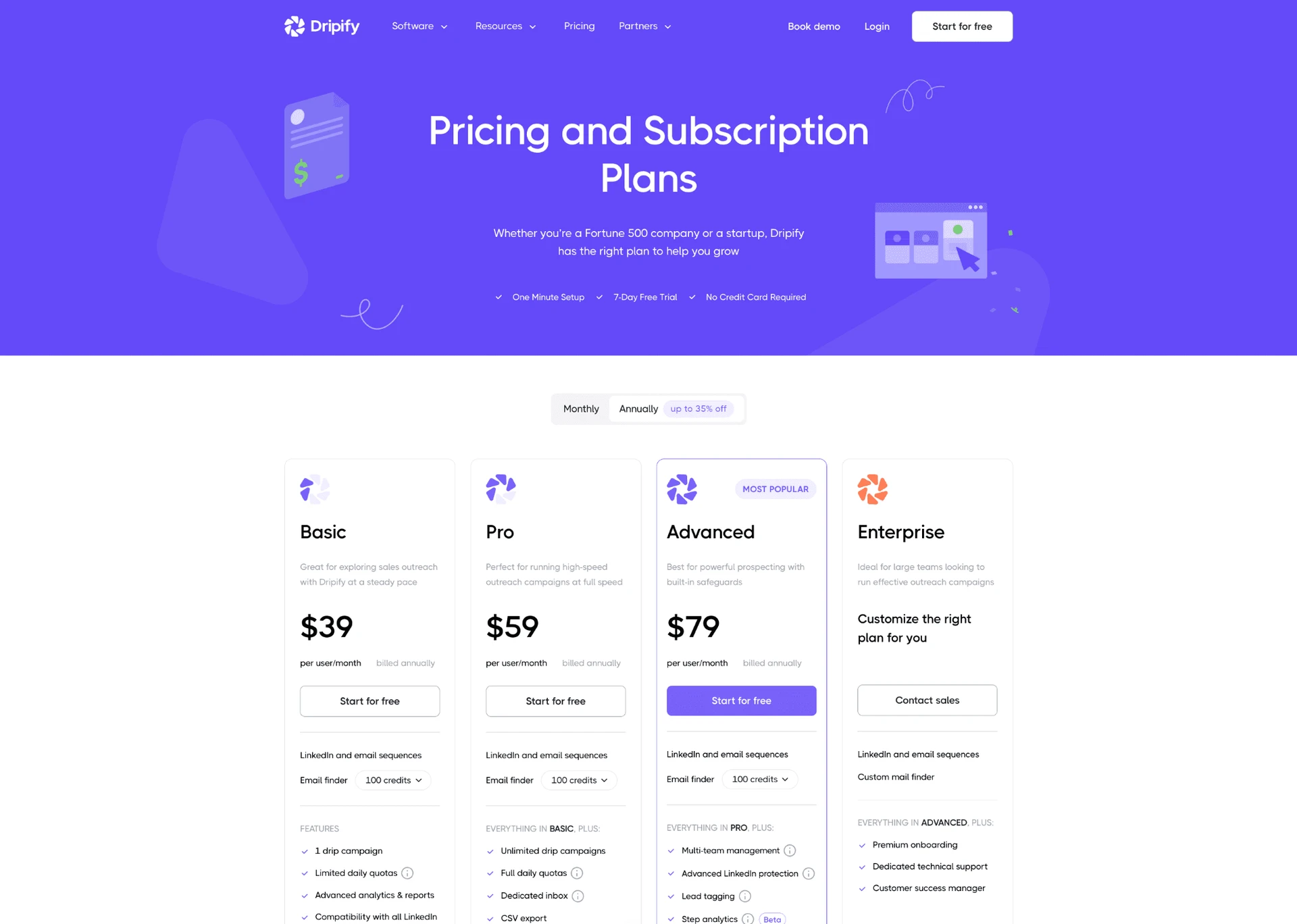
Dripify's pricing page lists Basic at $59 monthly or $39/month equivalent on a $468 annual payment. Pro is $79 or $59/month equivalent annually.

Dripify Pricing: Plans, Traps, and Hidden Costs

Advanced is $99 or $79/month equivalent annually and carries the “most popular” badge. Enterprise is custom.

PlanPriceWhat's includedWhat's NOT included
Basic$59/mo; $39/mo equivalent on a $468 annual prepayment1 campaign; 20 invites, 30 messages, 10 InMails, 100 profile views, and 50 emails per day; 100 finder credits/moCSV export, personal inbox, outgoing webhooks, and multiple active campaigns
Pro$79/mo; $59/mo equivalent on a $708 annual prepaymentUnlimited campaigns; up to 75 invites/day; 200 emails/day; CSV export; personal inbox; outgoing webhooksTeam Owner/Manager roles, white-label, public API, and volume discounts
Advanced$99/mo; $79/mo equivalent on a $948 annual prepaymentPro features plus Owner/Manager roles; Activity Control according to the help documentationWhite-label, client portal, public API, unified team inbox, and volume discounts
EnterpriseCustomCustom commercial arrangementPublic self-service price and published volume-discount schedule

Dripify's published Basic, Pro, and Advanced plan cards - July 2026

See Dripify alternatives ->

The entry-price trap is specific: $39/month is not a monthly payment. Basic is capped at one campaign and 20 invitations per day, with no export, inbox, or integration route. Pro is $79/month monthly or $59/month annually. That is a 34% monthly increase and a 51% increase when comparing the two annual-equivalent figures. The advertised entry and the tier supporting a normal export-and-CRM workflow are different products.

The trial creates a tier transition: the seven-day no-card trial exposes Advanced features without trial-only daily restrictions. A buyer choosing Basic afterward loses campaign and data-access capabilities used during the trial.

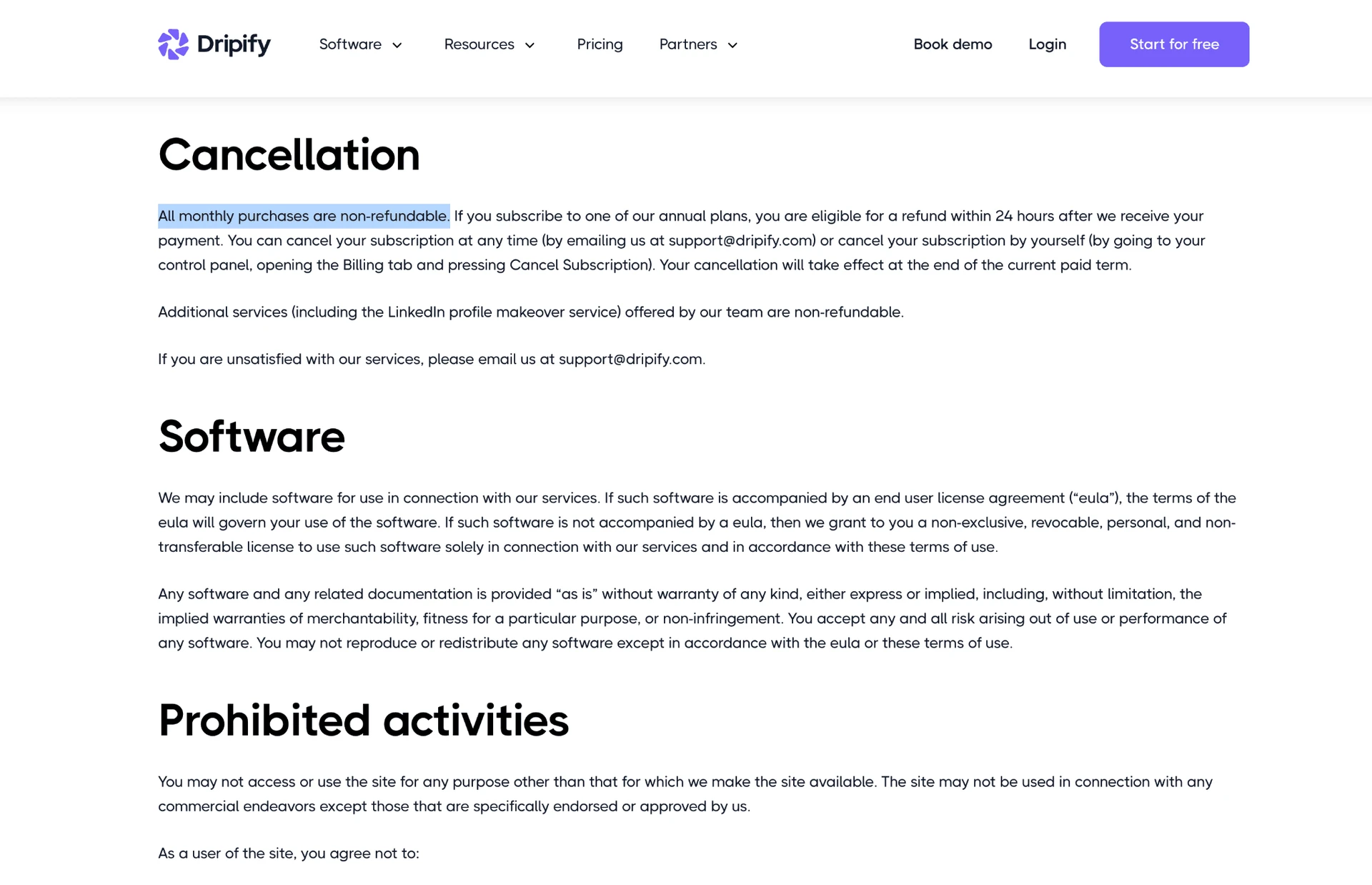
Billing terms are narrow: the terms and conditions state, “All monthly purchases are non-refundable.”

Dripify Pricing: Plans, Traps, and Hidden Costs

Annual payments have a 24-hour refund window, cancellation takes effect at term-end, and there is no prorated refund. A mistaken renewal can therefore become a full-term cost.

Team costs stay linear: one user equals one connected account, with no volume discount. Twenty Advanced sending seats cost $1,980/month or $23,760/year before Zapier or Make. Paid manager seats can push a 20-sender agency scenario to $2,655/month plus middleware, so administration changes the total.

Pricing trap: The $39/month headline requires a $468 annual prepayment and leaves out CSV export, the inbox, webhooks, and multiple campaigns; Pro at $79/month is the practical entry point for those workflows.

Dripify's Automation & Campaign Engine

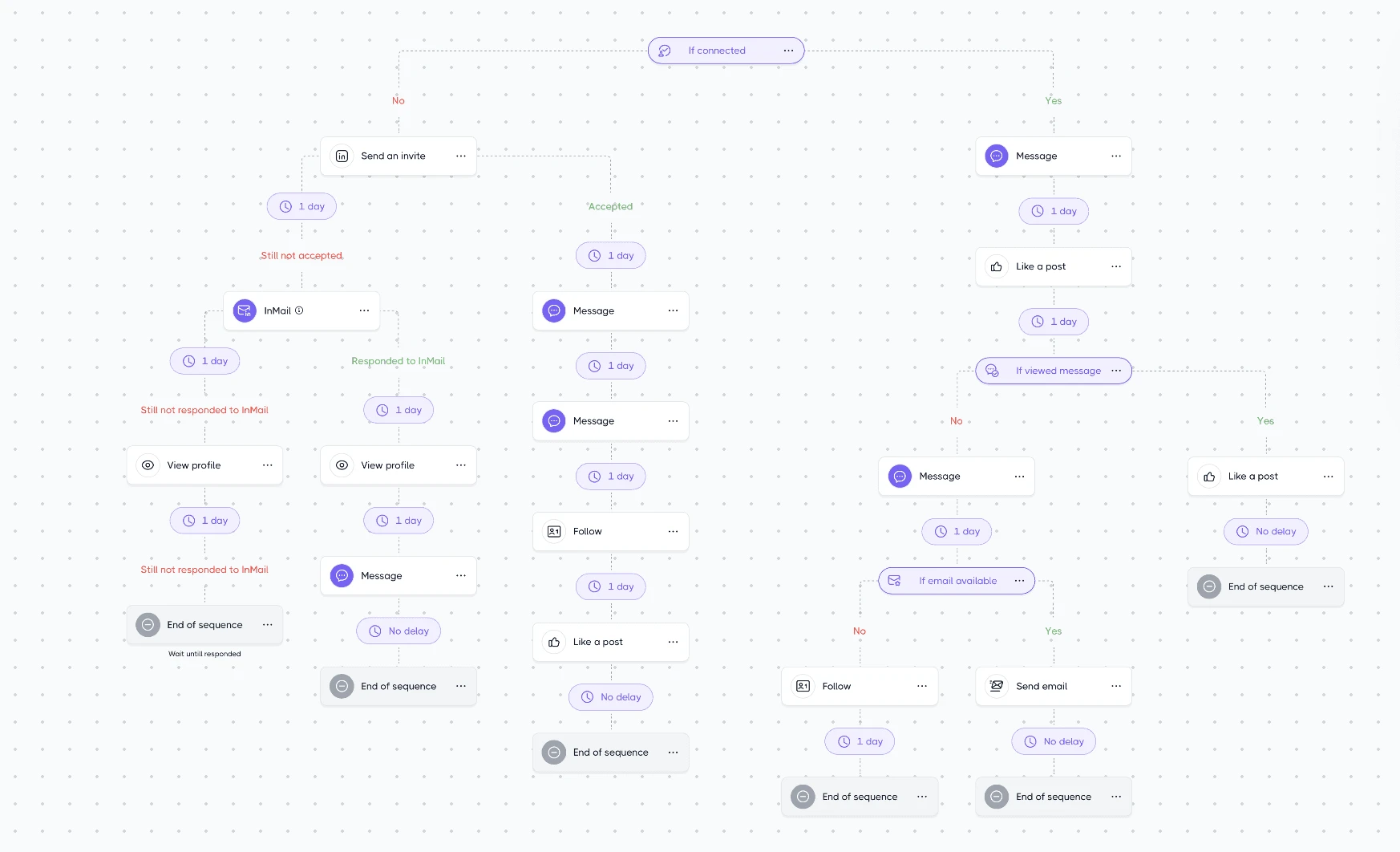
Dripify's campaign engine is structured but shallow: linear multi-step campaigns with waits and four fixed branch checks. The documented conditions are:

  • If connected
  • If viewed message
  • If email available
  • If open profile

Those conditions are evaluated when a lead reaches the branch. There are no documented reply-based, email-open, custom, or nested multi-level conditions. The result is a limited decision tree rather than an open-ended workflow builder.

Dripify's Automation & Campaign Engine

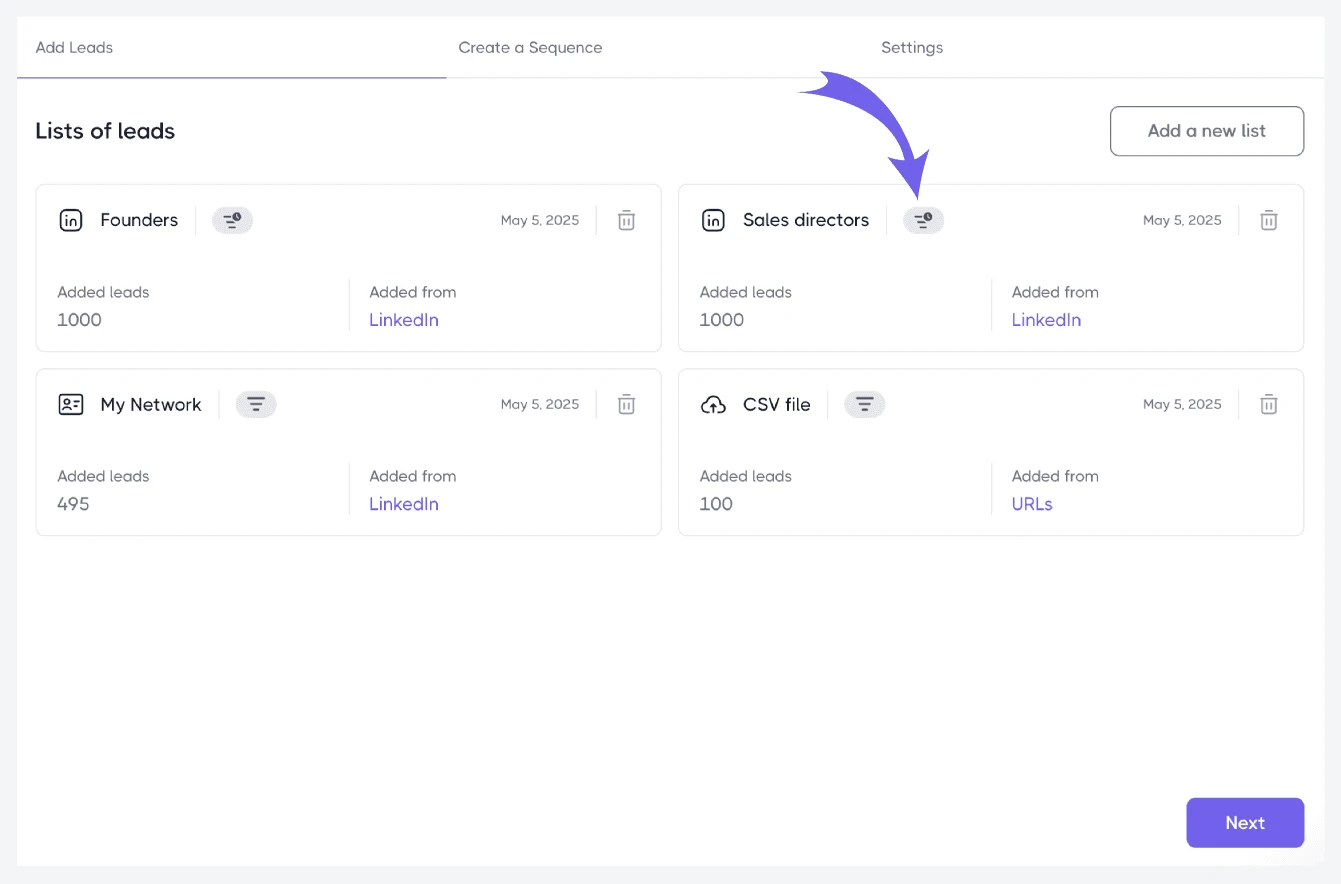
For this review, we verified a closed action list: view a profile, send a connection request, send a LinkedIn message, send an InMail, send an email, and like a post. We found no comment-on-post, group-engagement, or event-page-engagement action. Dripify can collect leads from groups or events without providing actions that engage those surfaces directly.

Like most tools in this category, Dripify lets users set daily action limits, working hours, and randomized timing. The Basic pool is 20 invitations, 30 messages, 10 InMails, 100 profile views, and 50 emails per day. Pro and Advanced raise the ceiling to 75 invitations, 100–150 messages depending on the LinkedIn account type, 25–30 InMails, and 200 emails per day. These are ceilings, not guaranteed throughput; daily and weekly action limits also interact with account age and LinkedIn's own restrictions.

Pro and Advanced permit unlimited campaigns, but the daily action pool does not multiply with campaign count. It is divided evenly across active campaigns: ten campaigns sharing a 75-invitation pool receive roughly seven invitations each per day. “Unlimited campaigns” therefore means organizational capacity, not unlimited sending capacity.

Auto-stop-on-reply is available across tiers. Once a lead replies, the sequence stops so the operator can intervene. Native A/B testing is not available: the pricing page points to a waitlist for a future feature, and the documented workaround is manual. Message variants therefore require separately managed campaign paths rather than a built-in performance comparison.

Campaign ceiling: Adding campaigns does not add throughput: every active campaign shares the same daily action pool, and branching is limited to four fixed conditions.

AI & Agentic Capabilities

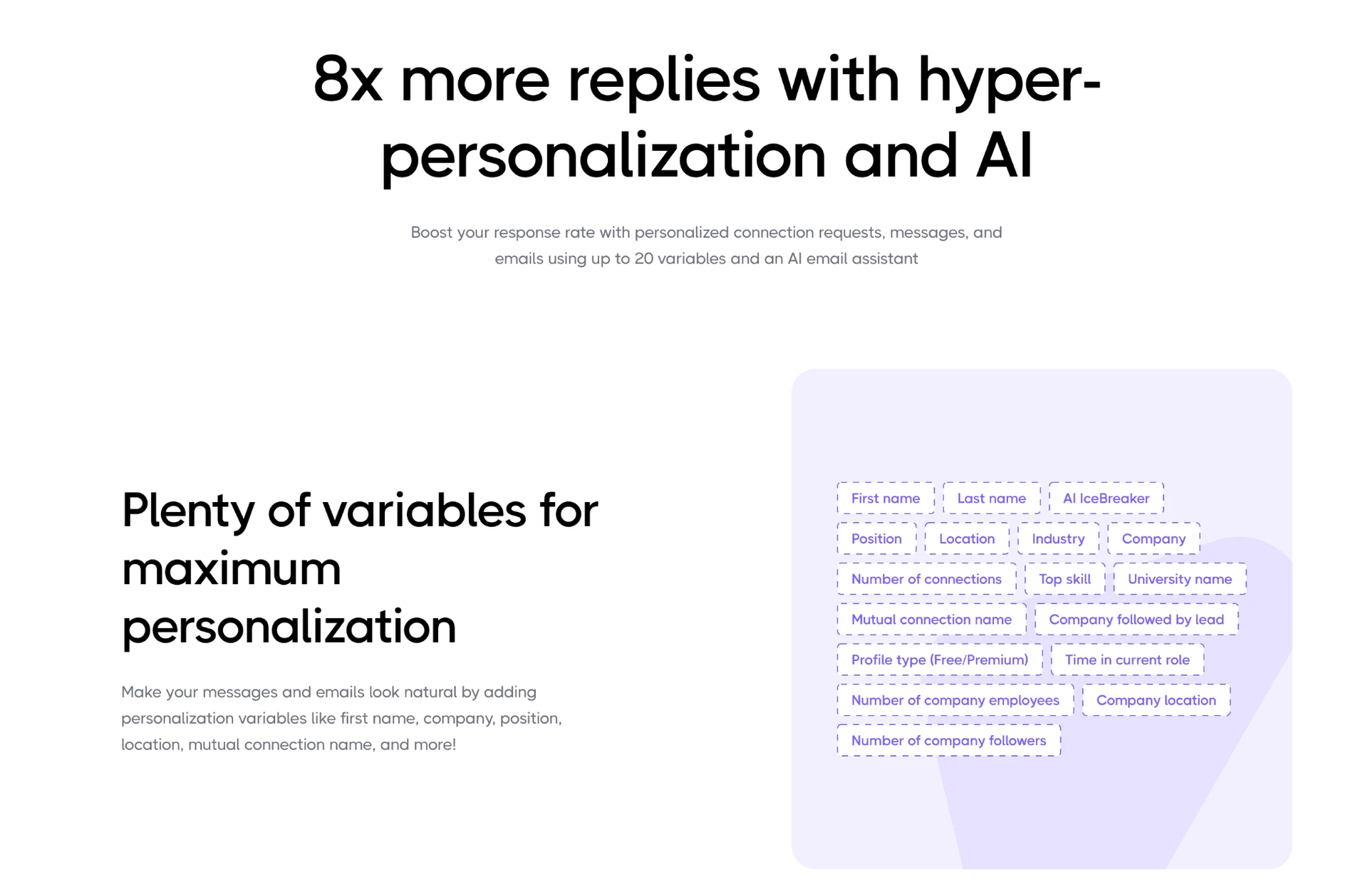
The confirmed AI surface is one AI-powered icebreaker among the 20-plus smart variables presented on Dripify's personalization page.

AI & Agentic Capabilities

The help documentation lists 17 ordinary variables but does not document the AI mechanism, pricing, model, or a separate credit allowance. The product has one generated personalization element, not a documented AI workspace.

The rest of the checked AI surface is absent:

  • No AI reply classification
  • No AI-driven sequence builder
  • No native AI scoring against an ideal customer profile (ICP)
  • No AI post-commenting action
  • No bring-your-own LLM key
  • No disclosed AI credit system

Workflows that depend on qualifying a noisy list, generating full messages, or triaging replies require manual handling or an external tool. There is also no separate image or video personalization tool.

Because the AI icebreaker is not documented in the help center, buyers cannot verify its model controls, moderation path, or tariff gate from public documentation. The supportable conclusion is limited to the variable's existence; broader AI workflow behavior is not disclosed.

AI scope: Dripify's confirmed AI surface is one icebreaker variable; lead scoring, sequence generation, reply classification, post comments, and bring-your-own-model access are not available natively.

Personalization & Message Uniqueness

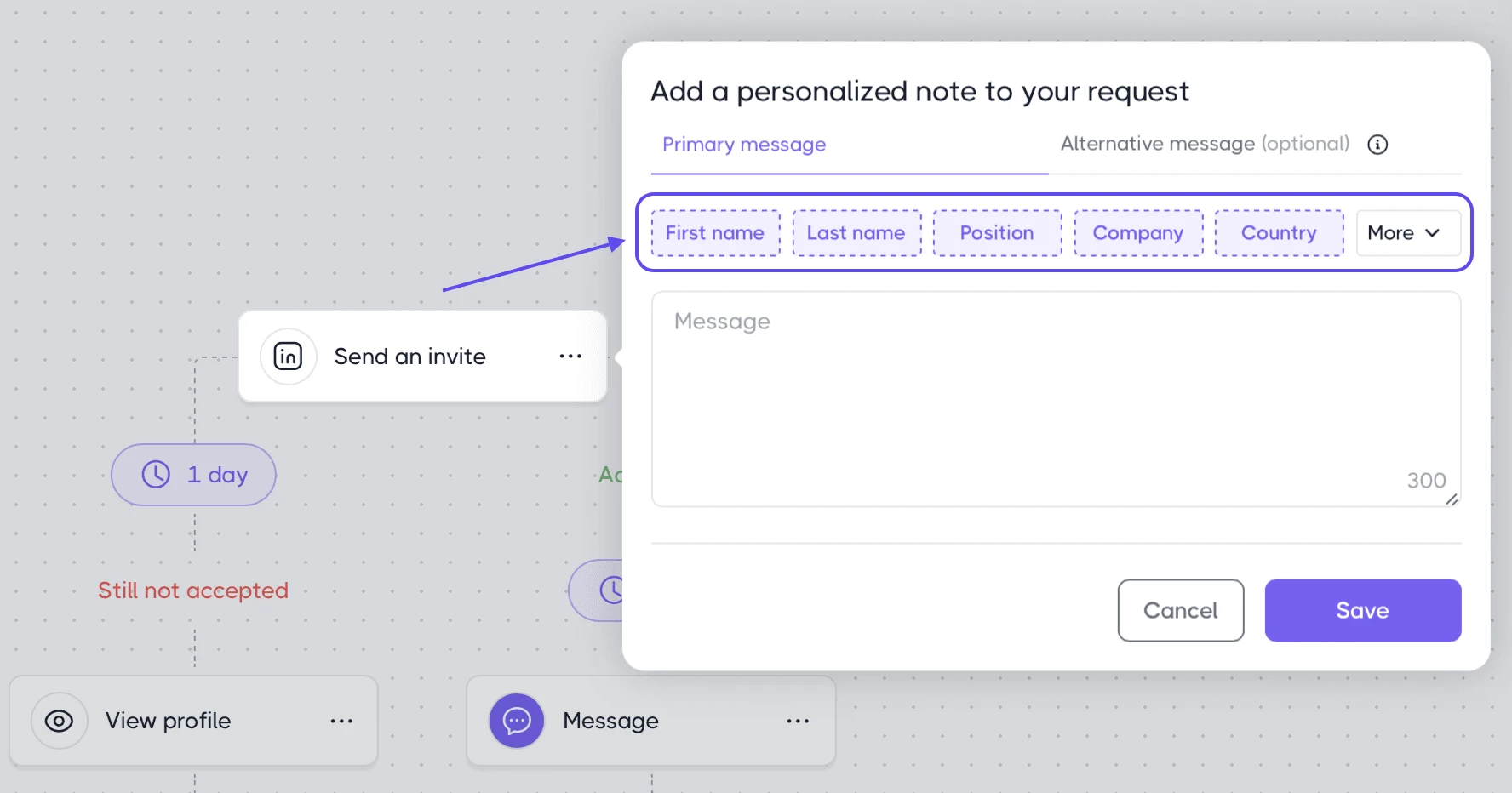
Like most tools in this space, Dripify supports token substitution through documented personalization variables, with the AI icebreaker as one additional variable. A sequence can insert known lead fields and a generated opening line where data is available.

Personalization & Message Uniqueness

Spintax is not supported, and no nested conditional-message syntax was confirmed. There is also no dedicated image or video personalization layer. A user wanting materially different message versions must write and manage those versions through separate steps or campaigns rather than asking the template engine to rotate copy automatically.

Message uniqueness and safety are related but not interchangeable. Different text can reduce repetitive outreach patterns. Daily volume, timing, account behavior, session custody, and IP reputation remain separate risk signals, so personalization does not replace the pacing controls discussed below.

Personalization boundary: Variables and one AI icebreaker are available, but spintax, nested message logic, and dedicated image or video personalization are not.

Lead Targeting, List-Building & ICP

Dripify automates outreach to a selected audience, but it does not independently decide whether each lead matches the buyer's ICP. Targeting starts with LinkedIn's own search surfaces or an imported list rather than an in-product qualification system.

Lead Targeting, List-Building & ICP

Dripify can collect leads from LinkedIn search, Sales Navigator, Recruiter, My Network, events, groups, and posts. Advanced adds Evergreen collection from posts every 12 hours, capped at 10,000 leads. Sales Navigator list import supports up to 2,475 leads per list, compared with 1,000 for free LinkedIn or Recruiter. The larger Sales Navigator import applies only to buyers who already have the relevant paid LinkedIn tier; this paid LinkedIn subscription explainer outlines what those account types add.

The email finder includes 100 credits per month on every tier, and found addresses are verified automatically. It is not a standalone verifier for an uploaded email list. Extra finder packs cost $29 for 1,000 credits through $99 for 10,000. Rollover and expiration terms were not disclosed, so unused-credit value cannot be assumed.

The confirmed extraction boundary is substantial. Dripify does not natively:

  • Score leads against an ideal customer profile
  • Extract employees or titles from a company list
  • Export complete person-profile records
  • Extract full company or organization profiles
  • Export complete LinkedIn messaging history

Targeting boundary: Dripify gathers from several LinkedIn surfaces, but it does not provide native ICP scoring, company-to-employee extraction, or full person, company, and conversation-history extraction.

Integrations & Ecosystem

For operations teams, Dripify uses a split integration model: mailbox access is provider-authorized, while CRM automation depends on an external webhook workflow.

Integrations & Ecosystem

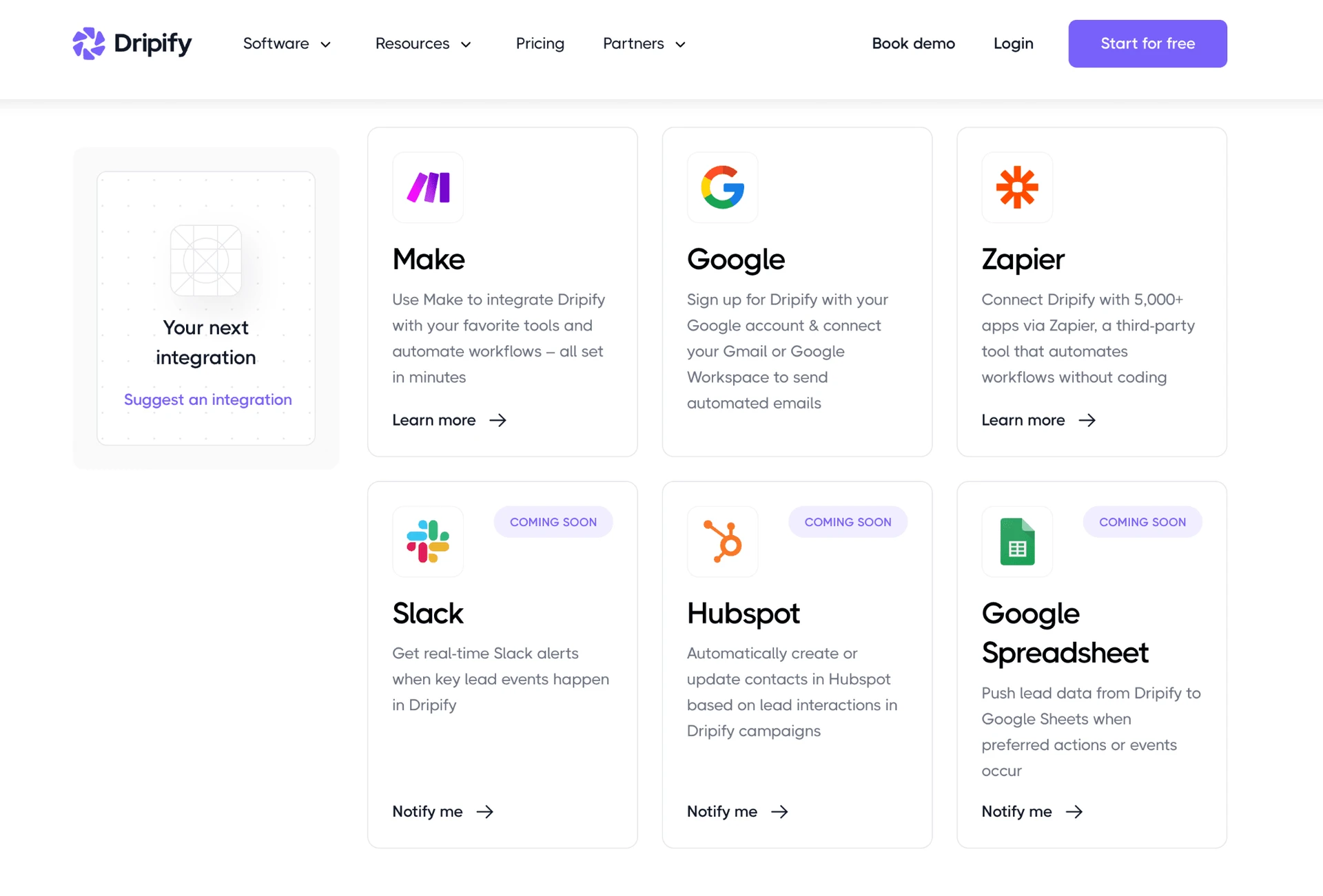
The confirmed live-integration count is 3: Zapier, Make, and Google. Dripify's marketing copy also names HubSpot, Salesforce, and Zoho as connections, while the current integrations page marks several CRM destinations as coming soon.

The working CRM route is an outgoing webhook on Pro or Advanced. Dripify sends data one way to a generic webhook trigger in Zapier or Make; the external platform then performs the CRM action. Dripify's own Zapier setup guide calls Zapier a third-party tool, and there is no registered Dripify app in the Zapier or Make catalog. The route adds a separate subscription and another workflow to monitor.

There is no public REST API. Gmail and Outlook mailboxes connect through OAuth rather than SMTP, with corporate Outlook accounts potentially requiring administrator approval. This keeps mailbox authorization in the provider consent flow, while CRM exchange remains webhook-based.

Integration mechanism: The CRM path is a Pro-or-higher outgoing webhook caught by Zapier or Make, not a registered native CRM app or bidirectional sync.

Team, Agency & White-label Tools

For agencies, Dripify's commercial and operational model stays seat-by-seat: separate subscriptions, paid administrative roles, personal rather than unified inboxes, and no client-facing presentation layer.

Team, Agency & White-label Tools

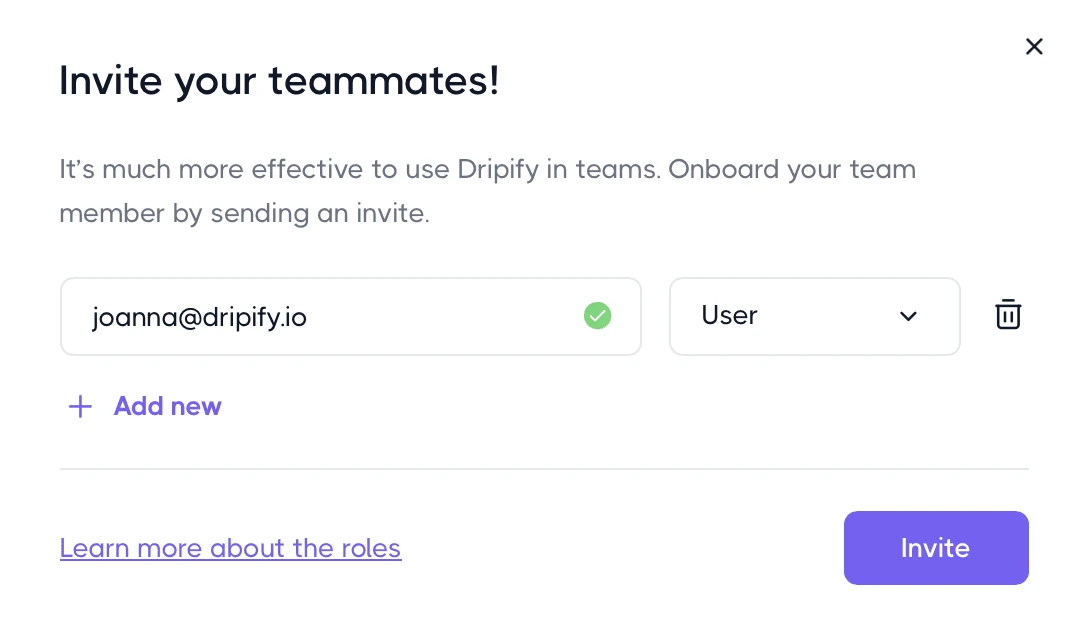
Dripify supports multiple teams under a parent account, but each connected LinkedIn account needs its own full subscription. Owner and Manager roles require Advanced at $99/month, so a non-sending administrator is priced like a sending seat. The personal inbox begins on Pro; there is no unified team inbox across clients.

The agency capabilities confirmed absent are:

  • White-label branding
  • Client-facing portal
  • Automatic lead distribution or sender rotation
  • Public API
  • Automatic cross-team duplicate protection

Duplicate-lead protection exists, but it must be enabled rather than applying automatically across the organization. A removed team member's subscription also continues until it is separately canceled, as Dripify's own help article explains. That creates a billing task when a team is offboarding a user.

Agency cost: Every LinkedIn account and Advanced manager consumes a full-price seat, with no published volume discount and no unified client inbox or white-label portal.

Analytics & Reporting

CSV lead export begins on Pro. Basic has no export even though one general block on the pricing page says export is available; the plan-specific comparison cards place it on Pro and Advanced. Buyers evaluating Basic should therefore treat the more specific tier cards as the operative gate.

Full LinkedIn messaging-history export is not available, and Dripify's help documentation says it is planned rather than shipped. Contacts can be moved out, but the entire conversation record cannot be reconstructed from a native export. No supported evidence established a metric-lag problem, so we do not infer one.

Reporting boundary: Pro can export leads to CSV, but complete message-history export is not available and Basic has no plan-level export entitlement.

Is Dripify Safe?

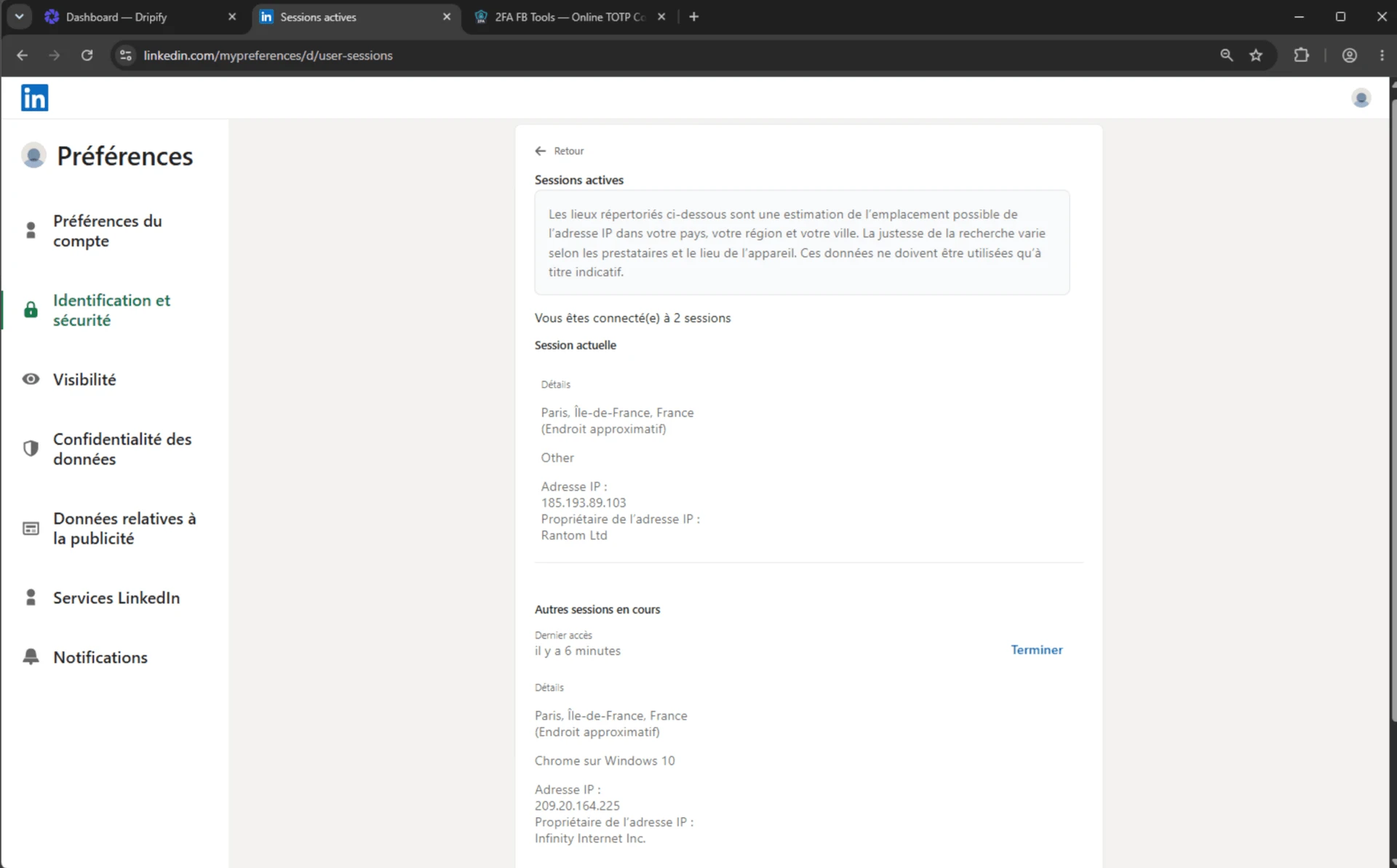
Dripify avoids an extension footprint, but it creates and maintains the LinkedIn session outside the user's local machine. Users enter their LinkedIn login and password into the web app, and the session runs on Dripify's infrastructure. No official browser extension exists, removing the extension-ID and page-injection surface.

The vendor says each account receives a “local, unique, high-quality IP address… identical to the one you usually use to log into LinkedIn”. In our two-account test setup, the observable result was different.

What I verified first-hand

What was checkedResult
AuthenticationLinkedIn credentials entered in Dripify; vendor-created cloud session
Official browser extensionNone found
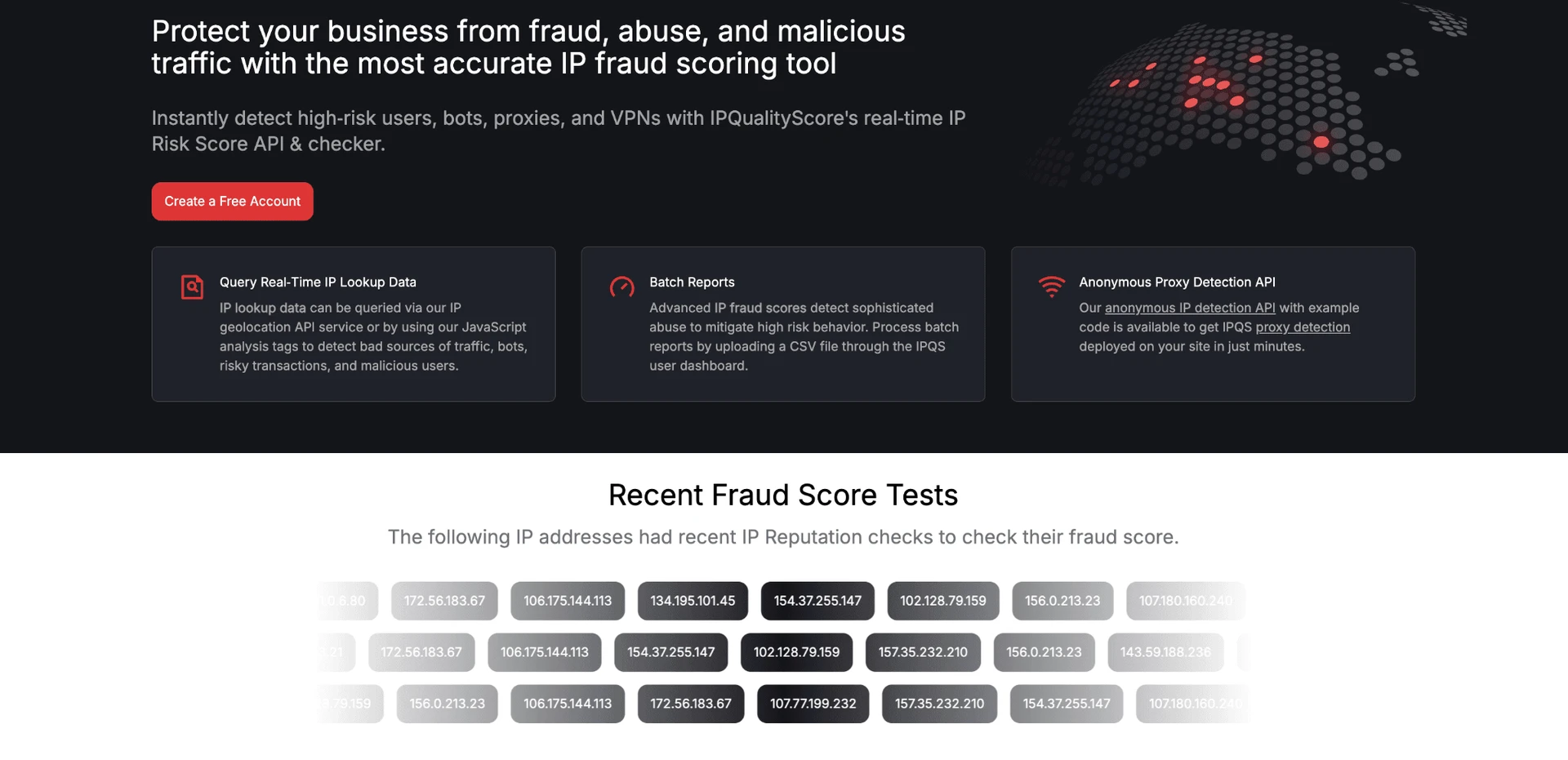
Two account exit IPsDifferent IPs, both in the same /24 subnet and on the same provider
IP classificationBoth datacenter; proxy=Yes; VPN=Yes
IPQualityScore94/100 for both; no recent-abuse flag
Location and proxy controlNo location choice, no bring-your-own proxy, no built-in proxy-quality checker
Account fingerprintSame reported OS/browser fingerprint for both accounts
Trial controls7 days, no credit card, timezone setting available

I observed two distinct IP addresses, so the accounts did not share one exact IP. They shared a provider and subnet, and both were datacenter connections. Residential or mobile addresses come from home or phone networks; datacenter addresses come from rented servers. A personal LinkedIn session on rented infrastructure stands out from the origin used by most people.

Is Dripify Safe?

IPQualityScore (IPQS) is an independent fraud-prevention service that rates IP addresses on a 0–100 scale using proxy, VPN, connection-type, and abuse signals; 75 and above is high-risk on its own scale. Both observed addresses scored 94 and carried proxy, VPN, and datacenter flags, although neither showed recent abuse. That is an independent IP-quality signal, not LinkedIn's enforcement verdict, so it adds a risk signal without predicting a restriction. These results describe this two-account setup, not every Dripify account.

Is Dripify Safe?

Dripify also documents hard caps, randomized delays, working hours, Range 1–10 timing, and a Cooling Down throttle. One plan detail is unresolved in the vendor's own pages: the pricing table marks Activity Control on every plan, while a live help article says it is available on Advanced. Buyers relying on automatic limit adjustment should verify the gate before choosing Basic or Pro.

The marketing page says its algorithm makes the software “completely safe to use”. The privacy policy describes access, deletion, and portability rights, but no DPA, named subprocessors, SOC 2 or ISO certification, data region, or public status page was found. Those are transparency gaps, not proof of unsafe processing.

Safety verdict: No tool eliminates LinkedIn restriction risk. Dripify avoids an extension footprint, but the vendor-held session, observed datacenter IPs, 94/100 independent fraud scores, and lack of user proxy control remain material signals.

Account behavior still matters. Aggressive volume, low acceptance, repeated failures, mass URL-opened profiles, or rapid invitation withdrawals can trigger warnings even when done manually. See what proxies do and how LinkedIn restrictions work.

What Reviews and Reddit Actually Show

Dripify averages 4.63/5 across 1,172 rated reviews, while pricing or billing is the dominant exit reason in the 14-review churn slice: 9 reviewers cited it. G2 has 267 reviews averaging 4.52, Capterra has 476 averaging 4.71, and the loaded Trustpilot set has 429 averaging 4.62. A separate trailing-six-month denominator contains 58 reviews averaging 4.66 and is flat.

The 1,172-review view contains 110 negative reviews overall. A separate topic analysis found 180 unique reviews with a negative pricing or pricing-transparency mention; those measures answer different questions.

The anomaly scan used 696 dated reviews and flagged six weekly volume spikes. The largest contained 29 reviews, or 4.2% of that dated set. No negative-sentiment cluster appeared. This is a publication-volume pattern, not a conclusion about cause.

What reviewers say

Common complaints

Reddit
MarketingAutomation
Dripify is where most people start including us. Works fine for one account. The inbox problem at multiple clients made it unworkable for our setup.

The Reddit account aligns with a separate agency thread: Dripify worked for one account but broke down across clients. That supports the narrower conclusion already visible in the seat, inbox, and client-workspace evidence—the solo workflow does not automatically scale into an agency model.

Who Dripify Is For — and Who Should Look Elsewhere

Solo founders, SDRs, or recruiters running one LinkedIn account may reach for Dripify when they want cloud execution, a visual sequence, LinkedIn-plus-email steps, and a no-card trial. They should expect to pay for Pro if export, an inbox, multiple campaigns, or webhooks are part of the workflow.

Small teams may also consider it if they accept one subscription per connected account and do not need a shared client inbox, public API, white-label presentation, or native CRM application. The setup and auto-stop-on-reply behavior reduce routine campaign supervision, although throughput remains governed by one daily pool.

Agencies managing more than about ten accounts should model the linear seat cost and administrative subscriptions before committing. Compliance-sensitive teams should review the vendor-held credentials, undisclosed data region and subprocessors, and lack of a public DPA or certification. Buyers needing AI lead scoring, deep branching, native A/B testing, full conversation export, a standalone email verifier, or company-to-employee extraction should look elsewhere because those functions are not present natively.

Likely fitLook elsewhere if
One-account cloud outreach with LinkedIn and email stepsYou need local session custody or control over the execution proxy
Solo SDR, founder, or recruiter willing to use ProYou need Basic to include export, inbox, webhooks, or multiple campaigns
Small team with one paid seat per LinkedIn accountYou need white-label, a client portal, unified inbox, or volume discounts
Teams comfortable routing CRM events through middlewareYou need native CRM apps, bidirectional sync, or a public API

How Dripify Compares to Alternatives

The choice turns on architecture and entry price. A cloud login, a browser extension, and a desktop/VPS runtime expose different session and IP surfaces. A lower sticker can still omit the campaign, export, or team capability a buyer needs.

ToolArchitectureEntry priceRelevant difference and limitation
Linked HelperDesktop + VPS/Web VersionStarts at $15/moWeb Version is login-based browser access to a desktop instance running on the user's VPS; the session stays on user-controlled hardware, while 24/7 use requires separate compute
ExpandiCloud$99/mo per accountSafety controls are positioned as more developed, but there is no lower self-service tier below $99
WaalaxyChrome extension with local executionAbout $56/mo Advanced; $80/mo BusinessRuns from the user's browser and IP, but an extension adds its own detection surface
HeyReachCloud with companion extension for one-time session login$79/mo Growth for fewer than 10 sendersAgency and multi-account controls address Dripify's scaling gap, but a separate first-hand test observed a datacenter IP with a 100/100 fraud score

The alternatives do not form a single safety ranking. Expandi and HeyReach remain cloud-side products with their own price or IP trade-offs, while Waalaxy exchanges cloud credential login for an extension surface. The practical choice depends on which custody, team, and billing boundary the buyer can operate.

See all LinkedIn automation alternatives ->

Where Linked Helper Fits

If Dripify's $39-to-$79 practical entry-price gap and the two observed 94/100 datacenter IPs matter to you, a different billing and execution model is worth evaluating.

Linked Helper is a desktop app for Windows, macOS, and Ubuntu with its own browser engine. It can run on a VPS, while Web Version provides login-based browser access to that VPS instance; the LinkedIn session stays in an environment the user controls rather than on vendor servers.

  • Session custody: Actions run on the user's computer or VPS, which addresses the vendor-held cloud-session finding in this review.
  • Entry-tier scope: Standard includes cold-outreach volume, CSV export, CRM sync, and the documented safety controls at $15/month; its 20-per-day cap applies to 11 named secondary actions rather than ordinary invitations and text-only first-degree messages.
  • Visible proxy check: A built-in IPQualityScore check shows fraud, proxy, VPN, and abuse signals before a proxy is used, which directly addresses the opaque assigned-IP issue found above.
  • CRM routes: There are 11 direct CRM connectors, plus Zapier and Make through webhooks, rather than a webhook-only CRM path.
  • Conversation export: Pro can export complete messaging history with per-message metadata, covering a reporting gap documented earlier in this review.

On price, Dripify's practical Pro entry is $79/month or $59/month equivalent annually. Linked Helper starts at $15/month for Standard or $8.25/month equivalent on a 12-month license, but always-on use can add a separately purchased VPS and proxy.

Teams prioritizing local or VPS session custody, visible proxy-quality checks, direct CRM connectors, or conversation-history export may want to evaluate Linked Helper too before committing.

Want a desktop and VPS execution route? Linked Helper runs from your machine or VPS, with Web Version access while the LinkedIn session stays on hardware you control. See the Dripify alternative page

FAQ

Dripify is a cloud-based LinkedIn and email outreach tool. Users connect LinkedIn, build campaigns, and let them continue on vendor servers after the browser and PC are turned off.

Methodology & Disclosure

As noted in the disclosure above, this review reflects an honest effort to assess Dripify fairly. We assessed Dripify using its public documentation, independently sourced reviews, and hands-on checks. In June 2026, we ran a live two-account test of IP routing and LinkedIn session behavior. A browser-extension source review did not apply because Dripify does not ship a browser extension. We separated vendor claims, observed behavior, and reviewer reports instead of treating them as interchangeable evidence. Prices, plan limits, and review totals can change. Verify time-sensitive details on the linked source pages before purchasing.

Sources & Verification

URLs cited in this article, deduplicated in first-appearance order — 23 in total:

Review platforms (3)

Community discussions (1)

Other cited sources (19)

Try Linked Helper free for 14 days

The most technically advanced platform for LinkedIn automation with a focus on security, a wide range of features, and exceptional customer support. Trusted by over 10,000 businesses worldwide.