

 18 min read

TL;DR: power dialer software in November 2026
- CRM and calling: Close places the calling queue within the sales CRM. During my October trial, I found a lead could satisfy a saved call-history filter yet still lack a phone number
- Shared telephony: Aircall suits sales and support teams, but its three-seat minimum makes a solo deployment expensive
- Dedicated calling: PhoneBurner removes per-minute dialing charges; browser calling with a supplied callback number needs Premium
- Campaign controls: CloudTalk exposes contact reservations. JustCall combines Power campaigns with messaging, while Kixie offers a Single-Line package by quote
- Budget: You'll need to tally the necessary seats, the callback numbers, and the usage fees. An included account number won't cover a separate number for every rep
The at-a-glance comparison uses annual billing for each workflow's required package. Allow for extra number and usage charges.
| Tool | Best for | Standout feature | Relevant starting price | Main trade-off |
|---|---|---|---|---|
| Close | CRM plus calling | Live Smart View queues | $99/user/month, annual | Metered calls and numbers |
| CloudTalk | Configurable campaigns | Controls for reservations in a shared queue | $44/user/month, annual | New dialer rollout varies |
| Aircall | Shared sales/support telephony | Required call tagging | $50/user/month, annual | Three-seat minimum |
| JustCall | Calling plus messaging | Power campaigns on Pro | $49/user/month, annual | Two-seat minimum; credit balance |
| PhoneBurner | Dedicated browser calling | Dialing and callback workflow | $183/user/month, annual | Premium needed for this setup |
| Kixie | Calling from your CRM | Single-line queue plus add-ons | Custom quote | Number protection costs extra |
What is a power dialer?
A power dialer moves a human caller through a contact list one contact at a time, cutting manual dialing and arranging follow-up between conversations. Unlike a parallel dialer, a power dialer doesn't place multiple simultaneous calls to find an answer. Before moving on, you can prepare for each contact and record the outcome.
Each of Close, CloudTalk, Aircall, JustCall, PhoneBurner, and Kixie provides a sequential dialing feature. I'd prioritize queue management over calls-per-hour guarantees because a fast queue doesn't help much when the rep can't view the correct contact record or repeatedly reaches people who were called recently.
Check these requirements before committing:
- Dialing mode: Verify that sequential sessions are part of the plan. A phone subscription or click-to-call button may still need an upgrade for sequential sessions
- Queue ownership: Check how reps share contacts and when a contact becomes ineligible for another call
- Preparation and wrap-up: Set aside time for reading the record and for saving the outcome. Reps handling inbound calls also need a way to become available again
- Complete bill: Count paid seats and numbers, then check eligible destinations and any prepaid balance
- Exit terms: Before deciding on a payment method, read the committed term. Arrange exports and number porting before closing the old account
1. Close: Best for keeping the CRM and calling queue together
Close is useful if you require a sales CRM plus a dialer: its Smart Views supply the calling queue via lead filters. And you can alter who's eligible without repeatedly exporting a separate spreadsheet.
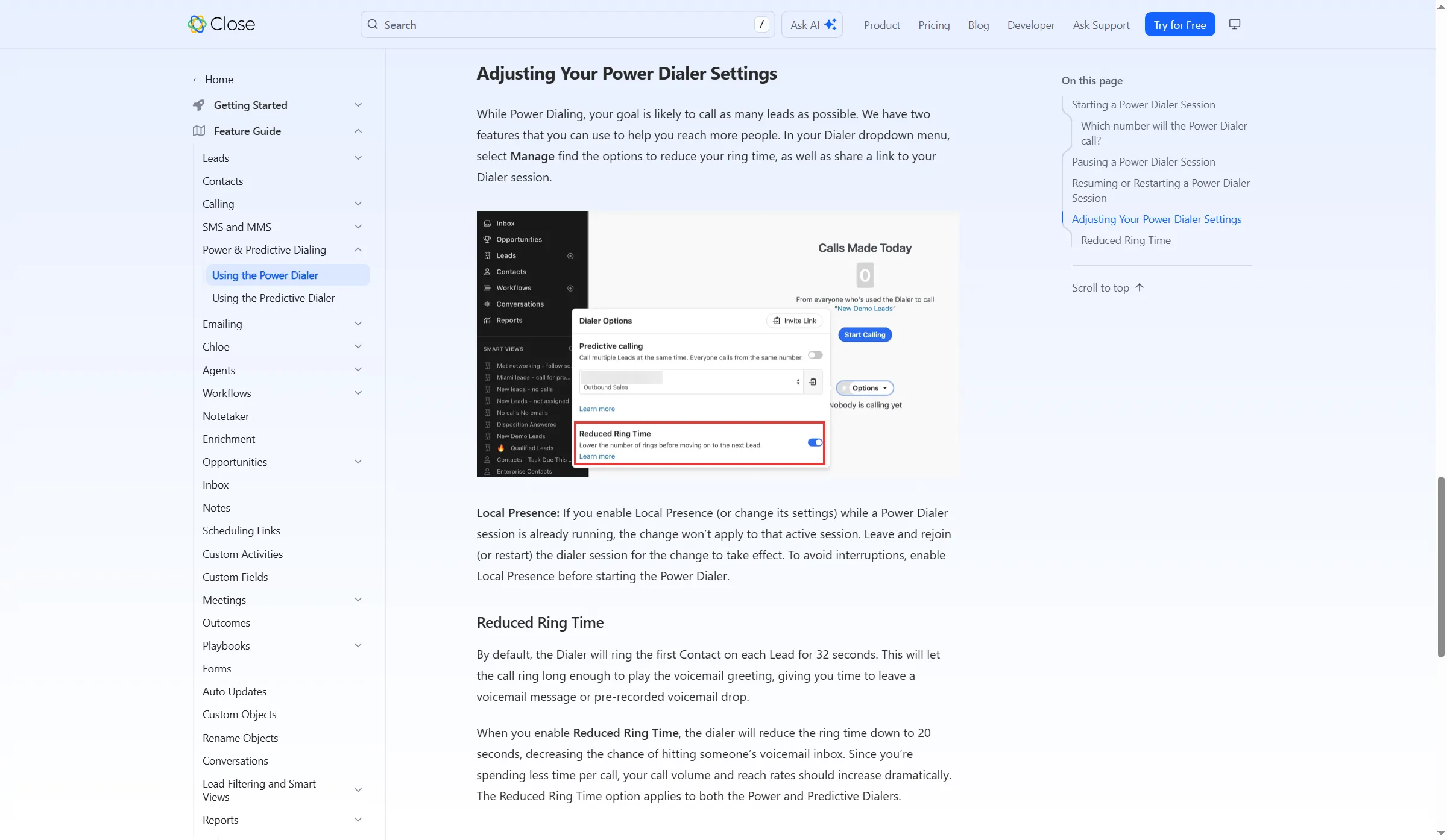
Close groups its dialing controls in Dialer Options, including the Reduced Ring Time toggle.
In my October trial, I created a synthetic lead and saved a Smart View called ‘Never Called - Test Queue’ with ‘Total number of calls: none.’ The view included my test contact, and I could inspect the eligibility rule right above the list. But the contact had no phone number. Call history alone wasn't enough to build a callable queue.
The same distinction matters on leads with several contacts. In an incentivized five-star G2 review from October 2026, Shaz . praised Close's call notes but reported that a lead could appear to lack a phone when another contact on it had one. Put both types of record on your trial list.
Close's “Start from Scratch” setting permits redialing recently contacted leads. Insert a cooldown filter before you restart — for instance, no calls today. I like that another rep can inspect the eligibility rule instead of guessing why a lead showed up.
I also turned on Reduced ring time and reloaded the page. The setting stayed enabled. Review it together with the queue rules because it's separate from the Smart View filters.
Close rounds up each call separately, so a 70-second call consumes two billable minutes. Forwarding and transfers may add billed legs. If you're keeping another CRM, compare the extra system with a standalone calling service.
Close pros
- Growth comes with sales workflows and a power dialer
- Smart Views update the calling list when lead data changes
- Shared views help prevent duplicate calls across reps
Close cons
- When you call or use phone numbers, extra usage charges apply
- Power dialing isn't included in Solo or Essentials
- Less attractive if your team is keeping another sales CRM
Close pricing
Close pricing: Growth starts at $99/user/month on annual billing.
- Growth on monthly billing — $109/user/month, with Power Dialer
- Scale — $139/user/month on annual billing, with predictive dialing
- Separate billing applies to usage: SMS, calling, and phone numbers
2. CloudTalk: Best for controlling how a team shares a campaign
CloudTalk lets teams control how a shared campaign distributes contacts. Its new AI Sales Dialer shows each session's reserved count — a helpful option when multiple reps are working a short list.
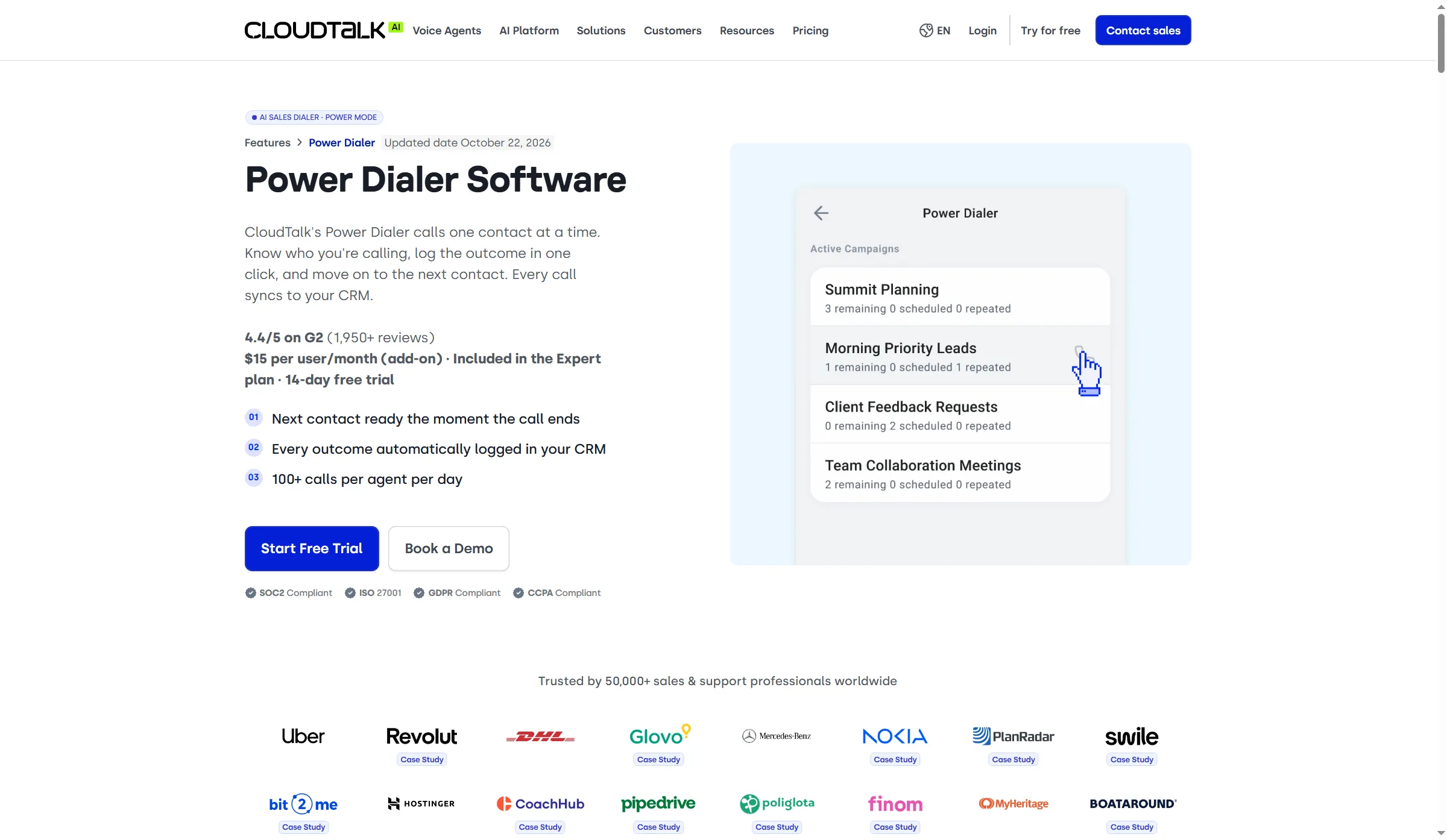
CloudTalk shows campaigns with separate counts for remaining, scheduled, and repeated contacts.
CloudTalk's campaign guide sets a default reservation of 15 contacts. Given three reps and 20 contacts, the first rep can reserve 15, the second five, and the third none. Verify that a reduced reservation would allow all reps to work the list before purchasing additional leads (an empty queue isn't always proof you've exhausted it). What I like is the ability to adjust the reservation before a short list causes a rep to sit idle.
CloudTalk's setup guide leaves automatic-next-call off by default, so the rep has to click each contact. Once the automatic-next-call switch is enabled, the next call begins after the rep sets a disposition. During a trial, check whether reps get enough preparation time before the next call starts.
Power provides sequential dialing. The one-line package won't give you automatic voicemail detection—that's included in Parallel, so don't count on it there.
CloudTalk activates the new dialer account by account. Existing campaigns remain on the legacy version until you rebuild them inside the new one, which means an unchanged overnight migration isn't possible. Before you plan a rollout around the new controls, verify the version.
Salesforce changes the plan choice because that integration requires Expert. A cost comparison built on Essential won't give a price for a Salesforce deployment. Because you won't receive a refund for unused subscription time when you stop renewal, verify the integration requirement and the commitment before you pay yearly.
CloudTalk pros
- The Power add-on works at levels beneath the Expert tier
- New campaign controls manage contact priority and reservations
- Expert includes Power without a separate add-on
CloudTalk cons
- New AI Sales Dialer requires account-specific activation
- You need to rebuild existing legacy campaigns in the new dialer
- In sequential mode, automatic voicemail detection isn't included
CloudTalk pricing
CloudTalk pricing: Essential plus Power starts at $44/user/month, billed annually.
- Essential plus Power on monthly billing — $54/user/month
- Expert — $49/user/month on annual billing, minimum three users, with Power included
- Local US numbers are available at $6/month, and any included allocation should be verified
3. Aircall: Best for a team sharing sales and support telephony
Aircall fits teams needing outbound calling sessions together with shared sales and support telephony. In Professional, the power dialer and phone system are combined, so inbound routing and outbound work stay within one service.
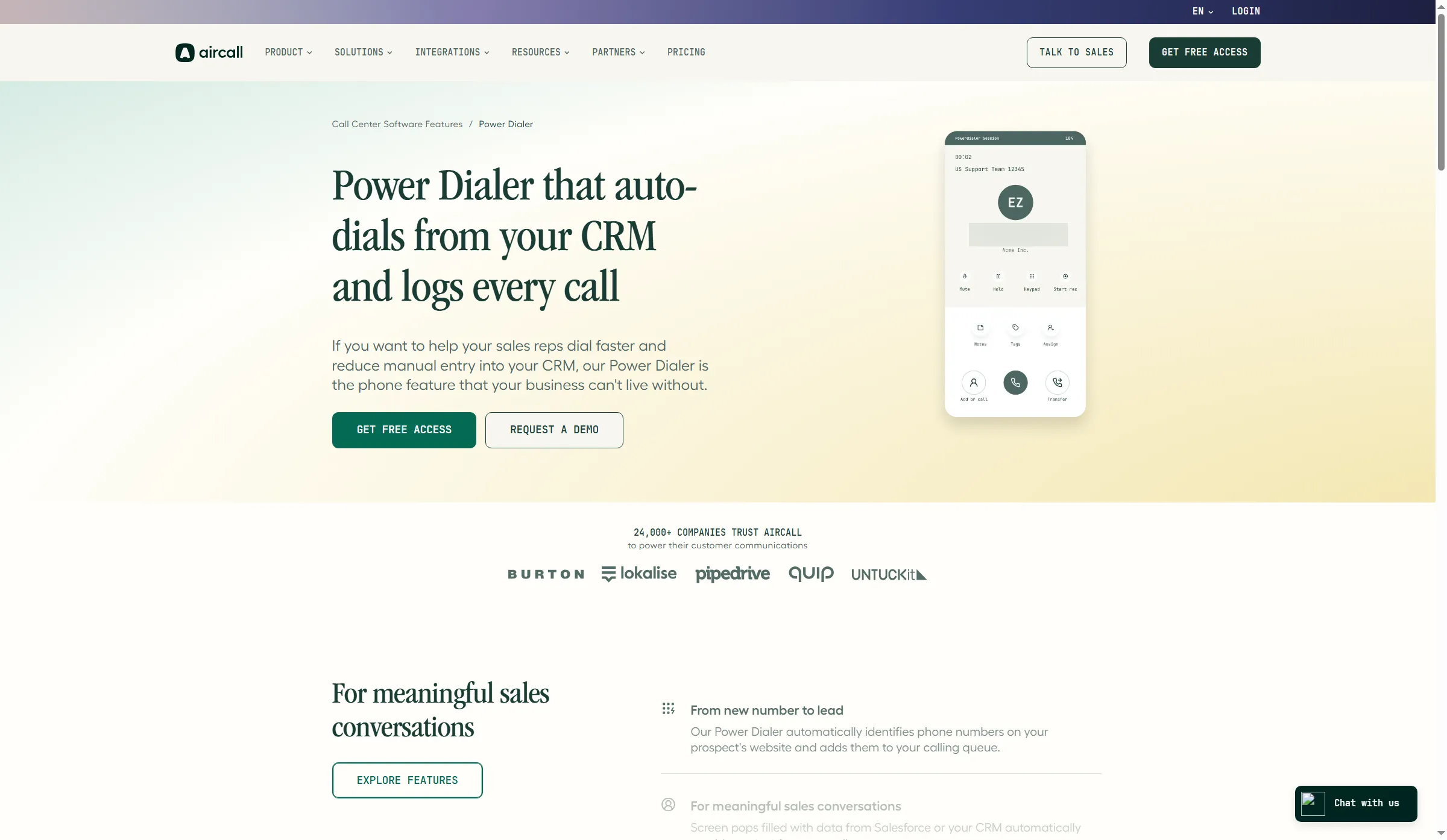
Aircall places the current contact alongside notes, tags, and call controls.
For teams that struggle to record call outcomes, I like mandatory tagging. With mandatory tagging enabled on an eligible plan, a rep must tag a connected call before becoming available again. When follow-up depends on knowing what happened, that constraint can prove more useful than yet another activity chart.
The Workspace guide accepts a CSV with a header and numbers in column A, up to 1,000 numbers. Extra spreadsheet columns won't create complete records for unknown numbers. Prepare the contact records before importing a list that needs more context than a phone number.
In a five-star Trustpilot review from October 2026, Anita Byrd praised desktop calling and HubSpot logging, yet she considered the web interface cluttered. So evaluate whichever app your reps will actually use — a good desktop experience won't resolve whether the web version suits them well.
Aircall leaves a paused power-dialer session Busy. To take incoming calls again, the rep must end the session or pause and manually restore Available. Assign inbound coverage before sending everyone into an outbound block.
A solo dialer makes Aircall's minimum buy tough to defend — yet when multiple people already require the shared phone system, you're purchasing seats the team can also use for inbound work. Before cancelling, though, check your order form: for smaller accounts, Aircall's help material has notice wording that conflicts, and a monthly invoice may still sit under an annual commitment.
Aircall pros
- Professional combines shared phone workflows with power dialing
- Mandatory tags can enforce outcomes for connected calls
- One US/Canada domestic calling package across the team
Aircall cons
- Professional requires at least three paid users
- Only one included phone number per plan for the whole team
- Pausing a power session leaves the rep Busy
Aircall pricing
Aircall pricing: Professional starts at $50/user/month, billed annually, with a three-user minimum.
- Professional — Power Dialer and mandatory tagging
- Numbers — one included per plan; additional numbers $6/month each
- Calls to eligible US/Canada domestic numbers are unlimited; destinations that are excluded incur additional charges
4. JustCall: Best for sequential calling alongside messaging
JustCall places sequential Power campaigns next to its wider set of calling and messaging tools. When reps require both channels yet don't need an advanced multi-line package, Pro is the proper place to begin.
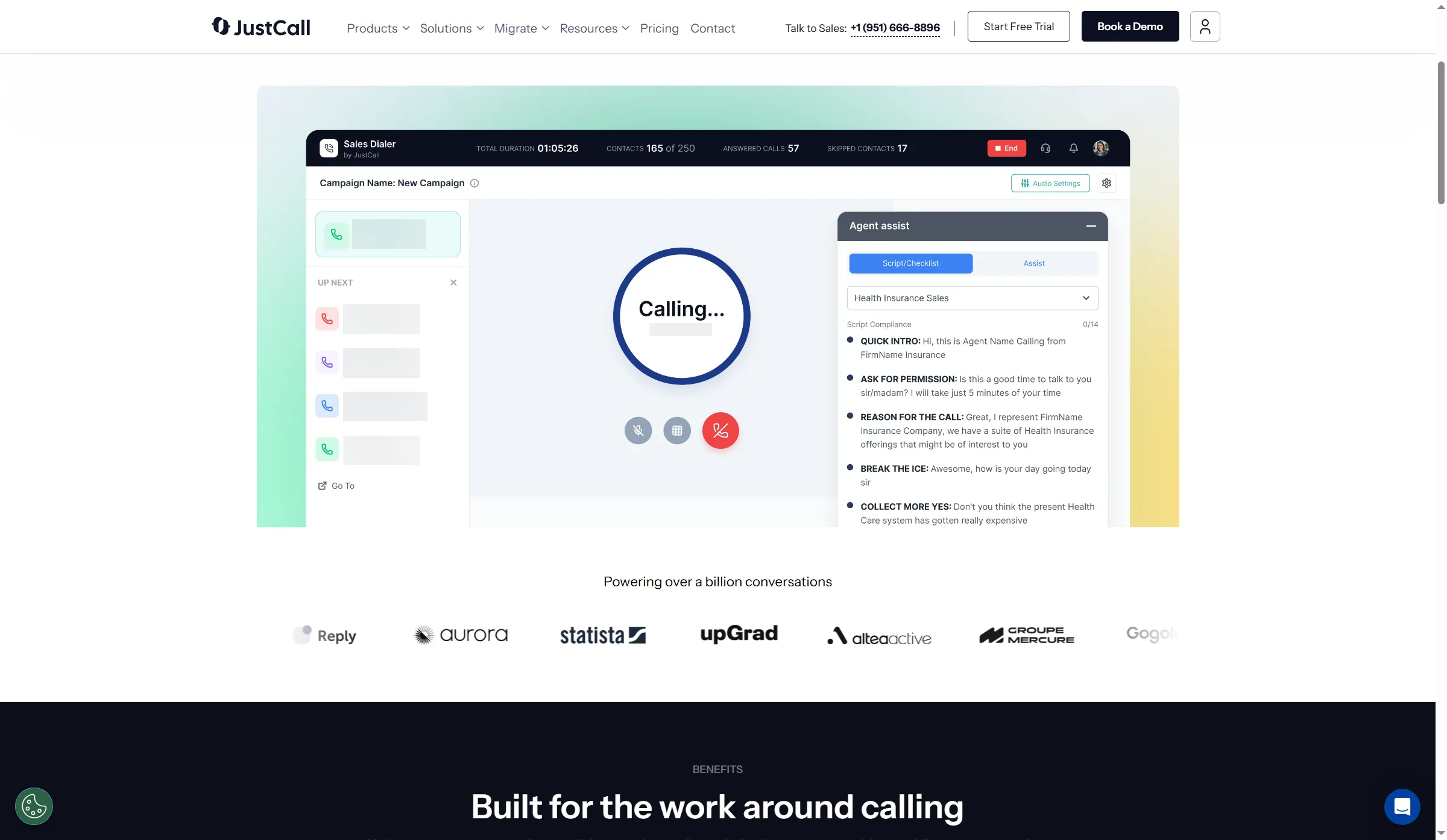
JustCall shows the contact queue beside the active call and an agent-assist panel.
Exercise caution during the trial. Although the paid plan's ongoing entitlement is Power campaigns, advanced campaign types may stay available while trial balances remain. Before you choose a subscription, note the mode you're using, along with the remaining trial allowance. Otherwise, a predictive campaign that succeeds during evaluation could steer you toward the wrong package.
Messaging needs its own integration check. In a five-star G2 review from August 2026, Kate d. praised JustCall's flexibility and support but wanted messages in Ontraport's own inbox. I like having both channels in the package, but I'd map where reps read and reply before counting a CRM logo as a complete workflow.
For new-plan accounts, the total included numbers are two (within the allowance's price cap): one for Sales Dialer and one for standard JustCall. Since dialer allocation is handled per account, a team that's expanding has to budget for additional numbers.
JustCall's billing FAQ says Sales Dialer stops when prepaid credits reach zero, even for in-bundle calls. Inbound Sales Dialer calls also use credits. Keep a reserve and review balance alerts before calling; included minutes don't remove that requirement.
Unlimited allowances apply to ordinary business usage. Excluded under fair use are telemarketing and large-scale call-center operations; meanwhile, automated or bulk messaging may not be part of the included package. Care is also required with cancellation: stopping renewal and getting a refund for unused time are distinct matters.
JustCall pros
- Pro includes unlimited Power campaigns
- CRM imports support Salesforce, HubSpot, and Pipedrive
- Broader calling tools, along with messaging tools, share that platform
JustCall cons
- Pro requires two paid users even when you're calling alone
- Only one free phone number is assigned to Sales Dialer per account
- Sales Dialer needs a positive prepaid balance
JustCall pricing
JustCall pricing: Pro starts at $49/user/month on annual billing, with a two-user minimum.
- At $69/user per month billed monthly, Pro offers unlimited Power campaigns
- Numbers — one included Sales Dialer number per account; additional numbers vary by type
- For the advanced dialing package, SalesPro is a custom quote
5. PhoneBurner: Best for a dedicated browser-based calling workflow
PhoneBurner suits dedicated browser calling, with its softphone available from Professional. Contact management, dispositions, and follow-up sit in the calling workflow, and you can use PhoneBurner's CRM or connect your own.
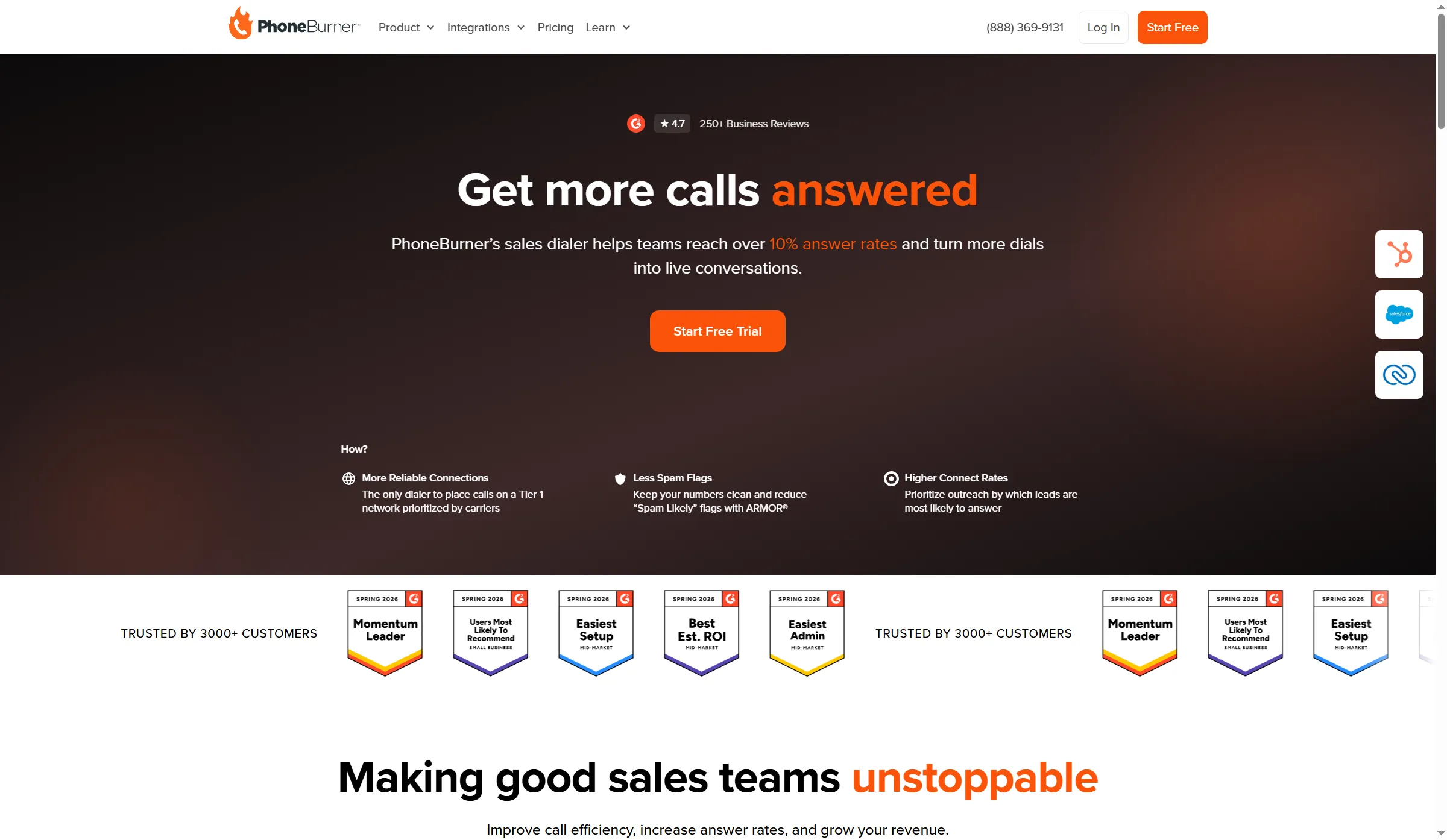
PhoneBurner presents its sales dialer alongside CRM integration options.
I like the predictable cost of unlimited power dialing without per-minute fees. That takes one variable out of a calling-heavy budget—yet the subscription still requires sufficient day-to-day use for its price to be justified. If you call only occasionally, it's a substantial commitment.
A customer perspective comes from u/kaeshdw on r/sales. After initially looking for a solo dialer below $100/month, they reported three months with PhoneBurner in January 2026:
“Little pricey but they manage numbers for you, customer support is amazing, built-in CRM, and extra things that make dialing easier”
Another customer reported integration problems. Problems using PhoneBurner with GoHighLevel were reported in Moe Mathews's one-star Trustpilot review from June 2026. Even if PhoneBurner's own contact tools look sufficient in a demo, test the exact CRM handoff you need.
The connection method determines which plan you need to budget for. Standard is the cheaper entry option. When you compare costs for a supplied number and in-app callbacks, use Premium. Since ARMOR number protection carries an additional charge, verify its price apart from the dialing subscription.
For someone who relies on the session workflow daily, PhoneBurner makes the stronger case. There's less justification to pay for that specialization when a buyer's main need is an inexpensive shared business number.
PhoneBurner pros
- Dialing that's unlimited, with no per-minute fees
- Contact handling comes built in, along with custom dispositions
- Premium bundles a phone number with in-app callbacks
PhoneBurner cons
- Browser softphone requires Professional or above
- Setting up a callback with the supplied number drives this comparison up to Premium
- ARMOR number protection is an add-on
PhoneBurner pricing
PhoneBurner pricing: Premium starts at $183/user/month, billed annually.
- Standard — $140/user/month on annual billing, with CRM and essential dialing
- Professional — $165/user/month on annual billing, with browser softphone and coaching
- Premium — $215/user/month on monthly billing; number and in-app callbacks
6. Kixie: Best for keeping calling close to your existing CRM
Kixie introduces a Single-Line PowerDialer into a workflow already built around CRM. So it's worth weighing if you'd like to keep the CRM intact while narrowing your trial to contact matching, queue handling, and activity write-back.
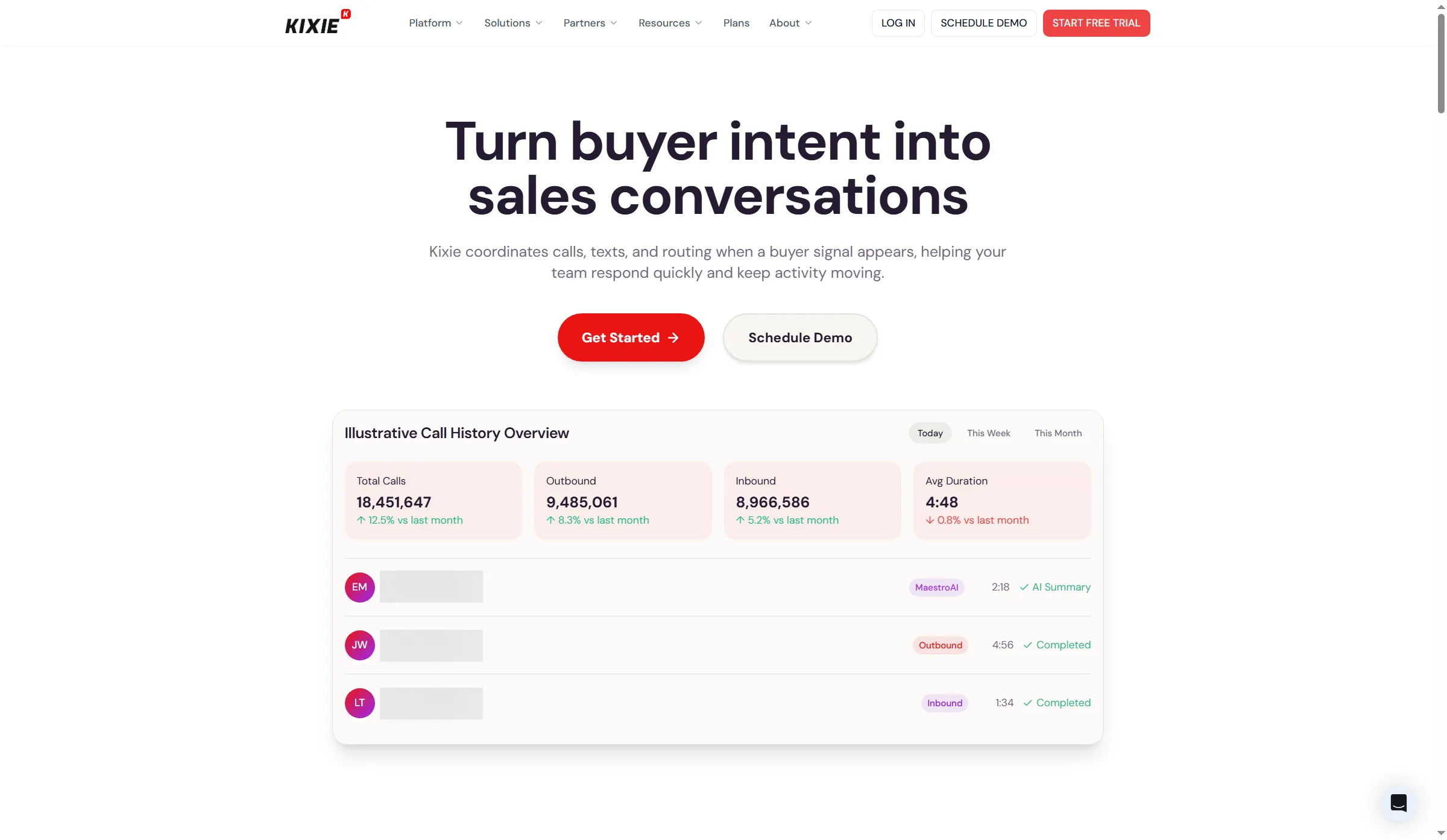
Kixie illustrates inbound and outbound activity in a shared call-history view.
Get a separate quote for number management: ConnectionBoost is an add-on. Number management can't guarantee that calls will avoid spam labels. I wouldn't buy it based on an unmeasured promise about answer rates.
An older customer comparison captures the trade-off. During a January 2024 r/sales conversation, u/laxatk oversaw a sales team of 15 people running HubSpot lists. What they appreciated was the number rotation in Kixie following Aircall; even so, they wrote:
“We are currently using Kixie which admittedly does not have nearly as good of a UI/UX as Aircall”
Frame a trial question from that experience: for your reps, does the CRM workflow plus number management justify the interface trade-off? For the features that customer valued, check today's quote.
Kixie's pricing page doesn't list a numeric price for Single-Line. Its billing guide warns of a default to Professional pay-per-minute if you add a card without selecting a plan. Before you enter a card, get the plan, the usage allowance, and the separately priced add-ons into the order form.
Cancelling takes a support request and further steps. Per the billing guide, you must send an email to support and finish an exit survey; the terms additionally call for a process led by a representative. Closing the account removes dashboard access and releases the account's resources. While the account stays active and paid, export whatever history you require and set up number porting. Kixie is a bad match if self-service pricing, along with cancellation, ranks among your priorities.
Kixie pros
- A dedicated Single-Line PowerDialer package for sequential calling sessions
- Bidirectional CRM integration
- Optional tools for conversation intelligence and number management
Kixie cons
- Single-Line PowerDialer pricing requires a custom quote
- ConnectionBoost and DNC features are add-ons
- Cancellation requires a representative-led process
Kixie pricing
Kixie pricing: Custom quote for Single-Line PowerDialer.
- Single-Line — sequential sessions and CRM integration
- Conversation intelligence, DNC, and ConnectionBoost — add-ons priced separately
- Verify the stated allowance, along with any rules for prepaid recharges
What changes the cost of the same calling workload?
Close and CloudTalk leave number or usage charges outside the subscription subtotal, whereas Aircall and JustCall require spare paid seats for a solo caller. Those differences become visible when you compare the same setup.
I calculated browser calling in sequential mode with one US callback number per active rep and 1,000 eligible billable outbound US minutes per rep each month. The table uses annual USD list prices and excludes taxes, external CRM licenses, and optional AI or reputation add-ons. Close includes its own CRM; PhoneBurner uses Premium here for the browser softphone, supplied number, and in-app callbacks.
These yearly subtotals cover one, three, and ten active callers. Entries with extras are budget floors. The last column shows what you still need to price.
| Tool and plan | One caller/year | Three callers/year | Ten callers/year | Still to budget |
|---|---|---|---|---|
| Close Growth | $1,188 | $3,564 | $11,880 | Number rental and metered calls |
| CloudTalk Essential + Power | $528 | $1,584 | $5,280 | Number allocation/charges; eligible-route limits |
| Aircall Professional | $1,800 | $1,944 | $6,648 | Excluded destinations; extra numbers already included in these subtotals |
| JustCall Pro | $1,176 | $1,764 | $5,880 | Extra dialer numbers, prepaid reserve, and chargeable usage |
| PhoneBurner Premium | $2,196 | $6,588 | $21,960 | Optional protection tools |
| Kixie Single-Line | Quote required | Quote required | Quote required | Numbers, usage, and add-ons |
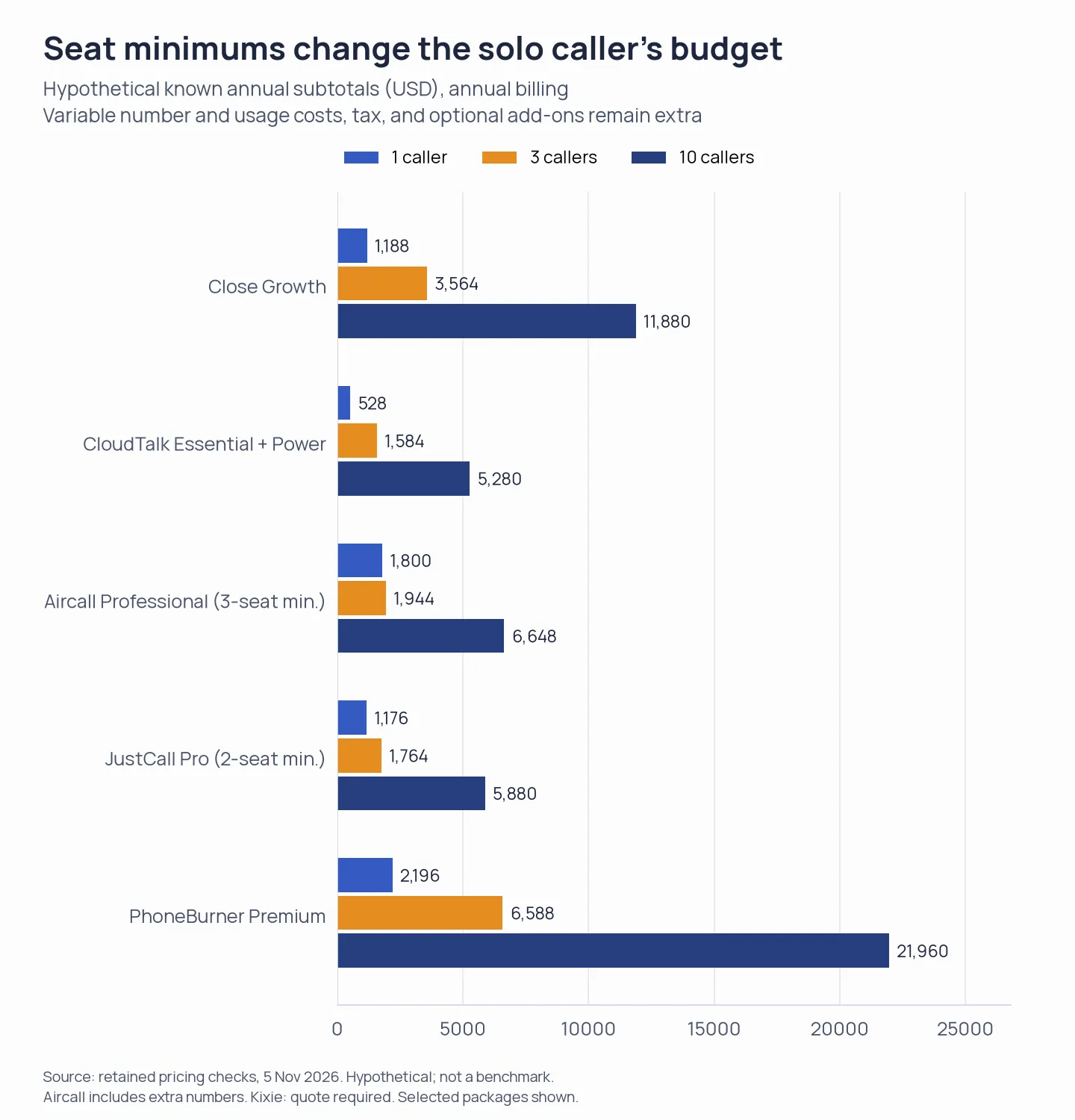
Aircall includes extra callback numbers in these subtotals. Other unpriced number and usage costs remain outside the comparison; Kixie requires a quote.
Aircall's solo budget includes the minimum three seats. Its larger scenarios add two and nine numbers to the account allowance. JustCall's solo budget includes two seats; the larger scenarios need two and nine extra dialer numbers, with prices depending on number type and billing term.
For CloudTalk, if your order includes no US local numbers, add $72 per number per year to the subtotal. Confirm the allocation before comparing its floor with an inclusive package. The Salesforce integration requires a different tier from the Essential setup used here.
When you're budgeting Close, rely on billable minutes. Since every call gets rounded separately, talking time may yield a bigger charged sum.
Which power dialer should you choose?
Close is a starting point if your team needs a sales CRM. If you're keeping HubSpot, Salesforce, or Pipedrive, compare calling services that work with your existing system. Verify activity logging and contact matching against the records your reps use. If LinkedIn is one of your prospecting channels, consider Linked Helper's Close integration to send prospect data into Close leads and contacts.
Linked Helper presents its Close integration for passing prospect data into the CRM.
For shared telephony among several people, Aircall is the better fit; a dedicated calling role, though, suits PhoneBurner. Campaign allocation is what appeals about CloudTalk. JustCall's draw is combining calls with messaging. If CRM integration plus number management are specific requirements, Kixie deserves a quote.
Before an annual commitment, use a small list to check queue order and saved outcomes. Pause or end a session and confirm what the next rep sees. A shared callback number may suit a pooled team, while separate numbers make ownership clearer; settle that requirement before comparing the bill.
Plan how you'll leave as well. Before cancelling, export history, notes, outcomes, and contacts, and set up number porting while the old service remains active. Close keeps access open until the paid period ends. Other providers' closure policies may give you less time to retrieve data.