
 20 min read

TL;DR: sales intelligence platforms in October 2026
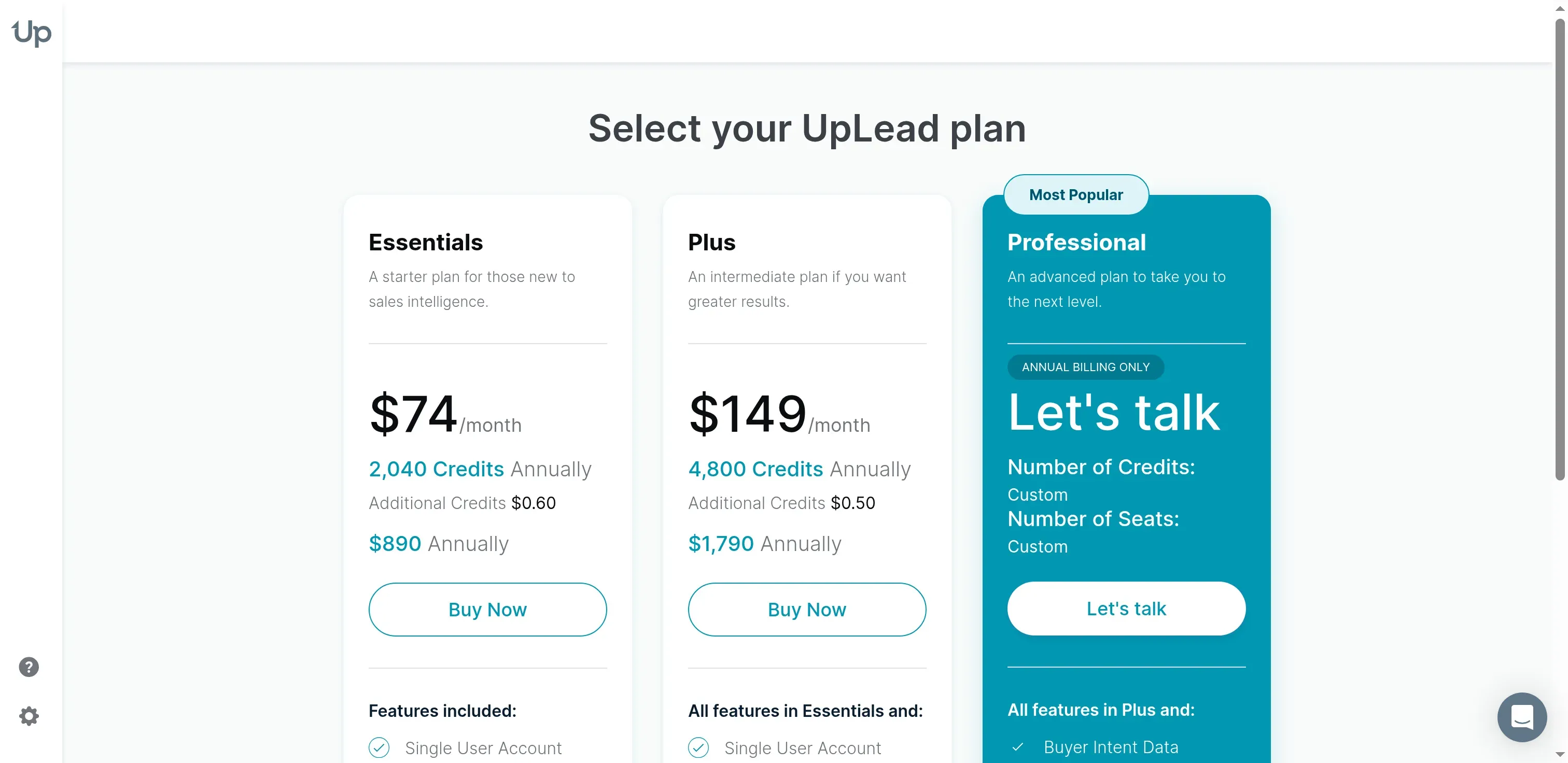
- Contact lists: Apollo combines research and outreach. UpLead makes an individual list buyer's credit costs easier to follow.
- Hands-on check: In October 2026, I saved an Apollo audience without connecting a mailbox and compared UpLead's authenticated billing screens.
- Phone prospecting: Cognism's Pro package adds on-demand mobile verification for priority contacts.
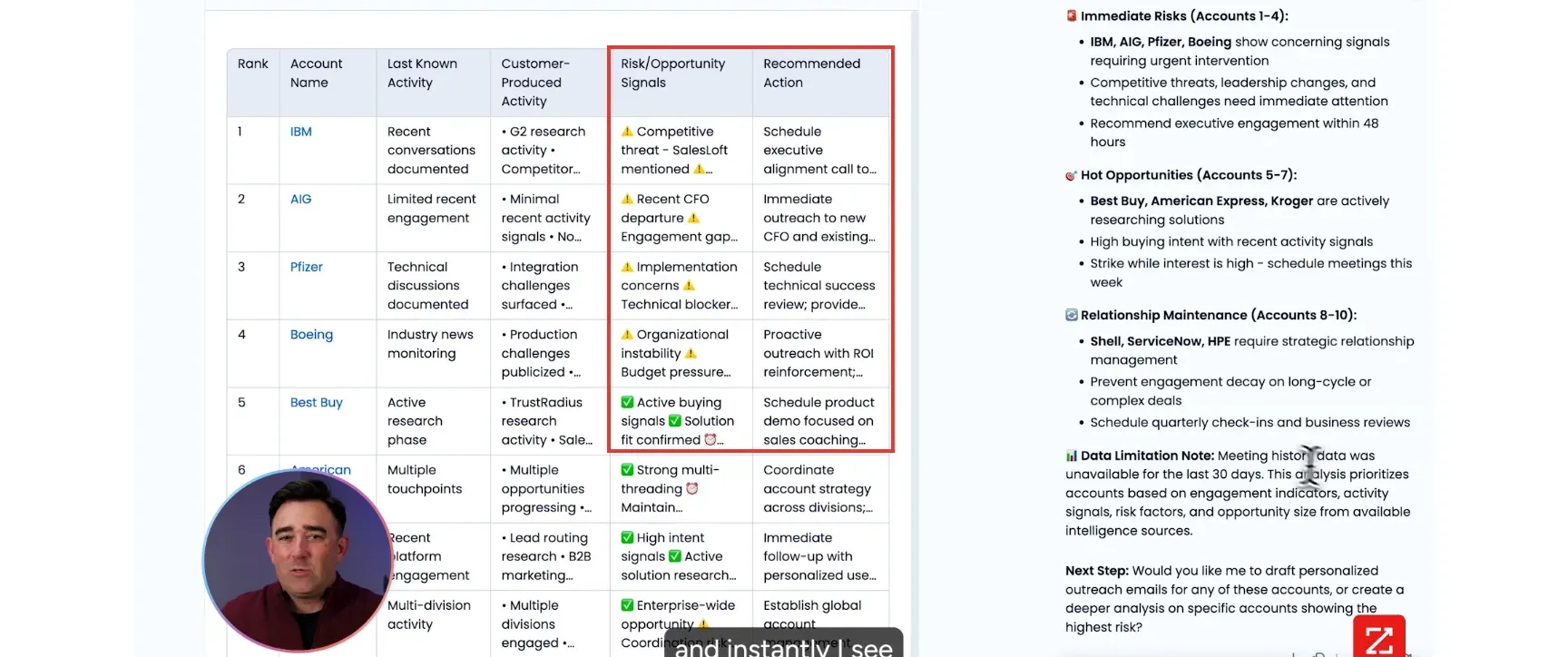
- Account context: ZoomInfo connects intelligence with CRM history, Sales Navigator follows people and relationships, and 6sense adds predictive prioritization.
- Signals and cost: Common Room brings scattered activity together, but Product Signals and exports change the plan you need. Its Essential subscription starts at $2,500/month on annual billing.
The seven sales intelligence picks solve different jobs. Compare each use case with the restriction most likely to change your decision.
| Platform | Use case / scope | Useful capability | Main trade-off |
|---|---|---|---|
| Apollo | Data beside outreach | Shared data-credit pool | Several activities draw from the pool |
| UpLead | Individual contact-list buying | One credit per contact | Entry plans are single-user |
| Cognism | Phone-led prospecting | On-demand mobile verification on Pro | Credits and included seats shape the quote |
| ZoomInfo | Enterprise account context | Account-grouped Pulse Feed | Workspace scope depends on the package |
| LinkedIn Sales Navigator | Relationships and job changes | Saved-lead alerts | No native lead CSV export |
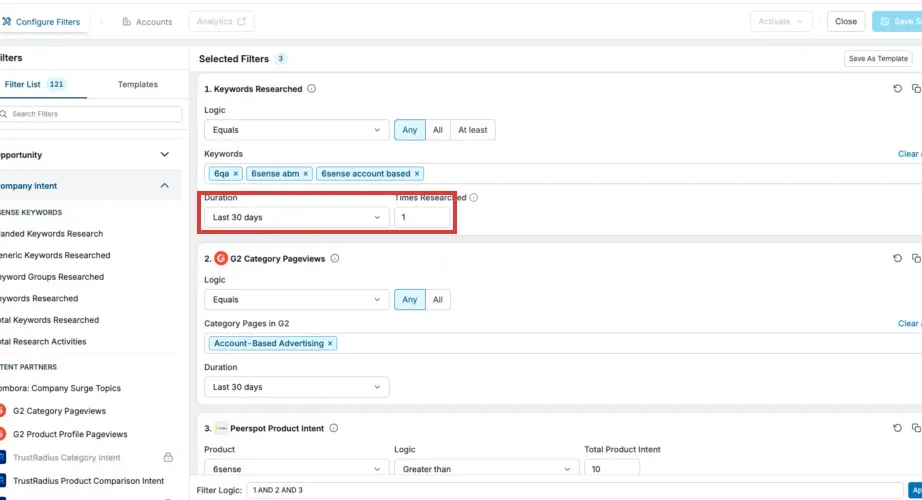
| 6sense | Predictive account prioritization | Buying-stage and fit models | Predictive AI and contact data are separate purchases |
| Common Room | Connecting scattered buyer activity | Person360 identity resolution | Signal types and exports vary by tier |
What is sales intelligence?
Sales intelligence helps your reps identify suitable buyers, understand their companies, and decide when to approach them. Platforms combine contact records with signals such as job changes, technology use, relationships, or buying activity. Apollo and UpLead focus much of the purchase on contacts; other tools help you decide which people or accounts deserve attention.
Before buying another subscription, check the records and credits you already have. HubSpot enrichment, for example, requires an existing business email for a contact or a domain for a company before it can update the record. Review its overwrite settings before applying it to fields your team maintains. Finding a missing address and improving an existing record are different jobs.
I use five criteria to compare a sales intelligence purchase:
- Coverage in your market. Give providers the same countries, industries, company sizes, and buyer roles. Keep conflicting employer records visible until you've checked the company website, the person's professional profile, and source dates.
- Usable fields. A verified email, a confirmed phone number, and a current job title answer different questions. Agree on what makes a contact usable before counting matches.
- Actionable signals. Account research suggests where to investigate; a job change identifies a person and an event. Your reps need enough context to choose an appropriate next step.
- Whole-workflow cost. Count seats, credits, exports, and integrations. Check whether phone lookups or enrichment will spend the allowance you've budgeted for email.
- Ownership and contract terms. Assign an account owner and suppress customers or active opportunities where outreach would clash. Record renewal deadlines, seat reductions, credit expiry, export-retention rights, and permitted client use before signing.
A bigger database won't help if the records miss your territory. And an intent feed can become another ignored notification stream if nobody owns the follow-up.
1. Apollo: contact data and email outreach from $49 per seat/month
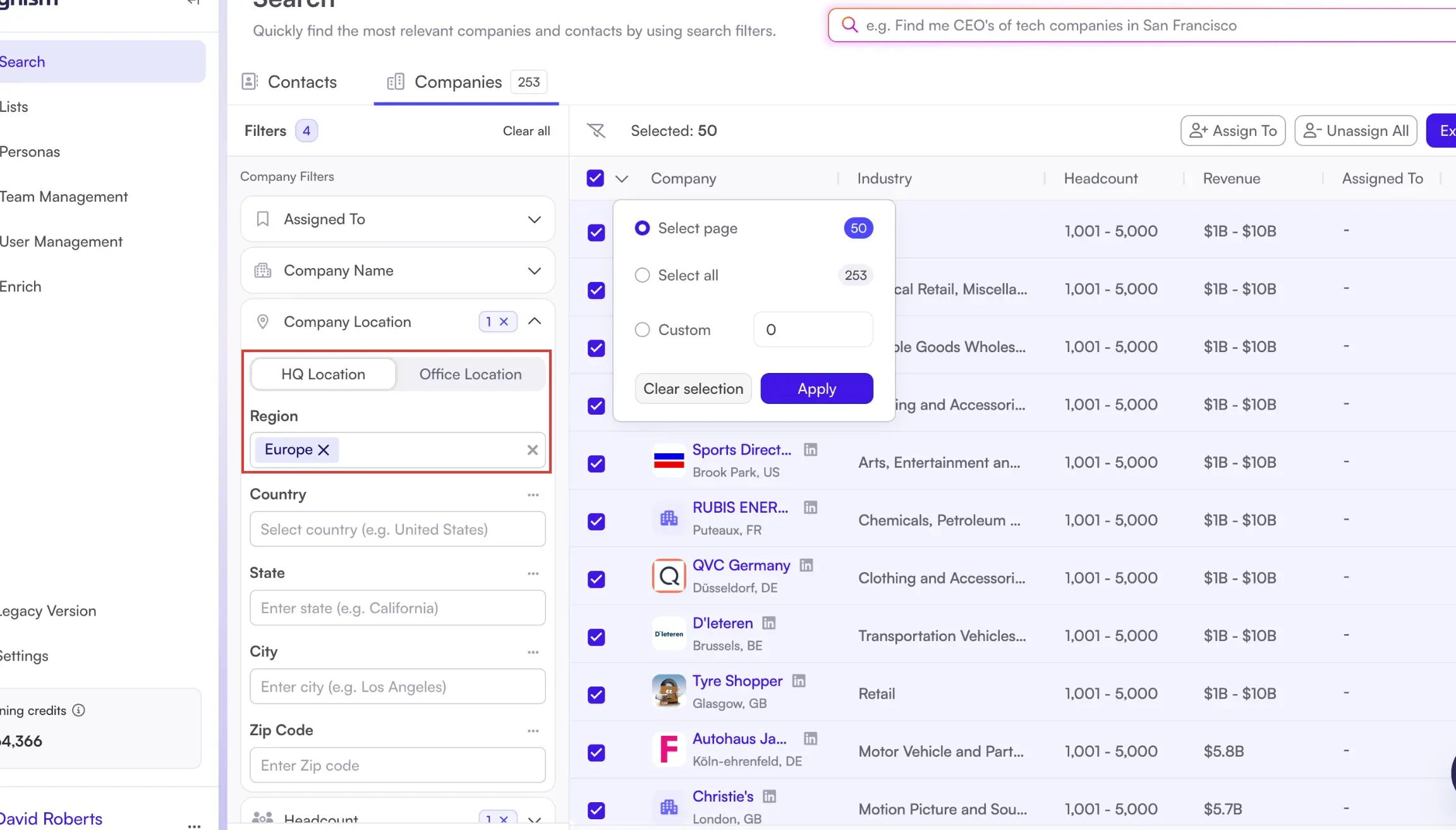
Apollo puts contact research and email outreach in the same workspace, with Basic starting at $49 per seat/month on annual billing. When I searched for US sales managers, I could save the audience without connecting a mailbox. I found the wide grid and extra filter panel awkward when I adjusted the criteria, even though the saved audience was ready for another search.
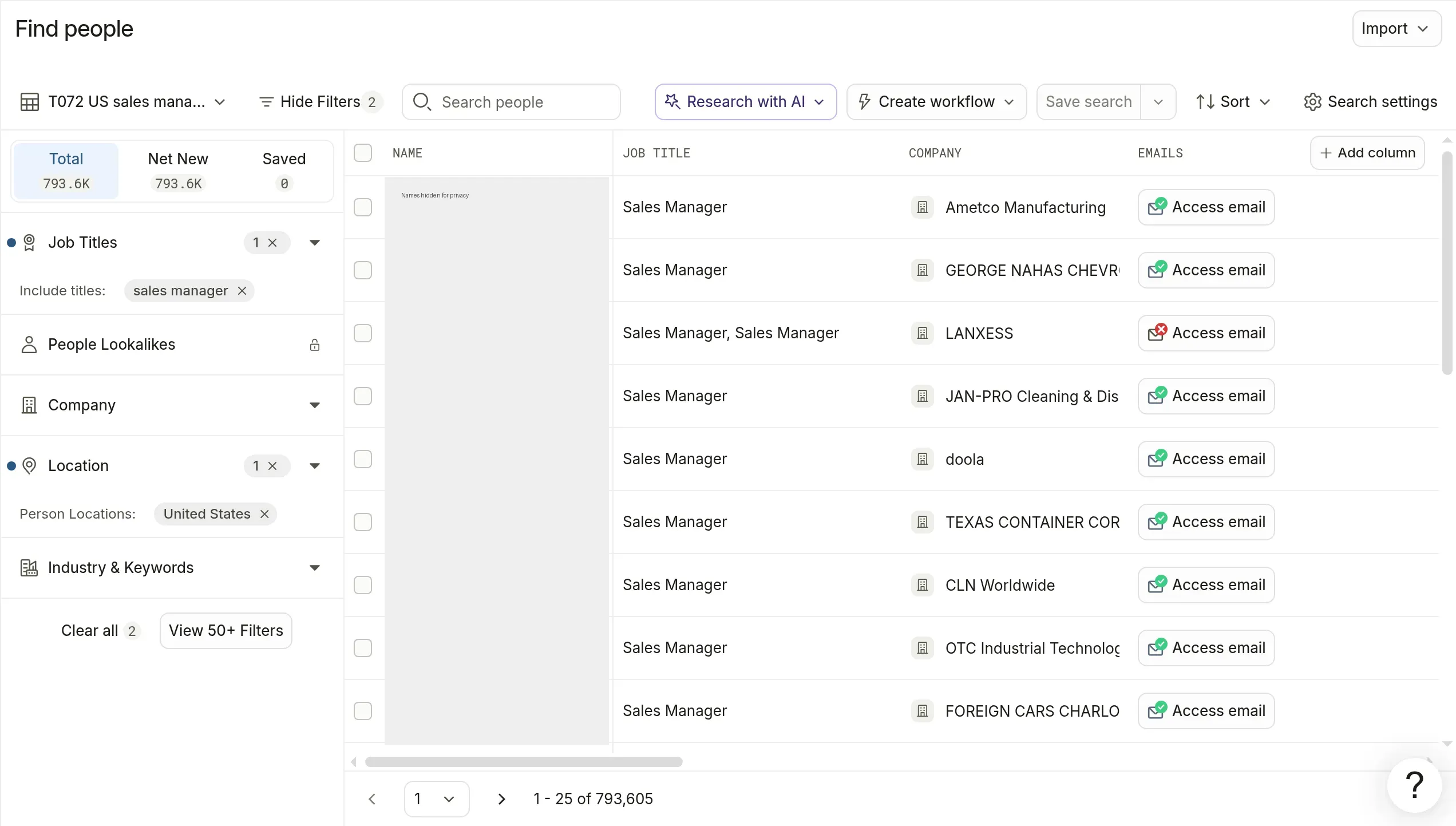
Inside Apollo, I saved a search by location and job title before revealing any email addresses. Personal names are hidden.
Apollo: Where it falls short
- Every seat on an account uses the same plan.
- Unused plan and add-on credits expire.
- Bounce-credit refunds depend on sending through Apollo.
A verified email costs one credit, while a phone number costs eight. Verified-email requests also search for an office phone, and admins can cap individual use of the shared pool. AI research and enrichment also draw from the pool, so a team that mainly buys emails needs a different budget from one that regularly requests mobile numbers. Saved-contact CSV exports don't consume extra credits on the current credit plan.
Things I Noted: bounce refunds depend on the sending tool
Apollo refunds an eligible bounced-email credit only when you send through Apollo within 30 days of requesting the verified address. The refund arrives in the next billing cycle. Mobile credits aren't refundable. Keep another sequencer and you'll lose that protection.
View 50+ Filters opens a second panel when you need more search criteria. u/Dev22TX wrote in r/sales on June 11, 2025