9 Best Skylead Alternatives for LinkedIn Automation in 2026

9 Best Skylead Alternatives for LinkedIn Automation in 2026

Milosh Potikj

B2B Content Strategist & Writer

Updated atUpdated: July 19, 2026Read time66 min read
9 Best Skylead Alternatives for LinkedIn Automation in 2026
Quick Answer

Linked Helper is the best Skylead alternative for users who prioritize lower cost, account control, and agency-scale pricing that does not turn every sender into a full-price seat. Unlike Skylead's cloud credential-login model, Linked Helper runs from your own machine or a VPS environment you control, so the LinkedIn session stays out of vendor cloud infrastructure. Pricing starts at $15/mo, or $8.25/mo equivalent on a 12-month license, versus Skylead's $100/mo one-seat tier. At 20 seats, the documented agency scenario is $1,584/year for Linked Helper versus $24,000/year for Skylead. The tools we compared are shown in the cost table below.

ToolArchitecture20-seat agency cost (from, /year)vs Skylead
Linked HelperDesktop$1,58493% cheaper
WaalaxyCloud$3,84084% cheaper
Dux-SoupHybrid by plan$4,45281% cheaper
SalesRobotCloud$7,92067% cheaper
ExpandiCloud$18,96021% cheaper
DripifyCloud$18,96021% cheaper
LemlistCloud$20,88013% cheaper
SkyleadCloud$24,000Baseline
La Growth MachineCloud$24,000Same as baseline
PhantomBusterCloud$33,12038% more expensive

Architecture and 20-seat agency cost, side by side

Pricing data as of July 2026. For the 20-seat agency scenario, costs use each brand's feature-appropriate tier at annual billing, with disclosed bulk/volume discounts applied where available: Linked Helper Standard (20% off at 20–49 licenses), SalesRobot Advanced (~45% off at 20+ licenses), Dux-Soup Cloud Agency tier. Expandi and PhantomBuster have no disclosed 20-seat discount; Expandi uses its only priced tier (the named Agency tier is quote-only), PhantomBuster uses the Grow tier at list price. La Growth Machine and Lemlist figures are estimates. Cost vs Skylead is each brand's annual cost divided by Skylead's $24,000/yr baseline (x1.00). Skylead's row uses $100 × 20 seats × 12 months: its only public priced tier is per-seat monthly, and no 20-seat bulk discount is disclosed.

Publisher disclosure

This article is published by Linked Helper. Linked Helper is our product and our top recommendation. First-hand observations are reported by the author where applicable; rankings and recommendations follow the evaluation framework below.

Key takeaways

  • Linked Helper is our pick because the findings point to custody as the differentiator: it is the only desktop tool in this lineup, avoids the cloud-IP and li_at session-upload patterns we saw elsewhere, and adds a proxy-quality gate before an account is routed through a proxy. No tool removes LinkedIn restriction risk, but this removes exposure the user can actually control.
  • Across the live credential-login checks, 5 of the 6 scored account connections carried high-risk IPQualityScore (IPQS) signals. IPQS is an independent IP-quality signal, not LinkedIn's enforcement score. Skylead and Dripify both landed in HostRoyale datacenter infrastructure, with Dripify's two French accounts in the same /24.
  • The extension teardowns found a custody pattern, not just browser convenience: Lemlist, Expandi, Waalaxy, PhantomBuster, and Dux-Soup Cloud read or handed off the LinkedIn session cookie (li_at) to vendor cloud infrastructure. Whoever holds li_at can act as the account, so the practical risk is parallel session custody, not merely an installed toolbar.
  • Extension visibility was a separate signal: 4 of the 5 shipped extensions we tore down were already on LinkedIn's Active Extension Detection (AED) probe list, LinkedIn's page-level check for specific extension IDs. Expandi was the June 2026 exception, but still copied li_at to its cloud. AED listing means the installed extension can be visible before any sequence runs.
  • Trial friction showed up before campaigns did: Skylead and Expandi required a card in the tested signup path, Expandi gave 7 days where the public page claimed 14, and Dux-Soup required payment setup in the tested flow; Dripify was the no-card exception. For a cost-driven switch, the trial path is part of the real switching cost because it decides what you can inspect before committing.

What Is Skylead?

Skylead is a cloud-based LinkedIn and email outreach automation platform founded in 2019, with G2 listing its headquarters in the United Kingdom. It connects to Linke
What Is Skylead?

dIn through cloud credential login rather than a public browser extension, then runs outreach from Skylead's web app.

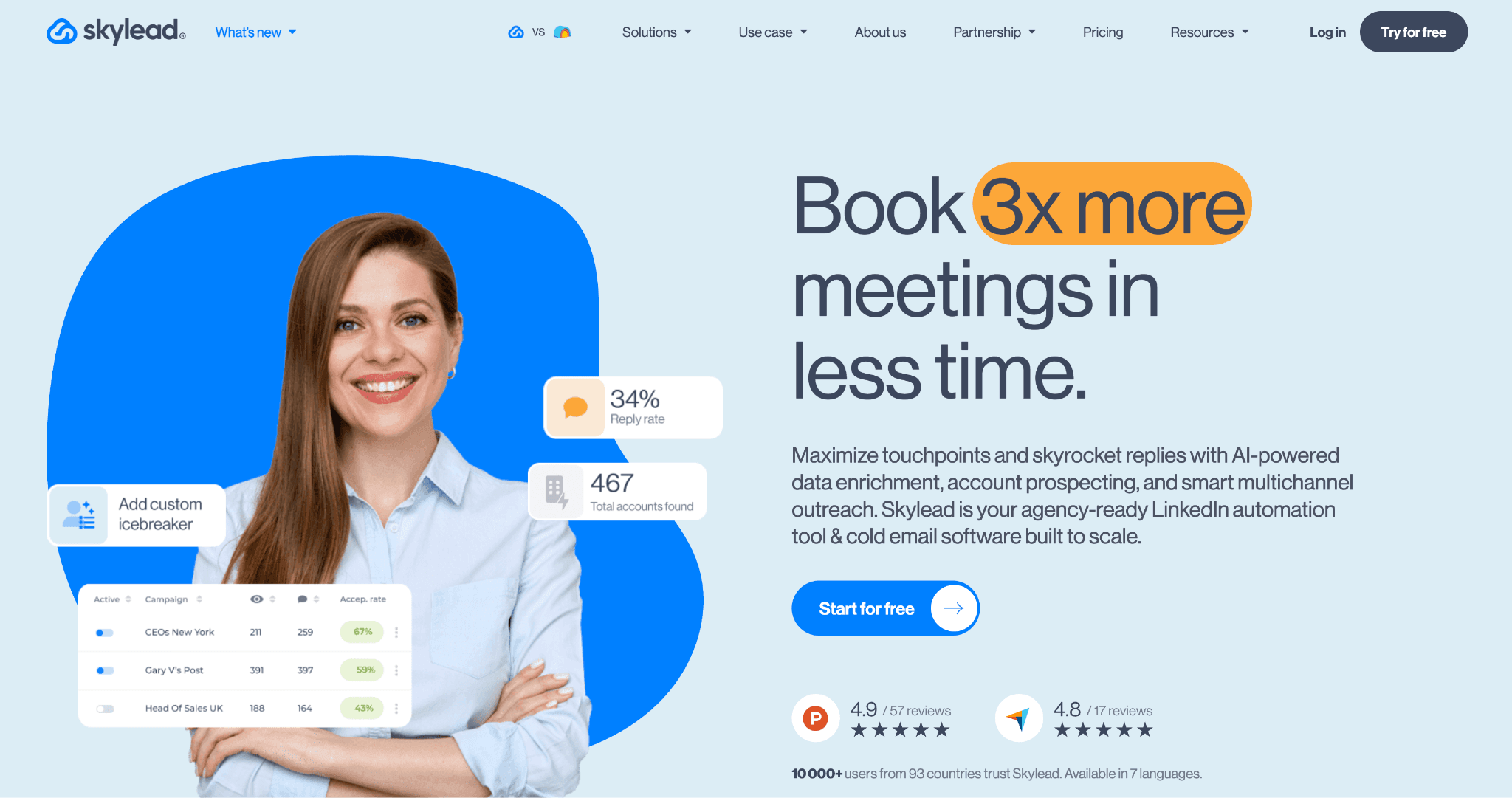
The product combines LinkedIn connection requests, follow-ups, email steps, lead search, Sales Navigator support, AI-assisted copy, Smart Sequences, image/GIF personalization through an add-on path, and dedicated-IP controls. Its public all-in-one plan is priced at $100/mo for one seat, with a 7-day trial that requires a credit card.

Skylead at a Glance

Skylead is strongest when one team wants LinkedIn and email in one cloud workspace; the limits show up when that same team needs lower seat cost, easier onboarding, or tighter control over where the LinkedIn session runs.

Strengths

  • Smart Sequences for multi-step LinkedIn and email workflows.
  • Dedicated IP per connected account.
  • Sales Navigator support for lead targeting.
  • LinkedIn plus email touches in one sequence builder.
  • Localization across several languages.

Limitations

  • $100/mo public pricing is one seat per tier, with no disclosed 20-seat agency discount.
  • Users most often flag setup and learning-curve friction: 33 classified Skylead reviews mention complexity overall.
  • Reliability complaints appear in public reviews, including buggy modules and inconsistent behavior.
  • Full image/GIF personalization depends on a paid add-on path.
  • No browser-extension footprint is useful, but the LinkedIn session still runs in Skylead's cloud rather than in the user's local environment.

Good Fit When

Single teams that will fully use Skylead's LinkedIn plus email workflow and do not need discounted multi-seat agency pricing.

Why Users Look For Skylead Alternatives

The contradiction in the Skylead data is useful: price is the clearest comparison axis, but complexity is the louder complaint. Across 5,000+ reviews on G2, Capterra, and Trustpilot and 400+ Reddit discussions about these tools, Skylead's learning-curve mentions outnumber pricing complaints.

ThemeNegative mentions
Steep learning curve for new users29 negative ease-of-use mentions; 33 reviews flag complexity overall
Per-seat pricing at $100/mo, one seat per tier12 negative pricing mentions; 13 reviews flag cost
Inconsistent reliability or feature bugs19 negative reliability mentions
Limited customization without paid add-ons18 negative customization mentions
Multi-account or agency-management friction6 negative multi-account mentions

Recurring Skylead switching themes by negative mention volume

Sources: review-topic analysis for Skylead and category discussion analysis across G2, Capterra, Trustpilot, and Reddit. Counts are rounded only where the section uses source-level totals. Data reviewed as of July 2026.

That is why the article does not pretend price is the only reason people leave. Cost is the cleanest decision wedge; usability and cloud-session control decide whether the cheaper replacement will actually survive first rollout.

How We Evaluated These Alternatives

10+ tools, 5,000+ reviews, and 400+ Reddit threads analysed as of July 2026. We scored the alternatives on cost first, then architecture, workflow depth, support, CRM depth, account-scale controls, complaint risk, and AI parity.

  • We compared nine ranked alternatives with Skylead as the anchor, drawing on 5,786 public reviews across G2, Capterra, and Trustpilot, plus 449 Reddit threads.
  • Vendor product and pricing pages were checked directly in July 2026, with the same cost and feature criteria applied to every tool.
  • Six tools had completed first-hand checks; we used each check only for claims it could observe and excluded planned checks that were not completed.
  • At the architecture level, we classified where automation runs separately from how a cloud session is authorized — neither label alone became a safety verdict.
  • Review and Reddit patterns informed complaint-risk signals and switching themes, with overlapping themes allowed rather than forced into a single bucket.
  • Fixed weights applied to every tool, while public evidence, user reports, and direct observations remained distinct.

Evaluation Framework

Pricing and value at scale carry the highest weight because this is a cheapest-angle Skylead article. The compact architecture axis then asks where automation runs: desktop, cloud, or browser extension. Cookie bridge and credential login are cloud authorization methods, not standalone architectures.

Scoring dimensionWeightEvidence considered
Pricing and value at scale25%Public pricing, feature-appropriate agency tiers, 20-seat cost analysis
Architecture and session/IP handling15%Public architecture claims, automation method, safety controls, live testing, extension analysis
Workflow depth and conditional logic15%Hands-on testing, product documentation
Support quality and onboarding15%Reviews, documentation, onboarding tests
CRM connectors and webhooks10%Documentation, product testing
Account-scale controls10%Documentation, hands-on testing
User complaint risk signals5%Public reviews and Reddit analysis
AI personalization parity5%Feature testing and documentation

LinkedIn automation scoring model

Each dimension was scored from 1 to 5, weighted, and normalized to a 100-point final score. The assessment combines public documentation, user-review analysis, live product testing, IP/session inspection, and browser-extension analysis. Pricing data and architecture labels reflect information reviewed as of July 2026.

Skylead markets itself on architecture — cloud execution with dedicated IPs is the headline pitch. That's exactly why architecture gets a defined 15% here rather than an implicit veto: the label needs to be scored against evidence, not marketing. And before scoring, the labels themselves need pinning down, because vendors in this space stretch them freely.

Architecture labelWhat it meansWhere automation runsIP LinkedIn seesWho holds the session
DesktopA local app or user-controlled VPS runs the automationUser's machine or user-controlled VPSUser IP, VPS IP, or assigned dedicated proxyUser-controlled environment
CloudCampaigns run inside the vendor's web app and cloud infrastructureVendor cloudVendor-assigned IP, proxy, or dedicated IPVendor-managed cloud session
Browser extensionA browser extension operates inside the user's active LinkedIn browser sessionUser's browserUser IPUser's browser session; the extension reads or acts within that session

LinkedIn automation architecture glossary

Architecture labels describe where automation runs. They do not by themselves determine the final product score; risk also depends on session transparency, proxy controls, throttling, workspace governance, and observed user complaints. Labels reflect public information reviewed as of July 2026.

For cloud tools like Skylead and most of its rivals, one distinction still hides under the "Cloud" label: how your LinkedIn session gets into the vendor's hands in the first place. Two methods exist, and they carry different transparency profiles.

Session-access methodWhat it meansApplies to
Credential loginThe user connects or logs into LinkedIn through the vendor's cloud app, creating a cloud-managed sessionCloud tools
Cookie bridgeA browser extension or handoff flow transfers an existing browser session to the vendor cloudCloud tools with extension-assisted setup

Cloud session-access methods

Credential login and cookie bridge are authorization/session-access methods, not separate product architectures. Both can result in automation running from the vendor cloud once the session is connected.

9 Best Skylead Alternatives Compared

Use this table as the scan layer: it keeps price, session custody, agency cost, ratings, CRM depth, trial length, and extension visibility in one place before the per-brand evidence.

ToolArchitectureSession-access methodPrice (entry)LinkedIn session custody20-seat agency cost/yrComposite ratingCRM integrationsFree trial (days)On LinkedIn AED list?
Linked HelperDesktopN/A — local session$15Local$1,5844.77★11 native14N/A — no extension
La Growth MachineCloudCredential login$60Vendor cloud$24,0004.06★ ¹3 native14Not verified
LemlistCloudCookie bridge$79 ²Vendor cloud$20,8804.40★5 native14Yes
ExpandiCloudCookie bridge$99Vendor cloud$18,9604.19★3 native7 ³No — June 2026 snapshot
DripifyCloudCredential login$59Vendor cloud$18,9604.61★3 native7N/A — no extension
WaalaxyCloudCookie bridge$42 ²Vendor cloud$3,8404.57★4 native14Yes
SalesRobotCloudNot publicly substantiated$59Not publicly substantiated$7,9203.90★ ¹6 native14Not verified
PhantomBusterCloudCookie bridge$69Vendor cloud$33,1204.08★3 native14Yes
Dux-SoupHybrid by plan: Browser extension (Free/Pro/Turbo); Cloud (Cloud plan)Cookie bridge (Cloud plan)$14.99Local (Free/Pro/Turbo); Vendor cloud (Cloud plan)$4,4524.42★6 nativeNot disclosedYes

Top Skylead alternatives compared by price, architecture, session custody, agency cost, ratings, CRM depth, trial, and AED visibility

As of July 2026 · sources: vendor pricing pages, public review platforms, product documentation, and first-hand safety checks where available. Composite rating is the unweighted average of each brand's G2, Capterra, and Trustpilot star ratings; sample sizes vary by platform and brand. ¹ Thin review corpus on one or more platforms — treat the composite as indicative. ² Entry tier excludes LinkedIn automation (Lemlist) or multichannel email (Waalaxy); higher tiers required. ³ First-hand check found a 7-day trial despite the pricing page stating 14 days.

Linked Helper is first by publisher rule. The remaining alternatives follow the locked ranking for this article, not a price-only sort.

1. Linked Helper

Linked Helper's desktop architecture keeps LinkedIn execution on user-controlled hardware; paired with the approved 20-seat math, that makes it the price-and-custody baseline for this Skylead comparison: $1,584 per year versus Skylead's $24,000.
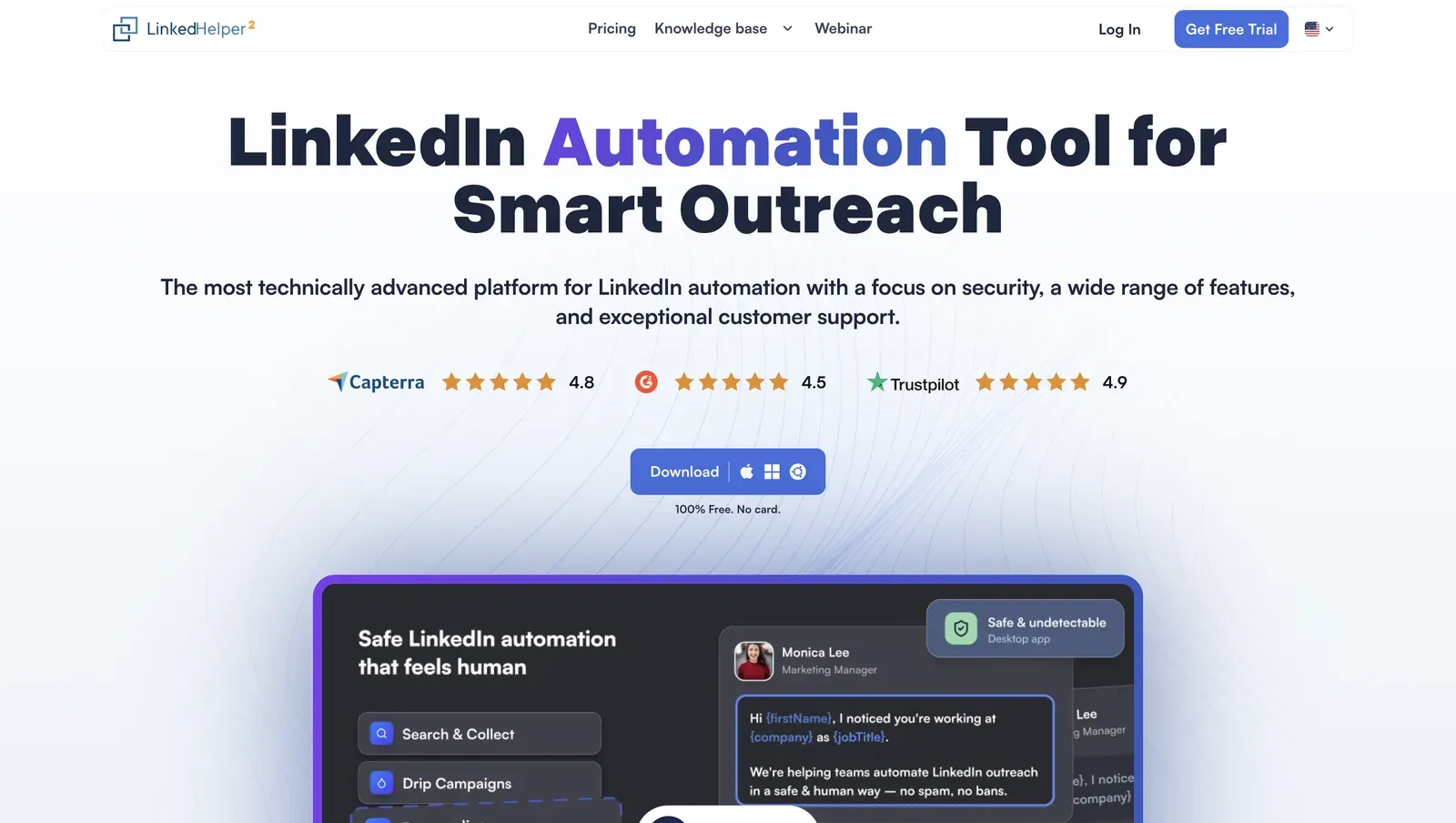
Linked Helper homepage product preview - July 2026

Homepage preview showing the desktop-app positioning, public review badges, and product interface - July 2026

Founded in 2016 and headquartered in the United States, it ships a 14-day free trial and one license per LinkedIn account; see the quick facts below for the exact monthly and annual pricing.

Instead of a browser extension or a vendor-hosted cloud account, Linked Helper is a standalone app for Windows, macOS, and Ubuntu with its own browser engine. The practical trade-off is setup control: you run it on your machine or VPS, then use Web Version, login-based access to that running instance, for browser access.

The trade-off is focus: it handles the LinkedIn layer, not Skylead's native email canvas. Email still fits the stack, though — native integrations with Instantly and Snov.io hand off leads into email campaigns there, and webhooks connect any other sender to the same workflow.

Quick facts about Linked Helper

  • Founded: 2016
  • HQ: United States (Wilmington, DE)
  • Pricing: $15/mo ($8.25/mo annual), 14-day free trial
  • G2: 4.56★ (142) · Capterra: 4.9★ (252) · Trustpilot: 4.91★ (431)
  • Last 6 months: 4.84★ across 23 reviews — positive recent average
  • Architecture: desktop app with built-in browser engine; execution runs on the user's machine or VPS

Vendor pricing & feature pages (as of 2026-04-22) + G2, Capterra, Trustpilot & Reddit reviews (computed 2026-07-13)

Key Features

  • Proxy quality gate — Linked Helper scores user-provided proxies with IPQualityScore (IPQS), an independent IP-quality signal rather than LinkedIn's enforcement verdict, and blocks high-risk proxy/VPN/abuse flags before LinkedIn sees the account through that address.
  • Data Enrichment action — finds and verifies prospect emails inside the campaign flow, standing in for Skylead's email discovery & verification for teams that keep running email campaigns after the switch. Found addresses feed the Instantly and Snov.io handoffs or export with the rest of the lead data, and enrichment credits don't expire month to month.
  • Local-first data boundary — campaigns, CRM records, and message history live in a local per-account database by default, which means the lead database is not vendor-hosted unless the user opts into the cloud-storage version.
  • 11 direct CRM connectors — ActiveCampaign, Capsule, Close.io, HighLevel, HubSpot, Instantly, Pipedrive, Salesforce, Streak, Zoho, and Zoho Recruit connect directly, with Zapier and Make handled through webhooks.
  • AI ICP detection — the AI reads collected profiles against an Ideal Customer Profile before outreach, which means noisy LinkedIn searches can be filtered before weekly invites are spent.
  • AI messages with review control — generated invite and follow-up text can be auto-approved or held for manual review, so teams can scale personalization without forcing every message out unseen.
  • 13 LinkedIn scrape sources — the collection coverage gives the comparison its data-targeting wedge against Skylead's narrower source set, so lead sourcing does not depend on one search surface.

Across 825 rated reviews, the useful read is not one average; it is the split between broad cost/support praise and a much smaller caution set around setup, support expectations, and LinkedIn-side restriction behavior. Trustpilot carries the densest praise cluster, while the lower-score G2 and Capterra cards explain where the cheap license still needs careful operation.
What reviewers say about Linked Helper

Bottom line

Linked Helper is the recommendation when LinkedIn-first outreach, low per-account cost, and local session custody matter more than having LinkedIn and email in one native sequence builder. For this article's price-and-custody axis, Linked Helper's local desktop/VPS model and $1,584 20-seat annual cost are the anchor recommendation.

A February 2026 Trustpilot reviewer said Linked Helper helped grow his first-degree network from roughly 470 connections to more than 12,000.

If unified multichannel sequencing is mandatory, Linked Helper needs a dedicated email tool alongside it.

2. La Growth Machine

Founded in 2019 and headquartered in France, La Growth Machine is a vendor-hosted multichannel outreach platform for LinkedIn, email, Twitter/X, voice notes, and webhooks.

2. La Growth Machine

La Growth Machine is a desk-sourced cloud system, so this card cannot verify the observed IP or session path first-hand. Its $60/mo entry keeps it in consideration for LinkedIn-plus-email sequences.

Its annual entry price is $50/mo, but the scale math in this article uses a $24,000/year 20-seat estimate; the useful context is tier shape, not just sticker price. The pricing page ties scope to campaign count, so agencies evaluating it against Skylead should read the plan gates before comparing seats.

Quick facts about La Growth Machine

  • Founded: 2019
  • HQ: France (FR)
  • Pricing: $60/mo ($50/mo annual), 14-day free trial
  • G2: 4.6★ (51) · Capterra: 4.9★ (45) · Trustpilot: too thin to average (6 reviews) — sharp platform evidence gap
  • Last 6 months: too few reviews to print a trend (3 rated)
  • Architecture: cloud (desk-sourced; no first-hand IP test)
  • Native integrations: 22 recorded overall

Vendor pricing and integration pages (fetched 2026-05-27 to 2026-06-01) + G2, Capterra, Trustpilot and Reddit reviews (computed 2026-07-13)

Key Features

  • Multichannel sequence builder — LinkedIn, email, Twitter/X, voice notes, and webhooks can sit in one outreach flow.
  • AI copywriting — the pricing page lists AI Copywriting and AI Writing Assistant.
  • Voice-note personalization — reviewers cite AI-personalized LinkedIn voice notes inside outbound campaigns.
  • CRM connectors — HubSpot, Pipedrive, and Salesforce are listed as native CRM integrations on the integrations page, but all three are gated to the Ultimate plan at $165/mo per seat — below that tier, LGM runs without native CRM sync.
  • Multi-identity licensing — the pricing page lists up to 3 identities, each billed separately.

The review split is platform-shaped: G2 and Capterra carry the positive volume, while the few Trustpilot reviews carry the billing and reliability caveat we treat as color rather than a printable score. The trailing six-month window has only three rated reviews, so it is not enough to call a trend.

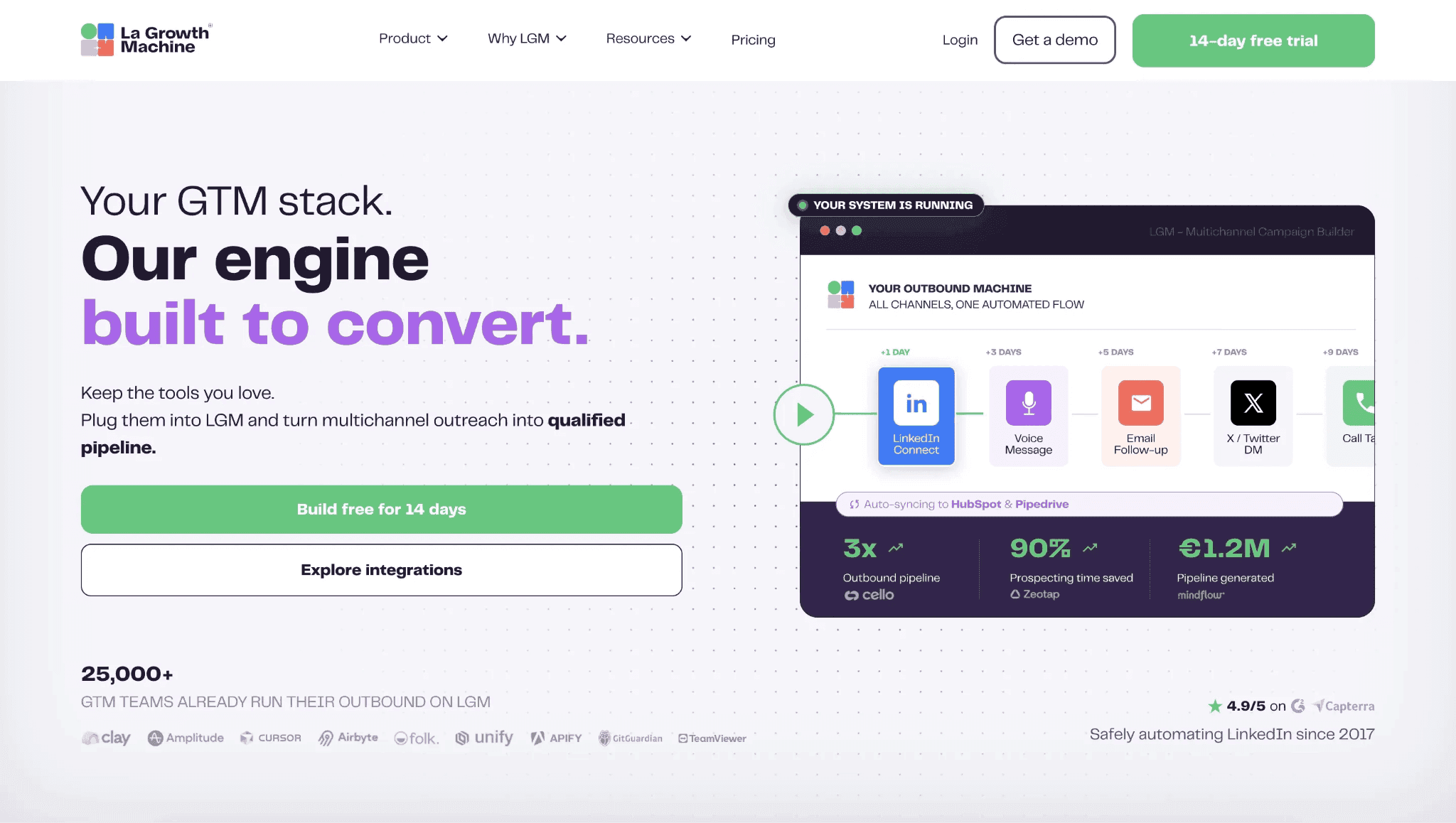
What reviewers say about La Growth Machine

The Reddit signal is narrower: the assigned usage thread points to voice notes as the concrete reason a user reached for La Growth Machine, not to a general safety proof or a verified IP finding.

Reddit
salestechniques
We used la growth machine to send them, which kept the delivery looking natural.

Real-world scenario

The switching case is consolidation: a G2 reviewer said La Growth Machine replaced a mixed PhantomBuster, DropContact, and Lemlist stack. That scenario explains why buyers still tolerate the tier ladder: fewer separate tools to coordinate.

it replaced all other tools I used (PhantomBuster, DropContact, Lemlist etc...)

Read the full review on G2

G2
Rating: 5 out of 5
AS
Anne-Charlotte S.
Account Executive

Where this bites: the same plan ladder that makes La Growth Machine clearer than Skylead's undisclosed agency tier also creates its own gating problem. A Reddit pricing thread lists Basic at 3 campaigns, Pro at 6, and Ultimate as the first unlimited tier; a Trustpilot reviewer independently describes needed features hidden in the top tier, which turns price from a sticker comparison into a workflow-scope question.

Reported limitations

The safety-adjacent note is operational, not a ban-rate claim: one reviewer said campaigns depend on a running widget, which matters for overnight work because unattended execution may require an open device. Since this brand was not part of the hands-on IP tests, we do not turn that into a verified cloud-session finding.

The widget must be running for the campaigns to run, which makes it impossible to do overnight campaigns unless a device is open.

Read the full review on G2

G2
Rating: 4.5 out of 5
SK
Sagar K.
Business Analyst

Bottom line

La Growth Machine's strongest case is consolidation: LinkedIn, email, Twitter/X, voice notes, and CRM handoffs in one visual campaign planner. The price trade-off is the tier ladder. For a Skylead alternatives search focused on predictable cost, Linked Helper's $15/month Standard license offers a simpler baseline: one LinkedIn account per license, core outreach included, and the scale discount shown in this article.

A Capterra reviewer described moving to La Growth Machine after six years on Dux-Soup and Waalaxy, calling it professional and bug-free.

3. Lemlist

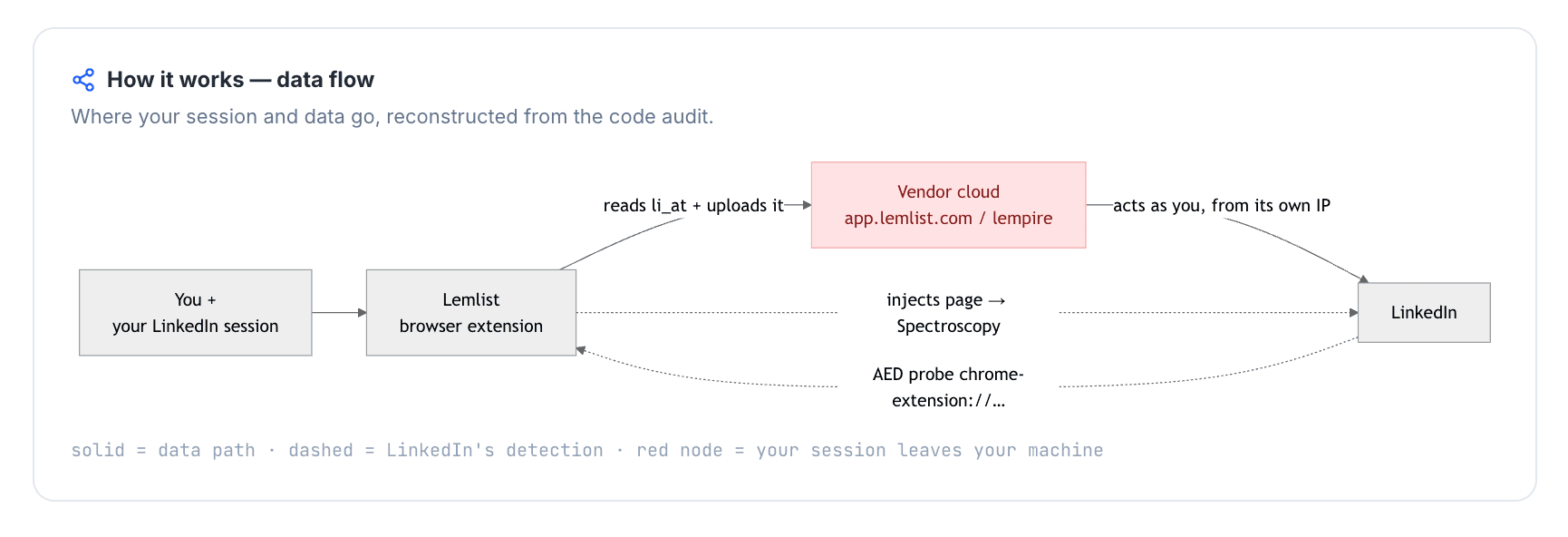
Lemlist's tested connector is a cookie-bridge: the extension uploads the LinkedIn session cookie to Lemlist's cloud, so the account adds extension visibility on top of vendor-cloud custody. The advertised $79/mo Email Pro tier is not the LinkedIn-capable plan, which keeps Lemlist close to Skylead's premium per-seat profile.

3. Lemlist

Founded in 2018 and headquartered in France under Lempire, Lemlist began as an email outreach platform and now wraps email, LinkedIn, enrichment, and CRM handoff into one cloud workspace. The pricing page lists a 14-day trial and an email-only annual equivalent of $63/mo; for this article's 20-seat agency scenario, the approved Multichannel Expert estimate is $20,880/year, so the cost profile stays close to Skylead's premium per-seat model.

Quick facts about Lemlist

  • Founded: 2018
  • HQ: France (Lempire, Paris)
  • Pricing: $79/mo Email Pro ($63/mo annual), 14-day free trial — LinkedIn prospection requires upgrading past Email Pro
  • G2: 4.5★ (263) · Capterra: 4.6★ (385) · Trustpilot: 4.1★ (146) — Trustpilot trails the software-review platforms
  • Last 6 months: 4.67★ (trending up) across 51 reviews
  • Architecture: Cookie-bridge / session-upload extension (cloud-bridge)

Vendor pricing, integration, and public profile pages (fetched 2026-04-22/23) + G2, Capterra, Trustpilot & Reddit reviews (computed 2026-07-13)

Key Features

  • Multichannel sequencing — combines email, LinkedIn steps, enrichment, and CRM handoff in one workflow once the LinkedIn-capable tier is in scope. The catch is that the two pricing advantages never overlap: the Email plan offers unlimited users but no LinkedIn steps, while Multichannel adds LinkedIn and drops unlimited users for per-seat pricing — a team that wants both scale and LinkedIn pays per seat.
  • CRM connectors — the integrations page lists Close.io, HubSpot, Pipedrive, Salesforce, and Zoho CRM.
  • AI-powered personalization — message drafting and personalization are marketed on the pricing page.
  • Lemwarm — email deliverability warm-up appears in switching evidence as a reason one reviewer arrived at Lemlist.
  • Campaign statistics — reviewers cite Lemlist's statistics as a way to monitor and improve outreach.

The platform split matters: Trustpilot tells a rougher story than the two software-review platforms, with billing and cancellation complaints showing up more visibly there. The recent positive cluster points the other way: 9 of the top 10 most-recent qualifying positive reviews singled out support, while the negative sample was led by bugs, reliability complaints, and account-manager responsiveness rather than price alone.

What reviewers say about Lemlist

Real-world scenario

Where Lemlist can earn its premium: a G2 reviewer described moving from Apollo because Lemlist centralized lead information and outreach work in one place. That is the cleanest use case for the tool: pay more when the email-led workflow and enrichment layer are the point, not just LinkedIn automation.

The module to get information from leads has allowed me to replace tools like Apollo and have everything centralized in lemlist.

Read the full review on g2

g2
Rating: 4 out of 5
DV
David V.

Where the praise breaks: the paired trade-off cards do not attack the multichannel idea; they show where execution can become brittle. That matters for a Skylead alternative because premium per-seat pricing only works when campaign editing, support, and billing feel predictable.

Reported limitations

Account-risk context: one G2 reviewer named the LinkedIn-account risk directly:

The operating ceiling: the assigned Reddit signal is about behavior, not Lemlist alone: daily connection volume can create restriction risk regardless of the tool. That is why the teardown finding below matters in practice — if a tool does not expose an auditable client-side cap, the user has less to verify before launch.

Reddit
coldemail
Keep linkedin connects under 20 to 25 per day per account. Anything more and linkedin starts restricting you.

Safety and Setup Notes

What was checkedFinding
Ships a public extension?Yes — main product connector, Chrome Web Store v5.0.5, about 90,000 users
Architecture verdictCookie-bridge / session-upload — the extension copies the LinkedIn login to Lemlist's cloud, which means the account can be operated from vendor infrastructure
Reads the LinkedIn session cookie (li_at)?Yes — uploads the full LinkedIn cookie string, including li_at, to app.lemlist.com; li_at is the LinkedIn session cookie, so whoever holds it can act as the account without the password
Direct LinkedIn (Voyager) API calls?No — actions are DOM-driven synthetic events, not raw Voyager or GraphQL calls; the risk is page-event automation rather than API replay
Injects code into LinkedIn's page (DOM)?Yes — the bundle drives DOM actions with synthetic events, which gives LinkedIn page telemetry something to observe
Fires synthetic (isTrusted=false) clicks?Yes — 38 synthetic-event signals and 21 programmatic clicks were found, which are not the same as human browser events
Blocks LinkedIn telemetry?No — no telemetry-blocking rules were found, so LinkedIn's own page telemetry is not suppressed by the connector
Enforced daily cap in the code?None found — only client-side short delays were visible; any real cap would have to be server-side and was not auditable here
On LinkedIn's AED probe list?Yes — Active Extension Detection (AED), LinkedIn's page-level probe for specific extension IDs, can see this extension installed before any outreach runs

Lemlist connector extension — source-code teardown (June 2026)

Quick facts about Lemlist

The honest read: the safety issue is not any one row by itself; it is the combination of cloud-bridge custody, extension visibility, and unaudited client-side limits. I would treat Lemlist's connector as a convenience layer that adds detection surface, not as proof that LinkedIn activity is safer than Skylead's cloud login. Against this article's price axis, that matters because the LinkedIn-capable Lemlist setup is already a premium per-seat route; the extra cost does not buy local session custody.

Bottom line

Lemlist's case is email-led consolidation: email, LinkedIn, enrichment, and CRM handoff in one multichannel workspace, with recent praise clustered around support. The trade-off is cost and custody — and for organizations, the cost climbs past the published tiers: custom user roles and permissions sit on the custom-priced Enterprise plan, so a team that needs access governance is pushed beyond Multichannel Expert's $87/seat.

If the lead pain is Skylead-style per-seat pricing, Linked Helper's flat $15/month license is the cheaper LinkedIn-only route with roles and permissions included on every license, while the LinkedIn session stays on hardware the user controls.

A February 2026 Trustpilot complaint adds a regional-billing wrinkle: the reviewer said a $99-per-user signup showed as £99 in the UK, about $135.

4. Expandi

Expandi is a cloud-bridge tool: its connector can hand the LinkedIn login to Expandi's cloud, and the first-hand signup exposed a shorter, card-required trial than the public claim. Its practical appeal is guided onboarding, AI-assisted messaging, and a cloud workspace at $99/mo; the setup path asks for commitment before the buyer can inspect every risk control.

Expandi marketing homepage - July 2026

Expandi's public homepage frames the product around LinkedIn automation and a dashboard-led workflow - July 2026

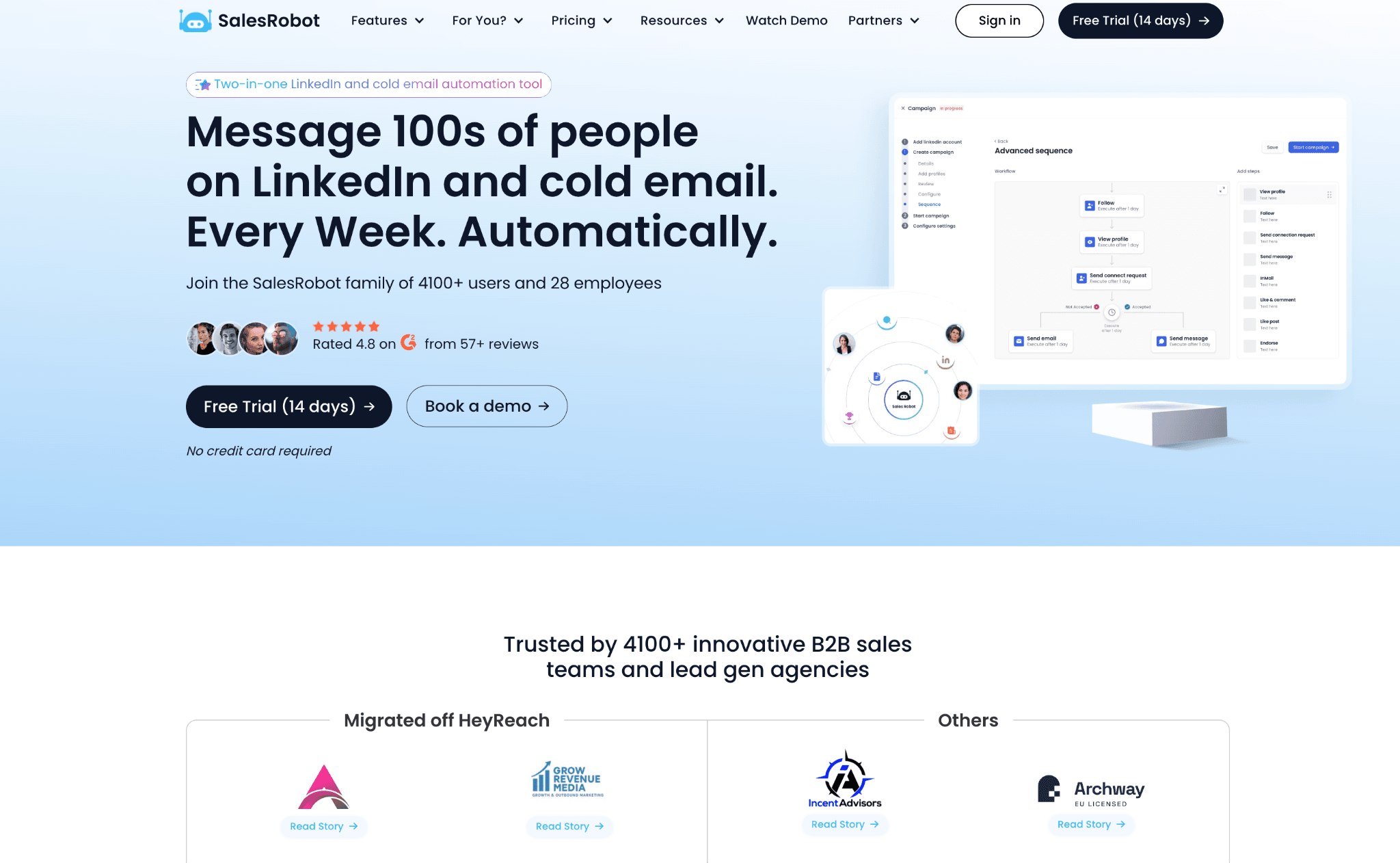
Expandi is a 2019 web-app LinkedIn outreach platform with US jurisdiction recorded as Ohio. Its annual plan drops to $79/mo, and the 20-seat agency math in this article is $18,960/year because the only public priced tier is one seat per LinkedIn account. The workflow spans LinkedIn campaigns, Sales Navigator and Recruiter-style sourcing, AI message help, workspace permissions, and named CRM connectors.

Quick facts about Expandi

  • Founded: 2019
  • HQ / jurisdiction: Ohio, USA
  • Pricing: $99/mo ($79/mo annual); first-hand signup showed 7-day trial + credit card while the public page claims 14 days
  • 20-seat agency cost: $18,960/year
  • G2: 4.1★ (98) · Capterra: 4.4★ (31) · Trustpilot: 4.07★ (202)
  • Last 6 months: 4.62★ (trending up) across 34 reviews, driven mainly by onboarding/support praise
  • Architecture: cookie-bridge / session-upload connector plus cloud-side automation

Vendor pricing and help pages (as of 2026-04-22 through 2026-05-11) + G2, Capterra and Trustpilot reviews, plus Reddit posts (computed 2026-07-13)

Key Features

The recent rating lift is not a broad reliability signal; it is mostly a named-agent onboarding cluster on Trustpilot. That matters because the praise is real, but it says more about guided setup than about account safety, billing transparency, or whether campaigns run cleanly after setup.

What reviewers say about Expandi

Real-world scenario

A small-business Reddit thread captures the evaluation moment without turning it into advocacy: Expandi, Linked Helper, and Lemlist sit in the same consideration set. That is the practical moment this card has to answer, when the shortlist is already down to price, setup, and account-handling trade-offs.

Reddit
smallbusiness
By now I choose between expandi, linked helper or lemlist.

The limitation pattern splits into two separate problems: setup reliability after the onboarding call, and cancellation or billing trust after the trial starts. The refund-policy record is also messy: no formal customer refund policy is disclosed, while a partner page uses money-back language in an affiliate context, so the safer reader-facing claim is that customer refund terms are not clear.

Reported limitations

Within just a few hours of connecting Expandi, my account was frozen, and to this day I still can't restore access to it.

Read the full review on Trustpilot

Trustpilot
Rating: 1 out of 5
AL
Artemi Leben

Safety and Setup Notes

IPQualityScore (IPQS) is an independent IP-quality signal, not LinkedIn's enforcement verdict; in this section, it helps show whether the account was routed through an address that already looked risky before outreach began. A cloud-bridge means the extension copies the LinkedIn login to the vendor's cloud, which means the user may no longer control which IP or browser fingerprint LinkedIn sees.

What was checkedResult
Login modelCredentials login — Expandi starts a fresh LinkedIn session from vendor infrastructure, so LinkedIn sees a vendor-side login rather than the user's own browser.
Can I choose the desired location?Yes — 96 locations.
Can I add my own proxy?No in the live sign-up path; Expandi's docs describe a later custom-proxy option, but the test found no built-in proxy-quality checker.
Can I select a timezone when adding an account?Yes.
Cloud IP for account 191.165.182.32 — Free SAS, Brittany, France.
OS / browser for account 1 (tool-reported)Chrome / Mac OS X.
Account 1 IPQualityScore resultFraud 100/100 · proxy flagged · recent abuse high · residential connection type — high-risk on IPQS's own scale.
Cloud IP for account 2 (same geo)2a01:cb00:8428:a00:: — Orange France, Centre-Val de Loire, France.
OS / browser for account 2 (tool-reported)Chrome / Mac OS X — identical fingerprint to account 1.
Account 2 IPQualityScore resultFraud 0/100 · proxy not flagged · VPN not flagged · recent abuse none · residential connection type.
Same IP or /24 across the two accounts?No — different IP ranges and different providers, while the tool-reported browser fingerprint stayed identical.
Is a credit card required for the trial?Yes.
Trial duration7 days — the pricing page claims 14.

Expandi — live cloud/IP test (June 2026, two accounts, registered from France)

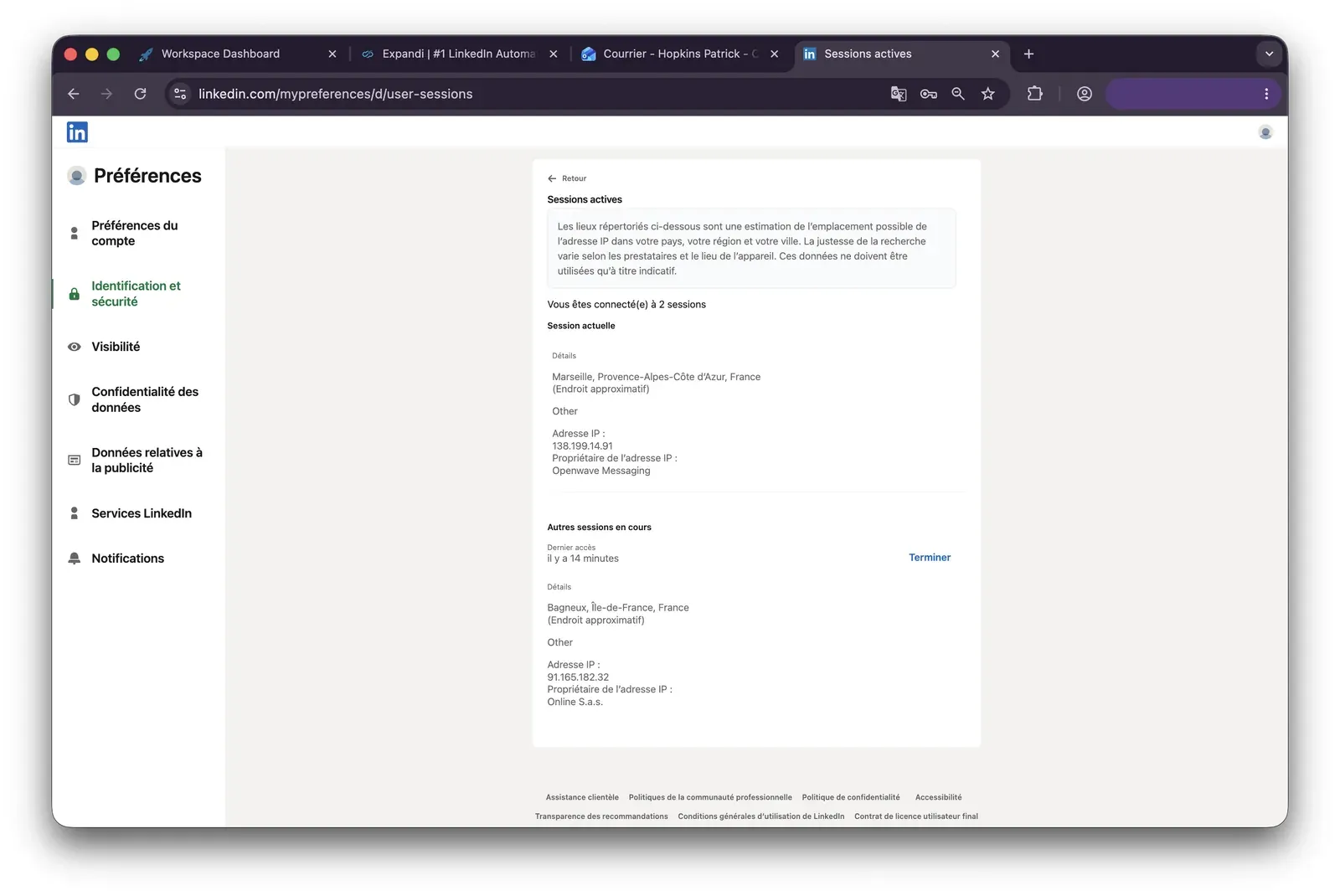
Expandi LinkedIn active sessions page - July 2026

LinkedIn active sessions after the Expandi connection, showing the added session alongside the current login - July 2026

What was checkedFinding
Ships a public extension?Yes — Expandi Connector links the LinkedIn account to Expandi's web app.
Architecture verdictCookie-bridge / session-upload — after the one-time handoff, Expandi's cloud can continue driving the account server-side.
Reads the LinkedIn session cookie (li_at)?Yes — li_at is the LinkedIn login in cookie form, and the connector copies it plus profile and user-agent data to app.expandi.io, so the vendor-held session can act as the account.
Direct LinkedIn (Voyager) API calls?Yes — its injected script makes LinkedIn Voyager/GraphQL contact-info calls.
Injects code into LinkedIn's page (DOM)?Yes — a script runs inside LinkedIn's page context for contact-info enrichment, which adds a page-level footprint beyond the cloud handoff.
Fires synthetic (isTrusted=false) clicks?No — no dispatchEvent, programmatic .click(), or UI automation signals were found in the connector.
Blocks LinkedIn telemetry?No — LinkedIn telemetry runs unimpeded.
Enforced daily cap in the code?None found — rate and scheduling controls live cloud-side, outside the connector.
On LinkedIn's AED probe list?Not in my June 2026 Active Extension Detection snapshot — AED is LinkedIn's extension-ID probe list, so absence is not a safety guarantee because the list changes.

Expandi Connector extension — source-code teardown (June 2026)

My read: the important finding is the lottery, not either test account by itself. The same setup path could hand one account a clean-looking route and another a route that a third-party IP-quality system already disliked, with no quality gate before the account started running. The connector adds a second exposure layer: the cloud can keep operating after the session handoff, so uninstalling the connector does not necessarily put the session back under the user's control. For a buyer comparing setup friction, the trial path and the session path tell the same story: the buyer is asked to commit before they can fully inspect the risk profile they are inheriting.

Bottom line

Expandi's credited convenience is guided onboarding plus a cloud workspace with AI Analyzer. The AI has a hard ceiling, though: per Expandi's help center, AI message generation is capped at 15 credits per account per day at 1 credit per message, shared across all active campaigns, with unused credits expiring nightly rather than rolling over.

At agency sending volumes, that covers a fraction of daily outreach. The other trade-off is upfront commitment. If cost and predictable setup are the priority, Linked Helper's $15/month Standard license, 14-day no-card trial, and user-controlled desktop/VPS path make the spend and account environment easier to inspect before outreach starts, while Expandi's tested signup path adds more friction.

A December 2025 Trustpilot reviewer said Expandi kept attempting connection requests after cancellation despite an explicit request to stop.

5. Dripify

Dripify gives quick LinkedIn-plus-email setup, but our evaluation found a cloud credential-login model: Dripify creates and maintains the LinkedIn session on vendor infrastructure, with no public extension to tear down. It starts at $59/mo, but the fair agency comparison uses higher-tier safety controls.

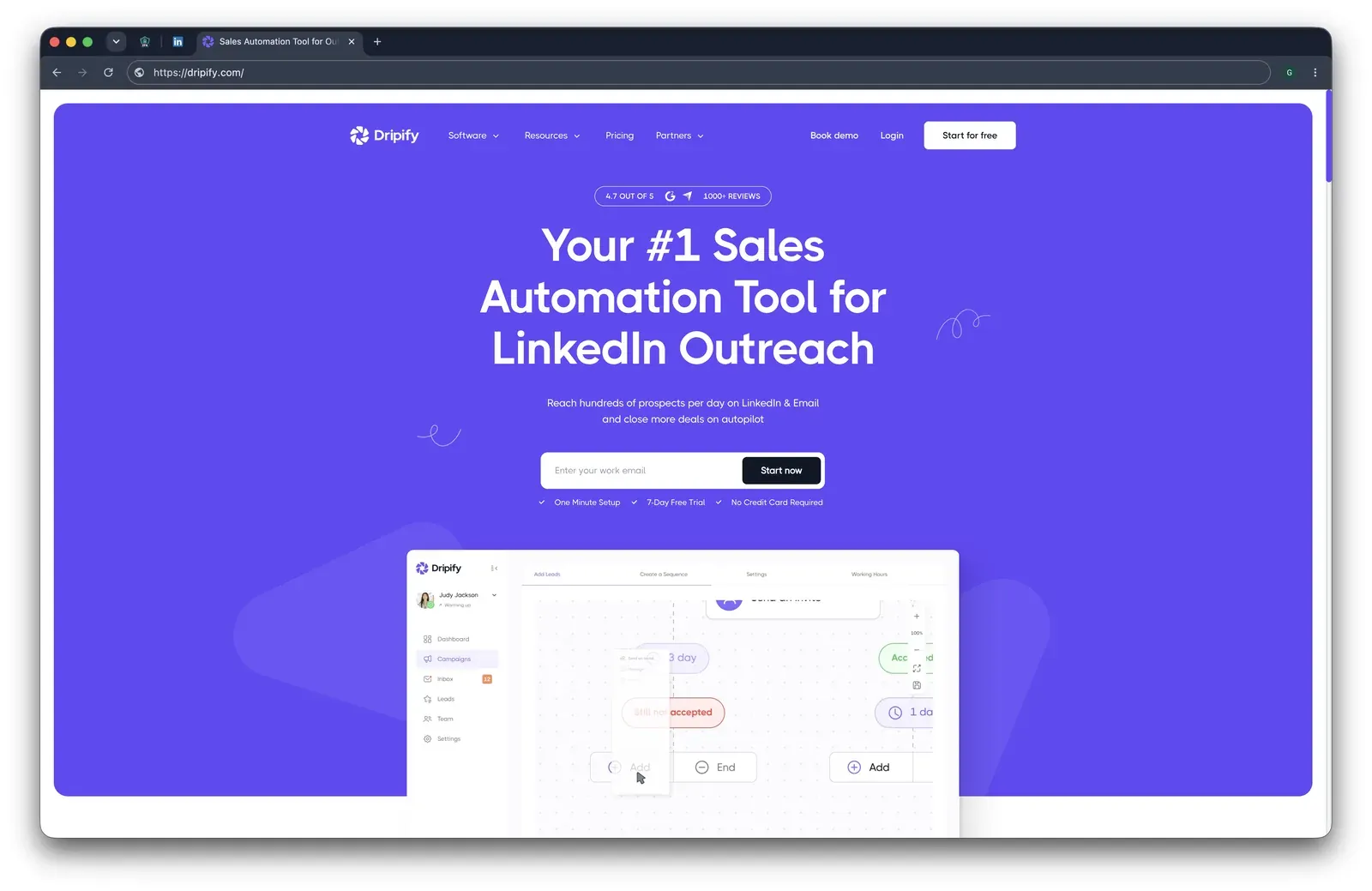
Dripify homepage - July 2026

Homepage capture showing Dripify's LinkedIn and email outreach positioning - July 2026

Dripify is a Texas, USA cloud outreach tool founded in 2019 for LinkedIn connection requests, follow-up messages, email outreach, and lead management. Annual billing lists the entry plan at $39/mo, while the agency table uses the Advanced tier: $18,960/yr for 20 seats, which means the headline Basic price understates the cost once safety controls and campaign capacity matter. Review volume is large: 4.63★ across 1,172 reviews, with the last 62 reviews averaging 4.66★.

Quick facts about Dripify

  • Founded: 2019
  • HQ: Texas, USA
  • Pricing: $59/mo ($39/mo annual), 7-day free trial
  • G2: 4.5★ (267) · Capterra: 4.7★ (476) · Trustpilot: 4.62★ (429)
  • Last 6 months: 4.66★ (flat) across 62 reviews
  • Architecture: Cloud credential login

Vendor pricing & feature pages (as of 2026-04-22 to 2026-06-08) + G2, Capterra, Trustpilot & Reddit reviews (computed 2026-07-13)

Key Features

  • LinkedIn and email sequences — Campaigns combine LinkedIn actions, email steps, reply detection, and stop-on-reply behavior.
  • Cloud credential login — Like every tool here, Dripify operates an authenticated LinkedIn session. In this model, the session is created on Dripify infrastructure.
  • Activity-control ranges — The top-tier daily-limits control uses range settings, which means throttling exists but is plan-gated and does not change session custody.
  • Email finder and verification — Contact-data tools are bundled into the platform, with monthly email credits and extra credits sold separately.
  • No native CRM connectors — Dripify's CRM story runs through middleware: Make, Zapier, and Google are the native integrations, while all seven named CRM connections — including HubSpot, which most tools in this comparison sync natively — require a paid Zapier subscription on top of Dripify's seat price. That adds a per-task cost layer and a second tool to maintain for what competitors ship built-in.
  • Sales Navigator and Recruiter imports — Lead gathering covers LinkedIn people search, Sales Navigator people search, and Recruiter people search, which keeps the source list narrower than broader scraping tools.

The pattern is phase-of-use: happy reviewers mostly praise setup speed and basic campaign flow; the complaint tail shows up later around plan limits, cancellation, and account custody. Support is not treated as a verified advantage here because the evidence conflicts across vendor and review signals.

What reviewers say about Dripify

Real-world scenario

The cleanest switching story: a Capterra reviewer came from older LinkedIn tools, which matches Dripify's strongest review theme: users wanting a faster campaign workspace after outgrowing lighter desktop-era products.

I have been a user of Octopus and Dux Soup for years. Dripify has just upped my game.

Read the full review on Capterra

Capterra
Rating: 5 out of 5
JK
Jeff K.
President

Where the price story changes: the entry plan is printable, but several low-rating reviews describe the lower tier and cancellation path as the real cost center. That matters for a Skylead comparison because a cheaper entry price does not automatically mean a cheaper agency setup.

Reported limitations

Safety signal: one satisfied reviewer names the exact exchange behind Dripify's cloud model: the local computer can stay closed because the LinkedIn login moves into the vendor-run flow.

My only concern was giving over my LI login info, but that allows it to run 24/7 without me opening my computer.

Read the full review on Trustpilot

Trustpilot
Rating: 5 out of 5
C
Customer

Volume caveat: the assigned Reddit thread is not Dripify-specific proof of a restriction, but it matches the behavior layer every architecture still has to manage.

Reddit
b2bmarketing
The mechanism matters less than the behavioral signature. I've seen standalone browser tools get accounts flagged within a week because someone ramped volume too fast — 0 to 150 actions/day doesn't look human regardless of what's driving it.

Safety and Setup Notes

Dripify ships no public LinkedIn extension, so there was nothing to tear down — the safety story is the live cloud test. AED (Active Extension Detection), LinkedIn's hardcoded extension probe list, is therefore not applicable; removing the extension footprint helps, but it does not move the LinkedIn session back to the user's machine.

Datacenter IP addresses are rented server addresses rather than residential or mobile connections; for LinkedIn, that can add risk because personal accounts usually operate from consumer networks. IPQualityScore (IPQS) is an independent fraud-prevention service, not LinkedIn's enforcement verdict, but it is useful because it flags proxy/VPN, datacenter, and abuse-history signals before the user can see them inside the tool.

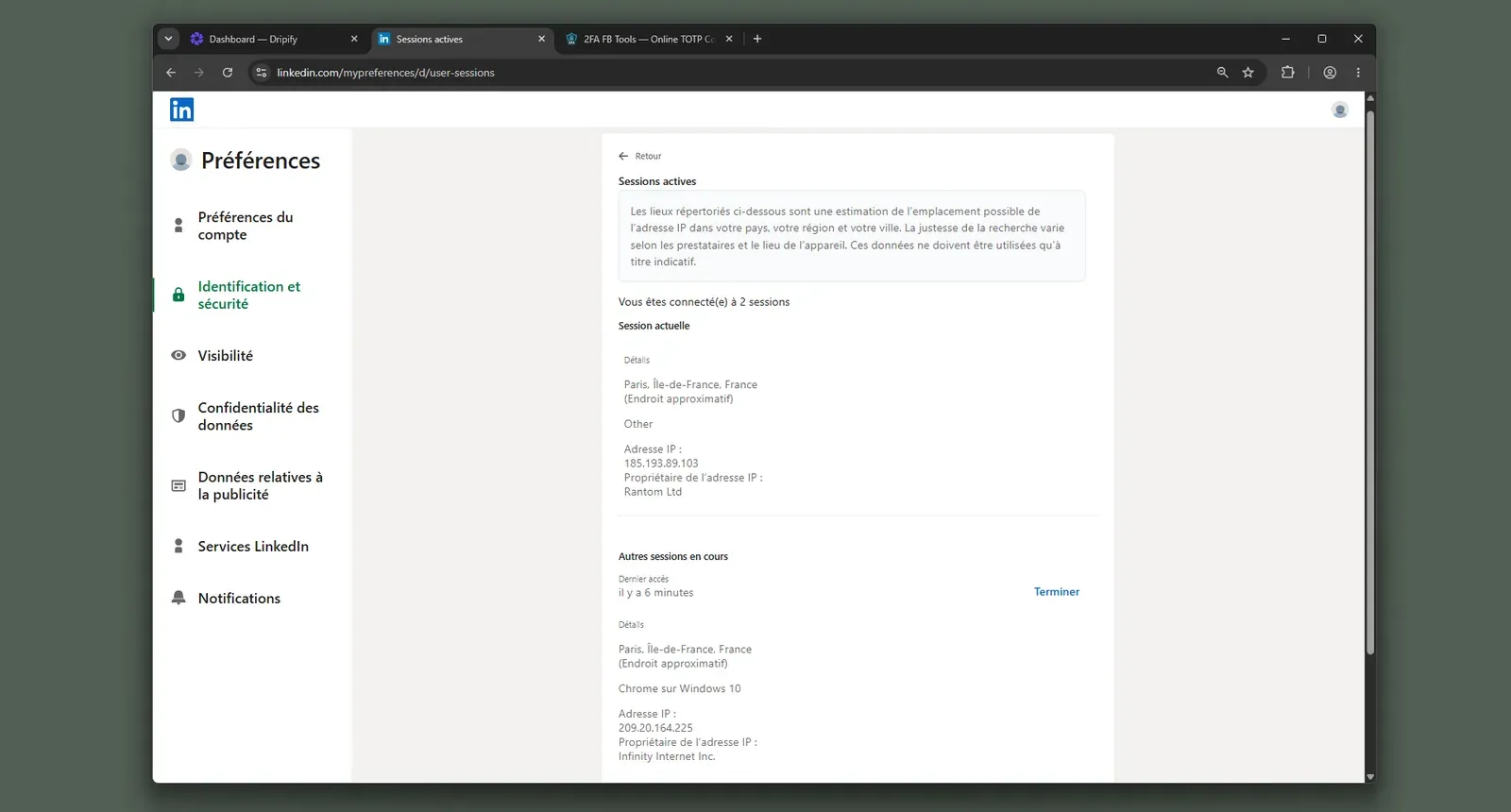
Dripify active sessions page - July 2026

LinkedIn session view showing the Dripify-created server-side session beside the local browser session - July 2026

What was checkedResult
Login modelCredentials login — Dripify's cloud logs into LinkedIn and creates the session outside the user's local machine
Can I choose the desired location?No — the location was bound at registration, so the user could not pick a different exit region during setup
Can I add my own proxy?No — no built-in proxy-quality checker was available, so the assigned network could not be vetted in advance
Can I select a timezone when adding an account?Yes
Cloud IP for account 1209.20.164.225 — HostRoyale Technologies Pvt, Ile-de-France (Paris, FR)
OS / browser for account 1 (tool-reported)Chrome / Windows; IPQS reported Mac 10.15 / Chrome 135.0, which makes the tool-reported fingerprint less clean than the dashboard label suggests
Account 1 IPQualityScore resultfraud 94/100 · proxy yes · VPN yes · Data Center — high-risk on IPQS's scale; an independent IP-quality signal, not LinkedIn's enforcement verdict
Cloud IP for account 2 (same geo)209.20.164.94 — HostRoyale Technologies Pvt, Ile-de-France (Paris, FR)
OS / browser for account 2 (tool-reported)Chrome / Windows; IPQS reported Mac 10.15 / Chrome 135.0 — identical fingerprint to account 1
Account 2 IPQualityScore resultfraud 94/100 · proxy yes · VPN yes · Data Center — high-risk on IPQS's scale; an independent IP-quality signal, not LinkedIn's enforcement verdict
Same IP or /24 across the two accounts?No same exact IP; same /24 and same provider — two independent accounts carried a neighboring datacenter footprint
Is a credit card required for the trial?No
Trial duration7 days

Dripify — live cloud/IP test (June 2026, two accounts, registered from France)

The finding I would not flatten to "cloud is unsafe" is custody: Dripify removes the browser-extension footprint, but it creates a separate LinkedIn session on vendor infrastructure. The two accounts did not behave like independent local users; they landed in the same datacenter neighborhood, with matching fingerprints and no user-side way to vet the assigned network first. The anchor-specific concern is that this is not a different safety category from Skylead's cloud model; the brand changes, but the network-layer exposure is similar. Linked Helper's relevant contrast is custody: work can run from the user's own machine or VPS, so the session runs in an environment the user controls.

Bottom line

Dripify's case is convenience: campaigns, reply detection, email finder and verifier, and CRM bridges sit in one cloud dashboard. If the priority is escaping Skylead's per-seat price, Dripify's lower sticker is only part of the math once Advanced-tier controls and cancellation friction enter.

Linked Helper's $15/month flat per-account license gives the cleaner cost baseline for LinkedIn-only automation.

Dripify's terms page listed a 24-hour refund window in the May 2026 pricing check, even though the pricing page offers a 7-day no-card trial.

6. Waalaxy

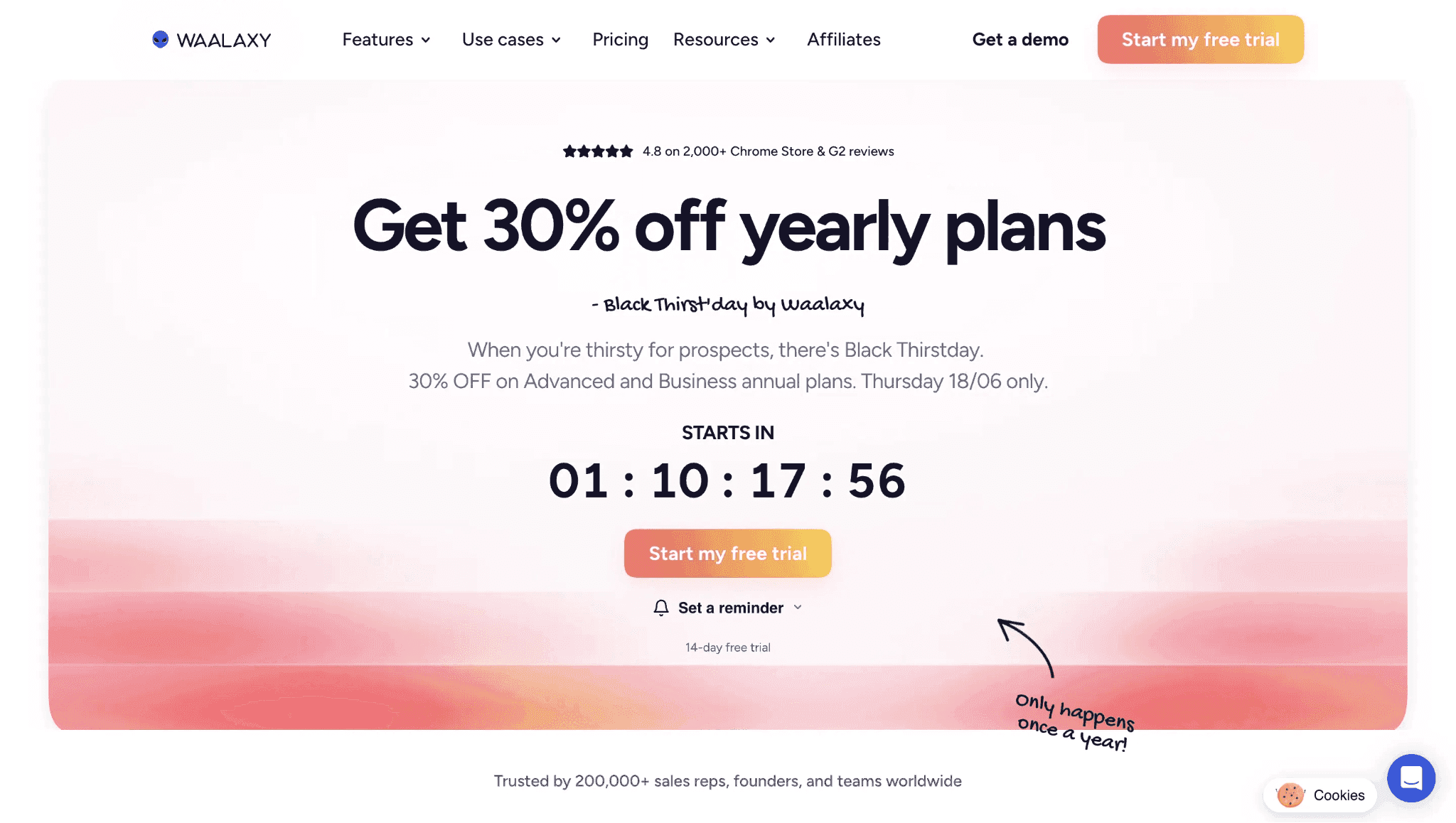
Waalaxy's tested connector is a cookie-bridge: the Chrome extension copies the LinkedIn login to Waalaxy's cloud, and the same build is visible to LinkedIn's extension probes. Its $42/mo entry makes it a cheaper cloud alternative to Skylead, but cheap and low-exposure are separate claims here.

6. Waalaxy

Founded in 2019 under France's SAS Waapi in Montpellier, Waalaxy packages LinkedIn prospecting, email steps on higher tiers, AI-assist messaging, and CRM handoff into one outreach workspace. The pricing page lists a 14-day trial and a Pro-tier annual rate of $16/mo, and this article's 20-seat agency basis uses that same rate: $3,840/year. That makes Waalaxy materially cheaper than Skylead at scale, with the safety judgment handled separately below.

Quick facts about Waalaxy

  • Founded: 2019
  • HQ: France (SAS Waapi, Montpellier)
  • Pricing: $42/mo Pro entry ($16/mo annual), 14-day free trial
  • 20-seat agency basis: $3,840/year on Pro annual
  • G2: 4.6★ (528) · Capterra: 4.4★ (252) · Trustpilot: 4.71★ (1,245)
  • Last 6 months: 4.84★ (trending up) across 362 reviews
  • Architecture: Cookie-bridge / session-upload extension (cloud-bridge)

Vendor pricing, data-use, and product pages (fetched 2026-04-22 to 2026-05-27) + G2, Capterra, Trustpilot & Reddit reviews (computed 2026-07-13)

Key Features

  • LinkedIn prospecting workflows — campaign steps cover LinkedIn outreach and lead collection, with email sequences available on higher tiers shown on the pricing page.
  • AI assistant — the pricing page lists Waami/AI assistant and smart-reply support.
  • CRM sync — Waalaxy's site claims HubSpot, Pipedrive, and 2,000+ apps through Make, Zapier, and n8n, though the verified native-integration count is 4; treat the 2,000+ figure as vendor-claimed, not verified-native.
  • Multi-account support — the pricing page supports multi-account plans, while the reviewed pricing data caps each seat at one LinkedIn account.
  • Lead imports — the teardown and vendor materials show LinkedIn lead import paths, including Sales Navigator-related flows.

The signal is polarization, not collapse: a 2,025-review base supports the well-rated-tool caveat, but the positive cards cluster around ease, support, and price-value while the negative cards cluster around renewal surprise and reliability. That split is why we treat Waalaxy as a real low-cost contender with a sharper hidden-cost warning than its average star rating suggests.

What reviewers say about Waalaxy

Real-world scenario

The honest counter-signal: Waalaxy does pull some users from Linked Helper on interface preference. A Trustpilot reviewer described arriving from Linked Helper and liking Waalaxy's visual feel, which is a real convenience signal even though it does not answer the price-at-scale or session-custody question.

Where the cheap pitch bends: Waalaxy's low entry price is not the whole cost story. The cautionary cards cluster around annual-vs-monthly price confusion, tacit-renewal charges, and cancellation friction, which means the hidden-cost risk sits behind the advertised budget appeal rather than in the star average.

Reported limitations

Account-risk context: the review-side safety reports do not prove a live Waalaxy assigned-IP result, because no two-account cloud/IP test was run for this brand. They do show why the teardown matters: users reported suspicious access and LinkedIn restriction symptoms around the same account-custody mechanism the extension exposes.

1 day after i signed up for waalaxy, my linkedin account had an attempted hack from India - never had this happen before so definitely not a coincidence.

Read the full review on Trustpilot

Trustpilot
Rating: 1 out of 5
LA
Luqman Aziz

The behavioral layer still matters: the assigned Reddit signal is not Waalaxy-specific, but it is relevant to the missing guardrail question. If a tool does not enforce clear daily pacing, repeated mechanical volume can create risk regardless of whether the session starts in a browser extension or a cloud console.

Reddit
DigitalMarketing
I set my tool to send EXACTLY 35 requests every day at the same time.

Safety and Setup Notes

What was checkedFinding
Ships a public extension?Yes — Waalaxy - LinkedIn Automation Tool, the Chrome connector used to link the product to LinkedIn
Architecture verdictCookie-bridge / session-upload — the extension copies the LinkedIn login to the vendor's cloud, which means the account can be operated from vendor infrastructure
Reads the LinkedIn session cookie (li_at)?Yes — uploads the full LinkedIn cookie jar (li_at, JSESSIONID + all) to stargate.prod.aws.waalaxy.com; li_at is the session cookie and JSESSIONID carries the CSRF token, so whoever holds them can act as the account
Direct LinkedIn (Voyager) API calls?Yes — Voyager and GraphQL calls were found, which means the request map can differ from normal browsing
Injects code into LinkedIn's page (DOM)?Yes — extension code and named injection bundles run on linkedin.com, which gives LinkedIn page telemetry a browser-extension footprint to observe
Fires synthetic (isTrusted=false) clicks?Yes — synthetic-event and programmatic-click signals were found, so some interactions are not marked by the browser as human-generated events
Blocks LinkedIn telemetry?Yes — the extension strips an expected LinkedIn telemetry header; suppressing expected telemetry can itself become an anomaly signal
Enforced daily cap in the code?None found — no hard daily invite cap, working-hours schedule, or randomization control was visible in the shipped settings
On LinkedIn's AED probe list?Yes — Active Extension Detection (AED), LinkedIn's hardcoded extension-ID probe list, includes Waalaxy's extension; being listed means installed status can be visible before outreach starts

Waalaxy connector extension — source-code teardown (June 2026)

**The honest read: **the issue is accumulation, not a single scary row: session upload, extension visibility, synthetic interaction, and telemetry suppression all point in the same direction. I would not read Waalaxy's low price as a safety bargain — and the price itself carries weight-bearing limits at the base tier: support response times stretch to two days, the inbox ships as a paid add-on rather than part of the plan, and the 300-invites-per-month cap sits well under LinkedIn's own practical ceiling of roughly 400–800, so the plan throttles outreach before LinkedIn does.

The connector swaps Skylead's credential-login path for a browser-visible session-upload path. For this article's pivot, the practical question is control: the cheaper cloud stack still asks the user to let vendor infrastructure hold and reuse the LinkedIn identity.

Bottom line

Waalaxy's credited convenience is a lower Skylead bill and a UI that reviewers praise. The trade-off is session custody. If the lead pain is cost at scale plus session control, Linked Helper's $15/month Standard license is the lower LinkedIn-only route: Waalaxy's 20-seat basis is still 2.42x Linked Helper's license total, while Linked Helper runs from a desktop or VPS the user controls.

The June 2026 extension teardown also found captcha auto-solving hooks for 2captcha, Capsolver, and SolveCaptcha in the Waalaxy extension.

7. SalesRobot

SalesRobot is a cloud tool, so its LinkedIn session runs in vendor infrastructure rather than on the user's machine; this brand was not part of our hands-on tests. The $59/month entry gives it a lower Skylead-priced LinkedIn-plus-email lane, but the safety read stays desk-sourced.

7. SalesRobot

Founded in 2020 in the United States, SalesRobot packages LinkedIn connection steps, email touchpoints, AI message help, custom-proxy setup, and CRM sync into one outreach workspace. Its pricing page lists a 14-day trial and a $39/month annual equivalent; at 20 seats, our scale comparison uses the $7,920/year Advanced-tier figure. Positive reviews skew toward sequence control without separate tools.

Quick facts about SalesRobot

  • Founded: 2020
  • HQ: United States
  • Pricing: $59/mo ($39/mo annual), 14-day free trial
  • 20-seat agency scenario: $7,920/yr on Advanced with ~45% bulk discount
  • G2: 4.85★ (36 reviews); Capterra: no analyzed reviews; Trustpilot: too thin to average (9 reviews)
  • Last 6 months: too few reviews to print a trend (2 rated)
  • Architecture: Cloud (vendor-documented; no first-hand test)

Vendor pricing & feature pages (fetched 2026-04-22 to 2026-05-13) + G2, Capterra, Trustpilot & Reddit reviews (computed 2026-07-13)

Key Features

  • Cloud outreach workspace — SalesRobot is described as a cloud-based platform, which means setup is web-hosted but session custody sits with the vendor.
  • Randomized warm-up rangesWarm-up settings support advanced random ranges, so daily activity can vary instead of following one fixed cap.
  • Custom proxy setup — SalesRobot documents bring-your-own proxy setup; buyers still need to verify proxy quality before assigning it.
  • AI message generation — Pricing lists AI message generation, and recent praise ties V2 enthusiasm to AI/features rather than price alone.
  • CRM connections — The named CRM list is Copper, GoHighLevel, HubSpot, Pipedrive, Salesforce, and Zoho.

The review split is source quality: G2 is broad and positive, while Trustpilot is too thin to average and skewed by legacy lifetime-deal disputes. That makes the praise useful, but only when read next to the limitations carousel.

What reviewers say about SalesRobot

Real-world scenario

We did not find a clear switching story or a high-engagement Reddit discussion, so the scenario stays modest: a low-engagement third-party comment described SalesRobot as a LinkedIn-plus-email flow-control choice, not broad community proof.

Reddit
DigitalMarketingHack
salesrobot worked better for me for linkedin plus email since it's easier to control the flow.

The limitation pattern is pricing trust: all four qualifying negative reviews come from AppSumo lifetime-deal buyers who say the V1-to-V2 migration broke paid functionality or added a new LinkedIn-account surcharge. That is not the same as a general ban-safety pattern; it is a legacy-buyer migration and billing-integrity pattern.

Reported limitations

The safety read: like every cloud competitor in this article, SalesRobot is documented as using reverse-engineered LinkedIn API-call emulation, which means the lower price does not change the session-custody category. The cited safety signal here is reputation/personalization risk, not an account-restriction report.

If you are looking for a way to incinerate your brand reputation in record time, Salesrobot is the perfect furnace... tools like this are the primary pollutants.

Read the full review on Trustpilot

Trustpilot
Rating: 1 out of 5
SS
St St

Bottom line

SalesRobot's case is a lower-priced cloud workspace with LinkedIn, email, AI help, CRM sync, and custom-proxy options. The caution is pricing trust. Linked Helper's time-boxed license model starts at $15/month and avoids surprise renewal math; if account custody is part of that trust, it keeps the LinkedIn session on hardware the user directly controls.

In the Reddit discussions reviewed for this article, only eight comments mentioned SalesRobot, and two were self-disclosed founder/operator comments rather than organic third-party discussion.

8. PhantomBuster

PhantomBuster's tested connector is a cloud-bridge: its extension hands the LinkedIn login to PhantomBuster's cloud from its own setup page, and its extension ID is on LinkedIn's AED probe list, so installation itself is visible. Its $69/month entry buys a multi-platform scraping library, not a narrower LinkedIn-only cost play.

PhantomBuster is a France-based no-code automation platform founded in 2016, with Phantoms for LinkedIn, Sales Navigator, Facebook, Instagram, X/Twitter, Slack, GitHub, TikTok, Reddit, and more. Its pricing page lists $55.20/month on annual billing, a limited free tier, and a 14-day trial; slot-based metering means at-scale cost depends on how the workspace is provisioned. The tool is broader than a single-purpose LinkedIn sequencer: data extraction, scheduled cloud runs, and CRM push are the core workflow.

Quick facts about PhantomBuster

  • Founded: 2016
  • HQ: France
  • Pricing: $69/mo ($55.20/mo annual), 14-day free trial
  • Free tier: limited free tier
  • G2: 4.3★ (49) · Capterra: 4.5★ (64) · Trustpilot: 3.45★ (96) — sharp platform split
  • Architecture: Cloud-bridge / session-upload extension (one-click handoff)

Vendor pricing & feature pages (fetched 2026-05-27) + G2, Capterra, Trustpilot reviews & Reddit signals (computed 2026-07-13)

Key Features

  • Multi-platform Phantom library — prebuilt automations cover LinkedIn plus Facebook, Instagram, X/Twitter, Slack, GitHub, TikTok, Reddit, and other platforms.
  • LinkedIn and Sales Navigator extraction — data-gathering coverage spans all listed LinkedIn sources, including Sales Navigator.
  • Scheduled cloud runs — Phantoms can run from PhantomBuster's cloud, which removes local-machine uptime but puts execution on vendor infrastructure.
  • CRM push — confirmed CRM destinations include HubSpot, Pipedrive, and Salesforce.
  • AI message generation — PhantomBuster's homepage lists AI message generation; treat it as a listed feature, not a category differentiator.

The split is the signal: G2 and Capterra skew positive on setup breadth, while Trustpilot sits nearly a full star lower and carries more billing, reliability, and ban/detection complaints. The trailing six-month sample has only three rated reviews, so we do not print a trend; the stable finding is platform divergence.

What reviewers say about PhantomBuster

Real-world scenario

Where the upkeep burden appears: A switch-away review gives this card its concrete scenario: after getting through setup, the reviewer still could not get the workflow to meet their needs and left for another product.

It was too hard to figure out and once I did figure it out it didn't meet my needs. I went with a competitor product.

Read the full review on Trustpilot

Trustpilot
Rating: 2 out of 5
DS
Dyci Sfregola

The limitation pattern is upkeep: The same review evidence that praises PhantomBuster's breadth also shows workflows breaking, sessions expiring, and billing trust complaints. One standalone billing complaint alleges repeated unauthorized charges and disappearing support, so the price issue is not only the sticker price or the slot-metering model.

Reported limitations

Reddit
AiAutomations
I am spending more time fixing broken Phantoms than actually running my outreach campaigns.

Account-risk report: The safety pool also includes a session-capture account-loss complaint on Instagram; for this article, the LinkedIn-specific card below is the one that maps directly to the channel being compared.

kept under their recommended daily limit… LinkedIn kicked me out and warned me to stop after 50 records.

Read the full review on Trustpilot

Trustpilot
Rating: 2 out of 5
DE
Driver Express

Safety and Setup Notes

What was checkedFinding
Ships a public extension?Yes — connector extension; it links the account through PhantomBuster's setup flow
Architecture verdictCookie-bridge / session-upload — one-click handoff to vendor cloud, which means the LinkedIn session is then available to PhantomBuster's server-side automation from a datacenter origin rather than the user's residential/mobile IP; for LinkedIn, that personal-account pattern stands out
Reads the LinkedIn session cookie (li_at)?Yes — li_at is your LinkedIn login in cookie form; the extension auto-fills it into PhantomBuster's setup page, so the vendor receives a session it can use without your password
Direct LinkedIn (Voyager) API calls?Yes — reverse-engineered Voyager calls with a static x-li-track header; in practice that looks like API replay rather than a full human browser session
Injects code into LinkedIn's page (DOM)?No on linkedin.com — extension code matches PhantomBuster and Zapier pages, not LinkedIn; the main risk is the setup-page handoff, not a LinkedIn-page widget
Fires synthetic (isTrusted=false) clicks?Yes — synthetic input/programmatic events appear in the setup flow; this adds connector automation signals without proving LinkedIn-page injection
Blocks LinkedIn telemetry?No
Enforced daily cap in the code?None found in the extension — any rate limits live server-side if they exist, so the local connector exposes no user-verifiable guardrail
On LinkedIn's AED probe list?Yes — AED is LinkedIn's hardcoded extension-probe list, so this extension can be visible as installed before a Phantom runs
Cookie permission scopeLinkedIn plus 15 other platforms — the same cookie-handoff pattern covers the broadest session-read surface in this audit series

PhantomBuster connector extension — source-code teardown (June 2026)

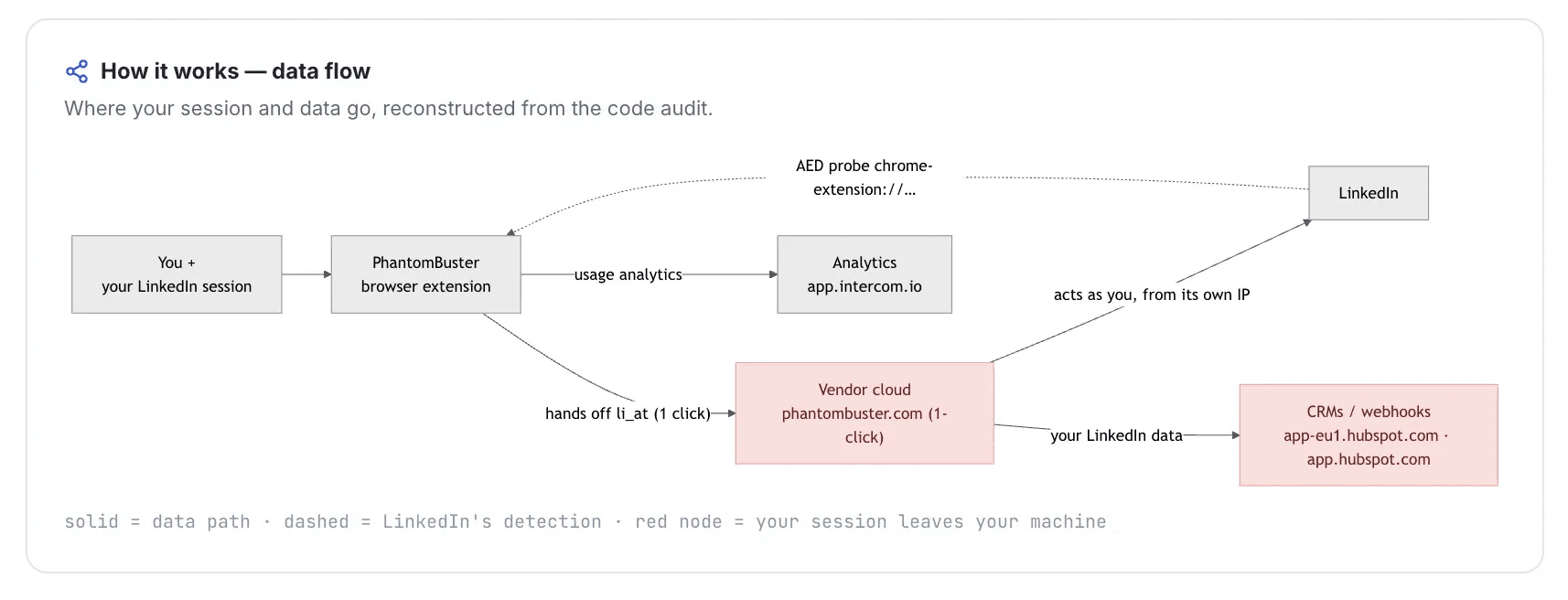
The important nuance is not that PhantomBuster injects into LinkedIn's page; the teardown shows the opposite. The risk is custody: the connector makes the handoff easier, then PhantomBuster's cloud can act with the copied session while the user's browser still has its own copy, which is exactly the parallel-session pattern LinkedIn can score. I would treat the broad cookie scope and AED visibility as setup-risk multipliers, not proof of an automatic restriction.

Quick facts about PhantomBuster

For this article's cost and upkeep axis, Linked Helper's local or VPS-run model keeps that custody decision under the user's control, which means fewer vendor-side session variables to debug when campaigns break.

Bottom line

PhantomBuster's useful lane is a cross-platform scraping library with scheduled cloud Phantoms and CRM push, especially when LinkedIn is only one source in a broader data workflow. Budget for the ceilings, though: the starter tier caps at 5 Phantom slots and 20 execution hours per month — about an hour per working day across all automations combined — which a steady LinkedIn outreach cadence plus any secondary scraping can exhaust well before month-end.

If the priority is cheaper LinkedIn outreach with fewer vendor-side session variables to maintain, Linked Helper's $15/month license and local/VPS architecture keep the cost and session path simpler.

The June 2026 teardown also found PhantomBuster's Voyager requests using a static LinkedIn tracking header rather than one tied to the user's real timezone.

9. Dux-Soup

The cheap Dux-Soup question is which plan you mean: Free/Pro/Turbo keep the LinkedIn session in the browser, while Cloud copies the login state to Dux-Soup infrastructure. The $14.99 entry price is low; the Cloud tier carries the sharper custody risk.

Dux-Soup homepage - July 2026

Dux-Soup's homepage presents the Cloud or Browser plan choice alongside LinkedIn outreach sequencing - July 2026

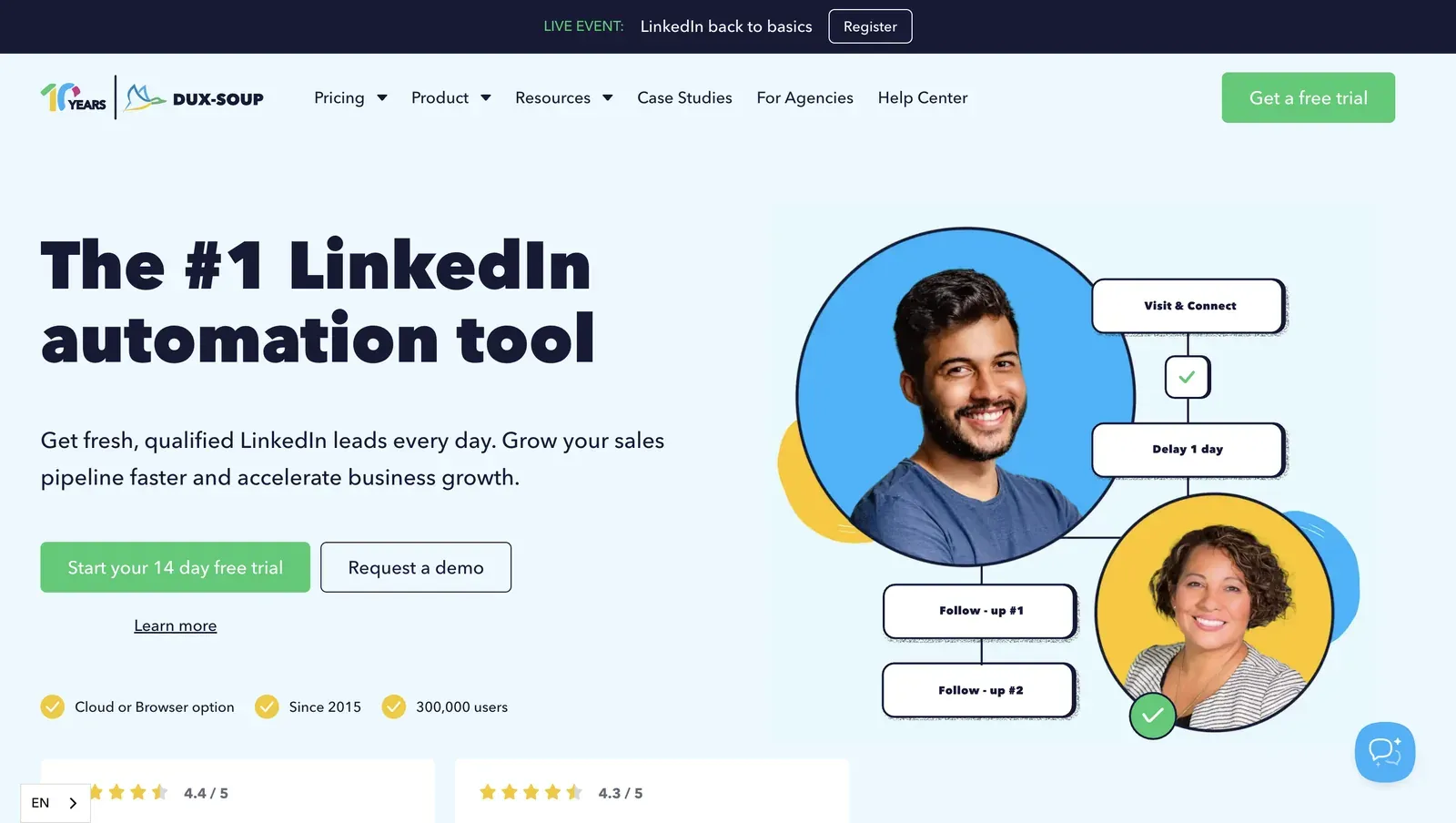
Dux-Soup is a Netherlands-based LinkedIn automation tool from Supertec BV, founded in 2015. Mechanically, it is a LinkedIn outreach system for visits, invitations, follow-ups, and CRM handoff. Its annual entry equivalent is $11.25/month, and the approved 20-seat agency basis for this article is $4,452/year, well below Skylead's $24,000 baseline. The plan choice decides where the session exposure sits.

Quick facts about Dux-Soup

  • Founded: 2015
  • HQ: Netherlands (Supertec BV)
  • Pricing: $14.99/mo ($11.25/mo annual), free trial available but day count not disclosed
  • G2: 4.3★ (81) · Capterra: 4.0★ (16) · Trustpilot: 4.95★ (42) — platform split
  • Last 6 months: too few reviews to trend (7 rated, below the 10-review floor)
  • Architecture: Hybrid — local-scrape extension on Free/Pro/Turbo; cookie-bridge/session-upload on Cloud, meaning the extension can copy the LinkedIn login to vendor infrastructure

Vendor pricing & feature pages (as of 2026-04-22 to 2026-05-27) + G2, Capterra, Trustpilot & Reddit reviews (computed 2026-07-13)

Key Features

  • Local session on extension plans — on Free/Pro/Turbo, visits, invitations, follow-ups, and profile data capture run through the user's authenticated browser session, so the LinkedIn login never leaves user hardware. The cost of the extension form factor: LinkedIn detects installed browser extensions, and Dux-Soup appears on LinkedIn's automated-extension detection list — the same custody benefit Linked Helper delivers through a standalone desktop app that has no extension for LinkedIn to fingerprint.
  • Cloud Dux option — the remote-control plan can keep work running without the user's browser open, but it changes session custody instead of simply adding uptime.
  • CRM connectors — Dux-Soup lists 11 native integrations, including HubSpot, Pipedrive, Salesforce, SharpSpring, Freshsales, and HighLevel as CRM connectors.
  • Remote Control API — external lead-management systems can trigger Dux-Soup workflows, which matters for teams that already manage prospect records outside LinkedIn.
  • Speed throttling — Dux-Soup describes hourly caps for visits, invitations, and InMails, which helps pace activity but still leaves user-raised limits as an operational risk.

The platform split is the signal: Dux-Soup averages 4.48★ across 139 reviews, but Trustpilot is much cleaner than G2 and Capterra. That means the positive support and value story is real enough to surface, while the lower-scoring platforms keep the verdict from resting on one review venue.

What reviewers say about Dux-Soup

Real-world scenario

Where the Reddit example helps: the assigned Dux-Soup comparison thread is not a migration story; it is a setup-risk warning. The useful point is that LinkedIn automation can go wrong when the tool, pacing, and operator choices are treated as one undifferentiated shortcut.

Reddit
Botdog
We've seen a lot of people mess these up and get restricted.

The cost caveat: the lowest sticker price is not the whole cost story when billing or slot handling goes wrong. The clearest negative card is a billing-fairness complaint, which is exactly the risk that can erode a "cheapest alternative" argument.

Reported limitations

Account-risk signal: one safety-tagged review cannot establish an incidence rate, but it does show why extension visibility and user-controlled volume need to be treated as risk signals rather than afterthoughts.

It got me banned. Any chrome extension or desktop app can be flagged by Linkedin - and they banned my account.

Read the full review on G2

G2
Rating: 0 out of 5
NG
NOT GIVEN

Safety and Setup Notes

What was checkedResult
Login modelExtension session flow — the tested path ran inside the user's browser, so this check did not observe the Cloud plan's server-side session.
Can I choose the desired location?No — not applicable to the extension flow, which means there was no vendor cloud location selector to evaluate.
Can I add my own proxy?No — no built-in proxy-quality checker was found, so proxy quality would sit outside the tool.
Can I select a timezone when adding an account?No — there was no cloud timezone selector in this extension-flow check.
Cloud IP for account 1None observed — the local extension flow did not create a vendor cloud assigned IP.
OS / browser for account 1 (tool-reported)n/a / n/a — no vendor cloud browser fingerprint was exposed for this flow.
Account 1 IPQualityScore resultNo IPQualityScore (IPQS) result — IPQS is an independent IP-quality signal, not LinkedIn's enforcement verdict; here there was no vendor cloud IP to score.
Cloud IP for account 2 (same geo)None observed — there was no second vendor cloud session to compare.
OS / browser for account 2 (tool-reported)n/a / n/a — no cloud browser fingerprint pair existed for this flow.
Account 2 IPQualityScore resultNo IPQS result — again, no vendor cloud assigned IP was exposed in the live extension-flow check.
Same IP or /24 across the two accounts?n/a — no vendor cloud IPs were created, so there was no shared-IP pattern to measure.
Is a credit card required for the trial?Yes — in this test, trial access required payment setup, which matters because the public trial copy does not give a reliable day-count basis.
Trial duration0 days in this test; public pricing data did not give a reliable day count, so the comparison table does not print one.

Dux-Soup — live cloud/IP test (June 2026, extension flow; no vendor cloud assigned IP observed)

What was checkedFinding
Ships a public extension?Yes — the main product extension is part of the Dux-Soup workflow, so LinkedIn can have an extension surface to inspect.
Architecture verdictHybrid, multi-mode — Free/Pro/Turbo behave as local-scrape extension flows; Cloud is cookie-bridge/session-upload, where the extension copies the LinkedIn login to vendor infrastructure.
Reads the LinkedIn session cookie (li_at)?Yes on Cloud — li_at is your LinkedIn login in cookie form; Cloud uploads it with localStorage and browser fingerprint data to app.dux-soup.com, which means the vendor can operate the session server-side. Local Free/Pro/Turbo kept the session in the browser.
Direct LinkedIn (Voyager) API calls?Yes — the extension references LinkedIn Voyager API paths directly, which means the request pattern can differ from ordinary page browsing.
Fires synthetic (isTrusted=false) clicks?Yes — synthetic-event and programmatic-click signals were present, so some generated clicks can be distinguishable from human browser input.
Blocks LinkedIn telemetry?Yes — static MV3 blocking rules target LinkedIn tracking endpoints; blocking telemetry can itself become a visible signal.
Enforced daily cap in the code?None found — the default invite cap can be raised with only a dismissible warning, so conservative pacing remains the operator's responsibility.
On LinkedIn's AED probe list?Yes — Active Extension Detection (AED) is LinkedIn's page-side probing for known extension IDs; being listed means installed status can be visible before the tool takes action.

Dux-Soup extension — source-code teardown (June 2026)

The honest read: the local plans and Cloud Dux deserve separate verdicts. The extension path keeps custody narrower but is visible to LinkedIn before it acts; the Cloud path hands Dux-Soup a server-side copy of the login state — so the tier marketed as "the ultimate safety of your LinkedIn account" is the one whose teardown carried the higher custody risk. Against Skylead, Dux-Soup is cheaper only if that trade-off is acceptable, and only above the entry tier: the $14.99 plan lacks campaign statistics, a full funnel view, and integrations, buying visits and invites but not a measurable pipeline. Against Linked Helper, it is the opposite architecture choice — the working session stays on hardware the user controls.

Bottom line

Dux-Soup's cost case is clear: the entry price is low and the agency cost stays far below Skylead's baseline. The custody case depends on plan choice. If low cost plus session control is the priority, Linked Helper's $15/month desktop architecture keeps the LinkedIn session on controlled hardware instead of shifting it to a vendor cloud.

Dux-Soup's review record also includes long-tenure users, with reviewers citing continuous use since 2017 and 2020.

How To Choose The Right Skylead Alternative

Start with risk, then check setup friction. The product that looks convenient in the browser can still be expensive or exposed if the LinkedIn session moves into a vendor-managed cloud environment.

Question to answer firstArchitecture path to preferSetup trade-off
Do you need the LinkedIn session to stay out of vendor infrastructure?Desktop standalone, run on your own machine or VPS environmentMore setup work than a cloud signup, but clearer custody of the session and IP
Do you need LinkedIn plus email in one cloud canvas?Cloud credential-login, only after checking session custody and IP controlsNative multichannel convenience, but the session runs on vendor infrastructure
Do you accept a browser-extension handoff for lower entry cost?Browser extension or cookie-bridge flow, only after checking what happens to the sessionFast setup, but extension visibility or session handoff can add a separate exposure layer
Do you manage many senders or client accounts?A model with documented per-account pricing, bulk discounts, and per-account proxy controlsYou must plan licenses, proxies, and working hours before migration

Risk checklist for choosing a Skylead alternative

Use this as a risk checklist, not a competitor-pick table. Architecture labels, pricing basis, and session-access methods reflect information reviewed as of July 2026.

After the risk pass, recompute cost at the seat count you will actually run. Skylead's one-seat public tier makes the 20-seat number jump quickly; setup friction matters, but so does knowing the annual number before a team migrates.

Our Recommendation: Linked Helper

Linked Helper is the recommendation because it wins the cost-scale question without giving up the account-control question that Skylead's own safety pitch puts in play. The stronger argument is not that Linked Helper copies Skylead's all-in-one email workflow; it does not. The stronger argument is that the LinkedIn layer is cheaper, deeper, and easier to keep inside a controlled account environment.

Two capabilities matter for this article's axis. First, Linked Helper has a proxy quality gate: each proxy can be checked before use, and risky fraud-score or proxy/VPN flags are surfaced before the account is routed through that IP. Second, Linked Helper's native CRM integrations cover 11 direct CRM connectors, plus Zapier and Make through webhooks, so a lower license cost does not force a manual handoff workflow.

The honest friction point is multichannel. Linked Helper is LinkedIn-first and has no native email-sequence builder inside the same Smart Sequences-style canvas; teams that need cold email alongside LinkedIn should pair it with a dedicated email tool. For 24/7 LinkedIn operation, the Web Version gives login-based access to a VPS-hosted Linked Helper instance while the LinkedIn session stays in an environment the user controls.

What users say about Linked Helper

LinkedIn Safety & Risk Reduction

LinkedIn safety is a detection-stack problem, not a slogan. The levers a reader controls are policy exposure, action volume, stable IP, device/session consistency, working hours, reply-stop logic, and what happens when LinkedIn shows a warning.

LinkedIn's own Prohibited software and extensions page says it does not permit third-party crawlers, bots, browser plug-ins, browser extensions, or other tools that scrape, modify, or automate LinkedIn activity. That policy baseline applies before any vendor claims about being safer.

In practice, reduce the avoidable signals:

  • Keep volume conservative and avoid sudden bursts.
  • Use working hours instead of round-the-clock activity.
  • Prefer a stable, trusted IP instead of frequent network changes.
  • Keep one account's session in one controlled environment.
  • Stop follow-ups when a lead replies.
  • Pause and review before continuing after warnings or restrictions.

Safety note: No tool eliminates LinkedIn restriction risk. Results depend on account age, daily action volume, message quality, recipient reactions, and activity patterns.

For more detail, use Linked Helper's guides to LinkedIn's list of flagged automation extensions and what to do if LinkedIn restricts your account. The point is not to make automation risk-free; it is to remove exposure the reader can actually control.

Methodology Deep-Dive

This appendix is where I separate the first-hand safety checks from the broader review, pricing, and documentation analysis. It defines the technical terms once, then reports the Skylead finding as a dated observation from this test setup.

First-Hand Testing

In June 2026, I used two first-hand checks beyond the public-review analysis: live cloud sign-up tests from France and static teardowns of published browser extensions. These checks extend Linked Helper's security study, which combined static extension audits with live cloud sign-up tests, but they do not replace pricing, documentation, or user-review evidence.

CheckQuestions it answeredExample finding
Live sign-up testWhere the cloud session runs, whose IP LinkedIn sees, whether location or BYO proxy is available, and how the assigned IP scores independentlySee the anchor's First-Hand Skylead Findings below for the specific test-account IP result
Source-code teardownWhat a shipped extension reads from the browser, whether the session leaves the browser, whether it injects into LinkedIn, and whether it appears on LinkedIn's detection listWaalaxy and Expandi were treated as cookie-bridge/session-handoff tools in their brand sections; PhantomBuster's extension touches its own setup page rather than linkedin.com

First-hand checks and what they answered

First-hand checks were run on observable product surfaces in the documented test month. They show exposure signals in the tested setup, not a prediction that LinkedIn will restrict a specific account. Test terminology reviewed as of July 2026.

TermWhat it isWhy it matters
IPQualityScore (IPQS)An independent fraud-prevention service with 10+ years on the market that rates IP addresses from its own honeypot and abuse network: a 0-100 fraud score, proxy/VPN flags, connection type, and recent-abuse historyIt is an independent IP-quality signal, not LinkedIn's enforcement verdict; a high-risk score still shows what an anti-fraud system may dislike
Datacenter vs residential/mobile IPIP addresses are classified by origin: rented server infrastructure versus home or phone-network connectionsFor LinkedIn, a personal session operating from a datacenter IP can stand out because most genuine users log in from residential or mobile networks

Live sign-up test terminology

Live sign-up terminology explains the cloud/IP test only. IPQS scores are independent reputation signals and are not LinkedIn's internal enforcement score. Test terminology reviewed as of July 2026.

TermWhat it isWhy it matters
li_at / JSESSIONIDYour LinkedIn login in cookie form: li_at is the session cookie and JSESSIONID carries the CSRF tokenWhoever holds them can act as the account; uploading them hands the account session to the vendor's servers
Cloud-bridge or session-upload extensionAn extension whose job is to copy your LinkedIn login cookie to the vendor's cloud, which then runs the account from its own IPIt can create one session on two IPs in parallel, while the vendor's copy may not appear in the user's active sessions
AED (Active Extension Detection)The label visible in LinkedIn's own production JavaScript, where scan results ship as an AedEvent and page code probes known extension IDs on visitBeing on the list means installed is visible to LinkedIn before the tool performs an action
Passive DOM/page scanLinkedIn page code can sweep for extension traces such as injected UI, buttons, panels, or other page changesIt can catch a visible extension footprint even when the extension ID is not already on a target list
Synthetic (isTrusted=false) eventsA browser-level flag on clicks or keystrokes fired by code rather than a personAn extension cannot switch that flag off through normal extension APIs, so it can add an automation signal
BrowserGateAn independent investigation that reverse-engineered LinkedIn's production JavaScript and documented extension scanning, page scanning, and fingerprinting mechanicsIt maps several detection systems; it is not itself the scanner

Source-code teardown terminology

Source-code teardown terminology explains what can be observed in shipped browser-extension code. Cloud-side internals are treated as highly likely when the server cannot be inspected directly. Test terminology reviewed as of July 2026.

For proxy-provider context outside this test, Linked Helper also maintains 42 proxy providers tested for LinkedIn automation.

Research Limitations

I can observe what a cloud tool shows at sign-up, what a browser extension ships to users, and what public pages and reviews say. I cannot see a vendor's private backend after a session reaches its servers, so cloud-side execution is described as highly likely when the evidence points there, not as an absolute.

These findings are dated to the tested version and month. A dirty IP, extension listing, or session upload is a risk signal, not an instant restriction — the tests show exposure surface, not the final outcome on a specific account. La Growth Machine and SalesRobot were desk-sourced in this run, so no live IP or extension teardown result is claimed for them.

First-Hand Skylead Findings

Architecture

Skylead is cloud credential login with no public LinkedIn browser extension in this test set. That means no extension teardown table applies, and AED status is not applicable in the same way it is for tools that ship Chrome extensions.

Findings

In the live cloud/IP test from France, both Skylead test accounts landed on the same observed IP and the same /24. That IP was a HostRoyale datacenter address, flagged as proxy/VPN with recent abuse, and scored 100/100 on IPQS. Skylead exposed 91 selectable locations, supported bring-your-own proxy, offered a timezone setting, did not show a built-in proxy quality checker, and required a credit card for the 7-day trial.

Bottom line

No browser-extension footprint is a real reduction in one detection surface, but it does not answer the session-custody question. In this setup, Skylead's cloud session still sat behind a maximum-fraud-score datacenter/proxy IP the user did not control.

Methodology And Sources

This comparison uses public vendor and pricing pages, public review platforms, Reddit discussion analysis, Linked Helper Help Center facts, and first-hand safety checks only where those checks were actually run. The detailed technical vocabulary sits in Methodology Deep-Dive so it is not repeated throughout the article.

Publisher disclosure

This article is published by Linked Helper. Our recommendation is our own product. We compared Skylead and the alternatives above using the same scoring framework, and first-hand observations are separated from commercial conclusions so readers can see what was tested directly.

Pricing, product pages, and LinkedIn policy can change. Re-check vendor pricing before purchase, and treat every safety claim as risk reduction rather than risk elimination.

FAQ

The ranked alternatives in this comparison are Linked Helper, La Growth Machine, Lemlist, Expandi, Dripify, Waalaxy, SalesRobot, PhantomBuster, and Dux-Soup. Linked Helper is our recommendation for users who prioritize lower LinkedIn automation cost, account-environment control, and agency-scale pricing.

Try Linked Helper free for 14 days

The most technically advanced platform for LinkedIn automation with a focus on security, a wide range of features, and exceptional customer support. Trusted by over 10,000 businesses worldwide.