

 21 min read

TL;DR: mail merge software in October 2026
- Simple announcements: Gmail mail merge costs nothing extra on eligible Workspace plans. It sends the same attachment to everyone.
- Different files: YAMM matches Drive files to spreadsheet rows. SecureMailMerge handles local PDFs in modern Outlook, including web and Mac clients.
- Follow-ups: GMass keeps Gmail campaigns in the inbox.
- Hands-on result: In the October 2026 checks, Mailmeteor resolved the personalization fields in two-recipient previews.
- Buying trap: A sender address, a connected mailbox, and a licensed user can be different billing units. Count the people who need their own access.
Mail merge software quick picks
Gmail mail merge adds no merge charge for eligible Workspace announcements. YAMM suits Drive files, and SecureMailMerge suits local PDFs in modern Outlook.
Prices shown are monthly equivalents with annual billing, rounded where needed and before tax: US dollars except Toolkit's euros. Prices are per user or mailbox.
| Tool | Best for | Standout feature | Starting price for this job | Main trade-off |
|---|---|---|---|---|
| Gmail mail merge | Simple Workspace announcements | Included native merge | $0 extra with eligible Workspace | Same attachment for everyone |
| YAMM | Files merged from Sheets | Recipient-specific Drive attachments | Pro Workspace: $12/user/month | Google accounts only |
| Mailmeteor | Gmail and Outlook senders | Multiple supported mail providers | Premium: about $13.50/user/month | Individual files use public URLs |
| GMass | Gmail follow-up campaigns | Automatic nonreply follow-ups | Premium: about $29.08/user/month | Separate licenses for sending accounts |
| SecureMailMerge | Individual PDFs in modern Outlook | Local file matching | Free with footer | No open/click analytics |
| Mail Merge Toolkit | Generated PDFs from Word | Personalized PDF generation | Professional: €8.25/user/month | Desktop Word and classic Outlook |
| MailMerge365 | Tracked Outlook campaigns | Tracking and unsubscribe management | About $16.67/mailbox/month | No recipient-specific attachments |
What mail merge software changes: the message, files, and sending workflow
Mail merge software combines a reusable message with recipient data to create individual emails. Spreadsheet fields replace placeholders in each copy. Some tools also personalize the subject, attach different files, schedule delivery, or follow up when someone hasn't replied.
Dispatching a brochure to a list is simple. Giving every person an individual invoice demands more attention: you need the correct file, a compatible mailbox, and enough capacity to finish on schedule. Such checks are what I rely on for narrowing down the category.
- Client compatibility: Which Outlook do you use? A Windows Word add-in serves a different workflow from an add-in for new Outlook, the web, or Mac.
- Attachments: Decide whether everyone gets the same file, each person gets an existing file, or the merge must generate the files too.
- Deadline: Compare the daily product allowance with your mailbox allowance. A generous monthly total won't rescue a same-day batch.
- People and control: Separate the number of sending addresses from the number of operators. Then decide whether you need follow-ups, reporting, or managed opt-outs.
I kept tools with a clear mailbox-based merge workflow. Newsletter services and full CRM suites solve broader jobs.
If LinkedIn is one of your lead sources, use Linked Helper to export LinkedIn leads to CSV and choose the columns for your merge.
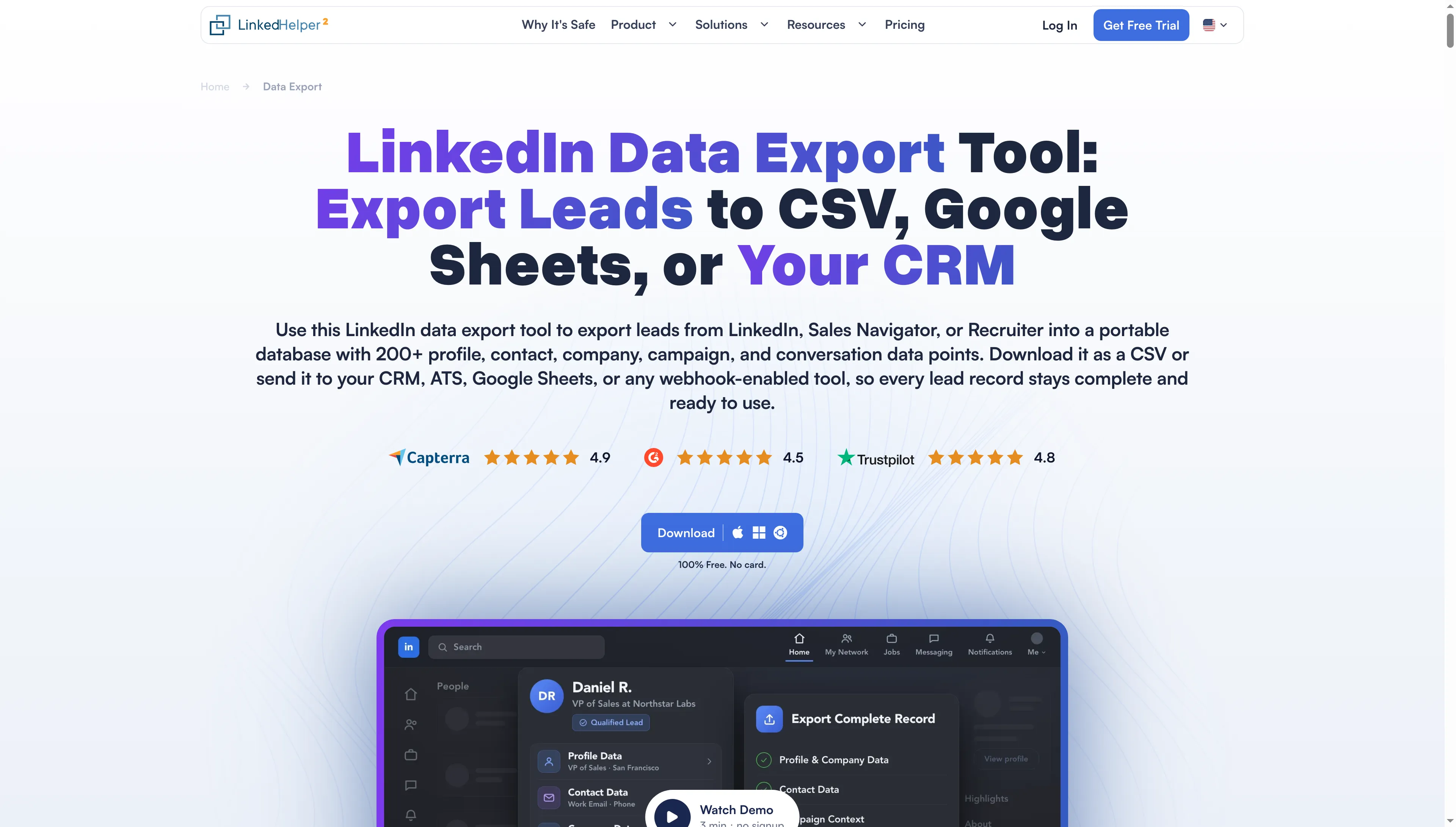
Linked Helper lists CSV, Google Sheets, and CRM destinations for LinkedIn lead records.
1. Gmail mail merge: Best for simple announcements on an existing Workspace plan
Gmail mail merge is my pick for a simple announcement when you've already got an eligible Workspace subscription. Recipient data gets pulled from Sheets, you write in Gmail, and every person receives a separate copy—so you don't need another subscription to administer when the mailing only requires information from the rows you already maintain.
Columns in Sheets let you customize the body — the subject line, though, can't be changed per person, plus every file you've attached reaches everyone (fine for a brochure, troublesome for an invoice). With one shared brochure and each guest's session name inside the message, an event reminder might be all you need.
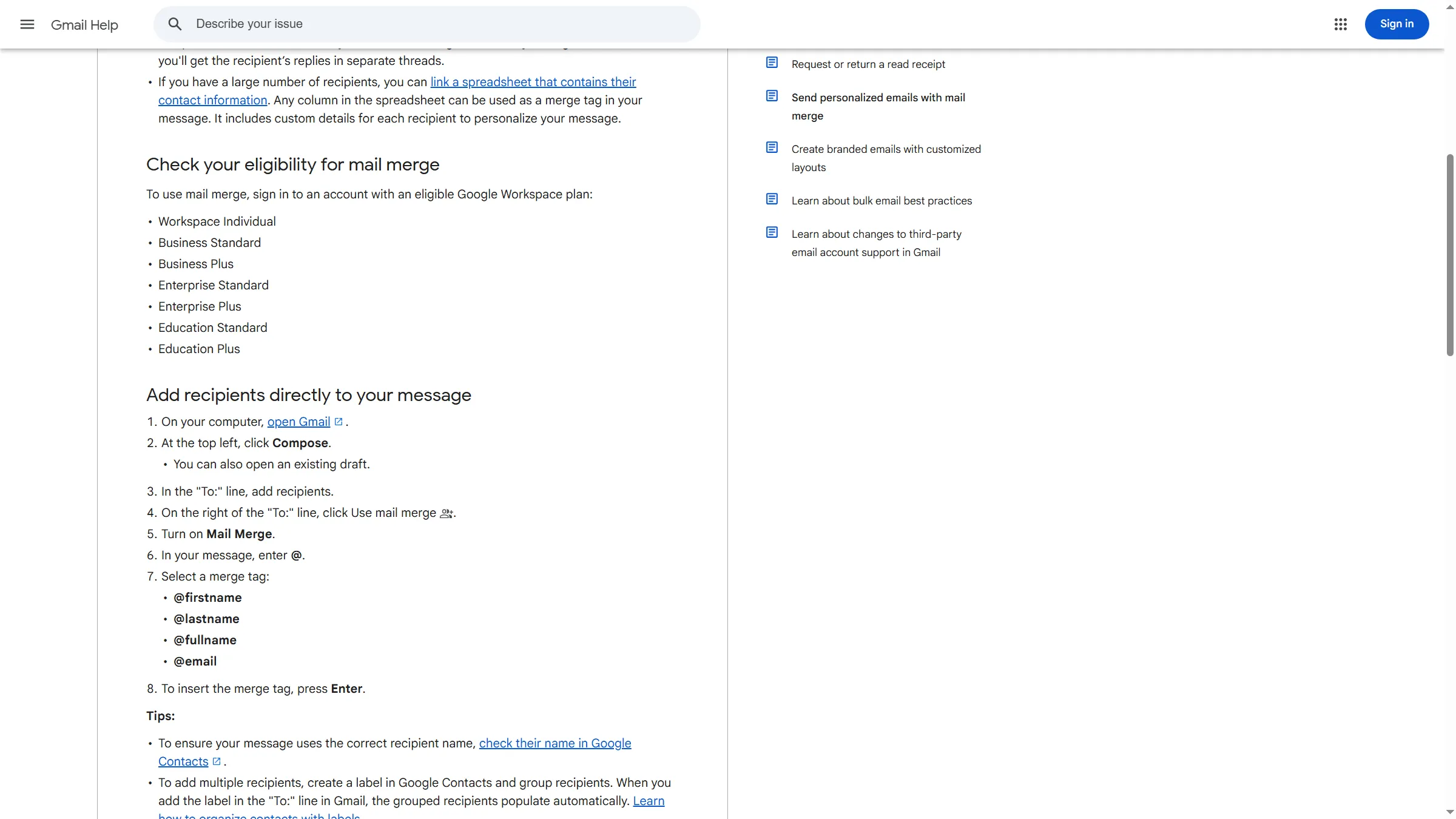
Gmail lists eligible Workspace plans and the steps for adding recipients and merge tags.
Gmail mail merge pros
- Included with eligible Workspace editions
- Automatic unsubscribe link added to each recipient copy
- Separate messages with body fields taken from your spreadsheet
Gmail mail merge cons
- No Schedule send or personalized subject lines
- Same attachments for every recipient
- Free Gmail and Business Starter aren't eligible
The unsubscribe list in Gmail is controlled by the sender. Someone who unsubscribes from your merges could still get a colleague's, so suppression records must be coordinated by any team reaching the same audience.
Storage constraints can emerge as well. When a 10 MB file goes out to 500 recipients, Google's illustration consumes about 5 GB of sent-message storage. For a big, identical brochure, a reusable link is the more sensible choice.
Copying a manager has a similar multiplying effect: a shared Bcc recipient uses an allowance slot in every message. The spreadsheet-linked mode doesn't support Cc or Bcc at all. Verify the copying behavior before using the merge as your automatic archive.
Gmail mail merge pricing
Gmail mail merge pricing: No additional merge charge on an eligible paid Workspace edition.
- Eligible editions include Business Standard/Plus and Workspace Individual
- Mail merge allows up to 1,500 recipients per day, subject to account limits
2. YAMM: Best for personalized files from Google Sheets
YAMM works well for a mailing centered on spreadsheets where every recipient requires individual Drive files. You retain a Gmail draft, map out the columns, and then allow the rows to dictate which files accompany each message. I like that focus for certificates and recurring correspondence.
Every row allows you to provide a file link, attach multiple files, or match filenames within a Drive folder. During the process, Google Docs, Sheets, and Slides can be converted into PDFs (helpful when your source files already reside there).
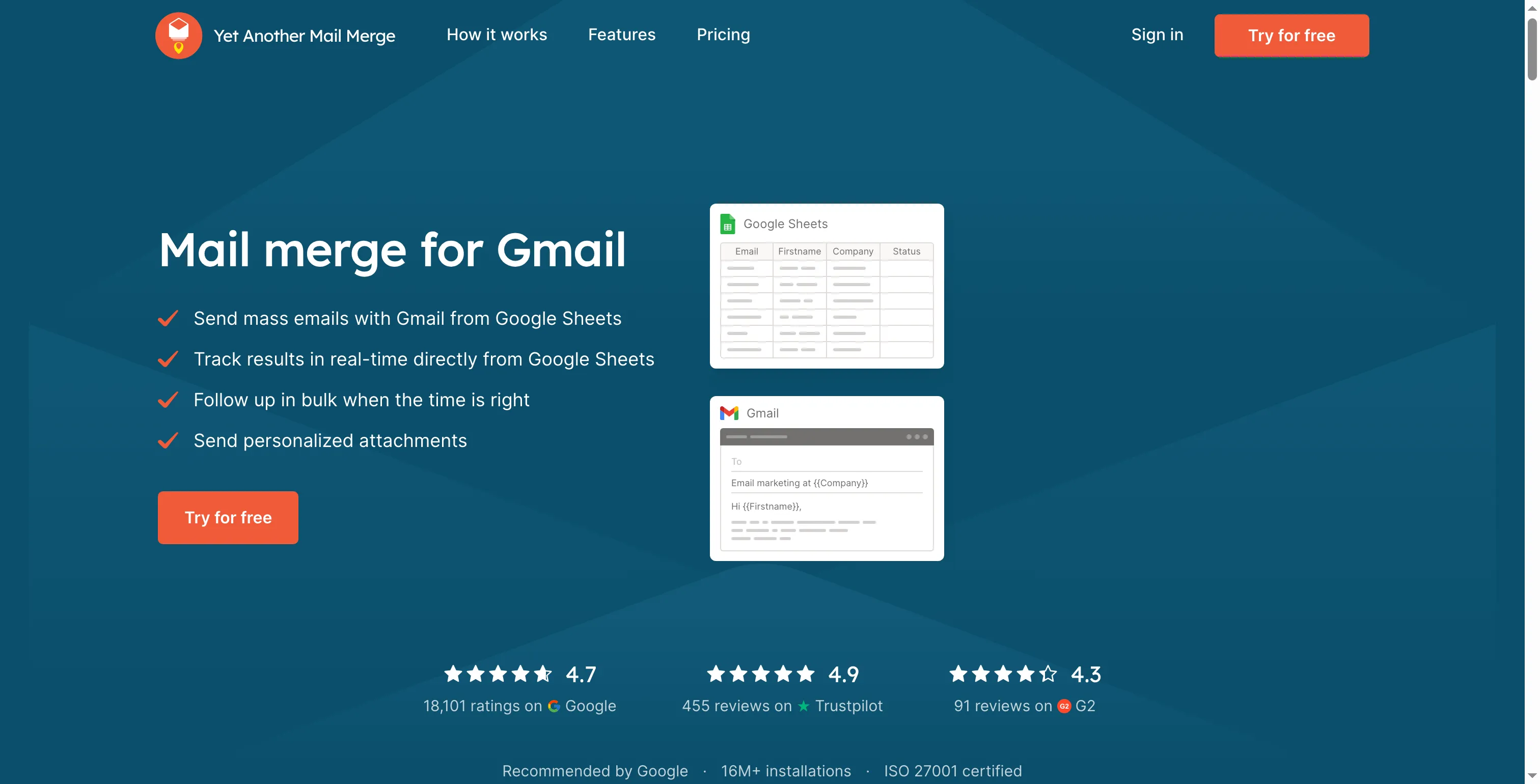
YAMM’s homepage illustrates mail merge between Google Sheets and Gmail.
YAMM pros
- Attachments matched to individual recipients from Google Drive
- Google Docs, Sheets, and Slides files can become PDF attachments
- Shared subscription administration for same-domain Pro seats
YAMM cons
- Google accounts only
- Lower personalized-attachment allowance on personal Gmail
- Unsubscribe link needs tracking enabled
Before you trust YAMM's filename matcher with private files, it deserves a careful check. Its guide warns that “Chris” can match both Chris-Parker.pdf and Chris-Wilson.pdf. Use identifiers that can't overlap (a name alone may be too broad), because a correct greeting won't make up for somebody else's attachment—especially when the document contains something that recipient shouldn't see.
Personal Gmail's Pro allowance is 400 ordinary recipients a day, but just 100 with personalized attachments. A mature paid Workspace account can reach 1,500, while trial and warm-up accounts have lower allowances. The larger ordinary-email number is easy to spot on a plan page. The attachment allowance is the one that decides whether your mailing can finish today.
YAMM also links its unsubscribe URL to tracking. Since disabling tracking alters your opt-out handling, resolve that decision before preparing the campaign.
YAMM pricing
YAMM pricing: Pro Workspace costs $12/user/month, billed annually. Free allows 20 recipients per day.
- Pro gmail.com — $6/user/month, billed annually
- Each sender needs a license. Pro administration supports same-domain seats
- Annual access runs through the paid term, and seat reductions take effect at renewal
3. Mailmeteor: Best for keeping Gmail and Outlook in one mail merge workflow
Mailmeteor, including its Google Sheets workflow, lets Microsoft and Gmail senders use the same campaign service. Whenever a team already has both providers and seeks to keep its process consistent, that's appealing to me.
I imported two CSV rows, added first-name and reference fields to the subject and body, and switched between recipients in the preview. Both rows resolved correctly. I could check the subject and body together without leaving the preview. Checking both together is useful when you've put the same reference in both places and don't want to overlook a mismatch in either one.
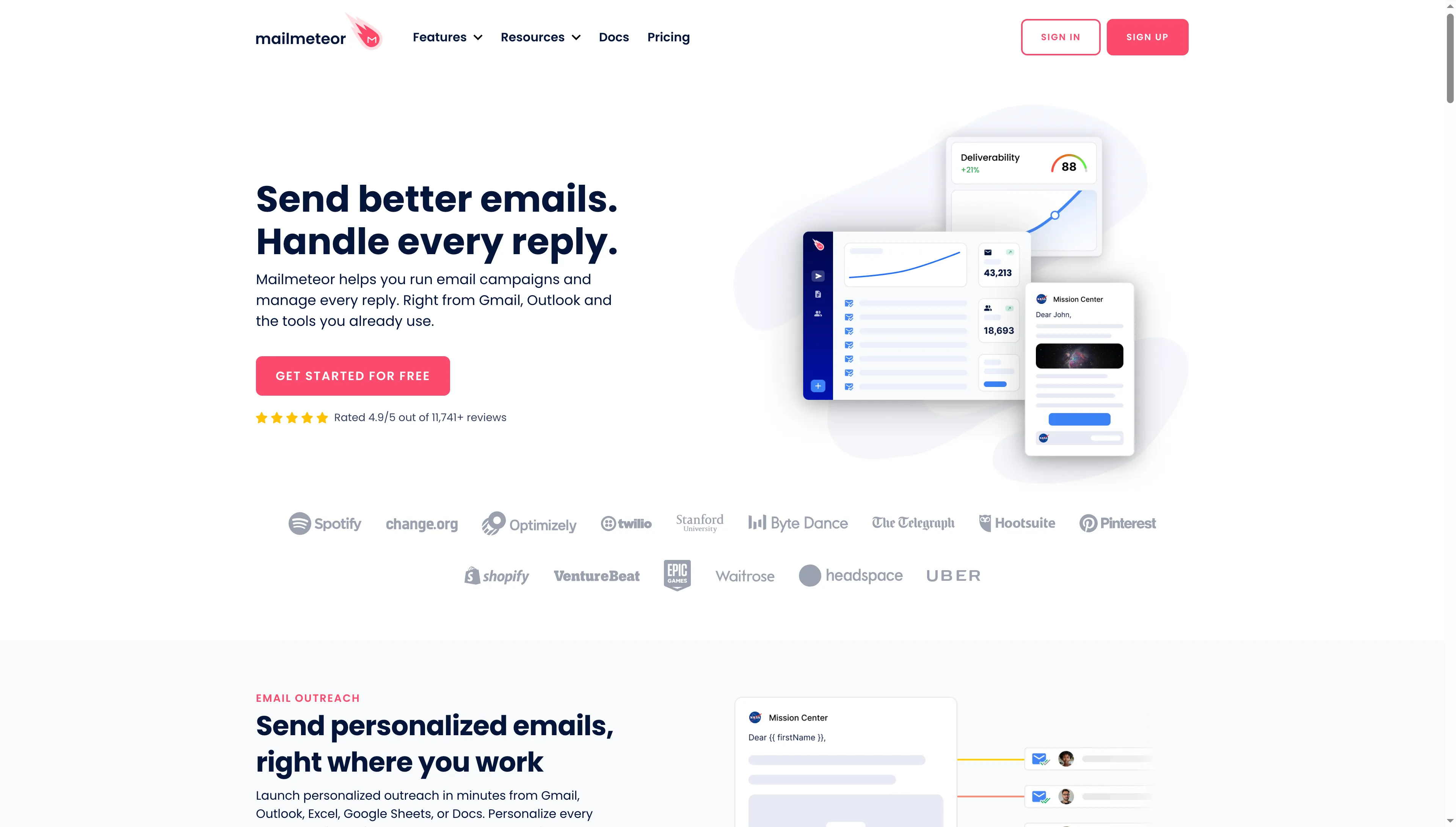
Mailmeteor presents email campaigns and reply management for Gmail and Outlook.
Mailmeteor pros
- Campaign connections for Gmail, Microsoft, and other supported providers
- Follow-ups and Google Sheets automation with Premium
- Shared templates for recurring campaigns
Mailmeteor cons
- Starter's daily allowance can force a split batch
- Personalized files require accessible URLs
- Multiple sender addresses still belong to one licensed user
The panel for attachments in Mailmeteor's Dashboard took in the PDF I shared and pointed me to another guide covering individual attachments. That guide relies on Sheets featuring a column for Attachment or Attachments holding file URLs. As for Google Drive, the recipe it gives switches sharing over to “Anyone with the link.” I wouldn't use such a staging approach for sensitive files that need to remain restricted.
Starter permits 250 messages daily. Premium lifts that cap to 1,000 ahead of any lower mailbox limit—a shift that alters the purchase for a person who sends infrequently yet requires the entire batch to depart within one day. The cheaper plan might suffice, though, when your list can span multiple days and follow-ups aren't needed (here, the deadline is what changes the purchase).
Mailmeteor pricing
Mailmeteor pricing: Premium costs about $13.50/user/month with annual billing.
- Free — 50 emails/day and 500/month
- Starter — about $4.50/user/month with annual billing
- Premium monthly billing — $17.99/user/month
- Premium includes five sender addresses per user. Colleagues needing separate accounts need their own seats
4. GMass: Best for mail merges that need automatic Gmail follow-ups
GMass is a sensible choice if you'd like to set up a merge and then follow up directly from Gmail. Its Chrome extension places campaign controls in the inbox, while Premium adds automatic follow-ups and A/B testing. For a sender who often pursues replies, I think those controls can justify the higher subscription.
The attachment configuration is adaptable. Several columns enable you to include multiple personalized attachments, and columns starting with “attachment” can reference Drive filenames or files hosted on the web. A shared file can also remain in the Gmail draft (for instance, an individual proposal plus the same company brochure).
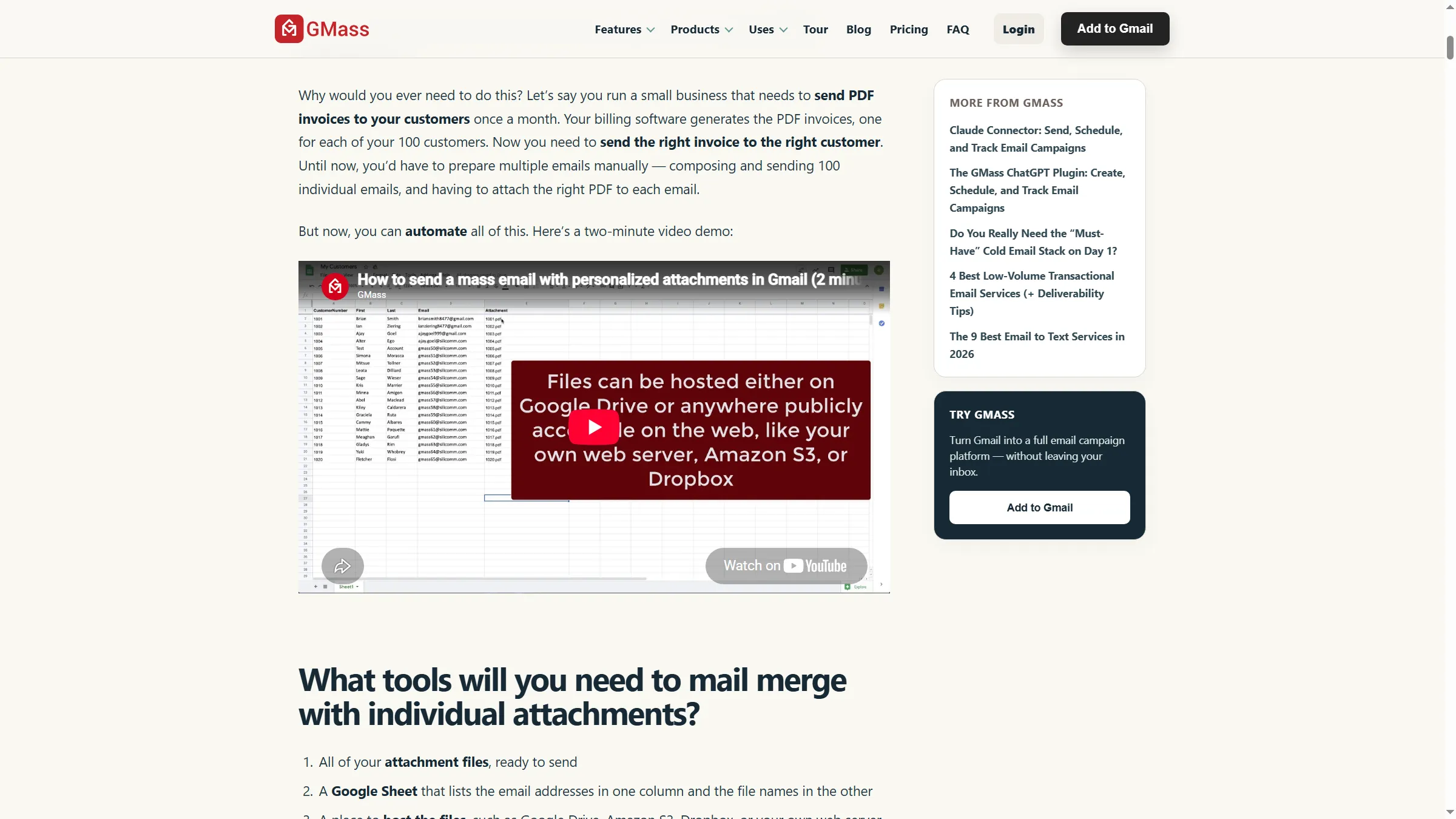
GMass explains how spreadsheet filenames match individual attachments to recipients.
GMass pros
- Campaign preparation and controls inside the familiar Gmail inbox
- Automatic follow-ups and A/B testing with Premium
- Several personalized attachment columns alongside a shared draft file
GMass cons
- Separate licenses for independently sending Gmail accounts
- Blank attachment cells can send without the file
- Paid plans remain subject to mailbox restrictions
Before you launch, check how GMass handles blank cells. An empty attachment cell can yield an email lacking the document—so scan the spreadsheet for missing entries before launching, even when you've already confirmed the names and the first preview appears right. Examining one correct preview won't expose a missing file elsewhere in the list.
A paid allowance won't make every list suitable for sending. During a Reddit bulk-Gmail discussion, u/Alex1644 reported a warning about a Google account after using GMass for 50–100 messages a day. The post doesn't reveal the account history or recipient context. Treat it as a reason to watch your mailbox's response to a campaign, rather than a measured safe-volume threshold.
GMass pricing
GMass pricing: An annually billed Premium seat works out to about $29.08/user/month. Monthly billing costs $39.95/user/month.
- Standard covers basic merges and attachments. Premium adds follow-ups
- Five-user Team costs $1,750/year and includes Professional-level features
- The seven-day trial caps both daily sending and a campaign's recipient list at 50
Normally, GMass aliases share the sending account's subscription. Paid access remains available for the term if a credit-card subscription is canceled. GMass downgrades your subscription immediately when you cancel through PayPal. Even if you've already removed the extension, cancel using the billing controls.
5. SecureMailMerge: Best for individual PDFs in new Outlook, web, and Mac
SecureMailMerge works with a Microsoft 365 Business or Education sender that has a folder of recipient-specific PDFs. It functions across modern Outlook clients, without needing Word, and the free plan contains the functional features. The paid license chiefly removes the promotional footer.
Place the filenames into an Attachments column, pick the local files, and allow the add-in to match those to the rows. Sending is blocked by any missing file. I prefer that interruption to discovering later that somebody got the message without the invoice.
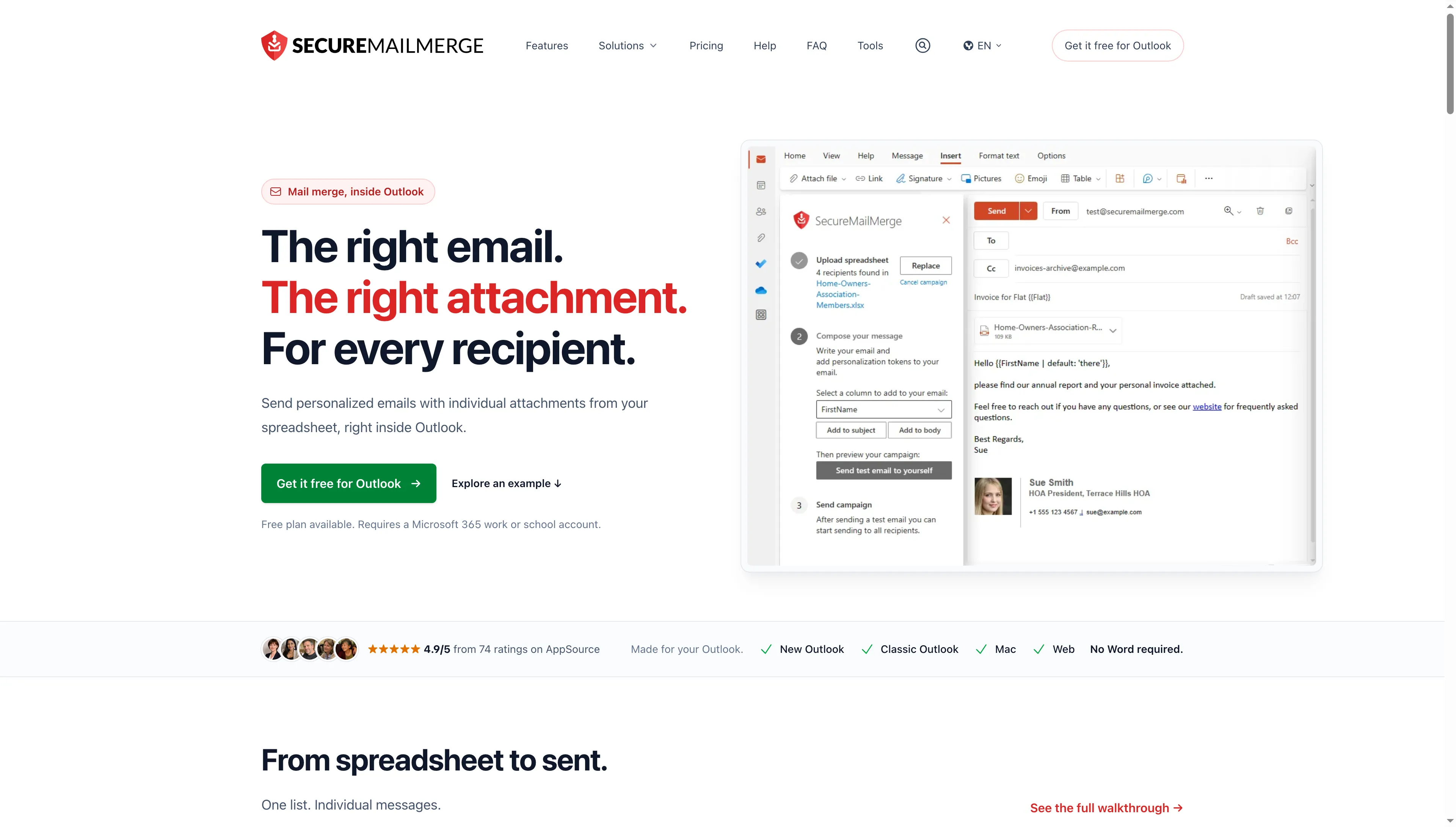
SecureMailMerge shows spreadsheet upload, personalization fields, and a test-email step before sending.
SecureMailMerge pros
- Recipient-specific local attachments included in the free plan
- Support for new and classic Outlook, web clients, and Mac
- Campaign content and attachment preparation processed locally
SecureMailMerge cons
- Requires an eligible business or education mailbox
- Free messages carry a promotional footer
- No open/click analytics or managed suppression list
SecureMailMerge ensures that campaign content, along with attachments, never reaches its own campaign servers. The finished emails pass through your Microsoft mailbox. There's no need for you to set up publicly accessible file URLs for the merge service to fetch — attachment selection remains local. However, a personal Outlook.com address or a Microsoft 365 Personal/Family subscription does not qualify.
To resume a batch, you need to prepare. Once the add-in is reopened, the attachment guide makes you re-select every file. Recipients who already got a copy won't receive another one; however, because you'll need the original files when resuming, don't move or rename the source folder until the entire batch has finished and you've checked its status.
When dealing with a shared address, launch the add-in from an eligible mailbox of your own and apply the correct From and Send As permissions. Installing it straight into the shared mailbox is discouraged by its guide.
SecureMailMerge pricing
SecureMailMerge pricing: Free with a footer. Footer-free use costs $12.50/sender/month with annual billing or $19 with monthly billing.
- Cancel renewal to stop future charges
- Removing a license assignment doesn't reduce the subscription quantity
6. Mail Merge Toolkit: Best for generating personalized PDFs from Word on Windows
Mail Merge Toolkit is my pick for a Windows team whose Word merge needs to produce personalized files. Formatted letters, invoices, and certificates stay within a familiar desktop workflow — and the edition you need depends on where those files come from.
Standard attaches files that already exist, using a path from a source-data column. Professional generates the personalized PDF or DOCX from the Word merge. If you've already made the PDFs and they're sitting in a folder, Standard may cover the job completely (there's no need to buy document generation for that job).
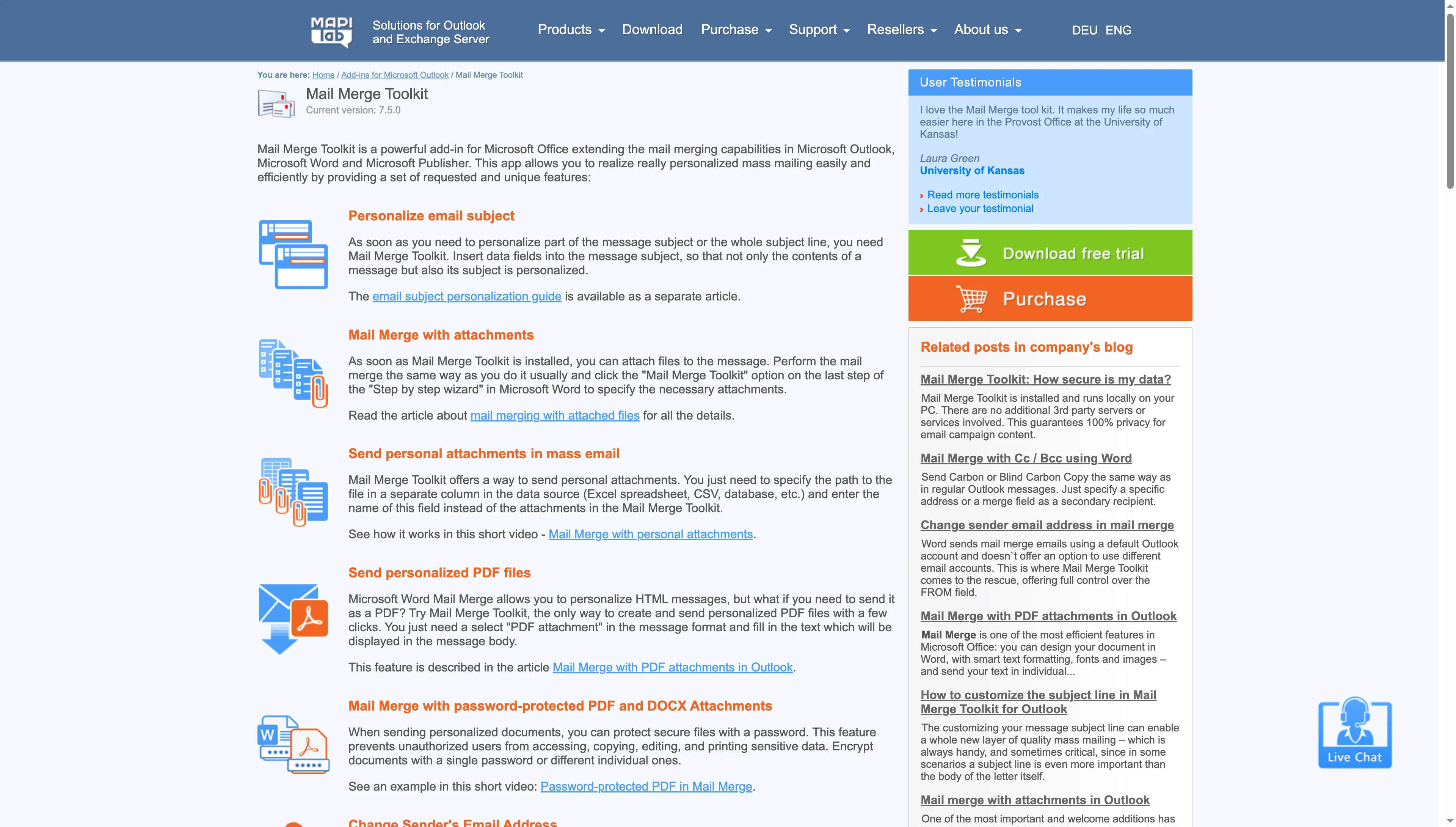
Mail Merge Toolkit separates subject personalization, individual attachments, and personalized PDF files.
Mail Merge Toolkit pros
- Standard attaches existing files using paths from the source data
- Professional generates personalized PDF or DOCX files from Word
- Professional adds batch sending and throttling controls
Mail Merge Toolkit cons
- Requires supported Windows desktop Office applications
- No equivalent Mac or web add-in
- Current purchases are annual subscriptions
Throttling from Mail Merge Toolkit lets the operator pace the batch, yet the mailbox provider's allowance still applies. A document-heavy Windows process fits that pairing, though it becomes awkward if some colleagues expect to open the same add-in on the web or a Mac without changing where they work.
Test it within the Office setting you'll rely on. Over 30 days, its trial permits as many as 50 recipients—sufficient for verifying the merge format and how files are handled. The refund terms provide a solid reason to take advantage of the trial: discovering the software doesn't meet your needs won't automatically make you eligible for a refund. Confirm that the Word layout you depend on holds up through the merge.
Mail Merge Toolkit pricing
Mail Merge Toolkit pricing: Professional costs €8.25/user/month, billed annually.
- Standard — €2.50/user/month, billed annually
- Licensed desktop Word and classic Outlook are separate prerequisites
- Historical perpetual-license wording applies to older purchases. New subscriptions renew annually
7. MailMerge365: Best for Outlook campaigns that need tracking and unsubscribes
MailMerge365 is a fit for an Outlook campaign in which reporting plus managed opt-outs count for more than individual files. It pairs spreadsheet-based personalization with tracking, unsubscribe handling, and targeted follow-ups. The work continues after the initial send.
I like that combination for a customer update with a shared attachment. Campaign reports let you determine what requires focus, and you can keep opt-outs within the same service. You need an eligible Microsoft 365 Business account; a personal Outlook address is not acceptable.
MailMerge365 presents Outlook mail merge with an AppSource installation link.
MailMerge365 pros
- Campaign reports for opens and clicks, plus managed unsubscribes
- Support for new Outlook, classic Outlook, web clients, and Mac
- Choice of an annual subscription or recipient-pack purchase
MailMerge365 cons
- No different attachment for each recipient
- Common attachments and images share a size cap
- Campaign data are stored on vendor servers
MailMerge365 gives you a total of 3.5 MB to use across standard attachments plus images. When it comes to customized invoices or tickets, however, the help page points you toward SecureMailMerge — that same provider's product built around files. Because hosting separate files and combining their links alters what recipients get, you'd want to settle that choice before weighing the costs.
A storage distinction also exists among the related products. MailMerge365 retains the original campaign email and spreadsheet data on its servers. Before importing a contact list, check whether you're allowed to store that campaign data with the provider (sharing a developer with SecureMailMerge doesn't cause the products to have identical storage behavior).
Open reports, too, call for interpretation. Tracking pixels can be loaded by privacy features or automated processes, whereas genuine reading can be concealed by blocked images. A completed action or an actual reply is a firmer basis for a reminder than an open by itself.
MailMerge365 pricing
MailMerge365 pricing: About $16.67/mailbox/month with annual billing. A 100-recipient trial is available.
- Pay as you go — $35 for 1,000 recipients
- Annual subscriptions renew until canceled
- The website offers a 30-day money-back guarantee
Mail merge software costs for three fixed workloads
Mail merge software can add no subscription cost for an eligible Gmail announcement or a SecureMailMerge batch with a footer. The scenario with five senders using Drive files starts with YAMM. The tables compare the eligible configuration for each job using exact annual charges. Toolkit stays in euros. No exchange-rate conversion is assumed.
One Workspace sender: 500 messages on one day each month
Gmail mail merge handles this workload without any additional subscription, provided the Workspace account is eligible. The table compares it against paid add-ons for personalized body text and the identical 100 KB PDF—no extra images. No automatic follow-ups, scheduled launch, or team administration is needed.
| Tool | Eligible configuration | Annual incremental cost | Mandatory prerequisite | Limit that matters |
|---|---|---|---|---|
| Gmail mail merge | Native feature | $0 | Already eligible Workspace edition | No scheduled launch |
| YAMM | Pro Workspace | $144 | Mature paid Workspace account | Remaining daily allowance |
| Mailmeteor | Premium | $161.99 | Connected supported mailbox | Entry tier misses the deadline |
| GMass | Standard | $249 | Gmail and Chrome extension | Provider limits remain |
Gmail's built-in feature handles precisely this task. Should scheduling turn essential, then the requirement shifts and those paid options merit a second look. A lower-cost plan spreading the batch over two days fails the stated deadline.
Five Workspace senders: 500 different PDFs each, on one day per month
Provided its Drive workflow suits you, YAMM carries the smallest yearly fee in this comparison. The comparison table covers five individuals sending on their own from mature accounts. Every PDF is 100 KB, and there are no additional images. The PDFs already exist. Nothing requires document generation, automated follow-ups, or shared campaign administration.
| Tool | Eligible configuration | Annual incremental cost | Mandatory prerequisite | Limit that matters |
|---|---|---|---|---|
| YAMM | Five Pro Workspace seats | $720 | Same-domain users and Drive access | Attachment-specific quota per user |
| Mailmeteor | Five Premium users | $809.95 | Sheets and accessible attachment URLs | Public-link staging must be acceptable |
| GMass | Five Standard licenses | $1,245 | Five independent Gmail senders | Blank file cells can send without attachment |
| Gmail mail merge | No equivalent native configuration | Unsupported | — | Same attachment only |
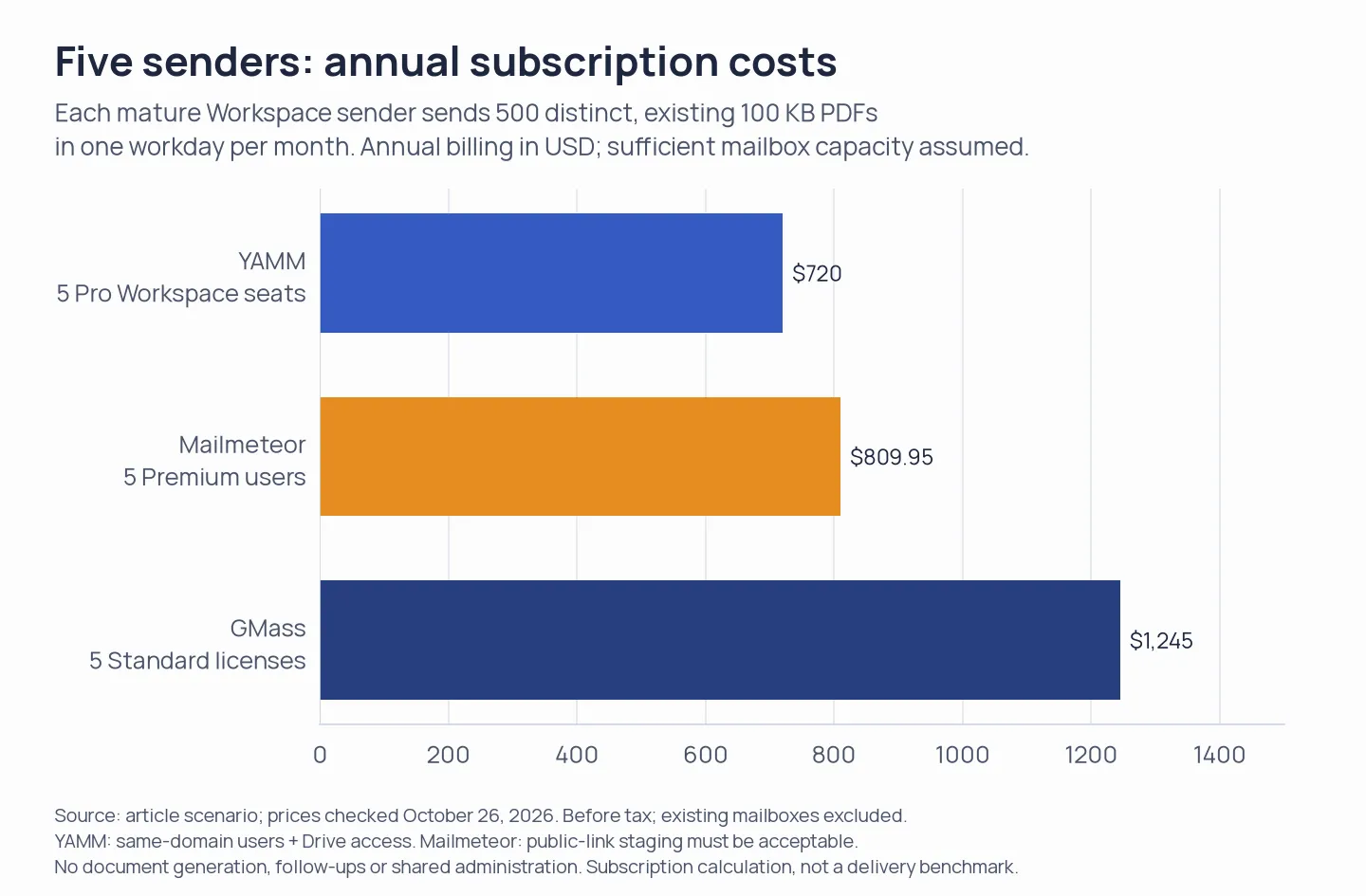
YAMM has the lowest subscription total for the stated workload, provided its Drive workflow fits. Mailmeteor requires acceptable public-link staging.
YAMM is the cheapest paid tier that's supported in this case—assuming its Drive-based workflow suits you. But Mailmeteor gets ruled out for files that have to remain restricted, since its public-link staging rules won't allow that. As for the GMass total, it draws on five Standard licenses: paying for a Team package would tack on capabilities this scenario doesn't need.
One Microsoft 365 sender: 500 existing personalized PDFs each month
SecureMailMerge Free covers this workload with a promotional footer. Toolkit charges for its Windows add-in. The table compares a batch completed on one workday. Each email has body personalization and its own 100 KB PDF, with no extra images. The sender already has an eligible Microsoft 365 mailbox. Toolkit additionally assumes licensed Windows desktop Word and classic Outlook.
| Tool | Eligible configuration | Annual incremental cost | Mandatory prerequisite | Limit that matters |
|---|---|---|---|---|
| SecureMailMerge | Free | $0 | Business/Education mailbox | Promotional footer |
| SecureMailMerge | Annual paid license | $150 | Same eligible mailbox | No open/click reporting |
| Mail Merge Toolkit | Standard | €30 | Windows desktop Word and classic Outlook | Paid mailbox/desktop apps are separate |
| MailMerge365 | No equivalent configuration | Unsupported | — | Different attachments unavailable |
| Native Word email merge | No equivalent Windows configuration | Unsupported | — | Can't attach the existing files |
For new Outlook, web, or Mac, SecureMailMerge covers this job. Toolkit is inexpensive if you already have its required Windows desktop setup. If you need to create the PDFs from a Word template, its Professional edition changes the calculation. That is an additional job, not a hidden requirement for attaching files you already have.
Which mail merge software should you choose?
Gmail is the easiest place to begin for announcing a shared file on eligible Workspace. YAMM suits individual Drive files, and SecureMailMerge suits local files in modern Outlook. Begin there and then add whatever controls your real work needs.
Look at Mailmeteor for a campaign across multiple providers if the way it shares files fits the files you have. Pick GMass Premium if you need follow-ups inside Gmail.
For Windows users needing Word to make customized PDFs, the requirement differs: Mail Merge Toolkit Professional. MailMerge365 fits better, though, when the Outlook campaign requires reporting and managed unsubscribes rather than individual attachments.
Also verify the software you already have. Native Word email merge handles personalized body text, yet its Windows instructions don't support attaching existing files. Microsoft's comparison lists mail merge as partially available in new Outlook, so check the specific operation rather than assuming it recreates the Word workflow.
A recurring newsletter can warrant a dedicated email marketing platform. For contacts that begin on LinkedIn, the LinkedIn-contact export and email handoff guide covers the earlier step.