

 11 min read

TL;DR: PhantomBuster in November 2026
- Verdict: The buyer is left with resource planning, output checks, and workflow wiring by PhantomBuster. If you require hands-off prospecting or local control over your LinkedIn session, skip it.
- Setup test: On November 8, 2026, a stored PhantomBuster Search Export kept its inputs yet stayed dormant awaiting account linking. A non-active draft nevertheless took up a slot.
- Price: PhantomBuster Start costs $69 monthly or $672 paid annually. Slots, execution time, and enrichment credits have separate allowances.
- Account access: Via a linked account, PhantomBuster performs LinkedIn actions remotely. The connection routes you can use are password login, extension detection, and manual session entry.
- Trial: You can verify downstream imports only to a limited extent because PhantomBuster's 14-day trial caps exported results, and API results too, at 10 rows.
Verdict: who PhantomBuster fits and who should skip it
PhantomBuster suits teams ready to construct and sustain their own multi-source data pipelines. Skip it, though, if you'd rather have hands-off prospecting or want your LinkedIn session kept on your own machine. And should you pick PhantomBuster, you'll need to verify inputs as well as outputs and then confirm the correct data reaches the next tool.
I'd buy it solely when I've got a particular collection task in mind, plus someone on hand to keep it up. Ahead of locking in for a year, run the very workflow you'll rely on—covering the export and follow-up steps that a catalog tour tends to skip. Browsing doesn't call for extra automations. What you need is the one you're paying for to complete the job.
What PhantomBuster is in 2026: cloud jobs and predefined workflows
On its servers, PhantomBuster runs predefined Workflows and individual Phantoms. While a Workflow strings steps together, a Phantom handles one specific task (exporting search results, for instance). You'll have to pick one or the other before configuring the work.
Collecting LinkedIn profiles is a different job from gathering Google Maps or Instagram data, and each automation has its own prerequisites. Start with the source you need. Also check when the results have to reach your sales process, because a ready-made Workflow gives you less scheduling freedom than an individual Phantom.
PhantomBuster setup test: saving a draft does not complete account setup
Before I'd linked a sender, PhantomBuster allowed me to save a LinkedIn Search Export. When I reopened it during the November trial, my synthetic search keywords remained intact, yet the automation sat inactive, and account setup was left incomplete.
I could step away from the configuration and return to it later, but saving didn't finish the connection. When you're judging whether onboarding is done, don't treat a stored draft as a working export.
PhantomBuster pricing: separate limits start at $69 a month
PhantomBuster Start runs $69 per month. Watch execution time, saved automations, and enrichment credits separately. The paid tiers are now Start, Grow, and Scale. If you're seeing Starter, Pro, or Team, those are older names.
I checked the US-dollar prices and allowances shown in the table, excluding taxes and additional purchases.
| Plan | Pay monthly | Annual payment upfront | Annual monthly equivalent | Execution time/month | Automation slots | Email credits/month |
|---|---|---|---|---|---|---|
| Start | $69 | $672 | $56 | 20 hours | 5 | 500 |
| Grow | $159 | $1,536 | $128 | 80 hours | 15 | 2,500 |
| Scale | $439 | $4,224 | $352 | 300 hours | 50 | 10,000 |
Start, Grow, and Scale come with monthly AI credits of 10,000, 30,000, and 90,000, respectively, and distinct URL-finder allowances of 1,000, 10,000, and 20,000 per month. Those resources sit with the workspace, so a teammate joining won't bring another allowance.
A saved automation consumes a slot before it runs
A saved automation persists in a PhantomBuster slot, even if it's not active. During my November trial, I visited the usage screen. There, I discovered that the inactive Search Export had consumed one out of five slots — runtime, meanwhile, remained zero.
LinkedIn Outreach takes up two slots; therefore, three stay available on Start for your remaining saved automations. Before choosing a plan, tally how many setups you'd like to keep ready—even when you don't intend to run them simultaneously.
Execution time pays for how long the automations run. Credits cover particular enrichment and AI operations. You can't use spare runtime to replace credits you've exhausted, and buying a larger allowance won't lift the limits imposed by the platform you're automating.
Annual savings require upfront payment
When you prepay PhantomBuster annually, you'd save $156 on Start, plus $372 on Grow, and $1,044 on Scale, versus twelve monthly bills at today's prices.
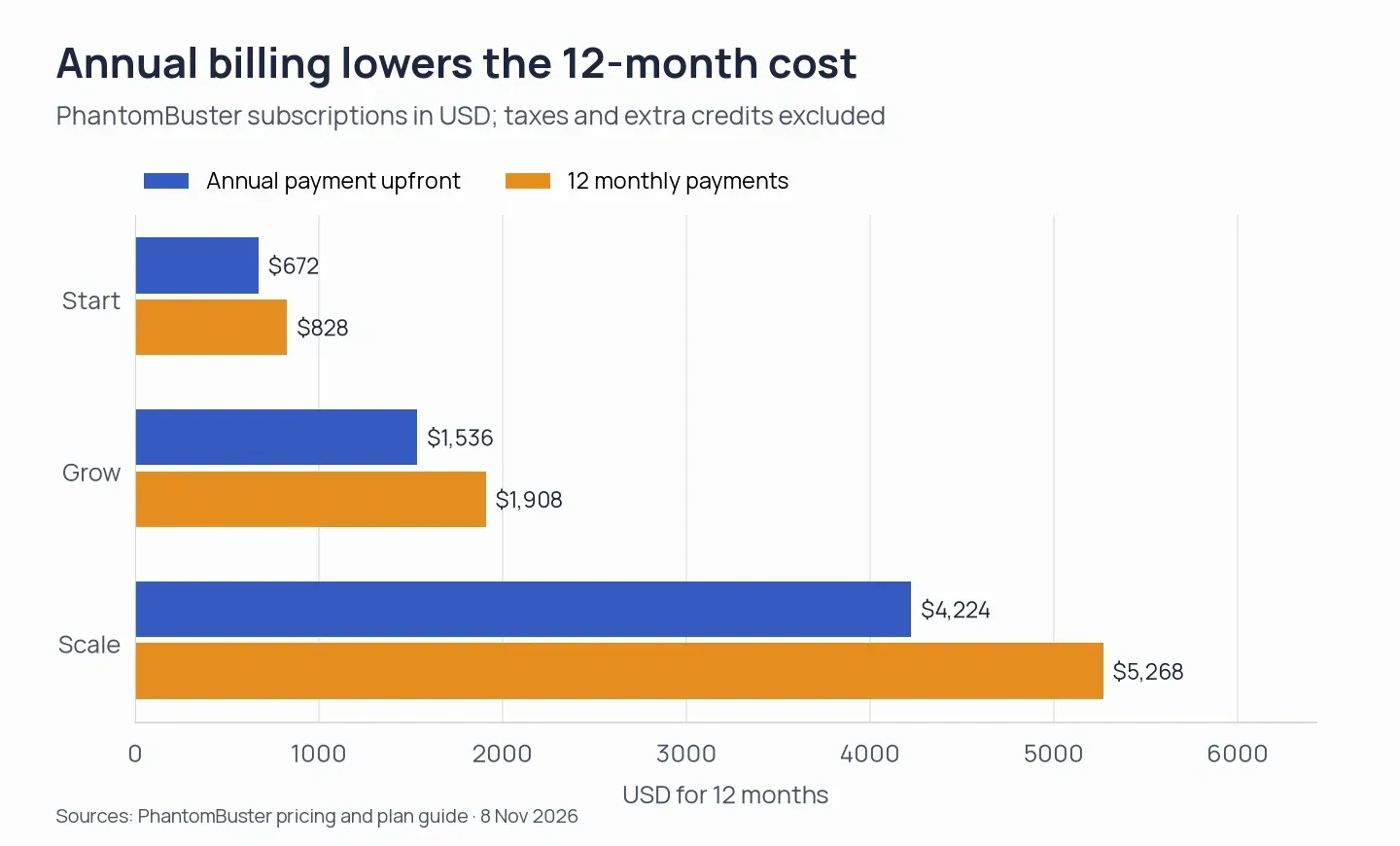
At the listed rates, the chart compares twelve monthly charges with the annual amount paid upfront.
Don't buy a yearly subscription before trying out the workflow you plan to keep up. An annual discount won't fix either an export you can't get or unease about giving account access.
PhantomBuster free trial: exports and API results stop at ten rows
The trial for PhantomBuster runs 14 days; exports, along with API results, are capped at ten rows. That limit isn't large enough when you're validating a sizable downstream import. During the trial, you get two hours of execution, and also five slots, 50 email credits, and 1,000 AI credits.
Post-evaluation, every month you receive 30 minutes of runtime plus one slot under the Free plan. Email and AI credits aren't included, and exports remain limited. Therefore, during evaluation, open the exported file itself—not merely the on-screen results—and verify what your CRM will get.
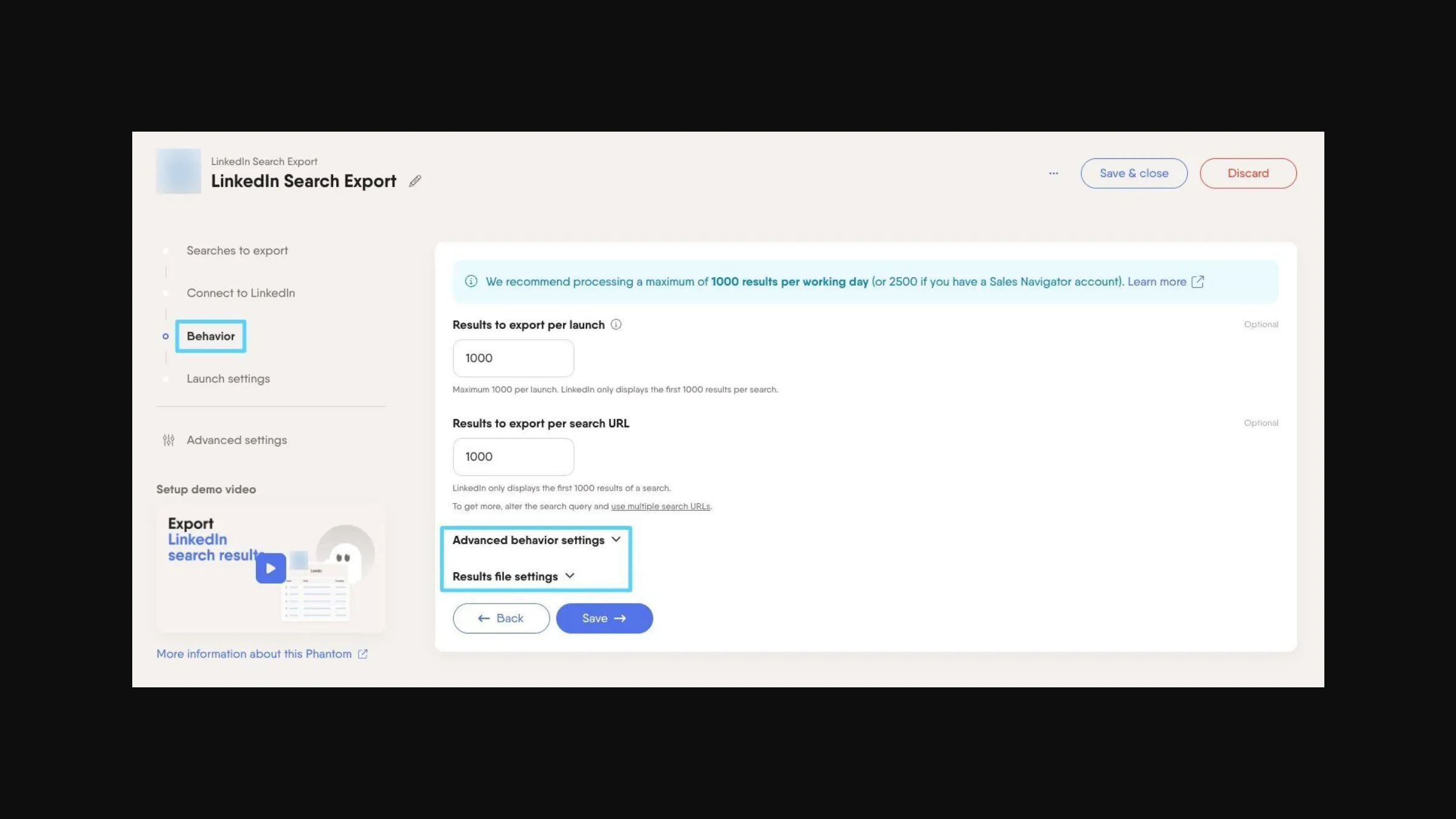
Search Export separates per-launch and per-search result limits from its advanced behavior and file settings.
PhantomBuster account safety: remote execution requires account access
PhantomBuster carries out LinkedIn actions remotely with access to your account. You can sign in via email plus password, allow the extension to pick up your session, or input a session cookie along with browser details by hand. Every one of these paths grants the service account access.
For password-based sign-in, you connect by sending credentials to PhantomBuster. Per the company, they're used once and aren't stored. Access is also granted by choosing cookies, since account activity is authorized by a session cookie. External contributors can use a magic link, which lets them share a session and expires after 24 hours.
PhantomBuster also accepts an optional custom HTTP proxy — yet those jobs continue to execute remotely, not via the browser on your machine. Expecting a schedule or proxy setting to shield an account from restrictions? I wouldn't link one for that. Unauthorized automated scraping, along with messaging, is forbidden under LinkedIn's User Agreement.
The optional extension retrieves session cookies
PhantomBuster's optional extension pulls session cookies and populates connection fields. Version 1.3.10 — rolled out on July 10, 2026 — includes cookie access along with tabs, activeTab, notifications, and sidePanel permissions. Its content scripts run on PhantomBuster and Zapier pages.
Check the permissions before installation: the extension can access authentication material. Treat that cookie as an account credential. You don't have to use the extension, yet you still must connect an account for remote automation.
PhantomBuster workflow limits: chaining does not configure the next input
You'll still need to configure the next automation's input, even though execution order is governed by PhantomBuster's “After another Phantom” setting. Absent that link, the second step may start at the correct moment, and yet handle the incorrect source list.
Scheduling differs between Phantoms and Workflows
PhantomBuster individual automations offer recurring launches, advanced timing, and chained execution in your workspace's time zone. By contrast, Workflows come with predefined launch patterns and among their controls are sending windows and follow-up delays. Workflows don't offer comparable scheduling options.
When you save a repeating schedule, you turn it on. Keep a new setup paused until you've reviewed its inputs and messages, especially if the next step is going to reach out to a person.
Reply handling has audience and reporting boundaries
PhantomBuster Outreach Workflows skip existing connections, and the dashboard's answer rate counts replies to the initial outreach message rather than every follow-up. Use LinkedIn Message Sender to message existing connections. Don't treat that answer rate as a measure of all the conversations your campaign produces.
During LinkedIn outreach, if a lead replies, the Workflows stop the remaining follow-ups. The remaining follow-ups also stop should you send a manual message before the next follow-up is due.
Enrichment and CRM handoffs need separate checks
PhantomBuster's returned emails need identity and delivery checks, while CRM transfers need checks of fields and contact status. Is the address tied to the person you intended to contact? A mailbox check alone won't answer that. Compare a small sample with known contacts before relying on an enrichment workflow.
Connections exist straight to Pipedrive, HubSpot, and Salesforce—along with automation via Make, n8n, and Zapier. Before linking them, verify deduplication rules and destination fields; afterward, determine which system owns a contact's status (especially when your CRM already manages assignment or email follow-up). Rules that work don't need replacing.
PhantomBuster reviews: output, support, and cost complaints need scrutiny
PhantomBuster reviewers report incorrect company URLs, recurring failures, slow support, and subscription costs. The overall ratings vary between platforms, as these totals from my November 2026 check show:
| Platform | Overall rating | Review count |
|---|---|---|
| Trustpilot | 3.2/5 | 115 |
| G2 | 4.4/5 | 138 |
| Capterra | 4.5/5 | 64 |
Julie Draper's three-star Trustpilot review flagged wrong LinkedIn URLs for the company. Her July 17, 2026 update records a refund after a second contact, following an initial refusal. Before you use those exported company links in a campaign, I'd check them, and when judging how support responded, keep the refund resolution tied to the complaint.
On June 8, 2026, Florian Tailor's one-star review detailed recurring issues along with slow support. According to PhantomBuster, escalated cases could go past the response target, and more assistance was offered. No confirmed resolution appears in the visible exchange.
Subscription cost also appears in the Cons of Connor S.'s five-star G2 review from April 8, 2026. Don't stop at the star rating. Read the complaint, then use the trial to check whether it affects the work you're planning to accomplish with the service.
PhantomBuster cancellation: ending renewal does not request a refund
PhantomBuster requires you to cancel the subscription and request a refund separately. As the workspace owner, head to Billing → Cancel subscription, then confirm. Should that button not appear, verify you're signed in as the owner and are in the correct workspace (it might also be missing when you're on a trial or have already scheduled a cancellation).
Paid access remains yours up to the close of the billing cycle. Once that point arrives, the workspace moves to Free, scheduled launches get paused, and exports are restricted. The trial ends automatically.
PhantomBuster applies these refund terms to monthly and annual subscriptions:
| Subscription | Request window | Usage condition |
|---|---|---|
| Monthly | Within 14 days of the charge | No resources used |
| Annual | Within 30 days | Full refund if unused; one standard monthly charge deducted if used |
First, cancel, and afterward request the refund. Eligibility is affected if you've used resources while evaluating a paid monthly plan, even when you've determined that the workflow isn't right for you.
PhantomBuster alternatives: Linked Helper for desktop account control
For running LinkedIn campaigns on your own desktop, Linked Helper is what I'd pick, and it comes with safety first: your computer, IP, and session get used, and your LinkedIn password isn't sent to another company's cloud.
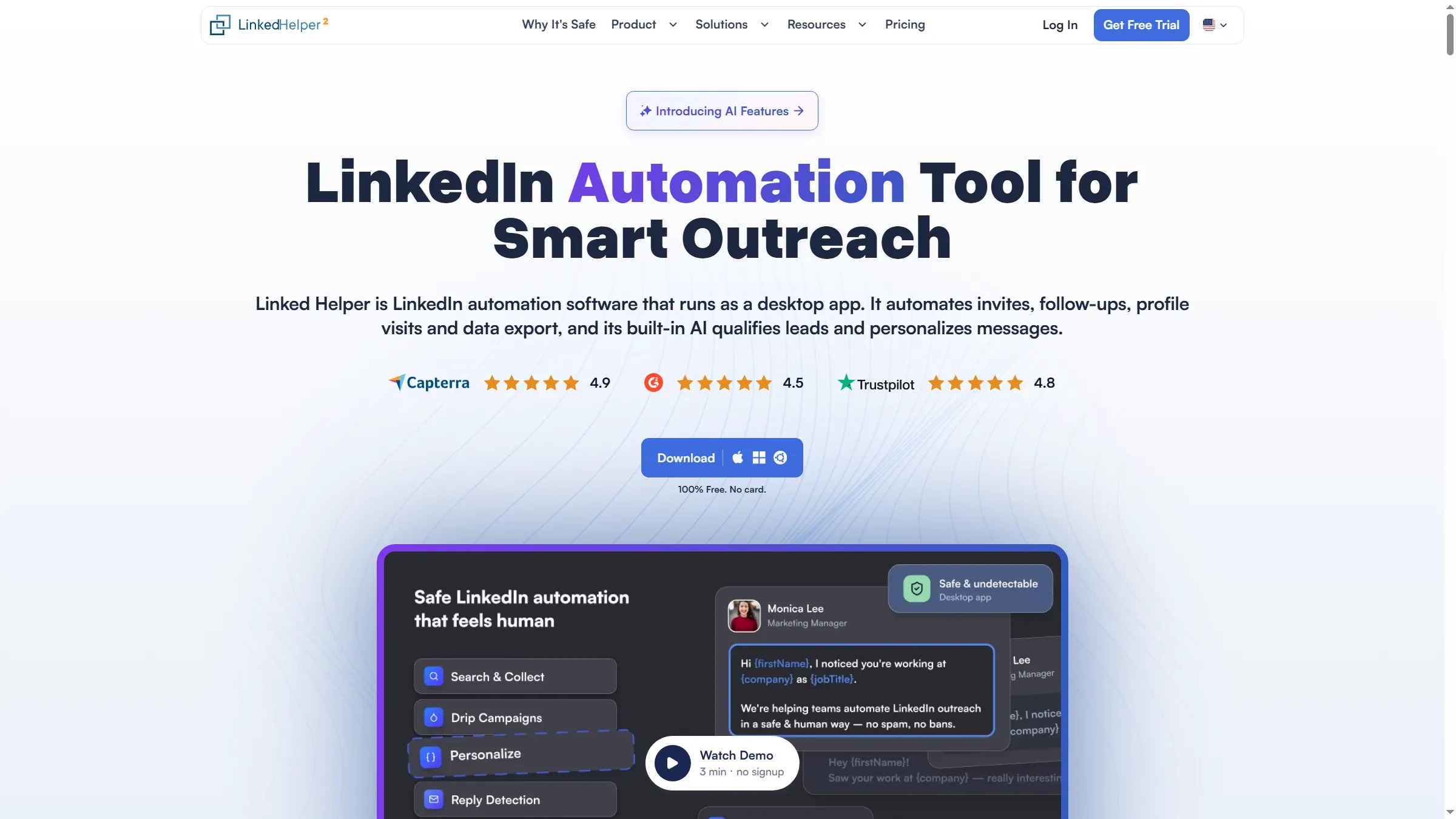
Linked Helper presents its desktop automation product and trial download on the homepage.
Included in this desktop application are reply detection, conversation filtering, custom variables, and IF-THEN-ELSE message templates. Local and Cloud storage handle your workspace records. Under both options, however, automation execution stays within the desktop app.
Linked Helper Local Standard costs $15 monthly or $99 annually, and Local Pro costs $45 monthly or $297 annually. For a broader shortlist, the PhantomBuster alternatives guide covers the choice beyond this review. Start with the collection or outreach task you're trying to replace.