Updated: August 25, 2026
 56 min read
Linked Helper is the best La Growth Machine alternative for users who prioritize lower cost, LinkedIn account control, and deeper LinkedIn-native workflows. Unlike La Growth Machine's cloud model, Linked Helper runs from the machine or VPS environment you control, so the LinkedIn session stays with you instead of moving to vendor infrastructure. Pricing starts at $15/mo, or $8.25/mo equivalent on a 12-month license, versus La Growth Machine's roughly $70/mo entry plan and $60/mo annual equivalent per identity. We compared the tools below on price, safety architecture, workflow depth, CRM connectivity, and review signals; we did not test every tool first-hand.
| Tool | Architecture | 20-seat agency cost (from, /year) | Compared with La Growth Machine |
|---|---|---|---|
| Linked Helper | Desktop standalone | $1,584 | 89% cheaper |
| La Growth Machine | Cloud | $14,400 | Baseline |
| Lemlist | Cloud | $20,880 | 45% more expensive |
| Waalaxy | Cloud | $3,840 | 73% cheaper |
| Expandi | Cloud | $18,960 | 32% more expensive |
| Reply.io | Cloud | $21,360 | 48% more expensive |
| Dripify | Cloud | $18,960 | 32% more expensive |
| Instantly.ai | Cloud | $6,000 | 58% cheaper |
| PhantomBuster | Cloud | $4,212 | 71% cheaper |
Architecture and 20-seat agency cost, side by side
Pricing data as of July 2026, researched from each vendor's live pricing page. For the 20-user agency scenario, per-seat tools use the feature-appropriate tier x 20 seats at annual billing (Linked Helper Standard, Waalaxy Pro, Expandi Business, Dripify Advanced, Lemlist Multichannel, Reply.io Multichannel); flat/per-workspace tools use their agency/team plan and are billed per account regardless of headcount, NOT x 20 (Instantly Agency, PhantomBuster Team). La Growth Machine is per-identity — Basic (LinkedIn+Email) at ~EUR660/identity/yr x 20 ~= $14,400 (EUR/USD ~1.08); Pro/Ultimate, which add Calls/X, run ~$28,500/yr. Compared with La Growth Machine is each tool's annual cost against LGM's $14,400. Tools are not feature-identical (e.g. Instantly is email-only). Figures are estimates — verify current pricing before purchase.
This article is published by Linked Helper. Linked Helper is our product and our top recommendation. First-hand observations are reported by the author where applicable; rankings and recommendations follow the evaluation framework below.
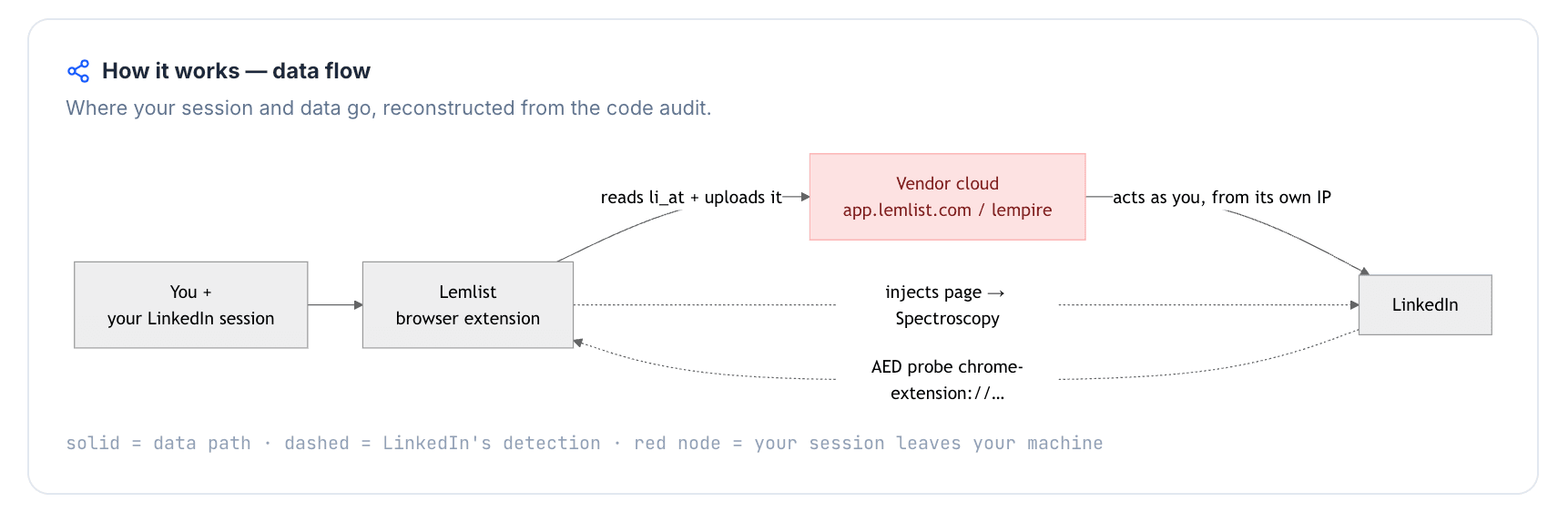
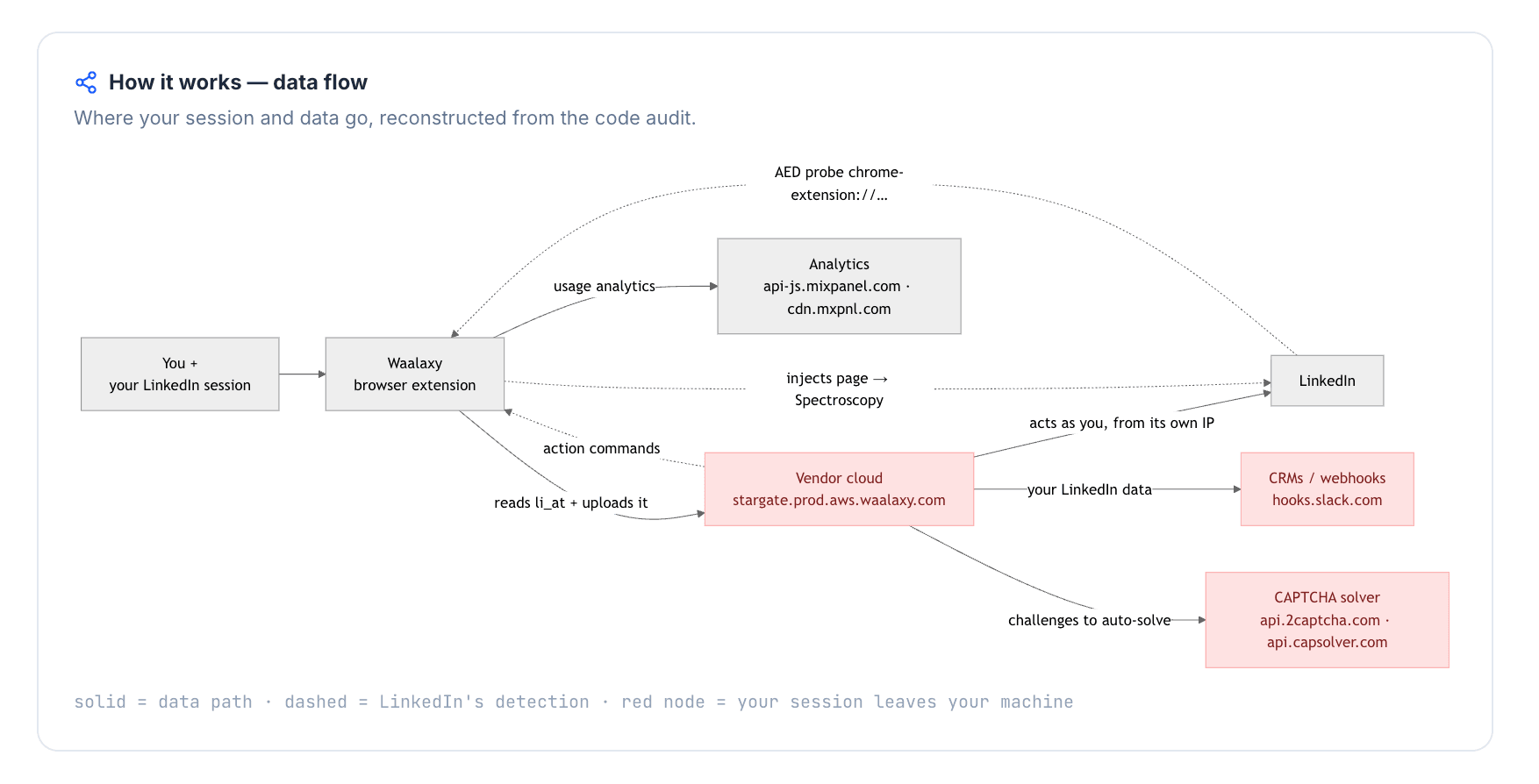
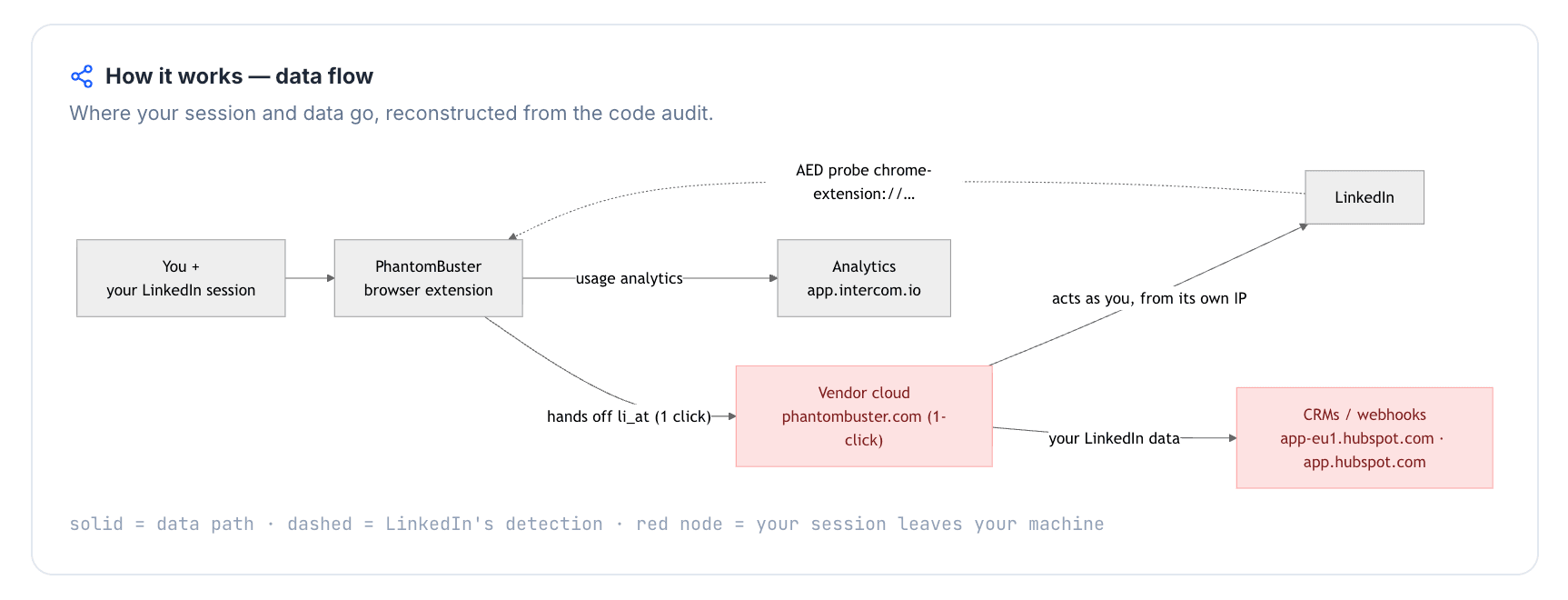
Safety terms used in the takeaways below: IPQualityScore (IPQS) is an independent IP-quality signal, not LinkedIn's enforcement verdict; li_at is the LinkedIn session cookie; AED means LinkedIn's extension-probe label, where being listed can make "installed" visible before a campaign action runs. Datacenter IP means rented server infrastructure rather than residential or mobile origin; cloud-bridge means a connector extension copies the LinkedIn login cookie to vendor cloud.
Key takeaways
- Linked Helper is our pick because the first-hand findings point back to custody: it is the only desktop tool here, while the tested cloud paths either moved the LinkedIn session into vendor infrastructure or assigned vendor-controlled exit IPs. That does not remove LinkedIn risk, but it keeps the login environment under the user's control instead of adding a second vendor-run session.
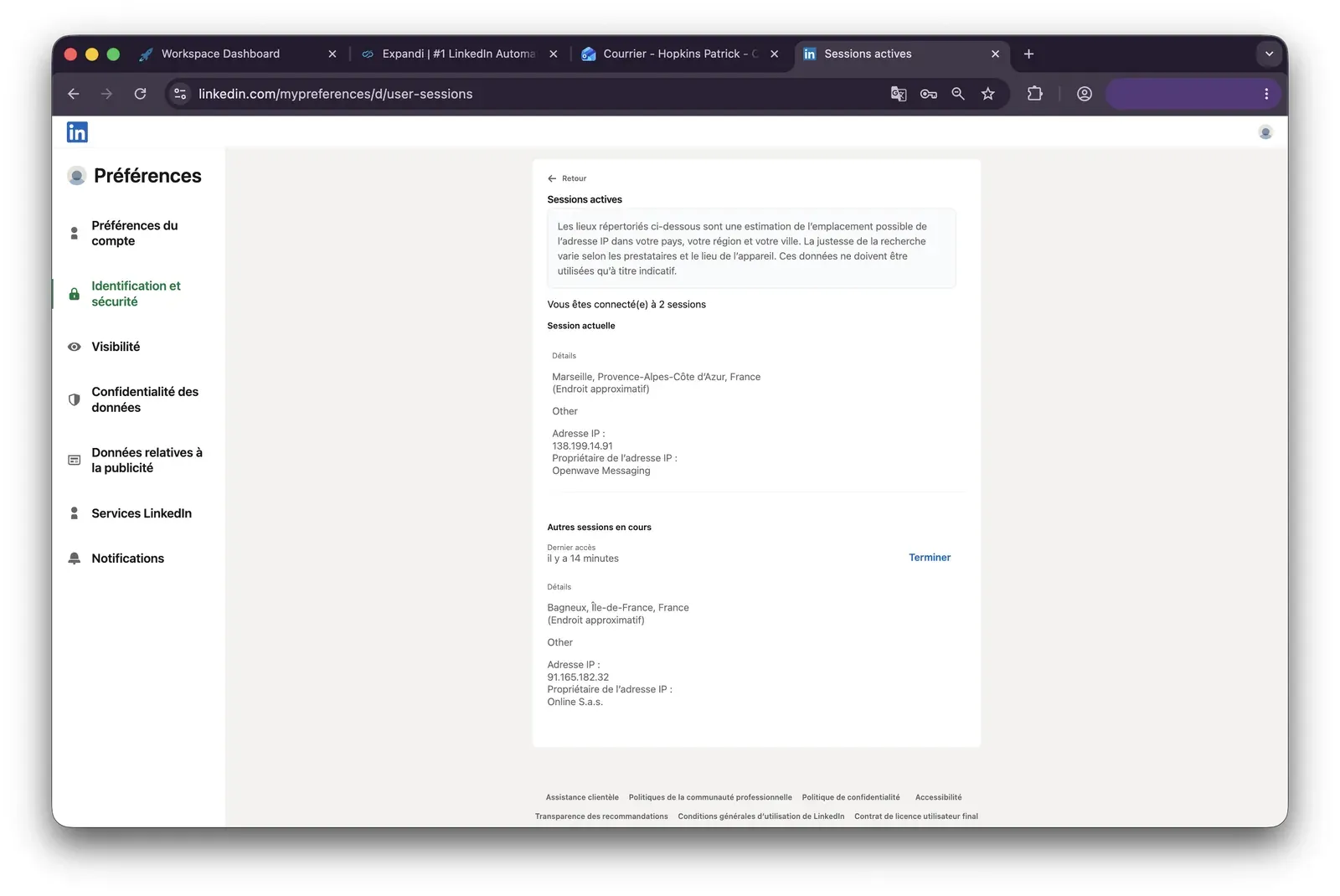
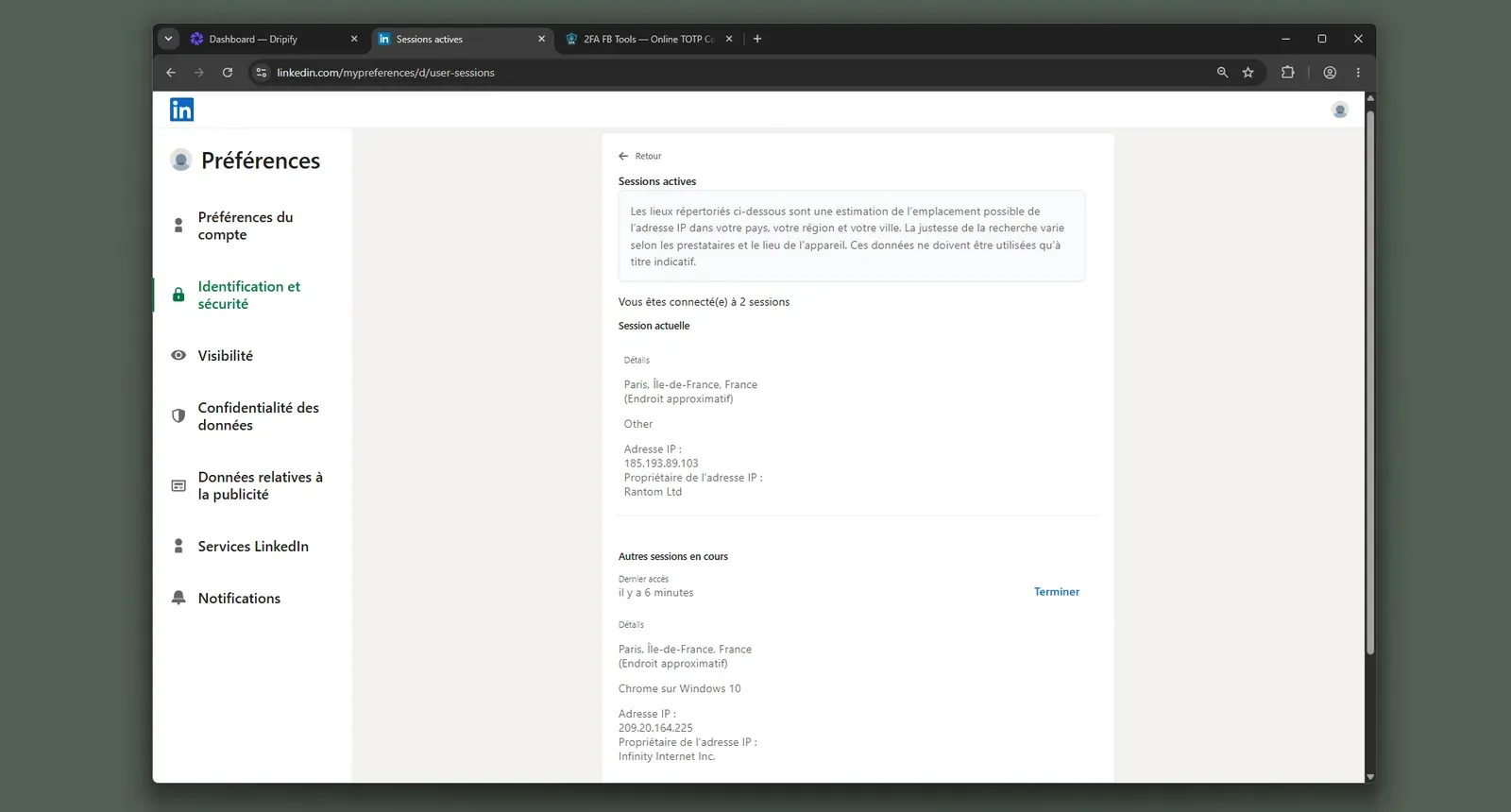
- The live cloud-IP checks were an IP lottery: 3 of the 4 LinkedIn sessions we could inspect carried high-risk IPQualityScore signals. Dripify put both accounts on HostRoyale datacenter IPs rated 94/100 for fraud, while one Expandi account drew a 100/100 fraud score; IPQualityScore is not LinkedIn's verdict, but for LinkedIn a personal account running from a risky server or abused IP adds another signal.
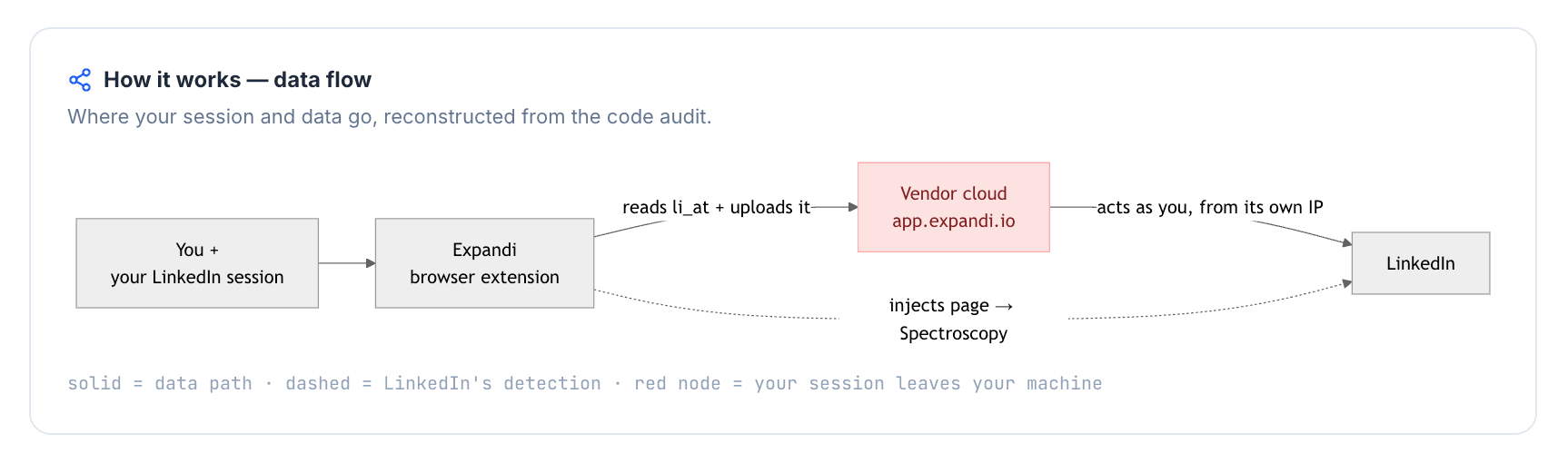
- The connector teardowns were not just browser-helper checks: all 4 extensions we unpacked for Lemlist, Waalaxy, Expandi, and PhantomBuster read or passed the
li_atLinkedIn session cookie to the vendor cloud.li_atis your login in cookie form, so once it leaves the browser, the vendor can operate the account without the password. - LinkedIn extension visibility was a real pattern, not theory: 3 of the 4 connector extensions we checked were on LinkedIn's AED probe list, meaning installed can be visible before any campaign action runs. Expandi was not on the June 2026 snapshot, but that does not undo the session-upload finding.
What Is La Growth Machine?
La Growth Machine is a French cloud platform for multichannel prospecting: it combines LinkedIn outreach, email, X touches, enrichment, campaign analytics, and CRM sync in one web app.
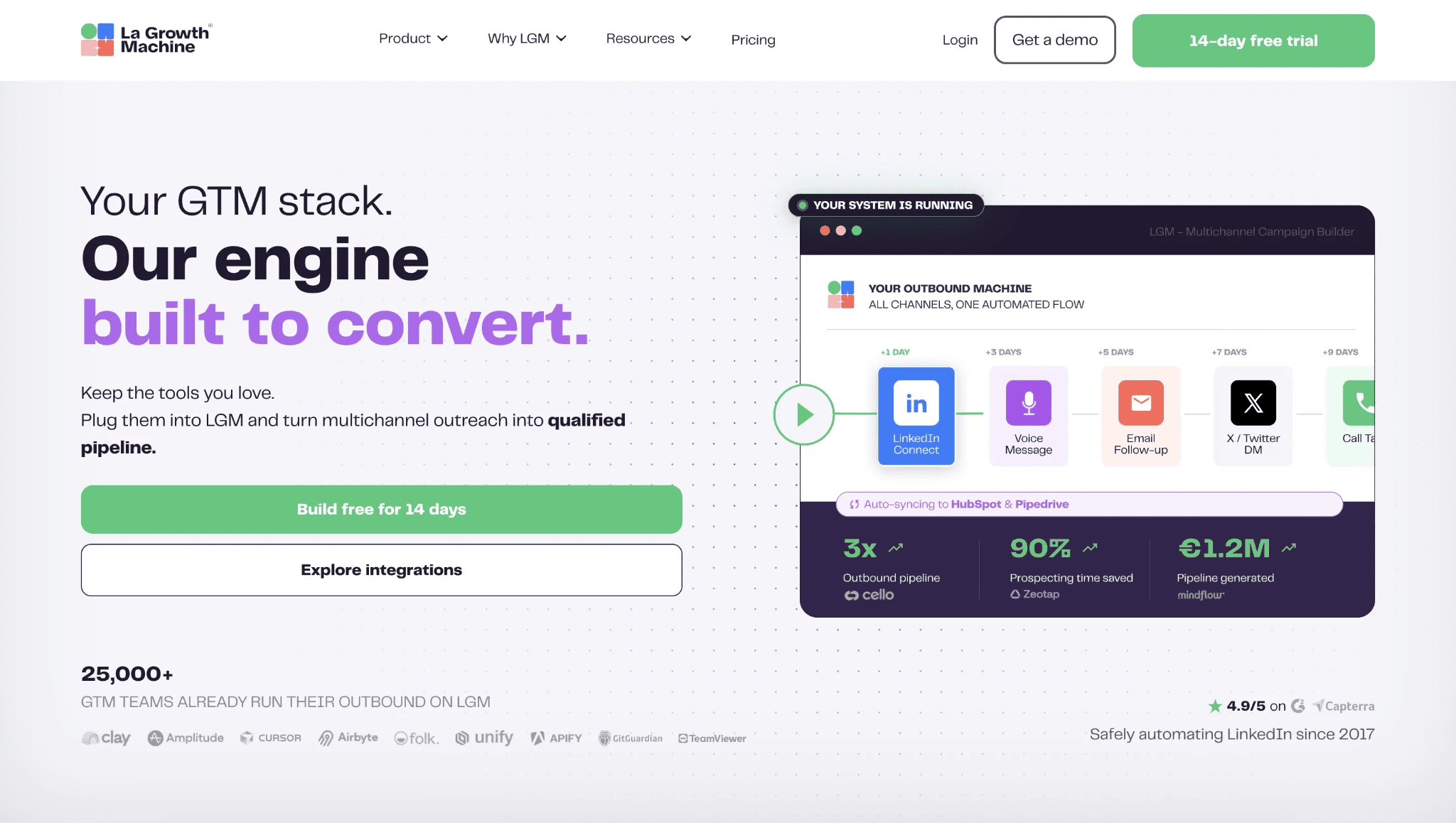
The product's G2 profile lists the company as founded in 2018 and based in Paris, France. Its core workflow is multichannel prospecting, meaning a sales team can import leads, enrich contact details, run LinkedIn and email sequences, add Twitter/X actions, and track replies from a shared inbox.
Public product descriptions and review profiles describe features such as LinkedIn lead imports, CSV imports, profile enrichment, Magic Messages for AI-assisted copy, CRM synchronization with HubSpot and Pipedrive, Zapier-based external sync, voice-message steps, and campaign templates. That scope is why La Growth Machine is often evaluated by teams that want LinkedIn and email in the same outbound workspace rather than a LinkedIn-only automation tool.
La Growth Machine at a Glance
La Growth Machine's strongest factual advantage is native multichannel outreach; the trade-off is that the same all-in-one model brings per-identity pricing, cloud session custody, and more setup complexity than many teams expect.
Strengths
- Native LinkedIn, email, and Twitter/X sequencing in one campaign builder.
- Lead enrichment for email, phone, Twitter/X, website, and profile data.
- Magic Messages for AI-assisted personalization.
- Unified inbox for LinkedIn and email replies.
- HubSpot and Pipedrive sync, plus Zapier for external workflows.
Limitations
- Per-identity pricing compounds quickly when a team adds senders.
- Review themes cite reliability issues, including campaigns stopping or behaving inconsistently.
- New users report a learning curve because the workflow builder has many options.
- CRM depth often depends on external sync paths, so teams should map connecting LinkedIn outreach to your CRM before switching.
- Cloud architecture means the LinkedIn session is handled in a vendor-managed environment.
Use case fit
La Growth Machine works for teams that need native LinkedIn plus email plus X in the same workflow and can absorb per-identity pricing. It is less direct for teams whose main priority is cheaper LinkedIn automation with tighter account-environment control.
Why Users Switch
Across 8,500+ reviews on G2, Capterra, and Trustpilot and 700+ Reddit threads about these tools, the switching pattern is cost first, reliability second, then operational control.
| Theme | Negative mentions |
|---|---|
| Per-identity pricing at team scale | La Growth Machine: 20 cost-topic mentions and 22 cost-pain reviews; category-wide: 1,000+ cost-tagged competitor reviews |
| Reliability breakdowns | La Growth Machine: 16 reliability-pain reviews, including campaigns stopping or behaving inconsistently |
| Onboarding complexity | La Growth Machine: 28 tool-complexity reviews and 22 negative ease-of-use mentions |
| Account-safety exposure | Category-wide: 134 safety-detection competitor reviews and 122 Reddit threads about account restrictions |
| CRM and data friction | Category-wide: 266 integration and 265 data-quality negative topic mentions |
Recurring switching themes in La Growth Machine reviews and category discussions
Sources: review-topic and Reddit-thread analysis for the selected tool set, rounded down for reader-facing counts. Review sources include G2, Capterra, and Trustpilot; discussion counts include Reddit threads mentioning at least one tool in the comparison set. Data reviewed as of July 2026.
The notable pattern is that La Growth Machine's own negative themes are not narrow feature complaints. The pricing model, campaign reliability, and onboarding curve all become more painful as the number of senders rises.
How We Evaluated These Alternatives
12+ tools, 8,500+ reviews, and 700+ Reddit threads analysed as of July 2026. We scored the final set against a documented model led by pricing at scale, then account safety, then workflow depth and operational fit.
Research Scope
The comparison covers Linked Helper, La Growth Machine, and seven alternative tools in depth, with additional category checks for context. The review set spans 3,398 G2 reviews, 1,591 Capterra reviews, and 3,781 Trustpilot reviews. We also used 729 Reddit threads mentioning at least one brand in the set, direct vendor/pricing pages, product documentation, and first-hand safety checks where available.
Evaluation Framework
Pricing carries the highest weight because this article is about La Growth Machine's per-identity cost at scale. Account safety comes next because the cheaper choice still has to respect where the LinkedIn session runs and which IP LinkedIn sees.
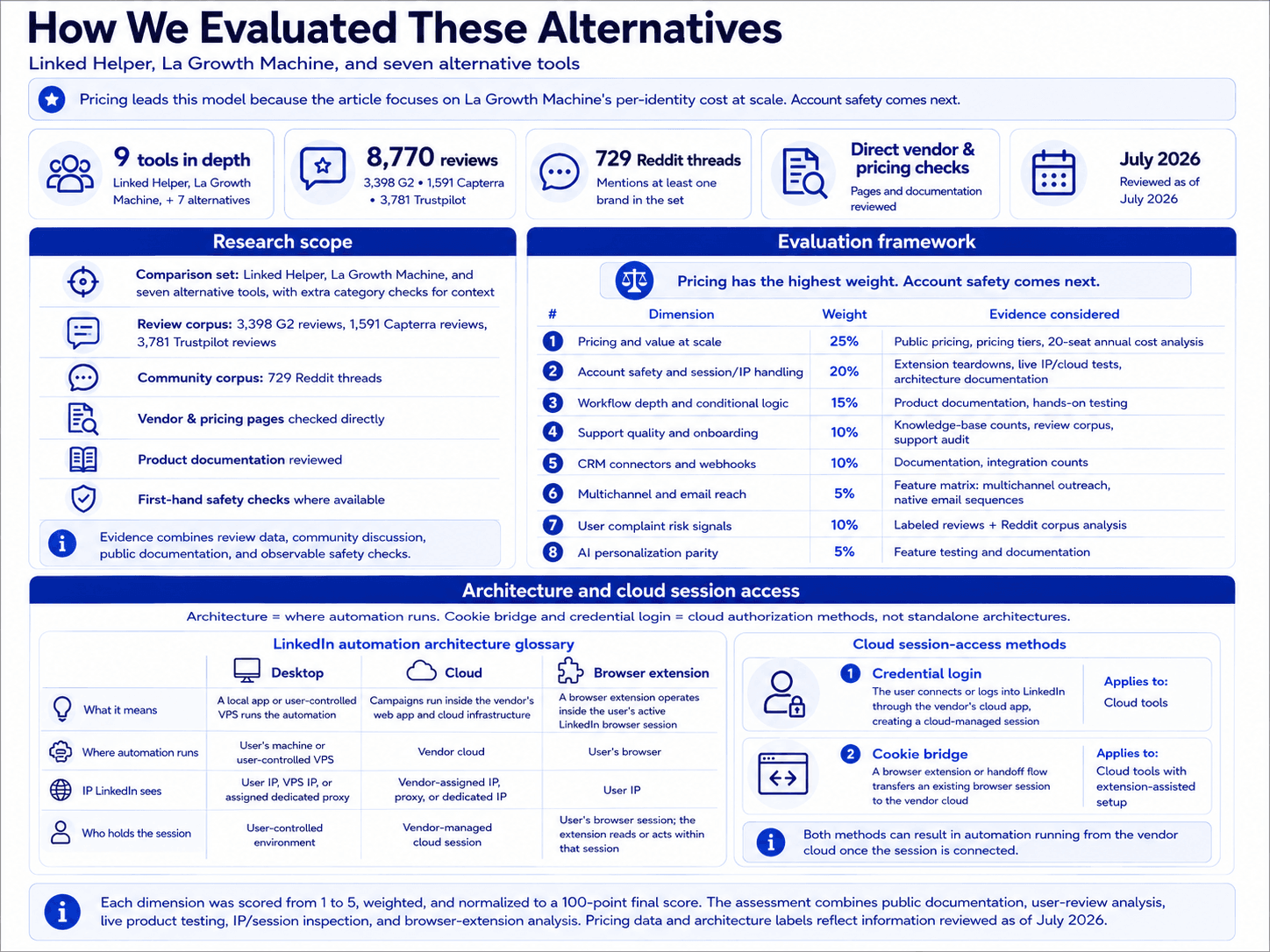
| Scoring dimension | Weight | Evidence considered |
|---|---|---|
| Pricing and value at scale | 25% | Public pricing, pricing_tiers, 20-seat annual-billing cost analysis |
| Account safety and session/IP handling | 20% | First-hand extension teardowns (session-handling audit), live IP/cloud tests, architecture documentation |
| Workflow depth and conditional logic | 15% | Product documentation, hands-on testing |
| Support quality and onboarding | 10% | Knowledge-base article counts, review corpus, support-channel audit |
| CRM connectors and webhooks | 10% | Documentation, integration counts |
| Multichannel and email reach | 5% | Feature matrix (multi_channel_outreach, native_email_sequences) |
| User complaint risk signals | 10% | Labeled reviews + Reddit corpus analysis |
| AI personalization parity | 5% | Feature testing and documentation |
LinkedIn automation scoring model
Each dimension was scored from 1 to 5, weighted, and normalized to a 100-point final score. The assessment combines public documentation, user-review analysis, live product testing, IP/session inspection, and browser-extension analysis. Pricing data and architecture labels reflect information reviewed as of July 2026.
Architecture is where automation runs: desktop, cloud, or browser extension. Cookie bridge and credential login are cloud authorization methods, not standalone architectures.
| Architecture label | What it means | Where automation runs | IP LinkedIn sees | Who holds the session |
|---|---|---|---|---|
| Desktop | A local app or user-controlled VPS runs the automation | User's machine or user-controlled VPS | User IP, VPS IP, or assigned dedicated proxy | User-controlled environment |
| Cloud | Campaigns run inside the vendor's web app and cloud infrastructure | Vendor cloud | Vendor-assigned IP, proxy, or dedicated IP | Vendor-managed cloud session |
| Browser extension | A browser extension operates inside the user's active LinkedIn browser session | User's browser | User IP | User's browser session; the extension reads or acts within that session |
LinkedIn automation architecture glossary
Architecture labels describe where automation runs. They do not by themselves determine the final product score; risk also depends on session transparency, proxy controls, throttling, workspace governance, and observed user complaints. Labels reflect public information reviewed as of July 2026.
| Session-access method | What it means | Applies to |
|---|---|---|
| Credential login | The user connects or logs into LinkedIn through the vendor's cloud app, creating a cloud-managed session | Cloud tools |
| Cookie bridge | A browser extension or handoff flow transfers an existing browser session to the vendor cloud | Cloud tools with extension-assisted setup |
Cloud session-access methods
Credential login and cookie bridge are authorization/session-access methods, not separate product architectures. Both can result in automation running from the vendor cloud once the session is connected.
8 Best La Growth Machine Alternatives Compared
| Tool | Architecture | Starting price / mo | 20-seat cost / yr | Automation method (human vs API) | Multichannel (LinkedIn+email) | Rating (avg, # reviews) |
|---|---|---|---|---|---|---|
| Linked Helper | Desktop standalone | $15/mo | $1,584/yr | Human-like mouse clicks and typing in a built-in browser | No (LinkedIn-only) | 4.77★ (573 reviews) |
| Lemlist | Cloud | $79/mo | $20,880/yr | Reverse-engineered LinkedIn API emulation | Yes | 4.4★ (409 reviews) |
| Waalaxy | Cloud | $42/mo | $4,900/yr | Reverse-engineered LinkedIn API-call emulation | Limited LinkedIn+email add-on | 4.65★ (2,025 reviews) |
| Expandi | Cloud | $99/mo | $18,960/yr | Unsafe reverse-engineered LinkedIn API emulation | Yes | 4.13★ (331 reviews) |
| Reply.io | Cloud | $99/mo | $21,360/yr | API emulation via Chrome extension | Yes — LinkedIn + email + WhatsApp/calls | 4.51★ (1,592) |
| Dripify | Cloud | $59/mo | $18,960/yr | Reverse-engineered LinkedIn API emulation | Yes | 4.63★ (1,172 reviews) |
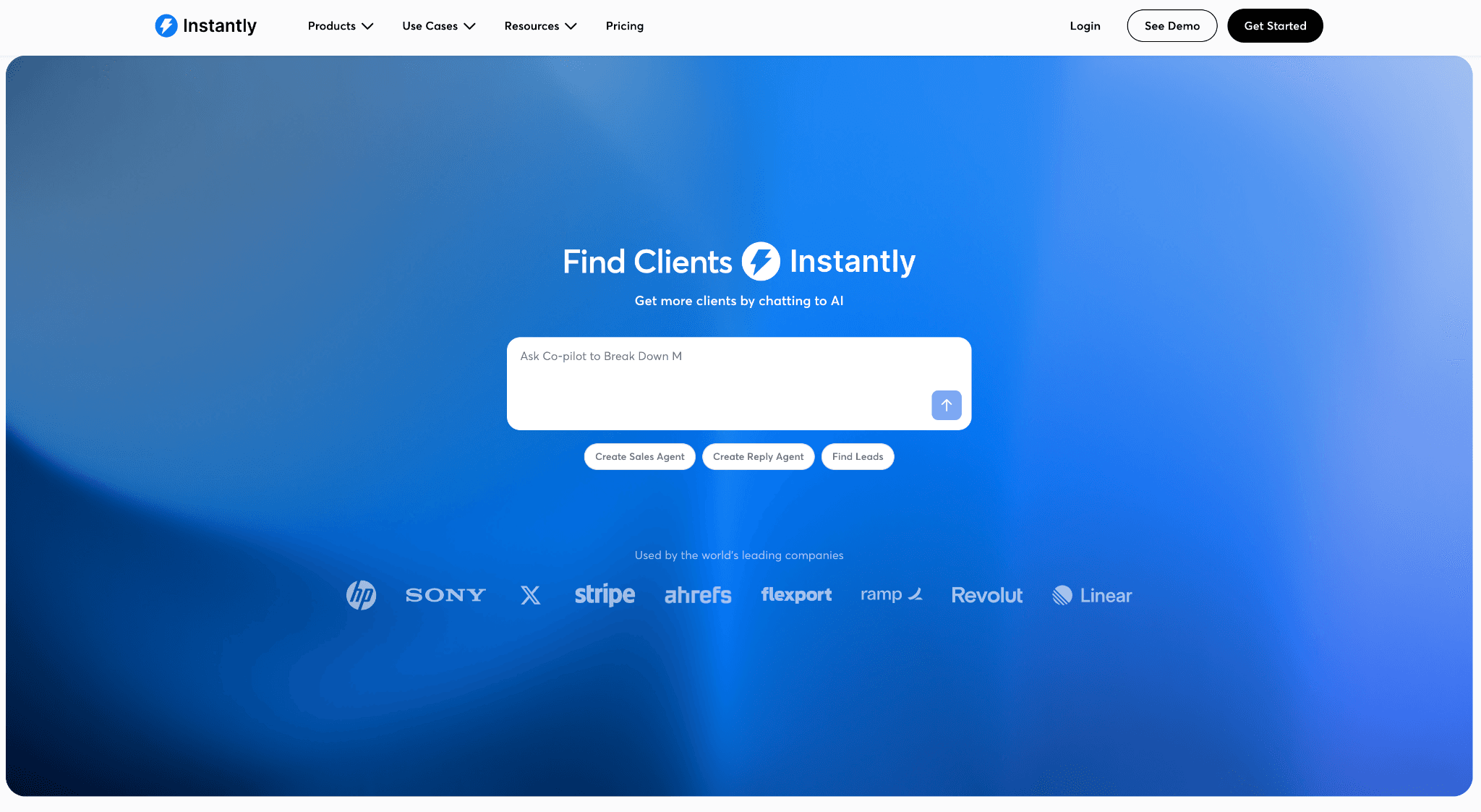
| Instantly.ai | Cloud | $47/mo | $9,024/yr | n/a — cold email; no LinkedIn automation documented | No — email-only for this comparison | 4.40★ (2,009 reviews) |
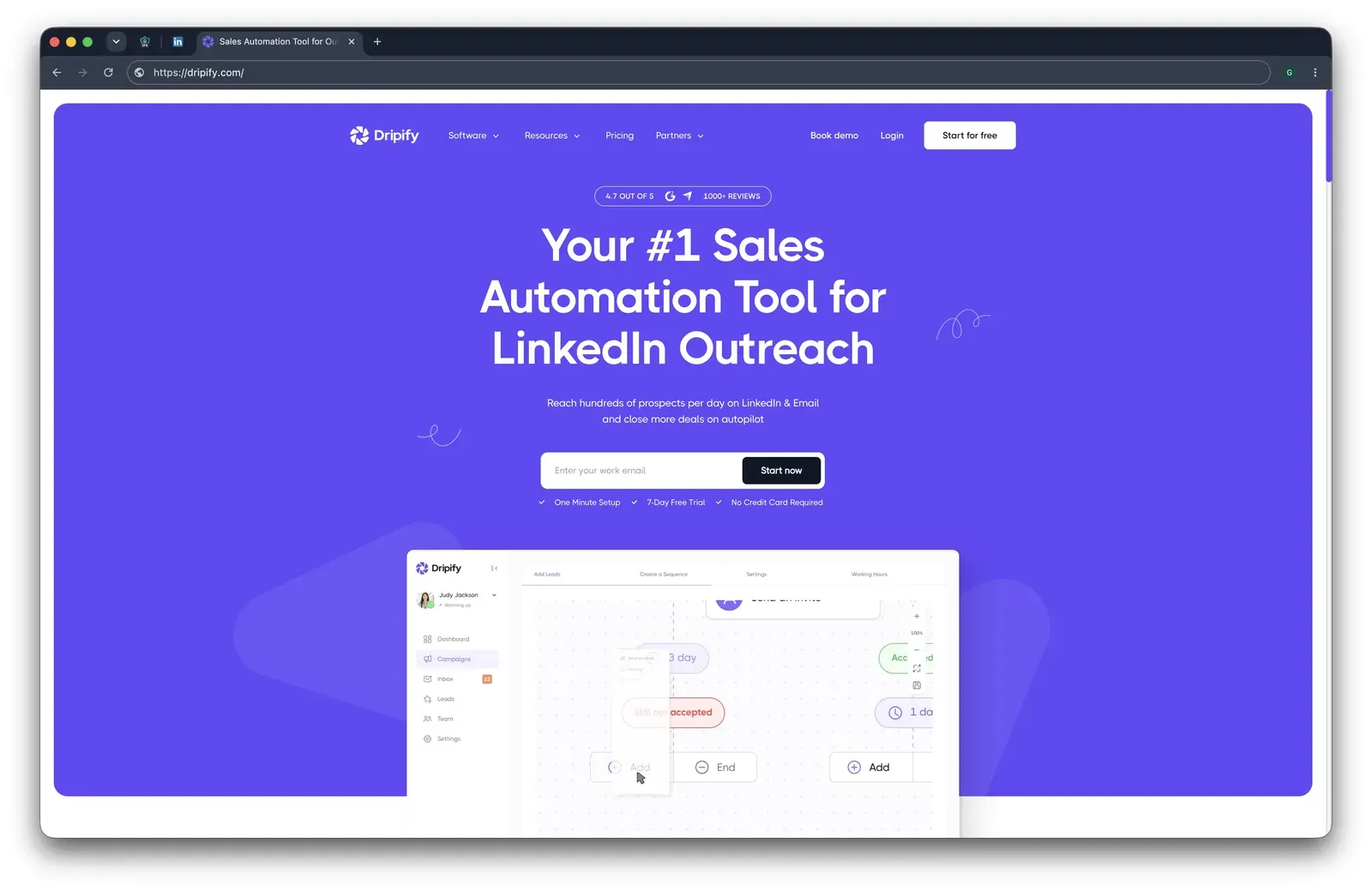
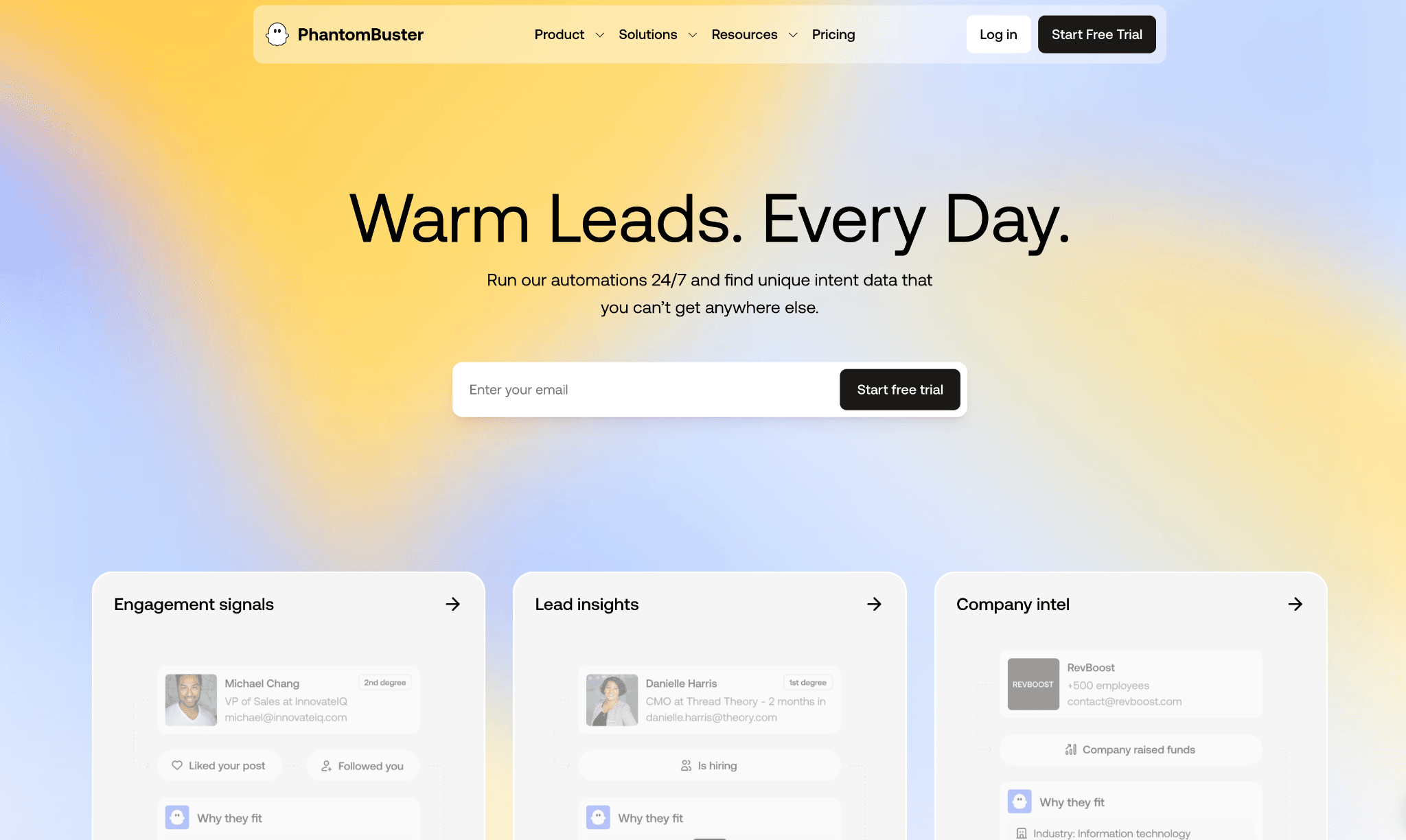
| PhantomBuster | Cloud | $69/mo | $4,212/yr est. | Reverse-engineered LinkedIn API emulation | Not confirmed | 4.0★ (209 reviews) |
La Growth Machine alternatives compared by architecture, cost, automation method, channel scope, and review rating
As of July 2026 · sources: vendor pricing pages, product documentation, public review aggregates, and first-hand safety checks where available. Pricing figures are estimates and should be verified before purchase.
The table keeps each row short so the per-brand sections can carry the evidence. Linked Helper is first by publisher rule; the remaining tools follow the ranked order used throughout the article.
1. Linked Helper
Linked Helper is the cost-and-custody outlier in this La Growth Machine comparison: a desktop standalone app where LinkedIn actions run from an environment you control, so the LinkedIn session token stays local instead of creating a second vendor-held login. Budget-conscious teams reach for it because Standard starts at $15/mo, while the trade-off is LinkedIn-first scope rather than native multichannel.
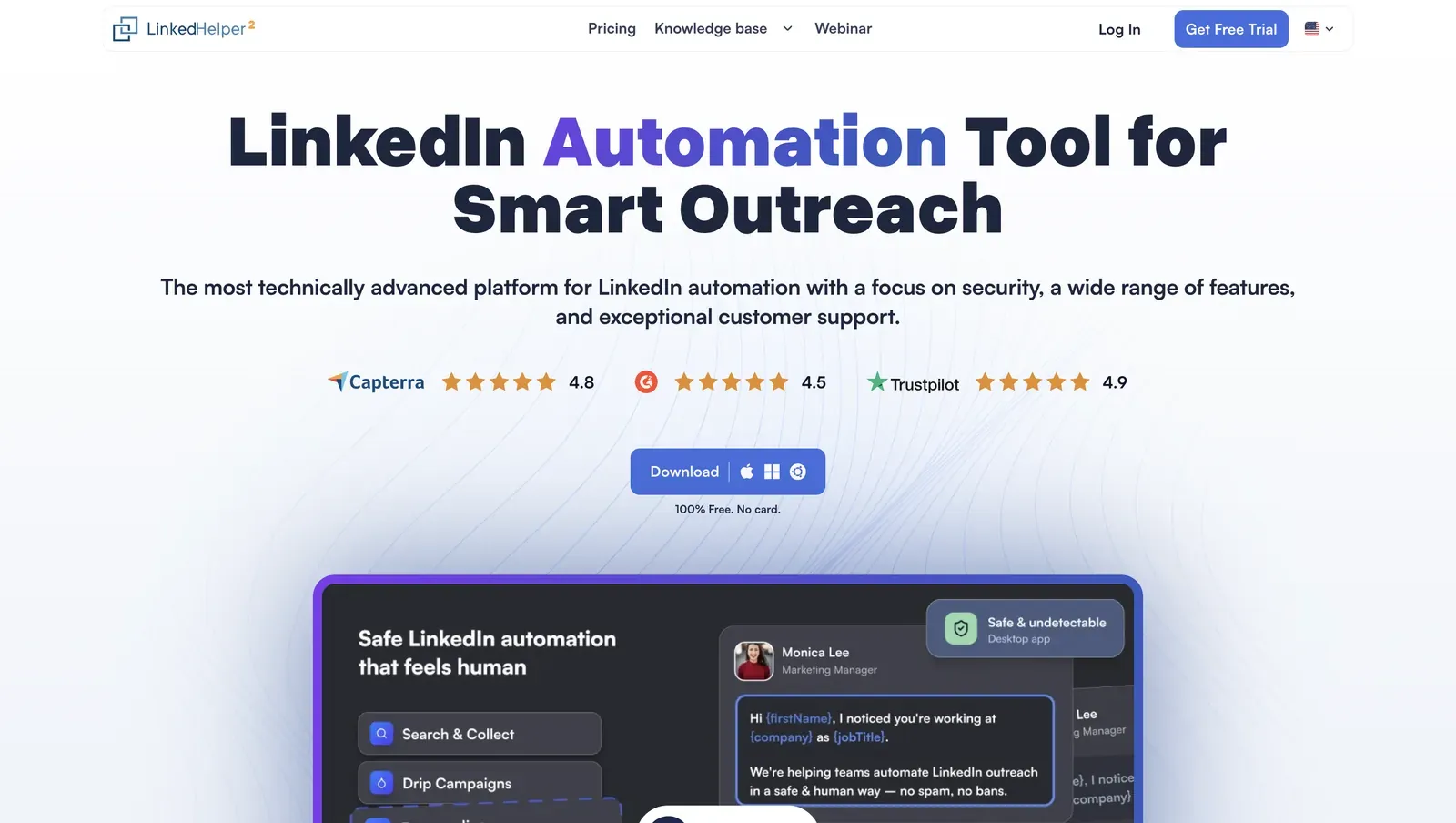
Homepage view with product positioning, review badges, and the desktop-app preview - July 2026
Founded in 2016 and headquartered in Wilmington, Delaware, Linked Helper runs campaigns through its built-in browser engine for connection requests, follow-ups, data collection, and CRM handoff. Web Version means login-based access to an LH instance on a VPS, which gives 24/7 operation while the work still happens outside a vendor campaign cloud. The pricing page lists a 12-month Standard license at $8.25/mo equivalent; 20 Standard seats are $3,600/year before duration and bulk discounts, and $1,584/year in this article's discounted agency table.
Quick facts about Linked Helper
- Founded: 2016
- HQ: United States (Wilmington, Delaware)
- Pricing: $15/mo ($8.25/mo annual), 14-day free trial
- G2: 4.5★ (142) · Capterra: 4.9★ (252) · Trustpilot: 4.91★ (431)
- Last 6 months: 4.61★ across 23 reviews; still above 4.5★
- Architecture: Desktop standalone (own-IP built-in browser)
Vendor pricing & feature pages (as of 2026-04-22) + G2, Capterra, Trustpilot & Reddit reviews (computed 2026-07-10)
Key Features
- Standalone browser automation -- LinkedIn actions run through Linked Helper's built-in browser with human-like mouse movement and typing, which means the account is not exposed through a Chrome extension ID or a reverse-engineered API replay.
- Own-IP custody and proxy checks -- per-account proxy support includes HTTP, HTTPS, SOCKS, and SOCKS5 plus an IPQS check, so a risky proxy can be flagged before the account connects through it.
- AI ICP detection -- automatic scoring reads collected profiles against your Ideal Customer Profile before outreach, which means the weekly invite budget is spent on matched prospects instead of noisy search results.
- AI messages with a review gate -- generated invites or follow-ups can be auto-sent or held for manual review and edit, which keeps personalization inside the campaign without forcing every high-value lead into blind automation.
- LinkedIn source breadth -- Linked Helper collects from 13 LinkedIn sources across Basic LinkedIn, Recruiter, and Sales Navigator, which gives teams more ways to build a list before paying for another enrichment layer.
- 11 direct CRM connectors -- ActiveCampaign, Capsule, Close.io, HighLevel, HubSpot, Instantly, Pipedrive, Salesforce, Streak, Zoho, and Zoho Recruit connect directly, with Zapier and Make available through webhooks, so the CRM handoff is not only a Zapier workaround.
The pattern is price plus usable output: the recent 23-review sample still averages 4.61★, while the all-time review set sits at 4.85★ across 825 reviews. Because the recent sample is lower than the all-time mean, we treat the support and reliability complaints below as real watch points, not noise around an otherwise clean rating.