8 Best Salesflow Alternatives for LinkedIn Automation in 2026

8 Best Salesflow Alternatives for LinkedIn Automation in 2026

Milosh Potikj

B2B Content Strategist & Writer

Updated atUpdated: July 23, 2026Read time53 min read
Quick Answer

Linked Helper is the best Salesflow alternative for users who prioritize support depth and price. Its desktop architecture keeps the LinkedIn session on your machine, unlike Salesflow's cloud model. Plans start at $15/mo with a 14-day trial, versus $99/mo and seven days for Salesflow. We compared these tools on support, price, and architecture; Linked Helper provides 262 knowledge-base articles and six support channels, versus 116 articles and one channel for Salesflow.

ToolPrice tier20-seat agency cost (annual billing), /yearCost vs Salesflow
Linked HelperBudget$1,58476% cheaper
SalesflowBudget (anchor)$6,712Baseline
Dux-SoupBudget$9,00034% more
WaalaxyMid-range$13,20097% more
ExpandiPremium$18,960182% more
SkyleadPremium$20,000198% more
LemlistPremium$20,880211% more
Reply.ioPremium$21,360218% more
La Growth MachinePremium$26,400293% more

Price tier and 20-seat agency cost at annual billing, side by side

Pricing data as of July 2026. For the 20-seat agency scenario, costs use the feature-appropriate agency tier per brand: Linked Helper Standard (with its 20% 20-seat volume discount stacked on the annual rate), salesflow Pro, Expandi Business, Lemlist Multichannel Expert, La Growth Machine Pro, Waalaxy Business, skylead All-in-one, Reply.io Multichannel, Dux-Soup Turbo Dux. Figures assume annual billing where available. Cost vs Salesflow is each brand's annual cost compared to Salesflow's own $6,712/yr (the anchor this article is about).

Publisher disclosure

This article is published by Linked Helper. Linked Helper is our product and our top recommendation. We use the same evaluation framework for every tool in this comparison — see "How We Evaluated These Alternatives" and "Methodology Deep-Dive" below for the full dataset and first-hand test methodology.

For the cloud IP checks below, I used IPQualityScore (IPQS), an independent fraud-prevention service. IPQS scores IP reputation from 0–100 and treats 75+ as high-risk on its scale. This is an independent IP-quality signal, not LinkedIn's enforcement verdict.

Key takeaways

  • Linked Helper is our pick: all four competitor Chrome extension builds we inspected copied the LinkedIn session cookie to the vendor’s cloud in at least one mode—Dux-Soup only in Cloud mode and Waalaxy in its now-delisted Chrome extension—while Linked Helper is a standalone desktop app that keeps session custody local and leaves no browser-extension footprint. This removes one session-handoff surface, but not all risk of LinkedIn restrictions.
  • Across four account-level exits in our two cloud IP tests, IPQualityScore returned 100/100 for three: Expandi split 100 and 0 across two residential networks, while Skylead gave both accounts the same 100/100 datacenter IP. An abuse-flagged or datacenter exit adds a network-risk signal and shows why assigned-infrastructure quality and separation matter; IPQualityScore is not LinkedIn's enforcement verdict.
  • Three of the four extension builds we inspected—Dux-Soup, Lemlist, and Waalaxy's historical build—appeared on LinkedIn's Active Extension Detection probe list, so LinkedIn could see installation before a campaign ran; Expandi's absence from the June 2026 snapshot is not a safety guarantee (see how LinkedIn probes for installed extensions).
  • Every live trial gate we checked—Expandi, Skylead, and Dux-Soup—required a card. Dux-Soup's test produced no trial despite its current 14-day, no-card claim, while Skylead starts billing when a second account is added during its trial, so verify access and cancellation terms before connecting a team.

What Is Salesflow?

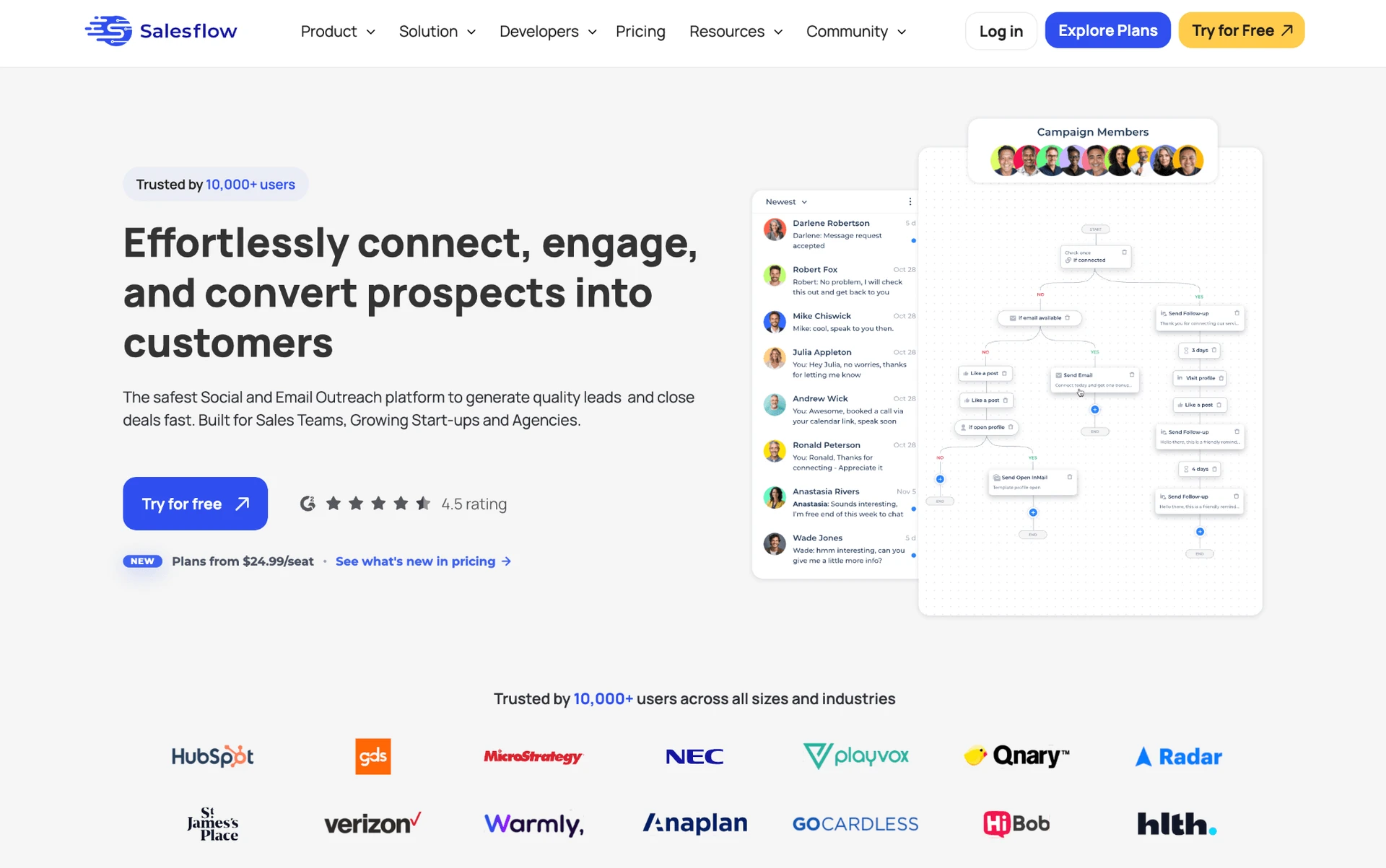
Salesflow is a cloud-based B2B prospecting platform for LinkedIn and email outreach. Founded in 2018 and headquartered in the United Kingdom, the company is led by founder Besnik Vrellaku. Campaigns run from a web workspace rather than a local desktop application.
What Is Salesflow?

Salesflow handles personalized connection requests and follow-up messages. Its workspace also covers:

  • InMail and email steps.
  • A lead-management inbox and team campaign sharing.
  • Sales Navigator and CSV import and export.
  • Campaign analytics and CRM-connected workflows.
  • Campaign scheduling across configured working hours.

Each paid seat connects one LinkedIn account. The standard entry price is $99 per connected account each month, with a seven-day trial.

Salesflow at a Glance

Salesflow centralizes LinkedIn and email activity in a cloud workspace. The trade-offs appear in support coverage, per-seat economics, and recurring complaints about usability and account connections.

Strengths

  • LinkedIn connection requests, follow-ups, InMail, and email steps can share one campaign workspace.
  • Sales Navigator compatibility supports list-based prospecting and outreach.
  • Team controls cover campaign sharing, permissions, and centralized reporting.
  • CSV workflows and integrations connect campaign data with sales operations.
  • Working-hour schedules distribute eligible actions across the campaign window.

Limitations

  • Entry pricing is $99/mo per account, with no permanent free tier and a seven-day trial.
  • Support infrastructure comprises one direct channel and 116 knowledge-base articles.
  • Review patterns include slow support responses, unintuitive workflows, broken statistics, and recurring LinkedIn disconnections.
  • Some reviewers reported email or multichannel gaps, despite the product's combined-channel scope.

Typical Use Case

  • Salesflow targets sales teams and agencies running centralized LinkedIn-and-email campaigns; that centralization comes at per-account cloud pricing.

Why Users Switch

Support and price tied for the lead among complaint themes in the 5,800+ reviews and 340+ Reddit threads we analyzed. Multichannel gaps appeared less often.

ThemeNegative mentions
Support responsiveness / channel breadth8
Pricing and per-seat cost8
Multi-channel / email gaps4

Negative Salesflow-alternative themes across reviews and Reddit discussions

Source: review analysis across G2, Capterra, Trustpilot, and Reddit; reviewed as of July 2026.

Service friction becomes harder to accept as per-seat costs rise. Multichannel gaps still formed a distinct operational reason to look beyond Salesflow.

How We Evaluated These Alternatives

9+ tools, 5,800+ reviews, 340+ Reddit threads analyzed (as of July 2026).

Dataset

We covered Salesflow and the eight alternatives below. We analyzed 2,416 G2, 1,130 Capterra, and 2,295 Trustpilot reviews, plus 340+ relevant Reddit threads. We also checked vendor documentation and pricing pages directly.

Evaluation Framework

We applied the same sales automation evaluation criteria to every tool. Support carries the greatest weight, followed by pricing; the table below shows the full model.

Scoring dimensionWeightEvidence considered
Support quality and onboarding25%Reviews, Capterra support rating, KB article count, support-channel count
Pricing and value at scale20%Public pricing, 20-seat agency cost analysis
Workflow depth and conditional logic15%Hands-on testing, product documentation
Architecture and session/IP handling10%Extension teardowns, IP/cloud tests, documentation
CRM connectors and webhooks10%Documentation, product testing
Account-scale controls5%Documentation, hands-on testing
User complaint risk signals10%Review corpus and Reddit analysis
AI personalization parity5%Feature testing and documentation

LinkedIn automation scoring model

Each dimension was scored from 1 to 5, weighted, and normalized to a 100-point final score. The assessment combines public documentation, user-review analysis, live product testing, IP/session inspection, and browser-extension analysis. Pricing data and architecture labels reflect information reviewed as of July 2026.

For products we tested, we mapped four execution and session-access patterns: desktop standalone, cloud credential login, cookie-bridge/session upload, and local-scrape extension. The reader-facing labels below group those patterns into three architectures. Architecture shows where automation runs; credential login and cookie bridge describe how a cloud session is authorized.

Architecture labelWhat it meansWhere automation runsIP LinkedIn seesWho holds the session
DesktopA local app or user-controlled VPS runs the automationUser's machine or user-controlled VPSUser IP, VPS IP, or assigned dedicated proxyUser-controlled environment
CloudCampaigns run inside the vendor's web app and cloud infrastructureVendor cloudVendor-assigned IP, proxy, or dedicated IPVendor-managed cloud session
Browser extensionA browser extension operates inside the user's active LinkedIn browser sessionUser's browserUser IPUser's browser session; the extension reads or acts within that session

LinkedIn automation architecture glossary

Architecture labels describe where automation runs. They do not by themselves determine the final product score; risk also depends on session transparency, proxy controls, throttling, workspace governance, and observed user complaints. Labels reflect public information reviewed as of July 2026.

Cloud tools reach that vendor-managed session one of two ways, and the distinction matters for what data leaves the user's browser:

Session-access methodWhat it meansApplies to
Credential loginThe user connects or logs into LinkedIn through the vendor's cloud app, creating a cloud-managed sessionCloud tools
Cookie bridgeA browser extension or handoff flow transfers an existing browser session to the vendor cloudCloud tools with extension-assisted setup

Cloud session-access methods

Credential login and cookie bridge are authorization/session-access methods, not separate product architectures. Both can result in automation running from the vendor cloud once the session is connected.

8 Best Salesflow Alternatives Compared

Linked Helper appears first as our disclosed recommendation; the other tools follow the evaluation ranking.

ToolArchitecturePrice/moRating ★Support (G2) ★KB ArticlesFree Trial
Linked HelperDesktop$15/mo4.77★4.87★26214d
ExpandiCookie-bridge/session-upload$99/mo4.19★4.62★1637d
LemlistCloud-bridge / session-upload$69/mo email-only; $109/mo multichannel4.4★4.52★30414d
La Growth MachineCloud$70/mo4.75★ (Trustpilot sample too thin to include)4.38★13314d
WaalaxyCloud (credential + permanent-2FA-secret login)$42/mo4.57★4.34★13714d
SkyleadCloud$100/mo4.65★4.8★Not available7d
Reply.ioCloud + Chrome extension$99/mo4.51★4.37★36914d
Dux-SoupHybrid: local-scrape extension; Cloud cookie-bridge$14.99/mo4.42★4.62★14d

Eight Salesflow alternatives compared on support, pricing, ratings, and architecture

This table separates overall rating from Capterra's customer-support rating, so a broad satisfaction score does not hide the support-specific result.

Architecture uses the execution-location definitions above. Price/mo is the public starting price, while the At-a-Glance table models the feature-appropriate annual tier at 20 seats.

The synthesized rating summarizes public reviews. The support column keeps the narrower Capterra service score visible, while trial length shows the evaluation window rather than the value of the paid plan.

As of July 2026 · sources: vendor pricing pages, product documentation, G2, Capterra, Trustpilot, and first-hand checks where available.

1. Linked Helper

Linked Helper runs its own browser on a machine or VPS you control. The authenticated LinkedIn session stays out of vendor-cloud custody. A one-month license costs $15. The trade-off is managing local execution or arranging a VPS.
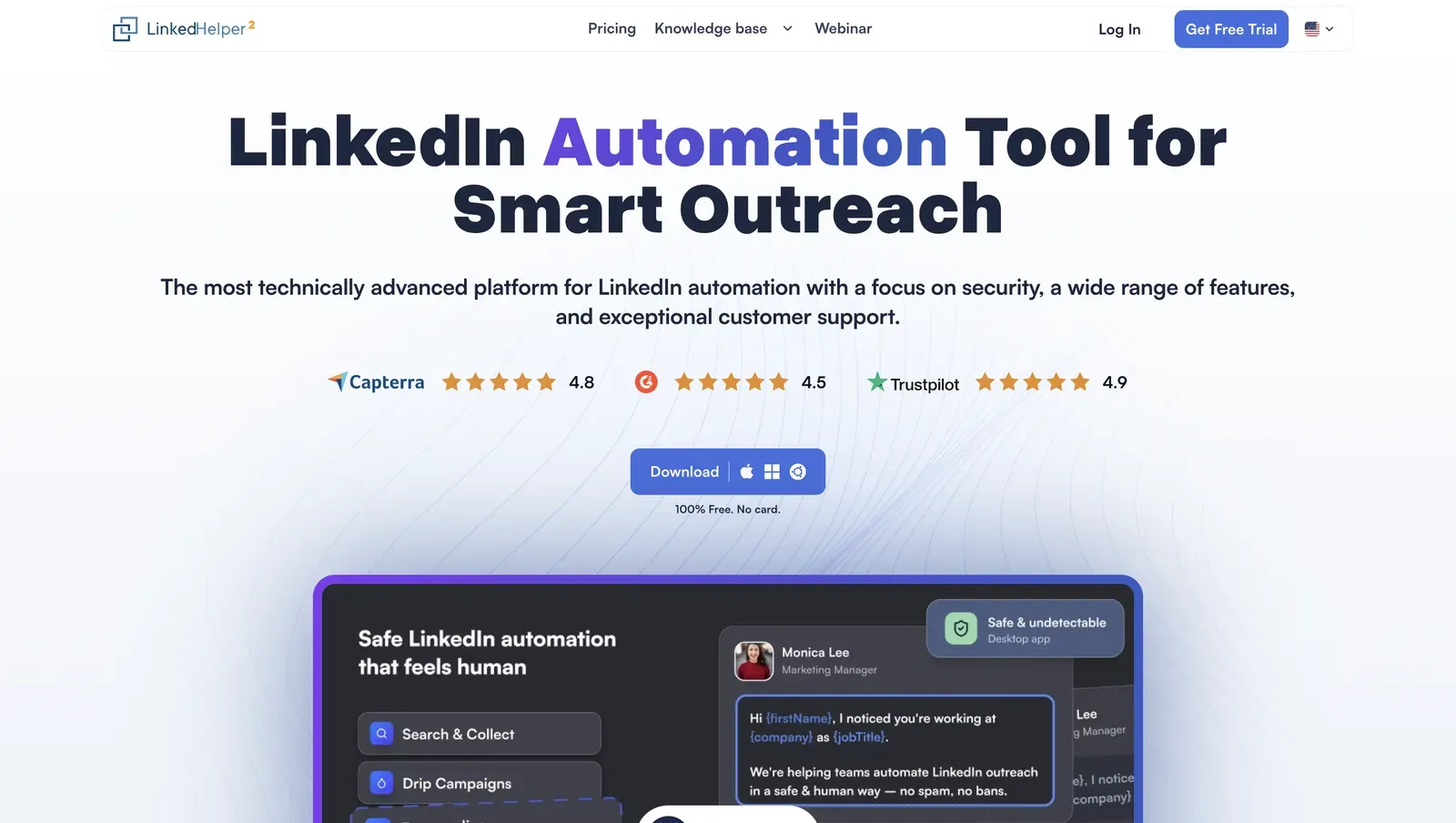
Linked Helper marketing homepage - July 2026

The homepage presents the desktop app, public review badges, and a product-interface preview - July 2026

Founded in 2016 in Wilmington, Delaware, Linked Helper is a standalone app. Sales teams use it for outreach and CRM handoff across LinkedIn, Sales Navigator, and Recruiter.

A 12-month Standard license works out to $8.25/month with a 14-day trial. With VPS and proxy costs, continuous operation can lift the solo budget to $35–55/month. The entry license is not the 24/7 cost.

Quick facts about Linked Helper

  • Founded: 2016
  • HQ: United States (Wilmington, Delaware)
  • Pricing: $15/mo ($8.25/mo equivalent on a 12-month license), 14-day free trial
  • G2: 4.56★ (142) · Capterra: 4.9★ (252) · Trustpilot: 4.91★ (431)
  • Last 6 months: 4.86★ across 21 reviews — positive recent average; thin sample
  • Support infrastructure: 262 knowledge-base entries · 6 direct channels
  • Architecture: desktop app with its own browser; execution stays on the user's machine or VPS

Vendor pricing & feature pages (as of 2026-07-20) + G2, Capterra, Trustpilot & Reddit reviews (computed 2026-07-20)

Key Features

  • AI ICP detectionscores full profiles against an Ideal Customer Profile before outreach, helping prevent weak matches from consuming LinkedIn’s limited weekly invitation allowance.
  • AI-personalized messagescreates a unique message for each prospect from their profile and company data. Currently available through the Invite and follow-up campaign template, drafts can be reviewed, edited, and approved manually—or auto-approved for automatic sending.
  • AI comments, editing, and replies — generates personalized comments to warm up prospects, rewrites, shortens, or translates campaign copy with the AI Editor, and suggests context-aware replies based on conversation history.
  • LinkedIn-native invitation actionsinvites first-degree connections to events and groups or to follow a company page as part of an automated campaign.
  • Data enrichment and account extractionretrieves emails, phone numbers, and profile or company data without visiting LinkedIn profiles; Organization and Employees extractors can also turn company lists into company records and keyword-filtered employee lists.
  • 11 direct CRM connectorsconnects to 11 CRMs, with Zapier and Make available through webhooks, reducing middleware hops.

The pattern is breadth, not unanimity: Linked Helper's 250+ knowledge-base entries and six support channels (website chat, built-in in-app chat, WhatsApp, Facebook Messenger, in-app ticket, email) exceed Salesflow's 116 and one.
What reviewers say about Linked Helper

Bottom line

Salesflow covers LinkedIn outreach, but Linked Helper goes further: its AI creates a unique, profile-based message for every lead instead of only generating reusable templates, and it automates a broader range of LinkedIn actions. Linked Helper also enriches profiles with emails and other contact data—a capability Salesflow lacks—then sends those leads directly to Instantly or, via webhooks, to other tools for email outreach. It does not provide native email sequencing itself.

Continuous operation also adds VPS and proxy cost. If Salesflow's single support channel and $99 monthly seat are the lead pains, Linked Helper's 250+ knowledge-base entries, six channels, and $15 license address that gap.

Linked Helper's own data shows a ~4-minute median first-response time over the last 12 months, 24/7.

2. Expandi

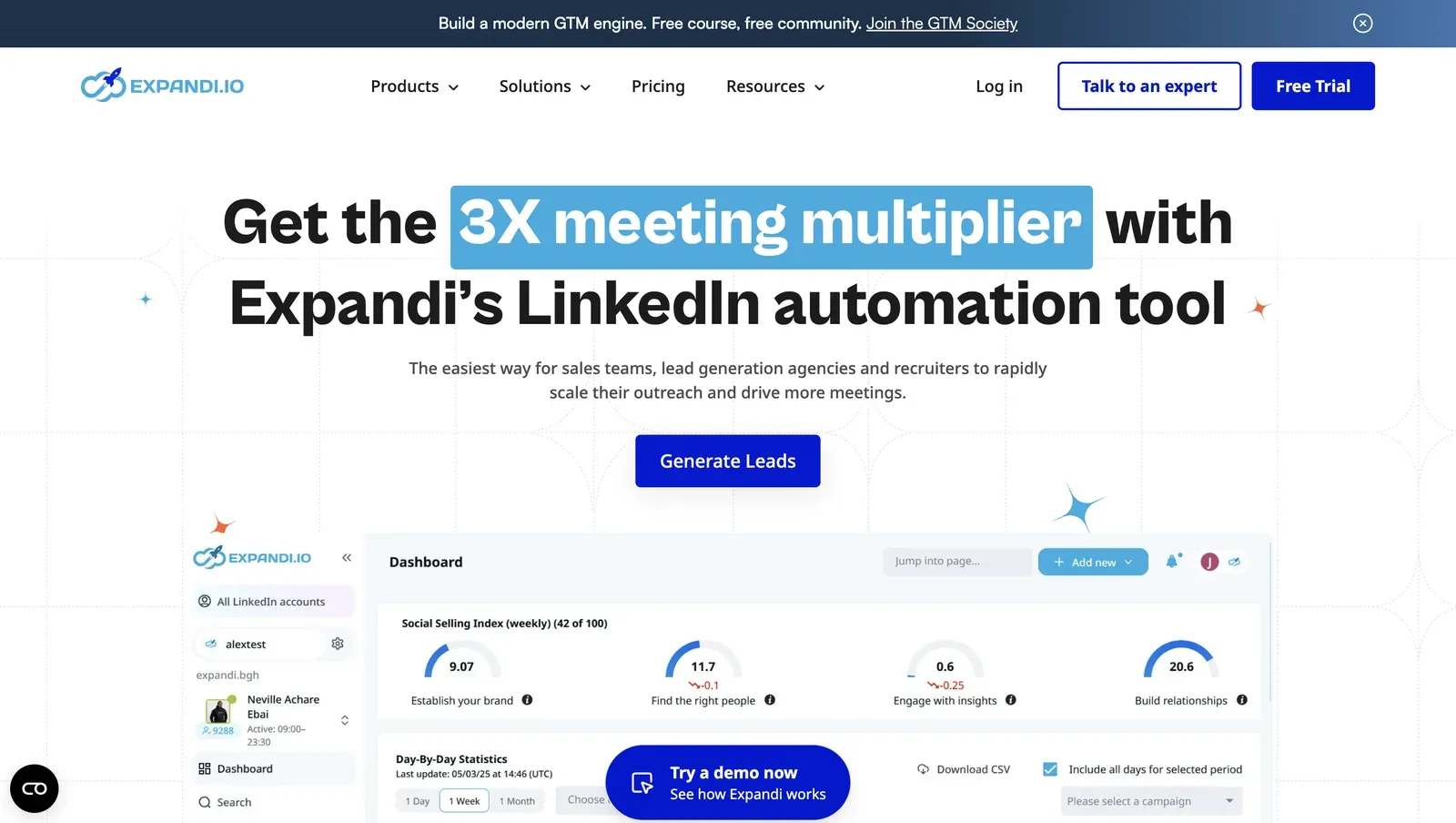
Founded in 2019 and headquartered in Ohio, US, Expandi combines LinkedIn and email outreach in one web workflow. It charges $99 per seat monthly and includes permission controls for coordinating client accounts.

Expandi outreach dashboard preview - July 2026

Expandi's web workspace combines outreach controls and campaign reporting - July 2026

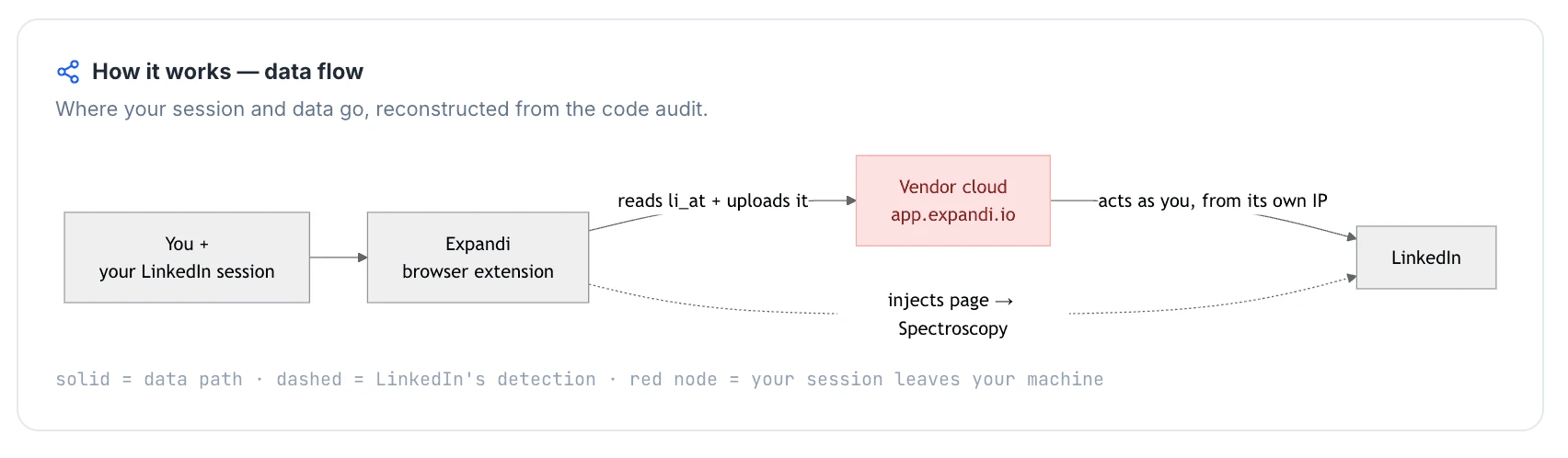
Its cookie-bridge connector transfers the LinkedIn session to vendor-controlled cloud execution. Account activity then inherits infrastructure and fingerprints outside the user's browser.

Its annual billing lowers the per-seat equivalent to $79. At that rate, a 20-seat roster costs $18,960/year on a straight per-seat calculation—close to Salesflow's premium pricing rather than a lower-cost alternative.

The 7-day trial requires a card. Buyers should inspect the cancellation path before connecting multiple accounts.

Quick facts about Expandi

  • Founded: 2019
  • HQ: Ohio, US
  • Pricing: $99/mo ($79/mo annual), 7-day card-required trial
  • G2: 4.16★ (98) · Capterra: 4.35★ (31) · Trustpilot: 4.07★ (202)
  • Last 6 months: 4.58★ (up) across 31 reviews — concentrated onboarding-review wave
  • Architecture: cookie-bridge/session-upload connector with cloud execution

Vendor pricing and help pages (as of June 2026) + G2, Capterra, Trustpilot and Reddit reviews (computed July 2026)

Key Features

  • Conditional sequences — Expandi branches by prospect behavior. Its 9 IF conditions and 11 actions reduce the need to split routing across campaigns.
  • LinkedIn and email follow-ups — Expandi supports connection requests and follow-ups. It combines LinkedIn messages and email in one sequence, so teams can coordinate both channels from one workflow.
  • Agency controls — The Agency tier includes 110+ permissions, per-client LinkedIn-account isolation, and a Customer Success Manager for delegated account operations.
  • Country-selectable IP assignment — Sign-up offered 96 locations. This gives geographic control but does not guarantee consistent IP reputation.
  • CRM connectionsHubSpot, Pipedrive, and Salesforce are the three named CRM integrations.

What Reviewers Highlight

Expandi documents more support infrastructure than Salesflow: We counted three public channels and 163 knowledge-base articles. Salesflow has one channel and 116 articles. Channel count alone does not measure escalation quality.

The recent rating lift needs context: Expandi averages 4.13★ across 331 review records, with the trailing 6-month average at 4.58★ across 31 reviews. The concentrated onboarding wave had three characteristics:

  • 77 reviews arrived on Trustpilot.
  • 90.9% were exactly 5★.
  • 70 named one of three onboarding managers.

This pattern suggests that onboarding managers may have actively encouraged new customers to leave reviews. These ratings therefore capture a narrow, early-stage onboarding experience rather than Expandi’s broader support quality across the customer lifecycle. The lift is directional, not equivalent to 331 independent assessments.

The split appears after onboarding: Positive reviews emphasize guided setup. Every one of the 45 strong or extreme negative comments about support concerns a refund, escalation, or bug after something broke. For buyers comparing support with Salesflow, a crisis-stage response is therefore a more revealing test than the welcome call.

What reviewers say about Expandi

Real-world scenario

A reviewer who moved from Dripify cited Expandi's functionality and two onboarding calls:

coming from dripify, blown away by advanced functionality and customer service. Had 2 onboarding calls to make sure runs safely and smoothly.

Read the full review on Trustpilot

Trustpilot
Rating: 5 out of 5
DR
Dan Rémi

Reported Limitations

Reliability is the more common caution: It appears in 73 of 331 review records (22.1%), making it the most common structural complaint. Safety complaints are much less frequent, so the evidence does not support framing Expandi mainly around restriction risk.

Cancellation follows a documented two-step process: The vendor's subscription instructions require removing each connected LinkedIn account and then reducing the seat count to zero before cancellation completes. That prerequisite makes billing transparency a reproducible concern rather than a vague complaint.

Reported limitations

A serious account-restriction report belongs in the risk picture, but one card is evidence of an incident rather than a frequency estimate:

This software got me banned several times, couldn't get rid of it even after cancelling and specifically asking them to NEVER attempt any connect requests.

Read the full review on Trustpilot

Trustpilot
Rating: 1 out of 5
DB
Dmitry Bilchenko
Reddit
b2bmarketing
the mechanism matters less than the behavioral signature. i've seen standalone browser tools get accounts flagged within a week because someone ramped volume too fast - 0 to 150 actions/day doesn't look human regardless of what's driving it.

Safety and Setup Notes

In this test, otherwise identical sign-ups received assigned IPs with sharply different risk profiles, turning session exposure into chance.

The connector creates a custody trade-off by moving the login into cloud execution. By comparison, Linked Helper keeps the session in a machine or VPS environment the user controls, narrowing this architecture-specific surface. No tool removes restriction risk because LinkedIn scores behavior.

I checked the assigned IPs with IPQS.

What was checkedResult
Login modelCredentials login — a fresh LinkedIn session starts from vendor infrastructure
Can I choose the desired location?Yes — 96 locations
Can I add my own proxy?No — no proxy-quality checker
Can I select a timezone when adding an account?Yes
Cloud IP for account 191.165.182.32 — Free SAS, Brittany, France
OS / browser for account 1 (tool-reported)Mac OS X / Chrome
Account 1 IPQualityScore resultFraud 100/100 · high-risk · proxy yes · recent abuse yes · residential connection
Cloud IP for account 2 (same geo)2a01:cb00:8428:a00:: — Orange France, Centre-Val de Loire, France
OS / browser for account 2 (tool-reported)Mac OS X / Chrome — identical fingerprint to account 1
Account 2 IPQualityScore resultFraud 0/100 · proxy no · recent abuse no · residential connection
Same IP or /24 across the two accounts?No — different networks and providers
Is a credit card required for the trial?Yes
Trial duration7 days — the current pricing page also states 7 days

Expandi — live cloud/IP test (June 2026, two accounts, registered from France)

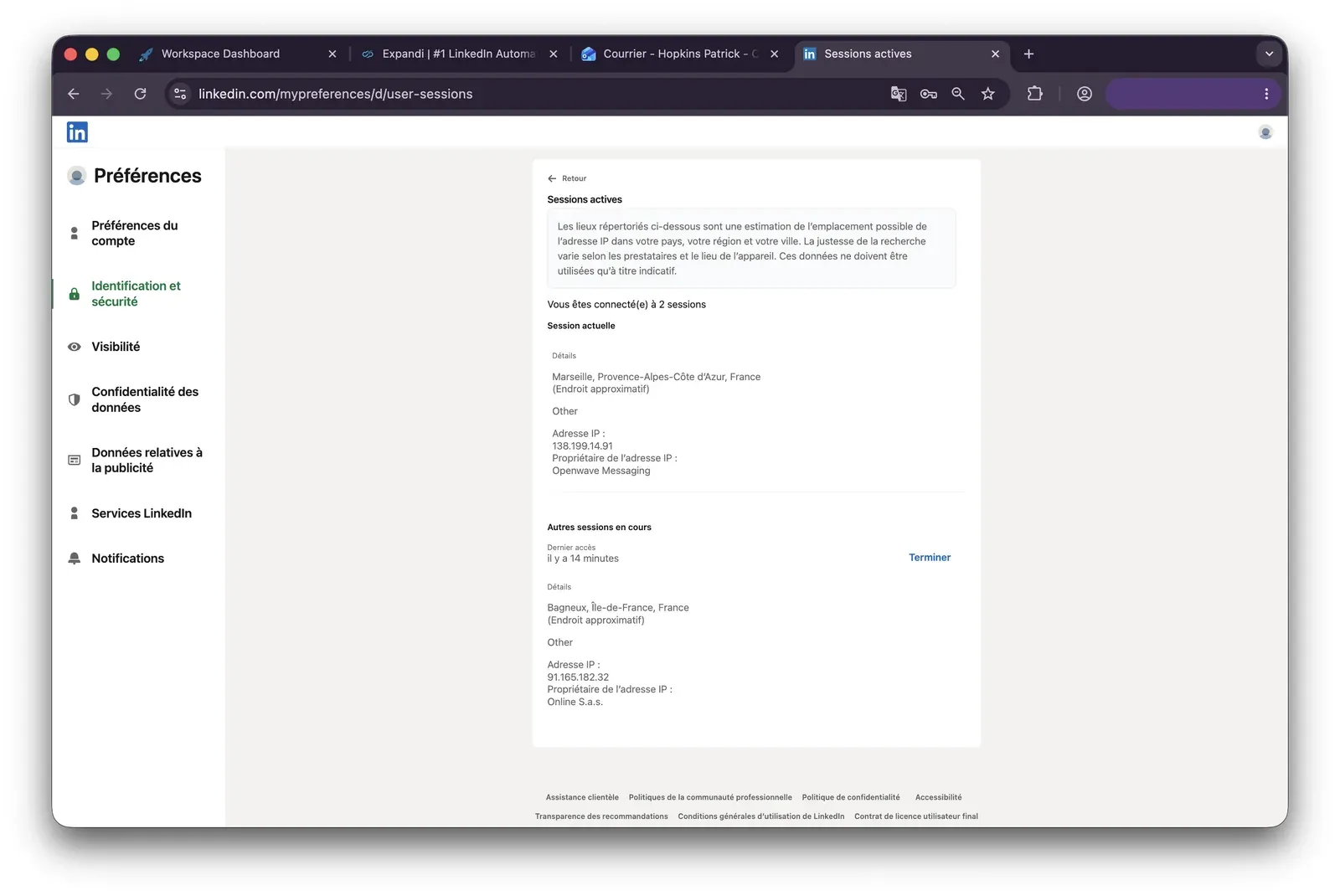
Expandi LinkedIn active sessions with assigned cloud IP - July 2026

LinkedIn shows the test account active from the Expandi-assigned exit IP - July 2026

Quick facts about Expandi

What was checkedFinding
Ships a public extension?Yes — Expandi Connector links a LinkedIn account to the web app
Architecture verdictCookie-bridge / session-upload — a one-time handoff moves the session to vendor-cloud custody
Reads the LinkedIn session cookie (li_at)?Yes — li_at, the LinkedIn login in cookie form, is copied to app.expandi.io, so the vendor cloud can act as the account without the password
Direct LinkedIn (Voyager) API calls?Yes — the connector requests contact information directly, adding an API-shaped request outside ordinary page navigation
Fires synthetic (isTrusted=false) clicks?No — the connector performs no UI automation; subsequent activity is highly likely to run cloud-side after handoff
Blocks LinkedIn telemetry?No — LinkedIn telemetry remains active
Enforced daily cap in the code?None found — limits are server-side settings, not client-enforced guardrails
On LinkedIn's AED probe list?Not in the June 2026 snapshot — AED is LinkedIn's hardcoded extension-ID probe, so absence today is not a safety guarantee as the list keeps growing

Expandi Connector extension — source-code teardown (June 2026)

Bottom line

Expandi fits buyers who prioritize a web workspace with native LinkedIn and email follow-ups, although an email reply does not pause later email steps. Linked Helper is the stronger choice for teams that need reliable support beyond initial onboarding: it provides six support channels, a 262-article knowledge base, and plans starting at $15 per month.

Buyers who need always-on, remotely accessible automation can run Linked Helper on a VPS to create a cloud-like setup while retaining control of the LinkedIn session, although configuring and maintaining the VPS requires some technical skill.

3. Lemlist

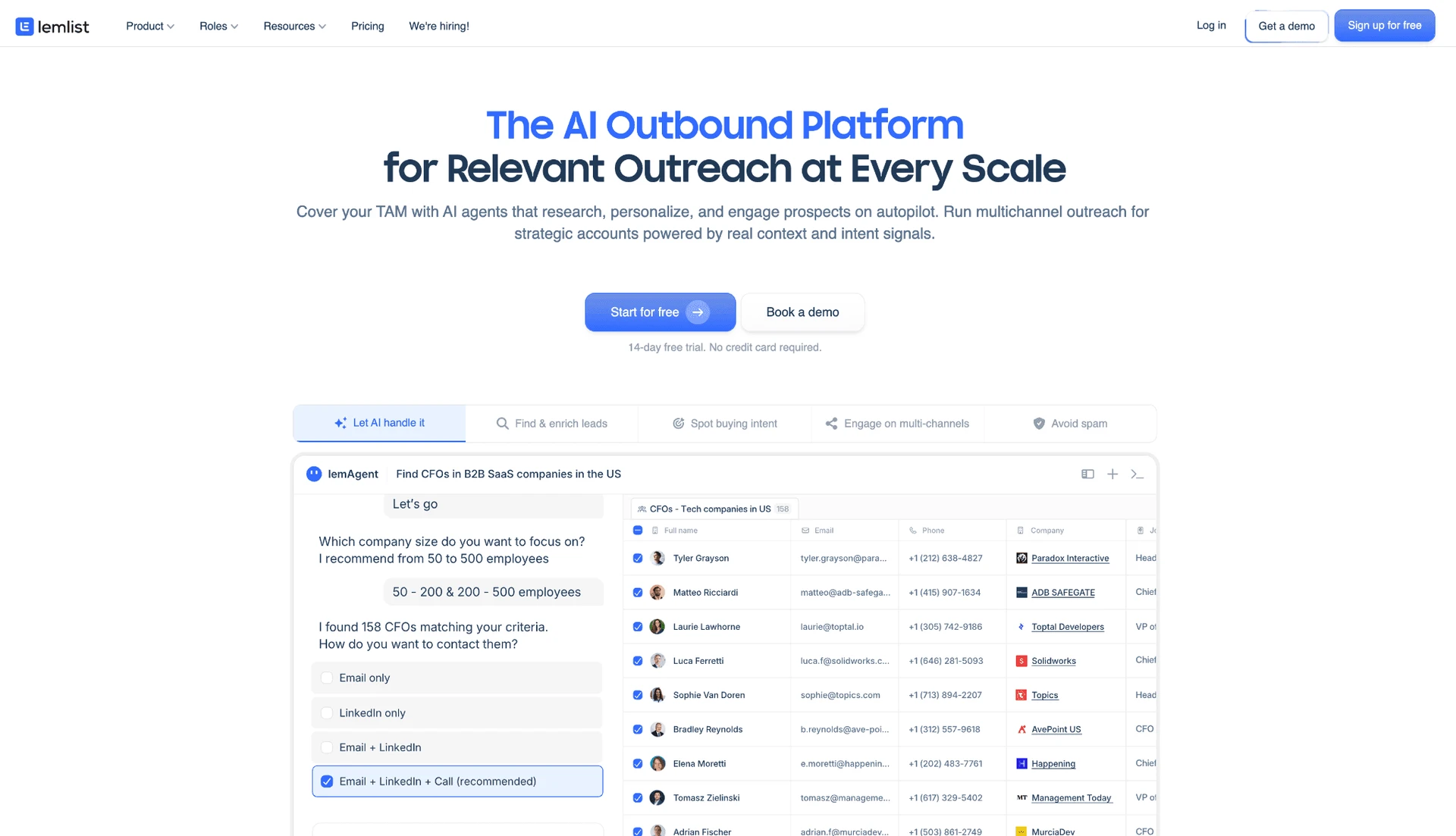
Founded in France in 2018, Lemlist combines email sequencing, LinkedIn steps, enrichment, and team workflows in a web workspace. Its $109-per-user Multichannel plan targets sales teams that need both email and LinkedIn in one workflow—about 10% above Salesflow's $99 seat.

3. Lemlist

Our source-code teardown classifies Lemlist's connector as a cloud-bridge, expanding the account's detection surface beyond local execution.

An annual commitment lowers the multichannel rate to $87 per month. The email-only tier starts at $69/user/month ($55/mo annual), but that lower floor excludes the cross-channel capability that makes Lemlist a Salesflow substitute. The 14-day trial doubles Salesflow's evaluation window, giving teams more time to test deliverability and workflow fit before paying.

Quick facts about Lemlist

  • Founded: 2018
  • HQ: France
  • Pricing: $69/mo email-only; $109/mo multichannel ($87/mo annual), 14-day free trial
  • G2: 4.47★ (263) · Capterra: 4.57★ (385) · Trustpilot: 4.1★ (146)
  • Last 6 months: 4.71★ across 42 reviews — apparent rise disputed by a concentrated 5-star Trustpilot wave
  • Architecture: Cloud-bridge / session-upload

Lemlist pricing and help pages (checked July 2026) + G2, Capterra, Trustpilot & Reddit reviews (computed July 20, 2026)

Key Features

  • Multichannel sequences — like several tools in this list, Lemlist coordinates email and LinkedIn steps in one campaign. This is category-standard scope, not an exclusive capability.
  • AI message generation and personalization — both are included in the core product rather than a separate add-on.
  • CRM connections — native links cover Close.io, HubSpot, Pipedrive, Salesforce, and Zoho CRM, giving teams five named sync options.
  • LinkedIn lead import — the Chrome-extension workflow imports up to 999 regular-search results or 2,500 Sales Navigator results, which means Groups and Events need another sourcing route.
  • Manual AI comment drafting — AI can draft a LinkedIn comment but does not auto-publish it, leaving the final public action with the user.

What Reviewers Highlight

The support evidence is split: among the ten strongest positive Trustpilot reviews, nine praise support, while Capterra rates customer support 4.52★. Lemlist has a 300+ article knowledge base, but only two direct channels for escalation. The evidence points to broad self-service coverage, not a blanket “bad support” verdict. Access is inconsistent: paying customers also report being ignored or redirected.

The recent trend needs context: 90 of 99 Trustpilot reviews in the recent wave were 5★, versus a 2.64★ historical baseline, with unusually clustered customer-success language. We therefore do not treat the 4.71★ trailing-six-month mean as proof of organic improvement.

What reviewers say about Lemlist

Real-world scenario

One r/sales poster described a company-level move away from Outreach and ZoomInfo toward Lemlist. Their experience is a reason to validate workflow depth before a broad migration.

Reddit
sales
My company recently scrapped Outreach and ZoomInfo, and made the decision to adopt Lemlist. It turns out this wasn't a great idea.

The complaints span different mechanisms: reviewers describe conditional-workflow complexity, unresolved breakage, and missing deal-stage context. These are execution and CRM-visibility limits, not variations on one support complaint. A separate gate applies at agency scale: custom user roles and permissions are Enterprise-only, an unpriced tier above the Multichannel plan this comparison costs out.

Reported limitations

**This policy issue applies only to Lemlist’s email outreach: **one customer reported that support warned their Lemlist account could be removed for sending emails without an unsubscribe link. It is vendor enforcement of email-compliance requirements, not evidence of a LinkedIn account restriction. LinkedIn restriction reports were otherwise sparse, appearing in only 2 of 794 reviews, with one offering only a general warning about the automation category.

Linkedin tools may get your account suspended.
G2 5.0★
View Original

Safety and Setup Notes

We read Lemlist's shipped connector code directly rather than relying on marketing claims; the table below reports what that teardown found.

What was checkedFinding
Ships a public extension?Yes — the Lemlist Chrome connector links the LinkedIn account to the web product
Architecture verdictCloud-bridge / session-upload — the connector transfers session custody to vendor infrastructure
Reads the LinkedIn session cookie (li_at)?Yes — it sends the full cookie string, including li_at (your LinkedIn login in cookie form), to app.Lemlist.com, so the vendor can act as the account without the password
Direct LinkedIn (Voyager) API calls?No — the extension drives page elements instead of making raw Voyager calls
Injects code into LinkedIn's page (DOM)?Yes — the teardown found DOM-driven automation inside LinkedIn pages, creating a browser-visible footprint
Fires synthetic (isTrusted=false) clicks?Yes — 38 synthetic-event signals and 21 programmatic clicks were found; these non-human events add a detection signal
Blocks LinkedIn telemetry?No — no telemetry-blocking rules were found, which does not offset the other observable signals
Enforced daily cap in the code?None found — the extension does not provide an auditable local guardrail for daily invite limits or working hours
On LinkedIn's AED probe list?Yes — Active Extension Detection is LinkedIn's hardcoded list of extension IDs probed on page visits, so installation is visible before automation runs

Lemlist connector extension — source-code teardown (July 2026)

I read the shipped source code, and the aggregate pattern matters more than any one row: the connector combines vendor-cloud session custody with browser-visible automation signals. That gives LinkedIn more independent signals to score before behavior volume is considered. It adds exposure; it does not prove an inevitable restriction. Linked Helper's desktop model keeps the session in an environment the user controls, while Lemlist includes native email sequencing.

Bottom line

Lemlist's trade-off is native multichannel sequencing against vendor-cloud session custody. Linked Helper starts at $15 per month and provides six support channels, but it needs a dedicated email tool because it does not run non-LinkedIn email sequences natively.

The 14-day trial has narrower limits than the headline suggests. Lemlist's help center says email sending is capped at 50 per day, credits are a one-time 200-credit pool, and lemwarm is excluded. These limits allow teams to inspect the Multichannel workflow, but not test warm-up or production-volume deliverability before subscribing.

4. La Growth Machine

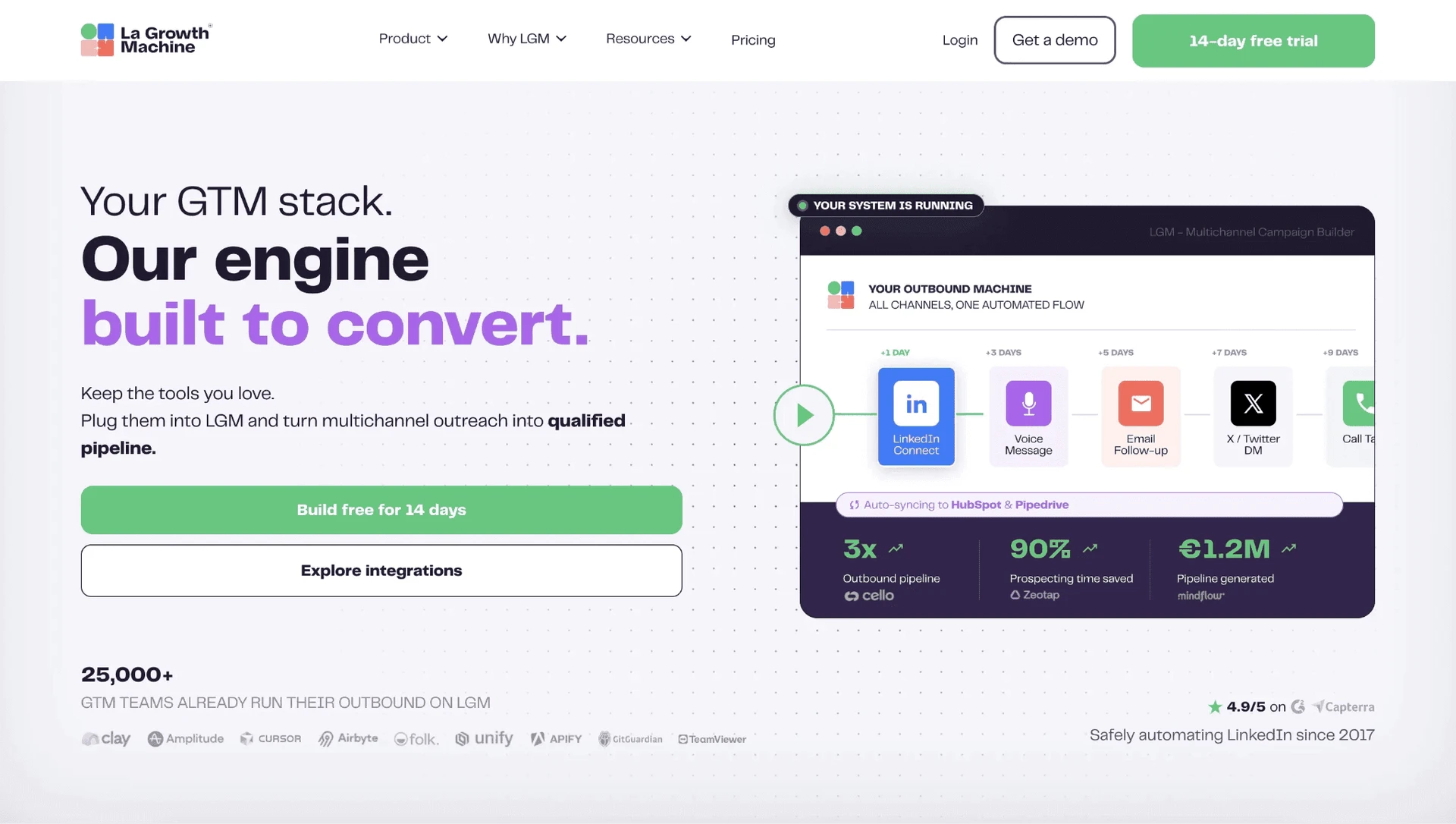
La Growth Machine runs in the cloud, so campaigns can continue when the user’s computer is off—an operational advantage over desktop tools and locally running Chrome extensions. Like Salesflow, it combines LinkedIn and email workflows, starting at $70 per month, although pricing and feature access change sharply by tier. We evaluated it through documentation and reviews rather than hands-on testing.

4. La Growth Machine

Founded in 2019 and headquartered in France, La Growth Machine connects outreach sequences to 22 integrations, though native CRM sync (HubSpot, Pipedrive) is gated to the $165/mo Ultimate plan — Pro and Basic get only raw Zapier/Make/API rails, not a native sync.

Higher tiers add Twitter, calls, AI-assisted voice notes, and webhooks. This keeps more prospect touches in one workflow.

Basic costs $60/month with annual billing. Buyers get a 14-day trial to check campaign and feature limits before rollout.

Quick facts about La Growth Machine

  • Founded: 2019
  • HQ: France
  • Pricing: $70/mo ($60/mo annual), 14-day free trial
  • G2: 4.61★ (51) · Capterra: 4.91★ (45)
  • Trustpilot: too thin to average — 6 reviews
  • Architecture: Cloud

Vendor pricing and feature pages (fetched 2026-05-27) + G2, Capterra, Trustpilot and Reddit reviews (computed 2026-07-20)

Key Features

  • Multichannel sequences — combine LinkedIn and email. Higher tiers add Twitter, calls, voice notes, and webhooks.
  • AI-assisted voice notes — personalize the prospect-name portion of LinkedIn voice notes at scale.
  • Native CRM sync — connect campaign data with HubSpot or Pipedrive, but only on the $165/mo Ultimate plan; Pro and Basic have no native sync.
  • Sequence customization — use category-standard personalization variables across LinkedIn, email, and higher-tier channels.

What Reviewers Highlight

The timing caveat: The G2 and Capterra ratings need context. Only six Trustpilot reviews were available, too few for a useful average. Of 102 reviews, 50 arrived within one 64-day solicitation window in 2023. That burst does not show sentiment arriving at a steady, organic pace. Positive comments focus on support, sequence flexibility, and voice notes.

Support infrastructure: La Growth Machine offers chat and email and maintains a 133-article knowledge base. We observed response times in the few-hours range. The vendor does not claim 24/7 coverage, so buyers should not assume overnight availability.

Two of the quotes below are French-language, original text (not translated).

What reviewers say about La Growth Machine

Real-world scenario

Community evidence: Repetitive promotion makes much of La Growth Machine's Reddit footprint unreliable as a demand signal. One focused r/salestechniques report described a LinkedIn voice-note delivery test. It supports that delivery mechanism, not broader performance claims.

Reddit
salestechniques
We used la growth machine to send them, which kept the delivery looking natural.

Reported Limitations

The negative sample: Only three reviews are both low-rated and specific enough to support a limitation. These are directional reports, not a prevalence estimate. They concern support or reliability failures, higher-tier pricing, or both.

Separately, the vendor's own pricing page contradicts itself in at least four places on seats and feature gates. Buyers should confirm exact plan entitlements before rollout.

Reported limitations

Bottom line

For Salesflow switchers, La Growth Machine puts LinkedIn, email, voice notes, and CRM handoffs in one sequence. The trade-off is unified channel coordination against tier complexity.

Linked Helper is LinkedIn-focused rather than natively multichannel, but its campaigns are straightforward to configure and offer a deep range of collection, data-enrichment, AI-personalization, engagement, and CRM-handoff actions. If users get stuck, plans starting at $15 per month include access to a 250+ article knowledge base, an extensive YouTube channel, and multiple 24/7 support channels.

One timing detail matters. La Growth Machine's own feedback board shows a desktop-widget removal request opened in April 2022. It was marked "Done" in April 2024. Reviews saying campaigns needed the widget disappear after February 2024. Together, those dates support the current cloud claim but date it to a recent product change.

5. Waalaxy

Founded in 2019 and registered in France, Waalaxy is a cloud-based LinkedIn outreach tool. It schedules connection and follow-up sequences while the user's browser is closed. Its $42/month Pro plan targets budget-minded solo prospectors.

5. Waalaxy

The account-access trade-off: Waalaxy is now fully cloud-based. Its Infinite Login asks users to place LinkedIn credentials and a permanent 2FA secret in Waalaxy's cloud, moving account access to vendor infrastructure.

A 12-month commitment lowers the Pro-plan equivalent to $20.50/month in a Salesflow vs Waalaxy cost check, but the entry tier carries real limits: Pro's own advertised support SLA is a 48-hour reply, not the sub-1-hour response Waalaxy advertises for Advanced and Business; it caps invitations at 300 a month (about 11/day, below LinkedIn's own higher ceiling); and the unified LinkedIn inbox is a €20/month add-on on every tier, not included. Coverage is limited to one live-chat channel, no 24/7 claim, and 100+ knowledge-base articles.

Quick facts about Waalaxy

  • Founded: 2019
  • HQ: France
  • Pricing: $42/mo Pro plan ($20.50/mo annual equivalent), 14-day free trial
  • G2: 4.62★ (528) · Capterra: 4.42★ (252) · Trustpilot: 4.71★ (1,245)
  • Last 6 months: 4.86★ (trending up) across 359 reviews
  • Architecture: Cloud with credential and permanent-2FA-secret login

Vendor pricing and help pages (checked July 2026) + G2, Capterra, Trustpilot and Reddit reviews (computed 2026-07-20)

Key Features

  • AI message generation — creates outreach copy inside the product.
  • LinkedIn list imports — accepts Basic, Sales Navigator, and Recruiter Lite sources, but not full Recruiter.
  • CRM and no-code routing — connects HubSpot and Pipedrive plus 2,000+ apps through Make, Zapier, and n8n.
  • Connection and follow-up sequences — automates the category-standard invite-and-message flow.

The recent review trend is positive but narrow: the newer 350+ review slice is stronger than the lifetime average, with repeated praise for prompt support. That supports a fast-response conclusion, not a broad-support one. Waalaxy still offers one channel rather than a multi-channel help system.

What reviewers say about Waalaxy

Real-world scenario

A Trustpilot reviewer who switched from Linked Helper cited interface feel rather than campaign scope:

je reviens de LinkedHelper et découvre un outil fluide, esthétique et intuitif
Trustpilot 5.0★
View Original

Reported Limitations

The budget label needs qualification: the entry Pro plan covers only basic sequencing — multichannel routing and heavier automation live one tier up, on Advanced. Waalaxy's advertised €49/month Advanced rate requires annual billing. The no-commitment monthly rate for Advanced is €99—more than double—so buyers must compare billing terms rather than headline prices.

Its current Freemium tier permits CSV import but no automation, so it is not a functional free automation replacement. Reviews also show a multi-year pattern of annual-charge and refund complaints, making billing transparency part of the purchasing risk.

Reported limitations

Account-risk report: one reviewer associated a suspicious login attempt with signup; this is an allegation, not proof of causation.

1 day after i signed up for waalaxy, my linkedin account had an attempted hack from India - never had this happen before so definitely not a coincidence

Read the full review on Trustpilot

Trustpilot
Rating: 1 out of 5
LA
Luqman Aziz

Safety and Setup Notes

Waalaxy's former Chrome extension was delisted from the Chrome Web Store for a Policy Violation on June 19, 2026. The table records the last captured build from eight days earlier; it is historical evidence, not the current product architecture.

What was checkedFinding
Ships a public extension?Was yes — the captured main-product extension was delisted after the test; no public extension is available now
Architecture verdictHistorical cookie-bridge / session-upload (high-risk verdict) — the extension copied the LinkedIn login to Waalaxy's cloud, which could then run the account from vendor infrastructure
Reads the LinkedIn session cookie (li_at)?Yes — it uploaded the full cookie jar, including li_at and JSESSIONID, to stargate.prod.aws.waalaxy.com; these are the LinkedIn login and CSRF token in cookie form, so whoever holds them can act as the account
Direct LinkedIn (Voyager) API calls?Yes — 80 Voyager and 57 GraphQL signals were present, so the extension generated a machine-visible request pattern rather than only browser navigation
Fires synthetic (isTrusted=false) clicks?Yes — 48 synthetic-event signals were found, adding a detectable scripted-interaction pattern
Blocks LinkedIn telemetry?Yes — it stripped the x-cki header from LinkedIn requests, and suppressing telemetry can itself become a detection signal
Enforced daily cap in the code?None found — limits were not hard guardrails in the inspected build
On LinkedIn's AED probe list?Yes — Active Extension Detection is LinkedIn's hardcoded extension-ID probe; the listed ID made 'installed' visible before the tool acted

Waalaxy former connector extension — source-code teardown (June 2026)

I treat the teardown as a historical snapshot, not a description of the current architecture. The inspected build exposed several detection surfaces at once:

  • session transfer;
  • direct API traffic;
  • telemetry stripping;
  • synthetic interaction; and
  • a probe-listed ID.

The replacement changes the mechanism but asks for fuller account credentials, including a permanent 2FA secret. Compared with uploading a session cookie, that entrusts more access material to the vendor. The access material changes; the underlying LinkedIn restriction risk remains.

Bottom line

Waalaxy fits solo prospectors who value prompt live-chat replies, AI message generation, and no-code routing. Check the usable paid tier and billing cadence before purchase.

Waalaxy concentrates support in prompt live chat; Linked Helper distributes it across six support channels and a 250+ article knowledge base on a $15 monthly license with no auto-renewing subscription. Waalaxy's no-code modules begin on Advanced; Linked Helper has 11 direct CRM connectors plus webhooks.

6. Skylead

Skylead is a cloud-based LinkedIn and email sequencing tool priced at $100 per LinkedIn account. Credential login creates the LinkedIn session on Skylead's infrastructure.

6. Skylead

In our July 2026 two-account check, both sessions received the same assigned datacenter IP. An independent IP-quality service rated it high-risk. That datacenter origin may make a personal account stand out.

Skylead was founded in 2019 and is headquartered in the UK.

Collaborator seats are free, but each connected account is billed separately. At 20 accounts and up, month-to-month billing costs $24,000 a year for a 20-account roster; annual billing (pay 10 months, get 2 free) brings the equivalent rate to $83.33/account/mo, or $20,000/year at that same scale — and bulk discounts grow with volume purchased beyond 20. Either way, that makes Skylead a more expensive alternative to Salesflow.

A card is required for the 7-day trial, which covers one account. Adding a second starts billing immediately, preventing a multi-account trial.

Quick facts about Skylead

  • Founded: 2019
  • HQ: United Kingdom
  • Pricing: $100/mo per LinkedIn account ($83.33/mo annual, pay 10 months get 2 free)
  • G2: 4.54★ (125) · Capterra: 4.76★ (17) · Trustpilot: too thin to average (2) — review flow stopped after September 2024
  • Trial: 7 days; card required; first account only — adding another starts billing
  • Architecture: Cloud with credential login — Skylead creates the LinkedIn session on vendor infrastructure, so the vendor controls the exit IP

Vendor pricing and feature pages (checked July 2026) + G2, Capterra, Trustpilot and Reddit reviews (computed July 2026)

Key Features

  • LinkedIn source coverage — accepts basic LinkedIn, Sales Navigator, and Recruiter prospect sources.
  • LinkedIn-and-email sequences — adds email follow-up to the category-standard LinkedIn campaign steps.
  • Unlimited team members — collaborator seats are free while each connected LinkedIn account is billed separately.
  • Email finder and verifier — bundles uncapped email discovery without a separate finder-credit pool.
  • AI SDR — handles prospect conversations, but launched in July 2026 and has no independent review track record yet.

What Reviewers Highlight

The rating caveat: The headline ratings come from a concentrated review period. Of 144 reviews, 112 (77.8%) arrived from April through September 2024. Almost 22 months then passed with no new reviews.

The scores capture one collection period, not a steady flow of recent feedback. The two organic Trustpilot reviews both carry 1-star ratings. That sample is too small to average.

Support claims: Skylead's Capterra profile claims "24/7 live rep assistance" and an "average response time of only 7 seconds". Its current marketing pages repeat neither claim. Because these public sources conflict, we could not verify availability across its listed channels:

  • chat
  • WhatsApp
  • email
  • phone

Positive reviews focus mainly on setup and prospect imports, with some praise for support. They do not establish long-term buyer outcomes.

What reviewers say about Skylead

Real-world scenario

One G2 reviewer moved from Apollo because its LinkedIn automation fell short. They described Skylead's campaign setup as easier.

I have been using apollo and the linkedIn automations is just not good enough. When I tried skylead I was amazed by how easy it was
G2 4.5★
View Original

Reported Limitations

Reliability is the outlier: It is Skylead's only net-negative review topic, with 7 positive versus 19 negative mentions. That imbalance makes the headline rating less useful for judging campaign continuity. Reviewers report wiped campaigns and verification requests that stop outreach mid-run.

Billing transparency: The live terms make payments final and nonrefundable. Skylead's affiliate page separately recognizes a seven-day refund category. Buyers therefore cannot treat that window as a contractual promise.

Skylead's pricing table lists AI SDR and AI data enrichment as add-ons rather than included features. Both use a separately purchased Action Credit pool priced at $1 per 100 credits. The AI layer therefore carries usage costs beyond the seat fee.

Reported limitations

A few times our campaigns got stopped due to linkedin security and that can be improved.

Read the full review on G2

G2
Rating: 5 out of 5
US
U S.

Safety and Setup Notes

Skylead ships no public LinkedIn extension, so there was no extension code to inspect. I focused on the live cloud test.

I checked the assigned IPs with IPQS.

What was checkedResult
Login modelCredentials login — a fresh LinkedIn session starts from vendor infrastructure, so LinkedIn sees the vendor's network identity
Can I choose the desired location?Yes — 91 locations
Can I add my own proxy?Yes — but there is no built-in proxy-quality checker, so quality must be vetted elsewhere
Can I select a timezone when adding an account?Yes
Cloud IP for account 158.97.254.1 — HostRoyale Technologies Pvt, Paris, France; a datacenter origin makes a personal LinkedIn session stand out from typical residential/mobile logins
OS / browser for account 1 (tool-reported)Linux / Chrome
Account 1 IPQualityScore resultFraud 100/100 · proxy yes · VPN yes · recent abuse yes · datacenter connection · high-risk on IPQS's scale
Cloud IP for account 2 (same geo)58.97.254.1 — HostRoyale Technologies Pvt, Paris, France
OS / browser for account 2 (tool-reported)Linux / Chrome — identical fingerprint to account 1
Account 2 IPQualityScore resultFraud 100/100 · proxy yes · VPN yes · recent abuse yes · datacenter connection · high-risk on IPQS's scale
Same IP or /24 across the two accounts?Yes — same IP, same /24, same provider; two independent accounts received a near-identical footprint
Is a credit card required for the trial?Yes
Trial duration7 days

Skylead — live cloud/IP test (July 2026, two accounts, registered from France)

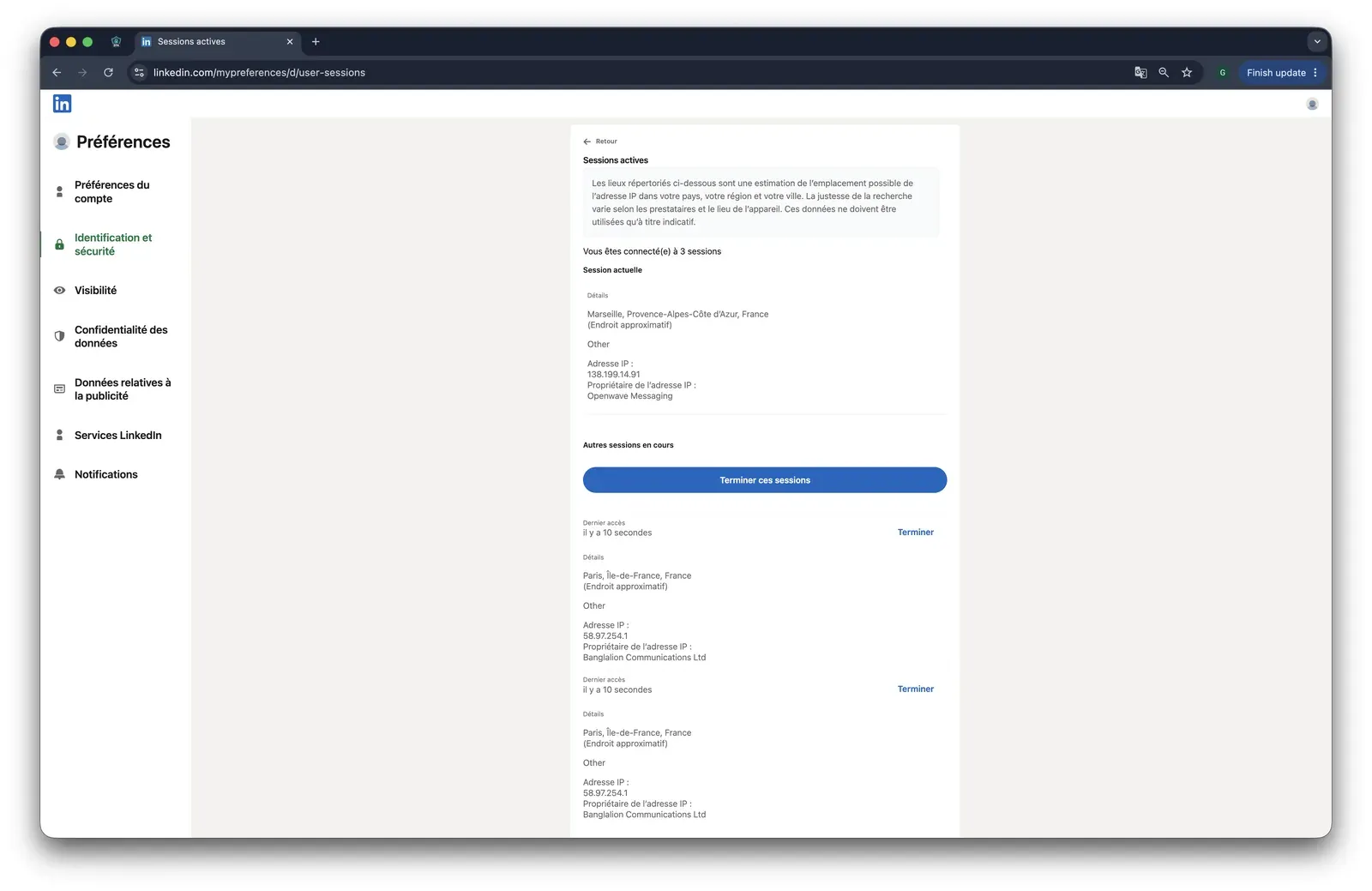
Skylead LinkedIn active sessions with duplicate cloud sessions - July 2026

LinkedIn's security page shows the extra sessions opened during the Skylead cloud test - July 2026

In this July 2026 two-account setup, I could not use Skylead's controls to vet the network identity before login. IP reputation and account separation therefore depended on the vendor infrastructure observed in this test. This result is not a permanent verdict on every Skylead account.

Linked Helper has a lower entry price and lets you choose and check a dedicated proxy. That control changes one network input, not the broader LinkedIn restriction risk.

Bottom line

Skylead fits teams that need LinkedIn-and-email sequencing. Its four listed support channels come with conflicting availability claims, and self-serve pricing sits slightly above Salesflow's.

The trial is the clearest contrast: Linked Helper's $15/month entry comes with a 14-day no-card trial, plus 250+ knowledge-base articles and six support channels.

7. Reply.io

Reply.io combines a cloud platform with a Chrome extension: multichannel orchestration is hosted, while LinkedIn actions remain browser-assisted. It was not part of our hands-on tests. Reviews split sharply between responsive support and reliability failures.

7. Reply.io

Its $99/month Multichannel plan targets sales teams that need five-channel workflows, at the same entry price as Salesflow.

Reply.io was founded in 2014 and is headquartered in the US. It connects sequences to six native CRM integrations.

Annual billing is $89/month, a 10.1% saving from the monthly plan. Its 14-day trial is the only free evaluation route because no free tier exists.

Reply.io has two support channels and 369 help articles, compared with Salesflow's one channel and 116 articles. That gives users more places to look for help when campaigns stall.

Quick facts about Reply.io

  • Founded: 2014
  • HQ: US
  • Pricing: $99/mo ($89/mo annual), 14-day free trial
  • G2: 4.61★ (1,000) · Capterra: 4.59★ (86) · Trustpilot: 4.33★ (217)
  • Last 6 months: 4.64★ (trending up) across 28 reviews
  • Architecture: Cloud + Chrome extension

Vendor pricing and feature pages (as of June 2026) + G2, Capterra, Trustpilot and Reddit reviews (computed July 2026)

Key Features

  • Multichannel workflows — combine email, LinkedIn, calls, SMS, and WhatsApp steps in one workflow.
  • Native CRM connections — connect Close, Copper, HubSpot, Pipedrive, Salesforce, and Zendesk directly.
  • AI content generation — generate and personalize email copy inside the platform.
  • LinkedIn coverage — supports Basic LinkedIn, Recruiter, and Sales Navigator workflows.
  • Support access — provides live chat and email rather than a single contact route.

Support feedback is polarized: nine of the ten strongest recent praise examples mention support, while support or reliability appears in eight of the ten leading complaints. Trustpilot's lower mean than G2 and Capterra shows that split across platforms rather than in isolated quotes. Responsive support appears often, but users do not report it consistently.

What reviewers say about Reply.io

Real-world scenario

One G2 reviewer moved from HubSpot because of sequence pricing. That is evidence of Reply.io replacing an email workflow, not of how it handles LinkedIn sessions.

Honestly, I chose Reply because Hubspot sequences are too expensive.

Reported Limitations

The complaint pattern is operational, not safety-led: no review reports LinkedIn restrictions or detection for Reply.io. Billing and reliability complaints do not support an account-safety claim.

Limitation: The compared plan is $99 monthly or $89 on annual billing. Reply.io's public page also shows lower $59 and $49 teaser prices for a different tier, so those figures are not like-for-like substitutes.

Reported limitations

Bottom line

Reply.io covers a multichannel sequencing requirement that Linked Helper does not natively.

Reply.io's native multichannel scope carries the support-and-price trade-off; Linked Helper instead combines six support channels and 250+ knowledge-base articles with a $15 monthly plan, as low as $6.60/mo with annual and 20-seat discounts, and a 14-day trial.

One October 2025 Trustpilot reviewer added a practical caveat to the plan pricing: their subscription included only 50 contacts/emails, and they said it was not useful without paying significantly more.

8. Dux-Soup

Founded in 2015 under Dutch entity Supertec B.V., Dux-Soup automates profile visits, connection requests, and follow-up sequences across LinkedIn and Sales Navigator, on every tier including the cheapest Pro. Our teardown found two plan-dependent architectures. Pro and Turbo keep the LinkedIn session local, while Cloud uploads the full cookie jar and runs it remotely. Dux-Soup markets Cloud as offering "the ultimate safety of your LinkedIn account" — worth noting, since the teardown found this tier carries the higher custody risk, not the lower one.

Dux-Soup homepage - July 2026

The vendor presents browser and cloud workflows side by side - July 2026

Its $14.99 entry tier targets budget-conscious solo sellers. They trade Salesflow's live chat for email and a forum, without a verified response-time benchmark. Annual billing brings the entry plan to $11.25 per month. A persistent Starter Edition remains after the trial. Both sit below Salesflow's $99 entry.

For 20 seats, current pricing is about $9,000 yearly via Turbo Team or $17,808 via Cloud Agency. The cheaper route omits the agency dashboard and 24/7 execution. These tiers are not functionally equivalent.

Quick facts about Dux-Soup

  • Founded: 2015
  • HQ: Netherlands
  • Pricing: $14.99/mo ($11.25/mo annual); persistent free tier
  • G2: 4.33★ (81) · Capterra: 4.0★ (16) · Trustpilot: 4.95★ (42) — Trustpilot is 42/42 positive; negative reports appear on G2 and Capterra
  • 20-seat agency cost: about $9,000/yr via Turbo Team or $17,808/yr via Cloud Agency; capabilities differ
  • Support: email and forum; no verified response-time benchmark
  • Architecture: Hybrid — local-scrape extension on Free/Pro/Turbo (the login stays in the browser); cookie-bridge on Cloud (the extension copies the login to vendor servers)

Vendor pricing, product, and support pages checked July 2026; G2, Capterra, and Trustpilot reviews computed July 2026

Key Features

  • LinkedIn sequencing — Dux-Soup runs visits, connection requests, and follow-ups through an authenticated LinkedIn session (requires Turbo, $55/mo).
  • Entry-tier safety controls — Pro Dux includes throttling, working-hour planning, and LinkedIn-account-specific daily limits. These controls are not gated behind Cloud.
  • BYOK AI personalizationDux-Soup AI drafts invites, messages, and InMail using the customer's OpenAI, Anthropic, or Google API key.
  • CRM connectionsNative links cover Freshsales, HighLevel, HubSpot, Pipedrive, Salesforce, and SharpSpring (requires Turbo, $55/mo).
  • Agency dashboard — Cloud Agency centralizes accounts and inboxes. However, every admin can access every client account, which limits client isolation.

Support dominates the feedback, with 54 positive mentions against five negatives. The platform split matters: Trustpilot supplies all 42 positive-only reviews. G2 and Capterra contain every negative report. We read this as praise for routine help, not universal proof of crisis handling.

What reviewers say about Dux-Soup

Real-world scenario

Dux-Soup's entry price is lower than Salesflow's. However, a high-scoring r/b2bmarketing discussion adds an operational caveat: ramp-up speed can matter more than the product label.

Reddit
b2bmarketing
I've seen standalone browser tools get accounts flagged within a week because someone ramped volume too fast - 0 to 150 actions/day doesn't look human regardless of what's driving it.

Reported Limitations

Where support breaks down: All five negative support mentions are strong or extreme. They concern escalations rather than routine questions:

  • account access;
  • disputed billing; and
  • a bug that double-enrolled leads.

Reported limitations

It got me banned. Any chrome extension or desktop app can be flagged by Linkedin - and they banned my account.
G2 0.0★
View Original

Safety and Setup Notes

What was checkedResult
Login modelExtension session — local tiers act through the user's connection, so there is no vendor cloud exit IP to score
Can I choose the desired location?No — local operation uses the user's own location
Can I add my own proxy?No; no built-in proxy-quality checker, so IP quality is not validated inside Dux-Soup
Can I select a timezone when adding an account?No — the local browser's timezone governs the session
Account 1 IPQualityScore resultNot applicable — local operation generated no vendor cloud exit IP to score
Account 2 IPQualityScore resultNot applicable — same reason
Is a credit card required for the trial?Yes in this test; current vendor pages say no — unresolved
Trial duration0 days in this test; current vendor pages claim 14 days — unresolved

Dux-Soup — live cloud/IP test (July 2026, two accounts; registered location not recorded)

What was checkedFinding
Ships a public extension?Yes — Dux-Soup for LinkedIn Automation is the product's main entry point
Architecture verdictHybrid and plan-specific: local-scrape (medium risk) on Free/Pro/Turbo; cookie-bridge/session-upload (high risk) on Cloud
Reads the LinkedIn session cookie (li_at)?Cloud only — it copies the full cookie jar to app.dux-soup.com; li_at is the LinkedIn login in cookie form, so the vendor can act as the account
Direct LinkedIn (Voyager) API calls?Yes — local tiers call from the user's browser; Cloud calls from vendor infrastructure, changing the IP LinkedIn sees
Fires synthetic (isTrusted=false) clicks?Yes — programmatic events add a browser-automation signal
Blocks LinkedIn telemetry?Yes — suppressing selected trackers is itself an observable anomaly
Enforced daily cap in the code?None found — user-adjustable limits reach 500 profile visits/day, so restraint remains an operator responsibility
On LinkedIn's AED probe list?Yes — AED is LinkedIn's hardcoded extension-ID probe; being listed makes installed status visible on every visit

Dux-Soup extension — source-code teardown (July 2026)

I found a plan-dependent architecture gap. The same brand can expose different detection surfaces depending on which convenience layer the buyer pays for. Neither a blanket “safe” nor “risky” label is accurate.

At a nearly identical entry price, Linked Helper keeps session custody local without a Chrome-extension footprint. Its safety architecture does not change by plan. The plan changes Dux-Soup's exposed signals, not the underlying LinkedIn restriction risk.

Bottom line

Dux-Soup fits budget-conscious solo sellers who want browser-based LinkedIn sequencing and reviewer-praised routine help. Its low entry price is credible for an individual account. However, agency economics change sharply with the tier.

At the near-tied entry price, Linked Helper's $15 plan pairs a non-extension desktop architecture with six support channels and a 250+ article knowledge base.

The $14.99 headline price does not include the sequencing described above. Dux-Soup's plan comparison reserves drip campaigns, the campaign builder, central inbox, CRM integrations, and AI for Turbo at $55 per month. Pro is a single-action tier. Buyers replacing Salesflow for multi-step follow-ups should compare against Turbo, not the entry sticker.

How To Choose The Right Salesflow Alternative

Start from architecture, not features. It decides where automation runs, who controls the session, and which operating trade-offs your team must manage.

If your priority is...Choose...The trade-off
Direct session control across solo or agency accountsDesktop standaloneKeeps the LinkedIn session and exit IP under your direct control, on your machine or a user-controlled VPS
Centralized campaign access without a local runtimeCloud credential loginThe vendor-managed environment runs and holds the LinkedIn session
Cloud execution connected through an existing browser loginCookie-bridge / session uploadSession data leaves the browser before the vendor cloud runs the account
A low entry price with browser-local operationLocal-scrape extensionThe browser must stay active, while controls and workflow depth may be narrower

Architecture-first decision system for choosing a Salesflow alternative

Decision framework based on execution location, session control, and operating cost; reviewed as of July 2026.

Then price the system at the account count you will actually operate. Include:

  • Required plans and seats.
  • Email tooling.
  • Proxies.
  • 24/7 compute.

The At-a-Glance table uses one consistent 20-seat scenario, but a real deployment may value control more than the lowest entry price. Trade Tribe's 60+ meetings/month agency scale-up on Linked Helper shows why process design matters alongside software cost.

Our Recommendation: Linked Helper

We recommend Linked Helper when support access and seat economics lead the decision. Its lower entry price and several support routes address both of Salesflow's leading complaint themes.

Our Recommendation: Linked Helper

Linked Helper also includes AI. It applies AI in two ways inside the workflow:

  • In-flow message generation drafts for manual review. This keeps high-value outreach inspectable before it leaves.
  • AI ICP detection can filter leads before any outreach step, not only before connection requests. It can also screen existing first-degree connections, helping campaigns preserve invitations and improve conversion by messaging only relevant contacts.

Linked Helper can collect from:

  • Search results and groups.
  • Events.
  • Organization pages.
  • Post engagement.

These sources broaden the information available before a sequence begins.

Desktop execution keeps the LinkedIn session and exit IP under your direct control instead of a shared vendor cloud — the trade-off that matters for detection risk. At larger scale, running 30 LinkedIn accounts with zero bans on Linked Helper shows how disciplined account operations can make that control useful.

What users say about Linked Helper

LinkedIn Safety & Risk Reduction

LinkedIn restriction risk depends on behavior you can control, whether the activity is automated or manual: volume, timing, network consistency, reply handling, and your response to warnings. No tool eliminates the risk of LinkedIn restrictions.

LinkedIn's prohibited-software policy rejects tools that scrape, alter, or automate activity. That policy applies regardless of a vendor's architecture or safety language. Automating LinkedIn activity is against LinkedIn's terms of service, but it remains legal, and large numbers of sales and recruiting teams run it daily without incident by staying within conservative limits.

Its enforcement can combine activity volume, interaction patterns, device fingerprints, and network consistency. No public source identifies one signal as a deterministic restriction trigger.

Reduce avoidable signals in daily operation:

  • Keep both manual and automated activity conservative; avoid sudden bursts.
  • Use realistic working hours and vary action timing.
  • Keep each account on a stable, appropriate IP.
  • Stop sequences when a prospect replies.
  • Pause activity when LinkedIn displays a warning.

Linked Helper emulates clicks, mouse movements, scrolling, and typing while also applying randomized delays, smart limits, working hours, stop-on-reply logic, and a built-in proxy checker. These controls reduce avoidable exposure; they do not make automation immune to LinkedIn restrictions.

These controls reduce avoidable exposure; they do not create immunity. For more context, see LinkedIn's list of flagged automation extensions and how LinkedIn detects browser-extension and API-based automation.

Safety note: No tool eliminates ban risk or the risk of LinkedIn restrictions. Results depend on account age, daily action volume, and behavioural patterns.

Methodology Deep-Dive

I used observable network and code evidence alongside the review analysis. I still cannot see or predict LinkedIn's private enforcement system.

First-Hand Testing

In May–June 2026, I ran two checks: static extension audits and cloud sign-ups for two accounts registered from France. Founder Alexander Erin's safety experience informed Linked Helper's security study. The study covers 16 extensions and seven cloud tools.

CheckQuestions it answeredExample finding
Live sign-up testWhere the session ran; which IP appeared; location, timezone, and proxy controls; independent IP reputationSkylead assigned both test accounts the same observed IP; its specific results appear in the Skylead section above
Source-code teardownWhich session values left the browser; direct LinkedIn calls; page injection; synthetic events; caps; extension visibilityExpandi's connector read the LinkedIn session cookie and handed session data to app.expandi.io; see the Expandi section above

What the first-hand testing covered

Source: Linked Helper's security study and the two-account cloud sign-up methodology; reviewed as of July 2026.

TermWhat it isWhy it matters
IPQualityScore (IPQS)An independent fraud-prevention service with 10+ years on the market. Its honeypot and abuse network returns a 0–100 fraud score, proxy or VPN flags, connection type, and recent-abuse history; 75+ is high-risk on its scaleIt is an independent IP-quality signal, not LinkedIn's enforcement verdict. A poor result adds network-risk evidence but does not predict an account restriction by itself
Datacenter vs residential/mobile IPResidential or mobile addresses come from home or phone networks; datacenter addresses come from rented serversA personal LinkedIn session on a datacenter IP stands out because most genuine users connect through residential or mobile networks

Live sign-up test terminology and implications

Source: IPQualityScore's public methodology and Linked Helper's cloud sign-up checks; reviewed as of July 2026.

TermWhat it isWhy it matters
li_at / JSESSIONIDYour LinkedIn login in cookie form: li_at is the session cookie and JSESSIONID carries the CSRF tokenWhoever holds them can act as your account without the password. Uploading them gives vendor infrastructure control of the session
Cloud bridgeAn extension that copies your LinkedIn login cookie to vendor cloud, which then runs the account from its own IPThe same session can appear on two IPs, while the vendor-side copy may not appear in LinkedIn's active-sessions view
AED (Active Extension Detection)A label visible in LinkedIn's production JavaScript, where scan results ship as an AedEvent; it is not an official LinkedIn feature name. The hardcoded probe list grew from 38 entries in 2017 to 6,167 by February 2026LinkedIn can see that a listed extension is installed before the extension performs an outreach action
Passive DOM/page scanLinkedIn page code can inspect injected interface elements and extension traces without relying on a known extension IDA new or unlisted extension can still add a visible signal when it changes the LinkedIn page
Synthetic (isTrusted=false) eventsClicks or keystrokes created by browser code carry a read-only flag showing they did not come from a personAn extension cannot switch that flag off, so programmatic input can add a separate behavioral signal
BrowserGateThe independent investigation that reverse-engineered LinkedIn's production JavaScript from December 2025 into 2026It documented the extension list, page scanning, and device fingerprinting as separate systems rather than one scanner

Source-code teardown terminology and implications

Source: Linked Helper's extension audits and BrowserGate's public technical investigation; reviewed as of July 2026.

Research Limitations

The tests narrow uncertainty; they do not remove it.

  • I can observe assigned IPs, settings, browser-extension code, and outbound session data.
  • I cannot inspect vendor server-side execution. Cloud-side conclusions remain inferences labeled highly likely, not certain.
  • Results describe the tested version and month. A vendor can change code or infrastructure later.
  • These findings add signals to a scoring model. They do not identify an instant restriction trigger.
  • No tool eliminates the risk of LinkedIn restrictions.

First-Hand Salesflow Findings

I did not run hands-on tests on Salesflow for this article. Its cloud credential-login label comes from public product documentation, not a live IP test or extension teardown.

Architecture

Public documentation supports the cloud credential-login label. I did not inspect a Salesflow extension, so I have no AED result.

Findings

The Salesflow feature page describes a web-managed outreach platform and dedicated-IP option. I did not record:

  • An assigned Salesflow IP.
  • An IPQS result.
  • A session-cookie transfer.
  • An extension-code result.

Those fields remain unobserved, not assumed clean or risky.

Bottom line

The architecture label supports a deployment comparison. It does not support a first-hand claim about Salesflow's actual IP quality, backend behavior, or extension visibility. The evidence gap stays explicit in the score.

Methodology And Sources

Publisher disclosure

We checked vendor pricing and product pages, Linked Helper's support documentation, and public reviews. Reviews and Reddit discussions provide the user-experience layer. Observable tests provide the first-hand layer for the five alternatives identified in their sections. The Methodology Deep-Dive explains the test boundaries and the Salesflow evidence gap.

FAQ

Linked Helper is our recommendation when support depth, price, and LinkedIn-first control lead the decision. It starts at $15/mo and provides a 14-day trial. Teams needing native email inside the same sequence should account for a separate email tool.

Try Linked Helper free for 14 days

The most technically advanced platform for LinkedIn automation with a focus on security, a wide range of features, and exceptional customer support. Trusted by over 10,000 businesses worldwide.