
 Updated: September 8, 2026
 2 min read
The LinkedIn API is an officially supported set of endpoints that lets approved apps read or write selected LinkedIn data (e.g., ads, leads, Pages/content; limited profile edits exist for select partners only) once a member or Page admin grants permission.
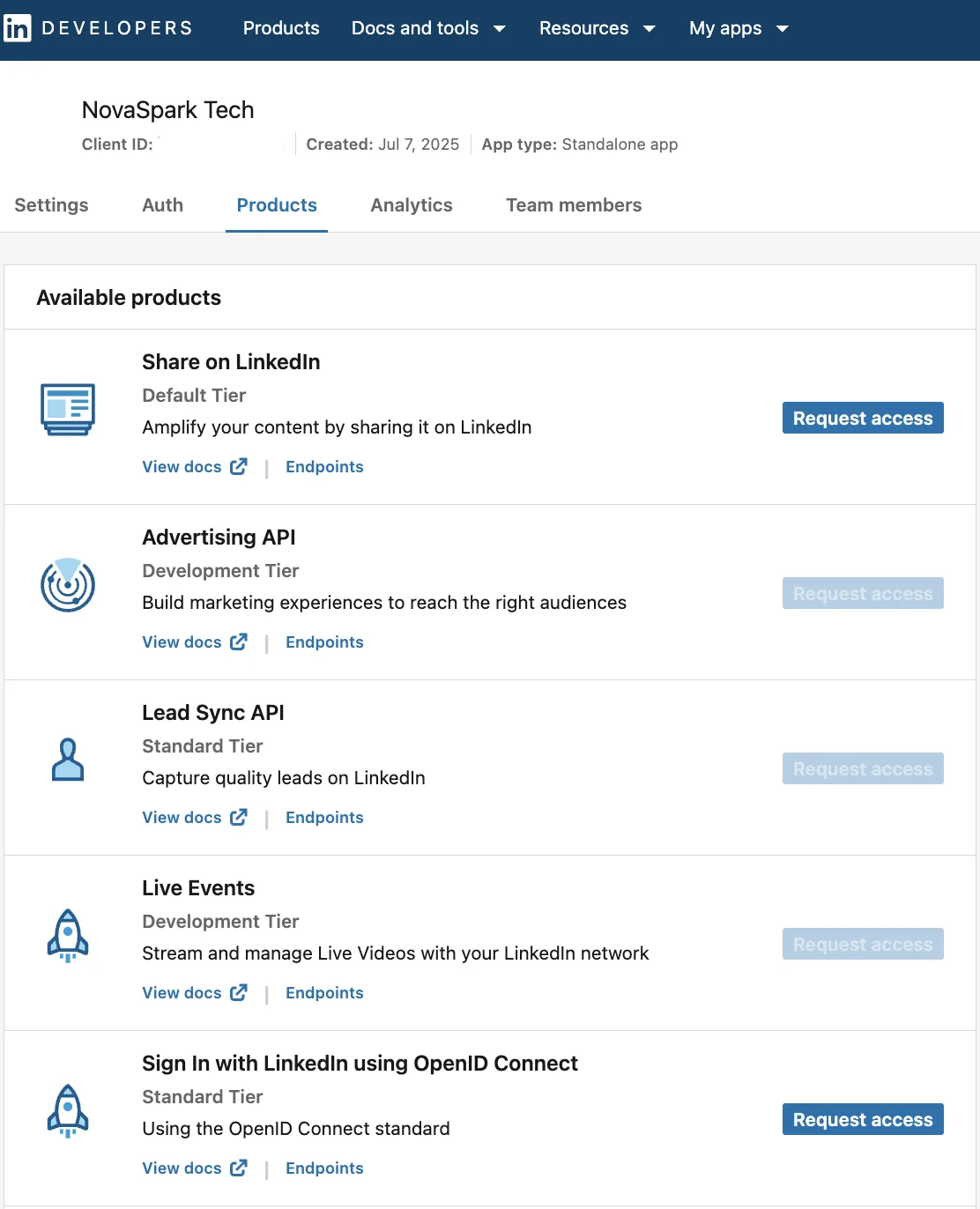
It's how approved partners and developers integrate external software with LinkedIn.
Recruiters
- Sync candidate data between LinkedIn Recruiter and your ATS (often near real-time, varies by ATS).
- Publish job posts programmatically and capture applies for reporting.
- Learn more about safe and approved ways to automate recruiting and avoid policy violations in our LinkedIn Scraper Guide: Tools, Methods & Best Practices.
Marketers
- Send offline or CRM conversions through the LinkedIn Conversions API for cleaner attribution.
- Pipe Lead Gen Form submissions straight into marketing automation so reps respond faster.
Business platforms
- Let users sign up with “Sign-In with LinkedIn” and pre-fill trusted profile fields.
- Display certifications on member profiles via LinkedIn's "Add to Profile" button/flow.
How Does LinkedIn API Work?
- Create an app in the LinkedIn Developer Portal and associate it with a LinkedIn Page; a Page super admin must verify the app.
- Request product access: Marketing, Talent, or Data Portability. Only approved scopes are allowed; scraping is prohibited.
- Authenticate users via OAuth 2.0 so they can grant granular LinkedIn API access to your app.
- Call the needed endpoints, e.g.
/rest/adAnalyticsfor ad stats or/rest/leadFormResponsesfor lead delivery. Regulated portability endpoints sit under the Portability APIs (Member and Pages Portability). - Monitor rate limits; abuse or privacy violations can get keys revoked.
Best Practices
- Apply only for scopes you really need: excess permissions slow approval.
- Store and refresh tokens securely; never hard-code secrets.
- Batch reads where possible;
HTTP 429means you have hit a rate cap. - Combine the Insight Tag with the Conversions API to de-duplicate events (use
eventIdand create separate conversion rules per data source). - Delete or anonymize personal data when LinkedIn's terms require it.
Bonus Tips
- Download the official Postman collection for quick endpoint tests.
- Start with a simple LinkedIn API integration such as Lead Sync, then expand.
- Subscribe to the LinkedIn API Status page for outages/incidents, and follow LinkedIn Developers News for deprecations.