
 Updated: September 8, 2026
 3 min read
LinkedIn Jobs is LinkedIn's built-in job board where companies publish openings and professionals apply with a few clicks. A free post shows up in search and on your Company Page, while a promoted post runs pay-per-click, ranks higher in results, and triggers instant alerts to qualified members. In short, it converts LinkedIn's 1+ billion-member network into a live hiring channel.
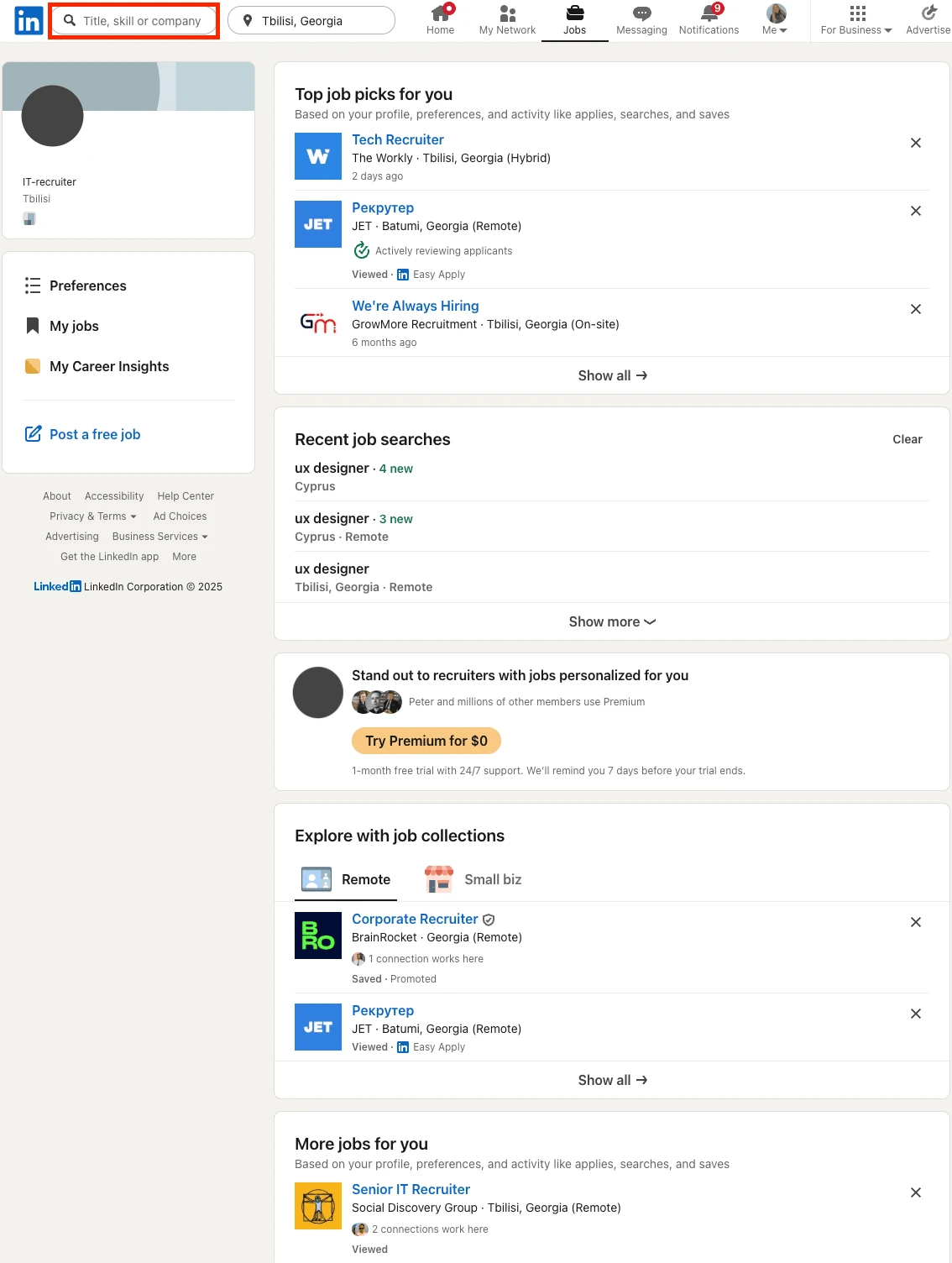
Why LinkedIn Jobs Matter
Recruiters
- Reach passive and active talent simultaneously.
- Receive auto-generated recommended matches for each post.
- According to LinkedIn, 83% of posted jobs get a qualified candidate within the first 24 hours.
Job seekers
- "Easy Apply" pulls data from your LinkedIn profile, so you can apply in just a few clicks.
- Filters for location, pay, "Under 10 applicants," and "Has verifications" (verified company Pages) speed up your job search.
- Real-time alerts flag new roles the moment they appear, which helps if you want to apply before the competition. If you want to optimize your visibility for recruiters, check out how to view your LinkedIn profile as someone else for actionable tips.

How Do LinkedIn Jobs Work?
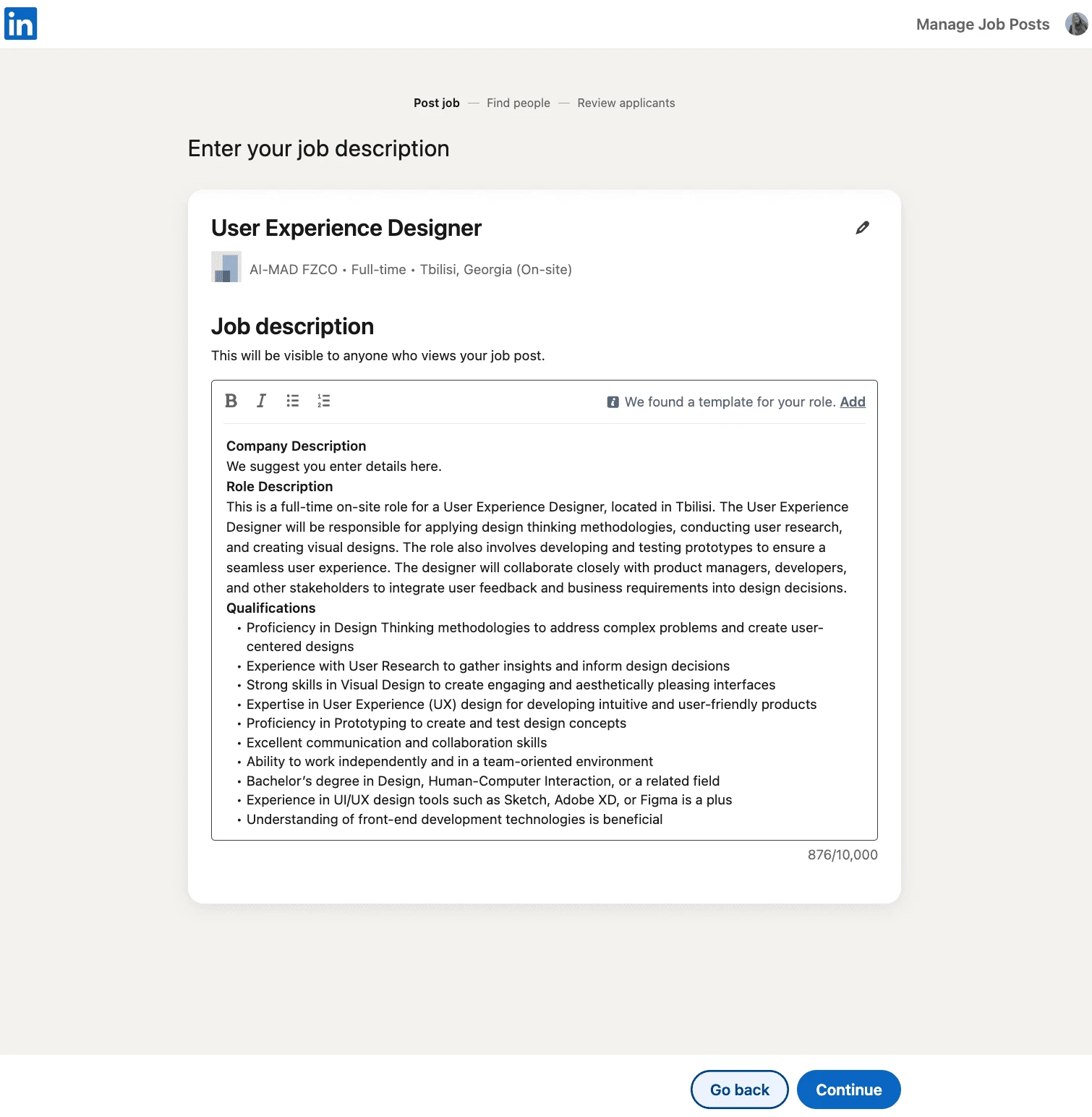
- Create a post Enter title, description, skills, pay range, and job type; choose Free or Promote.
- Set a budget (Promoted only) Pick daily or total spend. You pay per click and can pause anytime.
- Automatic distribution
- Free: appears in search, on your Company Page's Jobs tab, and notifies your 1st-degree connections.
- Promoted: surfaces atop results, in "Jobs You May Be Interested In" emails, and via push notifications.
- Manage applicants Rate candidates, add screening questions, and enable auto-reject rules to send polite declines. Using an ATS? Connect through Apply Connect or LinkedIn Recruiter login for one-click pipeline transfer.
- Close or repost Close manually or let LinkedIn expire the post after six months; reopen with one click when hiring restarts.
Best Practices
- Use a clear, searchable title. Skip internal jargon.
- Keep the description near 500–600 words for best engagement.
- List 3–5 must-have skills; LinkedIn's matching algorithm scores candidates on them.
- Add screening questions (yes/no or multiple choice) to pre-qualify candidates.
- When budget allows, promote your LinkedIn Jobs for at least five days to collect enough click data.
- Respond quickly; top talent leaves the market fast. For best results writing your job posts, see these effective LinkedIn job posting examples.
Bonus Tips
- Share each post on your Company Page and ask employees to repost. Employees account for 30% of company engagement on LinkedIn.
- Pair a promoted job with a Spotlight on your Career Page Life Tab to shorten time-to-hire.
- If you use Workable or another ATS, its Post Boost feature can publish directly to LinkedIn Jobs, track CPC spend, and drop applicants straight into your pipeline.