Quick Connect
1. Connect Close in One Click
Add the "Send person to external CRM" action to your Linked Helper workflow and link Linked Helper to Close instantly via secure OAuth or API key. Authorize your account and start syncing in seconds.
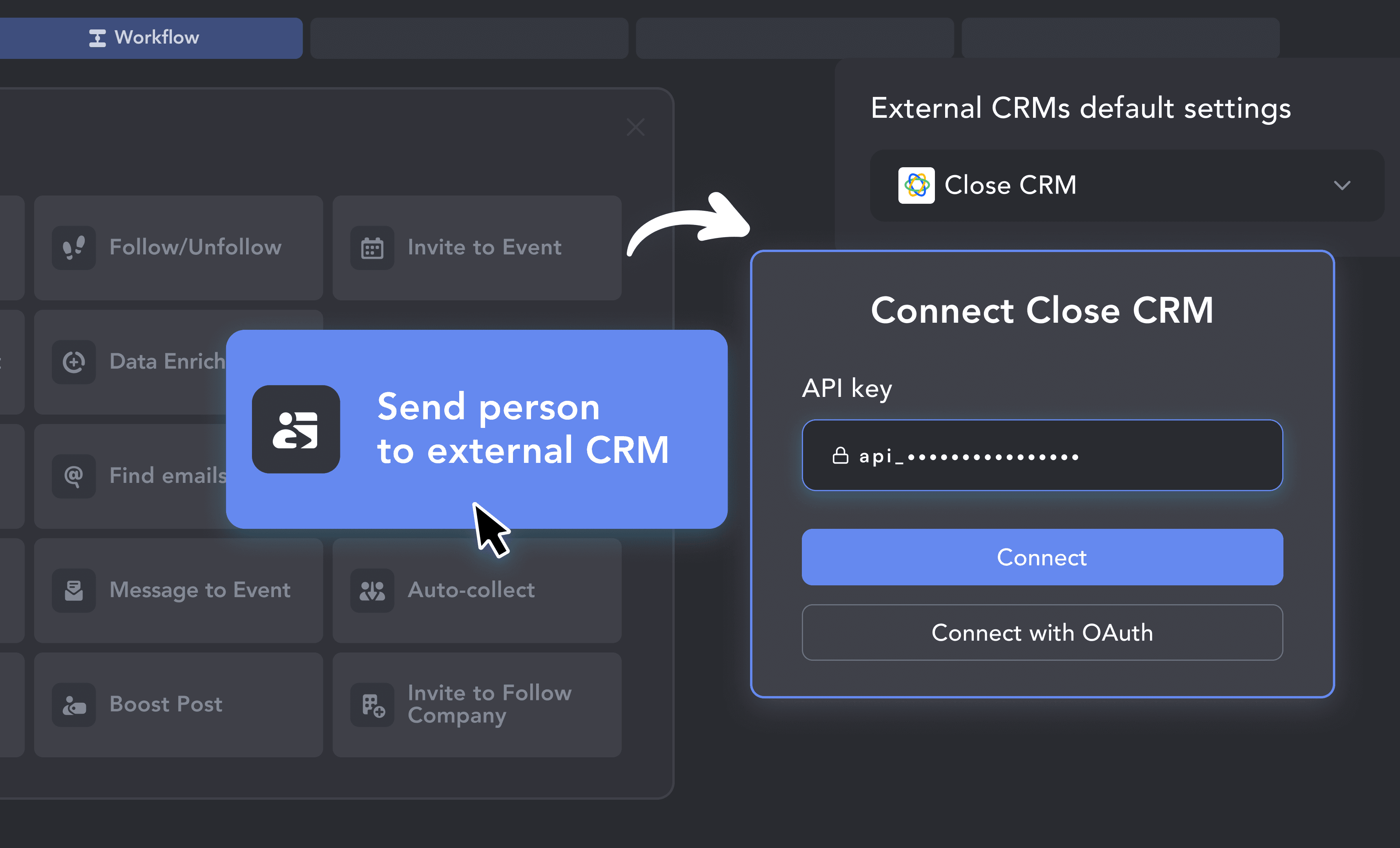

Close is built for teams that move fast and close deals. Linked Helper keeps pace — scraping LinkedIn prospects, enriching their data, and pushing them straight into your Close pipeline, ready to call.











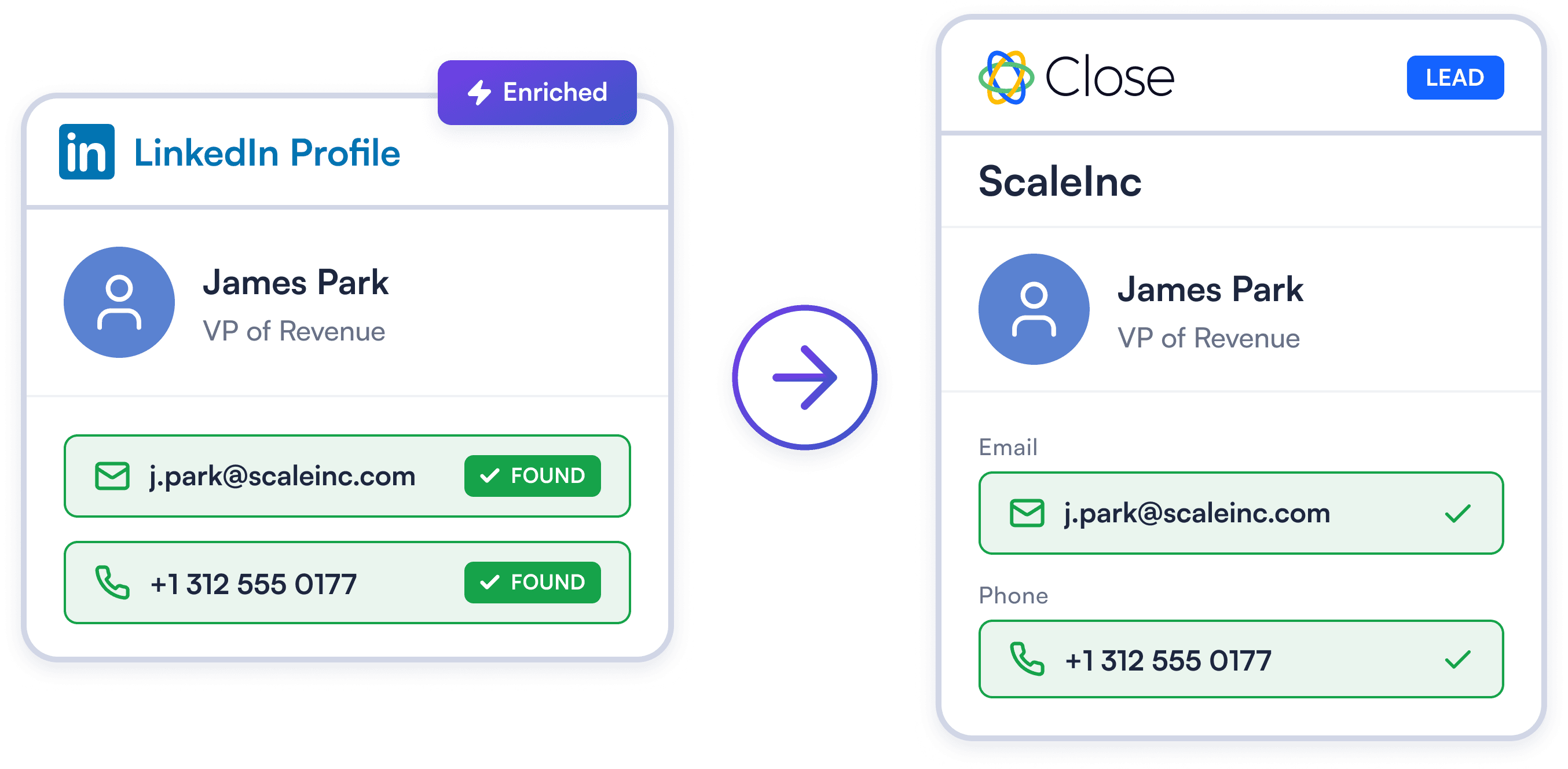
Linked Helper visits LinkedIn profiles, scrapes emails, phone numbers, current company, and job title, then pushes everything into Close CRM as a Lead with a linked Contact — all in one step, all in the background.
Try Template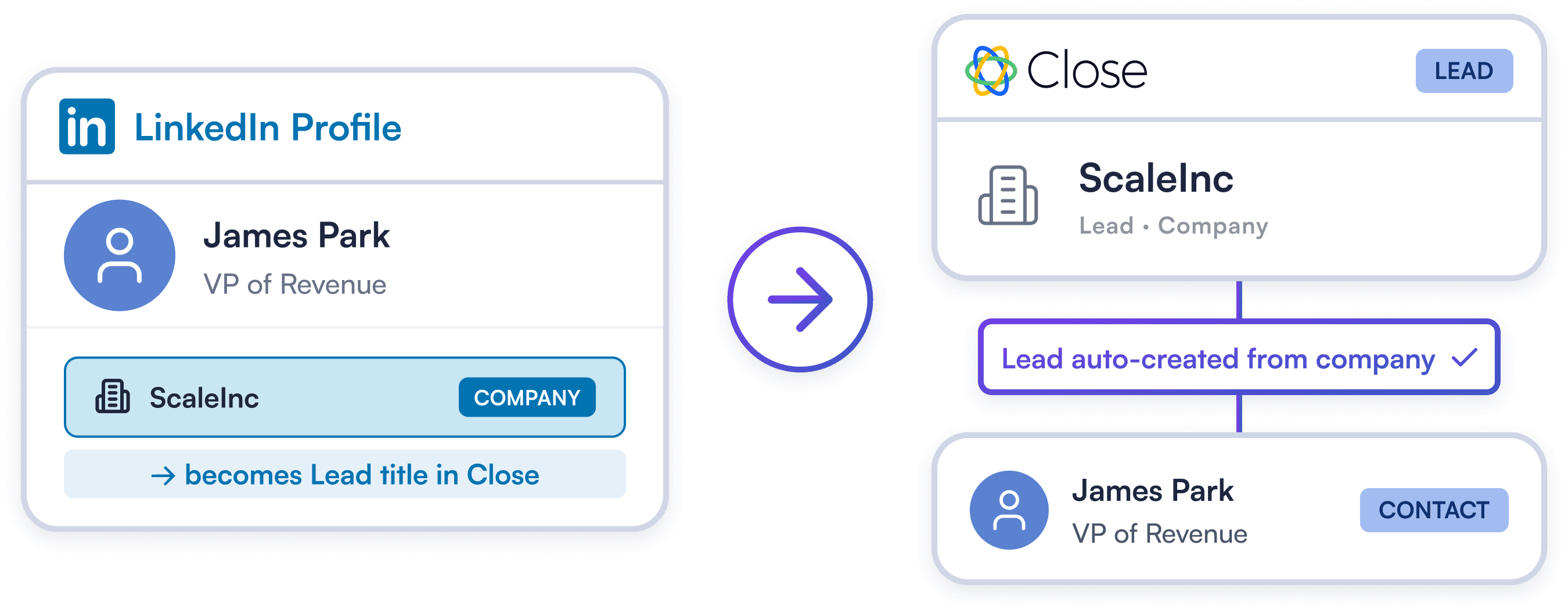
Close powers account-based sales — Linked Helper fuels it. Automatically create company-level Leads from a prospect's employer and associate Contacts with them, keeping your CRM hierarchy perfectly structured on autopilot.
Try Template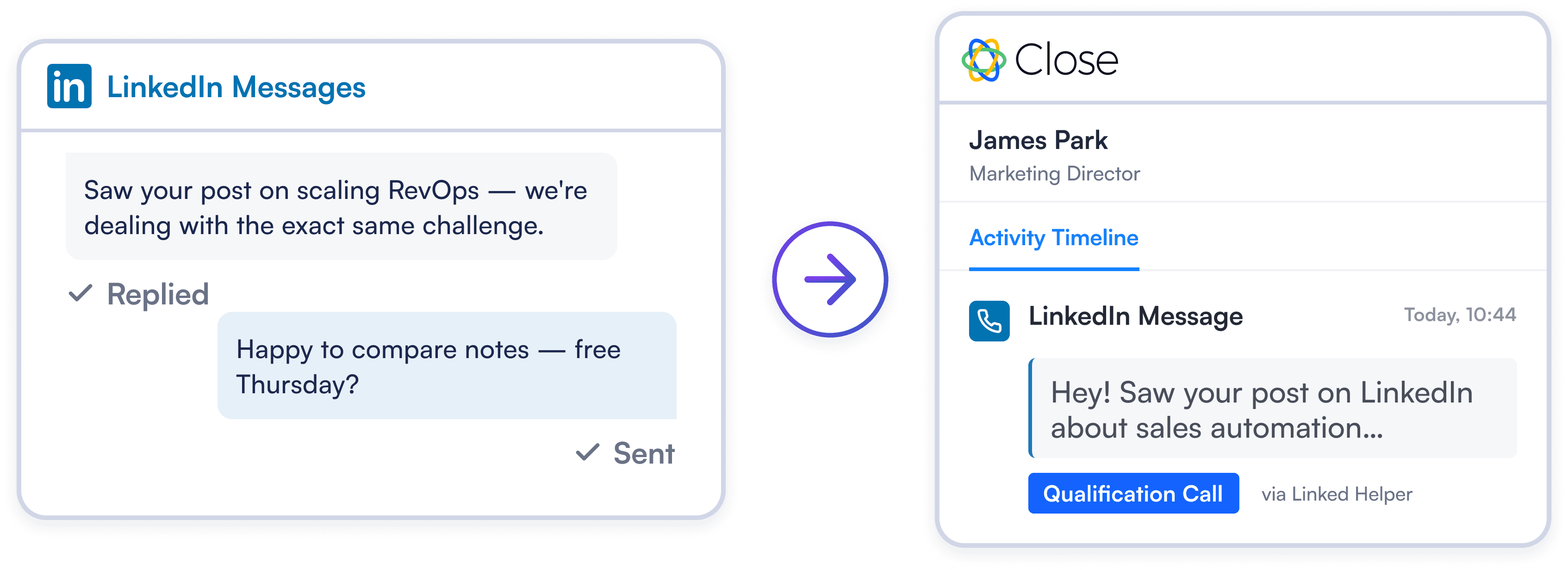
Automatically sync LinkedIn conversations directly into Close Activity Notes or Qualification Calls. Equip reps with complete message history before every call for smarter, higher-converting conversations.
Try TemplateAdd the "Send person to external CRM" action to your Linked Helper workflow and link Linked Helper to Close instantly via secure OAuth or API key. Authorize your account and start syncing in seconds.
Map LinkedIn profile data to Close Leads and Contacts. Automatically prevent duplicate records and enable instant syncing of all LinkedIn chat history.
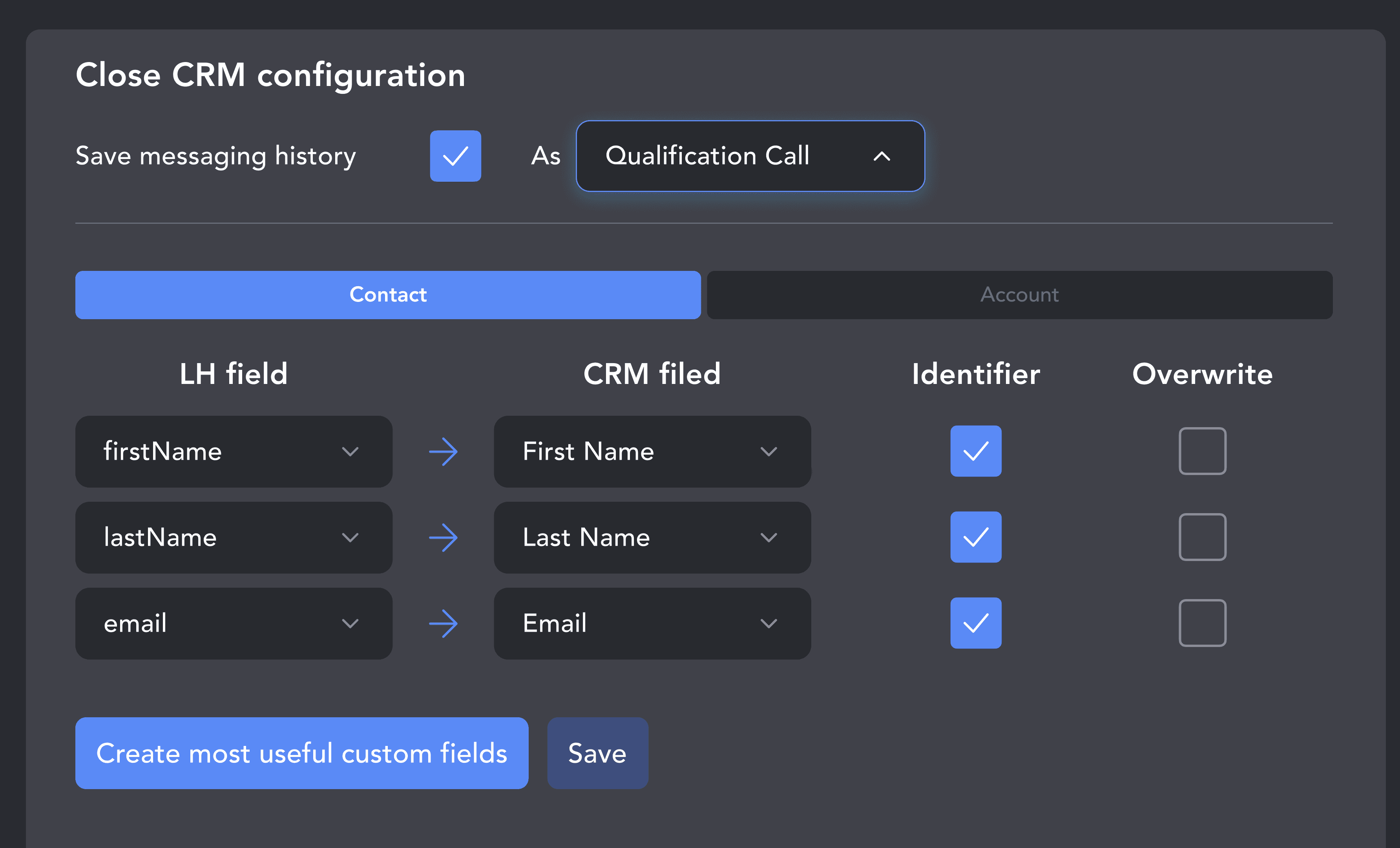
Auto-enrich profiles with company data before exporting to Close. Turn on your campaign, and lead records flow seamlessly into your CRM.
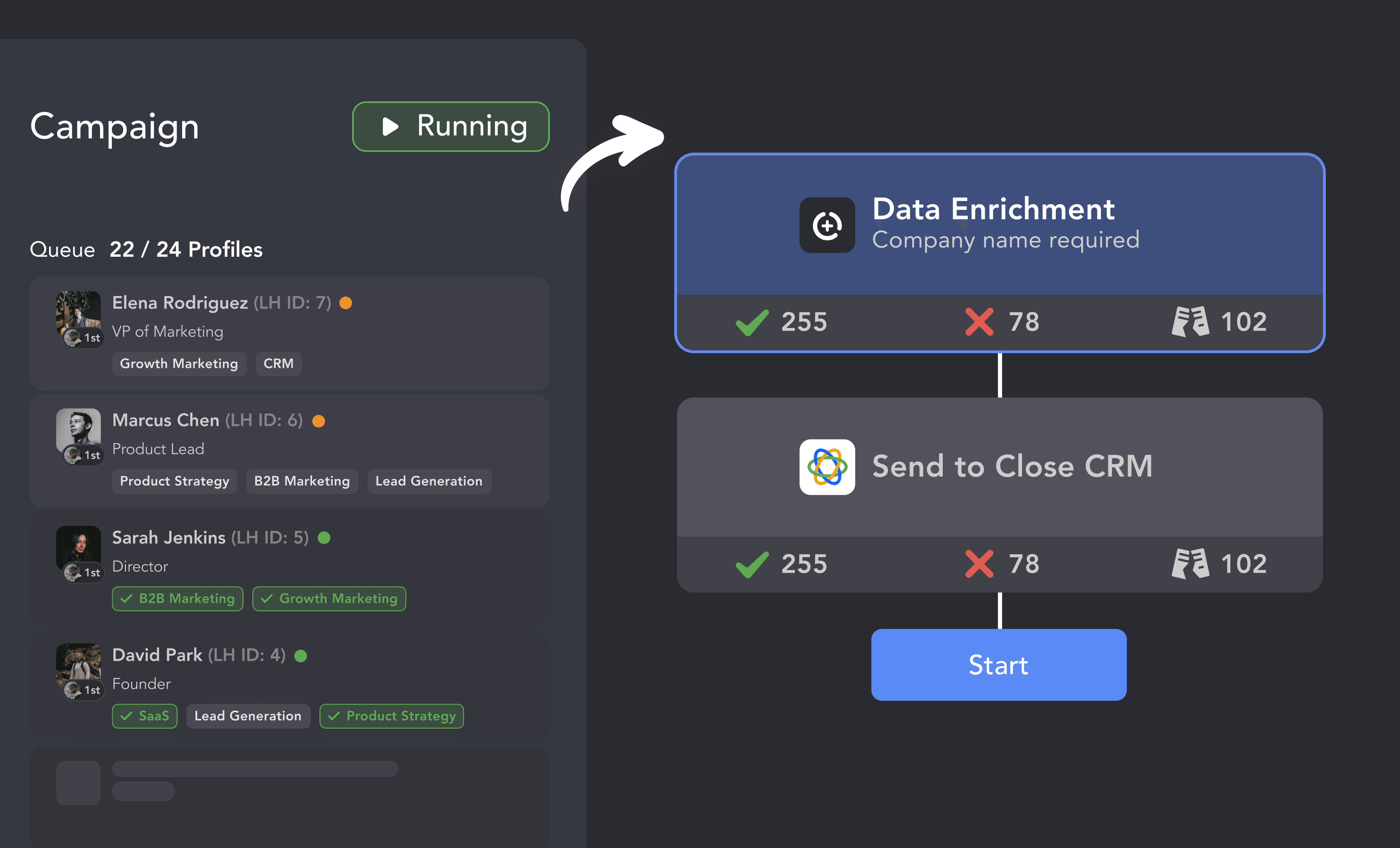
From finding leads to closing deals, Linked Helper automates every step of your outreach funnel. Explore the features that make us the most powerful solution on the market.


No chatbots. No waiting days for a reply. Get fast, expert help from real people who are committed to your success, anytime you need it.
Isaac R.
CEO, Education Management
If you are looking to optimize your time while generating income or profitability in your objectives, Linked Helper is your app. What I liked most is the simplicity and effectiveness.
 Review
24/7 LIVE CHAT & EMAIL
Get a real human response in minutes, not days.
REMOTE ASSISTANCE
If you're truly stuck, we can connect to your computer and guide you.
IN-DEPTH KNOWLEDGE BASE
Step‑by‑step tutorials and articles for every feature.
Watch our quick video guides to connect Close, map your fields, and launch your first campaign in minutes.
Set up your export preferences before sending profile data.
VIDEO TUTORIAL
VIDEO TUTORIAL
First and last name, current job title, current employer, location, LinkedIn URL, verified emails, phone numbers, and unique LinkedIn IDs. Company data is sent to the Lead record — name, website, and LinkedIn company URL.
Sync LinkedIn prospects, log conversations natively, and close deals faster. No manual data entry required.