RevOps LinkedIn Automation

LinkedIn Automation for RevOps Teams

Decoration lines
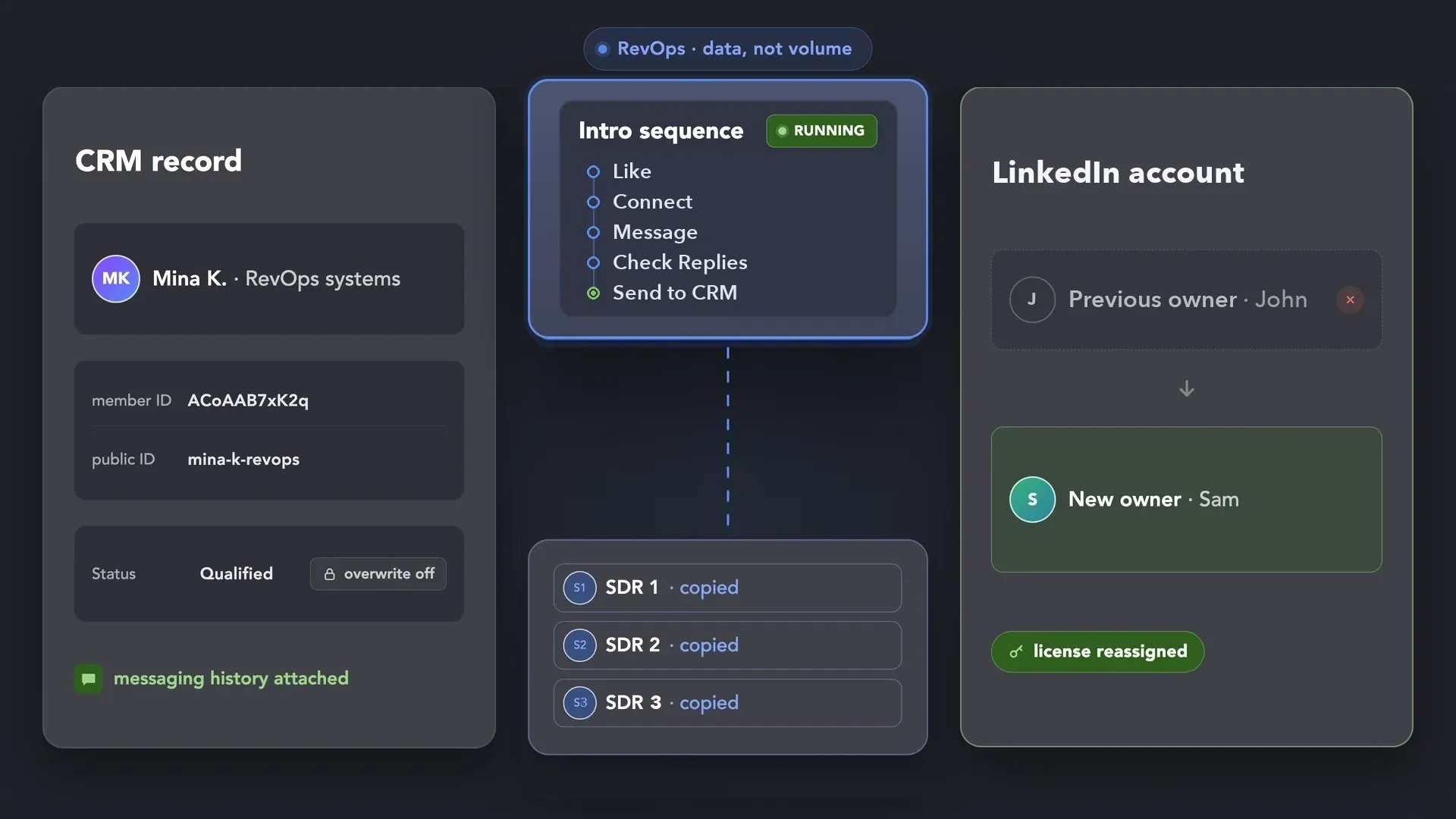
A CRM record with LinkedIn IDs, an intro sequence from Like to Send to CRM copied to three SDRs, and a LinkedIn account passing from John to Sam
Watch Demo
3 min · no signup
Download
100% Free. No card.

Trusted by over 10,000 businesses worldwide

When LinkedIn Outreach Becomes a
Blind Spot for RevOps

Cross iconBefore Linked Helper

Slow
● Contacts are typed into the CRM by hand.

● Two reps write to the same person.

● The team shares the LinkedIn password.

● Every new rep rebuilds the sequence.

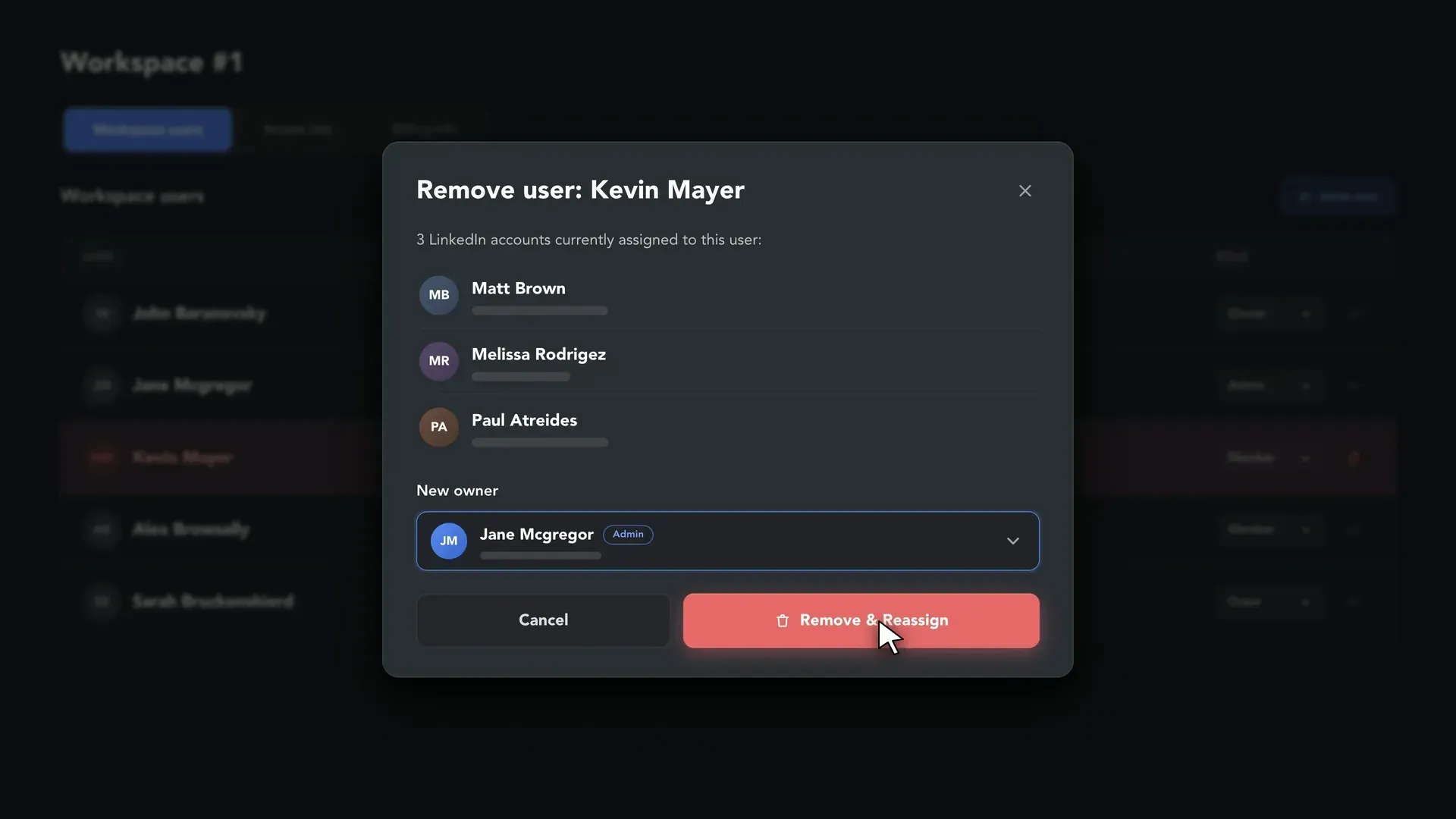
● When the employee managing a company LinkedIn account leaves, handing it over becomes a challenge.
Arrow from before to after

Checkmark iconWith Linked Helper

Auto-syncedAuto-synced
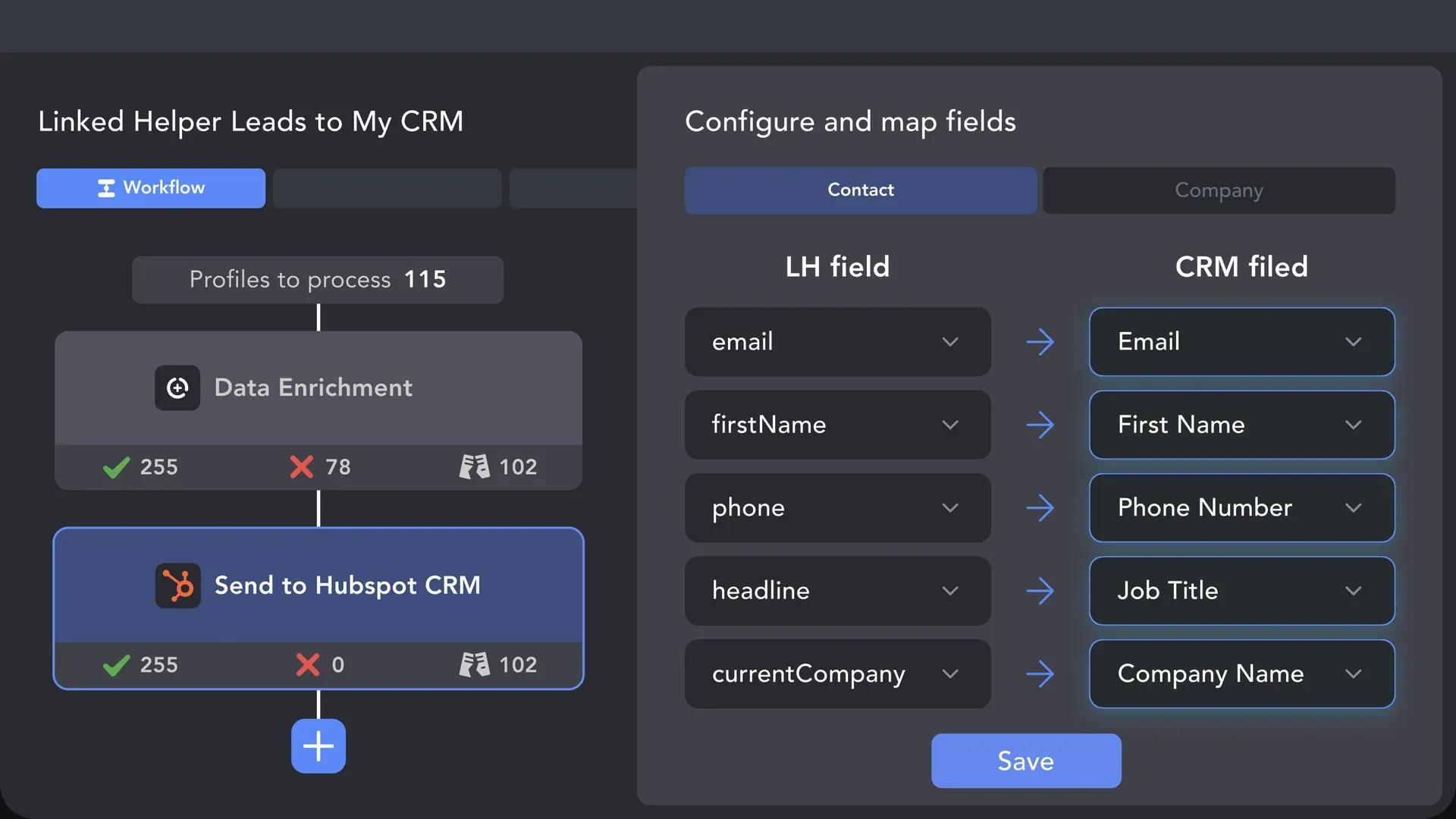
● Contacts are auto-synced with your CRM

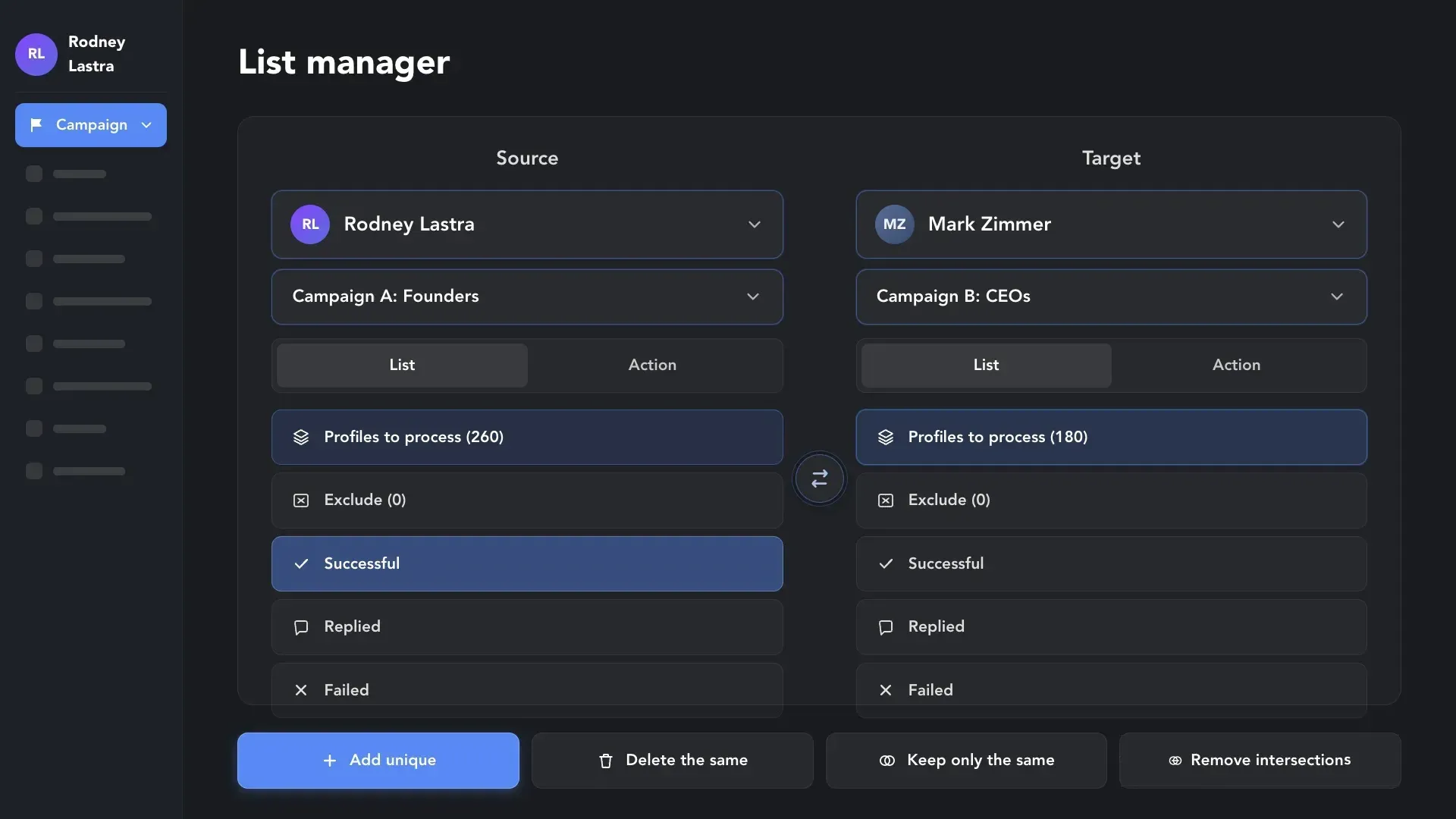
● Exclude lists keep two reps off one person.

● The password stays with the account owner.

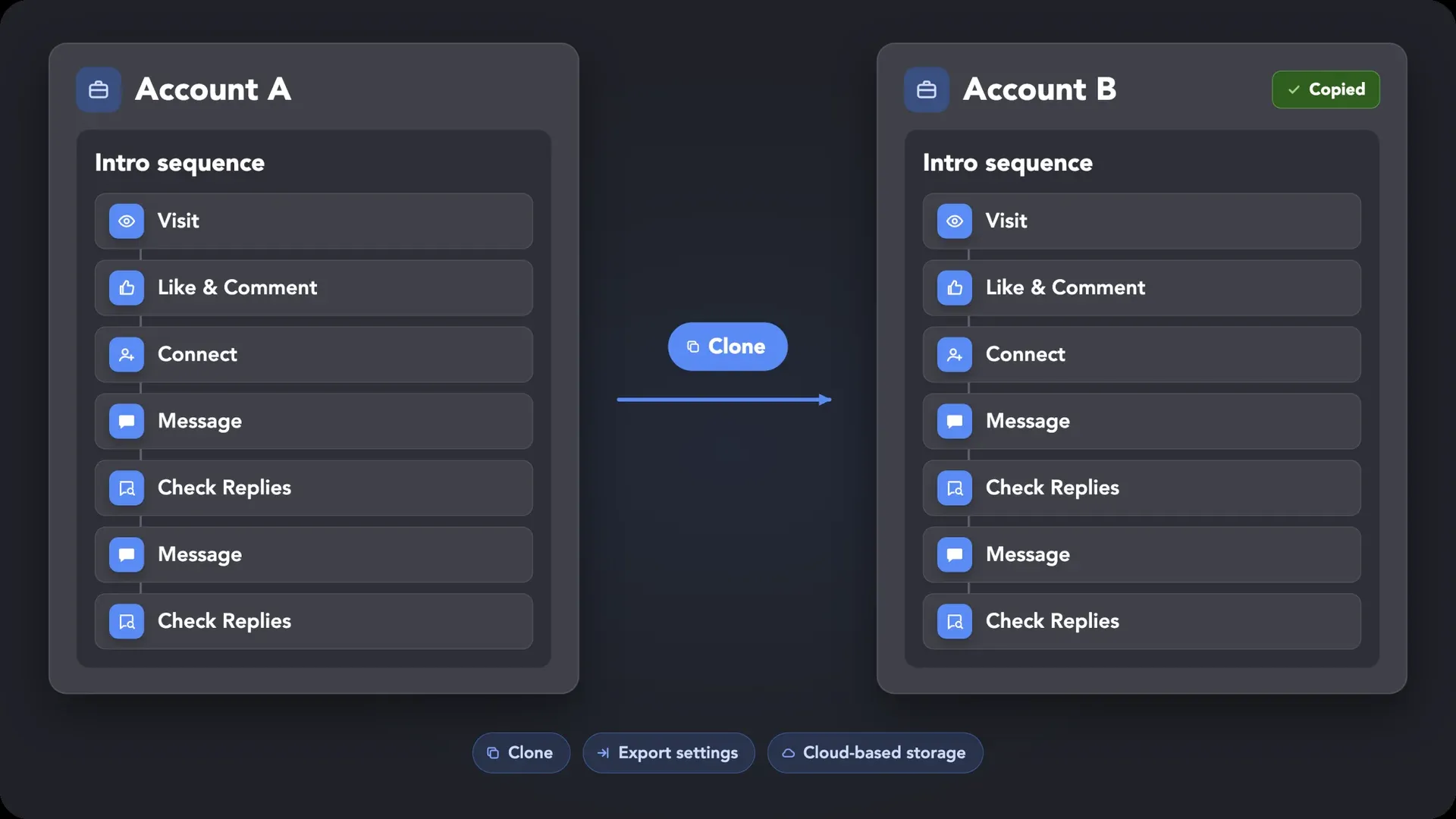
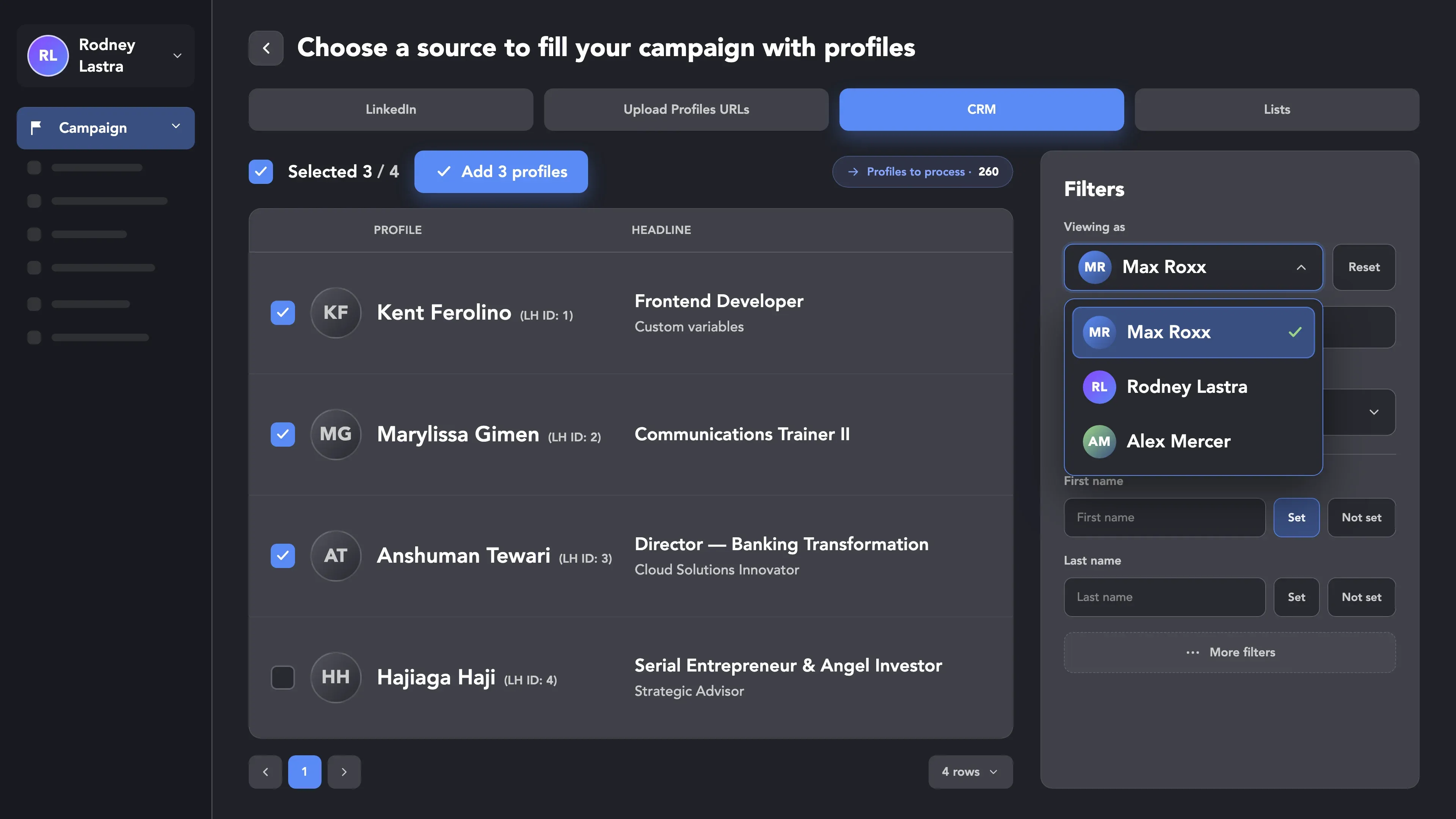
● Every rep starts from a cloned campaign.

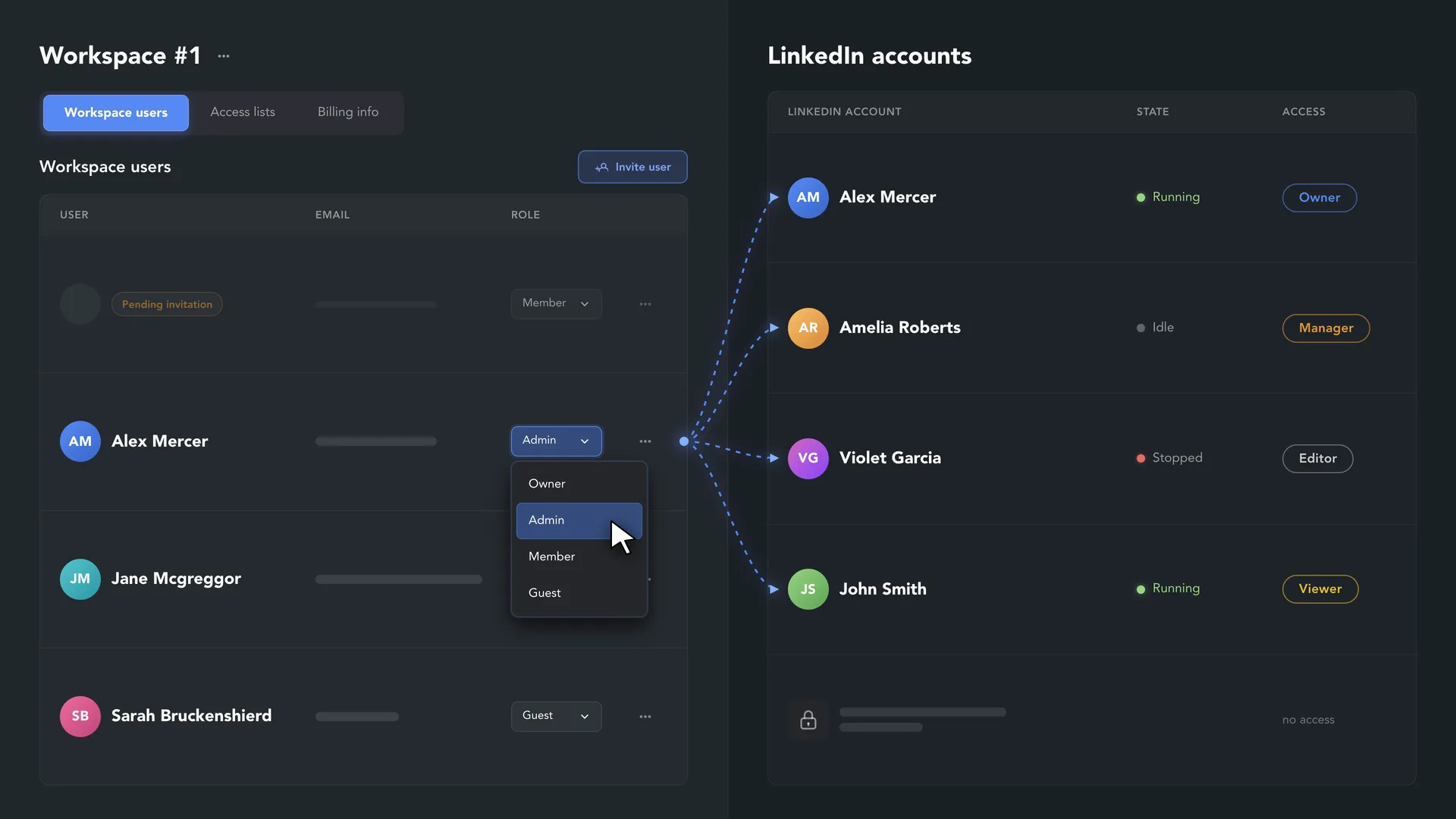
● Keep company accounts in your Workspace and easily transfer ownership and the license to another teammate.

How RevOps Runs LinkedIn in Linked Helper

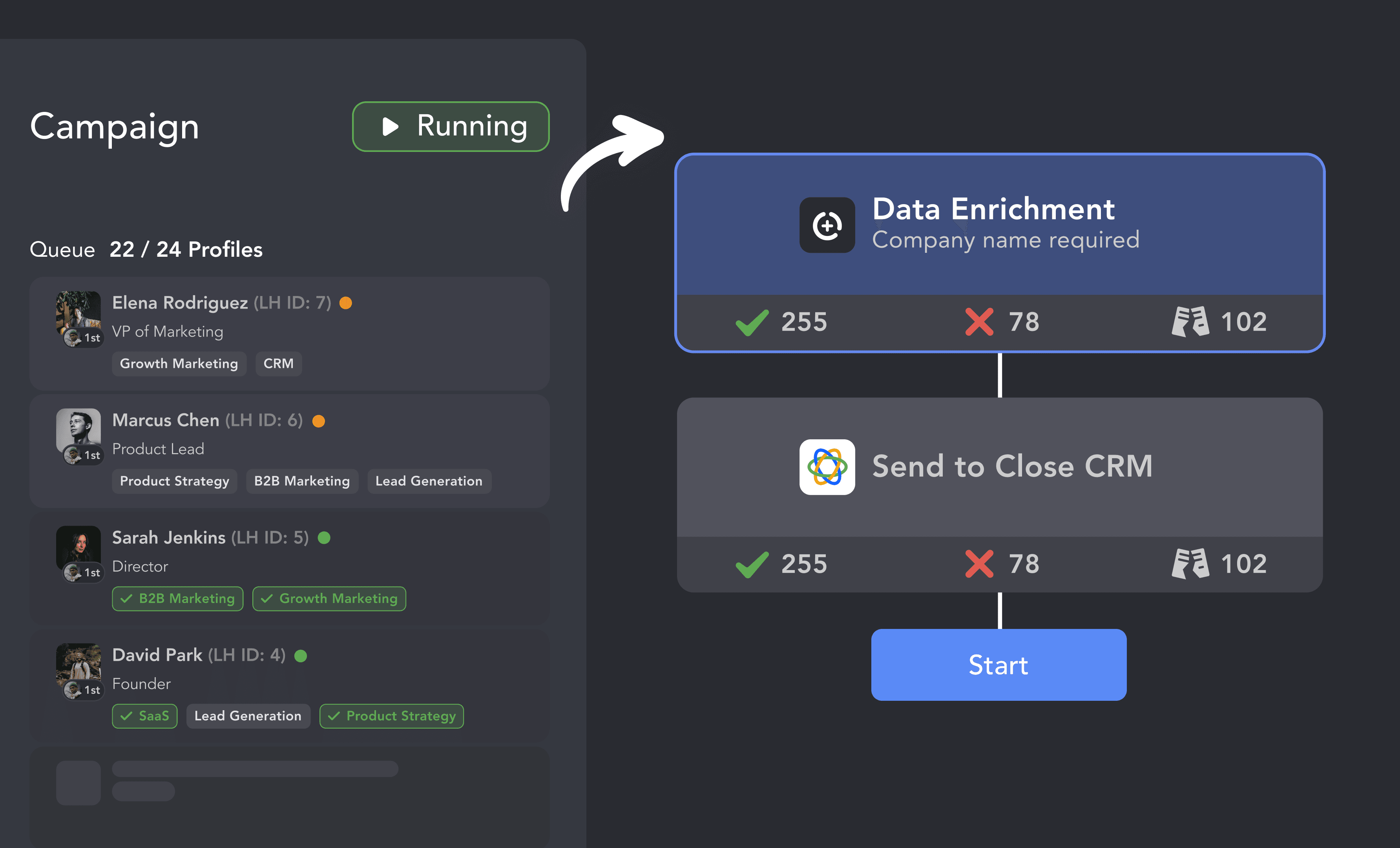
Turn LinkedIn Data into Actionable CRM Records

Enrich Contact Records

Enrich Contact Records

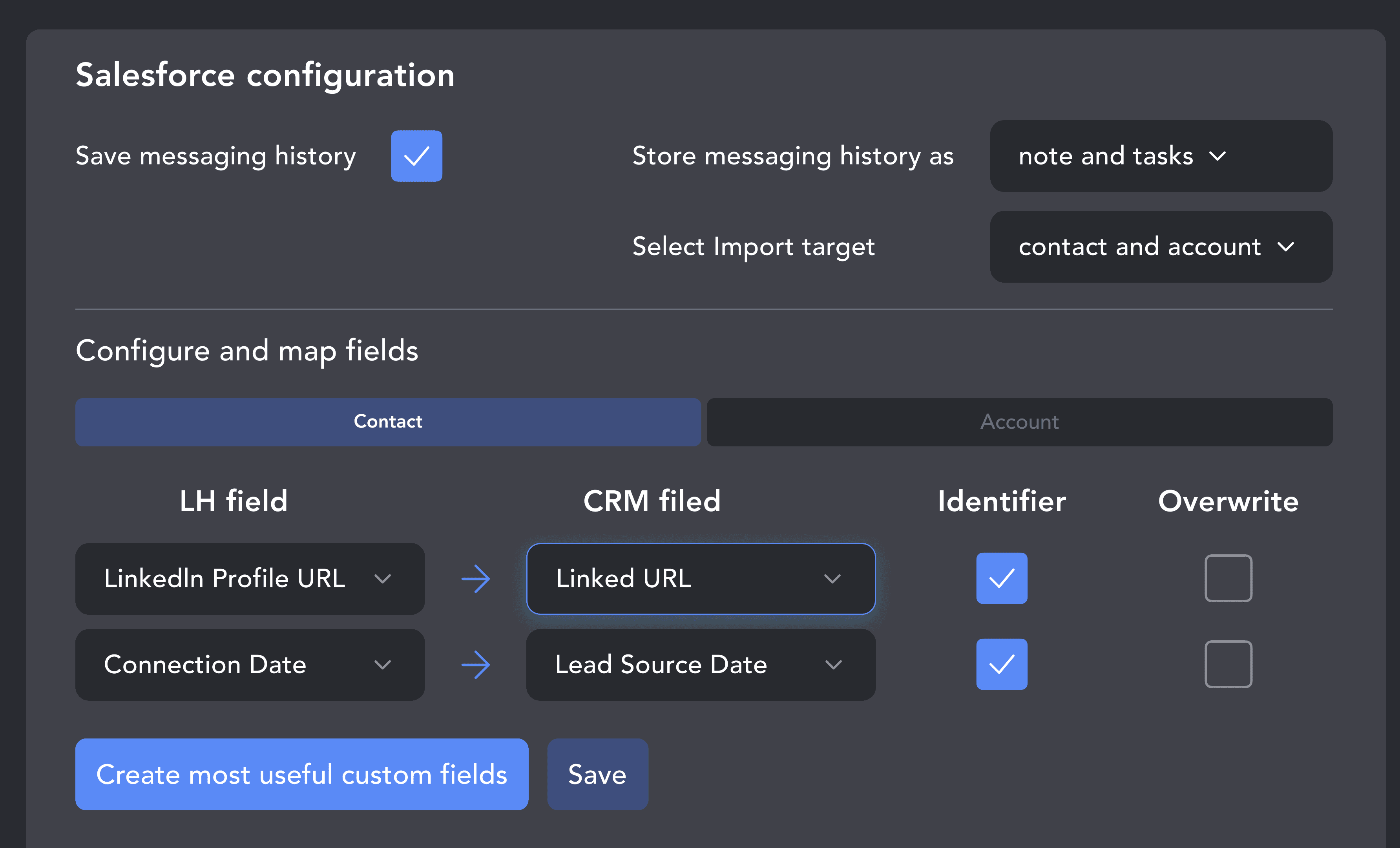
Control Which Fields Get Updated

Control Which Fields Get Updated

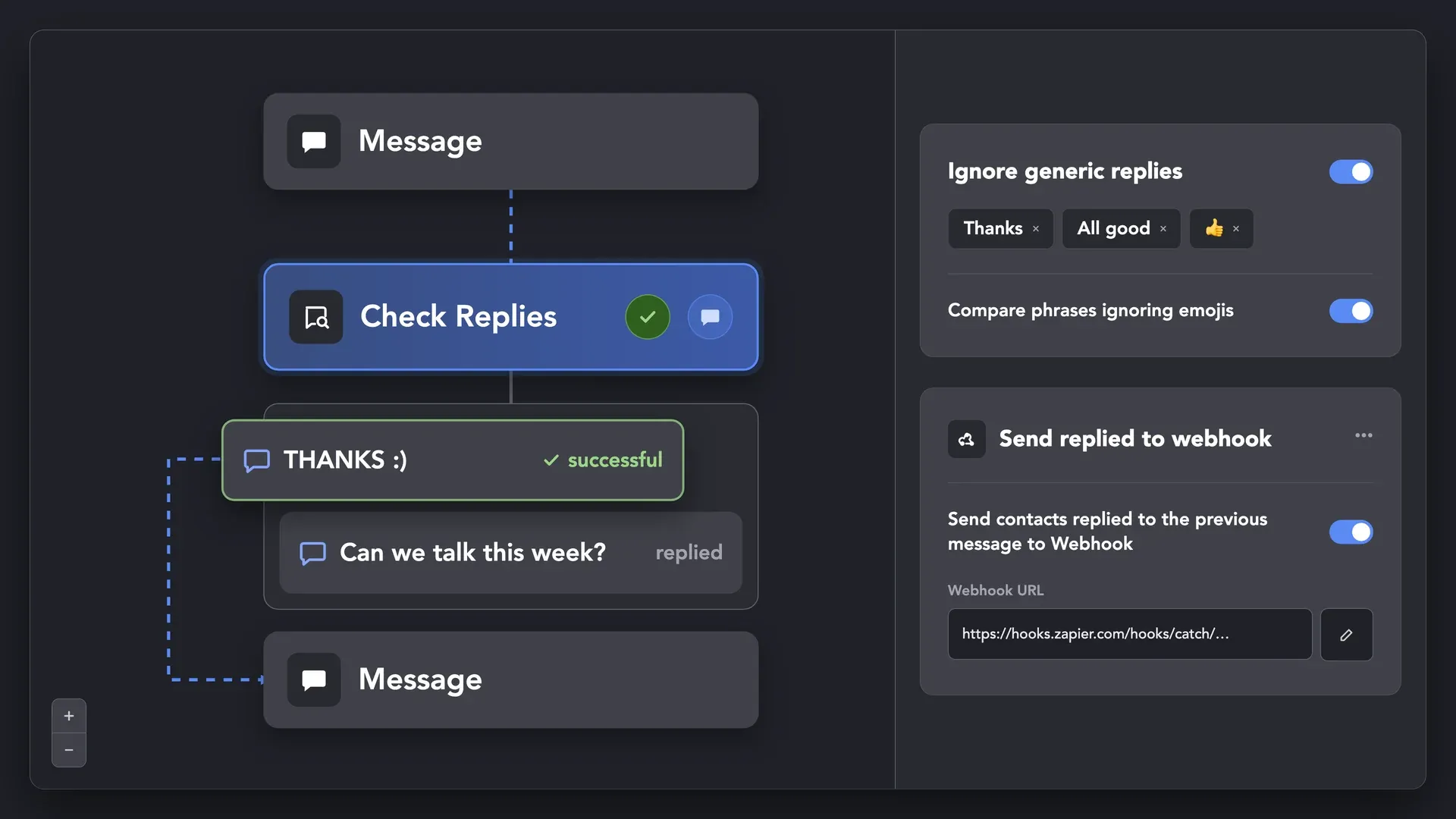
Keep Conversations in Your CRM

Keep Conversations in Your CRM

Seamlessly Connect with Leading CRMs

Scale the Team Safely, Without Sharing Passwords

Workspaces

Workspaces
Cloud-based storage version

Lead Pool Mobility

Lead Pool Mobility
Cloud-based storage version

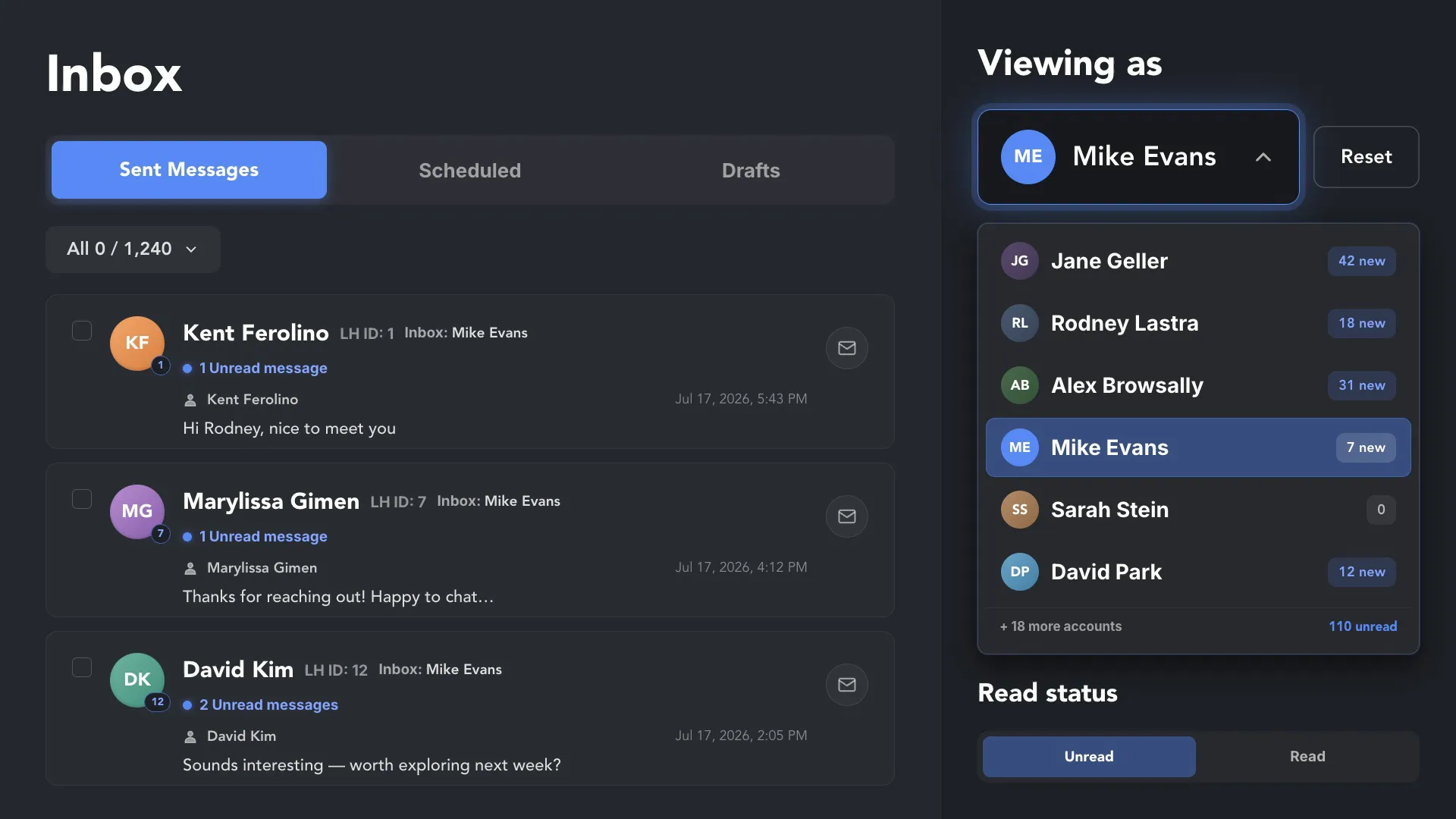
Unified Inbox

Unified Inbox

Multiple Layers of Protection for Every LinkedIn Account

Passes All Major Bot Detectors

Passes All Major Bot Detectors

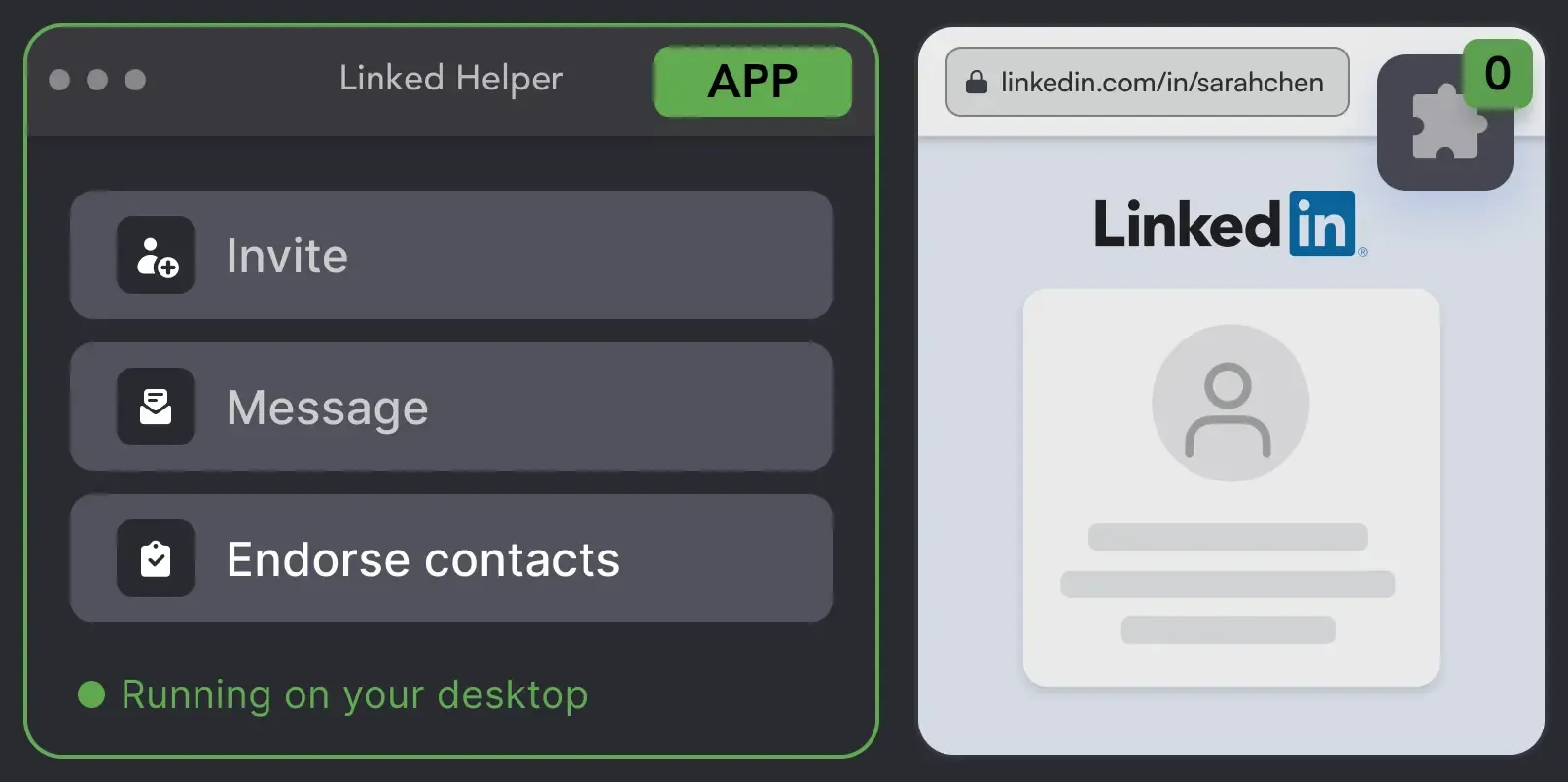
Linked Helper is verified undetectable by DataDome, Cloudflare, PerimeterX, and 10+ other leading bot detection systems. It is a desktop application, not a browser extension: no code injected into the LinkedIn page, no LinkedIn API calls, and a separate session for every account.

DataDomeDataDomeCloudflareCloudflarePerimeterXPerimeterXAkamaiAkamaiImpervaImperva10+ more10+ more

Human Behavior Simulation

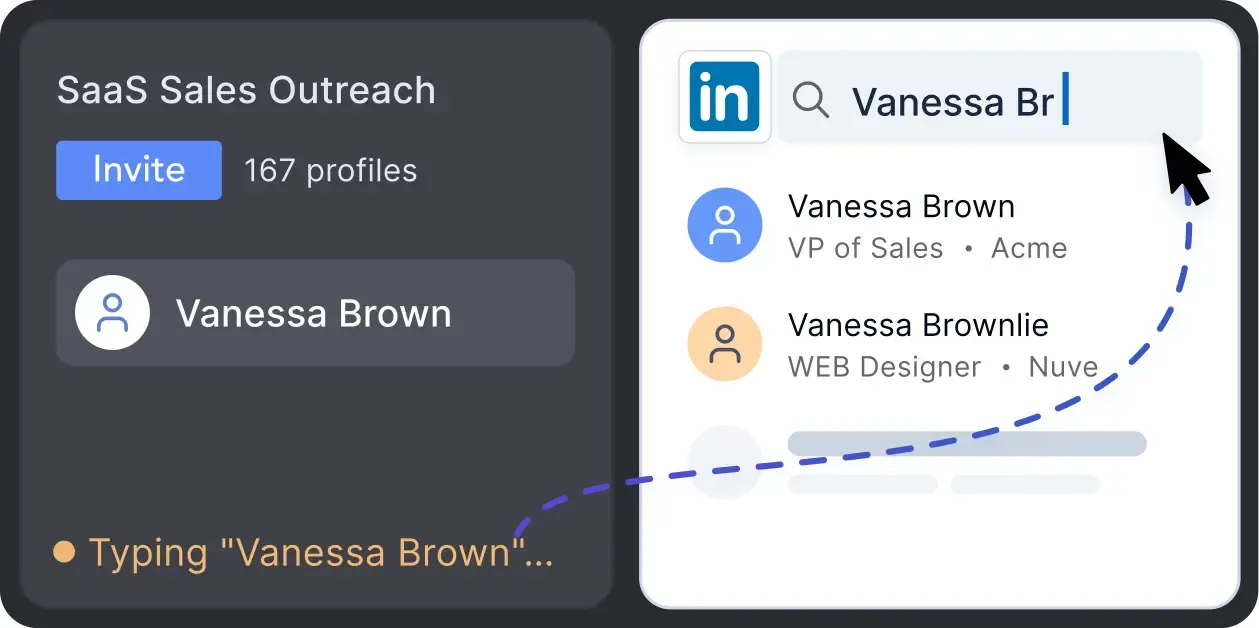
Mouse movements, typing simulation, natural scrolling, and randomized pauses between steps. Navigation goes through LinkedIn search and clicks, not pasted URLs.

Human Behavior Simulation

Desktop App, Not an Extension

There is no Chrome Web Store ID and no code injected into the LinkedIn page, so extension scans and page sweeps have nothing to match against.

Desktop App, Not an Extension

Smart Daily Limits

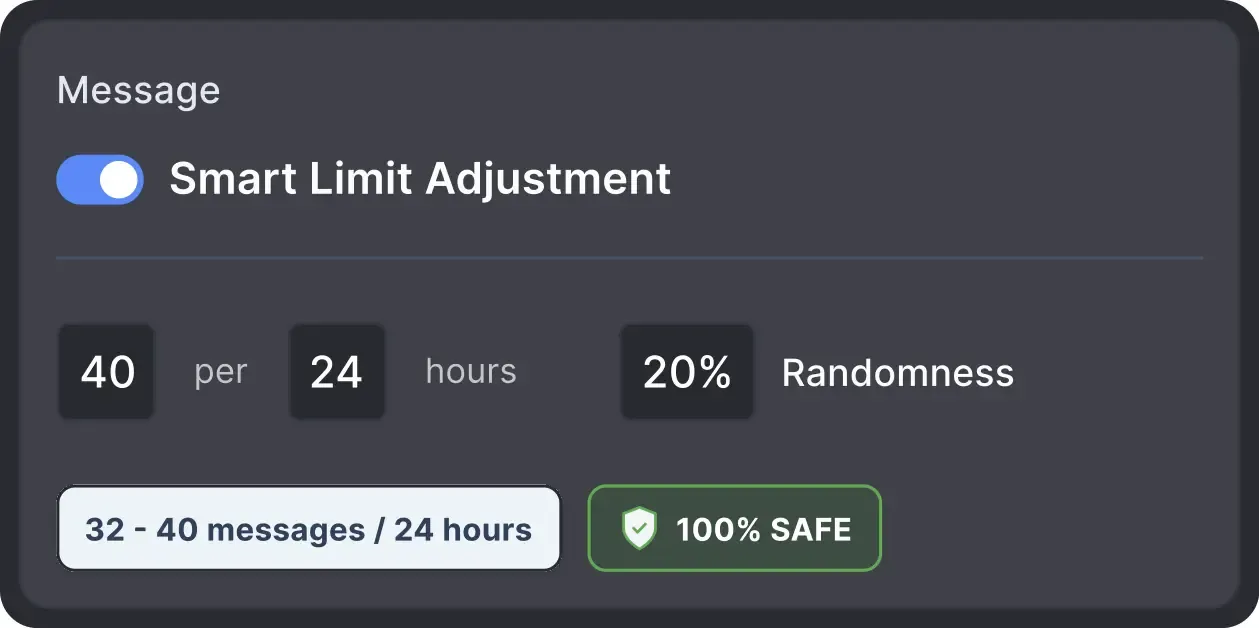
Each account works within recommended daily quotas and its own working hours, with randomized start times and volumes so activity doesn't look scheduled.

Smart Daily Limits

Built-in Proxy Quality Check

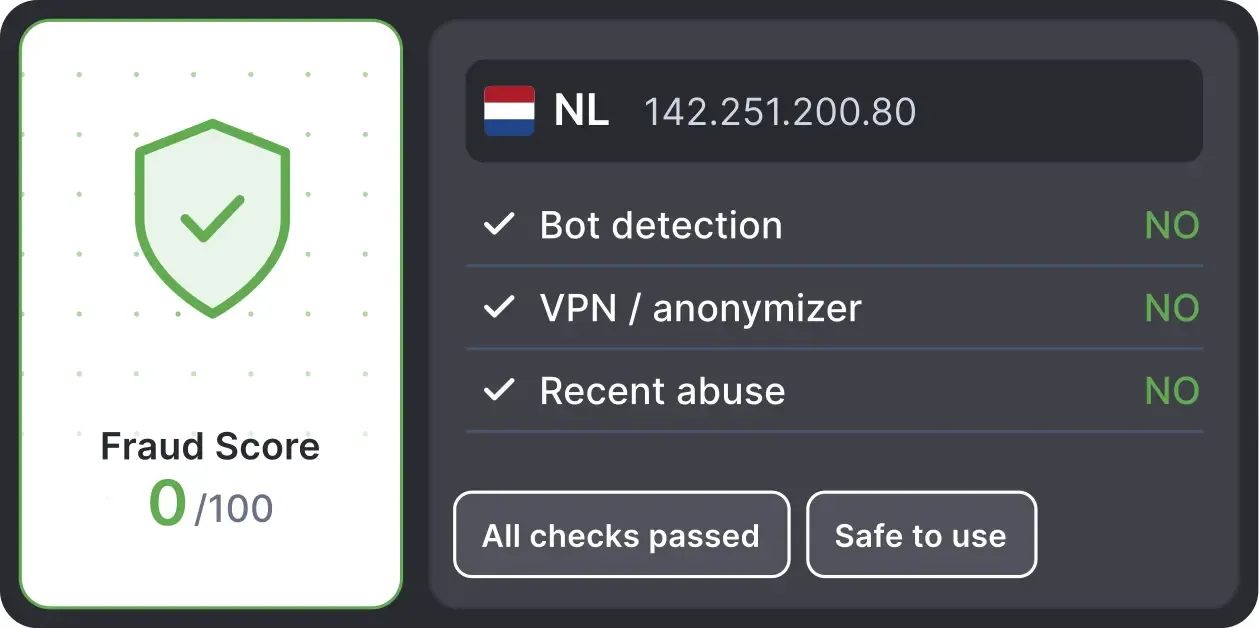
Linked Helper checks a proxy's Fraud Score through IPQualityScore and flags it Good or Bad before you assign it, showing the country and VPN history.

Built-in Proxy Quality Check

Local and Cloud-based storage

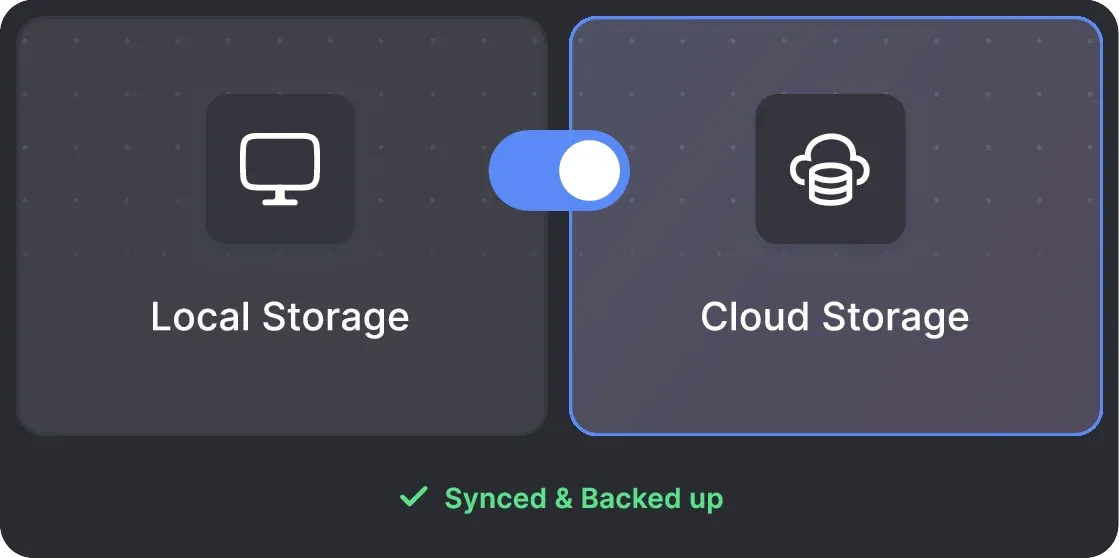
Campaign data lives on your own machine or on Linked Helper servers — available as a separate license type. Automation actions run on your computer either way.

Local and Cloud-based storage

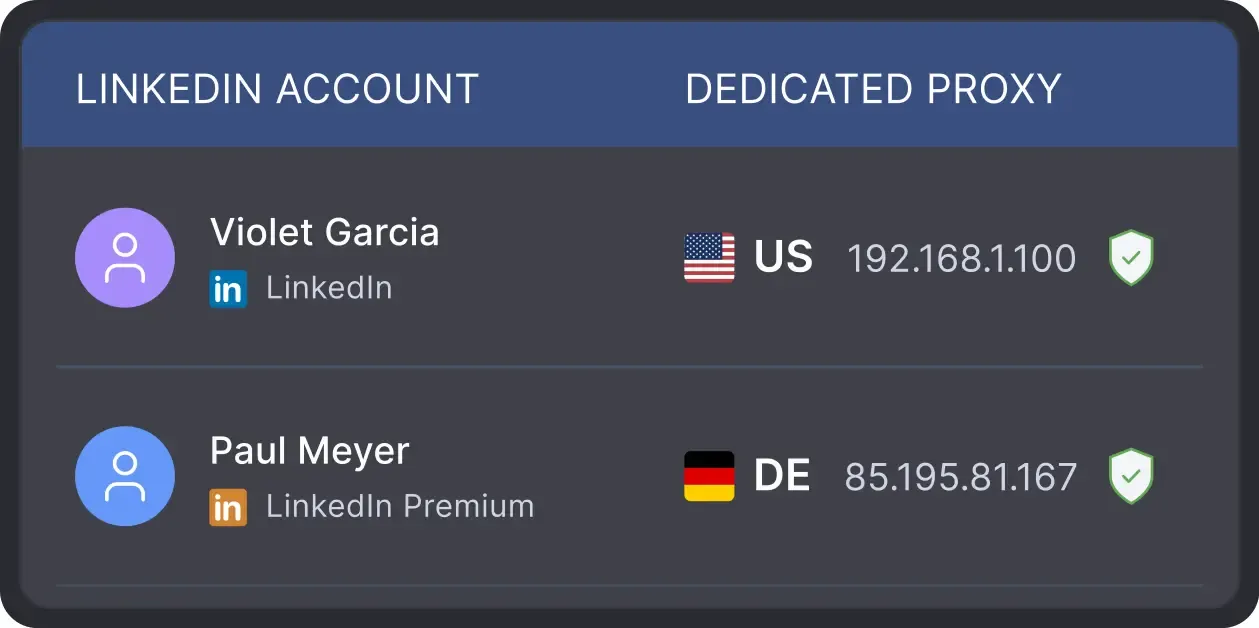
One Proxy per Account

Assign a dedicated proxy to each client account so every login comes from a consistent IP that matches the account's country and time zone.

One Proxy per Account

Works with All LinkedIn Platforms

LinkedIn Platform

Basic

LinkedIn Platform

Premium

LinkedIn Platform

Sales Navigator

LinkedIn Platform

Recruiter

What Linked Helper Users Say

Medal
Medal
Medal
Medal
Medal
Medal
Read Full Reviews

Human Support for Every RevOps Workflow

Paulo Ferreira

Trustpilot review

Using LinkedIn Helper greatly accelerated our prospecting and contact with potential leads on LinkedIn. The construction of campaigns is very intuitive and simple. Now with the possibility of integration with Pipedrive, our CRM, the solution was perfect for us.

Review link iconReview

24/7 LIVE CHAT & EMAIL

Get a real human response in minutes, not days.

REMOTE ASSISTANCE

If you're truly stuck, we can connect to your screen and guide you.

IN-DEPTH KNOWLEDGE BASE

Step‑by‑step tutorials and articles for every feature.

Read Guidelines

Flexible pricing for every LinkedIn professional

Local-based storage versionCloud-based storage version

Data stored locally

All your data stays on your device in local folders you can access directly.

Separate data space for each LinkedIn account

Each account has its own isolated storage - no data mixing.

Webhooks

With outgoing webhooks, Linked Helper can send data to third-party systems.

Always accessible

Data is stored in local folders on your device. No app, no internet required to access your files.

Access from any device, anywhere

Install the app on a new device and pick up right where you left off.

Easy data sharing with teammates and clients

Share LinkedIn accounts and campaign data without manual exports.

Webhooks

With incoming and outgoing webhooks, Linked Helper can receive data from and send data to third-party systems.

Data reliability

Your data is automatically backed up to the cloud - no risk of losing it if something happens to your device.

No manual transfers

Switch devices or reinstall the app without moving files manually.

Local-based storage version

Trial

Free/ 14 days
  • 14-Day Full Feature Access
  • Explore Standard & Pro capabilities
  • 24/7 Support
MOST POPULAR
Local-based storage version

Standard

$15/ month
  • Core lead generation tools unlimited
  • Unlimited campaigns
  • Full data export to CSV (except messaging history)
  • LH CRM with tagging & notes
  • Limited advanced actions (20/day)
  • Webhook integrations (20 profiles/day)
  • 620 Data credits/month (Can be purchased separately if needed)
  • 250 AI credits included (Can be purchased separately if needed)
  • 24/7 Support
Local-based storage version

Pro

$45/ month
  • All Standard features
  • Unlimited daily actions
  • Advanced data export
  • Unlimited webhook integrations
  • Unlimited messages with images
  • 3100 Data credits/month (Can be purchased separately if needed)
  • 500 AI credits included (Can be purchased separately if needed)
  • 24/7 Support
Cloud-based storage version

Trial

Free/ 14 days
  • 14-Day Full Feature Access
  • Explore Standard & Pro capabilities
  • 24/7 Support
MOST POPULAR
Cloud-based storage version

Standard

$29.90/ month
  • Core lead generation tools unlimited
  • Unlimited campaigns
  • Full data export to CSV (except messaging history)
  • LH CRM with tagging & notes
  • Limited advanced actions (20/day)
  • Webhook integrations (20 profiles/day)
  • 620 Data credits/month (Can be purchased separately if needed)
  • 250 AI credits included (Can be purchased separately if needed)
  • 24/7 Support
Cloud-based storage version

Pro

$59.90/ month
  • All Standard features
  • Unlimited daily actions
  • Advanced data export
  • Unlimited webhook integrations
  • Unlimited messages with images
  • 3100 Data credits/month (Can be purchased separately if needed)
  • 500 AI credits included (Can be purchased separately if needed)
  • 24/7 Support
1 license = 1 LinkedIn account(This page shows the Cloud-based storage version. Volume discounts match the pricing page. VPS, proxies, and extra credits are separate.)

Local tax may apply

Master Linked Helper from Day 1

Register for the webinar and learn how to succeed with our app
LIVE WEEKLY

Register for the webinar and learn how to succeed with our app

A 60-minute live walkthrough to kick-start your LinkedIn lead generation. Register now to join live or receive the recording by email even if you can’t attend.

Video preview
Video preview
Video preview
LinkedIn Message Automation: The Definitive Guide

BLOG POST

LinkedIn Message Automation: The Definitive Guide

Read Article
Video preview

VIDEO TUTORIAL

Beginner's Guide to Linked Helper Workflow and Campaign Setup

Watch Video

Frequently Asked Questions for RevOps Teams

Linked Helper doesn't currently offer a public API. However, you can connect your workflows to external tools using CRM integrations and webhooks. Send contacts and qualified replies directly to your CRM, or forward reply data to other systems through webhooks. On Cloud-based storage version you can also use Incoming Webhooks to import leads and their custom data directly into Linked Helper, making it easier to connect external lead sources and automate prospecting workflows.