

 16 min read

TL;DR: B2B data providers in 2026
-
Linked Helper: My top pick for LinkedIn lead enrichment, with desktop automation and data export in the same workflow. Standard with local data storage costs $15/month on monthly billing.
-
Apollo: My pick for data and prospecting together. Basic starts at $49 per seat monthly on annual billing, with pooled credits and free CSV re-export of saved contacts.
-
UpLead: Available email and phone fields come with a contact unlock. Essentials runs $99 per month; however, Professional is required for a managed team.
-
Lusha: Start with 40 free monthly credits for occasional lookups. Export has its own credit charges, so price the destination before buying a larger package.
-
Cognism: Phone-focused teams should compare Pro, which adds premium mobiles and verification on demand. Its packages include five seats and require a quote.
-
ZoomInfo: Account research goes past contact lookup via buying signals in Copilot. My Lite account offered smaller priced packages; those allowances vary from Sales plans.
The comparison scope is in How we tested.
A B2B data provider supplies company and professional contact information you can use to find accounts, identify decision-makers, and enrich business records. For sales teams, a usable record needs the fields their workflow calls for, such as a current work email or relevant phone number, plus permission to export them.
Quick picks: which B2B data provider fits your workflow?
Linked Helper is my first choice when prospecting starts on LinkedIn. Apollo combines contact data with prospecting, while UpLead, Lusha, Cognism, and ZoomInfo suit different buying constraints. These are the use cases I'd start with when narrowing the list.
| Best for | Provider | Why it fits | Check before buying |
|---|---|---|---|
| Enriching LinkedIn leads | Linked Helper | Contact and company data with desktop outreach | Which data fields your campaign needs |
| Data and prospecting in one workspace | Apollo | Saved contacts and sequences | Where your team sends email |
| Buying available fields together | UpLead | Contact-based unlocks | The seats your team needs |
| Occasional lookups | Lusha | Free allowance and configurable paid credits | Your export destination |
| Phone verification | Cognism | Premium mobiles and on-demand checks on Pro | The quoted allowance and add-ons |
| Account research | ZoomInfo | Buying signals alongside contact profiles | The exact product and allowance |
How to choose a B2B data provider: price the fields you'll use
Compare Linked Helper, Apollo, UpLead, Lusha, Cognism, and ZoomInfo against the same sample and export destination. Before you open a pricing page, start with your target accounts and work out which fields you'll need to reach the people on that list, because an allowance can look generous while paying for work you won't use.
The criteria I prioritize most heavily are the following:
-
Coverage: Count absent records in the denominator and use a sample reflecting your geography, functions, seniority, and company sizes.
-
Verification: Separate email validation, current employment, phone ownership, and successful delivery. Check the guarantee's exclusions and remedy.
-
Credit unit: Find out whether you're buying a contact or an individual field. You shouldn't pay to reveal a phone number your campaign won't use.
-
Export and refresh: Price the route into your workflow and the cost of updating old records. Check whether fresh values replace existing fields or arrive in a separate file. Use records with known changes to check which fields update and how long the refresh takes.
-
Seats and timing: Model monthly demand, expiry, and rollover alongside the people who need access. For a quote, include target markets, refresh frequency, API access, mandatory modules, renewal terms, and mid-contract additions.
That check should also include the integration policy of your employer. On February 22, 2025, u/scruffythejanitor25 posted in r/salesforce about a shift from ZoomInfo to Apollo. The post said: “my company has those plugins blocked.” Resolve that limitation before letting a CRM connection become the deciding factor.
1. Linked Helper: my top pick for LinkedIn data enrichment and desktop outreach
Linked Helper is my top pick for turning a LinkedIn prospect list into enriched contact records and an outreach workflow. Start with profiles collected from LinkedIn or Sales Navigator, or upload a CSV of profile URLs. Add Data Enrichment to retrieve available contact and company details from the Linked Helper database.
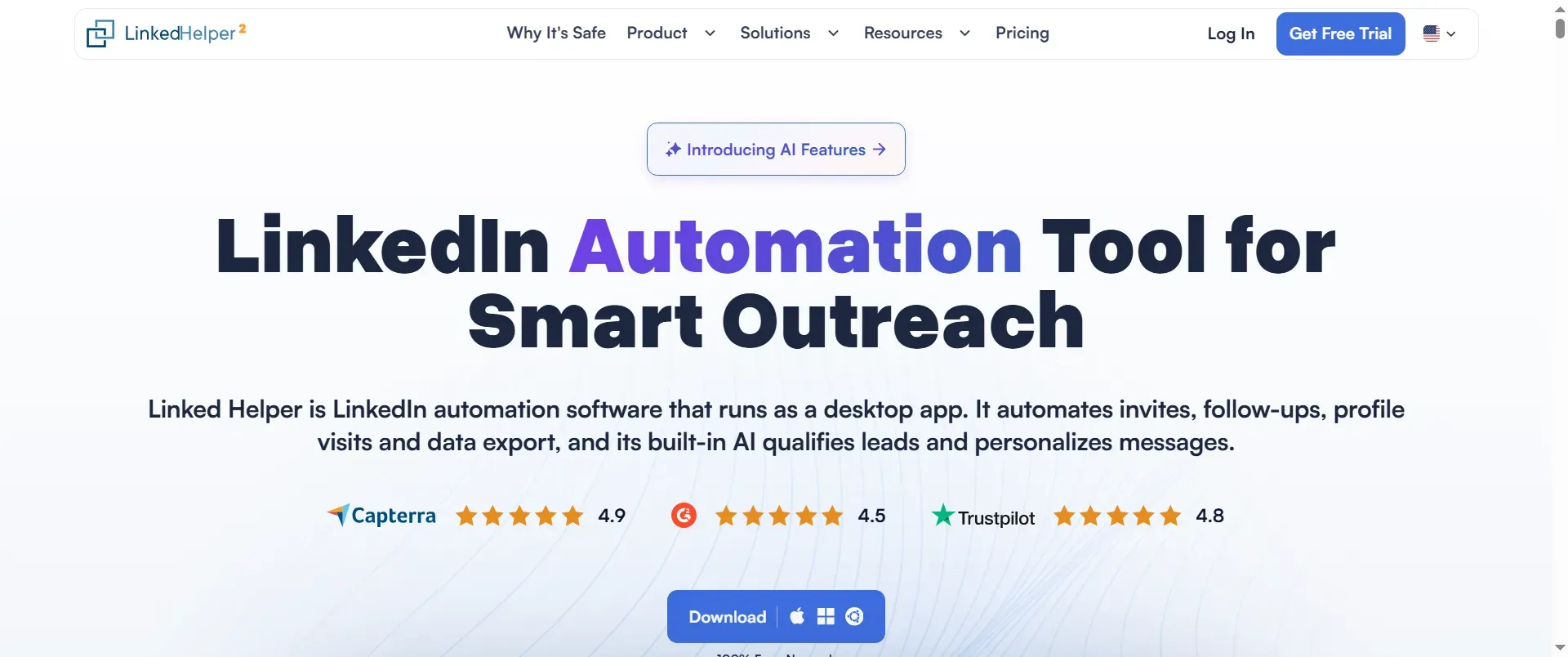
Linked Helper's homepage puts the download button below the product overview.
Linked Helper pros
-
Enrich leads beyond your first-degree connections without opening their LinkedIn profiles.
-
Choose the data categories your campaign needs.
-
Export enriched records to CSV or send them to a connected CRM or webhook.
The enrichment fields cover emails, phone numbers, social and messaging links, profile information, and company data. A successful email lookup costs 1 Data Credit; phone data costs 10, profile information 1, and company data or social and messaging links 2 each. Credits are charged for the data found.
The Data Freshness setting lets you select how recent a database record must be. Linked Helper compares fetched data with the dates on your existing profile card and replaces older information with newer data. That makes enrichment useful for maintaining an existing prospect list as well as building one.
Desktop. Safety first. Linked Helper runs LinkedIn actions on your computer, using your IP and session; your LinkedIn password stays out of another provider's cloud. Enrichment queries the LH database without adding LinkedIn profile visits.
Linked Helper pricing
Standard with local data storage costs $15/month on monthly billing and includes 620 Data Credits with a one-month license. Pricing and enrichment documentation checked November 10, 2026.
2. Apollo: Best for combining contact data with prospecting
Apollo is my choice for locating contacts and carrying on prospecting inside one workspace. When I opened Apollo's free account, the credit screen displayed a monthly allowance of 75 credits. Before you decide which contacts to save, you can inspect the balance.
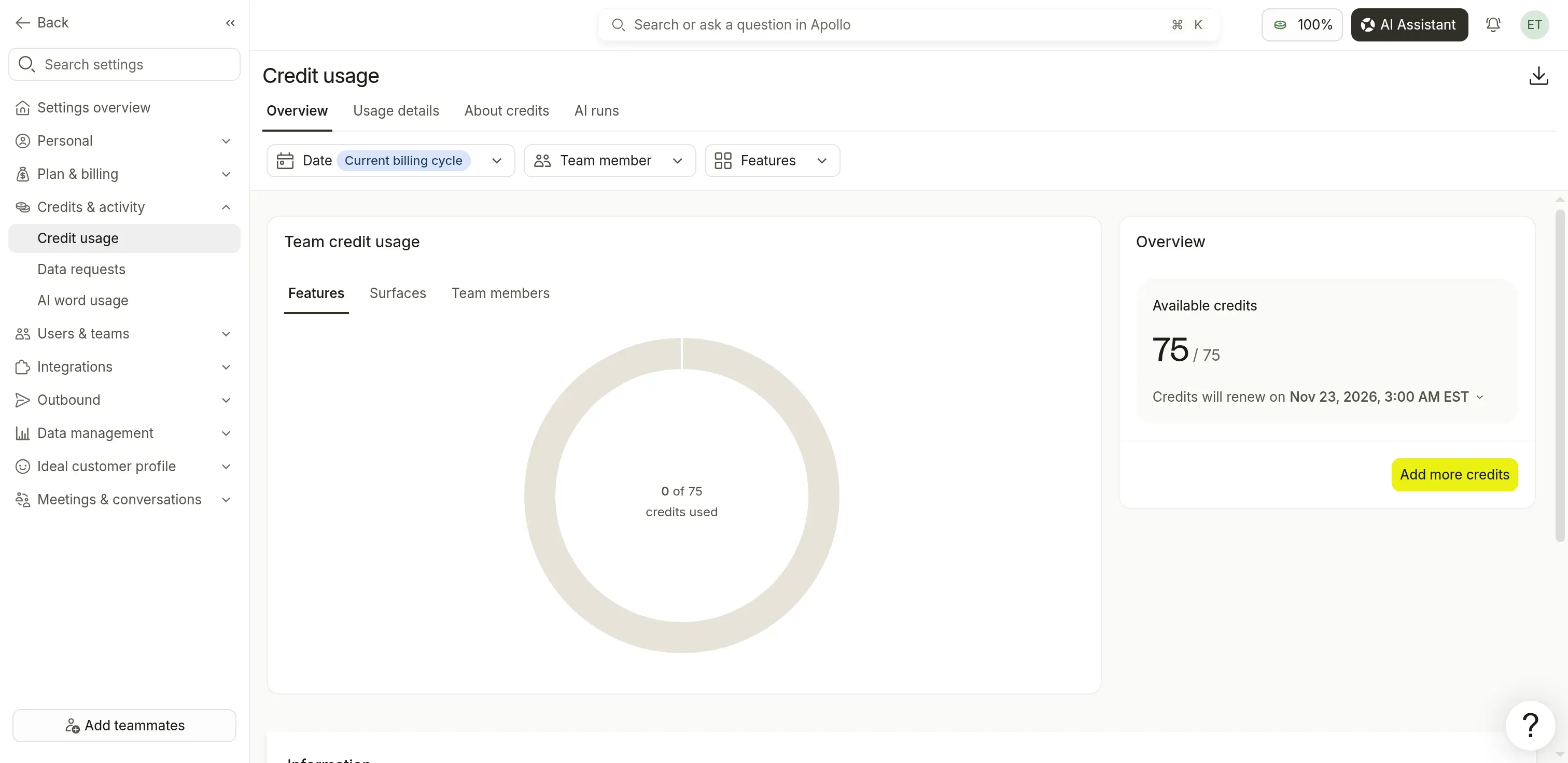
Apollo's credit screen shows the remaining allowance before you reveal contact details.
Apollo pros
-
Basic combines contact search, core integrations, and sequences.
-
Saved-contact CSV exports don't consume additional credits
-
Team-wide, paid credits get pooled.
Apollo cons
-
Bounce refunds require qualifying sends inside Apollo
-
At the billing-cycle boundary, credits that go unused lapse.
Basic's setup came with 30,000 credits for each seat every year. Verified email reveals were priced at one credit on the upgrade page, and phone reveals at eight. When the allowance is shared, a busy rep can spend credits that another rep hasn't needed (all reps must be on the same plan).
I like the distinction between saving a new contact and downloading one you've already saved. If you're regularly rebuilding lists for another tool, Apollo lets you export your saved contacts to CSV without spending more credits, though you'll still pay when you save a new person with a verified email. Keep the saved list.
Yet when another tool is what you're sending from, omit Apollo's bounce refund from your buying math: it applies only to an Apollo-verified email that bounces following a qualifying send inside Apollo within 30 days.
Things I Noted — Apollo
Apollo's free re-export leaves the saved email and phone fields unchanged. An available job-change email update can cost another credit. Before reusing an old list, check whether you've requested a refresh or merely downloaded the same data again.
Apollo pricing
Free plan is offered. Basic starts at $49 for each seat monthly, with annual billing. Export rules may differ on legacy plans.
3. UpLead: Best for predictable contact-unlock costs
UpLead suits buyers who want available email and phone details in a single contact unlock. One credit unlocks a contact's available email, phone, and mobile fields. For a small team carefully selecting a list before buying it, that's easier to budget than separate field charges.
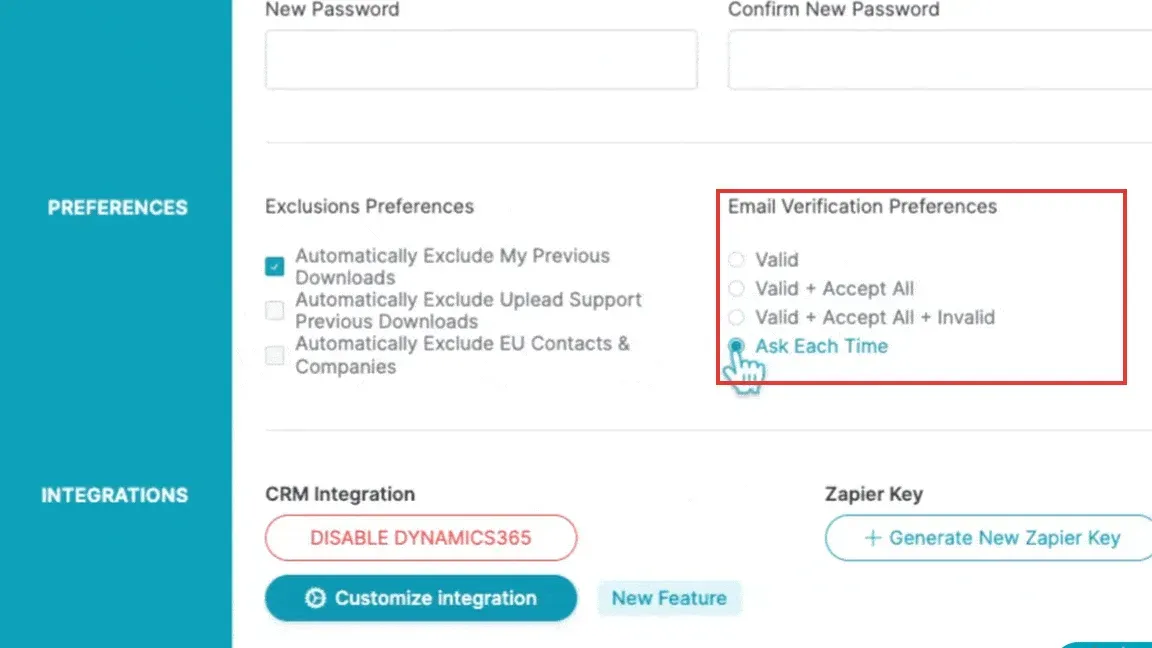
Inside UpLead, Email Verification Preferences lets you restrict downloads to valid emails or include accept-all and invalid records. (Image source: UpLead)
UpLead pros
-
The available email and phone fields are included in one contact credit.
-
Downloads lets you re-export unlocked contacts without additional credits.
-
Preferences for verification provide records that are valid only.
UpLead cons
-
Essentials and Plus each include one user
-
Fresh enrichment can spend credits again.
I prefer UpLead's list-first approach. You can add people to a list before unlocking their details, narrow the audience while selection is free, and spend credits only when you're ready to reveal or download the records you want. Missing fields stay missing.
When preparing an email campaign, begin by downloading valid records only. Under UpLead's preferences walkthrough, you can broaden the selection to accept-all and invalid addresses—useful for research or calling, though with that wider setting you'll pay for invalid records too. Verify this before you download.
In a December 5, 2023 r/sales follow-up about law-firm direct numbers, u/trainwreck4312 wrote that “the accuracy will depend on which industry you’re targeting.” It's a reason to try your own segment before buying a large list.
Things I Noted — UpLead
In the yearly pricing area for UpLead, credit amounts appear as annual totals: Essentials showed 2,040, versus 170 under month-to-month billing. This equals 170 × 12. Don't mistake the annual sum for a per-month allowance.
I'd skip Essentials and Plus if five colleagues need a managed team workspace; that's a Professional-plan conversation.
UpLead pricing
Essentials costs $99/month for 170 credits, and Plus costs $199/month for 400. Annual cards show $74 and $149/month respectively. The signup guide quotes $890 annually for Essentials, while $74 × 12 equals $888, so check the invoice total.
4. Lusha: Best for occasional lookups with room to scale
Lusha fits occasional contact research, but price your export route before increasing the allowance. The permanent Free plan gives you 40 monthly credits and one seat without a card. CSV export requires a paid plan.
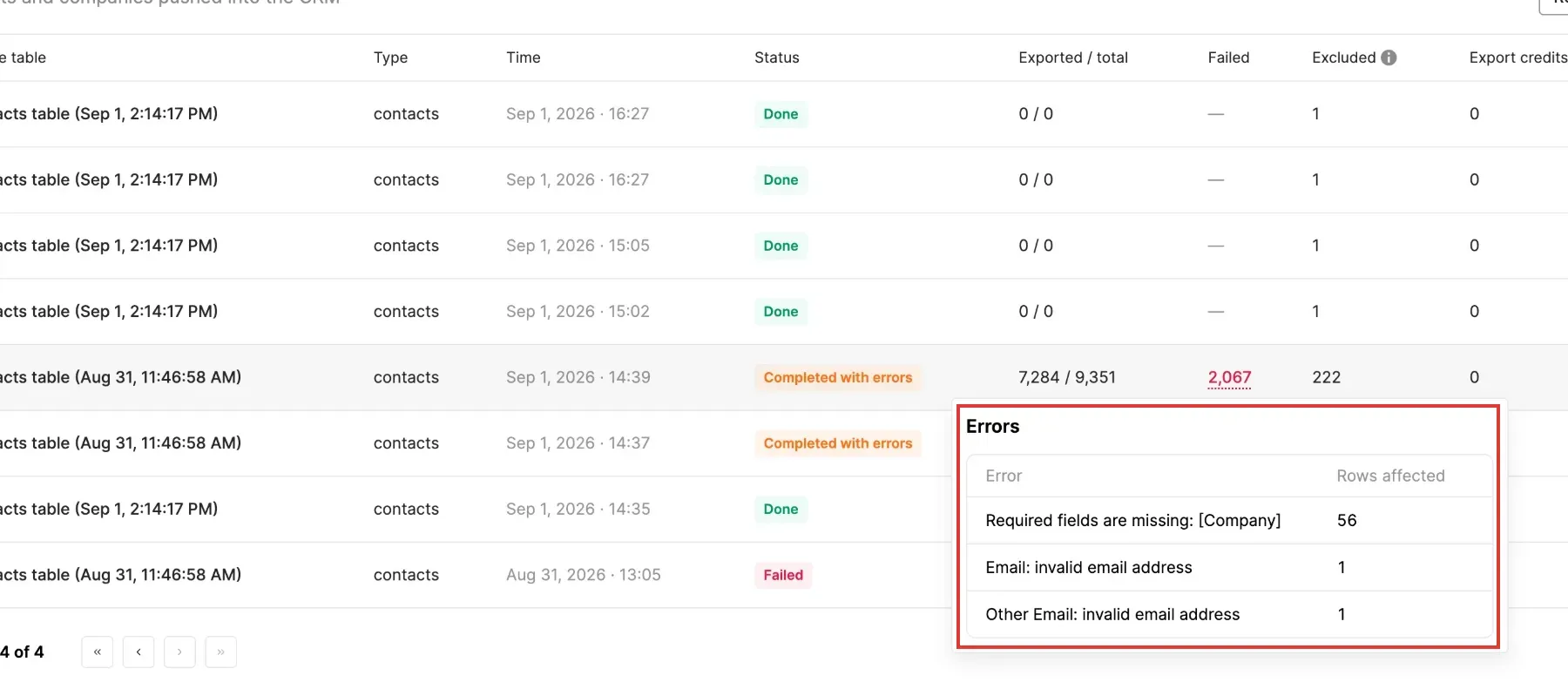
Inside Lusha, CRM export history separates completed jobs from failures and shows the fields behind each error. (Image source: Lusha)
Lusha pros
-
Free handles contact lookups in small batches.
-
Annual credits arrive upfront
-
Pro adds API access and CSV enrichment
Lusha cons
-
Email reveals use fewer credits compared with phone reveals.
-
CSV and CRM exports add credit charges
A standard email reveal costs one credit, and a phone reveal costs five. Export adds one credit per CSV batch of up to 25 results, or one credit per changed row sent to a CRM. Unchanged CRM rows aren't charged. Waterfall enrichment has separate rates.
When I switched the pricing page between monthly and annual billing, Starter moved from 400 monthly credits to 4,800 upfront. Pro's monthly allowance can roll over up to twice its monthly cap. Do you research steadily or buy lists in bursts? You'll need the credits when the work arrives.
I like Lusha for a small research workflow that can grow. But before you scale, move the pricing slider and check both figures together: Pro's allowance changes with its price, so check the allowance even when someone else's invoice names the same plan.
Things I Noted — Lusha
Lusha's destination charge changes the cost of the same list: 100 new emails use 104 credits through four full CSV batches, versus 200 through CRM export. That's 96 extra credits for the CRM route. Buy for the handoff you'll actually use.
Lusha pricing
Free plan available. Annual Starter was $37.45/month for the prepaid allowance. Monthly Starter was $49.90. Credit rates can vary by the version of pricing applied to your account.
5. Cognism: Best for teams prioritizing phone verification
Cognism should be on your shortlist if reaching the intended individual by phone matters most. As part of its verification process, Cognism calls to verify who is behind a number. For a calling team, that's more helpful than merely knowing a number exists.
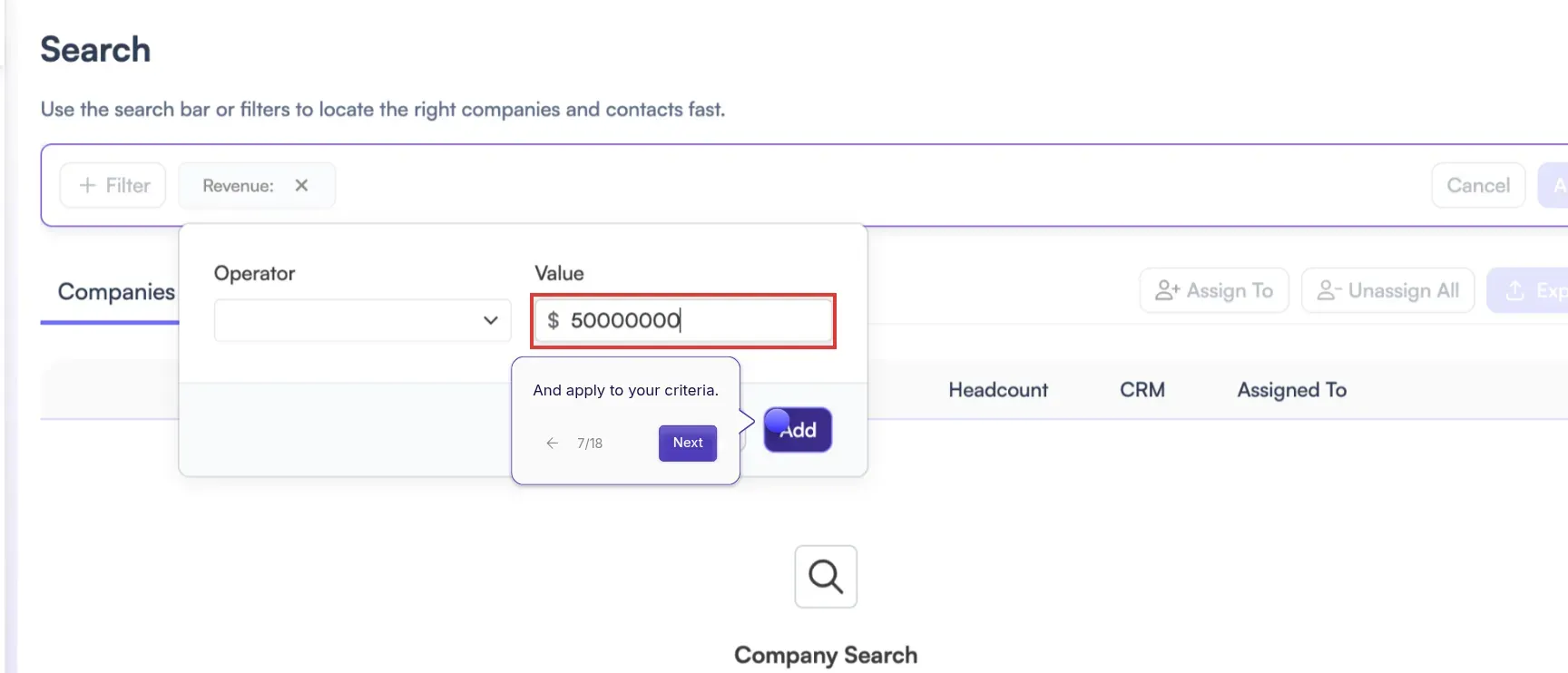
Inside Cognism's official tour, Company Filters lets you set a revenue threshold before narrowing the contacts. (Image source: Cognism)
Cognism pros
-
Pro covers on-demand verification, plus premium mobile data.
-
Standard and Pro each include five seats
-
API usage, prospecting, and enrichment are all covered by credits.
Cognism cons
-
Annual credit quantities, along with prices, need a quote.
-
CRM Enrichment is a separate add-on
Standard includes search, CSV enrichment and export, and API/MCP access. Pro adds intent alongside the phone features. If verification brought you here, compare at Pro rather than buying Standard because it contains contact data.
During Cognism's official Search tour, I went through distinct company filters, contact filters, and a custom revenue threshold. I'd narrow down the accounts before purchasing people's details. Since it comes with included seats, you're buying for a shared sales team (it's more than a solo researcher needs).
I like Cognism's contact-based credit rule: one credit reveals one contact, and viewing an already revealed contact doesn't spend another. Price your team's monthly acquisition and refresh needs with the enrichment add-on included if you'll use it, rather than following older buying advice built around unlimited data. Cognism now sells credit-based plans.
Things I Noted — Cognism
Per Cognism's pricing FAQ, revealed contacts may be reused, yet a job change counts as a fresh credit event—so when weighing the allowance offered at renewal, factor in that refresh cost.
Cognism pricing
Standard and Pro are quote-based. Annual credit quantities and the CRM Enrichment add-on price aren't shown publicly.
6. ZoomInfo: Best for account research beyond contact lists
ZoomInfo suits teams choosing which accounts to pursue as well as looking up contacts. Professional includes company and contact profiles, export, and territory filters. Copilot Advanced adds account priorities, intent clusters, website visitors, and buying-group indicators.
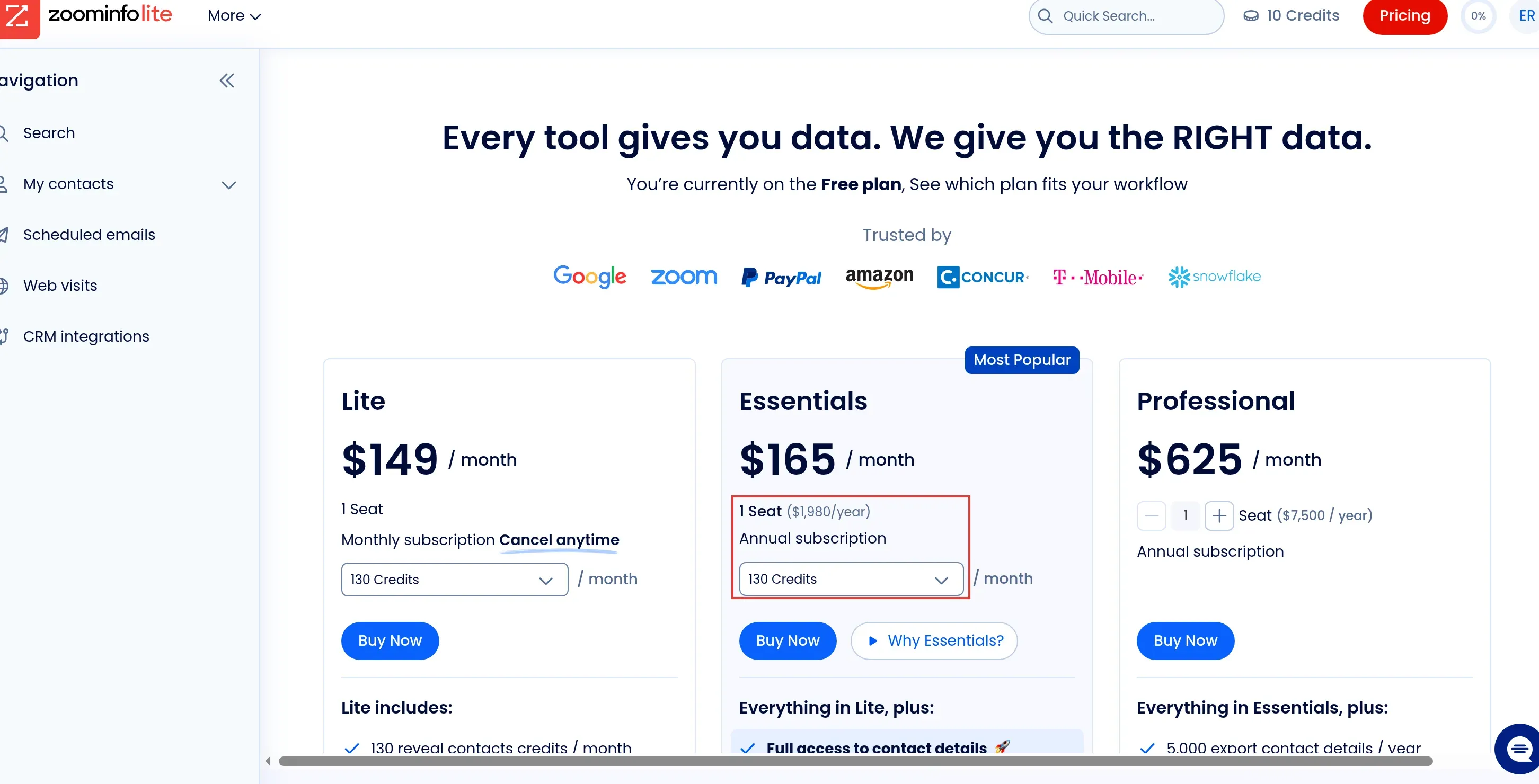
ZoomInfo's pricing controls separate Lite's monthly reveals from Essentials' annual subscription and monthly export allowance.
ZoomInfo pros
-
Lite provides priced bundles for light contact volumes.
-
Professional includes territory filters
-
Copilot Advanced adds buying-group tools
ZoomInfo cons
-
What's allowed for revealing and exporting varies by plan.
-
For monthly workloads that are bigger, the packages Lite offers don't measure up.
I went into a Lite workspace that had 10 credits, following the trial route. I explored the company-upload workflow, and I didn't have to connect email yet; no production account got connected. My favorite detail was the option to check out the entry product before I brought my mailbox into it.
Within Lite, I opted for 130 reveals per month at $149/month and exports of revealed contacts came included. On an annual plan ($1,980/year), Essentials provided 130 exports each month at $165/month. Before picking either one, think through what you'll have to do with every record once you've located it—since a reveal allowance and an export allowance fund distinct actions.
Against 1,000 freshly exported contacts per month, evaluate a customized proposal. Monthly reveals on Lite's dropdown capped out at 260, while a 12,000-contact year isn't reached by Professional's 5,000 yearly exports.
Things I Noted — ZoomInfo
ZoomInfo's API draws a line between free contact search (email and phone fields left out) and enrichment you pay for. A re-enrichment inside a rolling 12-month window consumes no additional bulk credit, though record caps remain in force. That API rule stays distinct from the export allowance of a Sales subscription.
ZoomInfo pricing
My account also offered Lite at $79/month for 60 monthly reveals and Essentials from $1,320/year for 85 monthly exports. These were account-visible offers. Public Copilot tiers require a quote.
B2B data provider costs: compare the same monthly workload
Apollo costs least among the checked configurations for the larger email-only workload. These annual totals cover recurring monthly demand:
The table compares annual costs and credit use for each monthly workload.
| Monthly workload | Apollo | UpLead, billed monthly | Lusha, billed annually |
|---|---|---|---|
| One user, 100 new emails | Basic: $588/year, 1,200 credits used | Essentials: $1,188 over 12 months | Starter: $449.40/year, 1,248 credits used |
| One user, 1,000 new emails | Basic: $588/year, 12,000 credits used | Plus with extra credits: $5,988 over 12 months | Configured Pro: $1,259.40/year, 12,480 credits used |
| Five users, 1,000 emails and 100 phones total | Five Basic seats: $2,940/year, 21,600 credits used | Professional quote required | Configured Pro: $3,026.40/year, 18,480 credits used |
Apollo's five seats pool 150,000 annual credits, more than this workload needs. You still pay for each seat.
UpLead adds 600 credits at $0.50 each to Plus, bringing the monthly bill to $499. Compare a larger quote before paying recurring overage.
Lusha's larger solo package costs $104.95/month billed annually for 14,400 credits. At 1,040 credits a month, the default 7,200 annual Pro allowance falls short. Five seats with 19,200 credits cost $252.20/month. Premium adds team-management and credit-allocation controls, raising the annual reference to $3,599.40.
Cognism needs a quote for each scenario. ZoomInfo's smaller Lite package covers the solo 100-contact allowance at $1,788 over twelve monthly payments. Larger workloads need a tailored offer.
Which B2B data provider should you choose?
Choose Linked Helper first for enriching LinkedIn leads and running desktop outreach. Choose Apollo for prospecting in the same workspace, UpLead for contact-based buying, or Lusha for occasional lookups. Cognism is worth comparing when phone checks drive your decision. ZoomInfo belongs on the shortlist when your team will use account signals alongside contacts.
Before you buy, run a small trial that mirrors your market. Keep the sample definition unchanged across providers, set your pass criteria before you reveal records, and check verification settings so that a broader download doesn't quietly change what you're comparing. Track discovery, field access, and export separately. Then stop when you've got enough evidence to decide.
If you're adding a second provider, test it against the first one's missing records. Divide the extra spend by the additional usable contacts you gain. A second subscription adds little when it returns mostly the same people.
How we tested
I explored providers' free workspaces and compared costs in October 2026, then reviewed Linked Helper's enrichment documentation in November 2026. I didn't test contact accuracy.