

 12 min read

TL;DR: Linked Helper vs Dux-Soup in November 2026
- Verdict: Linked Helper keeps automation on your computer, with your IP and LinkedIn session. Dux-Soup’s STACKED offers local or cloud execution; its cloud option stores your LinkedIn session on the vendor’s servers.
- Price: Linked Helper Local starts at $15 a month; STACKED local starts at $55 per seat.
- Campaigns: Linked Helper adds a separate Check for replies step after Message to 1st connections. In STACKED, enrolling a prospect can turn an Off campaign back On.
- CRM: Linked Helper has native CRM destinations and Pro messaging-history export. Check which fields STACKED transfers and in which direction before depending on a connector.
- Billing: Dux-Soup cancellation requires an email, and its refund policy has separate eligibility rules.
At a glance: Linked Helper vs Dux-Soup
The table compares starting prices, session handling, campaign behavior, CRM workflows, and cancellation terms.
| Criterion | Linked Helper | Dux-Soup’s STACKED |
|---|---|---|
| Local execution price | Standard starts at $15/month; Pro starts at $45/month | Local starts at $55/month per seat |
| Session control | Automation runs on your computer, with your IP and LinkedIn session; your password stays out of a third-party cloud | Local execution or a cloud option that copies your LinkedIn session into the vendor’s environment |
| Campaign handling | Adds Check for replies after Message to 1st connections | Enrolling another prospect can turn an Off campaign On again |
| CRM workflow | Native CRM destinations; Pro includes messaging-history export | Check transferred fields and direction of synchronization before relying on a connector |
| Billing | Manual licenses or optional recurring subscriptions | Cancellation requires an email; refund eligibility is separate |
Linked Helper vs Dux-Soup pricing: STACKED costs more for local execution
Linked Helper Local Standard costs $15 a month, compared with $55 for STACKED local. Even Pro Local, which includes messaging-history export, costs less at $45 a month. You’re paying more to start with STACKED than you would for either Linked Helper Local plan.
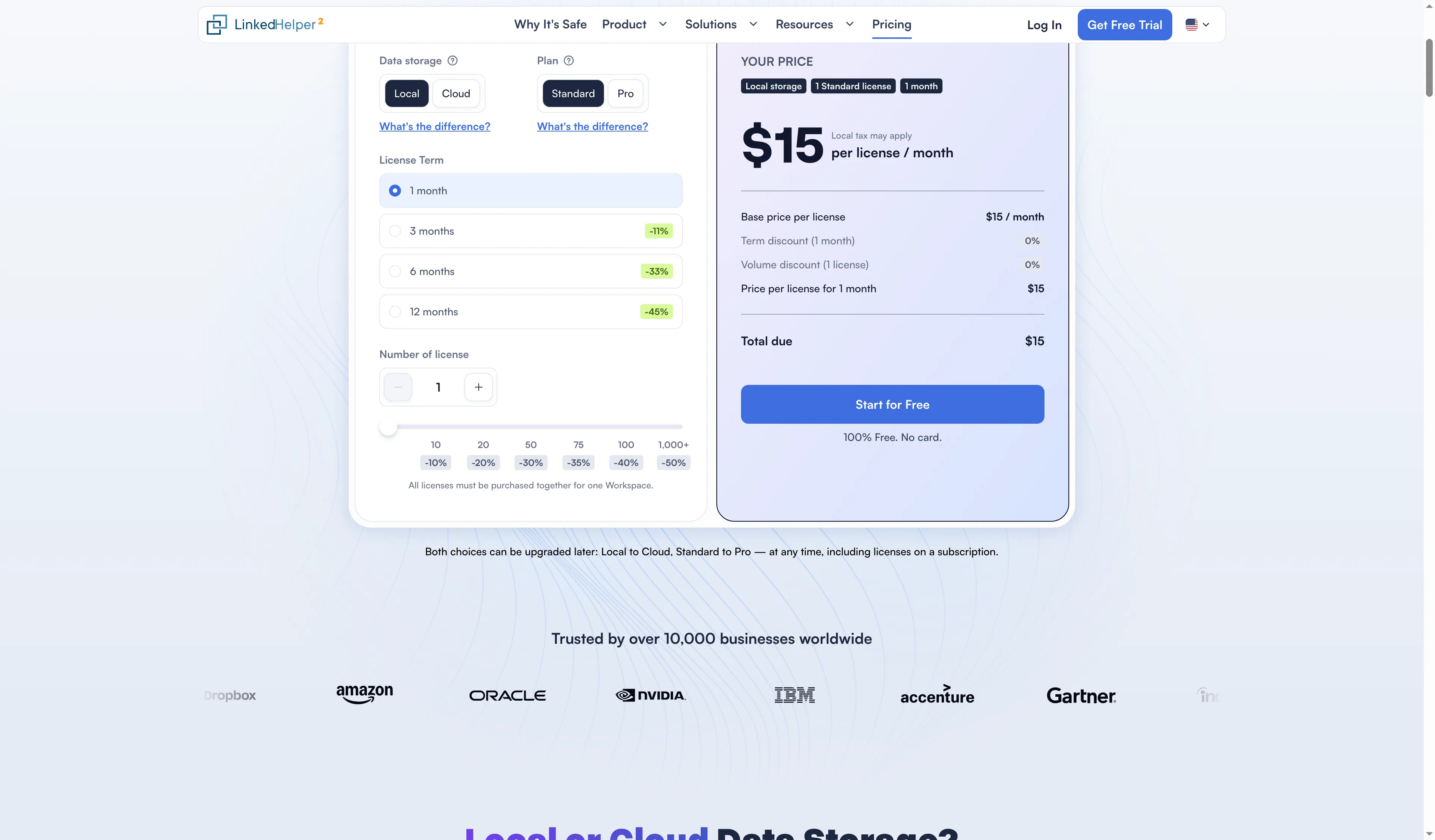
Linked Helper's pricing calculator shows $15 for one Standard Local license for one month.
These prices are in US dollars and cover one LinkedIn account or seat. You pay the annual price upfront (you can’t pay the monthly equivalent month by month). Tax and services you buy separately can add to the bill.
| Product and plan | One-month price | Annual upfront price | Monthly equivalent of annual price |
|---|---|---|---|
| Linked Helper Standard, Local | $15 | $99 | $8.25 |
| Linked Helper Pro, Local | $45 | $297 | $24.75 |
| Linked Helper Standard, Cloud Data Storage | $29.90 | $198 | $16.50 |
| Linked Helper Pro, Cloud Data Storage | $59.90 | $396 | $33 |
| STACKED local | $55 | $495 | $41.25 |
| STACKED cloud | $99 | $890 | About $74.17 |
Over a year, Linked Helper Pro saves $198 against STACKED local: $495 minus $297. Standard saves $396: $495 minus $99. Start with the actions your campaign needs, then choose the Linked Helper plan that includes them.
STACKED cloud charges you to run automation on the vendor’s servers. With Linked Helper’s Cloud Data Storage, you pay for shared workspace data while still controlling where automation runs. Both plans use “cloud” in their names, but you’re buying different things.
Already paying for Dux-Soup? Check your billing record and migration terms. A legacy subscription can renew on different terms from the offer for new customers.
Linked Helper vs Dux-Soup safety: desktop session control versus cloud transfer
Linked Helper puts desktop safety first: automation runs on your computer, with your IP and LinkedIn session, and your password stays out of a third-party cloud. Dux-Soup’s STACKED cloud copies your current LinkedIn session onto the vendor’s servers. You’re giving the provider the session it needs to access your account.
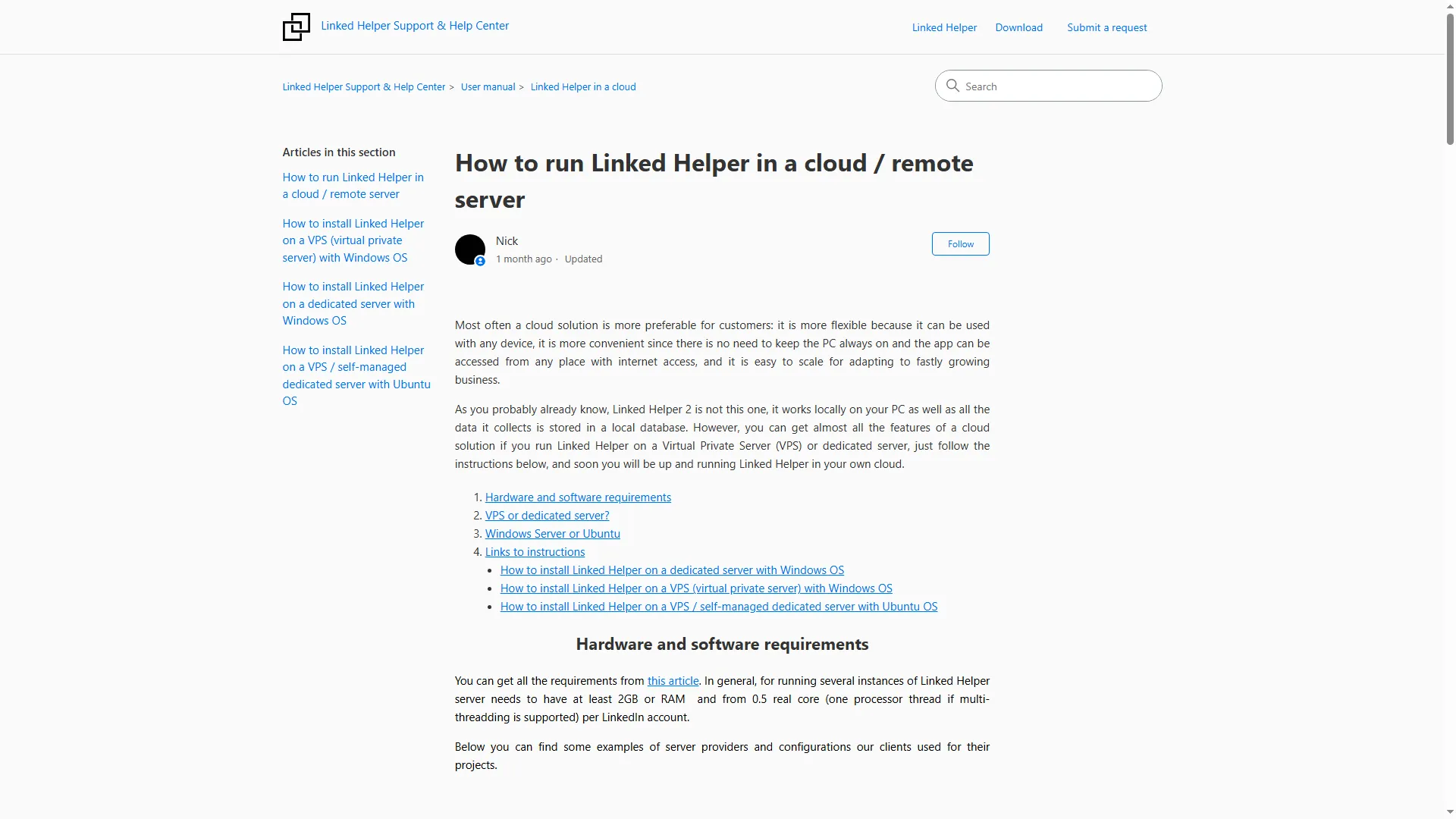
Linked Helper's support article describes running the app on a VPS you control.
Linked Helper offers Local and Cloud Data Storage. Both run on your computer or a VPS you control (the storage choice determines where workspace records live). Sharing cloud data doesn’t move your LinkedIn session to the vendor’s automation servers.
Dux-Soup announced STACKED in September 2026, with a Windows and macOS client, a browser dashboard, and local or cloud execution. With local execution, your machine has to stay on and awake. The cloud version keeps running on the provider’s servers when your computer is off.
In STACKED cloud, Capture Local Session replaces the session stored on the vendor’s servers. Before enabling it, get the account owner’s agreement to that access. We wouldn’t transfer a client’s session just to keep a campaign running overnight.
LinkedIn prohibits third-party software that scrapes or automates activity on its site and says it can restrict accounts that use it. Paying for a hosted service doesn’t give you LinkedIn’s approval. Check who has access to your account and how you’ll control its activity before you start.
Linked Helper vs Dux-Soup campaigns: check reply steps and restart behavior
Linked Helper kept a separate reply-check step when we saved and reopened a draft campaign; STACKED can turn an Off campaign back On when you enroll a prospect. If you’re preparing a sequence for later, that restart behavior needs attention before you add anyone.
In Linked Helper, you can build a campaign action by action or start with a ready-made workflow. You’ve got delays and reply detection, along with statistics, campaign lists, exclusions, and conversation filters. The available actions include eligible group-member and event-attendee messaging, invitations to groups or events, invitations to follow company pages, and post comments.
When we added Message to 1st connections, Linked Helper added Check for replies automatically. We saved a sample message, went back to the campaign list, and reopened the campaign to check whether the text had survived and the reply step was still where we expected it. Both were there.
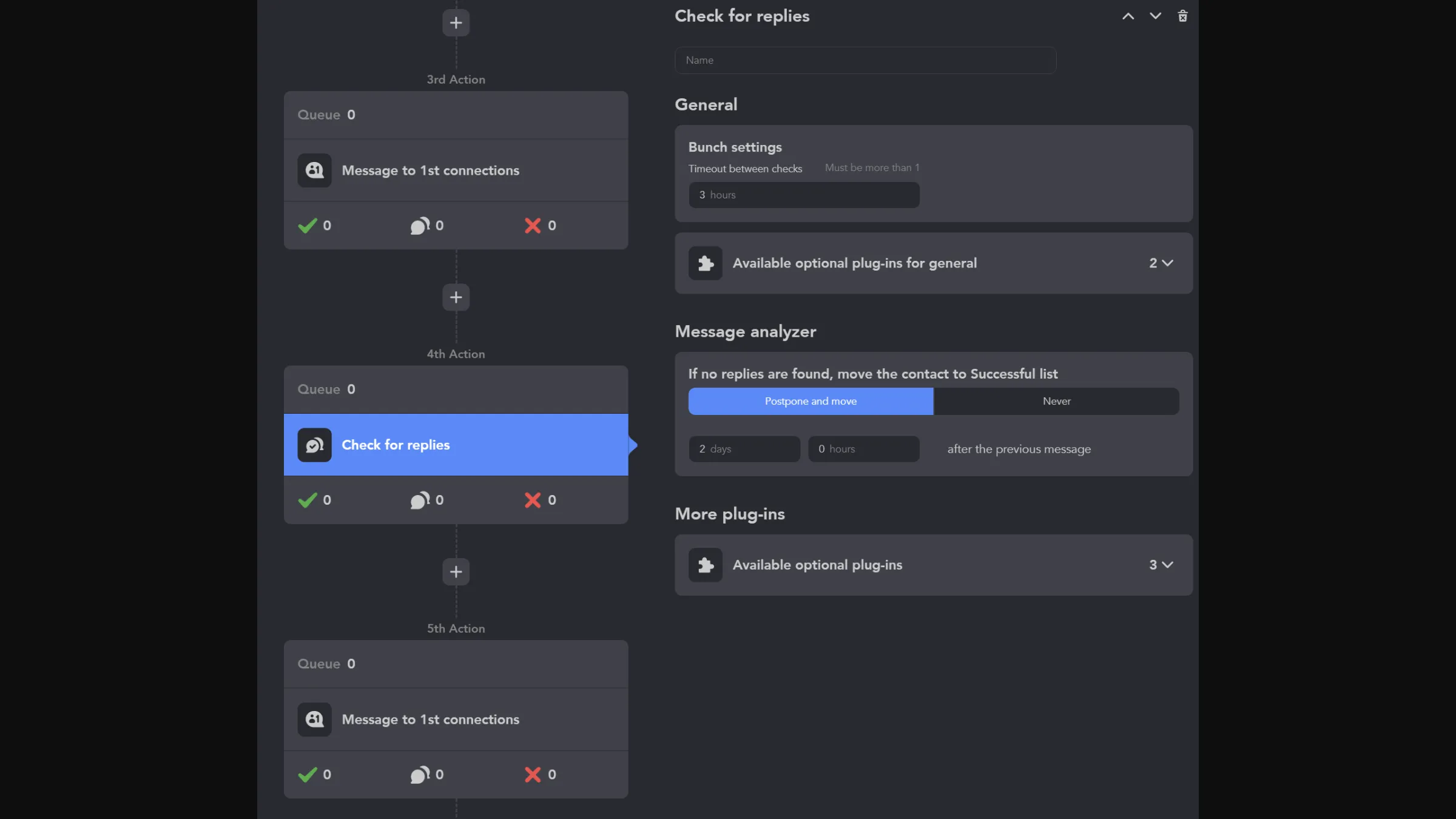
Linked Helper places Check for replies after a message action in the campaign workflow.
In Linked Helper’s message editor, the preview sits beside your draft, with variables, variations, and spintax controls. You can check the message as you edit its template.
Dux-Soup campaign types determine the permitted sequence
Dux-Soup’s STACKED Postconnect campaigns message existing connections without another invitation, while Connect campaigns place follow-up messages after the invitation. You’ll need to choose the type that matches your audience and sequence:
| STACKED type | Audience or purpose | Sequence consequence |
|---|---|---|
| Preconnect | People outside your network | Visits, follows, and InMails can precede a connection |
| Postconnect | Existing first-degree connections | Messages and engagement do not require another invitation |
| Connect | Connecting followed by engagement | Follow-up messages and endorsements come after the invitation; InMails come before it |
| Visit | Profile visits across connection degrees | Use a visit workflow rather than an invitation sequence |
STACKED also supports likes, endorsements, and other engagement actions. Older comparisons saying Dux-Soup can’t like posts or always needs an invitation describe the old extension, not these workflows.
Dux-Soup campaign Off status can reverse on enrollment
Dux-Soup’s STACKED guide says enrolling another prospect turns a campaign from Off to On again and directs you to the Planner when collecting prospects for a later run. Use that scheduling control before adding leads if you aren’t ready for the sequence to run.
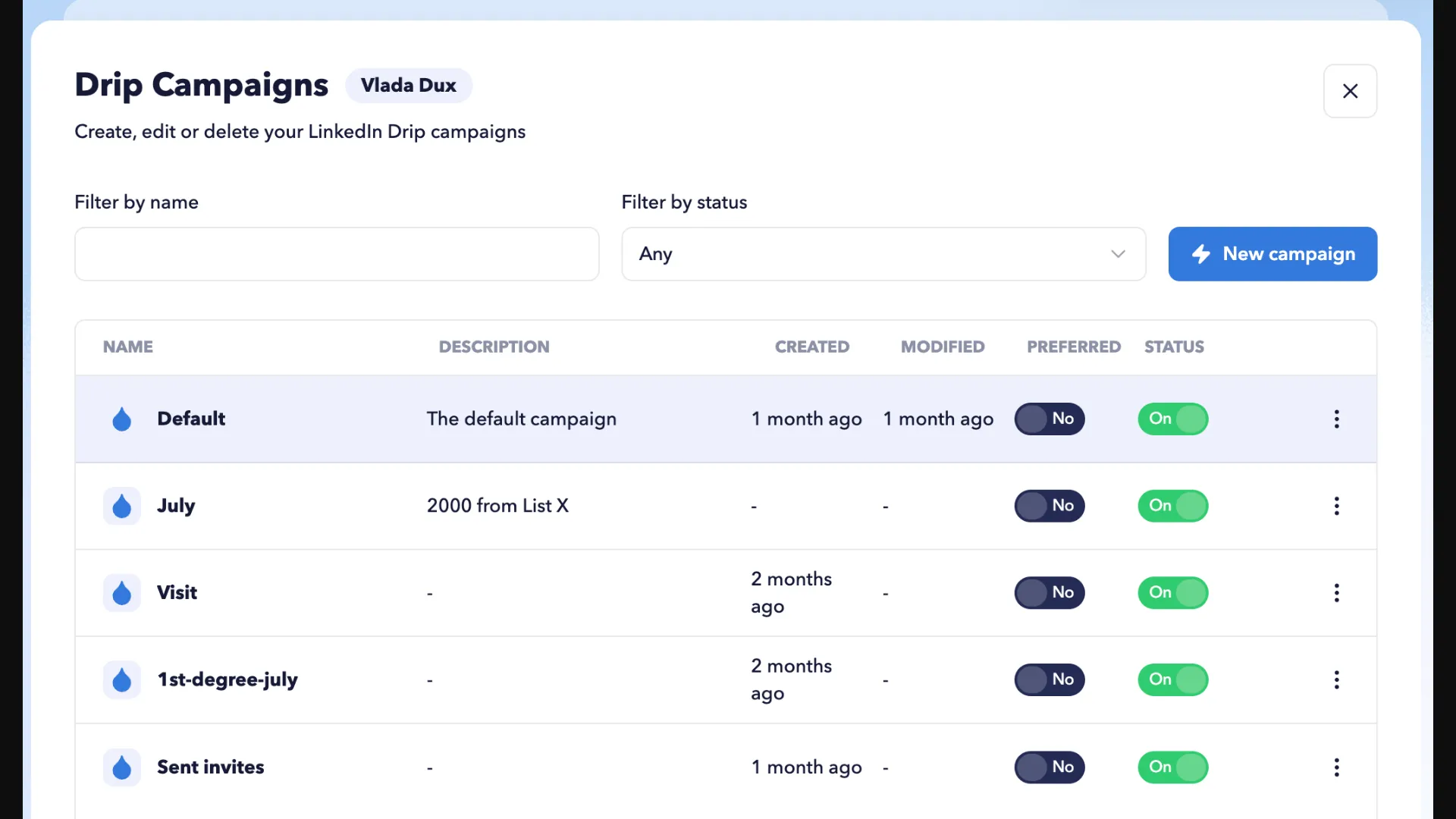
The STACKED Drip Campaigns page lists campaigns with status controls.
STACKED can reject prospects you’re already connected with or who are enrolled in another campaign. You can also remove queued actions by campaign, prospect, or action type. But removing campaign follow-ups stops subsequent actions for those prospects, so check the remaining sequence before you clear the queue.
Linked Helper vs Dux-Soup integrations: examine the data handoff
Linked Helper has native CRM destinations, including its LinkedIn Pipedrive integration, and Pro messaging-history export, while STACKED’s connectors need a closer check against the fields and transfer direction your team uses. Don’t assume a CRM logo means the messages and contact details you need will arrive in the right place.
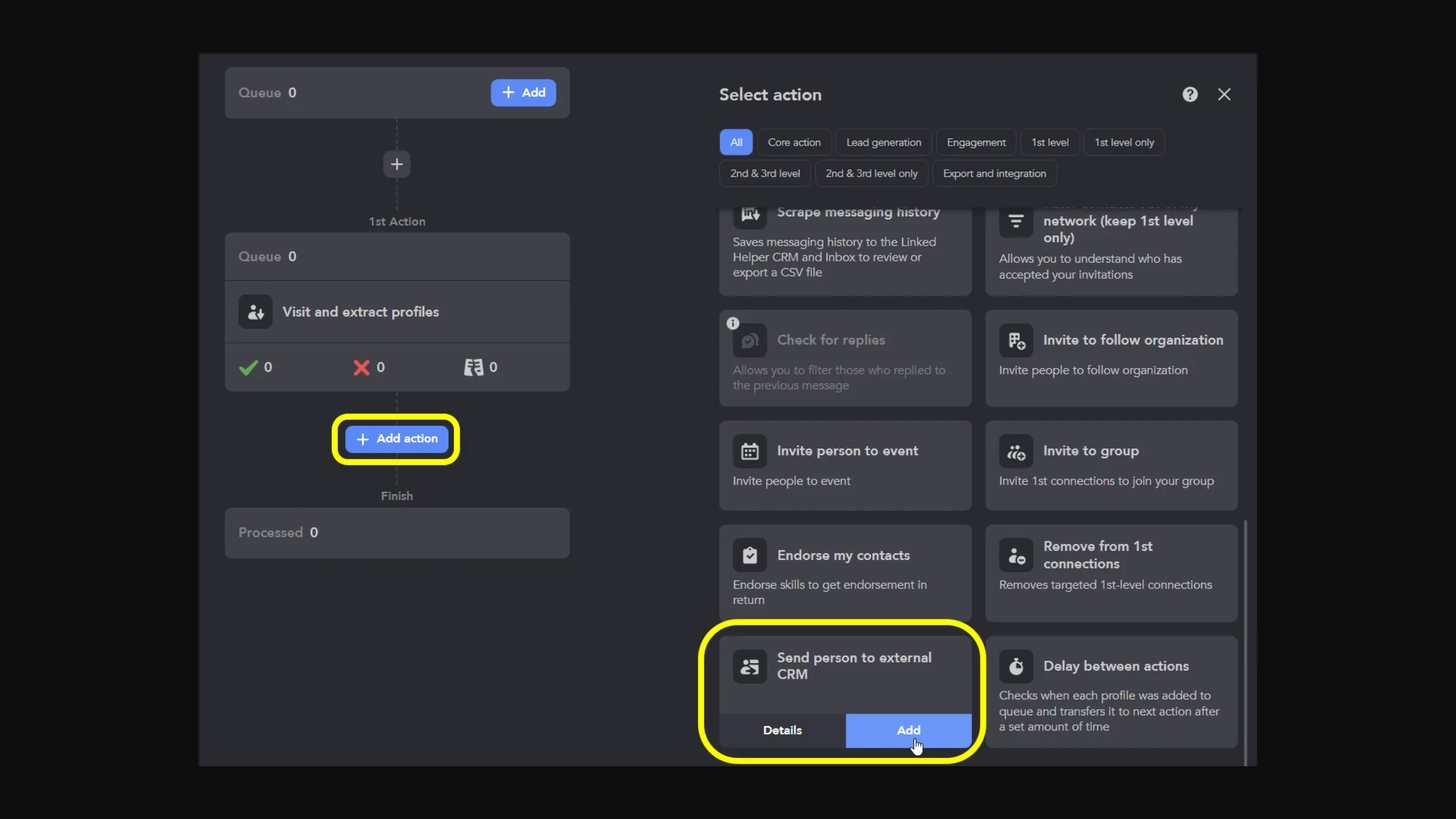
The campaign action picker includes Send person to external CRM.
Linked Helper stores profile data with campaign lists, tags, and filters. Its native destinations include a LinkedIn Salesforce integration, along with HubSpot, Pipedrive, and Close. If you need conversation records, Pro includes messaging-history export.
Linked Helper’s change log lists per-recipient AI messages and AI comments, plus incoming webhooks for Cloud Data Storage workspaces. Both storage options support outgoing webhooks. Choose your storage configuration around the system you’ll use to send in leads and receive results.
STACKED includes contact management, lead-list export, and connections to CRM and workflow tools. Before you depend on a connector, check whether it supports your task, because transferring a profile and syncing conversation history are different jobs even when both involve the same CRM.
For enrichment, a one-month Linked Helper license includes 620 Data credits on Standard or 3,100 on Pro. AI credits are a separate allowance, granted upfront according to your license term. Don’t count Data credits as confirmed, deliverable email addresses.
Linked Helper vs Dux-Soup billing: Dux-Soup cancellation requires email
Dux-Soup requires an email to info@dux-soup.com to cancel; Linked Helper lets you cancel an optional subscription through its billing interface or your payment account. Uninstalling STACKED won’t stop the subscription. You still need to send the cancellation request.
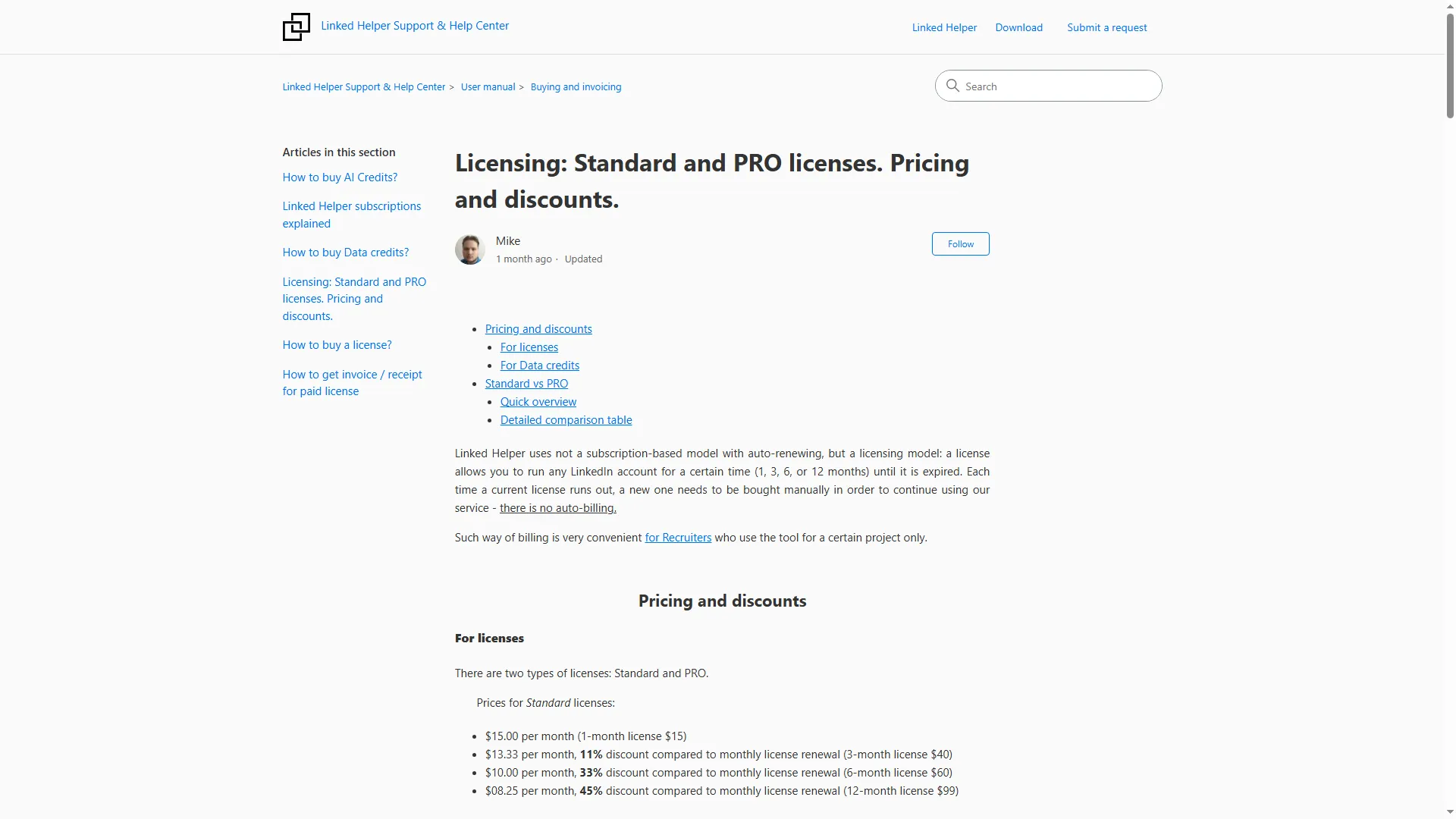
Linked Helper's license page describes manual license terms and prices.
Dux-Soup advertises a 14-day STACKED trial. For an eligible initial purchase, you must terminate and request a refund within 31 days. The policy excludes partial refunds and post-paid charges, so don’t assume you’ll get an unused balance back when you cancel.
Linked Helper offers a 14-day trial without a card. You can buy manual licenses or opt into an auto-renewing subscription. If you cancel a subscription, it won’t renew and the licenses you’ve already bought remain usable until they expire.
Linked Helper vs Dux-Soup reviews: inspect team controls and CRM fields
Dux-Soup reviewers report friction with team navigation and transfers of CRM fields, including in a highly rated review. Check those workflows during your trial, especially if several people will manage accounts or work from the exported records.
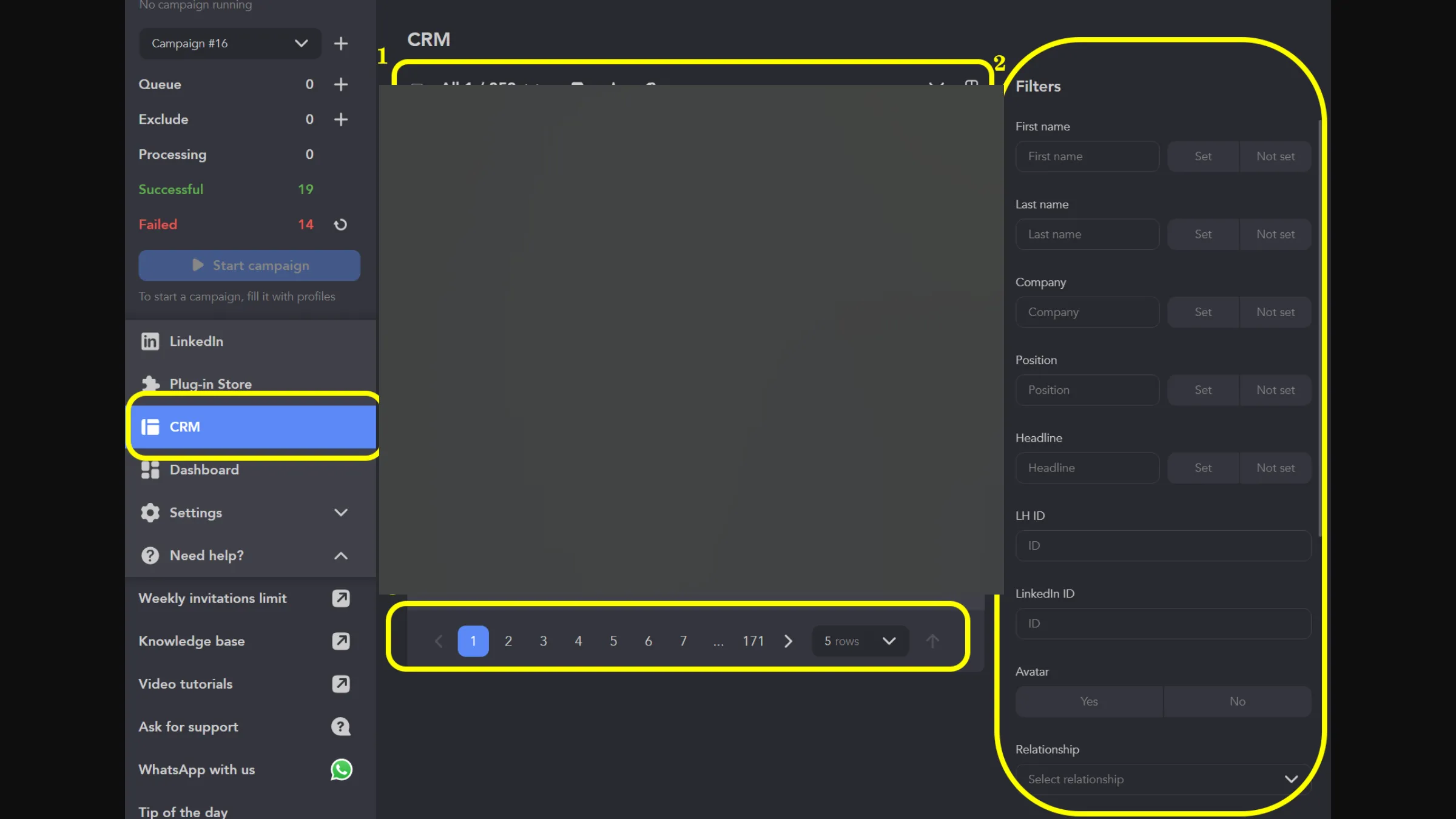
Linked Helper's CRM screen shows filters and page controls.
In a five-star review on G2, Chris T. asks for a better visual interface for managing multiple individuals and teams. The review is from October 12, 2026. Before buying several seats, try switching between accounts and finding their campaigns, especially if you’ll be managing several clients and need to see whose account you’re working in at a glance.
In a two-star Trustpilot review, John Collins reports incorrect or missing company and contact fields in a Pipedrive integration. The review is from May 2, 2026. This predates STACKED’s launch, so it’s a complaint about the earlier product. Check a sample of transferred records against their source before using them to assign leads or send follow-ups.
Linked Helper vs Dux-Soup verdict: start with desktop control
Linked Helper is our choice for LinkedIn outreach when you want desktop control over your account and campaigns. Start with Standard Local for a basic sequence, or choose Pro if you need messaging-history export and its broader advanced-action allowance. Check the group, event, company-page, and comment actions against the sequence you plan to build.
Linked Helper's homepage introduces its desktop LinkedIn automation software.
STACKED local needs to justify its higher price through the campaign organization or integrations your team uses. With STACKED cloud, you also have to accept the vendor holding your LinkedIn session. That’s a decision for the account owner before the campaign starts.
For a wider shortlist, the Dux-Soup alternatives comparison covers other operating models. Choose the actions you need and decide who can access your account before committing to a plan.
Can an older Dux-Soup tutorial guide a STACKED setup?
Use a STACKED guide for the screen and sequence you are configuring. Dux-Soup announced the new product in September 2026, so older extension menus and setup instructions can describe a different product version.
Does Linked Helper Cloud Data Storage move the LinkedIn session into the vendor’s cloud?
No. Linked Helper executes on your computer or a VPS you control under both storage options. Cloud Data Storage shares workspace records; it does not transfer execution to a vendor-operated automation host.
Does turning a Dux-Soup STACKED campaign Off keep newly enrolled prospects from running?
No. The STACKED guide says enrolling another prospect turns the campaign On again. Use the Planner when collecting prospects for a later run.
Does cancelling Dux-Soup automatically refund the remaining subscription?
No. Dux-Soup’s policy separates cancellation from an eligible initial refund requested within 31 days. Partial refunds and post-paid charges are excluded.
Spotted an inaccuracy? Email webmaster@linkedhelper.com and tell us which section needs updating.