
 Updated: September 8, 2026
 3 min read
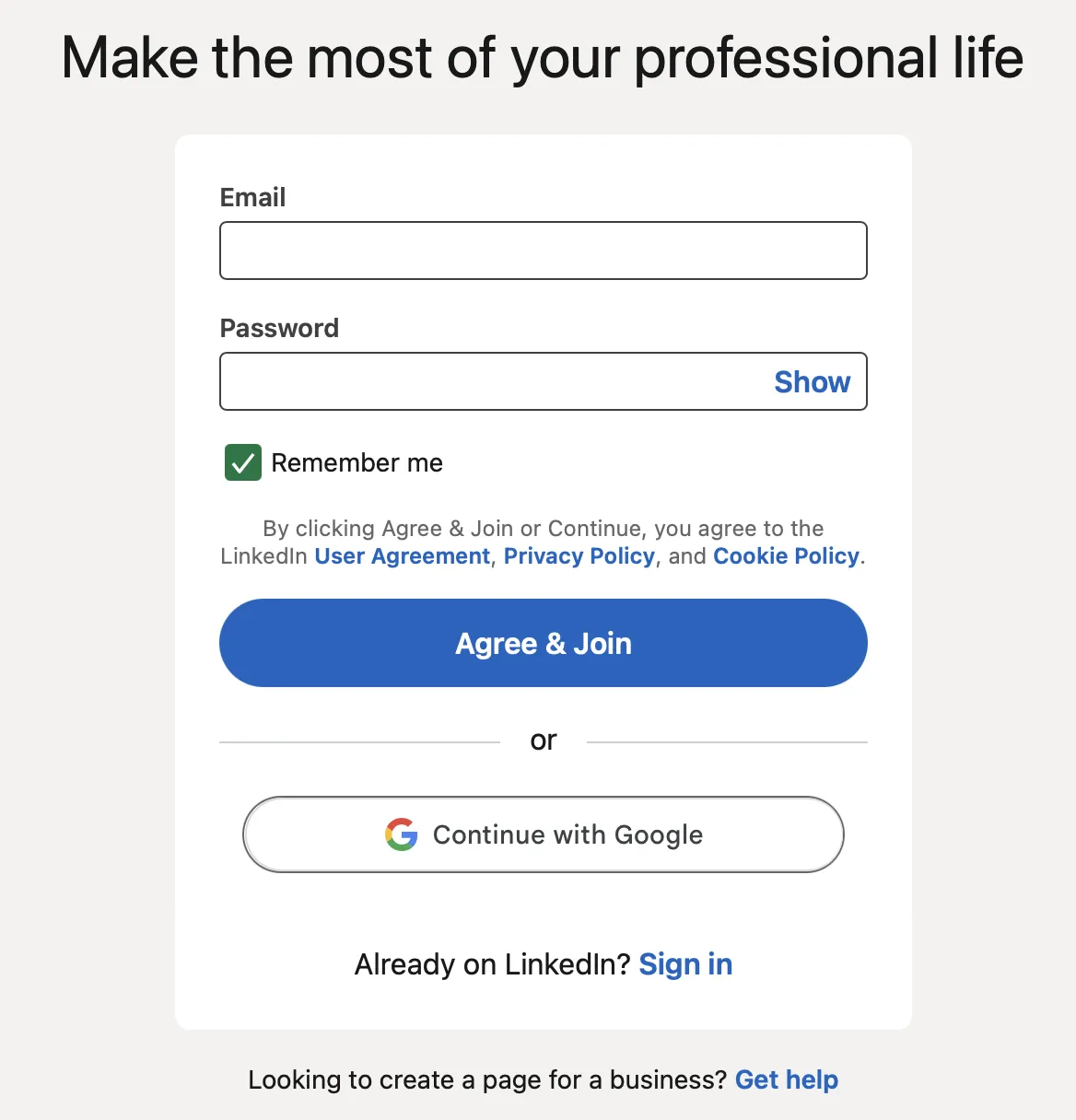
LinkedIn sign-up is the one-time act of opening a new LinkedIn membership with your real name, an email (or mobile number) and a password. Once the form is sent and verified, you own the account; after that you only log in with the same credentials. Put simply: sign up = create, log in = return.
Why LinkedIn Sign Up Matters
A completed account lets recruiters, marketers, and other business users:
- Present expertise through a public profile and custom URL.
- Network with colleagues, prospects, and talent worldwide.
- Follow companies, participate in industry groups, and take learning courses.
- Apply via Easy Apply and flag "Open to Work."
If you plan to network professionally online, join LinkedIn first, then build your presence. For tips on building a successful presence, check out Building a Strong LinkedIn Presence: 15 Effective Strategies.
How Does LinkedIn Sign Up Work?
Follow these steps (about five minutes total):
- Open the form – go to linkedin.com or install the mobile app and tap Join now.
- Enter basics – type first and last name, business or personal email and a strong password.
- Verify ownership – paste the six-digit code sent to your inbox or phone; this blocks fake profiles.
- Add location & job title – LinkedIn uses them to suggest relevant connections.
- Upload a photo – a clear headshot can increase profile views up to 21× and connection requests up to 9×.
- Import contacts (optional) – upload your address book for quick networking (one-time import on mobile where available; continuous syncing is no longer supported).
- Finish the profile builder – headline, summary, skills, education, and industry keywords.
- Check settings – enable two-factor authentication (2FA) and review privacy choices.
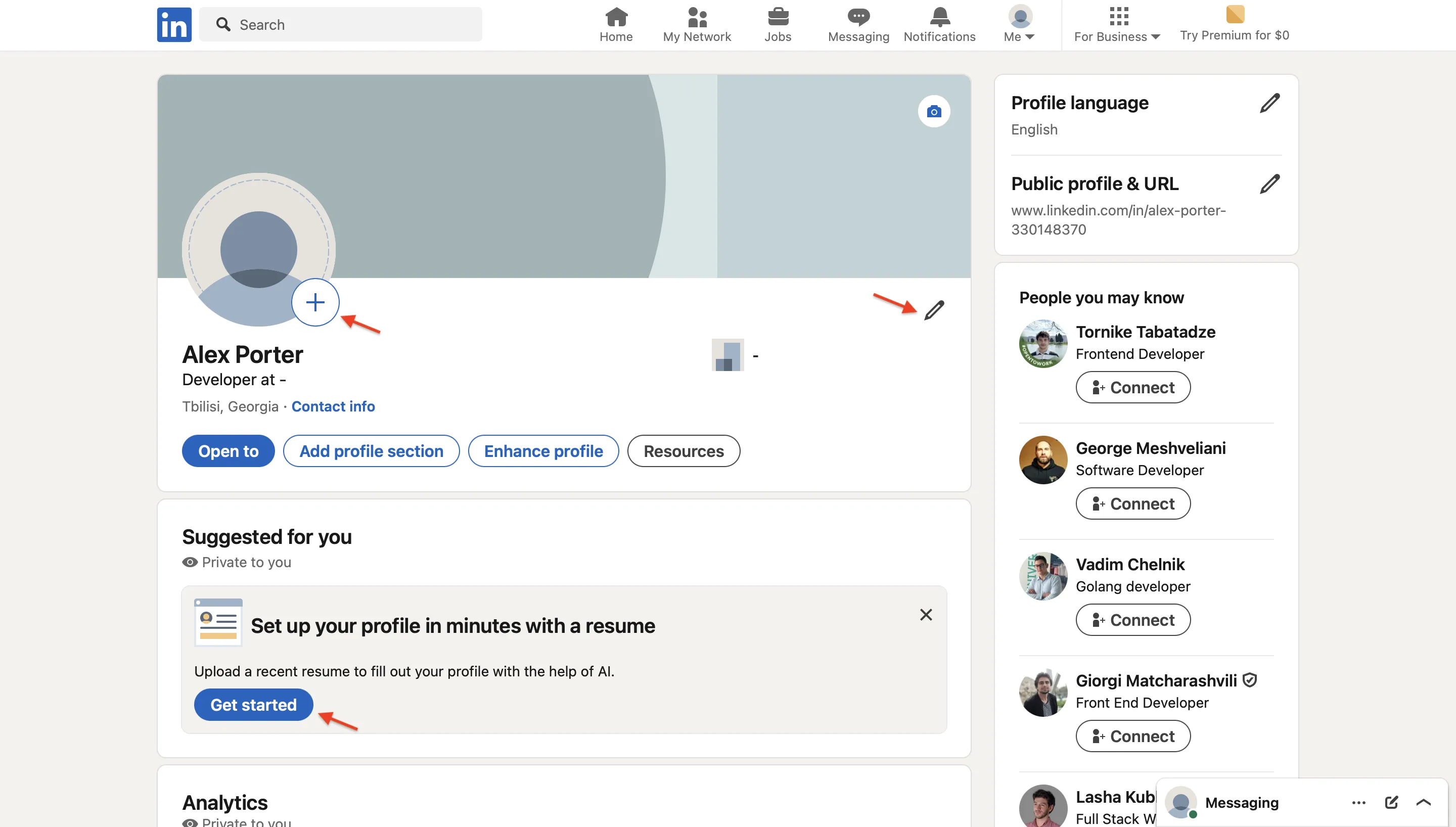
Need to create LinkedIn account for a teammate fast? The Continue with Google/Apple button skips password entry while keeping security.
Best Practices
- Write the "About" section in the first week. A clear summary helps recruiters and prospects understand what you do.
- Use a branded headline (“B2B SaaS Marketer | Demand Gen | HubSpot Certified”) instead of only a job title.
- Customize your public URL (e.g., linkedin.com/in/yourname) for easy sharing.
- Turn on two-factor authentication (2FA) to stop unwanted access.
- Post or comment weekly; activity increases feed visibility, while skills and profile completeness improve discoverability in recruiter searches.
- Onboard new hires properly: remind them to sign up for LinkedIn only once, then simply log in to avoid duplicates.
- Prioritize your most relevant skills at the top; recruiters filter by skills, so ordering matters. Read more in LinkedIn Skills: Top Skills to Add to Your Profile with Examples.
- List at least five skills. Profiles with 5+ skills receive up to 17× more views. Ask colleagues for endorsements.
- Use the featured section to pin case studies, whitepapers, or a short intro video (available to Premium Business, Sales Navigator, and Recruiter subscribers).
Bonus Tips
- Desktop vs. mobile: record name pronunciation or post video from the app; use desktop for deeper analytics.
- Verification badges: add work-email or ID verification to increase trust and credibility.
- Troubleshooting LinkedIn signup glitches: if the form freezes, clear browser cache or switch to incognito mode.