
 Updated: August 29, 2026
 27 min read
Key takeaways
- G2's 4.6★ average across 90 G2 ratings in the review sample collected through August 3, 2026 is mostly historical: only one rating falls in the trailing six months, and the latest genuine row is dated December 24, 2024, so it cannot establish a current trend.
- CRM speed and CRM governance are the same trade-off: one reviewer reported saving up to half an hour a day, while another reported unwanted contacts and companies, so test required fields, duplicate matching, update precedence, and rollback before bulk sync.
- API headline capacity can overstate usable throughput: Surfe documents a 10,000-person bulk-request size and a 50,000-profile daily people-enrichment quota (capped at 20,000 per hour and 10,000 per minute) alongside a 10-requests-per-second baseline and team-shared credits, so integrations must be sized against every ceiling.
- Annual billing needs two separate checks: on Surfe's pricing page, Essential's $49-to-$39 change is 20.41% while Pro's $89-to-$79 change is 11.24%, and credit allowances are shown as yearly totals while tooltips say they refill monthly, so neither the up-to-20% label nor annual totals should be treated as uniform savings or rollover.
This review is published by Linked Helper and written by Milosh Potikj, who works there. I've made every effort to represent Surfe accurately using verified data. The evidence includes our own first-hand testing, Surfe's own documentation, and independently sourced reviews.
What is Surfe?
It is a Chrome extension and web app that moves LinkedIn and Sales Navigator contacts through enrichment into a CRM. B2B sellers use it to reduce manual data entry; buyers seeking a native outreach sequencer need a different product category. A permanent Free plan exists. Essential, the CRM-sync tier, costs $49 per user monthly or $39 per user monthly when billed annually on Surfe's pricing page. Our June 2026 static inspection found that the extension handles LinkedIn session material and bridges it toward Surfe's cloud. That creates a custody question even though Surfe itself does not send outreach.
Verdict
Surfe is a data layer for teams that discover or enrich contacts, update a connected CRM, then pass records onward. Its side panel and CRM/Sheets destinations, 15+ provider cascade, bulk workflows, API, and webhooks do not form a sequencer.
The conditions are material. Essential starts at $49 per user monthly, while vendor pages document 100 and 1,000 Free searches weekly. Reliability and CRM-governance reports need testing. Our static inspection observed session-token handling and a cloud call, but no live backend or IP test was performed. Evaluate Surfe only after its pricing, governance, and custody model pass review. Buyers who need native invitations, messages, branching, reply-stop, or an outreach inbox need another product category. The decision turns on category fit and token custody, not a feature-count contest.
Pros
- Direct CRM workflow: The LinkedIn side panel can add or update records without a separate copy-and-paste pass.
- Provider cascade: Surfe documents 15+ enrichment providers rather than one upstream source, reducing one-source dependence.
- Included validation: Unlimited email validation is advertised separately from capped email and mobile lookup credits. That separates address hygiene from finding new addresses.
- App-based discovery: Company and person search, lists, lookalikes, and bulk enrichment extend the workflow beyond profile-by-profile browser work.
- Developer access: Paid plans document self-serve API keys, bulk requests, rate limits, quotas, and HTTPS completion webhooks — though the pricing page's comparison table now lists the Waterfall Enrichment API for Enterprise only, so tier entitlement needs confirming.
- Explicit handoff: Sales Navigator prospects can move to external sequencers, with the destination system owning execution.
Cons
- No native outreach engine: Surfe's documented sequence flow is a handoff; it does not send LinkedIn invitations, messages, or InMails or own multistep campaigns, branching, reply-stop, an inbox, or A/B tests.
- Session-custody exposure: Our June 2026 static inspection observed named LinkedIn session material entering extension storage and a Surfe-cloud call; it did not establish backend replay, retention, deletion, observed IP, restrictions, or bans.
- Chrome dependency: The extension layer is officially supported only in Chrome, and browser-linked functions require an open Chrome environment.
- Quota ambiguity: The pricing page says 1,000 Free searches weekly, while a plan-limit article says 100; neither figure was authenticated as the governing entitlement.
- Governance and quality need testing: CRM-bloat and reliability/support reports are test axes, not reproduced universal defects.
- Agency controls were not established publicly: Pricing is per user, while team documentation did not establish client workspaces, white label, rotation, mixed tiers, audit logs, or volume discounts. Private terms may exist outside the reviewed public surfaces.
Surfe Pricing: Free, Essential, Pro, and the Limits Behind Each Card
Surfe's pricing page shows Free at $0, Essential at $49 monthly or $39 per month billed annually, and Pro at $89 monthly or $79 billed annually, all per user. Those annual discounts compute to 20.41% and 11.24% respectively, so the single “up to -20%” label is not a uniform rate: Essential slightly exceeds it while Pro falls well short. Annual-effective figures are not month-to-month prices.
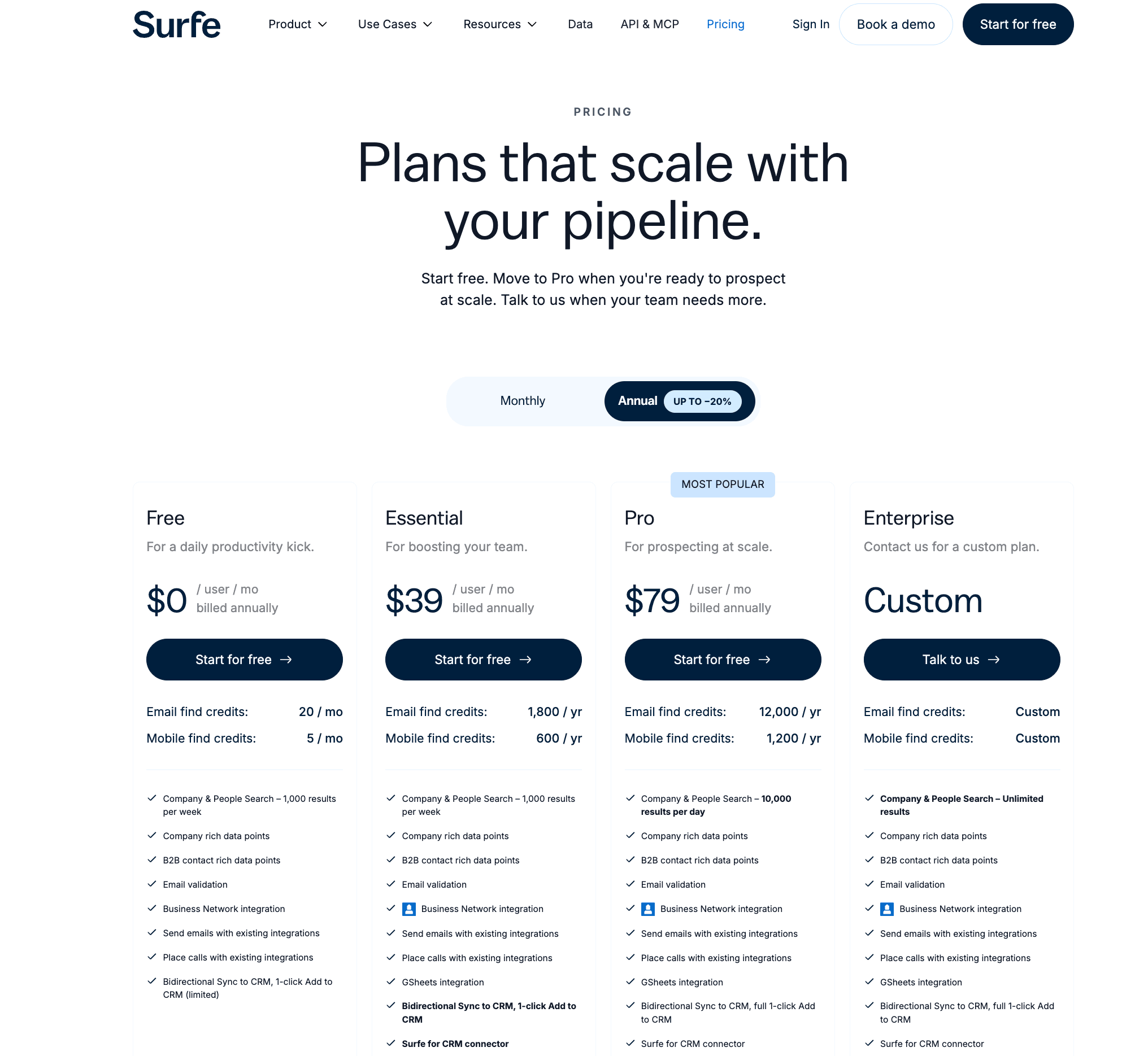
| Plan | Price | What's included | What's NOT included |
|---|---|---|---|
| Free | $0/user | One Add-to-CRM contact/day; search; 20 email credits in the monthly-refill display; unlimited email validation | Bulk CRM sync; paid-plan API scale; Pro-only analytics |
| Essential | $49/user monthly or $39/user/month billed annually | Unlimited Add-to-CRM and bulk CRM list sync; 150 email credits in the monthly-refill display; App access | Pro search scale, Account Lookalikes, Prospect List Builder, and Salesloft/Outreach/Lemlist integrations |
| Pro | $89/user monthly or $79/user/month billed annually | 1,000 email credits in the monthly-refill display; 10,000 search results per day; Account Lookalikes and Prospect List Builder | Uncapped enrichment: email/mobile lookups still use credits |
Surfe pricing tiers (August 2026)
As of August 2026 · Surfe pricing and Surfe Help Center. “Unlimited” applies to email validation, not to email or mobile lookup credits.
CRM volume sets the upgrade point. Free's one-contact-per-day Add-to-CRM cap restricts routine sync. Essential removes that cap and adds bulk sync. Pro adds higher search/list allowances (10,000 results per day against Essential's 1,000 per week), a 1,000-email-credit monthly display, Account Lookalikes, and a Prospect List Builder.
The Free search limit is unresolved. Surfe's pricing page says 1,000 results per week, while its dedicated search-allowance article says 100 per week. We cannot select a governing limit without an authenticated account or vendor confirmation. The page also switches email credits between 20/150/1,000 monthly and 240/1,800/12,000 yearly while tooltips say they refill monthly. That supports a monthly allowance displayed in annual totals, not a claim that unused included credits roll over.
Quota wording conflicts: Free search is documented as both 100 and 1,000 results per week, and included credits appear as annual totals while refilling monthly. Confirm the live in-account entitlement before sizing a workflow.
Trial allowances are narrow. The documented 14-day Pro trial needs no card and exposes paid functions, but permits 20 email and five mobile lookups before defaulting to Free. Cancellation is documented under Settings → Danger Zone; we did not execute it. Terms state no refund or proration after a period starts and exclude taxes. Extra credits expire after three months.
| Scenario | Plan assumption | Monthly billing | Annual-effective monthly cost | Unresolved costs |
|---|---|---|---|---|
| Solo CRM sync | Essential, one seat | $49 | $39 ($468/year) | Taxes; extra credits if included amounts are insufficient |
| 20-seat CRM team | Essential, 20 seats | $980 | $780 ($9,360/year) | Taxes; private discount not established |
| 20-seat, 400 email credits/seat | Pro, 20 seats | $1,780 | $1,580 ($18,960/year) | Taxes; usage beyond included credits |
Surfe solo and 20-seat pricing scenarios (August 2026)
As of August 2026 · Surfe pricing; arithmetic uses public per-user prices. The 20-seat rows are scenarios, not vendor quotes. No public volume discount was found, which does not establish that private terms are unavailable.
Two dated prices for the same paid tier were not established, so no repricing trend is claimed.
Key Surfe Features
Surfe spans the Chrome side panel, a separate web App, enrichment providers, destination CRMs, external sequencers, and an API. Each layer has a boundary: a capability in one does not make Surfe the owner of the next layer's records or actions.
Chrome Side Panel, Local LinkedIn Reading, and Cloud Session Upload
The public Chrome extension places CRM controls beside LinkedIn profiles and search results. Our June 2026 static inspection of version 3.2.3 found local Voyager and GraphQL reads—the internal request channels used by LinkedIn's web interface—plus a Surfe-cloud call. In practice, some LinkedIn data is read inside the user's browser before data crosses into Surfe services.
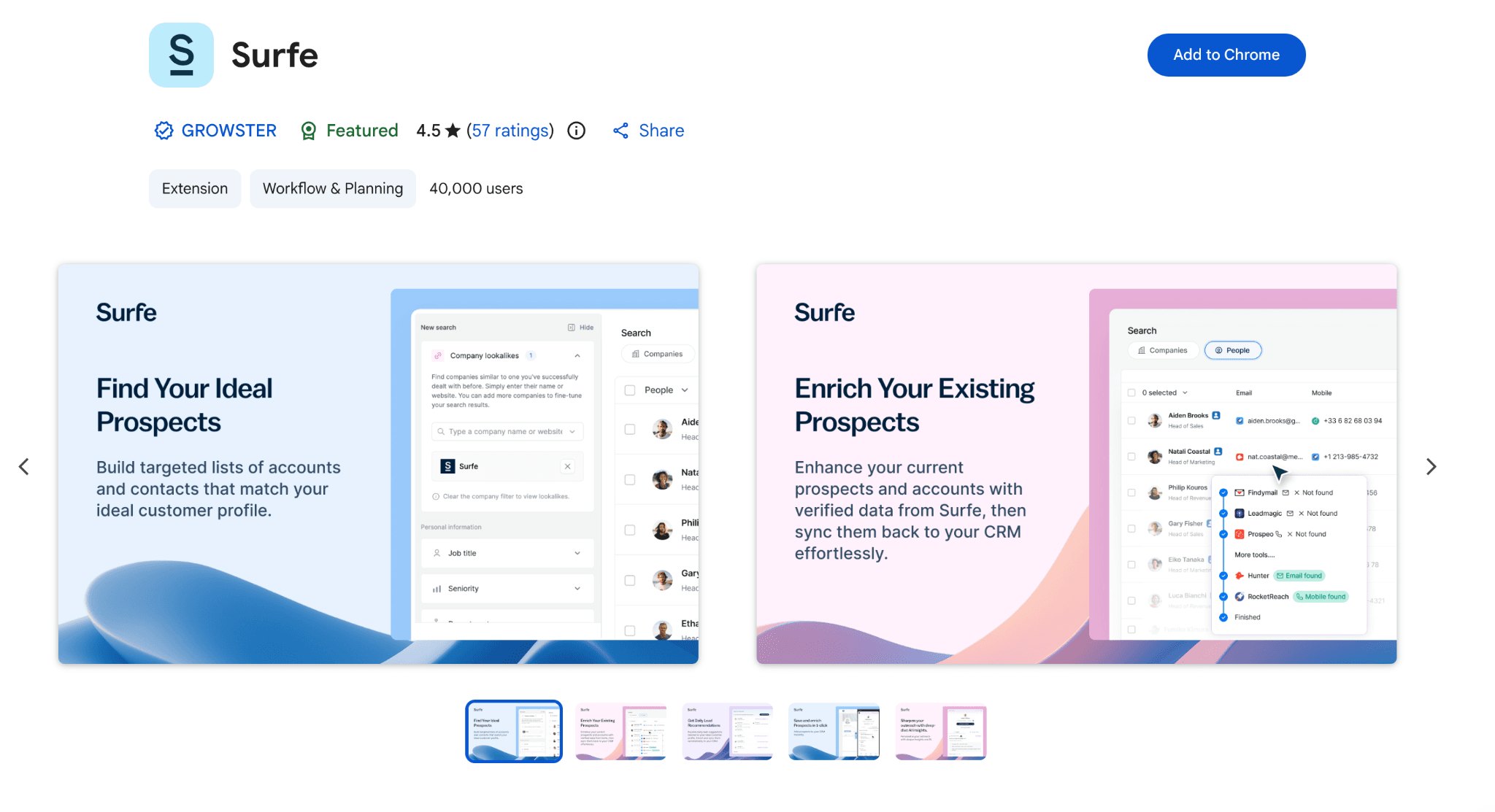
The inspection also found li_at, the LinkedIn session cookie, and JSESSIONID, which carries the CSRF token. Together they are a LinkedIn login in cookie form: whoever holds them may be able to act as the account without the password. The values entered extension-local storage, and /li-protect was called immediately after harvesting. Named HubSpot session and CSRF cookies were read through the same extension mechanism. That creates a session-custody boundary beyond the visible CRM widget.
What the code can and cannot show: the inspection observed token collection, local storage, direct LinkedIn reads, broad HTTPS permissions, code injected into pages, 77 synthetic-event signals, and transport toward a Surfe endpoint. It did not establish whether Surfe replayed the session, how long backend data was retained, how deletion worked, which IP would be observed, or whether any account was restricted. Surfe describes the App as separate from the extension, so App independence does not erase extension behavior.
Static evidence boundary: Session-material collection and transport were observed. Backend replay, retention, deletion, exit IP, fingerprint behavior, account restrictions, and bans were not established.
Surfe App, Company/Person Search, Lists, and Lookalikes
The Surfe App handles company/person search, enrichment, saved lists, lookalikes, and Prospect List Builder. Like most sales-intelligence products, it assembles prospects without requiring each LinkedIn profile to be open. App and API jobs can therefore run outside the extension overlay, but the App is not a remote LinkedIn-outreach console.
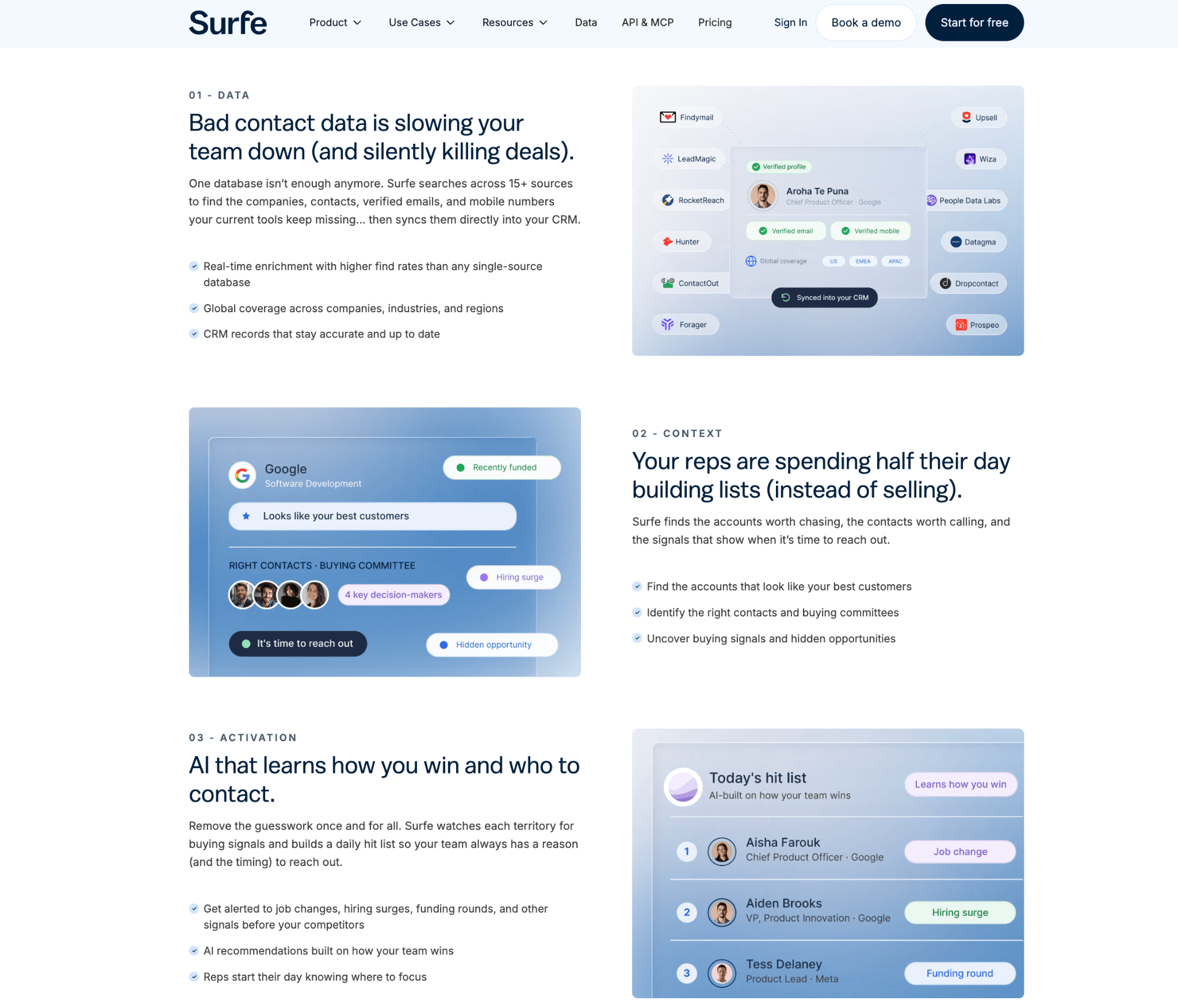
| Layer | Documented job | Operating boundary |
|---|---|---|
| Chrome extension | Read LinkedIn context; add, update, and sync CRM records | Chrome-only; browser-linked functions need open Chrome |
| Surfe App | Search, lists, lookalikes, enrichment, export | Separate web app; no native LinkedIn action execution |
| API | Enrichment, bulk requests, completion webhooks | Paid access; credits and quotas apply |
Surfe App versus extension responsibilities (August 2026)
As of August 2026 · Surfe pricing and App/extension documentation.
Search capacity is difficult to size because Surfe publishes 100 and 1,000 Free results weekly. Recommendations uses daily-refreshed ICP rule filters; profile-level AI scoring was not established. A prospect list does not schedule or monitor outreach. This LinkedIn data-export guide explains which record fields may enter an export workflow.
List is not campaign: Search, lookalikes, enrichment, and lists prepare records. They do not send invitations or messages, branch on replies, or manage an outreach inbox.
Waterfall Email/Mobile Enrichment and Unlimited Validation
Surfe Cascade sends email or mobile lookups through providers until one returns a result. The 15+ set names Findymail, LeadMagic, Hunter, RocketReach, Prospeo, Wiza, DropContact, and ZeroBounce. Provider breadth reduces dependence on one source, but successful lookups still consume the relevant credit. Surfe documents the flow here.
Flow: LinkedIn profile/import → provider cascade → result → validation → list, CRM, export, or API. This remains enrichment, not outreach.
| Item | Documented treatment | Boundary |
|---|---|---|
| Email lookup | 20 / 150 / 1,000 monthly-refill display for Free / Essential / Pro | Annual billing displays 240 / 1,800 / 12,000 |
| Mobile lookup | Separate cascade and credits | Plan totals were not established |
| Email validation | Advertised as unlimited; Surfe plus ZeroBounce | Accuracy and a public fair-use rule were not established |
| Extra credits | One-time purchase | Expire after three months |
Surfe enrichment allowances and boundaries (August 2026)
As of August 2026 · pricing, Cascade documentation, and extra-credit terms.
The provider count and unlimited email validation do not prove Surfe's marketed 93% email-find rate. Accuracy, freshness, false positives, and mobile coverage were not independently benchmarked. This email-finder guide explains why provider coverage and validation differ from measured accuracy.
Accuracy remains unmeasured: The 15+ provider cascade and unlimited email validation are documented. They do not establish an independent find rate, a freshness-date field, or market-specific coverage.
One-Click CRM Add, Bulk Sync, and Data-Governance Friction
Surfe's core workflow writes LinkedIn-derived and enriched records into HubSpot, Salesforce, Pipedrive, Copper, or Google Sheets. Free allows one Add-to-CRM contact daily; Essential removes that daily cap and supports bulk CRM list sync. The immediate implication is less manual record entry, but also fewer human review checkpoints before data reaches the system of record. See this neutral overview of LinkedIn-to-CRM data movement for the general workflow.
Before record creation, Surfe's duplicate-identification logic checks contact LinkedIn URL, then LinkedIn ID, then name; company matching uses website and company LinkedIn URL. That gives teams a documented matching chain. It does not guarantee that every CRM rule, field mapping, or duplicate policy behaves as a buyer expects.
Write path: LinkedIn profile/list → Surfe match check → optional enrichment → destination CRM record. Teams should test:
- required fields and validation rules;
- duplicate and company-creation behavior;
- field precedence on update;
- cleanup after a wrong match; and
- list-export completeness.
Those tests are grounded in a review alleging unwanted contacts and companies and another reporting credential-suffix artifacts. Required-field behavior was not established. Live integration setup, idempotency, record bloat, and export cleanliness were not independently tested.
Governance checkpoint: One-click writing removes data entry and may also remove a review step. Test required fields, duplicate creation, update precedence, and rollback in a sandbox CRM before a bulk sync.
Sales Navigator Export and External Sequence Handoff
Surfe can read or export a Sales Navigator list, enrich the contacts, sync them to a CRM, and launch them into Outreach, Salesloft, Lemlist, or HubSpot Sequences. Surfe's sequence documentation confirms the handoff. The destination sequencer—not Surfe—owns message delivery, branches, reply detection, stop rules, and its inbox.
The native outreach/engagement list is closed:
- Profile and invite actions: No LinkedIn invites, email-on-invite, re-invites, invite cleanup, endorsement, or post boost.
- Messaging and campaign controls: No messages/InMails, email or multichannel sequences, branching, never-messaged filter, generic-reply handling, inbox, or A/B testing.
- Collection and generation: No post-engager collection, post-age filter, or AI message/comment generation.
No campaign diagnosis or incoming campaign webhook exists; ordinary completion webhooks do. One-off Gmail and Message Templates do not change that boundary. LinkedIn Recruiter support was not confirmed.
Current public Sales Navigator export caps were not established. Archived first-party material described plan-specific daily caps, so verify the live in-account entitlement before capacity planning. For context on what export actually does before a handoff, see this Sales Navigator export guide.
Assign sequence ownership: Document which system owns sending, reply-stop, consent state, and conversation history before launch. A successful Surfe handoff does not prove the destination sequence completed.
API, Webhooks, Bulk Requests, and Shared Team Quotas
Surfe's help center documents a self-serve API key under Settings → API Access, while the pricing page's comparison table lists the Waterfall Enrichment API for Enterprise only; confirm entitlement for your tier before building. Surfe's API overview covers enrichment and workflow access; public documentation sets a baseline of 10 requests per second, a 50,000-profile daily people-enrichment quota, 10,000 people in a bulk request, and 500 companies in a company-enrich request. These are different controls, so a high bulk-request size does not erase the daily quota or credit balance. Surfe's own bulk-request guide is internally inconsistent here: its prose still states 2,000 profiles per day while its summary table states 50,000, so confirm the governing quota in-account.
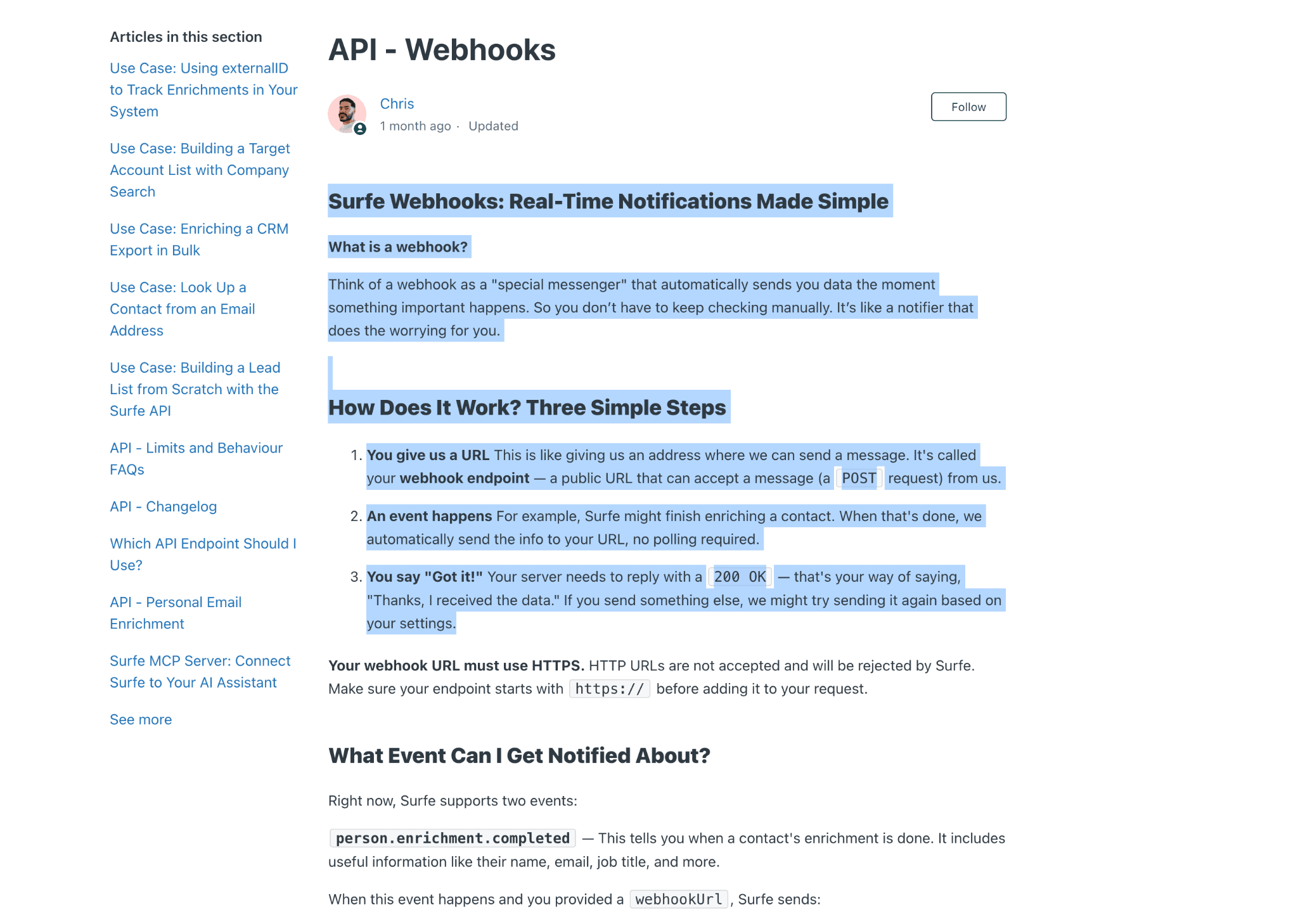
Lifecycle: submit a person/company request → Surfe validates quota and credits → providers process the job → poll for a result or receive an HTTPS completion webhook → write the result to the buyer's system. Completion webhooks report job status; they are not incoming campaign triggers.
Credits are shared at team level, and quota exhaustion can block requests even when the HTTP rate limit is not reached. Bulk-job capacity therefore depends on request size, daily operations, team credits, and result handling together. Zapier and Make can use the public API/webhook bridge, but no native Zapier or Make marketplace app was confirmed in the reviewed evidence.
Three separate ceilings: Request rate, daily API quota, and enrichment credits are separate controls. Size an integration against all three rather than treating the 10-request-per-second limit as total capacity.
Teams, Seats, Partner Program, and Missing Agency Controls
Surfe meters paid access per user. Public documentation establishes member/admin roles plus a free billing-only role; all paid users in one company share one plan level. A seat follows the current user's browser identity, but no contractual multi-account hard cap was established. Surfe's team article documents invitations, removal, and billing access.
| Requirement | Established | Not established |
|---|---|---|
| Internal team | Member/admin and billing-only access | Granular roles or mixed paid plans |
| Client identities | Per-user seats | Multi-account console, sender rotation, accounts-per-seat cap |
| Client governance | Internal company account | Client workspaces, white label, lead distribution, audit logs |
| Commercial scale | Public per-user prices | Public volume discount; private terms may exist |
Surfe seat versus LinkedIn identity scope (August 2026)
As of August 2026 · team roles and pricing. “Not established” is an evidence gap, not proof of absence.
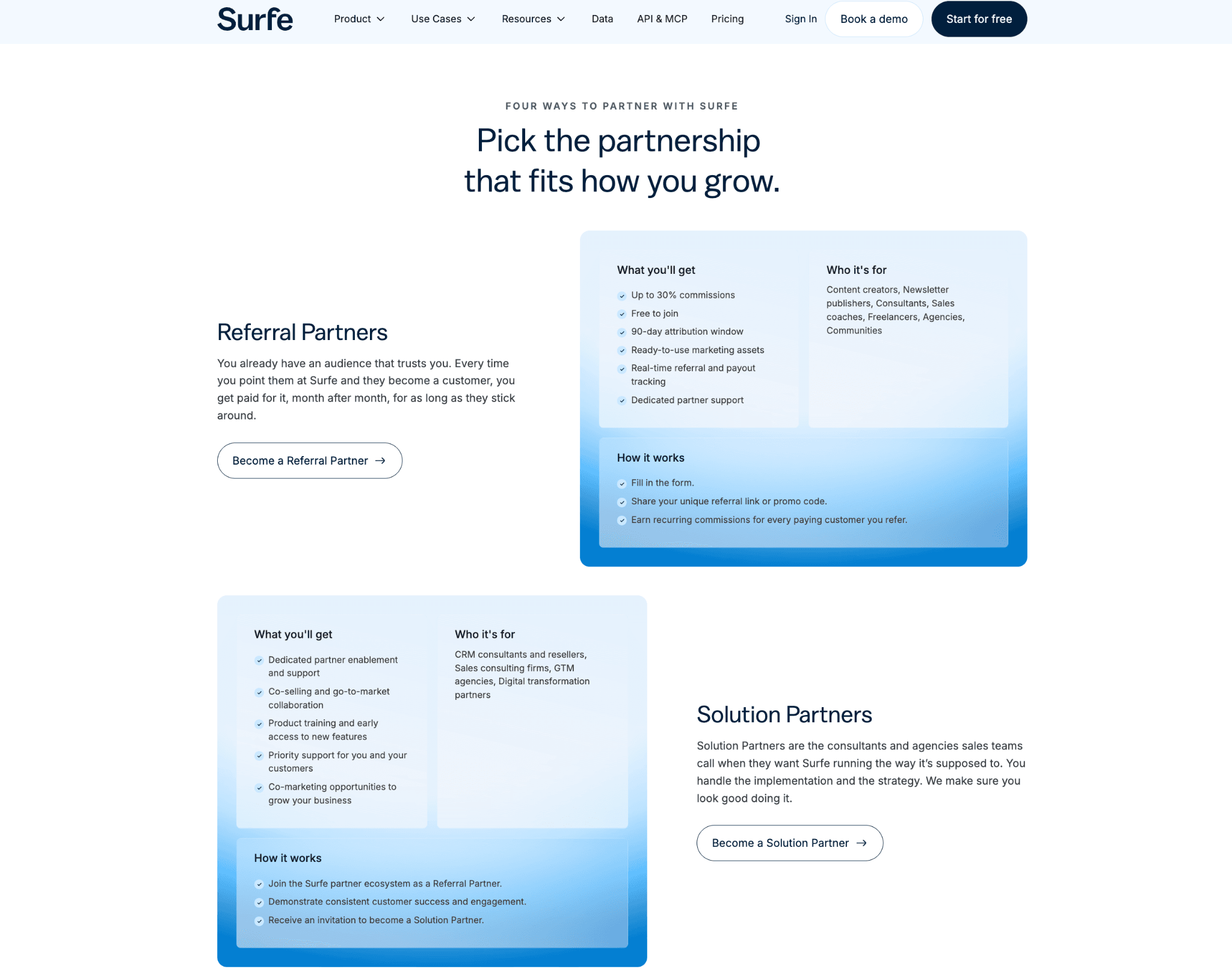
The Partner Program gives solution providers/resellers a demo environment and partner manager. That relationship does not establish an in-product agency console. The 20-seat annual scenarios—$9,360 Essential and $18,960 Pro—use public list prices, not a vendor quote or assumed discount.
Partner is not tenancy: A partner program does not establish client isolation, sender rotation, white label, audit logs, or a client portal. Verify those controls separately.
Privacy, Opt-Out, EU Transfers, and Subprocessor Visibility
Surfe's opt-out mechanism covers business-contact data about users and non-users. Source, notice, correction, deletion, and opt-out are therefore GDPR Article 14 diligence questions; this does not establish unlawful processing.
Data-subject path: provider or public professional data → Surfe enrichment database → customer workflow → CRM/API export → access, correction, or opt-out request. Session-token handling is a separate data class from business-contact enrichment and needs its own retention and deletion answers.
Surfe's privacy policy says it endeavors to keep data in the EU but may transfer data outside the EEA. Its public DPA page exists, while the complete current subprocessor list and security appendices require a request. For a reader evaluating residency, that means “EU preference” is not a guaranteed EU-only boundary.
Surfe's terms distinguish canceling a subscription from deleting an account. They describe up to 30 days to process deletion and up to 90 days to erase exportable data after effective deletion. This documented timetable helps scope diligence, but we did not execute deletion or observe backend retention. Surfe's security page claims ISO 27001
and encryption at rest and in transit; those claims do not answer which session material reaches which subprocessor.Ask two different data questions: Business-contact provenance and LinkedIn-session custody are separate. Request the current subprocessors, transfer locations, token purpose, retention, revocation, and deletion path for each data class.
Is Surfe Safe?
Surfe does not natively send invitations, message sequences, or InMails, reducing action-volume exposure inside the product. That does not answer who can hold or use the LinkedIn session.
What I verified first-hand. In June 2026, I read version 3.2.3's shipped code. It put li_at and JSESSIONID into extension storage, then called a Surfe endpoint. Their transport creates a custody boundary; I did not observe backend replay, retention, deletion, or any assigned IP.
I also checked Active Extension Detection (AED), a label visible in LinkedIn's production JavaScript, not an official feature name. The mechanism probes extension IDs at page load, so a listed extension can be visible before acting. Surfe's ID was not listed in my snapshot, but its resource probe responded; absence from that list is not proof of invisibility. See this extension-detection explainer.
| What was checked | Result |
|---|---|
| Extension | Chrome v3.2.3; inspected June 2026 |
| Session material | li_at, JSESSIONID, li_a read; Surfe endpoint called |
| LinkedIn reads | Local Voyager/GraphQL from user browser/IP |
| Visibility | Not on AED snapshot; resource probe responded |
| Browser behavior | 77 synthetic-event signals; live defaults not observed |
| Cloud/IP | No live test; exit IP, isolation, fingerprint, replay unmeasured |
Surfe extension checks and evidence boundaries (August 2026)
As of August 2026 · June 2026 static inspection and Chrome Web Store identity. The listing does not evidence code behavior.
| Risk axis | Observed/documented | Unknown |
|---|---|---|
| LinkedIn actions | No native outreach; no genuine restriction complaint found | Manual/destination-tool behavior; future changes |
| Session custody | Named session material handled and bridged toward Surfe services | Backend use, retention, deletion, exit IP, fingerprint, restrictions, bans |
| Contact data | Opt-out, DPA page, EU preference, possible outside-EEA transfers | Complete subprocessors; authenticated deletion execution |
Surfe safety: platform-action risk versus credential/data custody (August 2026)
As of August 2026 · App boundary, privacy, DPA, and bounded static findings.
No genuine restriction complaint appeared in the 90-review G2 sample collected through August 3, 2026 on G2, the one genuine Trustpilot row without a public URL, or the two attributable Reddit posts (one, two). That gap is not safety proof. Manual direct-URL profile opening or unrealistic action speed can also trigger controls. No tool eliminates LinkedIn restriction risk.
Two-axis verdict: No native outreach lowers action-volume exposure inside Surfe; the observed session-material path creates a separate custody question. Zero complaints cannot settle it.
What Reviews and Reddit Actually Show
G2 sentiment is warm but dated. G2 averages 4.6★ across 90 G2 ratings in the review sample collected through August 3, 2026. A separate April 23, 2026 G2 snapshot showed 4.6★ across 89 reviews; the denominators are not interchangeable. The trailing six months contain one rating, too few for an average or trend.
Removing four unrelated surfe.pro records leaves 91 genuine Surfe product reviews through August 3, 2026: 90 G2 and one Trustpilot. One Trustpilot row is too thin for an aggregate and has no public URL. No Capterra listing or rows were found, so no Capterra score is established. Our sentiment coding counted 57 delighted, 24 satisfied, seven mixed, two frustrated, and one furious; this is not current 2026 consensus.