

 19 min read
TL;DR: free ATS picks in October 2026
- Solo employer: Jobsoid keeps one recruiter and one vacancy free, with unlimited candidates. A second login means paying.
- Reusable database: Zoho Recruit includes module export on Free, with a cap of 1,000 records per module. Watch storage as well as candidate count.
- Solo agency: Giig combines clients and candidates. In my October test, its free database export downloaded one candidate in a 26-column CSV.
- Shared review: Breezy HR offers unlimited users on Bootstrap, but access covers candidate data added in the last 30 days.
- Several vacancies: Dover has no Free seat or job cap for company users. Full history and exports require its $199/month Premium plan.
- Self-hosting: OpenCATS has no license fee. My local CSV test exposed a formatting defect, so check your own exports and budget for maintenance.
The free plans suit different hiring workloads. The free ATS options at a glance cover employer, agency, and self-hosted workflows.
| Tool | Best for | Free-plan strength | Main trade-off |
|---|---|---|---|
| Jobsoid | A recruiter filling a single vacancy | Unlimited candidates | Paid collaboration |
| Zoho Recruit | A small reusable database | Module export | Record and storage caps |
| Giig | A solo recruiting agency | Client and candidate pipelines | Paid CSV import |
| Breezy HR | A short, shared hiring round | Unlimited reviewers | Access limited by record age |
| Dover | Several current vacancies | Unlimited company users and jobs | Restricted history |
| OpenCATS | A team with technical support | Control over the installation | Hosting and maintenance |
What makes the best free applicant tracking system worth keeping?
A free applicant tracking system is worth keeping when its permanent tier supports your hiring round and preserves the records you need afterward. A free ATS lets you collect applications, organize candidate records, and track hiring stages without a recurring software subscription. A permanent free plan continues after the introductory trial, within its limits. OpenCATS takes a different route: you pay no license fee but operate the software yourself.
A hiring round can outlast the feature that made a free plan attractive. Will you still be able to open an application when the interviews finish? Before importing resumes, check the workload you'll actually run:
- Permanent access: Which features survive the trial? A successful trial workflow may depend on a paid tier.
- Capacity: Count recruiter logins and live vacancies separately. A large candidate allowance won't help if your hiring manager can't get an account.
- Portability: Check what leaves the system. A CSV of names, a PDF profile, and a folder of resumes serve different purposes.
- Upgrade cost: Price the seats you'll use, including the plan that preserves older applications.
- Day-to-day work: Check board eligibility and reviewer permissions, and determine who will maintain the system.
You may already have enough software for an occasional hire. In a January 9, 2026 r/humanresources discussion, u/babybambam wrote, “I currently just use Indeed. I funnel all applications through it and use their built in tools to keep status.” That can suit a single-channel process. A spreadsheet with candidate, vacancy, stage, owner, and next action also makes missing requirements visible before you buy an ATS.
1. Jobsoid: Best free ATS for one recruiter filling one vacancy
Jobsoid is my pick for a small employer with one person running a vacancy. Beginner gives you one user account and one job posting, with unlimited candidates. If the role attracts more interest than you expected, you won't have to upgrade just to keep collecting applicants.
Jobsoid pros
- Beginner leaves candidate numbers uncapped
- Recent Activity keeps assignment and status changes together
- Lite supports collaboration without charging for each user
Jobsoid cons
- Beginner excludes a second login
- Free database portability needs closer checking
When I created a synthetic candidate in the trial, I had to assign them to an internal opening before I could move them from New to Screen, and Recent Activity kept both events together. I liked that trail. You can see how the candidate reached the stage without piecing the sequence together yourself.
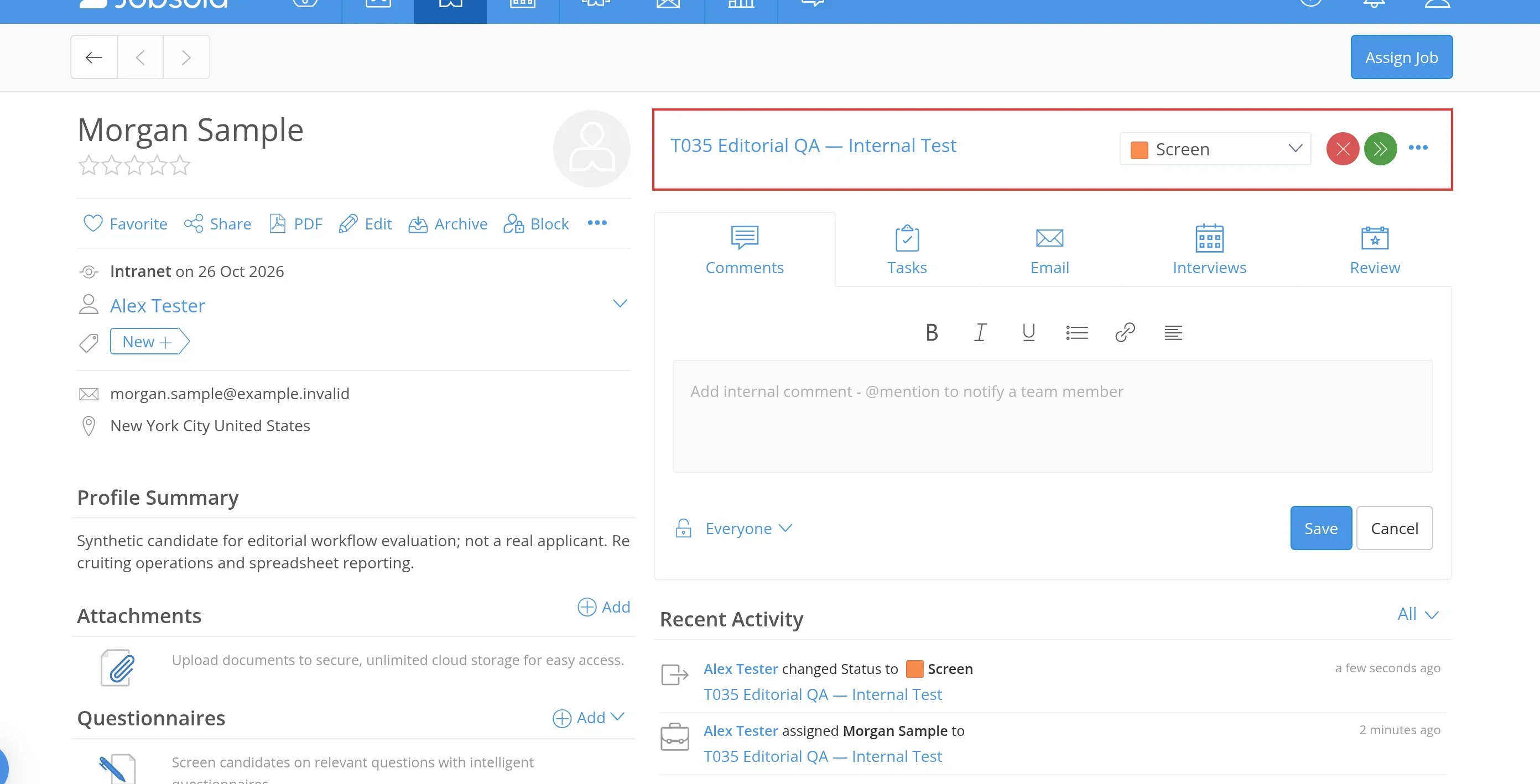
Inside Jobsoid, my candidate reached Screen and the activity list recorded the assignment and status change. (Image source: my Jobsoid trial)
Jobsoid's trial and downgrade change the available jobs
Jobsoid starts you on a 14-day Standard trial with ten openings, then automatically moves the account to Free. That's more room than you'll keep. If you're planning to stay on Beginner, build your first real workflow within its limits, so you don't finish the trial with a hiring process that depends on a subscription.
If your hiring manager needs their own account, compare Lite. You won't have to share a login (and lose track of who changed a candidate's status), or work out how to remove someone's access without changing the login for everyone. That's a better arrangement for a small employer.
Cancellation keeps a paid Jobsoid account active through the billing cycle. Then you're back on Free, with extra jobs unpublished and archived. Check those archived jobs before planning another search around them. For moving records elsewhere, use the export coverage summary to distinguish the profile-PDF screen from a reusable database download.
Jobsoid pricing
Free with Beginner. Lite costs $49/month, billed annually, for three jobs and unlimited users, or $59/month on monthly billing.
2. Zoho Recruit: Best free ATS for a small, exportable database
Zoho Recruit suits an employer that wants to keep a modest candidate database after each hire. Corporate HR Free includes candidate management, interviews, notes, and module export. I like that fit when you expect to revisit applicants rather than collect an ever-growing pile of resumes.
Zoho Recruit pros
- Module export is included on Free
- Candidate and interview records stay alongside notes
- Free includes five email templates
Zoho Recruit cons
- Corporate HR Free excludes resume parsing and free job-board distribution
- Both records and attachments use limited capacity
I didn't need an email address or phone number to save my synthetic candidate. Once I'd dismissed a video tour that covered the creation controls, I could add the record and open its stage view without first collecting every contact field.
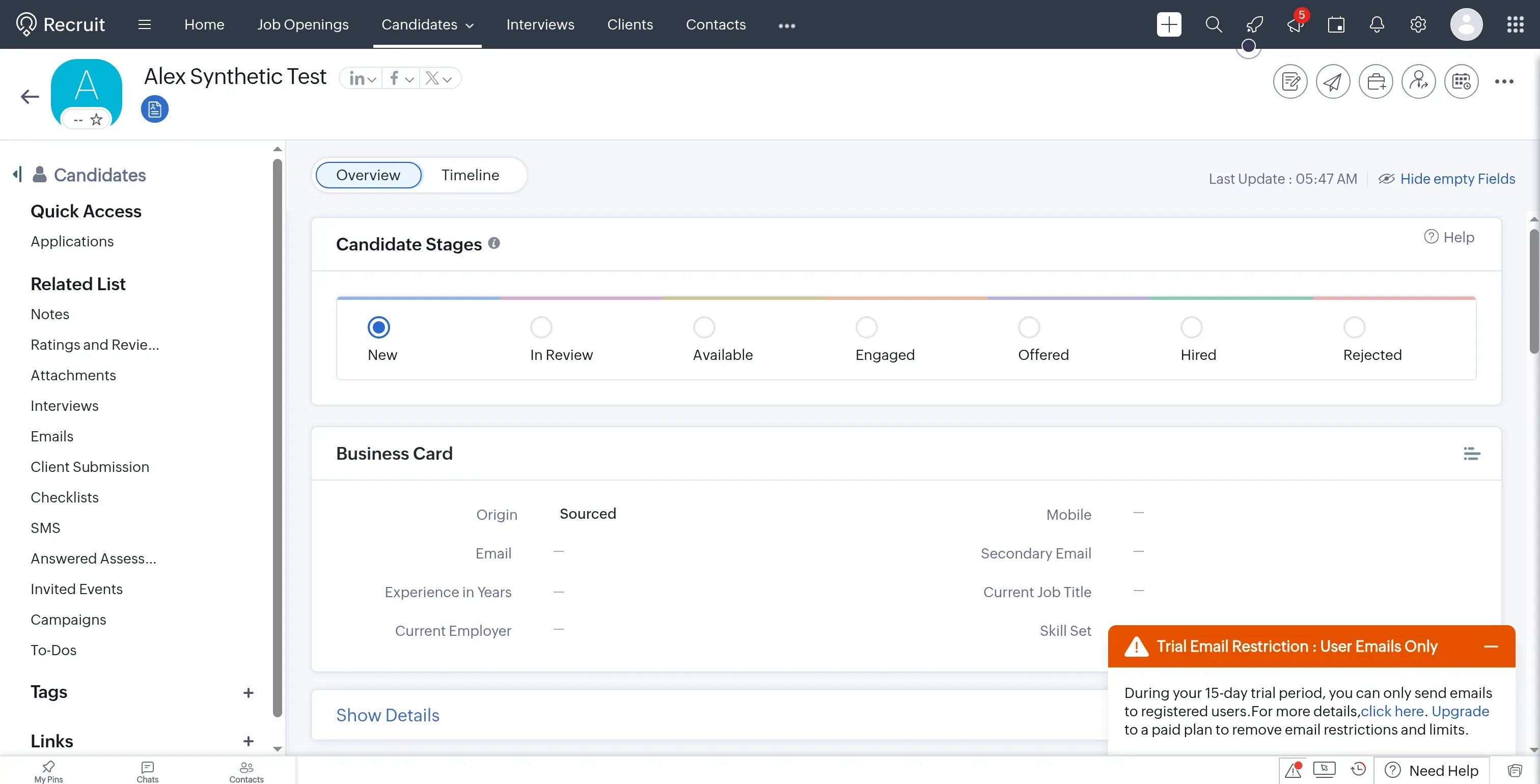
Inside Zoho Recruit, my synthetic candidate was saved in the Staffing Agency trial. (Image source: my Zoho Recruit trial)
If LinkedIn is one of your sourcing channels, check the setup requirements for Linked Helper's Zoho Recruit integration, which sends candidate profile data into the ATS.
Zoho Recruit limits the database and the export window
Zoho Recruit Corporate HR Free allows 1,000 records per module and 5,000 across all modules. Don't read the larger total as a candidate allowance: those profiles share their module cap. You'll also need to watch the organization's 256MB storage allowance, because attached files can fill it before you've used all the available records.
The export screen offered separate options for notes, attachments, and tabular records. Zoho's guide gives the download link a life of up to 48 hours after the request. Download it promptly. Module export is separate from the paid backup feature. Before you rely on the export for a move, open a sample record and its attachments to check that you've got what you'll need.
Skip Corporate HR Free if your plan depends on importing a pile of resumes through parsing or distributing jobs automatically. It suits deliberate recordkeeping. In an August 8, 2025 Reddit reply, u/Capital_Punisher recalled using Zoho while starting an agency, then needing more complex enterprise integrations. That account illustrates a reason to outgrow the tool, rather than a promise about the seats included today.
An idle account needs attention too. Zoho reserves the right to terminate unpaid accounts after 120 continuous days of inactivity, with notice and a backup opportunity. If you hire seasonally, don't leave your only copy of the records in an account nobody opens between rounds.
Zoho Recruit pricing
Free for one recruiter and one active job. Corporate HR Standard costs $25/recruiter/month, billed annually, with ten active jobs per recruiter, or $30/recruiter/month on monthly billing.
3. Giig: Best free ATS for a solo recruiting agency
Giig is my favorite fit for a recruiter managing clients as well as candidates. Free Forever brings candidate records, client companies, and jobs together, with hiring and business-development pipelines. If you're building an agency desk, you can follow the company that may give you work alongside the people you may submit for it, without treating every client assignment as an internal hire.
Giig pros
- Free keeps internal candidates, clients, and jobs unlimited
- Candidate and client lists can leave the free workspace
- Hiring and business-development pipelines serve different parts of agency work
Giig cons
- Free Forever permits one user
- The free careers page displays three jobs
- CSV import and CV parsing require a paid tier
I chose Continue For Free instead of the card-required Plus trial, then saved a synthetic candidate. Exporting took a detour. Export Selected had a lock icon, so I went to the separate Export Your Data page, where Download Candidate Data let me export the candidate database from the free account. The CSV contained my one record and 26 columns, including profile and status fields.
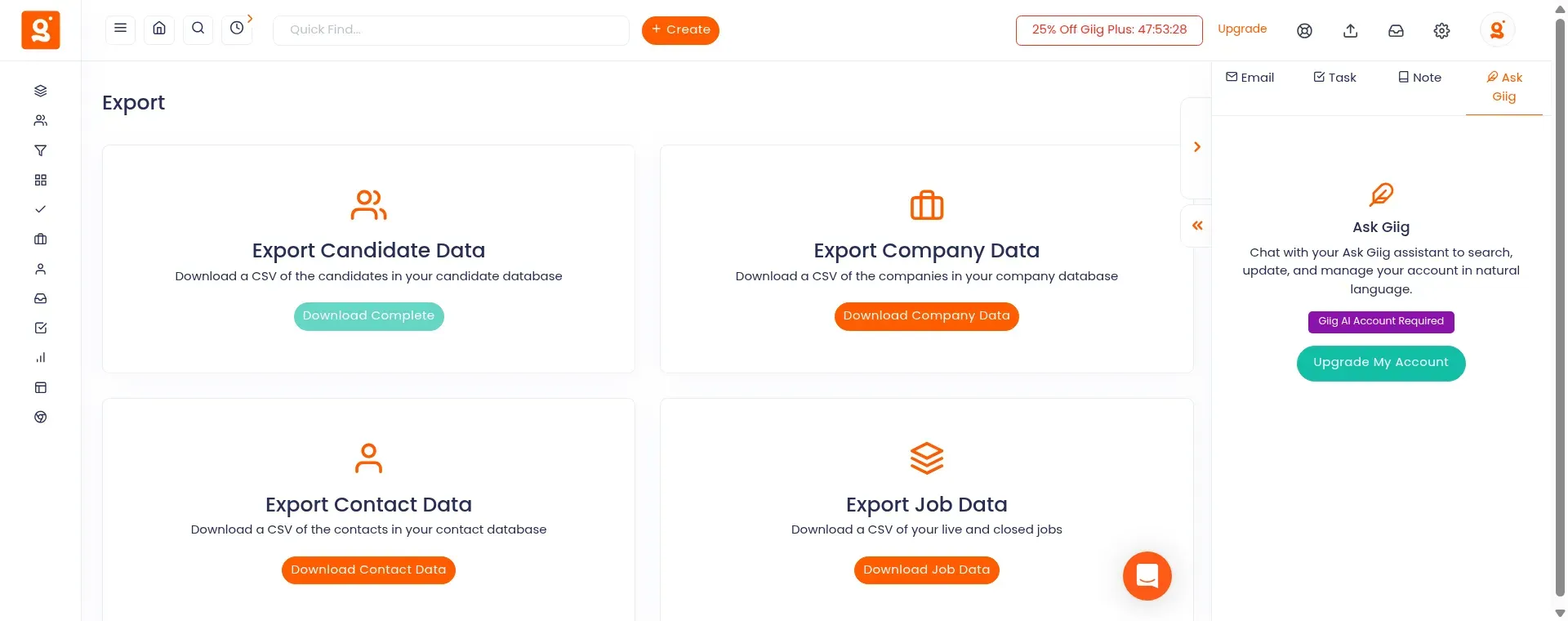
Inside Giig, Download Candidate Data produced a CSV from my free workspace. (Image source: my Giig free account)
Giig charges for importing the database you bring with you
Giig's free account can export a candidate list, while its CSV import screen requires Starter or Plus for candidate, company, and contact files. So if you're arriving with a spreadsheet, expect to pay for that step. You can build a free database manually, but you can't assume the same free workflow will bring your existing list into Giig.
How many vacancies will you advertise on your own careers page? If you're servicing several clients, that may be a smaller number than the jobs you need to keep internally, and Giig handles the two counts differently. You can retain the internal records even when the public openings won't all fit.
Starter adds team seats and CSV import, while Plus adds custom pipelines and bulk email. If another recruiter will work with you, don't leave their seat out of the budget. For a solo desk, I prefer Giig's combined client-and-candidate workflow to forcing client assignments into an employer-focused ATS.
Giig pricing
Free Forever has no time limit. Starter costs $16.70/user/month, billed annually, or $19.99 monthly. Plus costs $49.20/user/month, billed annually, or $59 monthly.
4. Breezy HR: Best for a short hiring round with several reviewers
Breezy HR fits a shared hiring round that finishes while its free candidate records remain accessible. Bootstrap includes unlimited users, resume parsing, job-board distribution, and a customizable careers portal. I like that combination for a team reviewing applications together without buying a seat for each interviewer.
Breezy HR pros
- Bootstrap supports shared review without seat charges
- Parsing and distribution are included in the free plan
- You can build a careers portal on Bootstrap
Breezy HR cons
- Free allows one active position or candidate pool
- Access to candidate data added more than 30 days ago falls outside Bootstrap
- A downgrade to Bootstrap takes effect immediately
I saved a draft vacancy with applications disabled and added a synthetic candidate to Applied without entering an email or phone number. The location picker caught me out. I'd chosen the country, but it wasn't enough until I clicked Add Location, so I was glad I could work through setup before publishing the role.
Breezy HR's access window can expire before your interviews finish
Breezy HR restricts Bootstrap access to recent candidate data, so a slow hiring process can outgrow Free even when the vacancy count still fits. Imagine an application arrives on day one and interviews finish on day 45. The record has aged past the free-access window while you're still working on the same role.
That's an access restriction, rather than a claim that the record is automatically deleted. A candidate pool occupies the active slot too, so you can't use it to sidestep the time limit. I wouldn't choose Bootstrap for a lengthy executive search or a reusable talent pool.
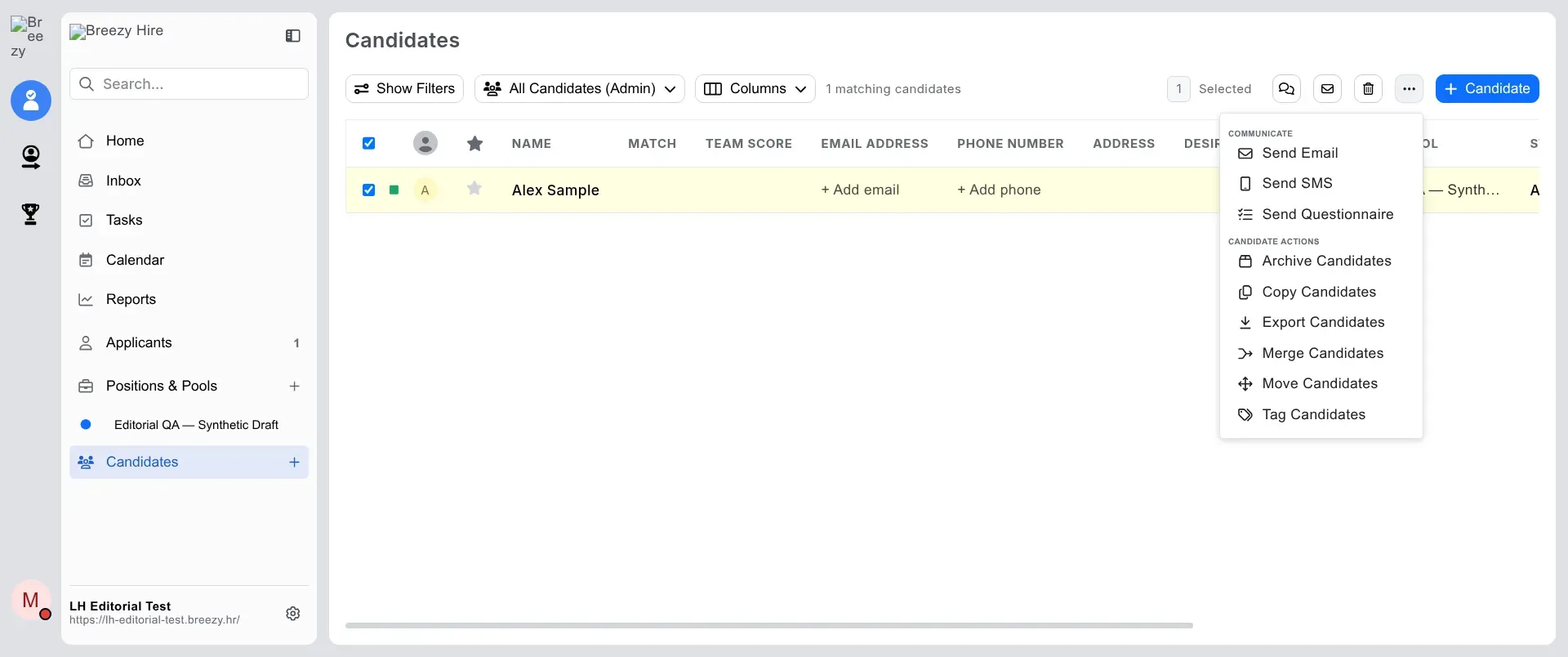
Inside Breezy HR, Export Candidates appeared in the selected-record menu for my trial Admin account. (Image source: my Breezy HR trial)
Breezy's export guide gives the Resume column a PDF link rather than embedding the file, and the scope of an export depends on permissions. You've got another check before a move: will the resume files themselves be available where you need them? And prepare before downgrading: the switch to Bootstrap removes paid features such as custom pipelines immediately.
Breezy HR pricing
Free with Bootstrap. Startup costs $157/month, billed annually, or $189/month on monthly billing, and adds unlimited positions and custom pipelines.
5. Dover: Best for several current vacancies without seat charges
Dover is worth a look for a startup filling several roles, provided a limited recent-history view is enough. Free includes unlimited company users, jobs, and candidates, along with interview plans, candidate notes, and a basic careers page. External team members require Premium.
Dover pros
- Free avoids per-seat charges for company users
- Candidate notes and interview plans are included
- Gmail and Outlook email integrations are included
Dover cons
- Free history has an unspecified time limit
- Data export requires Premium
- My signup required an onboarding call
When I selected the ATS after signing up, Dover told me I'd gain workspace access after a setup call. I couldn't start building the candidate workflow yet. If your signup follows the same route, leave time for the call or use a self-serve option.
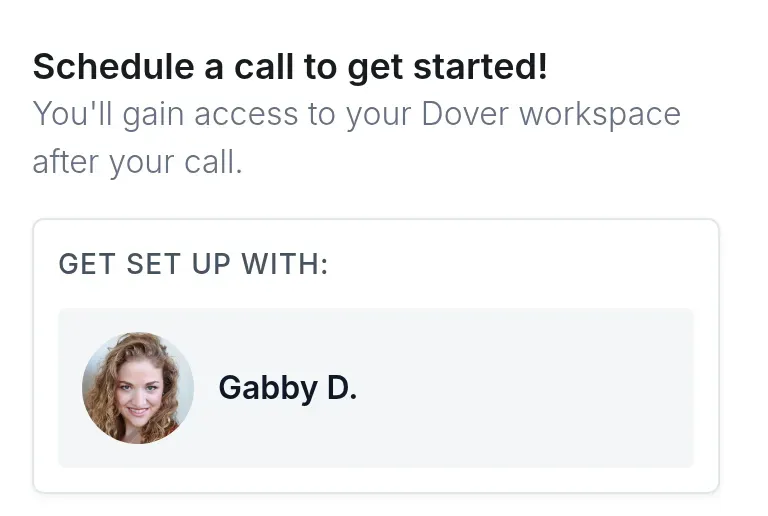
Inside Dover's signup flow, workspace access depended on a setup call. (Image source: my Dover signup)
Dover reserves full history and export for Premium
Dover's pricing matrix labels Free candidate visibility and history “Limited,” without specifying the window. Premium includes full history and data export. If you're hiring for several current roles, that split may work for you, but a team building an archive needs to budget for the paid plan from the start.
A December 8, 2025 comment by u/anthonyescamilla10 on r/recruiting, reflecting on Dover at a 40-person startup, captures its appeal:
If I had to pick again for that size company I'd probably still go Dover over something like Greenhouse just because it's free and does what you need without all the extra complexity
Finding an applicant and opening their history are separate tasks. Dover's guide sends you to Candidates, filtered to Rejected and Inbound Application, when a rejected applicant disappears from the Applicants view. That retrieval path is useful, but the plan's history allowance still applies.
Outlook email support leaves a separate scheduling question. Dover's matrix includes Outlook email, but its calendar integration and native scheduling refer to Google Calendar, so check the calendar your interviewers actually use before choosing Dover for coordination.
Dover pricing
Free ATS available. Premium costs $199/month, billed monthly, for full history and data export. Recruiting marketplace fees are optional and separate.
6. OpenCATS: Best for a team with an ATS administrator
OpenCATS is worth evaluating if your team can run and maintain its own recruiting system. The community-maintained software covers candidates, resumes, jobs, companies, and recruiting activity. You'll control the installation and its data, with the operational work that keeping them available requires.
OpenCATS pros
- No subscription for a software license
- Candidate, job, and client records share a system
- CSV export runs under your own hosting
OpenCATS cons
- You arrange hosting, backups, and upgrades
- Community support replaces a managed-service team
- My local CSV downloads needed a formatting check
In my local installation, I created a synthetic candidate, assigned them to an internal-only vacancy, and changed their status from No Contact to Qualifying. The change survived a reload. Though adding the candidate involved a separate selection popup, I could follow the candidate from the job record, where the new status and a dated activity entry remained visible.
OpenCATS CSV export needs a receiving-system check
OpenCATS exported my selected candidate into a 23-column CSV, including email, key skills, and notes. The file omitted the job association and pipeline activity. Both downloads also lacked the final closing quote, so a strict CSV parser rejected them. Try the export in the system that will receive it before planning a migration.

Inside OpenCATS, the Action menu let me export the selected candidate record. (Image source: my local OpenCATS test)
To get the installation working, I used the installer to upgrade the supplied test database and corrected the file permissions. The 0.11.1 release includes security hardening, career-portal fixes, and installer improvements. Someone has to follow releases and apply them, as well as back up the database and attachments.
For a technically supported agency, that control may justify the work. But if nobody in your business can own maintenance, you're better off with a managed plan. Before you commit to self-hosting, decide who will restore the system if a backup is needed and what that person's time will cost.
OpenCATS pricing
Free software. Hosting, backups, and administration are additional operating costs.
How I priced the same hiring workload
Free ATS costs rise when your team or required record access outgrows the permanent tier. I calculated these totals from the rates in the product cards, in USD before tax, with annual billing where stated. Paid job ads, optional AI, recruiter services, and implementation time are excluded.
One recruiter, one active vacancy, prompt applicant review
Jobsoid fits this simple employer workload on Free. Every task requiring access to an application must finish within 30 days of its arrival, and the scenario excludes bulk export and reuse of older candidates. The table separates included software from conditions that still need checking.
| Tool | Route | Subscription treatment | Condition |
|---|---|---|---|
| Jobsoid | Beginner | Free | Work stays within the solo workflow |
| Zoho Recruit | Corporate HR Free | Free | Database fits its record and storage caps |
| Giig | Free Forever | Free | Solo agency workflow |
| Breezy HR | Bootstrap | Free | Each application stays within its access window |
| Dover | Free | Conditional | Exact recent-history window needs confirmation |
| OpenCATS | Self-hosted | No license charge | Operating costs remain |
Three recruiter accounts, three live jobs, 90-day candidate access
Jobsoid Lite gives this employer team a lower annual subscription than the other paid configurations listed. All three people need full recruiter access to the jobs. I used the plans that support that capacity and retain access beyond the free history restrictions, with the retention limits of this comparison recorded in the method section.
| Tool | Configuration | Annual subscription | Calculation basis |
|---|---|---|---|
| Jobsoid | Lite | $588 | Annual Lite rate × 12, unlimited users |
| Zoho Recruit | Corporate HR Standard | $900 | Annual seat rate × 3 × 12 |
| Giig | Starter | $601.20 | Annual seat rate × 3 × 12 |
| Breezy HR | Startup | $1,884 | Annual Startup rate × 12 |
| Dover | Premium | $2,388 | Monthly Premium rate × 12 |
| OpenCATS | Self-hosted | $0 license, plus operations | Hosting, backups, and administration |
Giig's total is close to Jobsoid's, but the agency workflow should drive that choice. Zoho sells employee or hiring-manager licenses in packs of ten, so the comparison uses full recruiter seats instead of assuming you can buy individual reviewer licenses.
One recruiter, six months of active use, then a candidate-record export
Zoho Recruit and Giig offer free routes for an active solo user who needs to take structured candidate records elsewhere. The table prices the period of use and distinguishes a route to record export from a complete archive of every file.
| Tool | Route | Subscription treatment | Next check |
|---|---|---|---|
| Zoho Recruit | Free within database limits | Included | Open exported records and attachments |
| Giig | Free Forever | Included | Check files needed beyond the candidate list |
| Jobsoid | Free | No confirmed export configuration costed | Settle the database-export requirement |
| Breezy HR | Paid access | Export configuration not costed | Check the tier and resume files |
| Dover | Premium throughout | $1,194 over six monthly payments | Check the downloaded records |
| OpenCATS | Maintained installation | No license charge, plus operations | Include separately backed-up files |
Use a few non-sensitive records for an export rehearsal, including a resume and a note. Then try the destination's import. A downloaded list is useful only if the information you need survives the move.
Which free ATS should you choose?
Choose Jobsoid for an employer's current vacancy, Zoho Recruit for a small reusable database, or Giig for agency work. Those are different workflows, and the right starting point depends on whether you're managing a hire, a talent pool, or client assignments.
Breezy HR suits shared review with a short timetable. Dover is worth examining when several current roles matter more than keeping a free archive. OpenCATS makes sense when someone on the team can own the installation. Avoid choosing self-hosting solely to escape a modest subscription.
Before moving live records, try a reviewer account and an export, then check how you'll retrieve an older or rejected application. Use your next real hiring round to define the requirements. You don't need to buy for a hypothetical department you'll build years from now.
How I tested
I tested applicant tracking system (ATS) workflows with synthetic candidates and reviewed free-plan terms in October 2026. I didn't run long-term retention tests.