 Updated: September 29, 2026
 29 min read
TL;DR: Is Expandi Worth It in 2026?
In 2026, Expandi is worth trying if you need a cloud platform for conditional branching across LinkedIn and email campaigns. At $99/mo ($79/mo annually), it suits sales teams that value always-on automation over a lower entry price or the ability to keep sessions on their own devices.
The plan includes 9 IF-conditions × 11 actions, native LinkedIn + email sequencing, and no feature-gating between plans. Left out of the headline price: VAT at checkout, a paid add-on for the image/GIF personalization, and a fully no-refund policy. Expandi gives you 7 days to test it, but still asks for a card upfront — Linked Helper's 14-day free trial needs none.
Because Expandi runs in the cloud, your LinkedIn session moves to its servers and data center IPs. During our Expandi review and testing in July 2026, we tested two of these assigned IPs on the IPQualityScore. One came back clean, but the other one scored 100/100, flagged for both proxy use and recent abuse.
This does not automatically mean that LinkedIn will ban half of the Expandi-assigned IP. Like every automation tool, Expandi carries LinkedIn ban risk depending on usage. But its cloud architecture, moving LinkedIn sessions from your computer to the tool's servers, means a different risk profile compared to a tool that runs on your own desktop or a VPS you control.
Linked Helper vs Expandi at a Glance
Session location is one part of the picture. Here's Linked Helper vs Expandi across pricing, features, and operation:
| Dimension | Linked Helper | Expandi |
|---|---|---|
| Architecture | Desktop app + optional cloud storage; LinkedIn session stays on your machine or your own VPS | Cloud platform; your session is handed to Expandi's servers, which then run automation from their own datacenter IPs 24/7 |
| Entry price | $15/mo (Standard, Local) | $99/mo (single tier, no cheaper option) |
| Annual price | $8.25/mo Standard ($99/yr), $24.75/mo Pro ($297/yr) | $79/mo equivalent ($948/yr) — VAT added separately at checkout |
| Trial | 14 days, full Pro features, no card required | 7 days, full features, card required |
| Conditional branching | Reply handling is binary (reply → pauses; no reply → continues); IF-THEN-ELSE varies message text, not workflow routing | Real branching: 9 IF-conditions × 11 post-condition actions in Builder Campaign |
| LinkedIn + email in one sequence | Handoff template to a separate Snov.io drip campaign, not a unified sequence | Native — one sequence, though auto-stop-on-reply doesn't apply to the email steps |
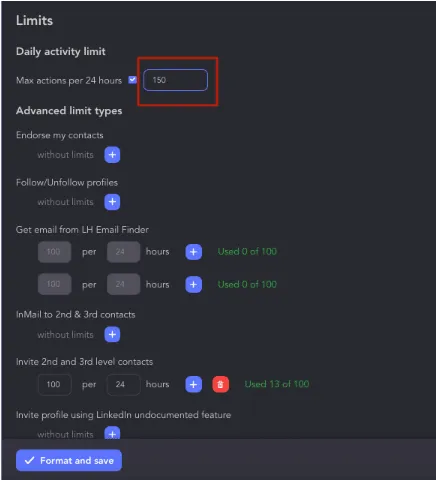
| Safety controls | IP quality check before assigning custom user proxy to account; time zone set up to match proxy location; 150 actions/rolling-24h pool, ±10% working hours randomization, 4h auto-pause on suspicious errors; URL navigation limit (40/24h), invitation limit (50/24h), Load LinkedIn search results (100/24h) — same on both tiers | Daily Limit ranges with randomization, Warm-Up ramp, Activity Schedule — same on its one tier; no adaptive response to LinkedIn risk signals beyond static thresholds |
Linked Helper can also run on a self-managed VPS through its built-in remote control. The tool does not use LinkedIn API, it emulates a human by mouse movements, button clicks, typing, and scrolling. This automation method is much safer as it is identical to what a human does, and every click is assigned with ‘isTrusted===true’ attribute.
What is Expandi?
Expandi LinkedIn automation tool is a cloud-based platform designed for sales specialists, agencies, and small teams aiming to generate more leads through smart outreach. Positioned as a leader in cold outreach tools, Expandi combines LinkedIn and email automation with advanced features like smart sequences, personalization, and scraping.
One of Expandi's key features is its campaign triggers. These allow users to build dynamic workflows based on actions like “If connected,” “If followed you,” or “If email was opened.” Expandi pricing starts at $99 per month ($79/month annually) per LinkedIn account.
Compared to Expandi alternatives like Linked Helper, it’s easier to use for teams and offers better multi-user permission management, making it ideal for agencies focused on measurable ROI.
Expandi Key Features
One of the standout Expandi features is the ability to run smart automated sequences that combine LinkedIn and email steps.
Smart Campaigns & AI Analyzer
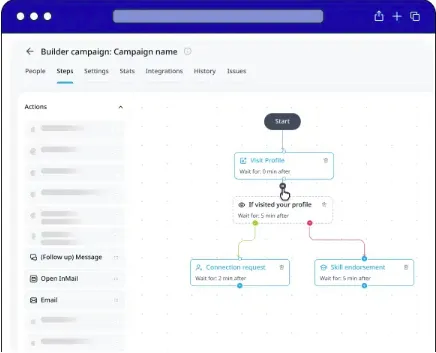
The service supports 11+ LinkedIn outreach campaign types.
Expandi smart campaigns include:
-
Connector (send invites to 2nd/3rd-degree leads)
-
Messenger (message 1st-degree connections)
-
Builder (create custom flows with conditions)
-
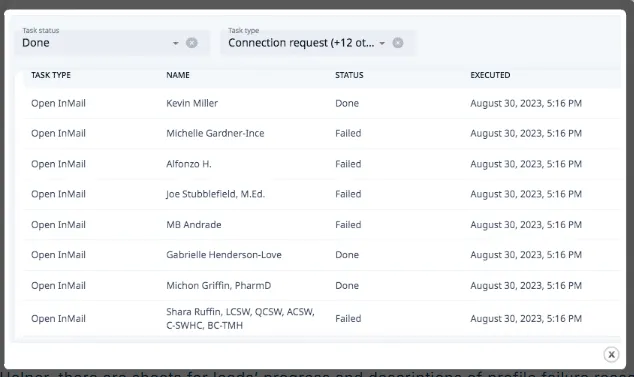
Open InMail (send free InMails to open profiles)
-
Group (message users from shared LinkedIn groups)
-
Event Invite & Event Participants (engage leads around LinkedIn events)
-
Inbound (auto-respond to people who viewed your profile)
-
Mobile Connector (send 50–100 extra requests weekly)
-
Recovery (restore deleted campaign data)
-
Company Follow Invite (boost your LinkedIn company page)
Expandi's drag-and-drop smart campaign builder lets you design highly customized workflows for any outreach scenario. Use if/then logic, timed delays, and multi-step flows to automate complex cold outreach messages with ease.
Its AI Analyzer adds campaign goal setting, AI-drafted messages and replies, as well as reply sentiment analysis (Interested, Maybe, Not Interested). All are running on daily credits that reset without carrying over.
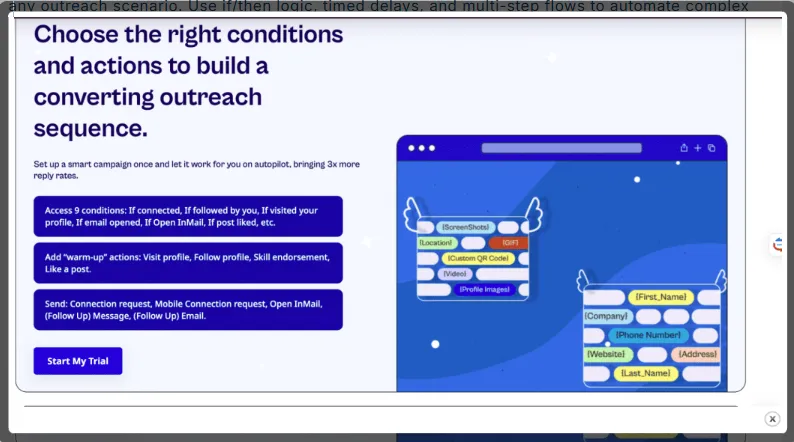
Multichannel Outreach (LinkedIn + Email)
Expandi combines LinkedIn and email automation in one sequence. Email runs through your own SMTP account, not a dedicated service, so standard providers cap volume and require warm-up before cold sending, and give no visibility into opens or clicks. Unsubscribes and bounces then need manual tracking, which adds compliance risk under laws like GDPR and CAN-SPAM.
Personalization (Hyperise Images & GIFs)
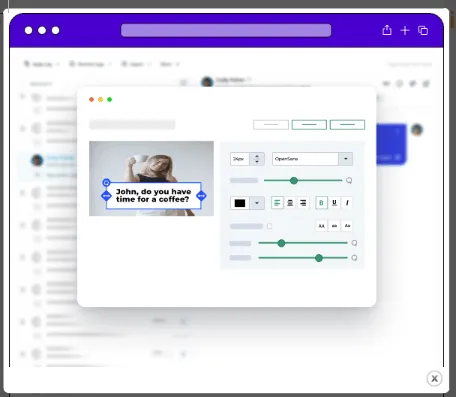
Personalization adds custom images and GIFs to messages via Hyperise, a separate, paid third-party integration. Expandi Hyperise usage is not included in the base price, raising the total cost of personalization.
Smart Lead Scraping & Filtering
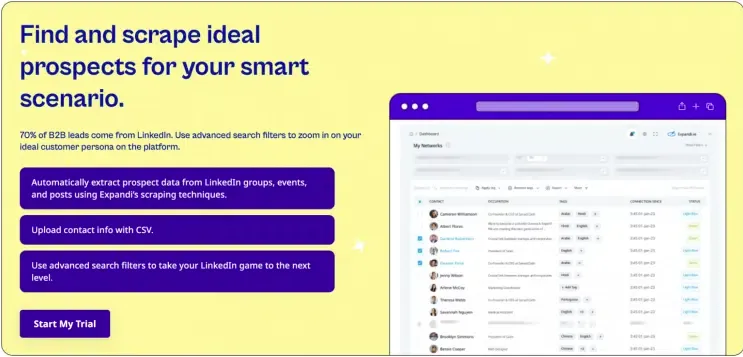
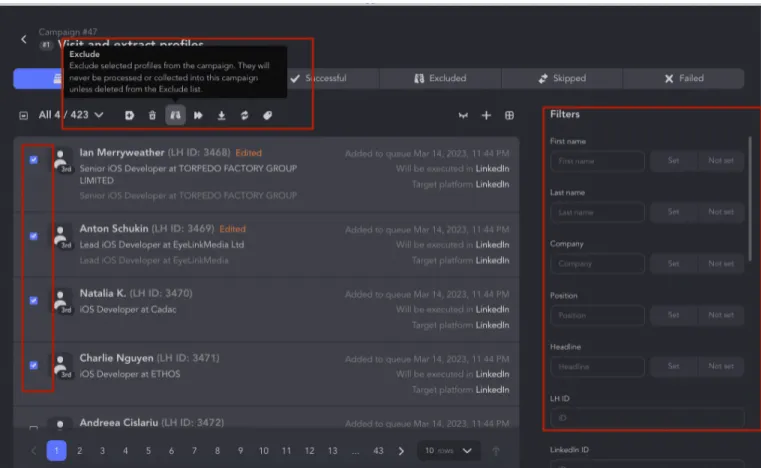
Expandi LinkedIn automation tool allows scraping leads directly from Sales Navigator, but requires an active SN subscription, a premium LinkedIn account, and 2FA enabled. Without all three, lead targeting falls back to standard LinkedIn search. The subscription requirement holds even for uploaded search URLs. Each LinkedIn account connected to Expandi needs its own active Sales Navigator subscription to process a SN lead list, so a team cannot cut costs by using one subscription for several free accounts.
Dedicated IP & Auto Warm-up
Each LinkedIn account gets a dedicated, country-based datacenter IP, and new accounts go through a gradual activity warm-up. However, Expandi doesn't offer a way to check if that assigned IP is flagged as a VPN or proxy, or previously marked for spam or abuse.
Expandi Pricing (2026)
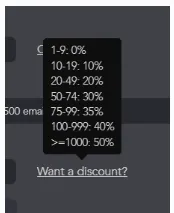
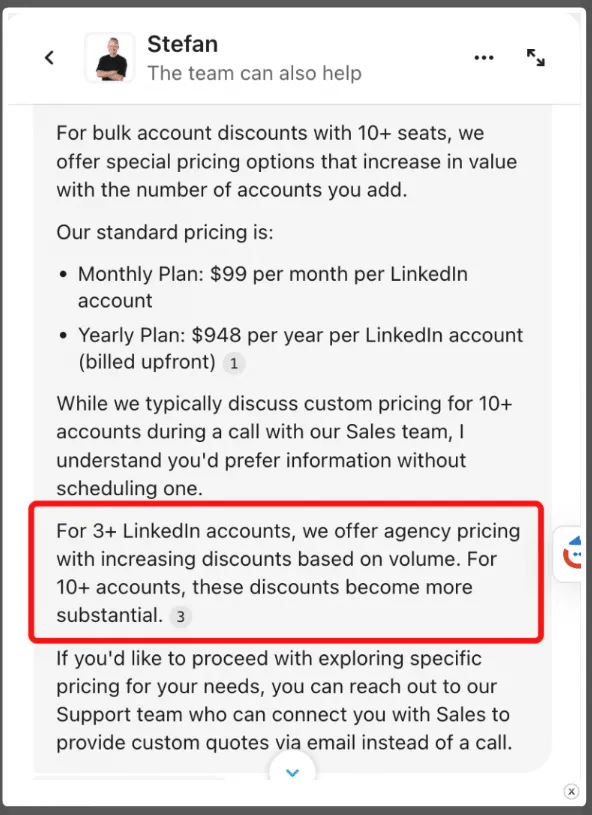
The Expandi pricing structure includes a 7-day free trial, but bulk discounts for agencies or teams require a consultation with their sales department.
Pricing summary:
| Plan | Cost | Best For | Includes |
|---|---|---|---|
| Business (Monthly) | $99/month per LinkedIn account | Individual users, startups | All features, no lower-cost tier available |
| Business (Annual) | $948/year per LinkedIn account ($79/month equivalent) | Growth-focused professionals | Same features, ~20% savings |
| Agency | Custom, for 10+ seats | Agencies, white-label needs | Centralized team management, dedicated customer success manager, white-labeling |
-
Free trial: 7 days, full-feature access, credit card required.
-
Refund policy: none advertised — billing issues go through support.
-
Volume discounts: available only via a direct sales team call.
Compared to Linked Helper pricing, Expandi costs more; it also bundles cloud-based campaign management and dedicated IPs into its single plan.
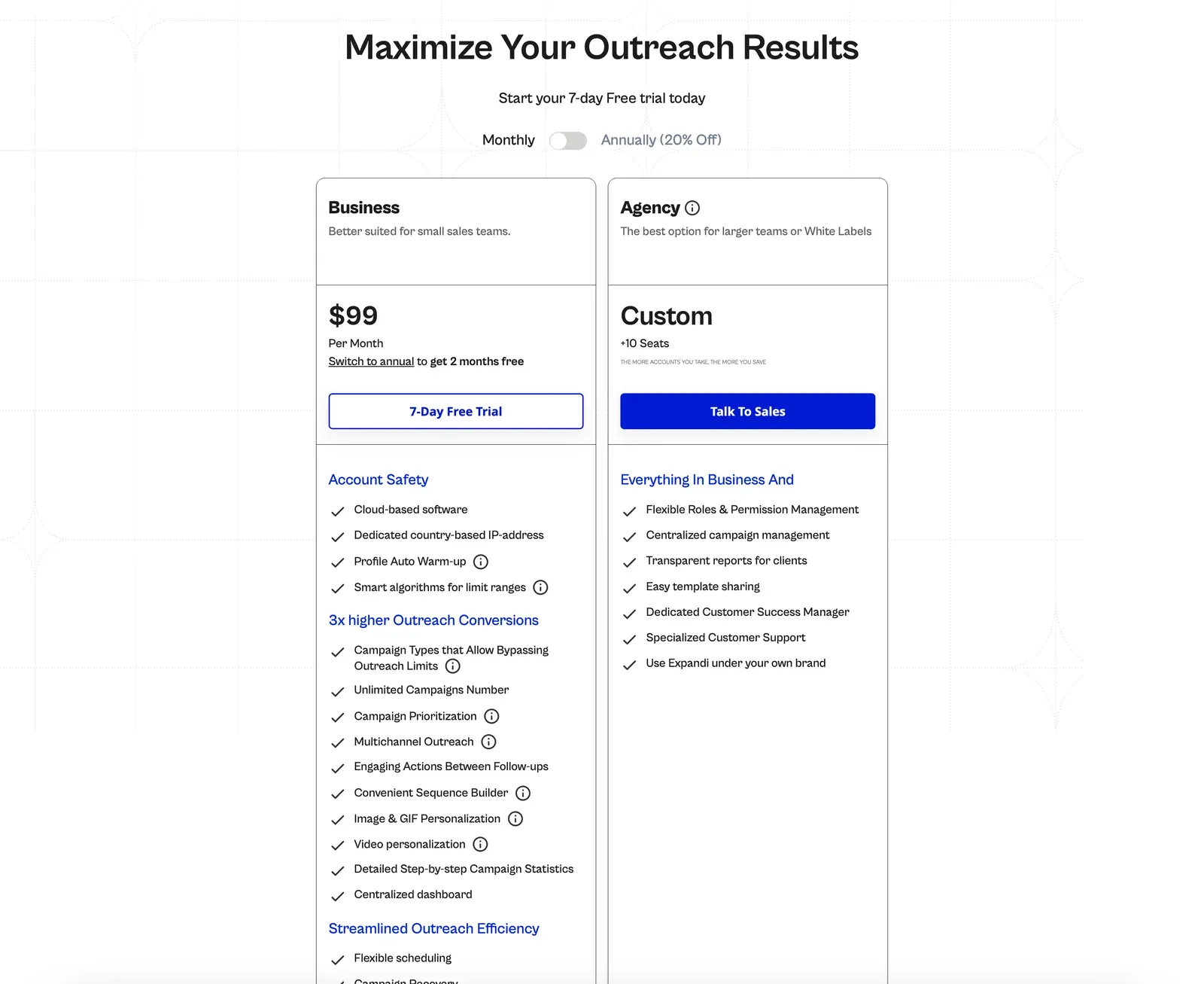
One Expandi account grants access to smart automated sequences, campaign triggers, as well as cloud-based LinkedIn and email outreach.
Is Expandi Safe? Account-Ban Risk
Expandi's cloud architecture means your LinkedIn session leaves your device. You connect either by direct login or through Expandi's browser connector, which hands your session to the tool's servers; from there, automation runs from Expandi's own datacenter IPs.
In our own testing (two accounts, July 2026), those accounts received different datacenter exit IPs from different French ISPs. One of those IPs scored 100/100 on IPQualityScore, a third-party reputation tool, flagged there for proxy use and recent abuse.
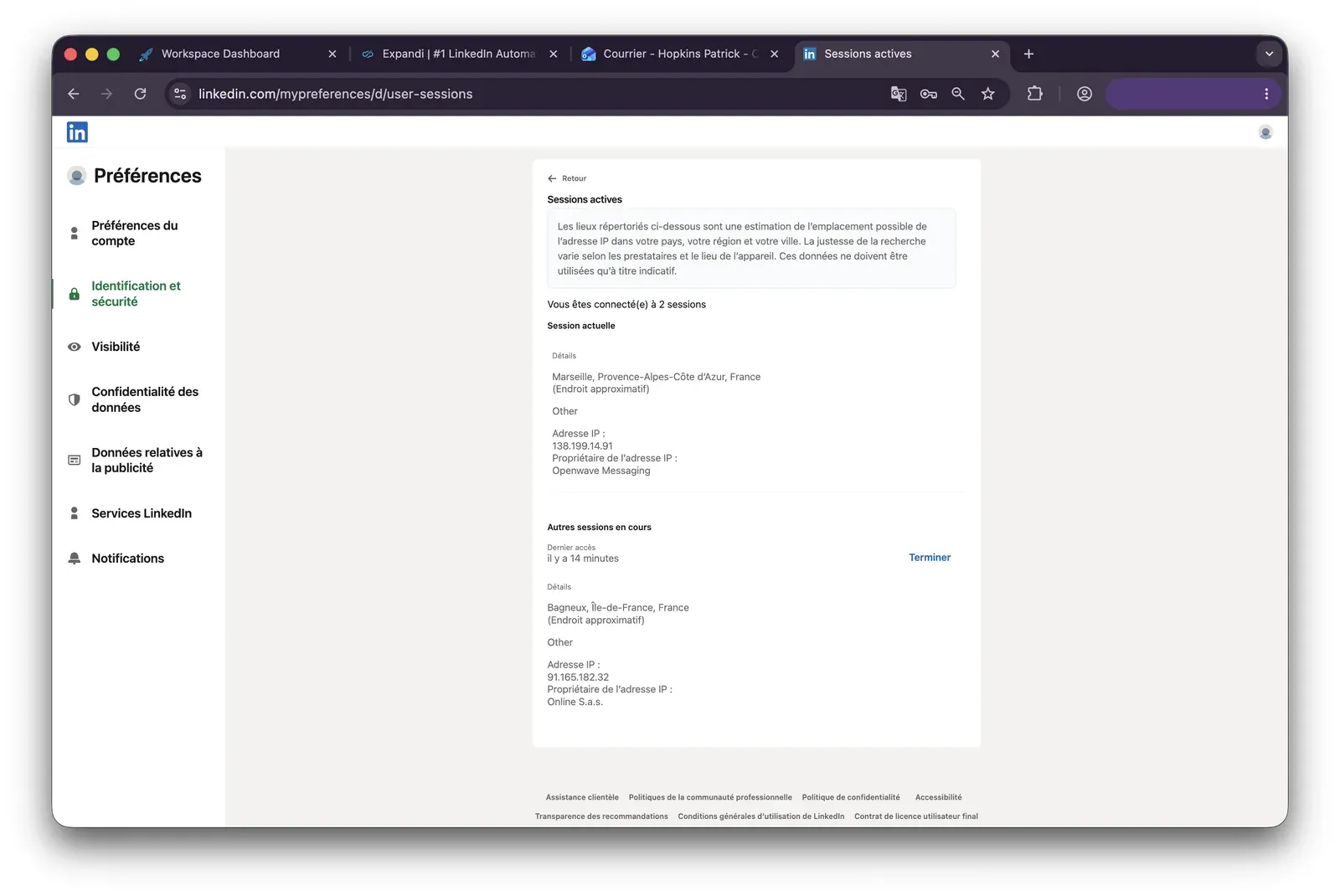
That score doesn't mean LinkedIn detected anything — IPQualityScore checks an IP's general reputation, not LinkedIn's own systems. But it confirms the IP carries a documented pattern of proxy and abuse activity, and that kind of pattern is the sort of signal LinkedIn's detection is known to weigh, regardless of which tool is driving the account.
Another thing to consider is how the automation is implemented. Automation methods fall into two types: direct API requests and browser click emulation. Each interacts with LinkedIn differently. Raw API requests can produce traffic patterns that are easier to flag, while browser click emulation demands specific tricks to mimic human behavior and avoid technical exposure — for example, every click needs an isTrusted===true attribute. Expandi does not disclose how actions are performed in the cloud.
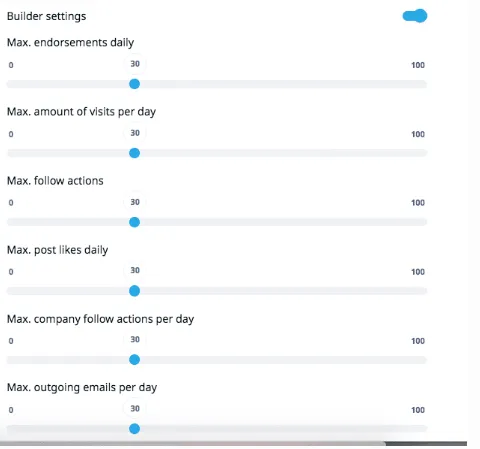
However, Expandi does include real safety controls, available on its one tier:
-
Configurable Daily Limit ranges with built-in randomization,
-
A one-click Safe Preset,
-
An Account Warm-Up ramp (5 actions on day one, +3 every 2 days, up to 21/day),
-
And an Activity Schedule for working hours.
None of these features are gated to a pricier plan. But even with these controls active, LinkedIn safe automation is not a guarantee — with this or any other tool. Account-safety risk here depends on configuration and usage across the board, the same as it does for every vendor in this space.
Expandi Pros & Cons
Pros
-
Deep feature set in one plan, including real 9×11 conditional branching and native LinkedIn + email sequencing;
-
Global Inbox aggregating LinkedIn inboxes across workspaces;
-
100+ permission settings with client- and account-level access scoping;
-
Full white-label option for agencies (arranged via sales, not self-service);
-
Dedicated IP and warm-up ramp included at no extra cost.
Cons
-
$99/month entry price, with no cheaper tier;
-
VAT excluded from the headline price;
-
Image, GIF, and video personalization are paid add-ons;
-
No built-in email finder or verifier;
-
No refund policy;
-
Recurring user reports (2022–2026) about a hard-to-find cancellation flow;
-
No public pricing above 9 seats; a plan with 10+ seats requires a sales call;
-
Your LinkedIn session runs from Expandi's servers, not your device;
-
No way to check your assigned IP for prior VPN/proxy or abuse flags.
Expandi Reviews From Real Users (2026)
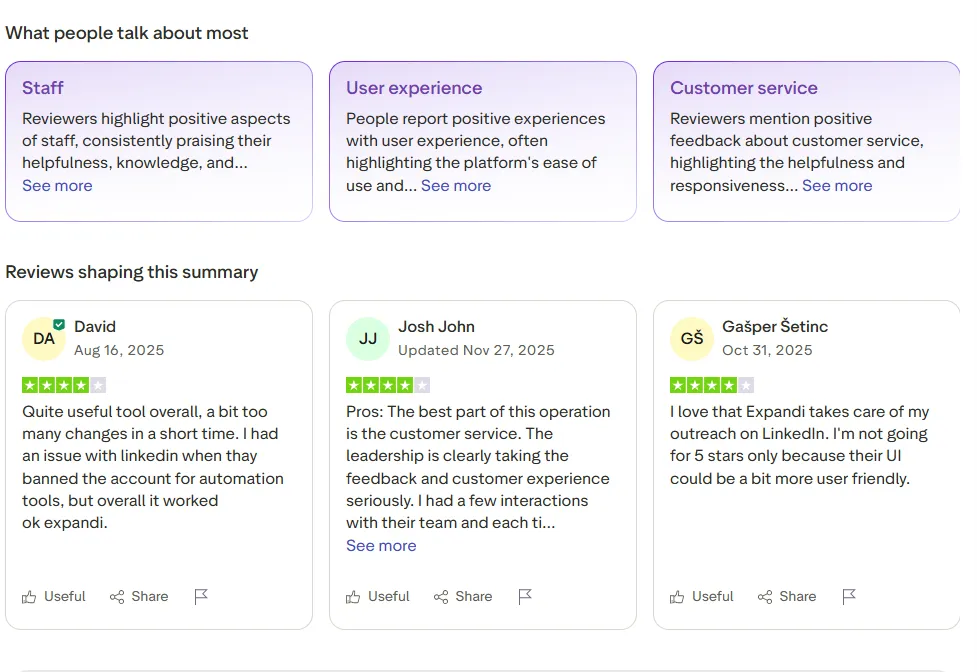
Expandi reviews often praise the platform’s ease of use and powerful campaign personalization, though users sometimes cite issues with customer support and billing.
As of July 2026, Expandi holds 4.3/5 on G2 (152 reviews) and 4.5/5 on Trustpilot (229 reviews).