
 Updated: September 8, 2026
 4 min read
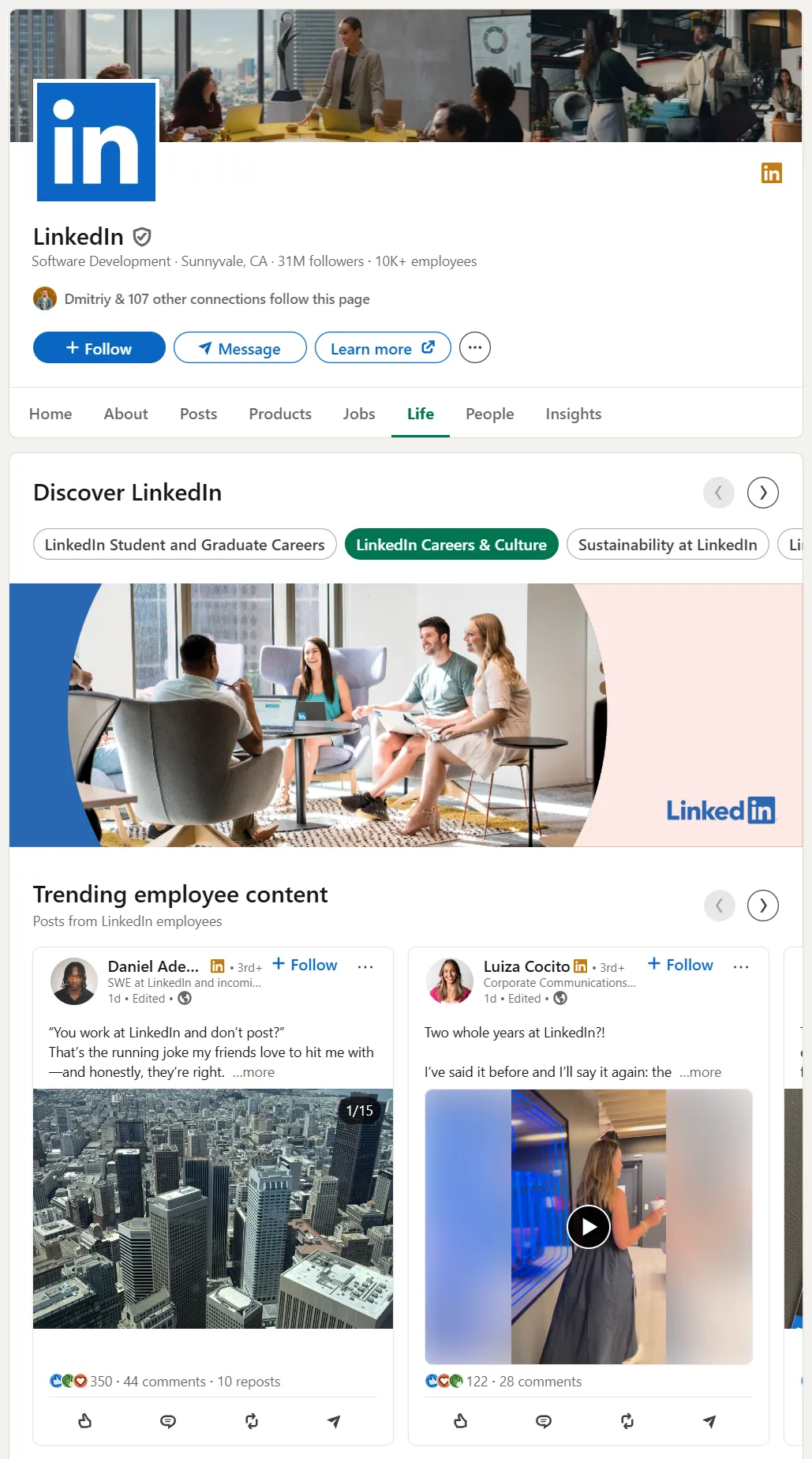
A LinkedIn Life Page (often shown under the Life Tab) is an employer-branding section inside your Company Page. You can display company culture, employee stories, and photos that candidates see before applying.
Key facts
- Only Company Pages that buy the Career Pages add-on can activate the Life tab.
- Eligibility: an active Career Pages contract and a Page Super Admin to set up and edit the Life tab.
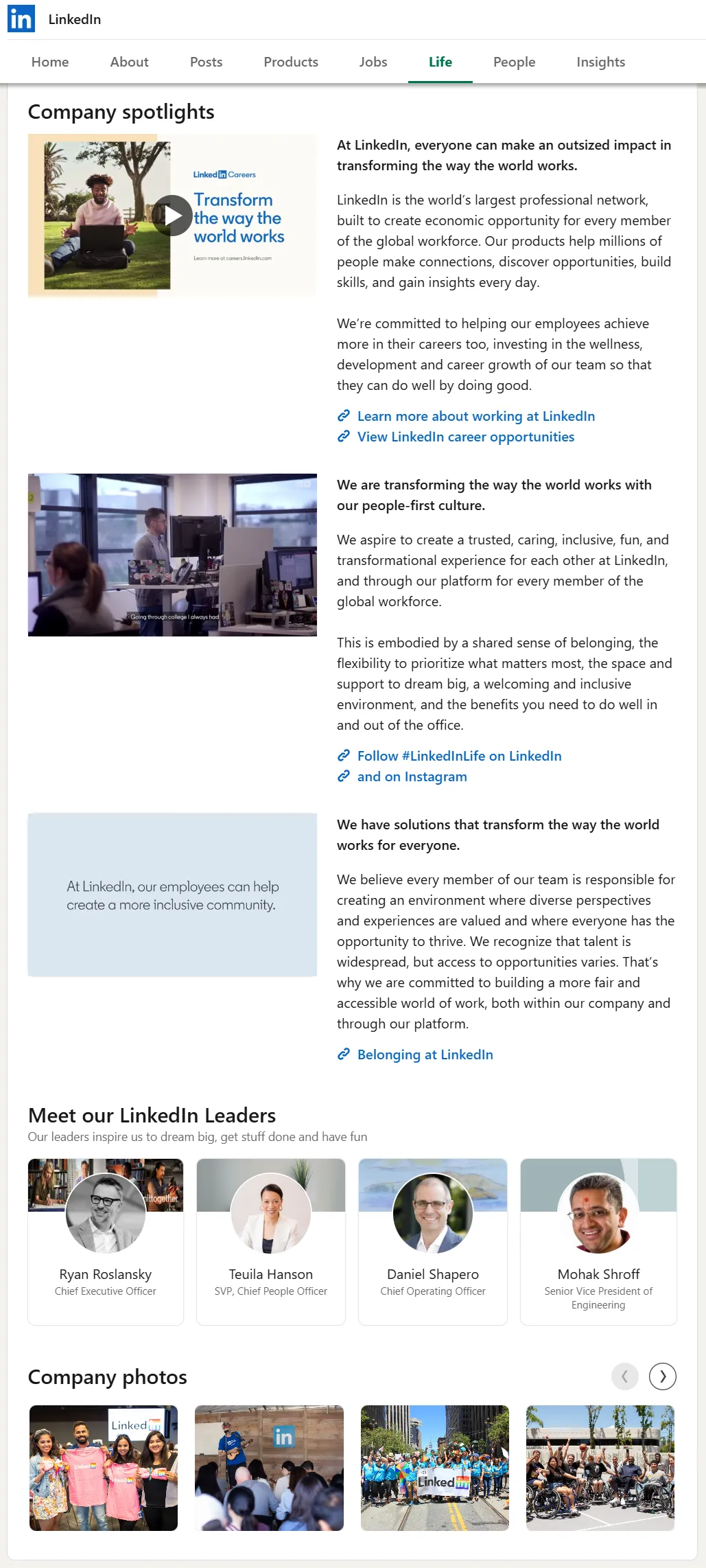
- Typical modules: Company leaders, Culture highlights, Company photos, Employee perspectives, Employee testimonials. Main image/video and custom modules also support video.
- Note: Search and Staffing companies see a "What We Do" tab instead of "Life."
In one sentence: A Life Page on LinkedIn lets prospects see day-to-day culture before they ever speak to a recruiter.
Why the Life Page Matters
Members aware of and engaged with your brand see ~2.6× higher response rates to recruiter outreach, and 75% of job seekers consider an employer's brand before applying. Companies with a Career Page get 8× more applications than those without.
Other benefits:
- Create separate pages for engineers, marketers, interns, or specific regions.
- Real employee posts surface automatically in the Trending Employee Content gallery.
- Analytics show page views, visitors viewing jobs, and new hires who visited your page.
- The "I'm interested" button (auto-enabled for Career Pages) captures candidate interest. Leads appear in Recruiter via the "Interested in your company" Spotlight.
See also: LinkedIn Recruitment Marketing Ideas to Stand Out.
How to Set Up a Life Page
Step-by-Step Setup
- Purchase the Career Pages add-on. Pricing varies; ask your LinkedIn Talent Solutions rep.
- Switch your Company Page to Super Admin mode.
- Click Life in the left navigation, then Create new page.
- Add hero image/video, mission statement, and choose modules.
- Publish. Your Life Page is now visible under the Life tab.
For differences between a Life Page and a regular company page, see LinkedIn Business Page: How to Create and Grow Effectively.
Making Edits
- Go to Life → Edit to drag-and-drop photos, swap text, or embed videos.
- You can save as draft or publish immediately.
Audience Targeting
- Create additional pages (e.g., "Engineering at Acme") and target by language, geography, job function, industry, seniority, or company size.
Navigation
Best Practices
Plan Your Content
- Pick two or three culture themes (e.g., innovation, remote work).
- Match each theme to specific visuals and employee quotes.
Image Sizes
- Life Main image: 1128×376px
- Custom modules: 502×282px
- Company photos: 900×600px
- Add subtitles to videos since most viewers watch without sound.
- Update the cover image periodically.
Featuring Employees
- Turn on the Employee Perspectives module.
- Ask staff to tag the Company Page in their posts so admins can reshare them.
Calls to Action
- The "I'm interested" button is auto-enabled for Career Pages; toggle it off if needed. Leads appear in Recruiter via the "Interested in your company" Spotlight.
- Use custom call-to-action options (Visit website, Contact us, Learn more, Sign up, Register) and link modules to your Jobs tab.
Posting Frequency
- Pages that post weekly see about 2× engagement. Schedule posts in advance.
Tracking Performance
- Check Analytics for dwell time, clicks to Jobs, and lead volume.
- Test different thumbnails, headlines, and CTA wording.
Governance
- Create a style guide covering tone, image specs, and approval process.
- Give recruiters "Content admin" rights and keep "Super admin" for brand leads.
Additional Tips and Tricks
| Tip | Result |
|---|---|
| Pin a PDF carousel of office photos (document posts can perform strongly on Pages) | Higher organic views |
| Link Life-tab posts to LinkedIn Live events (e.g., AMA with CTO) | Real-time Q&A |
| Embed metrics in leadership dashboards | C-suite buy-in |
| Add UTM parameters to outbound links | Trace external traffic |
Need region-specific content? Launch Showcase Pages and cross-link them from the Life tab.
Related: How to Create a LinkedIn Carousel: Posts and Ads + Examples.