8 Best La Growth Machine Alternatives Compared and Ranked (2026)

8 Best La Growth Machine Alternatives Compared and Ranked (2026)

Milosh Potikj

B2B Content Strategist & Writer

Updated atUpdated: July 17, 2026Read time56 min read
Quick Answer

Linked Helper is the best La Growth Machine alternative for users who prioritize lower cost, LinkedIn account control, and deeper LinkedIn-native workflows. Unlike La Growth Machine's cloud model, Linked Helper runs from the machine or VPS environment you control, so the LinkedIn session stays with you instead of moving to vendor infrastructure. Pricing starts at $15/mo, or $8.25/mo equivalent on a 12-month license, versus La Growth Machine's roughly $70/mo entry plan and $60/mo annual equivalent per identity. We compared the tools below on price, safety architecture, workflow depth, CRM connectivity, and review signals; we did not test every tool first-hand.

ToolArchitecture20-seat agency cost (from, /year)Compared with La Growth Machine
Linked HelperDesktop standalone$1,58489% cheaper
La Growth MachineCloud$14,400Baseline
LemlistCloud$20,88045% more expensive
WaalaxyCloud$3,84073% cheaper
ExpandiCloud$18,96032% more expensive
Reply.ioCloud$21,36048% more expensive
DripifyCloud$18,96032% more expensive
Instantly.aiCloud$6,00058% cheaper
PhantomBusterCloud$4,21271% cheaper

Architecture and 20-seat agency cost, side by side

Pricing data as of July 2026, researched from each vendor's live pricing page. For the 20-user agency scenario, per-seat tools use the feature-appropriate tier x 20 seats at annual billing (Linked Helper Standard, Waalaxy Pro, Expandi Business, Dripify Advanced, Lemlist Multichannel, Reply.io Multichannel); flat/per-workspace tools use their agency/team plan and are billed per account regardless of headcount, NOT x 20 (Instantly Agency, PhantomBuster Team). La Growth Machine is per-identity — Basic (LinkedIn+Email) at ~EUR660/identity/yr x 20 ~= $14,400 (EUR/USD ~1.08); Pro/Ultimate, which add Calls/X, run ~$28,500/yr. Compared with La Growth Machine is each tool's annual cost against LGM's $14,400. Tools are not feature-identical (e.g. Instantly is email-only). Figures are estimates — verify current pricing before purchase.

Publisher disclosure

This article is published by Linked Helper. Linked Helper is our product and our top recommendation. First-hand observations are reported by the author where applicable; rankings and recommendations follow the evaluation framework below.

Safety terms used in the takeaways below: IPQualityScore (IPQS) is an independent IP-quality signal, not LinkedIn's enforcement verdict; li_at is the LinkedIn session cookie; AED means LinkedIn's extension-probe label, where being listed can make "installed" visible before a campaign action runs. Datacenter IP means rented server infrastructure rather than residential or mobile origin; cloud-bridge means a connector extension copies the LinkedIn login cookie to vendor cloud.

Key takeaways

  • Linked Helper is our pick because the first-hand findings point back to custody: it is the only desktop tool here, while the tested cloud paths either moved the LinkedIn session into vendor infrastructure or assigned vendor-controlled exit IPs. That does not remove LinkedIn risk, but it keeps the login environment under the user's control instead of adding a second vendor-run session.
  • The live cloud-IP checks were an IP lottery: 3 of the 4 LinkedIn sessions we could inspect carried high-risk IPQualityScore signals. Dripify put both accounts on HostRoyale datacenter IPs rated 94/100 for fraud, while one Expandi account drew a 100/100 fraud score; IPQualityScore is not LinkedIn's verdict, but for LinkedIn a personal account running from a risky server or abused IP adds another signal.
  • The connector teardowns were not just browser-helper checks: all 4 extensions we unpacked for Lemlist, Waalaxy, Expandi, and PhantomBuster read or passed the li_at LinkedIn session cookie to the vendor cloud. li_at is your login in cookie form, so once it leaves the browser, the vendor can operate the account without the password.
  • LinkedIn extension visibility was a real pattern, not theory: 3 of the 4 connector extensions we checked were on LinkedIn's AED probe list, meaning installed can be visible before any campaign action runs. Expandi was not on the June 2026 snapshot, but that does not undo the session-upload finding.

What Is La Growth Machine?

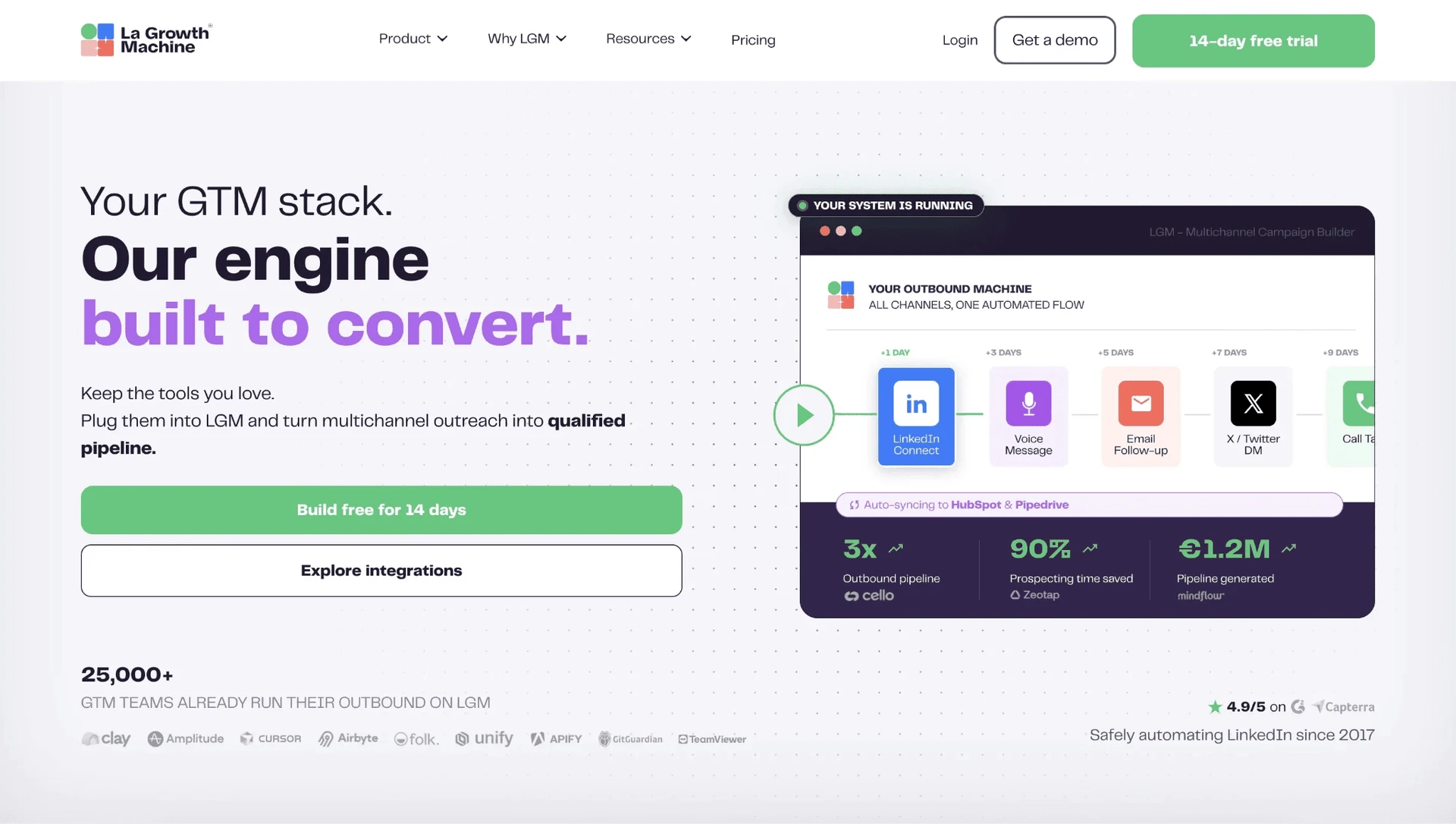
La Growth Machine is a French cloud platform for multichannel prospecting: it combines LinkedIn outreach, email, X touches, enrichment, campaign analytics, and CRM sync in one web app.
What Is La Growth Machine?

The product's G2 profile lists the company as founded in 2018 and based in Paris, France. Its core workflow is multichannel prospecting, meaning a sales team can import leads, enrich contact details, run LinkedIn and email sequences, add Twitter/X actions, and track replies from a shared inbox.

Public product descriptions and review profiles describe features such as LinkedIn lead imports, CSV imports, profile enrichment, Magic Messages for AI-assisted copy, CRM synchronization with HubSpot and Pipedrive, Zapier-based external sync, voice-message steps, and campaign templates. That scope is why La Growth Machine is often evaluated by teams that want LinkedIn and email in the same outbound workspace rather than a LinkedIn-only automation tool.

La Growth Machine at a Glance

La Growth Machine's strongest factual advantage is native multichannel outreach; the trade-off is that the same all-in-one model brings per-identity pricing, cloud session custody, and more setup complexity than many teams expect.

Strengths

  • Native LinkedIn, email, and Twitter/X sequencing in one campaign builder.
  • Lead enrichment for email, phone, Twitter/X, website, and profile data.
  • Magic Messages for AI-assisted personalization.
  • Unified inbox for LinkedIn and email replies.
  • HubSpot and Pipedrive sync, plus Zapier for external workflows.

Limitations

  • Per-identity pricing compounds quickly when a team adds senders.
  • Review themes cite reliability issues, including campaigns stopping or behaving inconsistently.
  • New users report a learning curve because the workflow builder has many options.
  • CRM depth often depends on external sync paths, so teams should map connecting LinkedIn outreach to your CRM before switching.
  • Cloud architecture means the LinkedIn session is handled in a vendor-managed environment.

Use case fit

La Growth Machine works for teams that need native LinkedIn plus email plus X in the same workflow and can absorb per-identity pricing. It is less direct for teams whose main priority is cheaper LinkedIn automation with tighter account-environment control.

Why Users Switch

Across 8,500+ reviews on G2, Capterra, and Trustpilot and 700+ Reddit threads about these tools, the switching pattern is cost first, reliability second, then operational control.

ThemeNegative mentions
Per-identity pricing at team scaleLa Growth Machine: 20 cost-topic mentions and 22 cost-pain reviews; category-wide: 1,000+ cost-tagged competitor reviews
Reliability breakdownsLa Growth Machine: 16 reliability-pain reviews, including campaigns stopping or behaving inconsistently
Onboarding complexityLa Growth Machine: 28 tool-complexity reviews and 22 negative ease-of-use mentions
Account-safety exposureCategory-wide: 134 safety-detection competitor reviews and 122 Reddit threads about account restrictions
CRM and data frictionCategory-wide: 266 integration and 265 data-quality negative topic mentions

Recurring switching themes in La Growth Machine reviews and category discussions

Sources: review-topic and Reddit-thread analysis for the selected tool set, rounded down for reader-facing counts. Review sources include G2, Capterra, and Trustpilot; discussion counts include Reddit threads mentioning at least one tool in the comparison set. Data reviewed as of July 2026.

The notable pattern is that La Growth Machine's own negative themes are not narrow feature complaints. The pricing model, campaign reliability, and onboarding curve all become more painful as the number of senders rises.

How We Evaluated These Alternatives

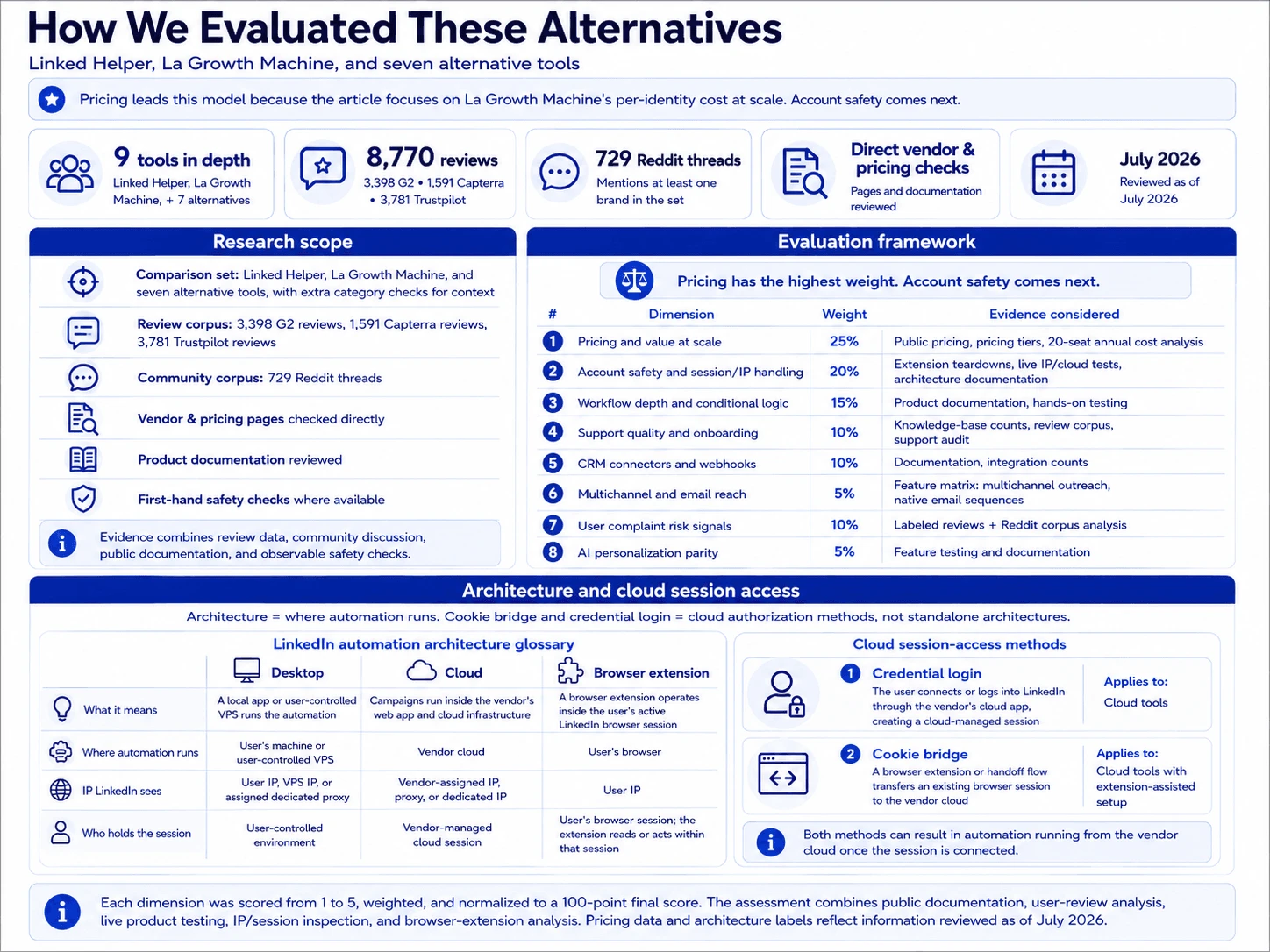
12+ tools, 8,500+ reviews, and 700+ Reddit threads analysed as of July 2026. We scored the final set against a documented model led by pricing at scale, then account safety, then workflow depth and operational fit.

Research Scope

The comparison covers Linked Helper, La Growth Machine, and seven alternative tools in depth, with additional category checks for context. The review set spans 3,398 G2 reviews, 1,591 Capterra reviews, and 3,781 Trustpilot reviews. We also used 729 Reddit threads mentioning at least one brand in the set, direct vendor/pricing pages, product documentation, and first-hand safety checks where available.

Evaluation Framework

Pricing carries the highest weight because this article is about La Growth Machine's per-identity cost at scale. Account safety comes next because the cheaper choice still has to respect where the LinkedIn session runs and which IP LinkedIn sees.
Evaluation Framework

Scoring dimensionWeightEvidence considered
Pricing and value at scale25%Public pricing, pricing_tiers, 20-seat annual-billing cost analysis
Account safety and session/IP handling20%First-hand extension teardowns (session-handling audit), live IP/cloud tests, architecture documentation
Workflow depth and conditional logic15%Product documentation, hands-on testing
Support quality and onboarding10%Knowledge-base article counts, review corpus, support-channel audit
CRM connectors and webhooks10%Documentation, integration counts
Multichannel and email reach5%Feature matrix (multi_channel_outreach, native_email_sequences)
User complaint risk signals10%Labeled reviews + Reddit corpus analysis
AI personalization parity5%Feature testing and documentation

LinkedIn automation scoring model

Each dimension was scored from 1 to 5, weighted, and normalized to a 100-point final score. The assessment combines public documentation, user-review analysis, live product testing, IP/session inspection, and browser-extension analysis. Pricing data and architecture labels reflect information reviewed as of July 2026.

Architecture is where automation runs: desktop, cloud, or browser extension. Cookie bridge and credential login are cloud authorization methods, not standalone architectures.

Architecture labelWhat it meansWhere automation runsIP LinkedIn seesWho holds the session
DesktopA local app or user-controlled VPS runs the automationUser's machine or user-controlled VPSUser IP, VPS IP, or assigned dedicated proxyUser-controlled environment
CloudCampaigns run inside the vendor's web app and cloud infrastructureVendor cloudVendor-assigned IP, proxy, or dedicated IPVendor-managed cloud session
Browser extensionA browser extension operates inside the user's active LinkedIn browser sessionUser's browserUser IPUser's browser session; the extension reads or acts within that session

LinkedIn automation architecture glossary

Architecture labels describe where automation runs. They do not by themselves determine the final product score; risk also depends on session transparency, proxy controls, throttling, workspace governance, and observed user complaints. Labels reflect public information reviewed as of July 2026.

Session-access methodWhat it meansApplies to
Credential loginThe user connects or logs into LinkedIn through the vendor's cloud app, creating a cloud-managed sessionCloud tools
Cookie bridgeA browser extension or handoff flow transfers an existing browser session to the vendor cloudCloud tools with extension-assisted setup

Cloud session-access methods

Credential login and cookie bridge are authorization/session-access methods, not separate product architectures. Both can result in automation running from the vendor cloud once the session is connected.

8 Best La Growth Machine Alternatives Compared

ToolArchitectureStarting price / mo20-seat cost / yrAutomation method (human vs API)Multichannel (LinkedIn+email)Rating (avg, # reviews)
Linked HelperDesktop standalone$15/mo$1,584/yrHuman-like mouse clicks and typing in a built-in browserNo (LinkedIn-only)4.77★ (573 reviews)
LemlistCloud$79/mo$20,880/yrReverse-engineered LinkedIn API emulationYes4.4★ (409 reviews)
WaalaxyCloud$42/mo$4,900/yrReverse-engineered LinkedIn API-call emulationLimited LinkedIn+email add-on4.65★ (2,025 reviews)
ExpandiCloud$99/mo$18,960/yrUnsafe reverse-engineered LinkedIn API emulationYes4.13★ (331 reviews)
Reply.ioCloud$99/mo$21,360/yrAPI emulation via Chrome extensionYes — LinkedIn + email + WhatsApp/calls4.51★ (1,592)
DripifyCloud$59/mo$18,960/yrReverse-engineered LinkedIn API emulationYes4.63★ (1,172 reviews)
Instantly.aiCloud$47/mo$9,024/yrn/a — cold email; no LinkedIn automation documentedNo — email-only for this comparison4.40★ (2,009 reviews)
PhantomBusterCloud$69/mo$4,212/yr est.Reverse-engineered LinkedIn API emulationNot confirmed4.0★ (209 reviews)

La Growth Machine alternatives compared by architecture, cost, automation method, channel scope, and review rating

As of July 2026 · sources: vendor pricing pages, product documentation, public review aggregates, and first-hand safety checks where available. Pricing figures are estimates and should be verified before purchase.

The table keeps each row short so the per-brand sections can carry the evidence. Linked Helper is first by publisher rule; the remaining tools follow the ranked order used throughout the article.

1. Linked Helper

Linked Helper is the cost-and-custody outlier in this La Growth Machine comparison: a desktop standalone app where LinkedIn actions run from an environment you control, so the LinkedIn session token stays local instead of creating a second vendor-held login. Budget-conscious teams reach for it because Standard starts at $15/mo, while the trade-off is LinkedIn-first scope rather than native multichannel.
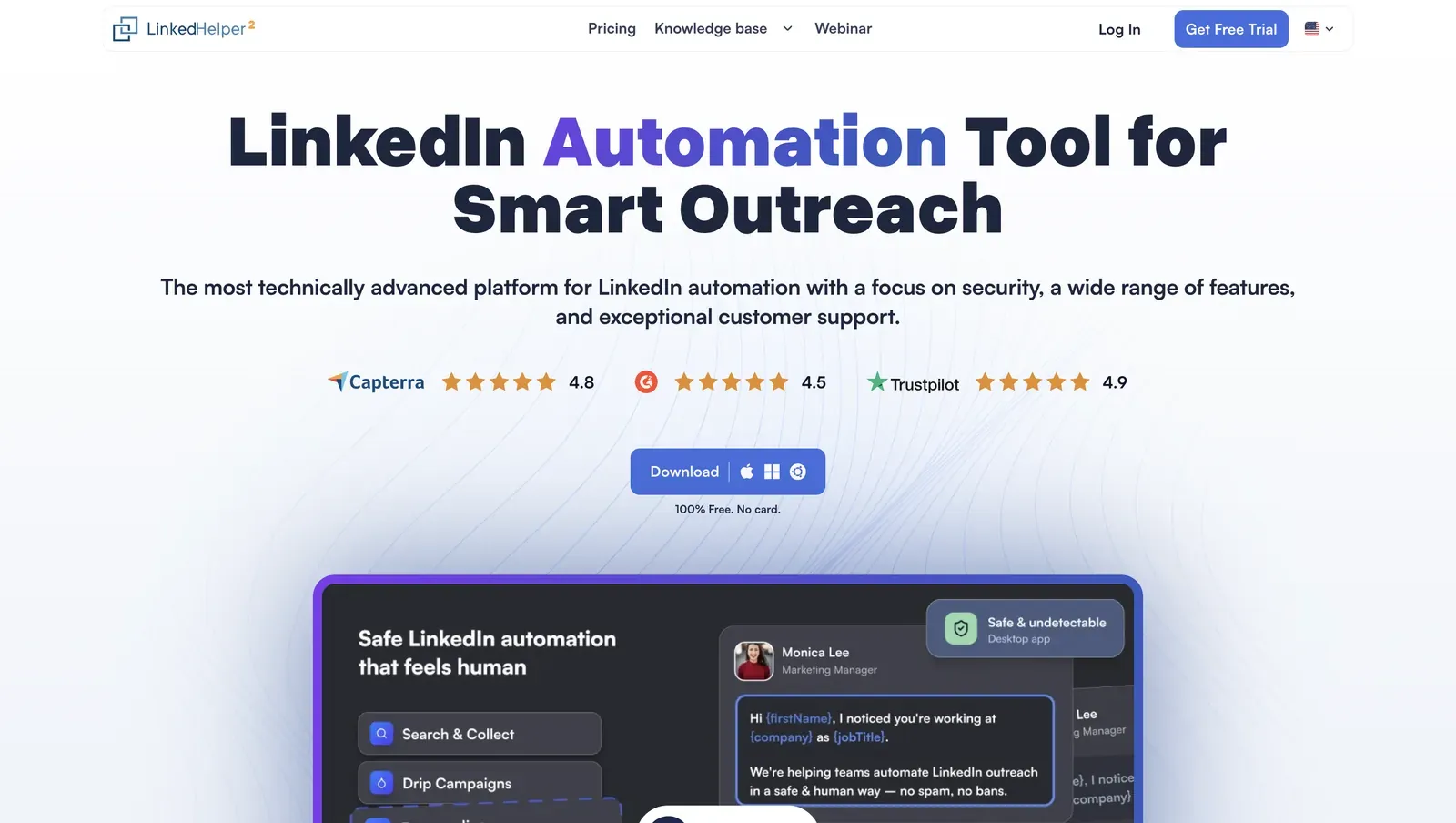
Linked Helper homepage - July 2026

Homepage view with product positioning, review badges, and the desktop-app preview - July 2026

Founded in 2016 and headquartered in Wilmington, Delaware, Linked Helper runs campaigns through its built-in browser engine for connection requests, follow-ups, data collection, and CRM handoff. Web Version means login-based access to an LH instance on a VPS, which gives 24/7 operation while the work still happens outside a vendor campaign cloud. The pricing page lists a 12-month Standard license at $8.25/mo equivalent; 20 Standard seats are $3,600/year before duration and bulk discounts, and $1,584/year in this article's discounted agency table.

Quick facts about Linked Helper

  • Founded: 2016
  • HQ: United States (Wilmington, Delaware)
  • Pricing: $15/mo ($8.25/mo annual), 14-day free trial
  • G2: 4.5★ (142) · Capterra: 4.9★ (252) · Trustpilot: 4.91★ (431)
  • Last 6 months: 4.61★ across 23 reviews; still above 4.5★
  • Architecture: Desktop standalone (own-IP built-in browser)

Vendor pricing & feature pages (as of 2026-04-22) + G2, Capterra, Trustpilot & Reddit reviews (computed 2026-07-10)

Key Features

  • Standalone browser automation -- LinkedIn actions run through Linked Helper's built-in browser with human-like mouse movement and typing, which means the account is not exposed through a Chrome extension ID or a reverse-engineered API replay.
  • Own-IP custody and proxy checks -- per-account proxy support includes HTTP, HTTPS, SOCKS, and SOCKS5 plus an IPQS check, so a risky proxy can be flagged before the account connects through it.
  • AI ICP detection -- automatic scoring reads collected profiles against your Ideal Customer Profile before outreach, which means the weekly invite budget is spent on matched prospects instead of noisy search results.
  • AI messages with a review gate -- generated invites or follow-ups can be auto-sent or held for manual review and edit, which keeps personalization inside the campaign without forcing every high-value lead into blind automation.
  • LinkedIn source breadth -- Linked Helper collects from 13 LinkedIn sources across Basic LinkedIn, Recruiter, and Sales Navigator, which gives teams more ways to build a list before paying for another enrichment layer.
  • 11 direct CRM connectors -- ActiveCampaign, Capsule, Close.io, HighLevel, HubSpot, Instantly, Pipedrive, Salesforce, Streak, Zoho, and Zoho Recruit connect directly, with Zapier and Make available through webhooks, so the CRM handoff is not only a Zapier workaround.

The pattern is price plus usable output: the recent 23-review sample still averages 4.61★, while the all-time review set sits at 4.85★ across 825 reviews. Because the recent sample is lower than the all-time mean, we treat the support and reliability complaints below as real watch points, not noise around an otherwise clean rating.

What reviewers say about Linked Helper

Real-world scenario

A practical LH use case: an enterprise sales team fed organization URLs into the Employees extractor, pulled roughly 150 stakeholders across five target accounts, then used Boost post to batch-mention them under a tailored case-study post. The so-what is not "more automation"; it is route control: when private inboxes were cold, a public notification created an engagement path without buying a multichannel seat.

Reddit
automation
Went from like 5-8 connections a week [to] 40-60, and more importantly actual conversations started happening.

Bottom line

Teams trying to escape La Growth Machine's per-identity bill reach for Linked Helper when LinkedIn is the core channel: it keeps the entry price low, the session local, and the LinkedIn feature set deep. If native multichannel is mandatory, pair it with a dedicated email tool.

G2's July 2026 profile listed 107 five-star Linked Helper reviews against one one-star review.

2. Lemlist

Lemlist is the premium email-first alternative in this set: it combines email outreach, LinkedIn touches, CRM sync, deliverability warm-up, and AI personalization, but the Multichannel tier reaches about $20,880/year at 20 seats.

Lemlist home page - July 2026

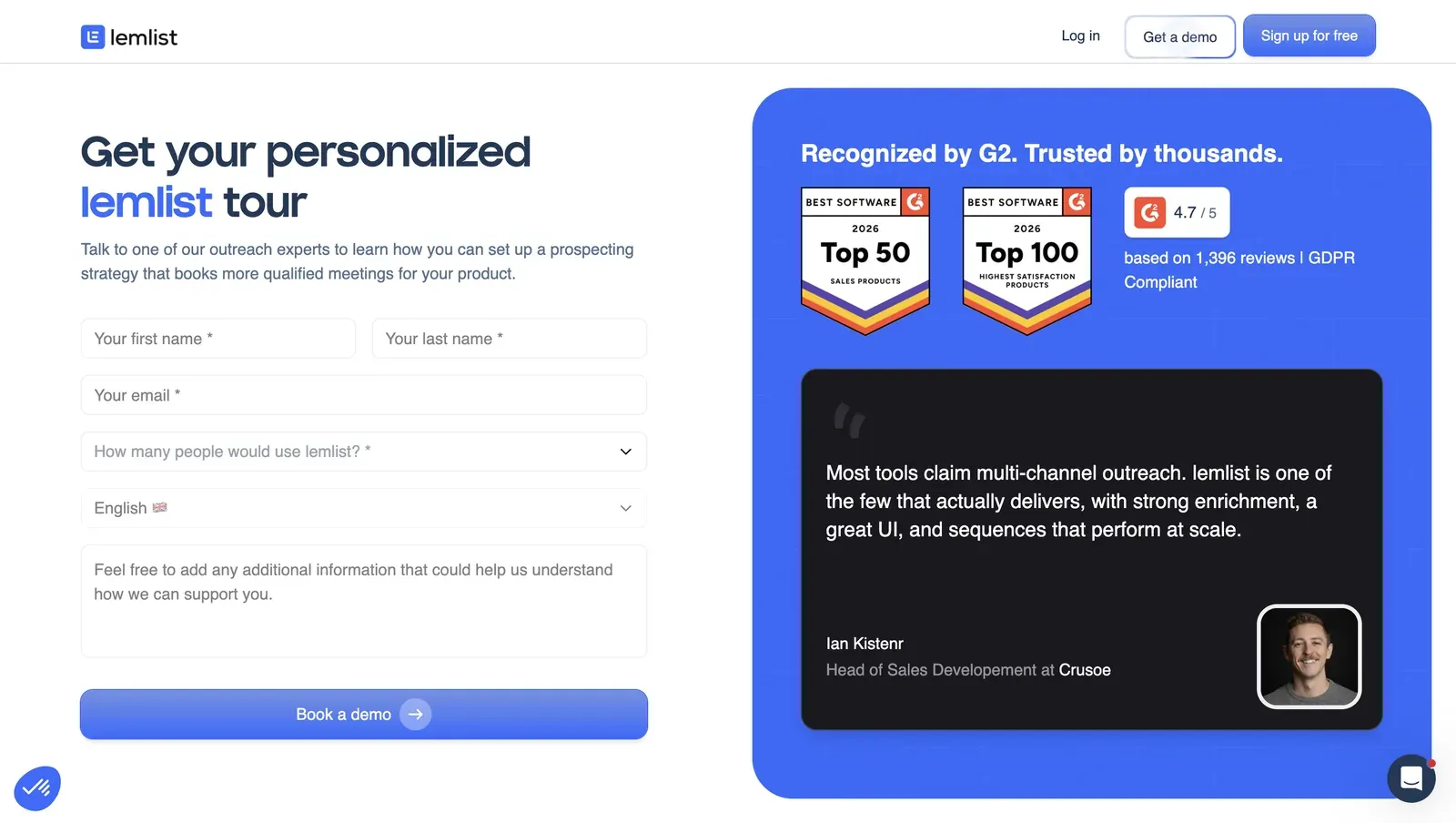
Lemlist demo page showing G2 badges, review volume, and GDPR messaging - July 2026

Founded in 2018 and headquartered in France, its pricing page starts Email Pro at $79/month or $63/month on annual billing, with a 14-day trial and no free tier; the broader channel plan sits above that entry. Its review profile is broad: 4.45★ across 794 labeled reviews, with a 4.67★ trailing-six-month average.

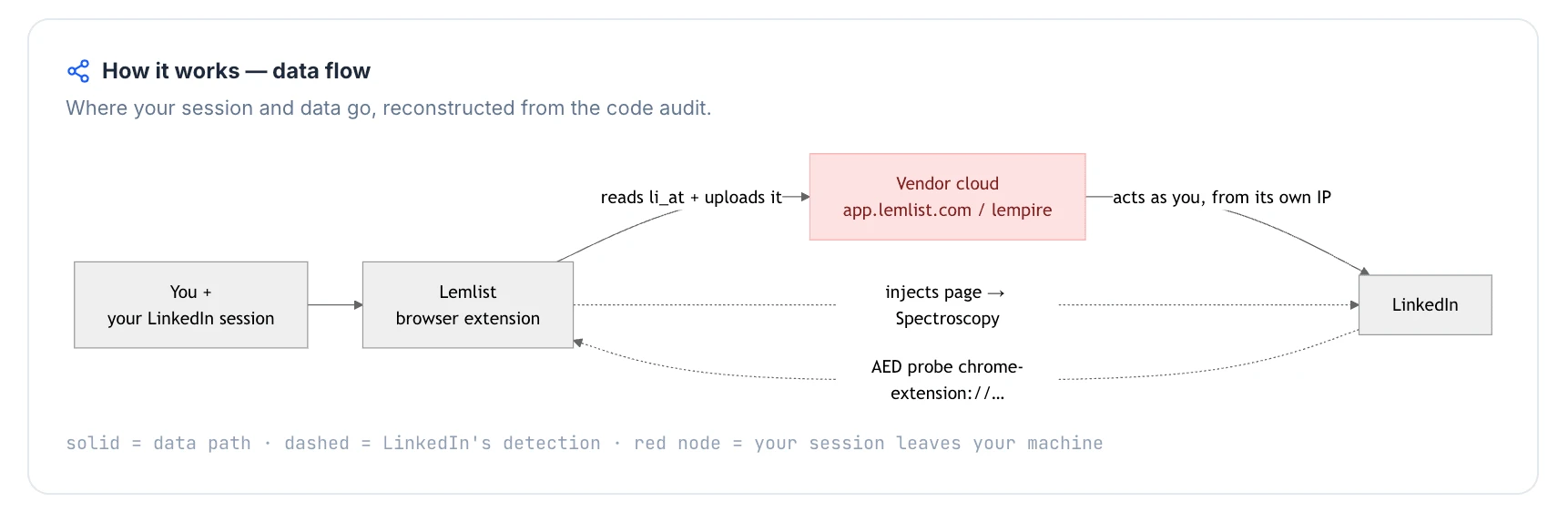
The safety trade-off from our teardown is separate from that channel breadth. Lemlist's Chrome connector was a cloud-bridge, meaning the extension copies the LinkedIn login to the vendor cloud, and it was AED-listed, visible to LinkedIn's extension probes.

Quick facts about Lemlist

  • Founded: 2018
  • HQ: France (GDPR/EU)
  • Pricing: $79/mo ($63/mo annual), 14-day free trial, no free tier
  • G2: 4.47★ (263) · Capterra: 4.57★ (385) · Trustpilot: 4.1★ (146) — Trustpilot lower
  • Last 6 months: 4.67★ (trending up) across 52 reviews
  • Architecture: Cloud-bridge / session-upload extension with vendor-cloud execution

Vendor pricing, privacy, and feature pages checked 2026-04-22/23 + G2, Capterra, Trustpilot, and Reddit reviews computed 2026-07-10

Key Features

  • Multichannel sequences — LinkedIn plus email plus CRM steps are sold through Lemlist's Multichannel Expert tier.
  • AI personalization — the public site describes AI-powered personalization for outreach copy.
  • CRM connectors — Close.io, HubSpot, Pipedrive, Salesforce, and Zoho CRM are the named connectors we could verify, though the freshness of that connector list is unverifiable.
  • Deliverability and lead database layer — Lemwarm and the built-in lead database are part of Lemlist's draw, but review evidence also disputes lead relevance in some cases.
  • Team and analytics workflow — reviewers cite team management and statistics as reasons they keep using the product.

The useful split: G2 and Capterra sit in the mid-4s, while Trustpilot is visibly lower and carries more billing, setup, and reliability complaints. That does not make Lemlist broadly disliked; it makes the card polarized, with recent praise clustering around support and team workflow while the cautionary side mirrors La Growth Machine's cost and reliability pains.

What reviewers say about Lemlist

Real-world scenario

The switching story is channel breadth: the cleanest sourced migration example is a G2 reviewer whose team tried several LinkedIn tools before landing on Lemlist, which is the honest convenience axis here rather than an LH weakness to deny.

we had to go through all the other tools (we-connect, expandi, MeetAlfred, LinkedIn helper, etc.) before discovering lemlist.

Read the full review on G2

G2
Rating: 5 out of 5
BT
Borislav T.

Where the pattern breaks: the negative cards concentrate on paying through broken features, pricing opacity, and multichannel setup friction. Those are not support-as-a-whole claims; the praise set is support-heavy, so the limitation is consistency under real setup and billing pressure.

Reported limitations

The volume context: a relevant Reddit warning is category-level, not a Lemlist review. It matters here because the shipped extension did not expose an auditable daily cap in the safety table below, so invite volume has to be governed outside the connector.

Reddit
coldemail
keep linkedin connects under 20 to 25 per day per account. anything more and linkedin starts restricting you.
Linkedin tools may get your account suspended.
G2 5.0★
View Original

Safety and Setup Notes

What was checkedFinding
Ships a public extension?Yes — Chrome Web Store lemlist extension, ext ID khnbclggeggefodgimdekejhipkeobnc, MV3, about 90,000 users
Architecture verdictCloud-bridge / session-upload — the connector copies the LinkedIn login to Lemlist cloud, so account operation can move onto vendor infrastructure
Reads the LinkedIn session cookie (li_at)?Yes — uploads the full LinkedIn cookie string, including li_at, to app.lemlist.com; li_at is your LinkedIn login in cookie form, so whoever holds it can act as the account without the password. The extension also re-syncs when that cookie changes.
Direct LinkedIn (Voyager) API calls?No direct Voyager or GraphQL calls from the extension; actions are driven by injected UI behavior, while cloud-side account operation is highly likely because the login cookie is copied out
Injects code into LinkedIn's page (DOM)?Yes — content scripts run at document start on LinkedIn pages, creating a page footprint LinkedIn can scan
Fires synthetic (isTrusted=false) clicks?Yes — synthetic events and programmatic clicks were present; real user clicks are trusted events, so this adds a browser-side automation signal
Blocks LinkedIn telemetry?No
Enforced daily cap in the code?None found — delays and intervals appear in the client bundle, but no auditable daily invite cap or working-hours guardrail was visible there
On LinkedIn's AED probe list?Yes — AED means LinkedIn's hardcoded extension-probe list; being listed means the installed extension can be visible before any automation runs

Lemlist Chrome extension — source-code teardown (July 2026)

I read this as a custody problem first, not a browser-add-on detail: the connector moves the LinkedIn login into Lemlist's cloud, so the account can be operated from a second place the user does not control.

Quick facts about Lemlist

The extension also leaves several browser-side signals at once, which makes the safety cost additive rather than a single toggle. Against La Growth Machine, that matters because Lemlist asks for a higher multichannel seat price while keeping vendor-side session custody in the risk profile.

Bottom line

The practical split is channel breadth versus custody and cost. Lemlist gives an email-led workspace with LinkedIn touches, but it keeps the higher multichannel seat price and the vendor-side session profile. If the La Growth Machine problem you are solving is cost at 20 seats plus LinkedIn session custody, how Linked Helper compares with Lemlist points to Linked Helper's $15/mo desktop model: flat per-account pricing with the session token kept off vendor servers.

A 2025 Trustpilot reviewer put one leadbase complaint in numbers: relevance was "less than 12%."

3. Waalaxy

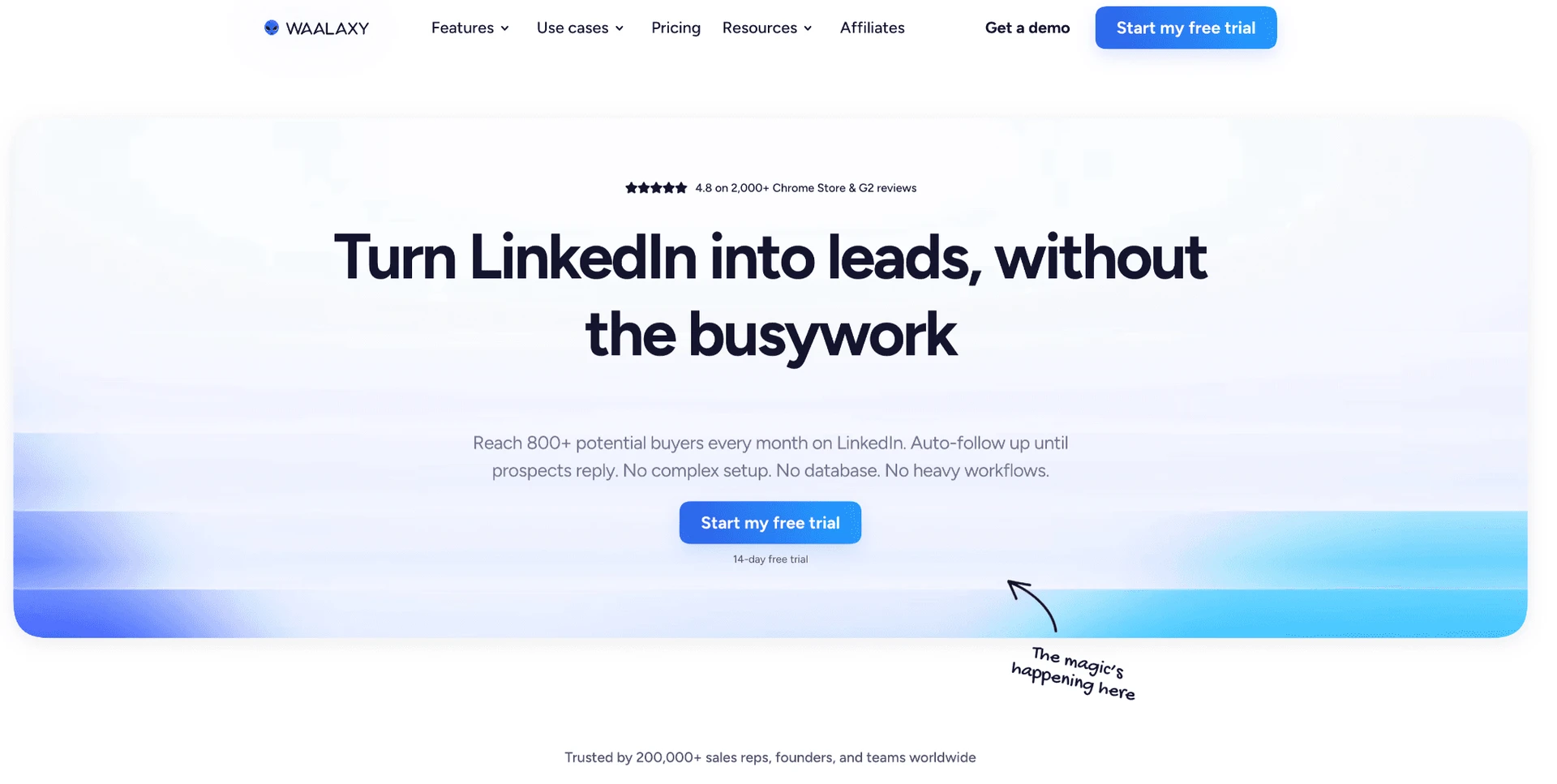
Waalaxy is a French browser-based LinkedIn prospecting tool with a cloud solution for always-on execution. The low entry price is real: buyers see $42/mo and a $4,900/yr 20-seat estimate before they inspect the session mechanics.

3. Waalaxy

Founded in 2019 in France, its review record is strong rather than weak: 4.65★ across 2,025 analyzed reviews, with a 4.84★ trailing-six-month average across 362 reviews. The annual-equivalent price on its pricing page is $20.5/mo, so the appeal is cost access.

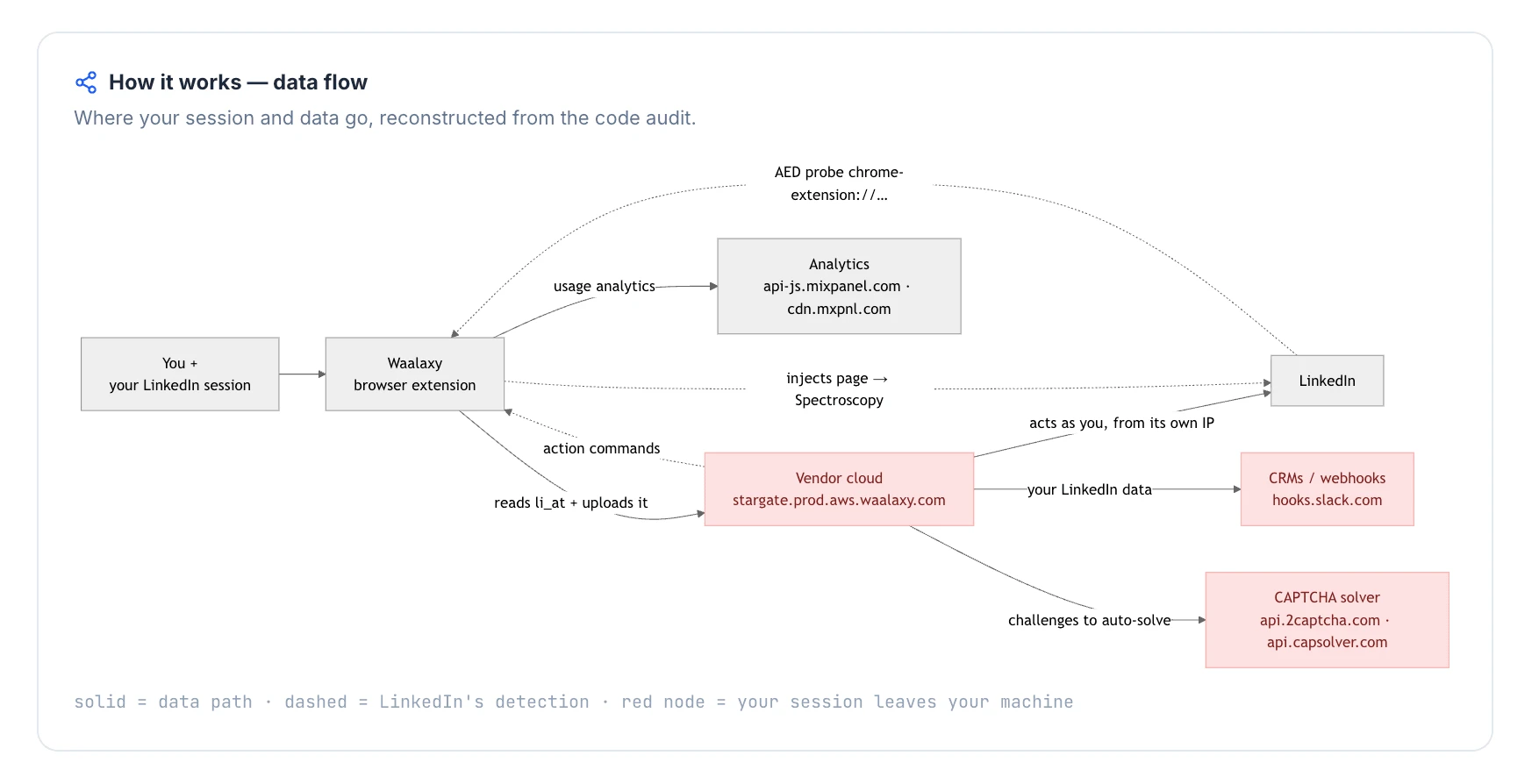
The teardown finding changes the read: Waalaxy's extension copied the LinkedIn login in cookie form to vendor cloud and was visible to LinkedIn's extension probes, so a low entry price still moves the session out of the user's hands.

Quick facts about Waalaxy

  • Founded: 2019
  • HQ: France
  • Pricing: $42/mo ($20.5/mo annual), 14-day free trial
  • G2: 4.62★ (528) · Capterra: 4.42★ (252) · Trustpilot: 4.71★ (1,245)
  • Last 6 months: 4.84★ (trending up) across 362 reviews
  • Architecture: cloud-bridge Chrome extension

Vendor pricing & feature pages (as of 2026-05-27) + G2, Capterra, Trustpilot & Reddit reviews (computed 2026-07-10)

Key Features

  • Browser prospecting flow — LinkedIn actions start from a Chrome extension and can connect to Waalaxy's cloud solution for remote execution.
  • LinkedIn and email sequences — users describe LinkedIn request campaigns and email touchpoints, while the available feature data treats multichannel as limited rather than a full native breadth win.
  • CRM Sync — Waalaxy lists CRM Sync with 2000+ tools plus HubSpot and Pipedrive.
  • Free tier and trial — the pricing page offers a free tier and a 14-day free trial, with current free-tier limits not verified.
  • Basic LinkedIn and Sales Navigator sourcing — available evidence supports basic LinkedIn and Sales Navigator use, but not LinkedIn Recruiter support.
  • Review-reported AI lead finder — reviewers mention an "AI Lead finder"; confirmed feature data does not verify AI personalization, so treat it as user-reported only.

The praise side clusters around short campaign setup, support, and early LinkedIn request performance. That matters because Waalaxy's issue in this comparison is not market satisfaction; it is whether a cheaper extension path also preserves control over the LinkedIn session.

What reviewers say about Waalaxy

Real-world scenario

In a small-business Reddit thread, the objection to tools like Waalaxy was not a missing feature; it was the combined cost and server-custody model buyers were trying to avoid.

Reddit
smallbusiness
tools like lemlist and waalaxy charge $50-100/month and store your linkedin session, your leads, your messages on their servers.

The cautionary cards point to billing clarity, renewal friction, and reliability bugs. That creates the honest split: Waalaxy can be liked by many users and still carry sharp cost-governance complaints for teams trying to escape La Growth Machine's pricing complexity.

Reported limitations

1 day after i signed up for waalaxy, my linkedin account had an attempted hack from India - never had this happen before so definitely not a coincidence

Read the full review on Trustpilot

Trustpilot
Rating: 1 out of 5
LA
Luqman Aziz

Safety and Setup Notes

What was checkedFinding
Ships a public extension?Yes — Waalaxy - LinkedIn Automation Tool, the main product connector
Architecture verdictCloud-bridge / session-upload extension — the extension copies the LinkedIn login to Waalaxy's cloud, which means vendor infrastructure becomes part of the account session
Reads the LinkedIn session cookie (li_at)?Yes — li_at is the LinkedIn login in cookie form and JSESSIONID carries the CSRF token; Waalaxy copies the full cookie jar to stargate.prod.aws.waalaxy.com, so whoever controls that cloud copy can act as the account
Direct LinkedIn (Voyager) API calls?Yes — Waalaxy replays internal LinkedIn API traffic with REST.li headers, which means the account's request map can differ from a normal browser session
Fires synthetic (isTrusted=false) clicks?Yes — synthetic-event and programmatic-click signals were present, so some actions are script-generated rather than real user gestures
Blocks LinkedIn telemetry?Yes — it strips the x-cki header on LinkedIn requests; blocking telemetry can itself become a visible signal if LinkedIn expects that header
Enforced daily cap in the code?None found — limits are not enforced guardrails, so volume discipline stays with the operator
On LinkedIn's AED probe list?Yes — AED is LinkedIn's hardcoded extension-probe list, so being listed means the extension can be visible to LinkedIn before any campaign action runs

Waalaxy connector extension — source-code teardown (June 2026)

In my June 2026 source-code check, Waalaxy did not read like a plain local helper: several independent signals pointed the same way, from session transfer to extension visibility to scripted interaction patterns.

Quick facts about Waalaxy

The conclusion is not that any single row causes a restriction; it is that a low-priced browser extension can expose more LinkedIn-side signals than buyers see during signup. Compared with Linked Helper's desktop model, where the LinkedIn login stays in an environment the user controls, Waalaxy makes the vendor cloud part of the session.

Bottom line

Waalaxy's strongest case is price access, browser workflow, CRM sync, and review-backed support. The catch is session custody.

If the priority is lower LinkedIn automation cost plus tighter control over account access, Linked Helper's $15/month desktop license, 11 direct CRM connectors, and Web Version on a VPS cover the LinkedIn lane while leaving native email sequences to a dedicated email tool.

The June 2026 source-code check also found captcha auto-solving hooks for 2captcha, Capsolver, and SolveCaptcha.

4. Expandi

Founded in 2019 and listed under an Ohio, US company-location cell, Expandi is a web-app LinkedIn automation platform for sales teams and agencies that want one sequence builder for LinkedIn messages, email follow-ups, CRM handoffs, and onboarding support. Annual pricing is $79/mo equivalent, which makes a 20-seat agency setup $18,960/year: 33% more expensive than the benchmark row used in the 20-seat comparison. For a separate product-level pass, Linked Helper also maintains an honest Expandi review and comparison.

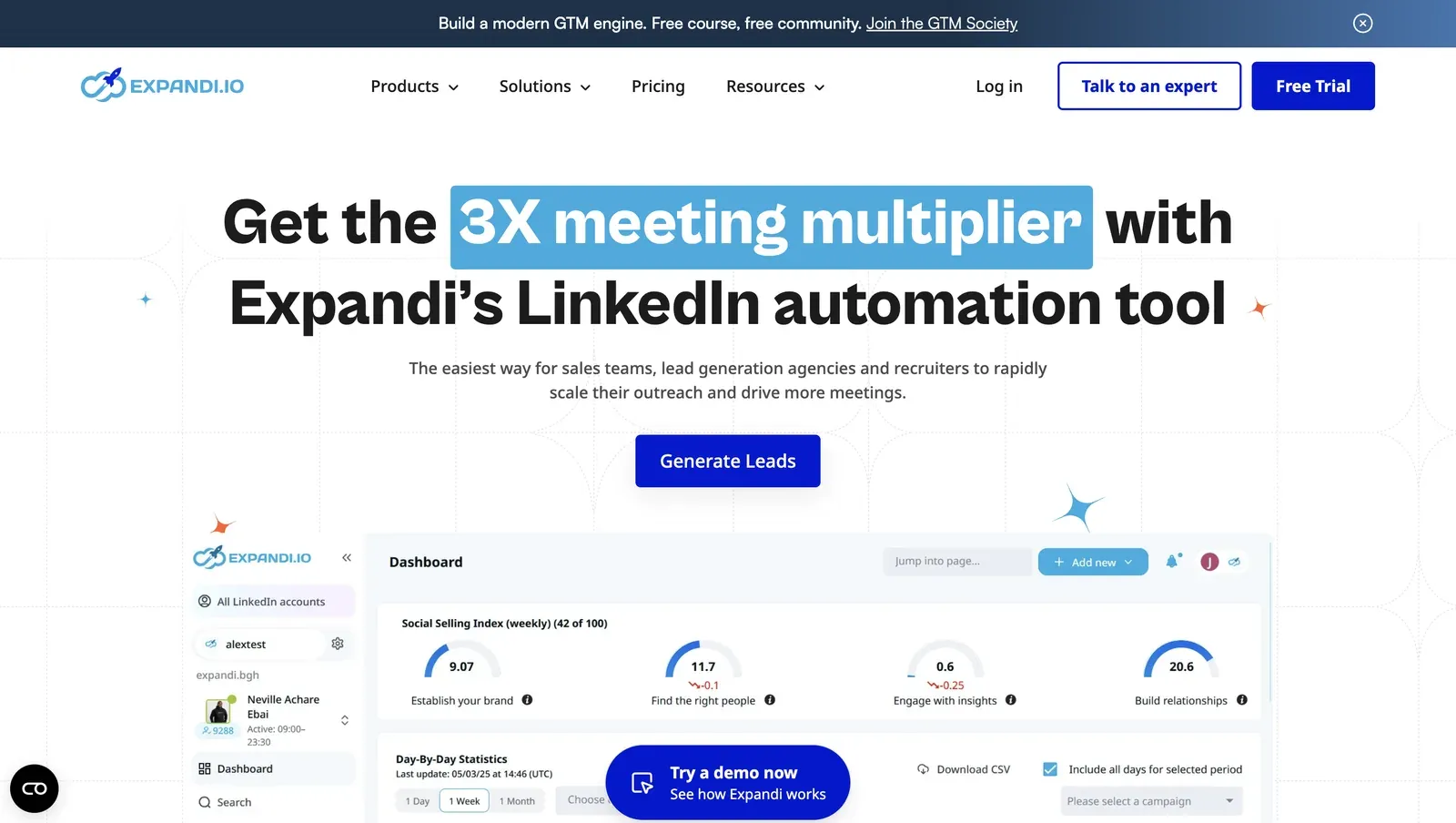
Expandi homepage product dashboard - July 2026

Expandi presents a web-app workflow for sales teams, agencies, and recruiters - July 2026

Expandi is a web-app alternative for teams that want LinkedIn and email in one workflow with onboarding support. The cost question is whether that cloud seat actually beats La Growth Machine at team scale; in this article's 20-seat scenario, it does not.

In our Expandi checks, session/IP control moved to Expandi's cloud: one account drew a high-risk IP, another clean. That makes the premium-seat question practical rather than theoretical.

Quick facts about Expandi

  • Founded: 2019
  • HQ: Ohio, US (company-location cell)
  • Pricing: $99/mo ($79/mo annual), advertised 14-day free trial
  • G2: 4.1★ (98) · Capterra: 4.4★ (31) · Trustpilot: 4.07★ (202)
  • Last 6 months: 4.64★ (trending up) across 36 reviews — driven mainly by onboarding-call praise
  • Architecture: cookie-bridge/session-upload connector, meaning the extension copies the LinkedIn login to Expandi's cloud; credential-login cloud setup also observed

Vendor pricing & feature pages (as of 2026-04-22 to 2026-05-11) + G2, Capterra, Trustpilot & Reddit reviews (computed 2026-07-10)

Key Features

  • LinkedIn + email sequencesmultichannel outreach runs in one Expandi workflow, which is a real scope gap for Linked Helper and why LH needs a dedicated email tool beside it.
  • Sales Navigator and LinkedIn search sources — Expandi supports Basic LinkedIn and Sales Navigator, with lead gathering from search, Sales Navigator, and post-engager sources.
  • CRM and webhook handoffsHubSpot, Pipedrive, and Salesforce are documented integration paths through webhooks/API.
  • Event invite campaignsevent invite automation covers inviting contacts to events, not general event or group-member engagement.
  • Dynamic placeholderscustom variables personalize messages, but the brief records no true spintax support.
  • Onboarding-call support — recent praise clusters around named setup calls, which helps explain the rating lift without proving reliability or safety.

The review split: The useful pattern is not "users like Expandi, therefore it is safer." The 4.64★ trailing-six-month average across 36 reviews is mostly an onboarding signal: reviewers repeatedly praise setup calls, while the older 1★ cluster still names restrictions, cancellation friction, and failed campaign creation.

What reviewers say about Expandi

Real-world scenario

The switching story: The strongest switching case is support-driven, not price-driven: a G2 reviewer says they tried Skylead for another venture, could not get connected, and returned to Expandi.

We used Expandi before and really liked it, but decided to try Skylead for a different venture. We never could get connected, nor was Skylead interested in helping us.

Read the full review on G2

G2
Rating: 4.5 out of 5
SD
Sue D.
President & CEO

Where this bites: The cautionary side maps back to this article's La Growth Machine pains: premium per-seat cost, execution reliability, and cloud-session exposure. Those are not edge notes; they are the trade-offs that decide whether Expandi is actually an alternative for a cost-sensitive team.

Reported limitations

Account-risk signal: The restriction reports are explicit enough to keep separate from normal UX complaints:

Within just a few hours of connecting Expandi, my account was frozen, and to this day I still can't restore access to it.

Read the full review on Trustpilot

Trustpilot
Rating: 1 out of 5
AL
Artemi Leben

Safety and Setup Notes

Live-test terms: For the live test table, IPQS is the reputation signal used to read the assigned IPs.

What was checkedResult
Login modelCredentials login — Expandi starts a fresh LinkedIn session from vendor-controlled infrastructure, so LinkedIn sees a vendor-side IP and fingerprint rather than only the user's normal browser.
Can I choose the desired location?Yes — 96 locations; country choice helps location consistency, but it does not prove the assigned IP is clean.
Can I add my own proxy?No in the tested sign-up flow; no proxy-quality checker. Expandi's help center documents a custom-proxy option after setup, so the default handoff still starts on Expandi-assigned infrastructure.
Can I select a timezone when adding an account?Yes — useful for schedule consistency, but it does not change who controls the active session.
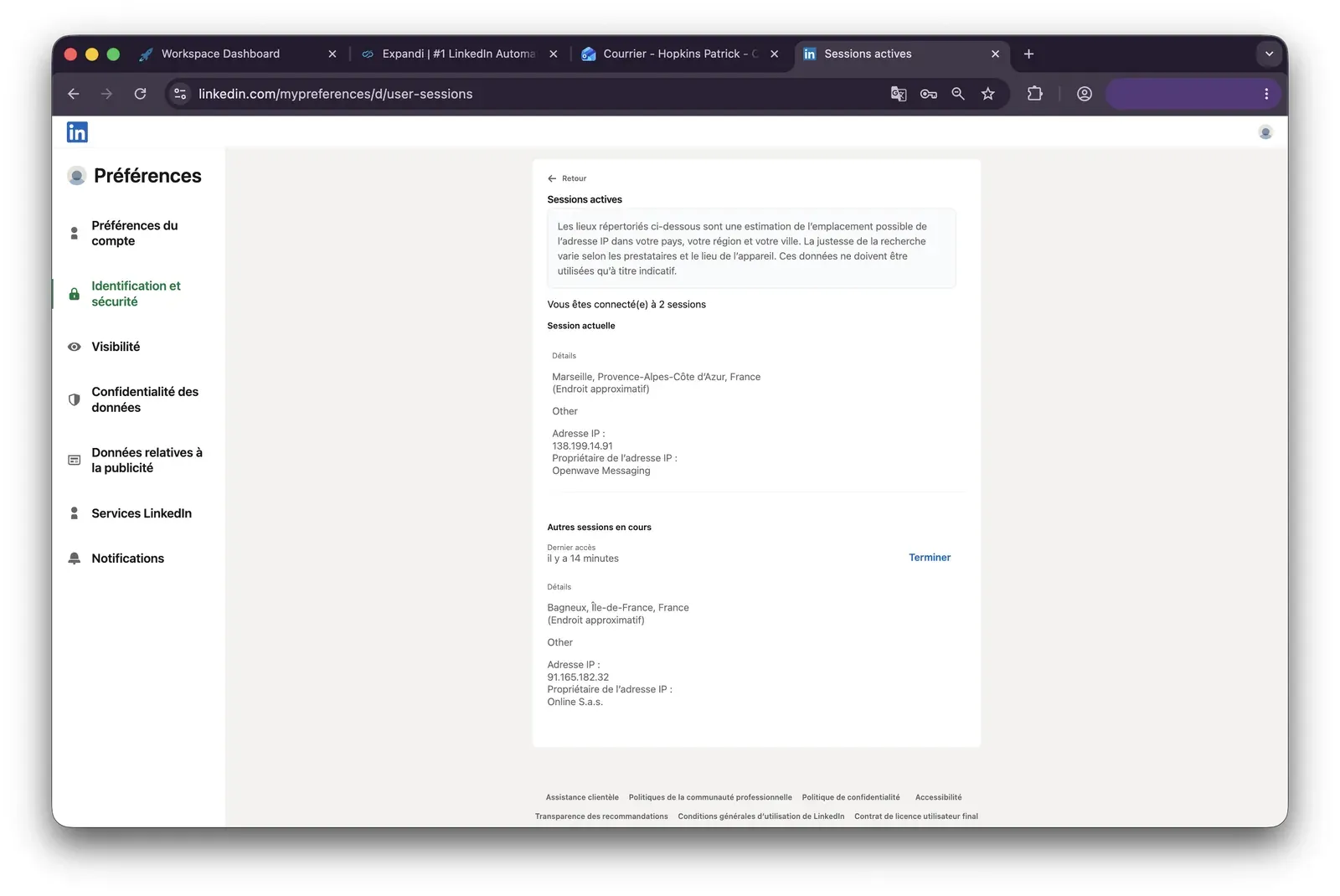
Cloud IP for account 191.165.182.32 — Free SAS, Brittany / Saint-Gregoire, FR
OS / browser for account 1 (tool-reported)Chrome / Mac OS X; IPQS saw Mac 10.15 / Chrome 135.0
Account 1 IPQualityScore resultFraud 100/100, proxy Yes, recent abuse Yes, residential connection, high abuse velocity, bot status Yes — high-risk on IPQS's scale, which makes the assigned exit risky before any campaign runs.
Cloud IP for account 2 (same geo)2a01:cb00:8428:a00:0:0:0
— Orange France, Centre-Val de Loire / Beaugency, FR
OS / browser for account 2 (tool-reported)Chrome / Mac OS X; IPQS saw Mac 10.15 / Chrome 135.0 — identical fingerprint to account 1
Account 2 IPQualityScore resultFraud 0/100, proxy No, recent abuse No, residential connection, abuse velocity none, bot status No — clean on IPQS, which means equivalent setup can produce opposite IP quality.
Same IP or /24 across the two accounts?No — different ISPs and subnets; the identical Chrome/Mac fingerprint still reduces account separation.
Is a credit card required for the trial?Yes — the trial itself starts with billing exposure.
Trial duration7 days — the pricing page claims 14, so trial length should be verified before running tests.

Expandi — live cloud/IP test (June 2026, two accounts, registered from France)

Expandi active sessions IP evidence - July 2026

The LinkedIn active-sessions page showed a second session during the Expandi test - July 2026

Connector scope: The extension table below is limited to the official Expandi.io Connector; it does not attribute findings from a separate similarly named .ai connector.

Quick facts about Expandi

What was checkedFinding
Ships a public extension?Yes — the official Expandi.io Connector links the LinkedIn account to Expandi, which gives LinkedIn an extension footprint to probe.
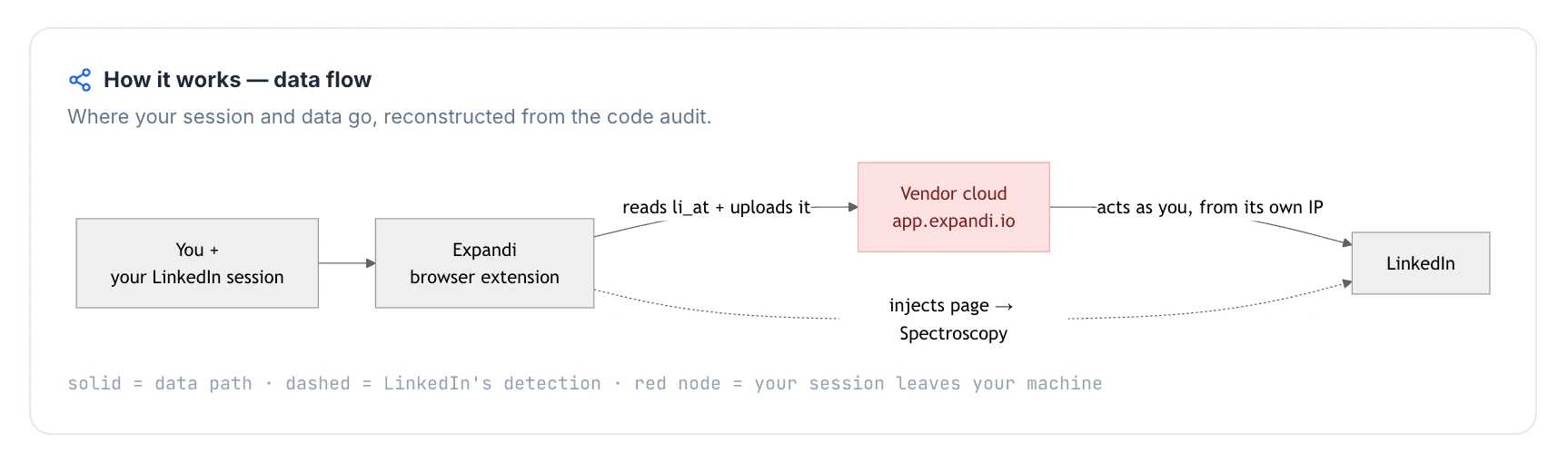
Architecture verdictCookie-bridge / session-upload — the extension's job is a one-time session handoff to the cloud, so outreach execution is no longer bounded by the user's browser.
Reads the LinkedIn session cookie (li_at)?Yes — li_at, your LinkedIn login in cookie form, is sent to app.expandi.io; whoever holds it can act as the account without the password.
Direct LinkedIn (Voyager) API calls?Yes — the shipped source reads internal LinkedIn GraphQL/Voyager data with credentials, which adds an API-request-map signal beyond normal page browsing.
Injects code into LinkedIn's page (DOM)?Yes — page-context code intercepts LinkedIn Voyager XHR; no UI widget or local click automation is documented, but the browser page still gets extension logic.
Fires synthetic (isTrusted=false) clicks?No — no synthetic UI clicks are documented; execution is cloud-side rather than local click automation.
Blocks LinkedIn telemetry?No — telemetry blocking was not found, which avoids that self-report signal but does not remove the session-transfer risk.
Enforced daily cap in the code?None found — the local connector provides no pace guardrails, so limits depend on cloud-side controls.
On LinkedIn's AED probe list?Not in the June 2026 snapshot — AED, LinkedIn's hardcoded extension-probe list, did not include this ID then; absence is not safety because the list grows.

Expandi Connector extension — source-code teardown (June 2026)

The honest read: I read the two tables as one custody finding: Expandi offers a web-app workflow, but setup can move the account into a vendor-controlled session before the user can inspect the assigned IP. The live accounts proved the IP lottery problem: equivalent setup produced different reputation outcomes, and there was no default proxy-quality gate to reject a bad draw. The connector path compounds that by moving the login cookie to the cloud, so the account can be operated outside the browser that originally built the fingerprint. That is the practical contrast with Linked Helper on this article's axis: lower price and fewer custody handoffs, not broader multichannel coverage.

Bottom line

Expandi's real convenience is native LinkedIn-plus-email sequencing in one workflow, with recent reviews showing onboarding help. If the reason for leaving La Growth Machine is cost and reliability under a vendor-run session, Linked Helper's $15/mo desktop app offers the lower-cost LinkedIn core while keeping the session in an environment you control; pair it with a dedicated email tool for multichannel.

A 2026 Trustpilot reviewer also reported that Microsoft 365 could not connect for Expandi's automated email flow and only surfaced a brief, ambiguous error.

5. Reply.io

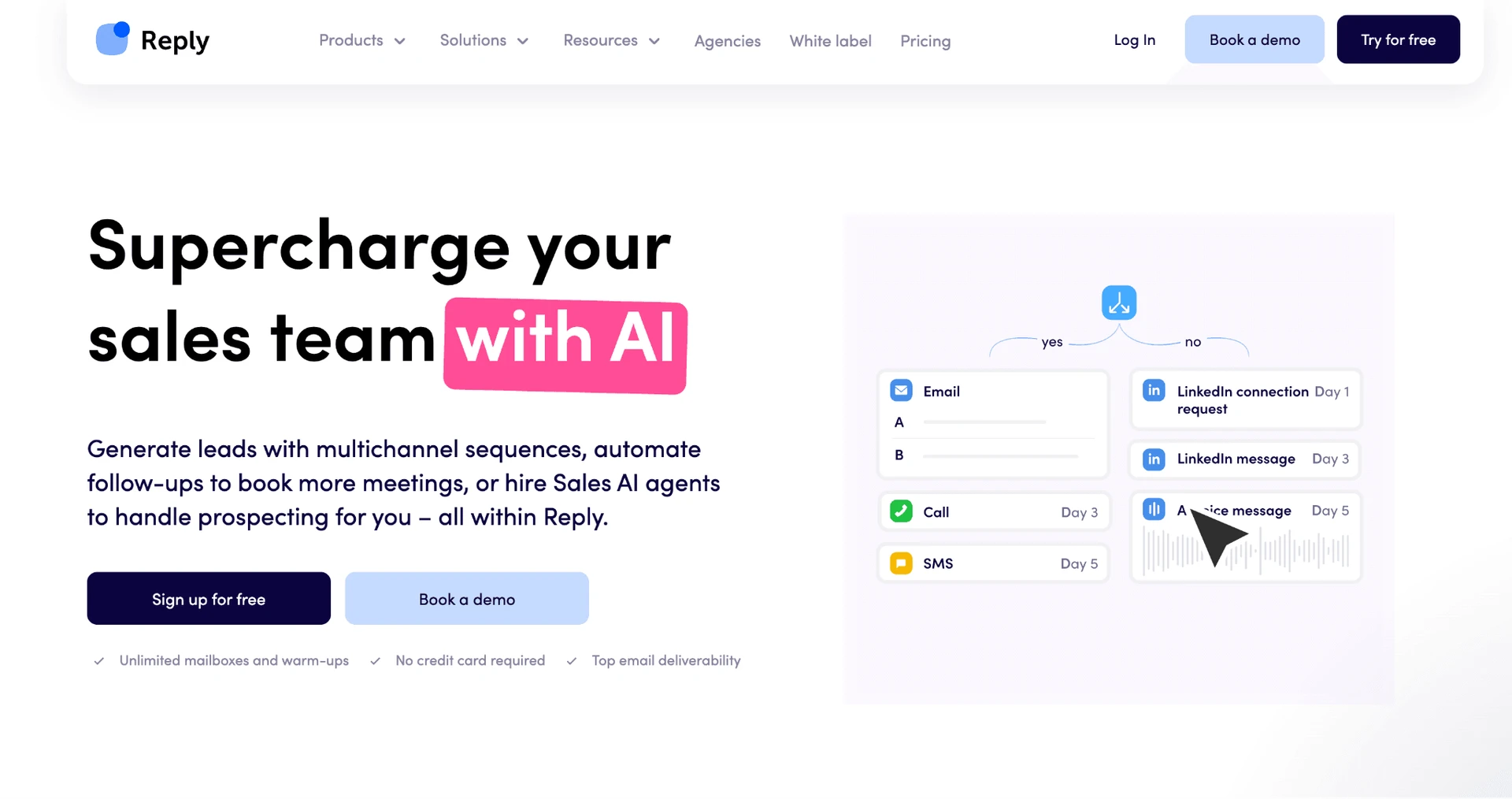
Reply.io sits in the all-in-one sales-engagement slot: email, LinkedIn, WhatsApp, and calls in one flow. The architecture trade-off is that LinkedIn work runs through a cloud + Chrome-extension model using API emulation, with no custom-proxy control and review reports of account blocks. It was not part of our hands-on testing; entry is $99/month.

5. Reply.io

Founded in 2014 and headquartered in the US, Reply.io is a vendor-hosted sales engagement suite for outbound teams that want sequences, contact data, and CRM handoff in one system. The annual Multichannel price is $89/user/month; for a 20-seat team that becomes $21,360/year, so the breadth is a premium per-seat buy rather than a lower-cost escape hatch from La Growth Machine's identity model. Its features page advertises AI personalization, and its integration overview lists six native CRM integrations.

Quick facts about Reply.io

  • Founded: 2014
  • HQ: US
  • Pricing: $99/mo ($89/mo annual), 14-day free trial
  • G2: 4.6★ (1,375) · Capterra: 4.6★ (86) · Trustpilot: 4.33★ (217) — Trustpilot runs lower than G2/Capterra
  • Last 6 months: 4.69★ (trending up) across 32 reviews
  • Architecture: Cloud + Chrome extension

Vendor + LinkedLite pages (fetched 2026-04 to 2026-06) + G2, Capterra, Trustpilot & Reddit reviews (computed 2026-07-10)

Key Features

  • Native multichannel sequences — email, LinkedIn, WhatsApp, and calls sit in one outbound flow.
  • AI personalization layer — Reply.io advertises Jason AI for outreach personalization.
  • CRM integrations — six native CRM integrations are documented.
  • LinkedIn platform coverage — Basic LinkedIn, Recruiter, and Sales Navigator are documented as supported surfaces.
  • Self-serve help center — the knowledge base count is 350+ articles.

The split is the finding: Trustpilot tells a different story from G2 and Capterra. The praise is real, but the lower Trustpilot average and recent billing/reliability cluster make the aggregate conditional.

What reviewers say about Reply.io

Real-world scenario

A Reddit user evaluating a LinkedIn + email outreach tool captured Reply.io's slot here: broader suites can feel safer than bargain tools, but complexity is part of that decision.

Reddit
SaaS
everything looks either super complicated (like you need a phd to use it) or kinda sketchy because of low prices.

Where this bites: The same sources that praise breadth also describe friction on the axes La Growth Machine buyers are trying to escape: reliability, setup complexity, and trial/billing trust. Cancellation-charge complaints add to the cost-risk pattern because they change the effective price a buyer planned around.

Reported limitations

The safety signal is review-based: Reply.io was not in the hands-on teardown/IP subset, so we treat account-block reports as user evidence, not a test result. Still, the documented architecture matters: a Chrome-extension plus API-emulation model with no custom-proxy support means the buyer cannot verify or choose the network path LinkedIn sees.

The worst thing about this is the LinkedIn automation. LinkedIn blocked me because of using the tool. I also have gotten my email inbox blocked.
G2 0.0★
View Original

Bottom line

Reply.io's breadth is clear: email, LinkedIn, WhatsApp, calls, CRM handoff, and AI inside one sales-engagement suite. If La Growth Machine's cost/reliability pain is the priority, Linked Helper gives the LinkedIn side at $15/month or $8.25/month annually, on a desktop setup that can run 24/7 through VPS + Web Version while keeping the LinkedIn session off vendor servers; pair it with a dedicated email tool for non-LinkedIn channels.

A March 2026 Trustpilot reviewer said they had used Reply.io for more than five years for email outreach after testing several alternatives.

6. Dripify

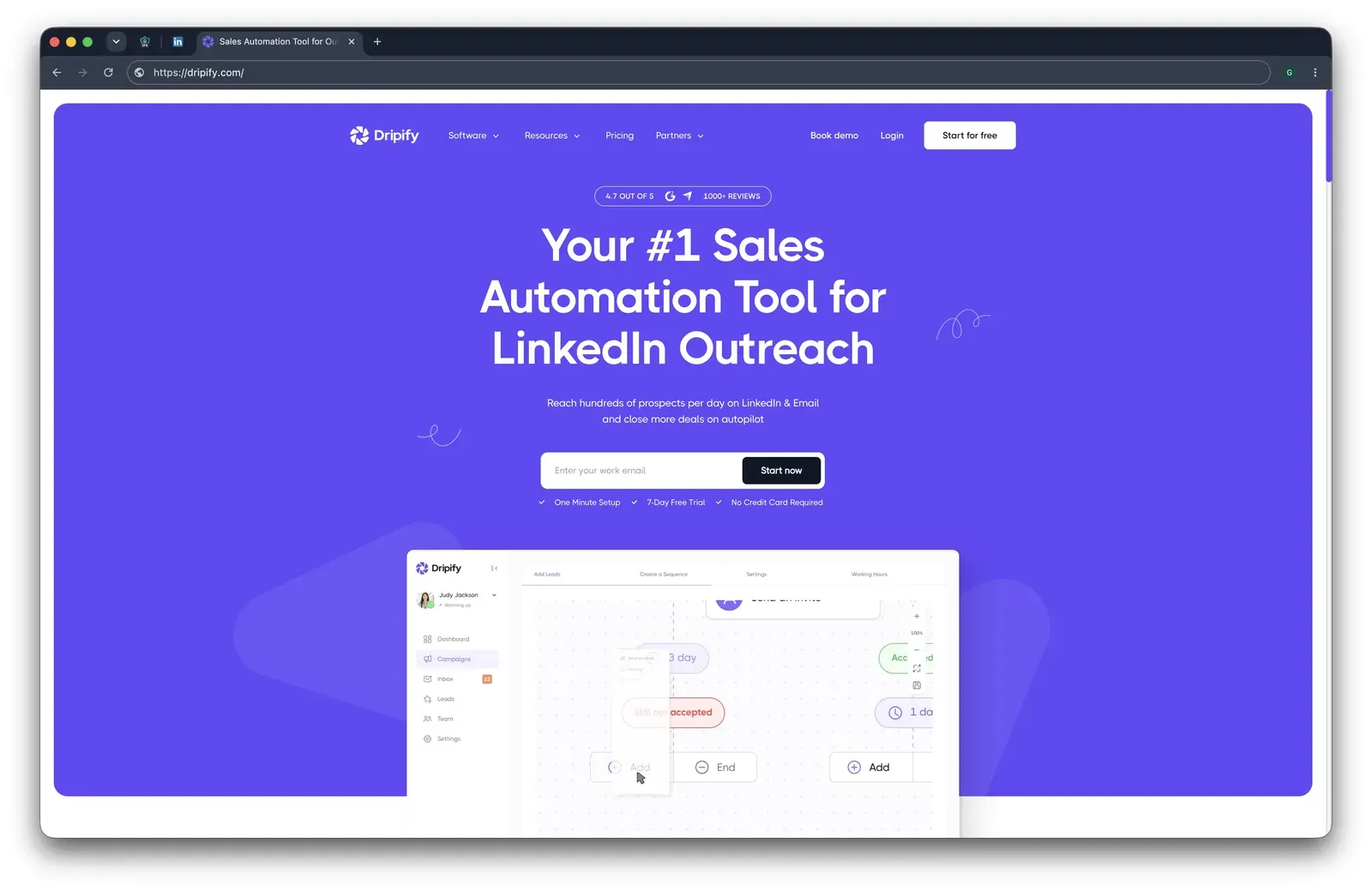
Dripify is a server-run outreach app for LinkedIn campaigns, email follow-ups, team management, analytics, and CRM handoff. It starts at $59/month, but the 20-seat Advanced scenario used here reaches $18,960/year.

Dripify marketing homepage - July 2026

Dripify presents itself around LinkedIn and email outreach with a campaign-builder preview - July 2026

Founded in 2019 and headquartered in Texas, USA, its annual plan is $39/month equivalent, while the article's 20-seat Advanced scenario comes to $18,960/year, 33% above La Growth Machine's estimated baseline. That makes it a mid-price alternative at signup, but not a low-cost team option once seats stack.

The live cloud test showed the practical cost of giving the tool LinkedIn credentials: no extension to detect, but the LinkedIn session still ran from vendor-assigned datacenter infrastructure, rented-server IPs that stand out from residential logins.

Quick facts about Dripify

  • Founded: 2019
  • HQ: Texas, USA
  • Pricing: $59/mo ($39/mo annual), 7-day free trial
  • G2: 4.52★ (267) · Capterra: 4.71★ (476) · Trustpilot: 4.62★ (429)
  • Last 6 months: 4.67★ (flat) across 63 reviews
  • Architecture: cloud with credential login; no public LinkedIn automation extension

Vendor pricing & feature pages (as of 2026-04-22) + G2, Capterra, Trustpilot & Reddit reviews (computed 2026-07-10)

Key Features

The review pattern is not broad dissatisfaction: Dripify is well rated overall at 4.63★ across 1,172 reviews, and its recent average is flat rather than falling. The useful split is narrower: praise clusters around setup speed and LinkedIn/email outreach, while the caution cards keep returning to plan limits, stopped campaigns, and subscription friction.

What reviewers say about Dripify

Real-world scenario

The clearest switching story is an Octopus CRM migration: a Trustpilot reviewer described moving from a lighter LinkedIn workflow into Dripify when the lead-gen process needed more campaign capacity.

I began using OctopusCRM years ago and then recently upgraded to Dripify as a test... we're converting our entire lead gen process to Dripify.

Read the full review on trustpilot

trustpilot
Rating: 5 out of 5
MC
Mark Crandell

Where the minority cluster bites: the cost story crosses over at team scale. Dripify's Basic tier is capped to a single campaign, the "team" complaint is about buying more seats, and email credits meter usage; in practice, that makes the $59 entry price less predictive for a 20-seat La Growth Machine replacement.

Reported limitations

Account-risk reports are mixed: the brief includes a citable G2 account-restriction report and also positive Trustpilot counter-signals from users who said they were not flagged. The useful conclusion is not "Dripify gets accounts restricted"; it is that behavior plus vendor-cloud session execution gives the user less control over the risk surface.

Reddit
LinkedInTips
I was using dripify a long time ago (linkedin automation tool) and was aggressive with it and got my account banned.

Safety and Setup Notes

Dripify ships no public LinkedIn automation extension, so there was nothing to tear down; the safety story is the live cloud test. AED is not applicable here, which removes one extension-detection surface; the remaining question is where the fresh LinkedIn session runs. IPQS is the external signal used to read the assigned IPs.

What was checkedResult
Login modelCredentials login — Dripify logs into LinkedIn from vendor infrastructure, creating a fresh session outside the user's own device
Can I choose the desired location?No
Can I add my own proxy?No — no proxy-quality checker
Can I select a timezone when adding an account?Yes
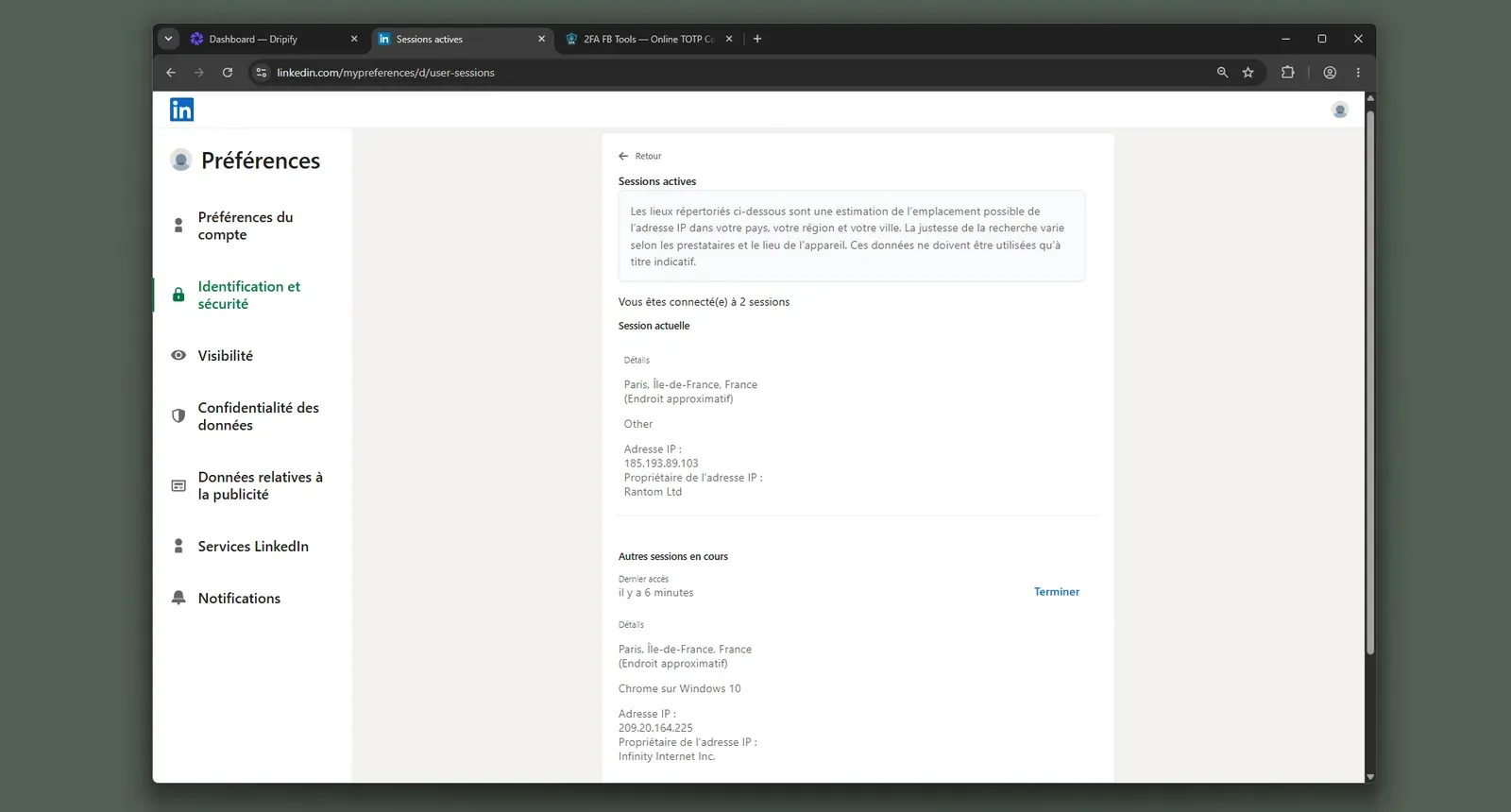
Cloud IP for account 1209.20.164.225 — HostRoyale Technologies Pvt, Ile-de-France (Paris)
OS / browser for account 1 (tool-reported)Chrome / Windows; IPQS reported Mac 10.15 / Chrome 135
Account 1 IPQualityScore resultfraud 94/100 · proxy yes · VPN yes · connection type Data Center — high-risk on IPQS's scale
Cloud IP for account 2 (same geo)209.20.164.94 — HostRoyale Technologies Pvt, Ile-de-France (Paris)
OS / browser for account 2 (tool-reported)Chrome / Windows; IPQS reported Mac 10.15 / Chrome 135 — identical fingerprint to account 1
Account 2 IPQualityScore resultfraud 94/100 · proxy yes · VPN yes · connection type Data Center — high-risk on IPQS's scale
Same IP or /24 across the two accounts?No same IP; same /24 and same provider — two independent accounts had a near-identical vendor-cloud footprint
Is a credit card required for the trial?No
Trial duration7 days

Dripify — live cloud/IP test (June 2026, two accounts, registered from France)

Dripify LinkedIn active sessions - July 2026

LinkedIn showed a second Dripify-run session on a hosting IP during the live cloud test - July 2026

The honest read: I would not treat the absence of a LinkedIn extension as a full safety answer. The test moves the exposure from extension detection to cloud-session custody: Dripify creates the working LinkedIn session from infrastructure the user cannot pre-vet, and both accounts landed in the same hosting footprint. Compared with Linked Helper's desktop/VPS model, the difference is control: Linked Helper lets the session operate from an environment or proxy you control, while Dripify chooses the observed IP path for you.

Bottom line

Dripify's convenience is a cloud dashboard for LinkedIn plus email sequences, CRM handoff, and campaign setup. If the lead pain is cost at 20 seats and session custody, Linked Helper's $15/month license, 20-seat bulk math, and desktop/VPS execution keep the bill lower and the LinkedIn session off vendor infrastructure. A 2024 G2 reviewer disputed Dripify's advertised A/B testing feature as nonexistent.

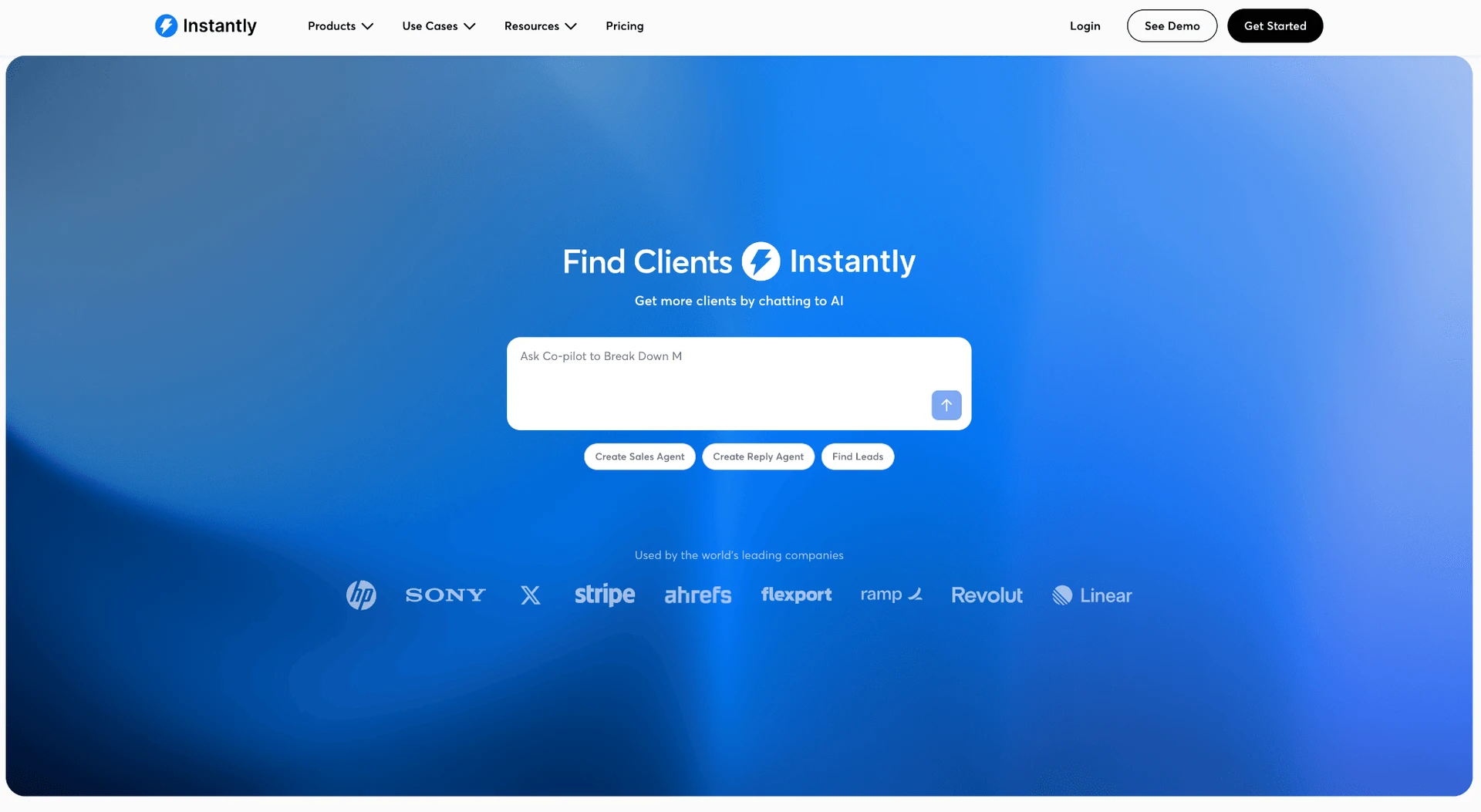
7. Instantly.ai

Instantly.ai belongs in this comparison as the cold-email class mismatch, not as a LinkedIn automation peer. The La Growth Machine comparison therefore starts with channel scope: cloud-only, email-only, and no documented LinkedIn automation lane.

7. Instantly.ai

It was not part of our hands-on LinkedIn safety tests; reviews point instead to deliverability and cost volatility. High-volume email teams reach for it at $47/mo.

Founded in 2021 and listed in Sheridan, Wyoming, Instantly.ai centers on warmup, inbox rotation, deliverability tooling, AI Copilot copy, and a shared reply inbox. The annual Growth rate is $37.60/mo; the documented 20-account scenario is $9,024/year, so the entry price can still become a scale cost.

Quick facts about Instantly.ai

  • Founded: 2021
  • HQ: United States (Sheridan, Wyoming)
  • Pricing: $47/mo ($37.60/mo annual), 14-day free trial
  • G2: 4.8★ (3,486) · Trustpilot: 4.02★ (1,009) — sharp platform split
  • Last 6 months: 3.73★ (trending down) across 131 reviews
  • Architecture: cloud email platform; LinkedIn automation is not part of its documented lane

Vendor pricing/features (fetched 2026-04) + G2, Trustpilot & Reddit reviews (computed 2026-07-10)

Key Features

  • Sending-account infrastructure — warmup, inbox rotation, deliverability tooling, and scale are the main lane.
  • Unibox — shared reply inbox for responses across sending accounts.
  • AI CopilotInstantly describes AI-assisted subject lines, email bodies, and follow-ups.
  • CRM integrations — listed connectors include Close, HighLevel, HubSpot, Pipedrive, and Salesforce; this is sync, not LinkedIn-native CRM depth.

The review read is split: Capterra is absent. G2 and Trustpilot together average 4.40★ across 2,009 reviews, but the recent window falls to 3.73★ across 131; praise is real, and recent friction is also real.

What reviewers say about Instantly.ai

Real-world scenario

In r/coldemail, the issue was inbox-count scaling once a buyer moved beyond a small setup.

Reddit
coldemail
The per inbox pricing appears to be reasonable initially, however once you have over 10-15 accounts, the pricing compounds fast.

Where the praise breaks: Negative cards cluster around deliverability, billing, CRM add-on cost, and domain control; when infrastructure fails, the buyer still carries the spend.

Reported limitations

Email-domain risk: This safety tag concerns mailbox/domain reputation, not LinkedIn restrictions.

you'll probably get banned from your domain and email providers.
Trustpilot 4.0★
View Original

Bottom line

Instantly's useful lane is warmup, inbox rotation, Unibox, and AI copy. For LinkedIn automation, Linked Helper integrates directly with Instantly, making it a strong replacement for LGM while preserving existing email workflows.

If the La Growth Machine pain is price plus LinkedIn automation risk, Linked Helper covers the LinkedIn side at $15/mo with local session custody; pair it with a dedicated email tool instead of treating Instantly as the replacement. Pricing note: All Linked Helper pricing references in this article use the base monthly per-license price for consistency. They do not include volume discounts for multiple LinkedIn accounts or discounts available with longer billing terms. Actual cost for larger deployments may be significantly lower.

8. PhantomBuster

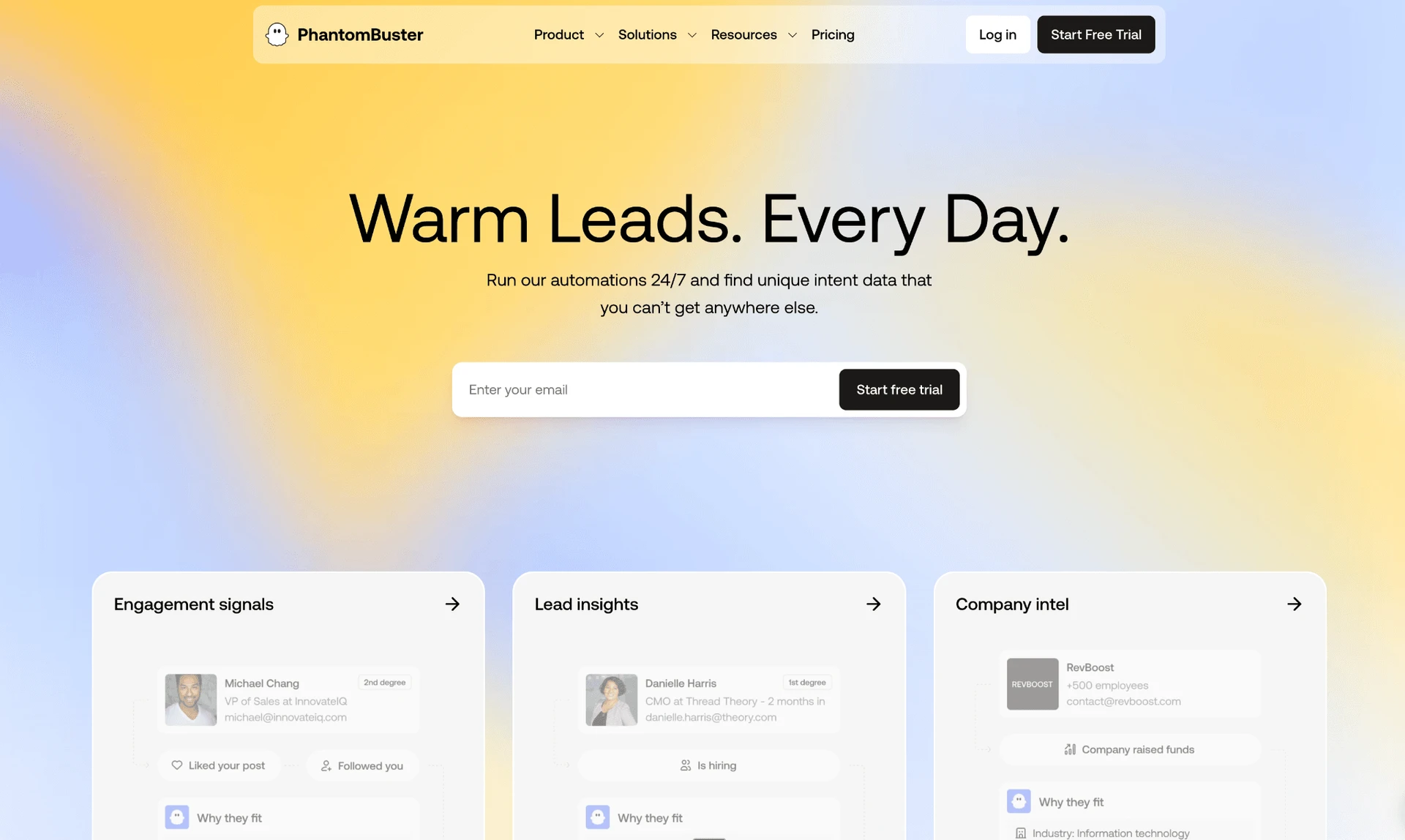
PhantomBuster is a hosted automation and scraping platform for LinkedIn, Sales Navigator, and cross-network data extraction. Its broad scraping library is the draw; the trade-off is setup burden and a LinkedIn workflow that behaves more like a general automation layer than a dedicated outreach sequence builder.

8. PhantomBuster

Founded in 2016 in France, its pricing page lists a $55.20/mo annual equivalent, a 14-day trial, and a limited free tier; that only looks simple if the buyer also wants a general scraping platform, not only a La Growth Machine replacement. Across 209 rated reviews, the useful pattern is a split: Trustpilot carries more billing, safety, and reliability friction than G2 or Capterra.

Our teardown found a cloud-bridge connector: the extension copies the LinkedIn login cookie to PhantomBuster, calls LinkedIn's API directly, and is AED-listed, meaning LinkedIn can see the extension before it acts.

Quick facts about PhantomBuster

  • Founded: 2016
  • HQ: France
  • Pricing: $69/mo Start plan (est. — verify before purchase), $55.20/mo annual equivalent, 14-day free trial
  • G2: 4.3★ (49) · Capterra: 4.5★ (64) · Trustpilot: 3.45★ (96) — sharp platform split
  • Overall: 4.0★ across 209 rated reviews
  • Architecture: Cloud + cloud-bridge extension

Vendor pricing & feature pages (fetched 2026-05-27) + G2, Capterra, Trustpilot & Reddit reviews (computed 2026-07-10)

Key Features

  • Multi-platform Phantoms — PhantomBuster covers LinkedIn plus other networks including Facebook, Instagram, Twitter/X, Slack, GitHub, TikTok, and Reddit.
  • LinkedIn and Sales Navigator extraction — it covers the tracked LinkedIn source types and supports basic LinkedIn plus Sales Navigator.
  • No-code automation flows — users run packaged Phantoms for scraping, enrichment, and outreach-adjacent tasks without writing scripts.
  • CRM exports — HubSpot, Pipedrive, and Salesforce are the listed CRM integrations; verify current availability before purchase.
  • AI-personalized messaging — the vendor markets AI-written messages fed by scraped profile data.
  • Help-center coverage — 450+ knowledge-base articles give users many setup references, which also signals that the tool expects configuration work.

The split matters: G2 and Capterra praise extraction workflows, while Trustpilot is where the billing, reliability, and safety complaints cluster. That does not erase the positive use cases; it means the average rating is less informative than the channel split behind it.

What reviewers say about PhantomBuster

Real-world scenario

The cleanest switch-away story is not about missing breadth; it is about a buyer who got through setup and still decided the workflow did not match the job.

It was too hard to figure out and once I did figure it out it didn't meet my needs. I went with a competitor product.

Read the full review on trustpilot

trustpilot
Rating: 2 out of 5
DS
Dyci Sfregola

Where this bites: When a Phantom breaks, the cost is not just the plan price; it is the time spent diagnosing a general automation workflow that was being used as a LinkedIn outreach substitute.

Reported limitations

The same reliability pattern appears in the assigned Reddit example:

Reddit
AiAutomations
I am spending more time fixing broken Phantoms than actually running my outreach campaigns.

The safety reports are broader than LinkedIn, and one platform-lockout complaint ties the extension's session-capture path to account disablement. The on-topic warning is specific: the user says the LinkedIn account was flagged while staying below PhantomBuster's recommended enrichment limit.

kept under their recommended daily limit… LinkedIn kicked me out and warned me to stop after 50 records.

Read the full review on trustpilot

trustpilot
Rating: 2 out of 5
DE
Driver Express

Safety and Setup Notes

What was checkedFinding
Ships a public extension?Yes — connector extension, used to link the browser session to PhantomBuster
Architecture verdictCloud-bridge / session-upload — the extension hands the LinkedIn session to PhantomBuster's cloud, so automation is highly likely to continue from vendor infrastructure
Reads the LinkedIn session cookie (li_at)?Yes — li_at is your LinkedIn login in cookie form; the extension auto-fills it, with JSESSIONID, into phantombuster.com, so whoever holds it can act as the account without the password
Direct LinkedIn (Voyager) API calls?Yes — the extension calls LinkedIn's Voyager API with a static tracking header, which means the request pattern can look tool-shaped rather than like a complete human browsing session
Injects code into LinkedIn's page (DOM)?No LinkedIn-page injection documented — the documented injection is on PhantomBuster's setup page to capture the cookie, while the LinkedIn automation path is cloud-side
Fires synthetic (isTrusted=false) clicks?Yes — synthetic-event and programmatic-click signals were present, adding an automation signature that real user clicks do not carry
Blocks LinkedIn telemetry?No — no traffic-blocking rules were found, which means the extension was not trying to hide by blocking LinkedIn trackers
Enforced daily cap in the code?None found — the connector package did not include local rate-limit, delay, or working-hours controls, so the visible guardrails are not enforced in the extension itself
On LinkedIn's AED probe list?Yes — AED, LinkedIn's hardcoded extension-probe list, includes this extension ID, so 'installed' is visible before the tool does anything
Cookie permission scope16-platform cookie scope — the package can read session cookies across LinkedIn plus 15 other platforms, the broadest cookie-read surface in this audit series; that expands the credential surface beyond one LinkedIn workflow

PhantomBuster connector extension — source-code teardown (July 2026)

I read the shipped source code as a stack, not as a single gotcha: cookie handoff, direct API replay, synthetic events, AED visibility, and broad cookie permissions all point in the same direction.

Quick facts about PhantomBuster

The practical conclusion is that PhantomBuster's flat-workspace price buys a general automation layer, but the LinkedIn session no longer stays only in the browser the user controls; for LinkedIn, that adds custody and detection signals before campaign quality even enters the picture.

Bottom line

PhantomBuster makes most sense as a broad scraping and automation layer, not a dedicated LinkedIn sequence builder; a deeper PhantomBuster review with safer alternatives should start from that split. If La Growth Machine's cost and reliability pains are the reason for switching, Linked Helper's $15/month desktop model keeps the LinkedIn session in an environment you control instead of a vendor-held replay path.

PhantomBuster excels at data extraction and one-off automations, but its pricing scales differently from dedicated LinkedIn automation tools. The $50/month Starter plan includes only 5 automation slots and 20 execution hours per month, which may not be enough for always-on outreach across multiple LinkedIn workflows.

How To Choose The Right La Growth Machine Alternative

Start from cost at headcount, then check architecture and channel scope. A tool that looks efficient for one sender can become expensive or riskier when every identity needs its own paid seat and vendor-managed session.

If your priority is...Choose...The trade-off
Five or more LinkedIn senders and predictable annual costA flat per-LinkedIn-account model with desktop standalone executionDesktop setup takes more steps than a cloud signup, but the cost curve and session custody are easier to control
Twenty-seat agency scaleAn annual bulk-license model where the 20-seat number is documented before rolloutYou need license planning, but the At-a-Glance table shows why per-identity tools become expensive fast
Native email plus LinkedIn in one canvasA cloud multichannel tool for the email layer, paired with Linked Helper for LinkedIn workThe cloud layer is convenient, but the LinkedIn session runs in vendor infrastructure
Lowest entry price regardless of safety surfaceA browser-extension or cloud-bridge path only after checking session custodyThe visible monthly price can be low, but extension visibility and session handoff add exposure

Decision path for replacing La Growth Machine without naming competitor picks

Use this table as a decision framework, not a ranked recommendation table. The comparison uses the same pricing and architecture basis as the At-a-Glance table, reviewed as of July 2026.

After the architecture decision, check secondary fit: support response, CRM depth, and whether the tool charges per seat, per workspace, or per identity. For La Growth Machine switchers, the fastest sanity check is the 20-seat annual number because it exposes the real cost difference before feature preferences blur it.

Our Recommendation: Linked Helper

Linked Helper is the recommendation because it attacks La Growth Machine's cost problem without giving up LinkedIn account control. It does not copy La Growth Machine's multichannel stack. The case is narrower and more practical: cheaper, more controlled LinkedIn work.

At 20 seats, Linked Helper Standard annual licenses land at $1,584/year in the agency scenario used above. The same scale on La Growth Machine Basic is estimated around $14,250/year, so the budget room is large enough to pair Linked Helper with a dedicated email tool if native email sequencing is mandatory.

The LinkedIn-specific depth is the second reason. Linked Helper can collect and act on Sales Navigator, Recruiter, group, event, company-page, post-engagement, and profile sources. It also supports LinkedIn-specific workflows that are uncommon among outreach tools, including employee extraction from company pages, post boosting, skill endorsements, and other engagement actions beyond standard connection requests and messaging. Leads can then be routed into 11 direct CRM connectors or through Zapier and Make via webhooks. For agency-scale context, see how one agency scaled to 60+ meetings a month on Linked Helper.

The honest trade-off is that Linked Helper is LinkedIn-first. It has no native email-sequence builder or all-in-one multichannel inbox, and a desktop/VPS setup asks for more operator discipline than a browser-only signup. The Web Version helps by giving login-based access to a VPS-hosted Linked Helper instance for cloud-equivalent 24/7 operation while the LinkedIn session remains in an environment the user controls.

LinkedIn Safety & Risk Reduction

LinkedIn safety is not only a tool choice; it is a policy, behavior, and account-operations problem. The reader-controllable levers are conservative volume, stable IP, clear working hours, stop-on-reply logic, and pausing when LinkedIn warns the account.

LinkedIn's User Agreement prohibits bots, unauthorized automated methods, scraping tools, browser plugins used to scrape or copy the service, and account/cookie sharing. That means every automation tool carries terms-of-service exposure, even when it is built to reduce detection signals.

The practical safety stack is straightforward:

  • Keep daily action volume conservative and vary it naturally.
  • Use working hours instead of round-the-clock bursts.
  • Keep the same trusted IP rather than changing network origins frequently.
  • Keep one account's session in one controlled environment.
  • Remember that manual workflows can also look automated when profiles are opened by URL at scale or actions are processed unrealistically fast.
  • Stop follow-ups when a lead replies.
  • Pause automation when LinkedIn shows warnings or restrictions.

Safety note: No tool eliminates the risk of LinkedIn restrictions. Results depend on account age, daily action volume, and activity patterns.

For deeper context, use Linked Helper's guides to LinkedIn's list of flagged automation extensions, what to do when LinkedIn restricts your account, and the best proxies for LinkedIn automation, 42 providers tested.

Methodology Deep-Dive

The first-hand safety checks are narrow by design: I separate observable IP/session evidence from broader review and pricing analysis. The section also keeps La Growth Machine's own findings honest because the anchor was not first-hand tested in this run.

First-Hand Testing

In June 2026, I used two first-hand checks where the tool architecture made them observable: live sign-up tests for selected cloud tools from France, and static source-code teardowns of published browser extensions. These checks extend Linked Helper's security study, but they do not replace per-tool pricing, documentation, or user-review evidence.

CheckQuestions it answeredExample finding
Live sign-up testWhich IP the cloud assigns, whether the user can choose location or bring a proxy, and whether the assigned IP has independent reputation riskDripify assigned both test accounts to HostRoyale datacenter IPs in the same /24, each scoring 94/100 on IPQualityScore
Source-code teardownWhat the shipped extension reads, whether the LinkedIn session leaves the browser, and what detection traces the extension exposesWaalaxy's extension uploaded the LinkedIn session cookie to its cloud and was listed in LinkedIn's extension-detection target list

First-hand safety checks used for observable tools

First-hand checks were run on observable tool surfaces during the documented test month. They show exposure signals in the tested setup, not a prediction that LinkedIn will restrict a specific account.

TermWhat it isWhy it matters
IPQualityScore (IPQS)An independent fraud-prevention service with 10+ years on the market that rates IPs using its own abuse and honeypot networkIt is an independent IP-quality signal, not LinkedIn's enforcement verdict; a high-risk score still shows what an anti-fraud system may dislike
Datacenter vs residential/mobile IPIP addresses are classified by origin: rented server infrastructure versus home or phone-network connectionsFor LinkedIn, a personal session operating from a datacenter IP can stand out because most genuine users log in from residential or mobile networks

Live sign-up IP terms used in the safety checks

IP-quality terms are used only to explain the live sign-up test. IPQS scores are independent reputation signals and are not LinkedIn's internal enforcement score.

TermWhat it isWhy it matters
li_at / JSESSIONIDYour LinkedIn login in cookie form: li_at is the session cookie and JSESSIONID carries the CSRF tokenWhoever holds them can act as the account; uploading them hands the account session to the vendor's servers
Cloud-bridge or session-upload extensionAn extension whose job is to copy your LinkedIn login cookie to the vendor cloud, which then runs the account from its own IPIt can create one session on two IPs in parallel, while the vendor's copy may not appear in the user's active sessions
AED (Active Extension Detection)The label visible in LinkedIn's production JavaScript for extension-ID scan results, where page code probes known extension resources on visitBeing on the list means installed is visible to LinkedIn before the tool performs an action
Passive DOM/page scanLinkedIn page code can sweep for extension traces such as injected UI, buttons, or panelsIt can catch a visible extension footprint even when the extension ID is not already on a target list
Synthetic (isTrusted=false) eventsA browser-level flag on clicks or keystrokes fired by code rather than a personAn extension cannot switch that flag off through normal extension APIs, so it can add an automation signal
BrowserGateAn independent investigation that reverse-engineered LinkedIn's production JavaScript and documented extension scanning and fingerprinting mechanicsIt maps several detection systems; it is not itself the scanner

Source-code teardown terms used in the safety checks

Source-code teardown terms explain what can be observed in shipped browser-extension code. Cloud-side internals are treated as highly likely when the server cannot be inspected directly.

Research Limitations

I can observe what a cloud tool shows at sign-up, what a browser extension ships to users, and what public pages and reviews say. I cannot see a vendor's private backend after a session reaches its servers, so cloud-side execution is described as highly likely when the evidence points there, not as an absolute.

These findings are dated to the tested version and month. A dirty IP, extension listing, or session upload is a risk signal, not an instant restriction. The tests show exposure surface, not the final outcome on a specific account.

First-Hand La Growth Machine Findings

Architecture

La Growth Machine was not part of the June 2026 live two-account IP test, and this run did not include a published La Growth Machine LinkedIn-automation extension teardown. The article therefore treats it as a cloud product based on public product flow and pricing evidence, not as a first-hand IP or extension result.

Findings

I cannot report assigned IPs, IPQS scores, AED status, or extension-code findings for La Growth Machine from this run. The evidence used for the anchor is public pricing, G2/Capterra product-profile data, and the review themes summarized above: per-identity pricing, campaign reliability, onboarding complexity, CRM sync friction, and the normal cloud-session custody question.

Bottom line

The honest read is narrower than a teardown result: La Growth Machine's known risk surface is cloud session custody, while its tested risk surface remains unverified in this article. Readers comparing it with Linked Helper should ask where the LinkedIn session runs, which IP LinkedIn sees, and what controls exist before connecting production accounts.

Methodology And Sources

This comparison uses a weighted scoring model, public pricing and product pages, public review aggregates, Reddit discussion analysis, Linked Helper Help Center facts, and first-hand safety checks only where those checks were actually run.

Publisher disclosure

This article is published by Linked Helper. Our recommendation is our own product. We compare it against La Growth Machine and the alternatives above using the same scoring model, and first-hand observations are separated in the Methodology Deep-Dive rather than blended into marketing claims.

Pricing is volatile, especially for annual discounts, per-identity billing, and agency/team plans. Re-check vendor pricing before purchase. The safety section is also bounded: LinkedIn can change detection behavior and policies, and no product architecture removes behavioral restriction risk.

FAQ

Linked Helper is our recommended La Growth Machine alternative for users who prioritize lower LinkedIn automation cost, controlled session custody, and LinkedIn-native depth. While Linked Helper is focused on LinkedIn rather than email sequencing, it integrates with Instantly, making the combination a practical replacement for La Growth Machine: Linked Helper handles LinkedIn automation, while Instantly manages email infrastructure, deliverability, and inboxes.

Sources & Verification

Every claim in this article traces to a source you can open — 64 in total:

Review platforms (18)

Community discussions (7)

LinkedIn official (1)

Independent research (1)

Linked Helper resources (12)

Vendor pages & other sources (25)

Try Linked Helper free for 14 days

The most technically advanced platform for LinkedIn automation with a focus on security, a wide range of features, and exceptional customer support. Trusted by over 10,000 businesses worldwide.