
 Consulting Foundations
 Prospect Lists
 Playbooks
 Effective Outreach
 InMail
 Case Studies
 Relevant Network
 Scale
 Webinar
 Pricing

Find the Right Prospects
Build targeted audiences around your consulting services — ideal client profiles and decision-makers.
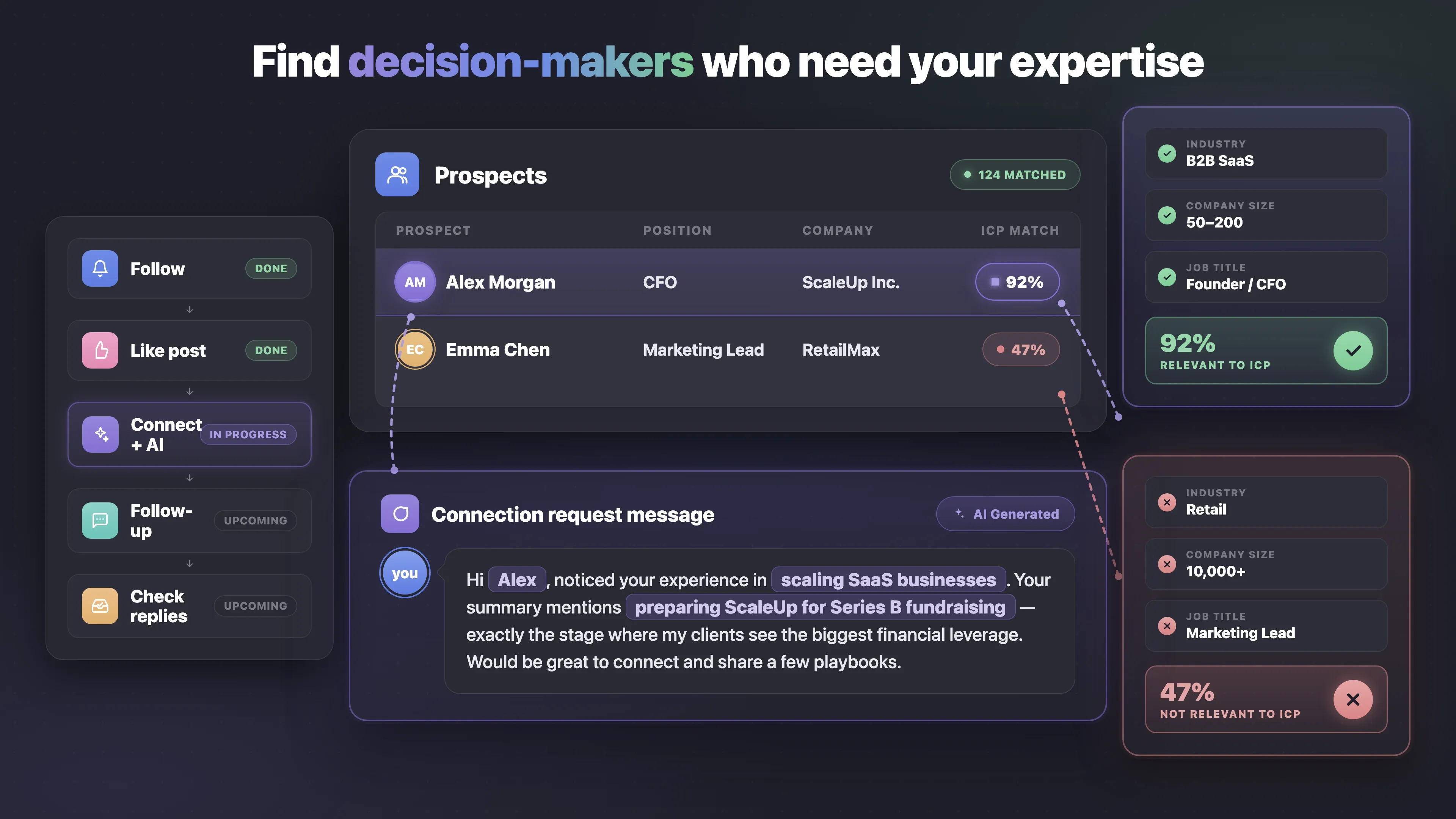
Build a consistent pipeline of relevant business opportunities with precise prospecting, personalized LinkedIn outreach, and coordinated business development. Find decision-makers who need your expertise, nurture professional relationships, and manage your outreach as your consulting practice grows.










Four foundations that turn LinkedIn into a repeatable source of engagements for your consulting practice — from finding the right prospects to coordinating outreach across partners.


Find decision-makers across LinkedIn, Sales Navigator, and Recruiter. Use company and employee extractors, AI-powered ICP filtering, and scheduled auto-collection to build and continuously grow a pipeline of relevant prospects.
Source profiles from LinkedIn, Sales Navigator, Recruiter searches and lists, as well as from groups, events, post likers and commenters, My network (all your 1st-degree connections). Import profiles via CSV or, with the Cloud-based storage version, use the Incoming Webhooks feature to add leads from your stack.
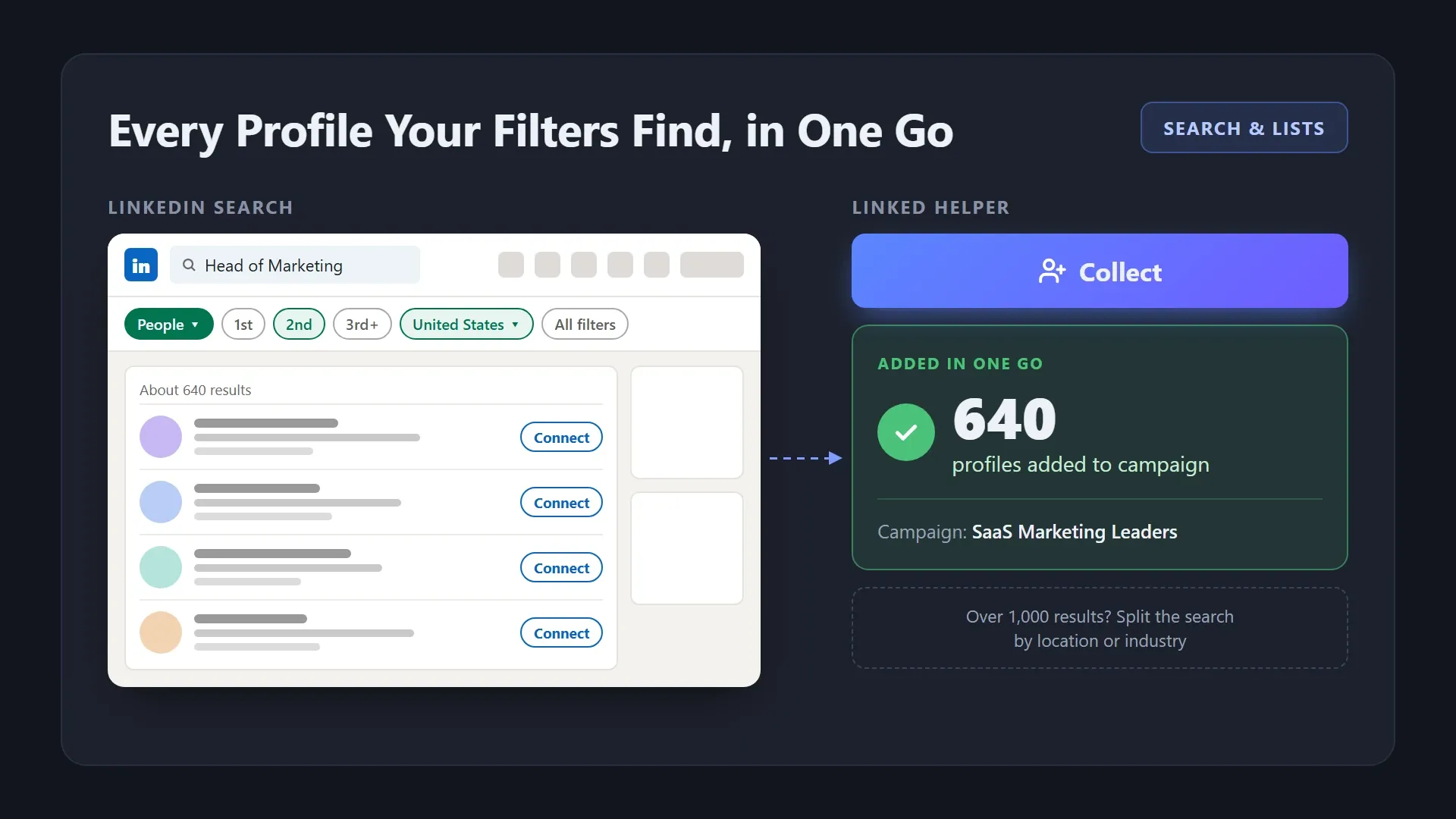
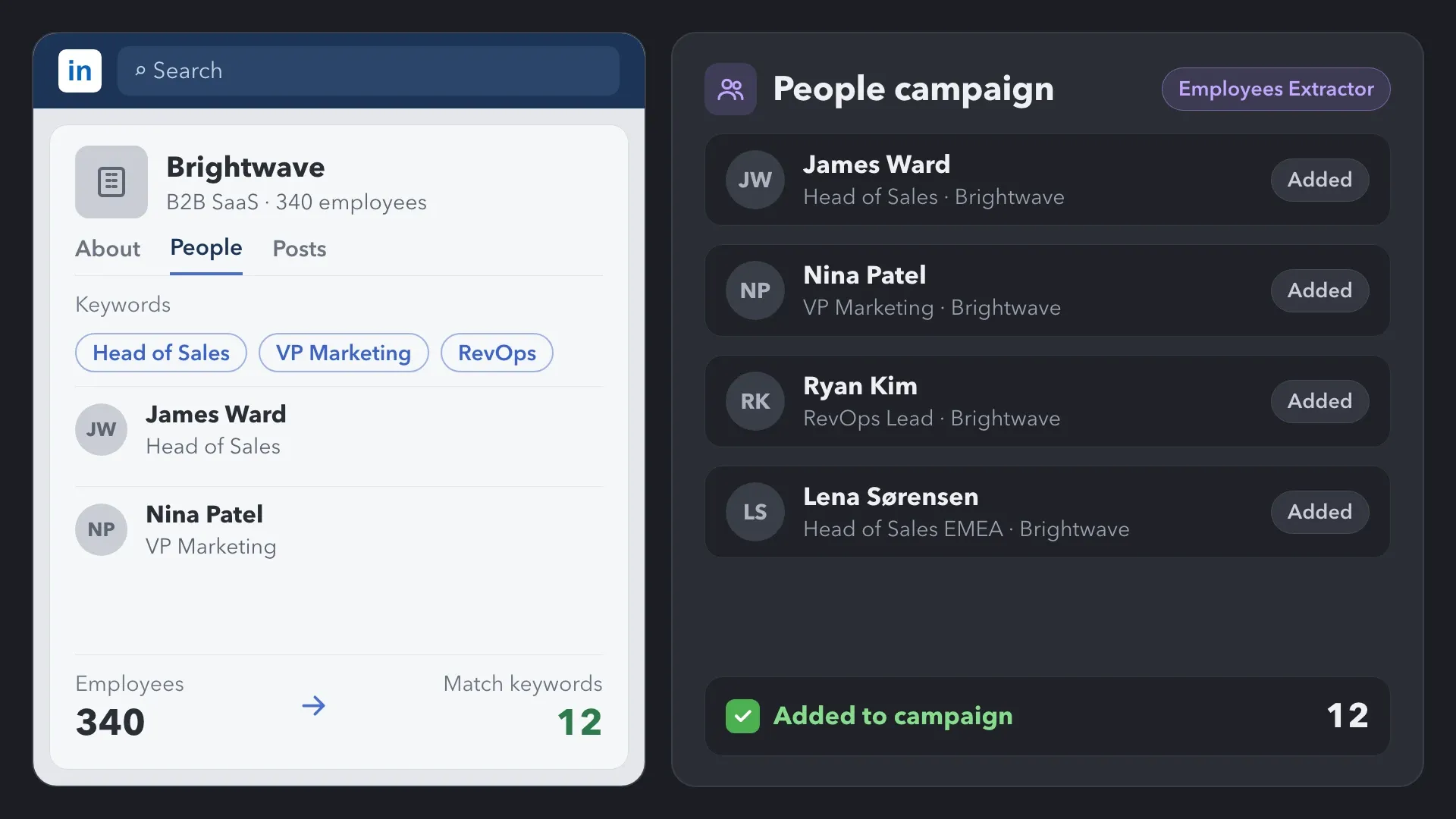
Build a list of target companies with Organizations Extractor, then use Employees Extractor to find and collect relevant decision-makers from their LinkedIn People pages — from founders and CEOs to department heads.
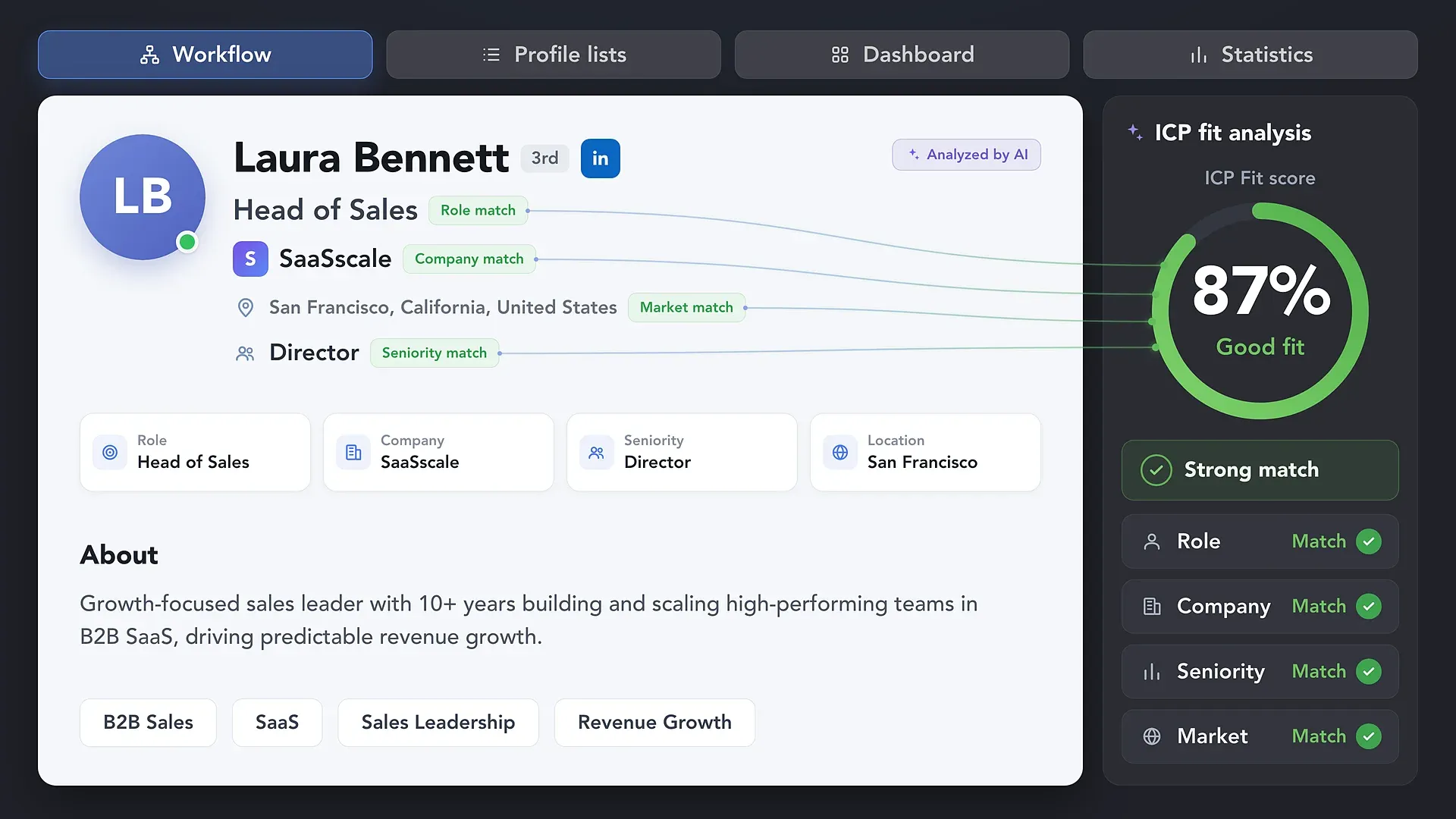
AI analyzes each prospect's summary, experience, company or any data you set against your consulting ICP, filtering out poor-fit contacts before starting outreach. Save your weekly invitation limits for prospects who are more likely to become clients.
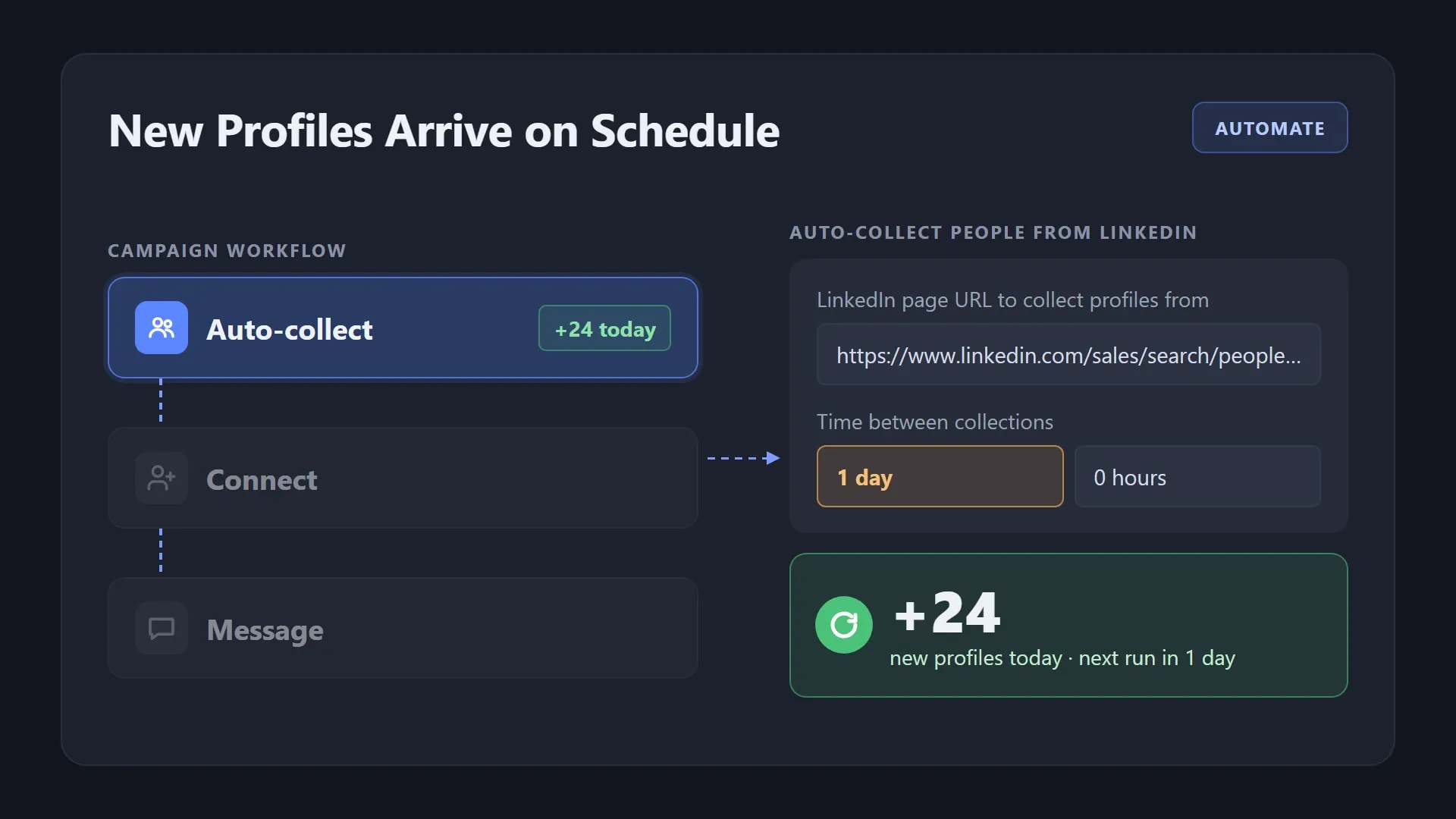
Set once and let Linked Helper re-collect new profiles from saved searches, Groups, Events, and post interactions on your schedule — keeping your pipeline topped up without manual exports.
A repeatable pipeline that turns LinkedIn into a steady source of qualified business opportunities for your consulting practice.

Build account lists around your service lines: industry, headcount, geography.

AI ICP Detection analyzes profile and company data to drop contacts that don't fit your consulting ICP.

Extract CEOs, CFOs, CHROs, and other buying-committee titles from target company pages.

Filter leads, organize them with tags, and move qualified ones straight into your outreach campaigns.
Build account lists around your service lines: industry, headcount, geography.
Add action
Extract CEOs, CFOs, CHROs, and other buying-committee titles from target company pages.
Add action
AI ICP Detection analyzes profile and company data to drop contacts that don't fit your consulting ICP.
Add action
Filter leads, organize them with tags, and move qualified ones straight into your outreach campaigns.
Explore practical LinkedIn prospecting and outreach examples for different consulting services. See how to define your ideal client profile, find the right decision-makers and build personalized campaigns for your practice.
Find growing SaaS, e-commerce and technology companies that may need financial planning, cash flow management or fractional CFO expertise.
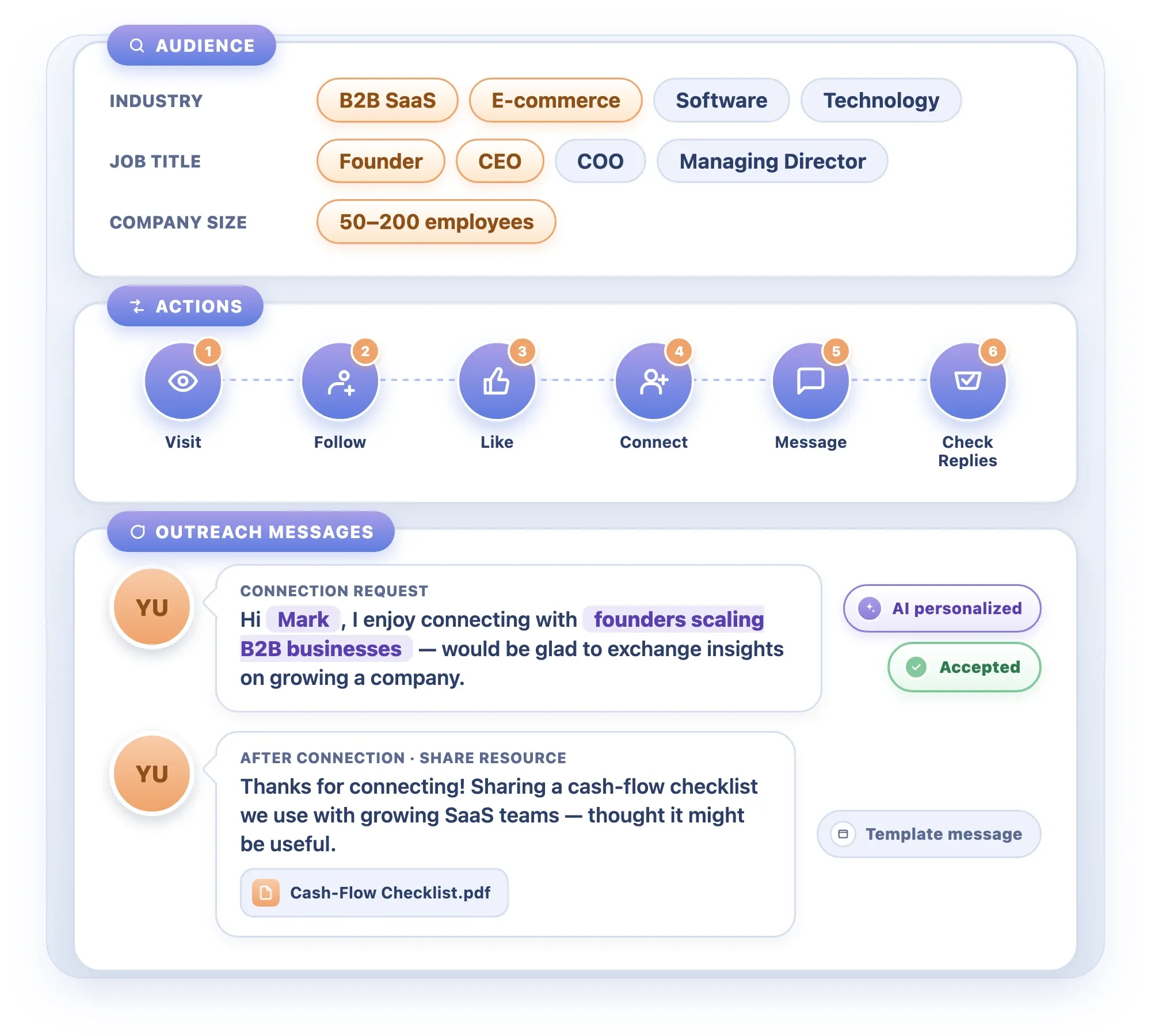
Find companies looking to grow their teams, and connect with HR leaders and talent acquisition decision-makers who may need external recruitment support.
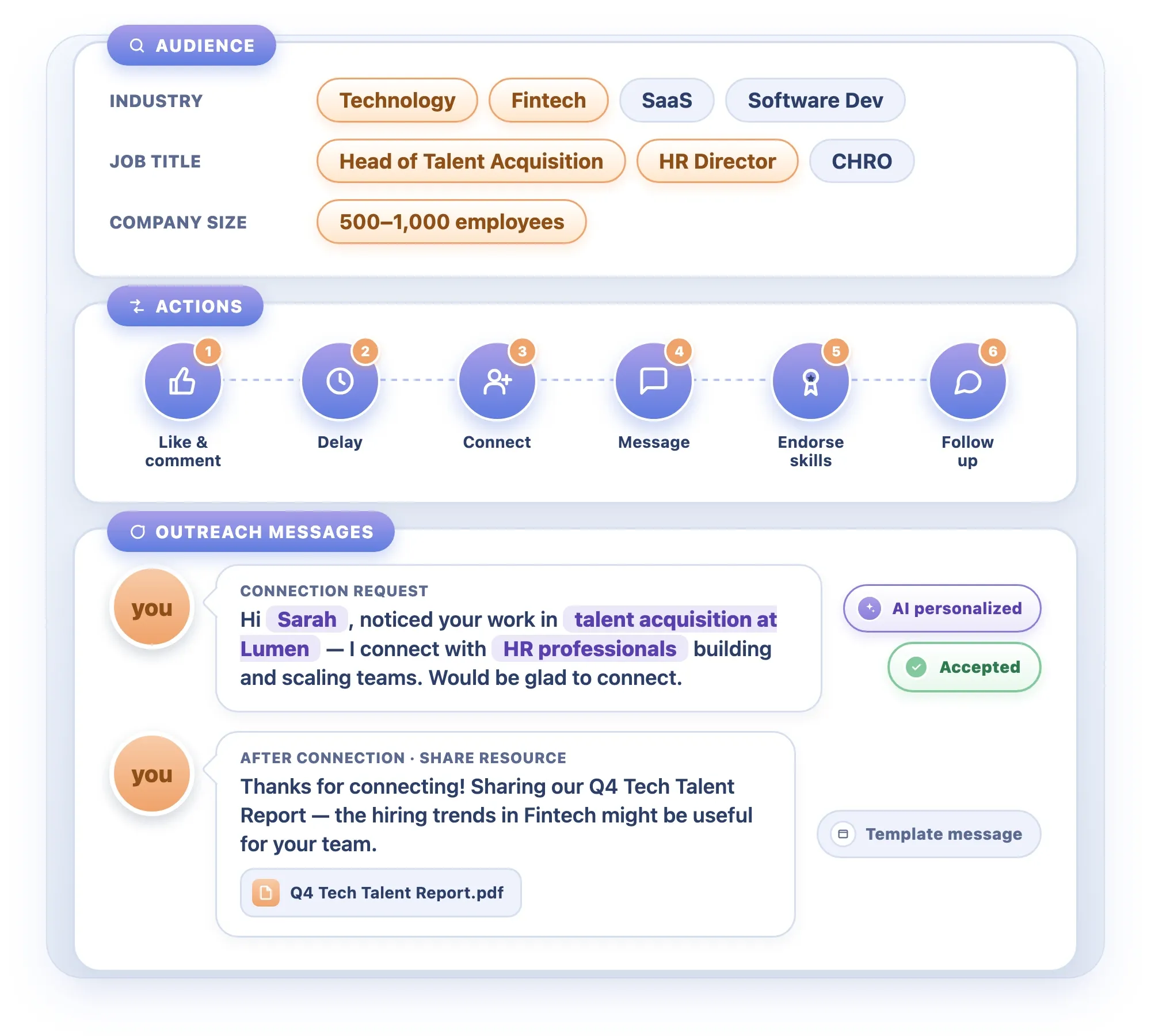
Personalize outreach with AI-generated messages and contextual comments, and automate multi-step follow-ups that stop the moment a prospect replies.
Build multi-touch LinkedIn sequences with connection requests, personalized messages and automated follow-ups. Set the timing of each touchpoint and let Check for Replies monitor responses and automatically stop the sequence once a prospect replies. Keep your outreach consistent without sending unnecessary follow-ups or interrupting conversations that have already started.
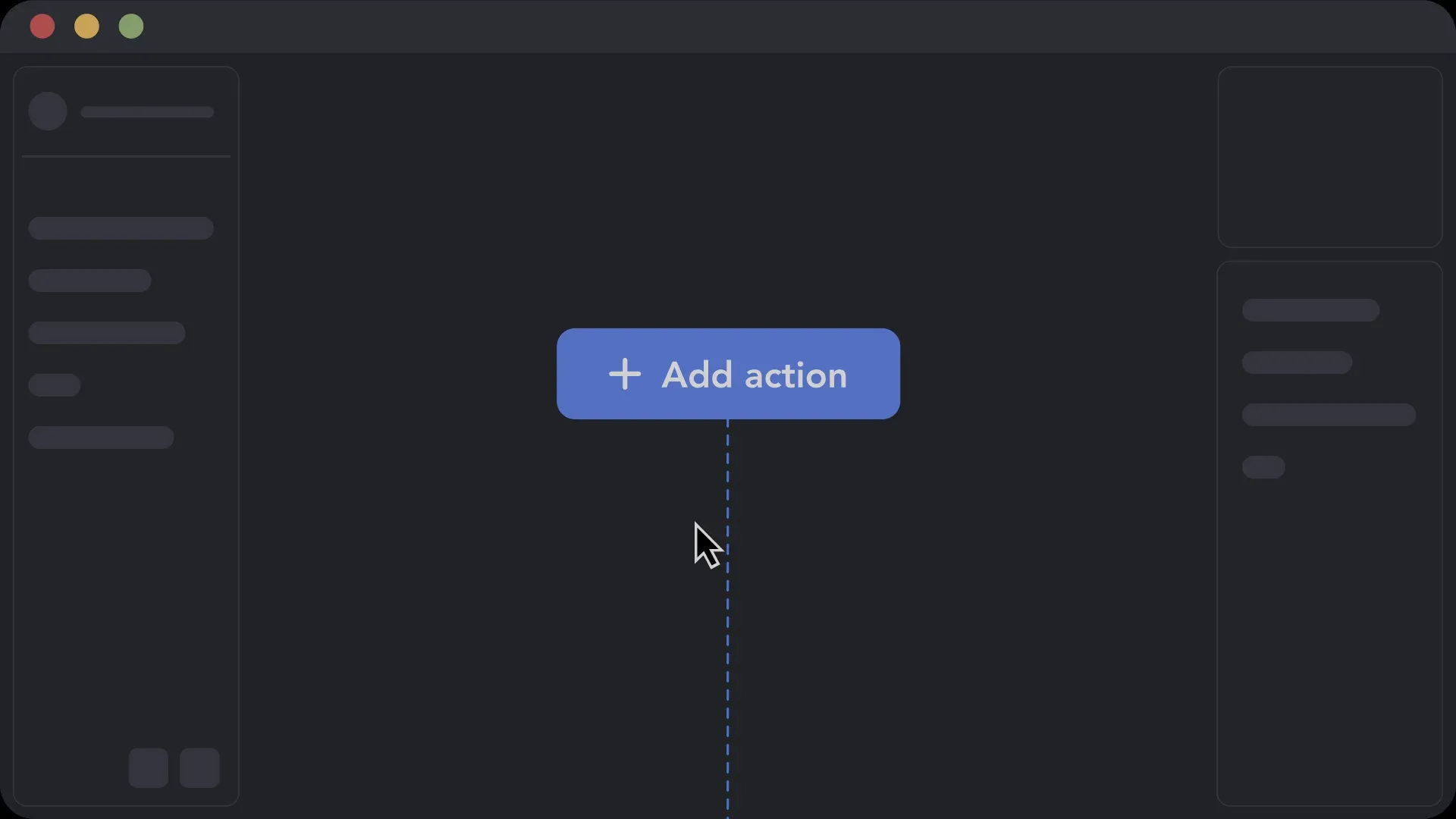
 AI
Use AI Generation to create outreach messages based on your offer and campaign goals. Or take personalization further with AI Personalization, which analyzes each prospect's profile and professional background to generate tailored connection requests and follow-ups. Review and edit AI-generated drafts before sending, or enable auto-approval to automate your outreach.
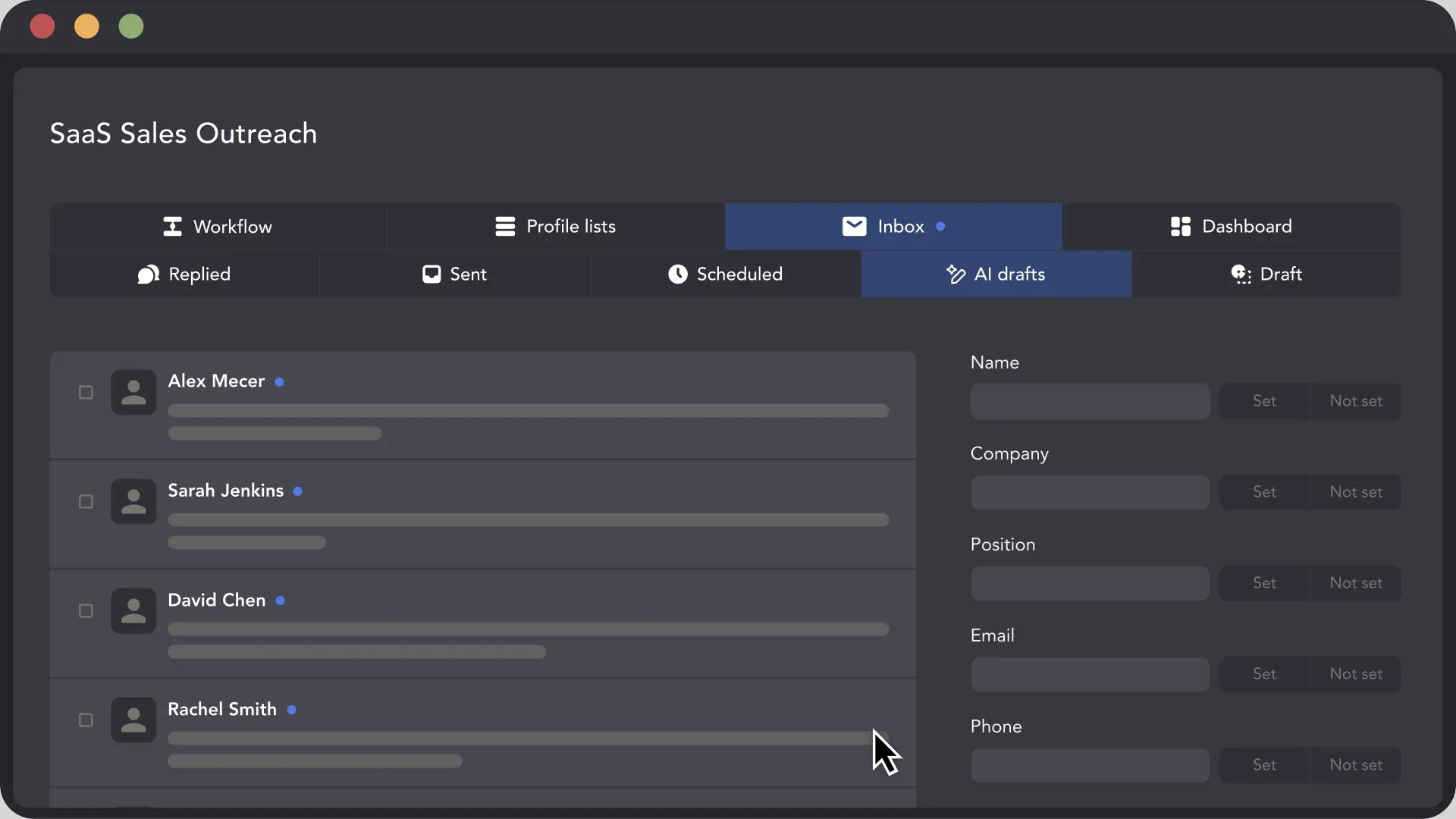 AI
Warm up potential clients before reaching out. Automate profile visits, follows and likes on recent posts to build familiarity with your profile. Go a step further with AI-generated comments tailored to each post, helping you engage in relevant industry discussions and get noticed before sending a connection request or message.
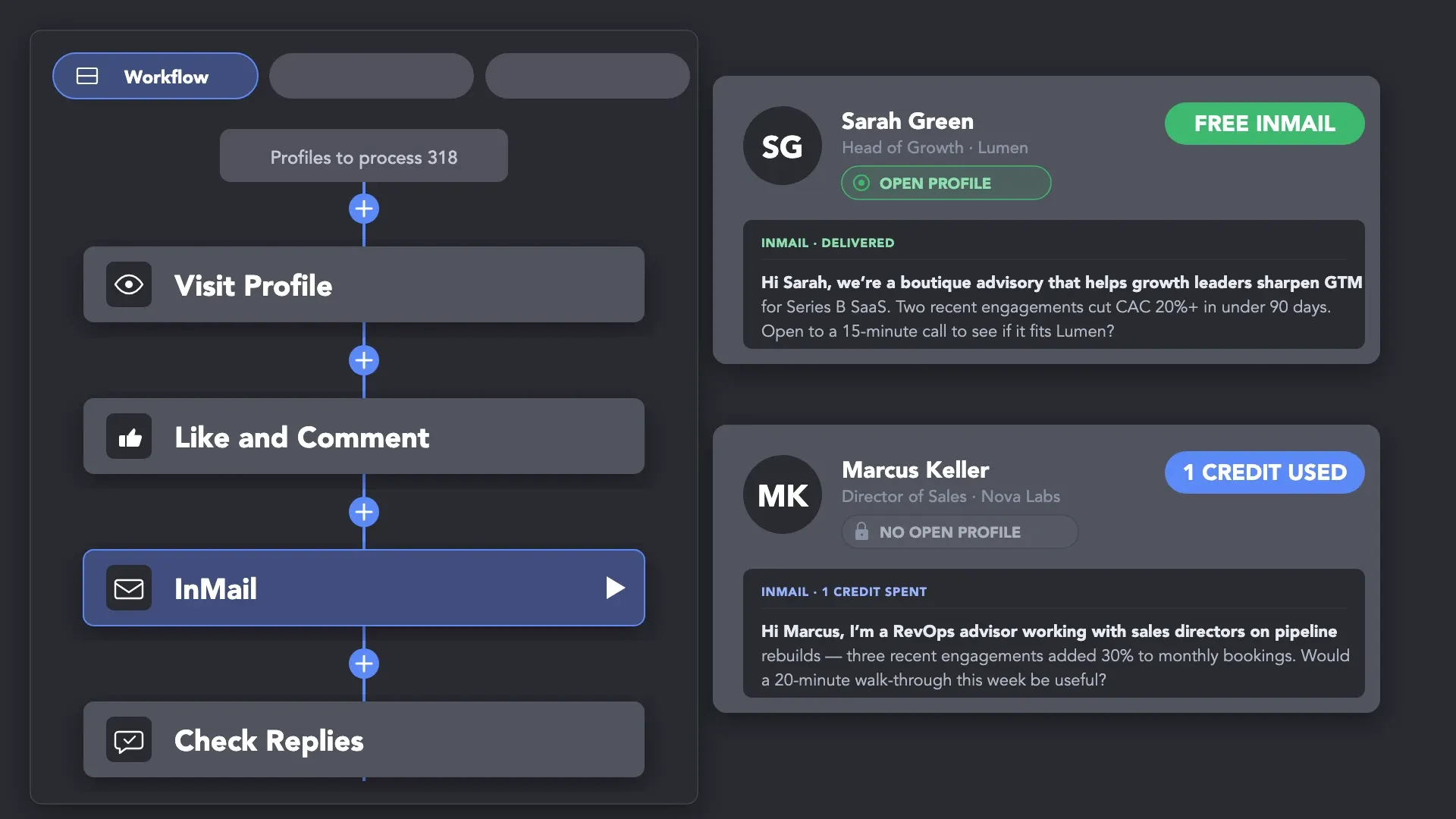
Reach decision-makers beyond your existing LinkedIn network. Use Data Enrichment to find and filter prospects with Open Profiles, then reach eligible contacts with free InMails — saving your paid credits for everyone else. Launch dedicated InMail campaigns with personalized messages and warm-ups to connect with more potential clients.
Case Studies
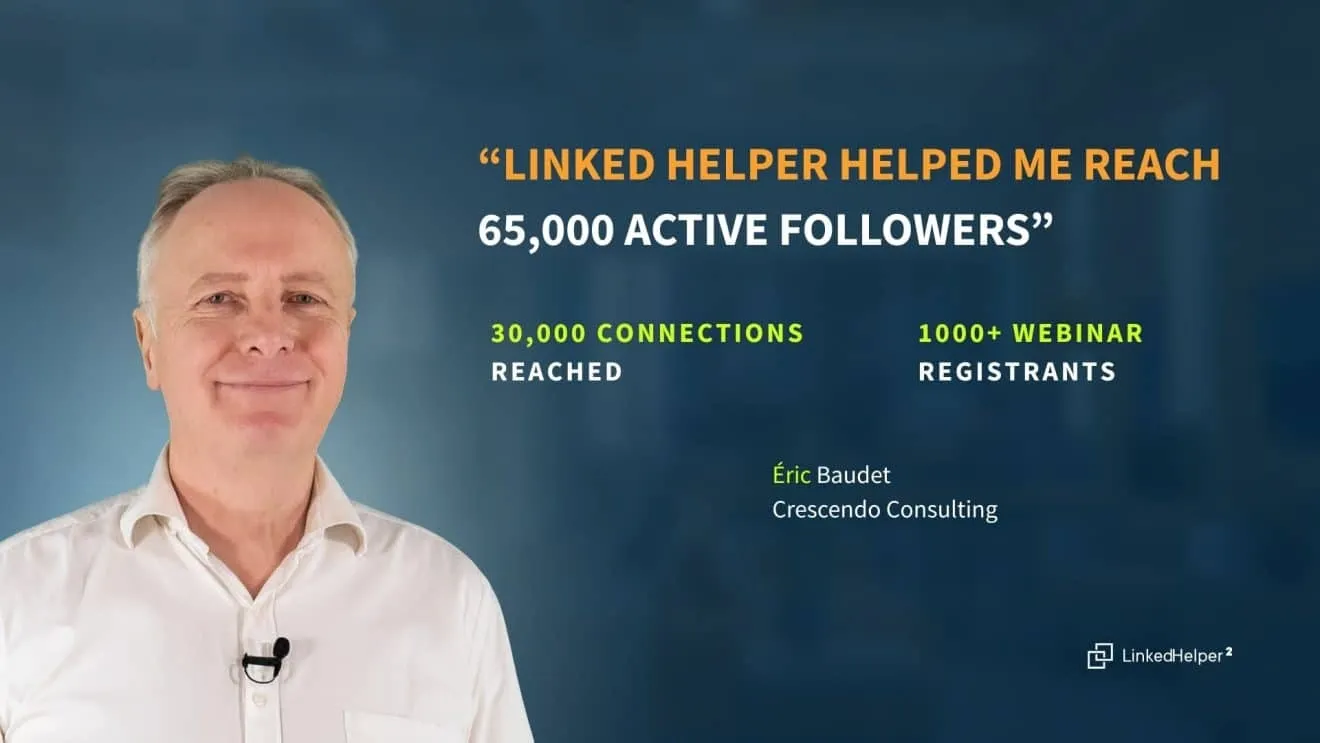
See how Eric Baudet used structured LinkedIn automation to reach 65,000+ followers, fill webinars, and save hours every day.
Your professional network is a valuable business asset. Keep it focused on the industries, decision-makers, and opportunities that matter to your consulting practice.
Contact Management Toolkit
Explore tools to organize lead records, prevent duplicate outreach, protect key contacts, and keep your LinkedIn connections up to date.
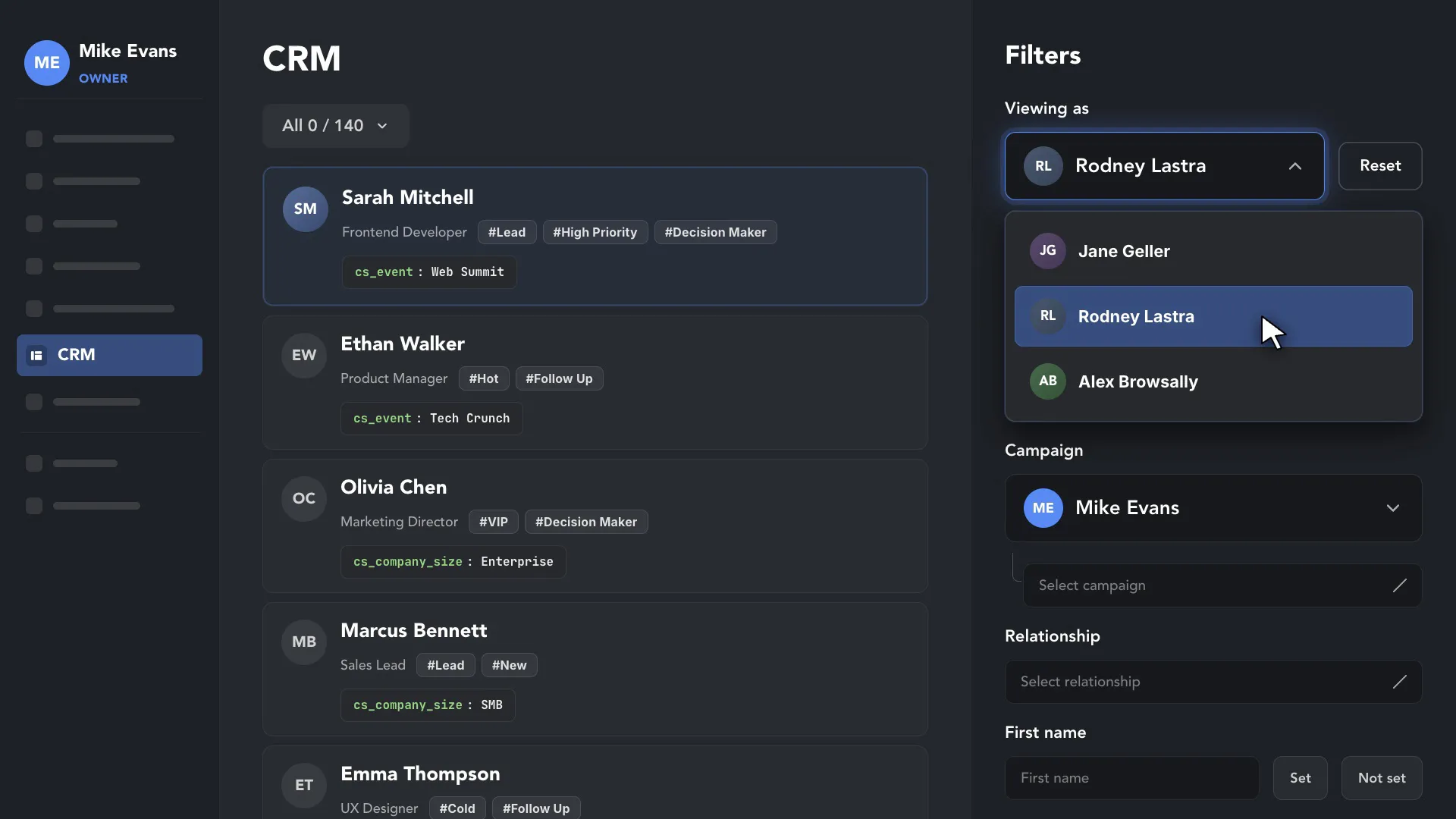
Store prospect information in one place. Add tags and notes, segment contacts by consulting services and keep valuable client context easily accessible. With Cloud-based storage version, share and access lead profiles across multiple LinkedIn accounts in the same Workspace without manual CSV transfers.
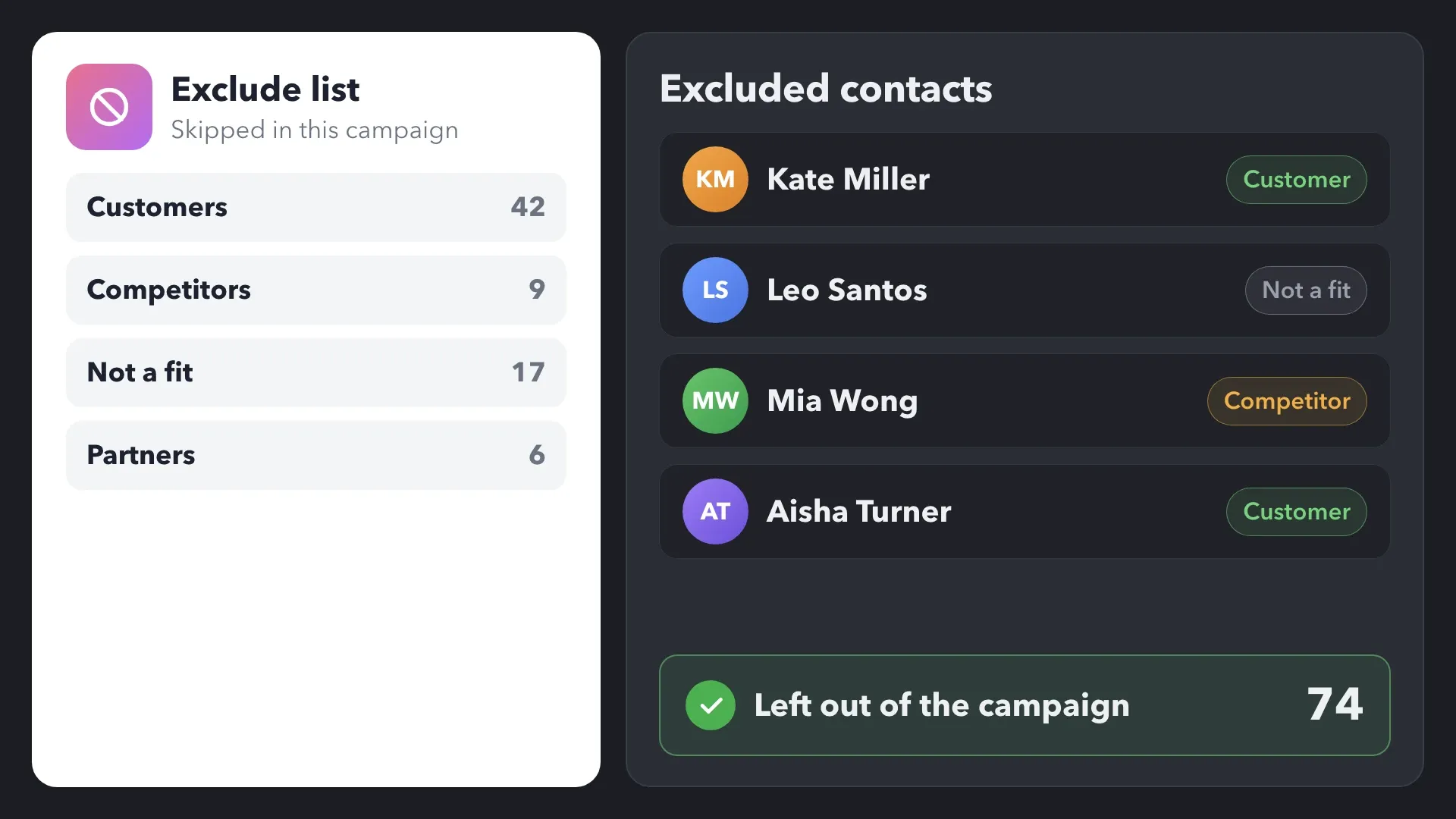
Keep existing clients, active opportunities, and partner contacts out of unwanted outreach. Add profiles to Exclude Lists directly or upload a CSV of LinkedIn URLs to exclude them from selected campaigns. With Cloud-based storage version, use List Manager to compare prospect lists across multiple LinkedIn accounts, remove overlapping contacts, and move selected leads between accounts — without manual CSV transfers.
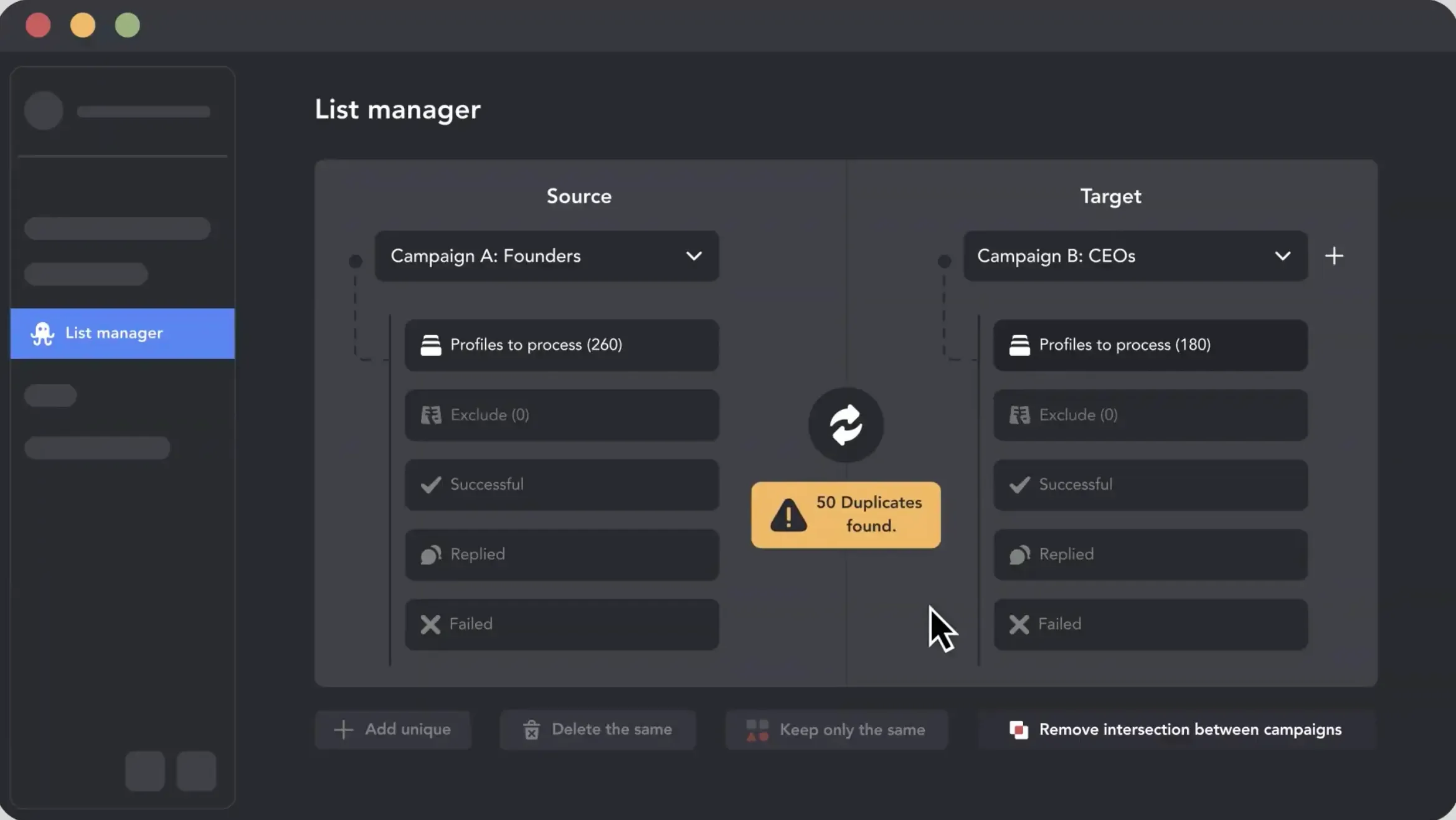
Remove overlaps between campaign lists inside one account — or across every partner account in your firm on Cloud-based storage version. No two consultants reach the same prospect twice, even when they run separate campaigns in parallel.
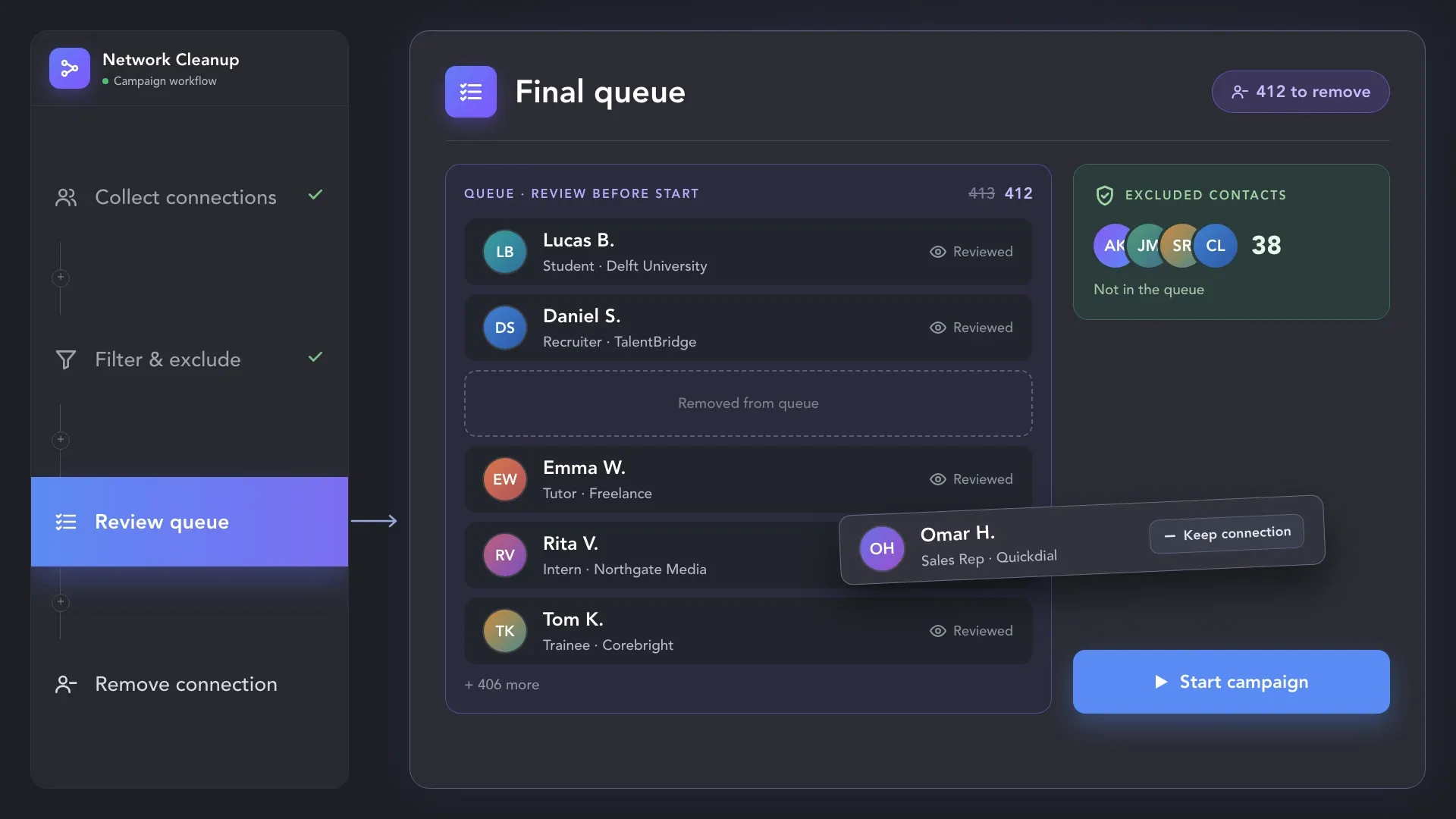
Identify outdated or off-focus connections using filters such as industry and role. Keep your network relevant as your consulting practice evolves and free up space before reaching LinkedIn's 30,000-connection limit.
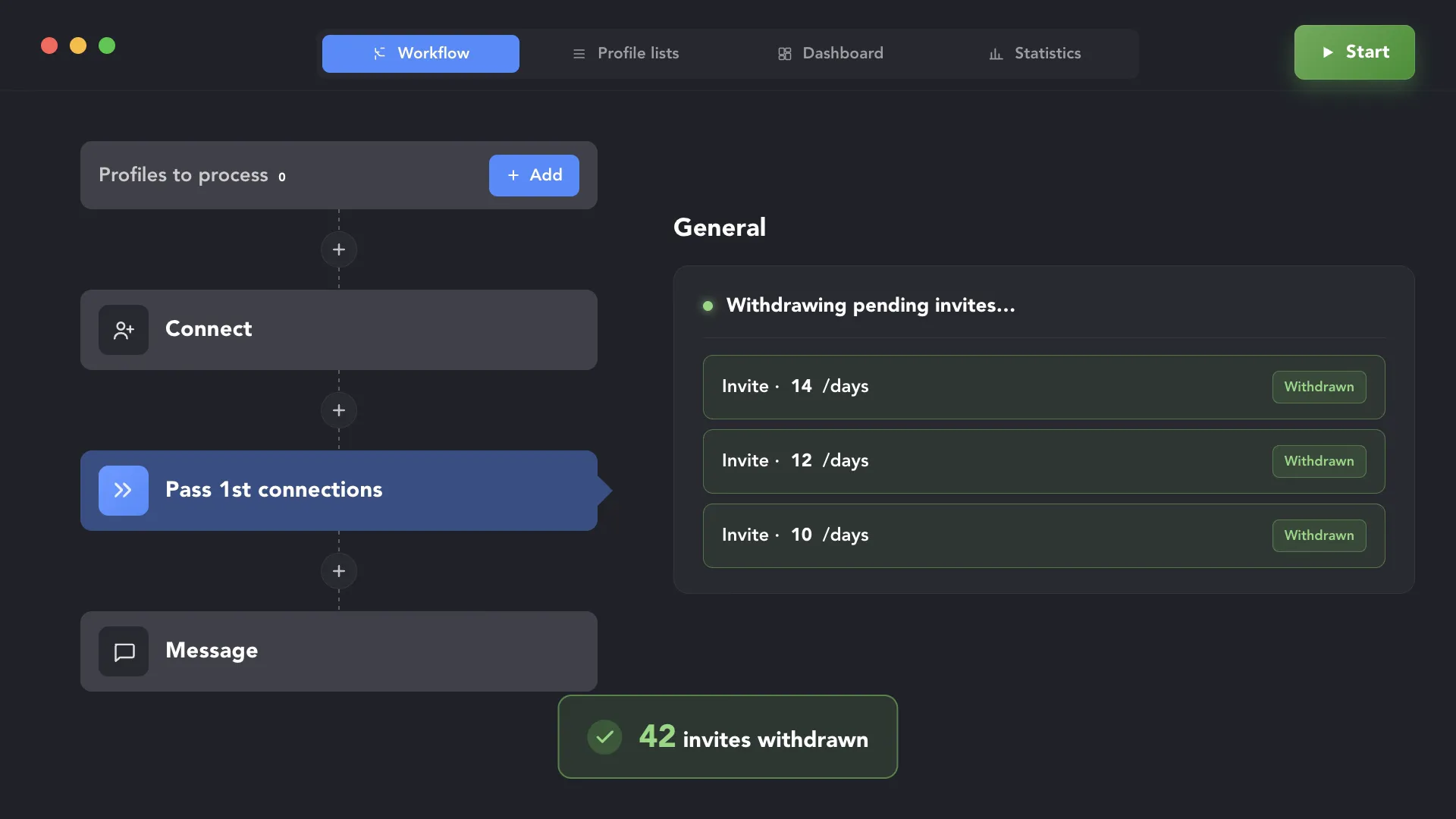
Automatically withdraw connection requests that remain unanswered beyond your chosen time frame. Prevent a backlog of ignored invitations from building up. This helps reduce the risk of invitation restrictions and keeps your profile ready for new, relevant outreach.
Contact Management Toolkit
Explore tools to organize lead records, prevent duplicate outreach, protect key contacts, and keep your LinkedIn connections up to date.
Keep All Your Professional Contacts Organized
Store prospect information in one place. Add tags and notes, segment contacts by consulting services and keep valuable client context easily accessible. With Cloud-based storage version, share and access lead profiles across multiple LinkedIn accounts in the same Workspace without manual CSV transfers.
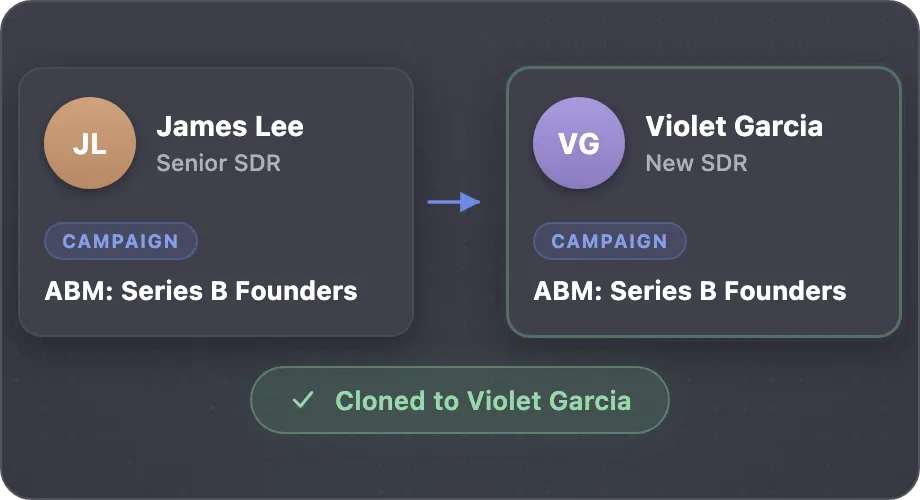
Manage partner LinkedIn accounts, coordinate campaigns across different consulting practices, track performance and share lead data across your team — all from one workspace.
Bring partners, assistants and BD coordinators into one workspace. Assign roles and grant access to specific LinkedIn accounts, so your team can manage campaigns without sharing account credentials.
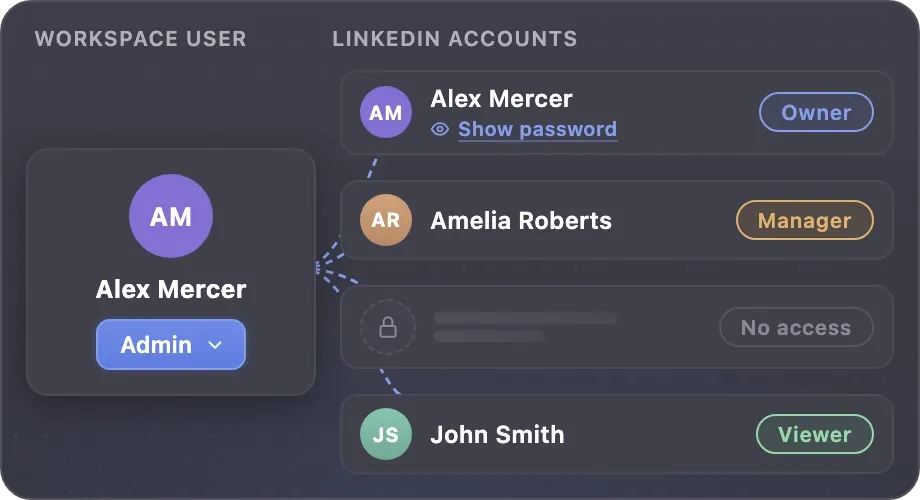
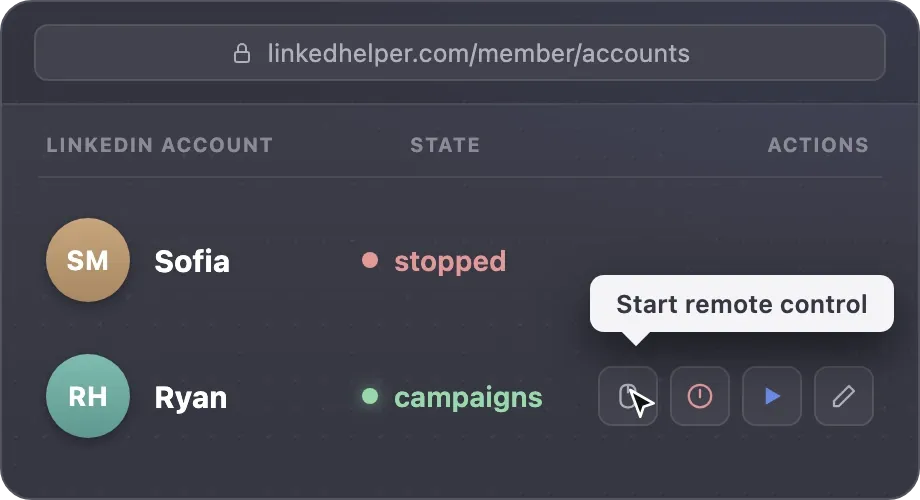
Manage multiple partner LinkedIn accounts from one place. Each account runs in its own isolated instance with its own assigned proxy, helping keep account sessions separate while your team coordinates outreach.
Create outreach workflows with campaign templates, then start multiple campaigns for different practices and audiences. Campaigns Runner automatically switches activity when one campaign enters a sleeping state, keeping your outreach moving.
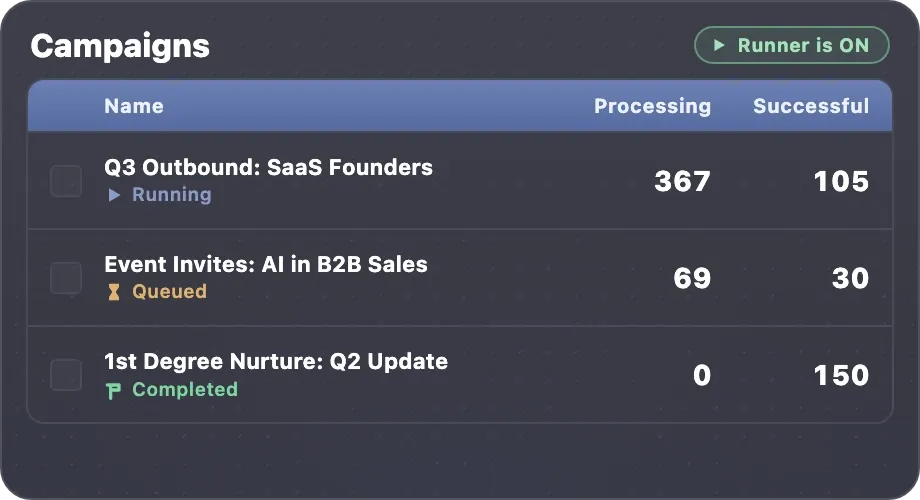
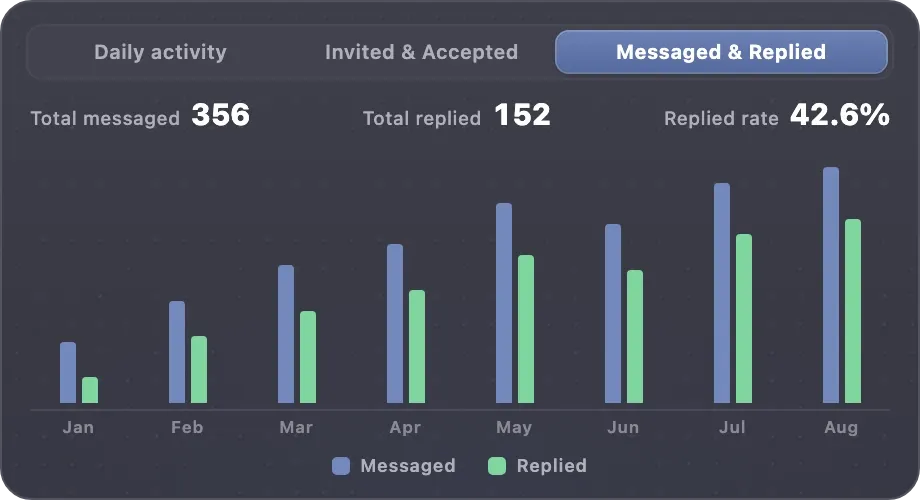
See how your outreach performs across different campaigns. Track acceptance rate, message replies and profile progress through campaign steps. Filter results by campaign and time period, then download statistics for partner reviews and reporting.
Keep campaigns, prospects, notes, and messages accessible across LinkedIn accounts in the same workspace. Access your shared lead data across devices without manually transferring local backups or CSV files.
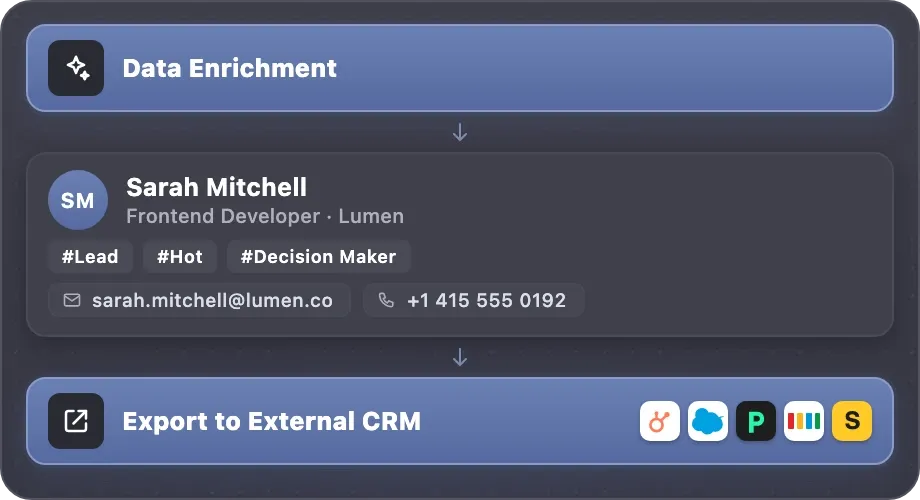
Enrich leads with available emails, phone numbers, profile information and company details. Export lead data into CSV or send qualified profiles to HubSpot, Salesforce, Pipedrive, Zoho, Close and other supported CRMs.
Use automation with greater control over activity and outreach settings. Combine controlled activity settings, independent browser sessions and dedicated proxies to manage LinkedIn outreach across your accounts safely.

✔ Standalone Desktop App ✔ No injected code in LinkedIn pages.
✔ Human-Like Activity Simulation ✔ Randomized delays ✔ Customizable working hours.
✔ Isolated Account Environments ✔ Dedicated proxies and IP quality checks.
Explore real experiences from professionals who use Linked Helper to find the right prospects, automate personalized outreach and scale their business development.




The best choice for the money, after a full year of useI like everything. The pricing is great and the effectiveness is terrific. I have been using it for well over a year and love it. Customer service is great and pricing is absolutely the best. Hands down the best out there on the market.


Automates manual tasks so I focus on what mattersThe tool is easy to install and connect. Usage is not complicated and works well, bug-free. Multiple steps and actions that customers can use to create different sequences for A/B testing. Helping me automate manual tasks, so I can keep my focus on more important tasks.
Price versus quality — and customer service better than AmazonThe price vs quality of Linked Helper, and the fact that when you know what you're doing, you can really make it work for business. Their customer service is better than Amazon. I like the complexity of the platform — it delivers the potential to make it work for you.

Streamlined outreach — I focus on high-value conversationsLinked Helper has significantly streamlined my LinkedIn outreach, reduced repetitive work, and helped me manage follow-ups with consistency and accuracy. Once the workflows are set up, the tool runs reliably in the background, allowing me to focus on high-value conversations rather than manual tasks. It has become an essential part of my daily workflow.


Definitely helpful for my industryVery happy with the functionality, the results, and the cost. Has really improved my time allocation daily and weekly to social outreach. Definitely a very helpful product for my industry.

Simple, time-saving, and professionalVery simple and time-saving, especially for B2B outreach campaigns. Great for professional outreach at scale — saves our team the manual repetition and lets us focus on conversations that actually move engagements forward.
Join our weekly live walkthrough to explore Linked Helper's key features, learn how to set up prospecting and outreach campaigns, and get your questions answered by our product trainer.

LinkedIn Automation Trainer
Julia is the leading Linked Helper expert on safe and effective outreach.
YOU WILL LEARN
No chatbots. No waiting days for a reply. Get fast, expert help from real people who are committed to your success — anytime you need it.
Mary P.
Co-Founder and CMO
The support team of this product deserves special attention. Excellent service, attention to users, analysis of the client's case. I definitely recommend both the product and the support team.
Review24/7 LIVE CHAT & EMAIL
Get a real human response in minutes, not days.
REMOTE ASSISTANCE
If you're truly stuck, we can connect to your computer and guide you.
IN-DEPTH KNOWLEDGE BASE
Step-by-step tutorials and articles for every feature.
Get everything you need to find prospects, automate personalized outreach and manage your contacts. Start with Standard and upgrade to Pro as your outreach volume, data needs and team operations grow. Add Cloud Storage to share lead profiles, notes, tags and message templates across LinkedIn accounts in your workspace.

All your data stays on your device in local folders you can access directly.

Each account has its own isolated storage - no data mixing.

With outgoing webhooks, Linked Helper can send data to third-party systems.

Data is stored in local folders on your device. No app, no internet required to access your files.
Local tax may apply
Linked Helper automatically skips duplicate profiles within the same campaign or action. To prevent overlaps between separate campaigns, use List Manager to compare their contact lists and manually remove intersections, adding duplicate profiles to the campaigns' Exclude Lists. For multiple LinkedIn accounts, teams can split target audiences between partners or exchange prospect lists via CSV and upload them to each other's Exclude Lists. With Cloud-based storage version, all accounts in the same Workspace can access shared CRM profiles and use List Manager to remove intersections between LinkedIn accounts.
Launch targeted prospecting, reach senior decision-makers, and coordinate business development across your entire team. 14 days free with full Pro features — no credit card required.